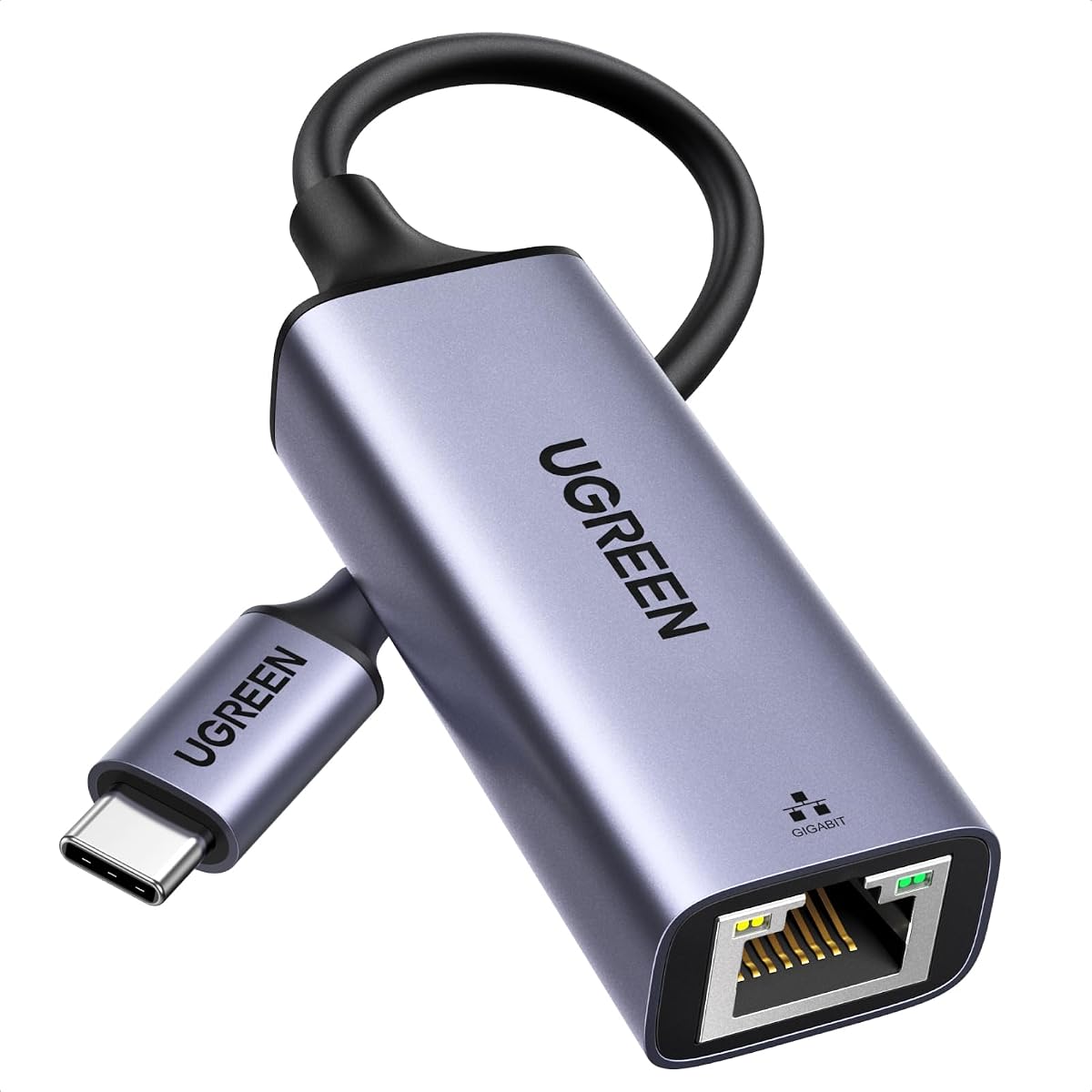
UGREEN USB C to Ethernet Adapter
4.7Editor score
Up to 1000Mbps network speed
Driver-free modern OS support
Compact reinforced aluminum design
This Ethernet Laptop Adapter guide compares 10 USB-A and USB-C options for speed, compatibility, portability, build quality, and reliable wired networking.
An Ethernet laptop adapter adds a wired RJ45 connection to computers that lack a built-in Ethernet port or have a damaged one. The right model can improve connection stability, reduce wireless interference, and support fast file transfers, gaming, video calls, and streaming on compatible laptops, tablets, and other USB-equipped devices.
We compared the ten adapters in this guide by examining their connector types, maximum network speeds, operating-system support, physical design, status indicators, required drivers, and stated compatibility. The list covers USB-A and USB-C solutions, including one-gigabit models and two options built for newer 2.5Gb networks.
Each review identifies the strongest use for its adapter while noting any limitations. The three leading choices appear in the top picks, and the comparison table makes the technical differences easy to scan. Product availability and prices can change, so confirm the current listing before buying.
4.7Editor score

4.6Editor score

4.6Editor score
The comparison covers connector design, stated maximum speed, installation requirements, portability, and notable compatibility considerations for all ten adapters.


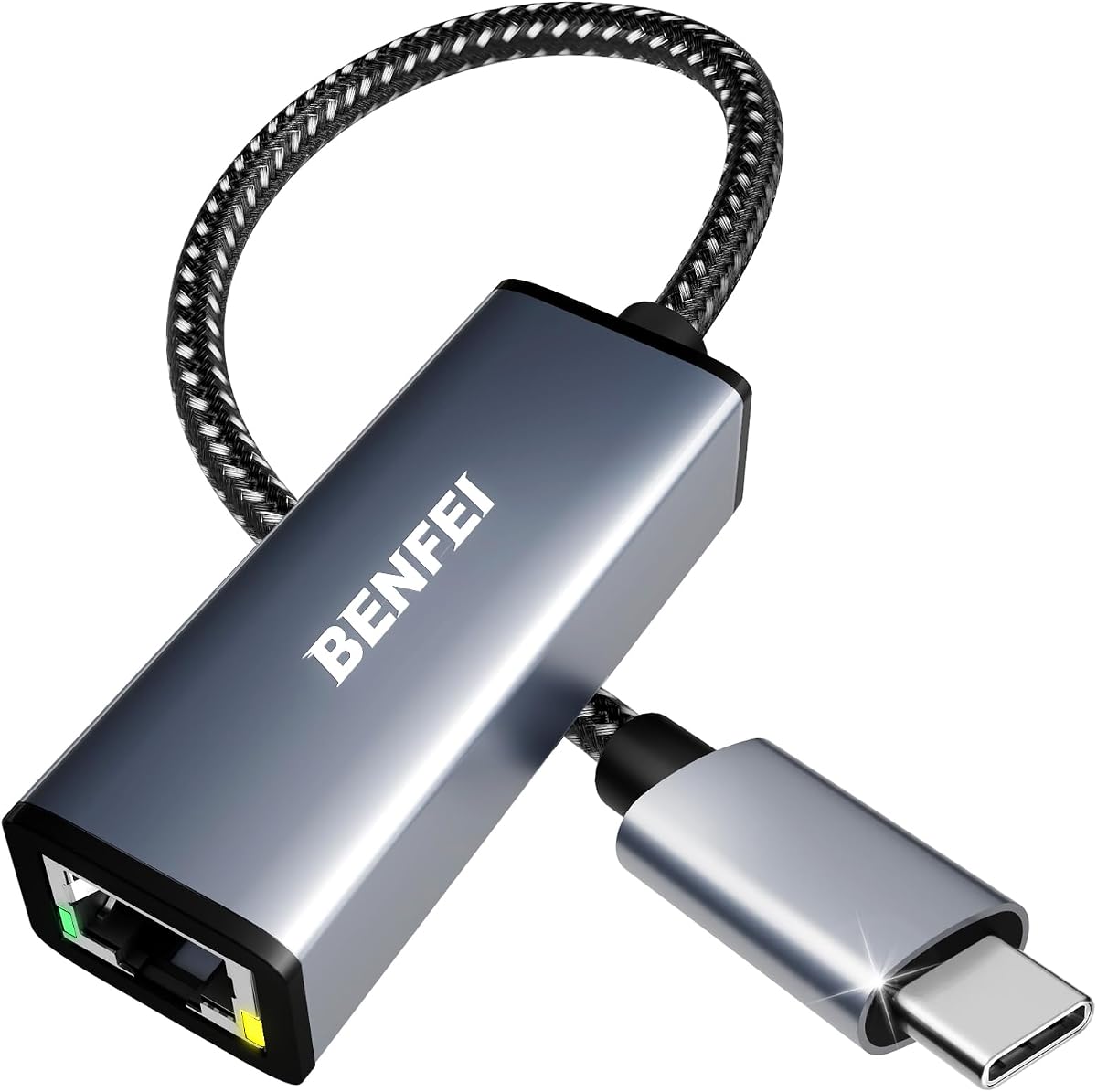
The BENFEI USB 3.0 to Ethernet Adapter combines a 1Gbps RJ45 connection with both USB-A and USB-C attachment options. Its 4.6 rating reflects a broadly useful design for modern laptops, older USB-A computers, MacBook models, Surface devices, and Windows systems. The adapter is particularly attractive when one household or workplace contains devices with different port styles.
We may earn a commission when you buy through this link, at no additional cost to you.
Its advanced bridge chip supports full-duplex and half-duplex operation, crossover detection, backpressure routing, Auto MDIX, and Wake-on-LAN. Driver-free installation is stated for supported Chrome, Mac, and Windows systems, while USB power removes the need for a separate power supply. Link and activity LEDs help users confirm that the wired connection is active, and backward compatibility with USB 2.0 and 1.1 broadens its practical reach.
The main limitation is that one adapter cannot provide two-gigabit performance; its stated ceiling is 1000Mbps, and reaching that speed requires CAT6 or better Ethernet cabling. It is also explicitly not compatible with the Nintendo Switch. Some older operating systems may perform differently from modern systems, so checking the listed requirements remains important when supporting an older computer.
This is a strong recommendation for users who want one adapter to cover several generations of equipment. It combines useful status lights, broad compatibility, and a durable aluminum-and-nylon construction without demanding a specific network upgrade. Choose it when dependable gigabit networking and connector flexibility matter more than 2.5Gb speed.
The USB-A and USB-C configuration makes this model particularly useful for offices, shared workspaces, and homes with mixed equipment. It reduces the need to carry a separate dongle for each device, although users should still verify the physical connector on each product they plan to connect.
Wake-on-LAN, full- and half-duplex support, crossover detection, and Auto MDIX make the adapter suitable for more than basic browsing. These features are valuable for users who depend on consistent wired links for remote access, transfers, or connected workstations.
We may earn a commission when you buy through this link, at no additional cost to you.
The uni USB C to Ethernet Adapter 1Gbps is a polished wired-network solution with a 4.6 rating and a clear emphasis on durability. It combines a standard RJ45 port, a compact aluminum body, and a braided nylon cable, making it a natural fit for frequent travel, hot desks, and offices where a wired connection is preferred over Wi-Fi.
We may earn a commission when you buy through this link, at no additional cost to you.
The adapter supports speeds up to 1000Mbps and is downward compatible with 100Mbps and 10Mbps networks. A snug-fitting USB-C connector is intended to maintain a stable connection, while the compact form is designed not to obstruct adjacent USB-C ports. Its stated compatibility spans recent MacBook Pro and Air models, iPads, iPhones, XPS systems, Chromebooks, and numerous Samsung devices with compatible USB-C ports.
Achieving the full stated rate requires CAT6 or newer Ethernet cable, so an older cable could become the limiting factor. The listing also notes that it is not compatible with Nintendo Switch. Its feature set is otherwise focused and clean, without unnecessary extras, although users who need more than one-gigabit performance should consider a 2.5Gb model instead.
This adapter is an excellent choice for users who want a refined and durable USB-C solution with straightforward installation. It is especially well suited to professionals who regularly connect to office networks or conference-room Ethernet ports. For users with a 2.5Gb router and switch, however, a faster adapter provides a more useful upgrade path.
The aluminum casing aids heat dissipation, while the braided nylon cable is designed to withstand repeated bending and storage. Those details make the adapter more reassuring for daily carry than a basic plastic dongle with a short, unsupported lead.
The compact body is intended to leave neighboring ports accessible. That consideration matters on modern laptops where an oversized adapter can interfere with a power connector, another peripheral, or the ability to position a device on a stand.
We may earn a commission when you buy through this link, at no additional cost to you.
The UGREEN USB C to Ethernet Adapter 2.5G stands apart from the conventional gigabit options with support for network speeds up to 2.5Gb. Its 4.6 rating and updated Realtek RTL8156BG chip make it a compelling choice for users pairing a modern USB-C computer with a 2.5Gb-capable router, switch, or network infrastructure.
We may earn a commission when you buy through this link, at no additional cost to you.
Its stated potential applications include NAS transfers, high-resolution streaming, and gaming, while the controller is described as consuming less power and producing less heat while operating at 2.5Gb. The aluminum housing, reinforced construction, durable RJ45 port, and indicator lights are designed for repeated use and make network status visible at a glance.
A 2.5Gb rating does not mean every linked device will deliver that speed. The source specifically notes that users should pair the adapter with 2.5Gb-capable equipment. Older routers, switches, servers, and network cables can limit the result, making this adapter less economical for a simple gigabit home network where no source device exceeds one gigabit.
This is the leading option for someone deliberately building a faster local network or moving large files over a 2.5Gb connection. Users with ordinary gigabit equipment can still use it, but will not realize its extra potential. For a USB-C laptop that needs a future-conscious wired upgrade, it offers the most capable performance specification in this guide.
The faster ceiling becomes meaningful when a compatible router, switch, NAS, and target computer all support 2.5Gb. It can also provide headroom for a future network upgrade without requiring another adapter, provided the surrounding infrastructure is ready.
Aluminum construction supports passive heat dissipation, while the stated low-power controller is intended to limit heat at full 2.5Gb operation. Reinforced ports and visible indicators further distinguish it from lightweight temporary solutions.
We may earn a commission when you buy through this link, at no additional cost to you.
The Amazon Basics USB 3.0 to Gigabit Ethernet adapter offers a familiar and uncomplicated way to add wired networking to a USB-A computer. Its 4.5 rating reflects a practical product aimed at everyday file transfers, internet access, and connections to routers, modems, or network switches.
We may earn a commission when you buy through this link, at no additional cost to you.
The adapter provides 10/100/1000Mbps Ethernet support and includes Wake-on-LAN, Green Ethernet, and IEEE 802.3az-2010 Energy Efficient Ethernet. IPv4 and IPv6 checksum offload is designed to reduce processor loading, which is useful on systems handling sustained network activity. Compatibility is stated for Windows 8.1 or later and Mac OS.
Its fixed USB-A connector excludes newer USB-C-only laptops unless an appropriate adapter or hub is already available. The listing also says that smart TVs and gaming consoles such as Nintendo Switch are not supported. These restrictions make it better suited to computers than to a broad range of entertainment hardware.
This is a sensible choice for an older desktop, a business laptop with USB-A, or a user who prefers a simple Amazon accessory without needing the newest connector. It covers standard gigabit networking without the extra complexity of 2.5Gb hardware. Users with USB-C systems should verify their port inventory before choosing this model.
Checksum offload can move suitable network tasks away from the central processing unit. That is helpful during sustained transfers or on business computers where maintaining responsiveness while the wired connection is active is important.
The adapter is a natural match for PCs and laptops that already use USB-A networking accessories. It may also serve as a shared office accessory, provided the target devices use the appropriate connector.
We may earn a commission when you buy through this link, at no additional cost to you.
The UGREEN USB C to Ethernet Adapter combines a 4.7 rating with easy installation and a durable, compact design. It supports up to 1000Mbps and is backward compatible with 100Mbps and 10Mbps networks, making it the strongest all-around option for most USB-C users whose networks operate at standard gigabit speeds.
We may earn a commission when you buy through this link, at no additional cost to you.
Driver-free operation is listed for Windows 11, 10, 8.1, and 8, as well as macOS, Chrome OS, and Android. Windows XP, 7, and Vista require drivers, while Linux installations also require driver support according to the listing. An LED indicator gives immediate confirmation of adapter status, and the aluminum alloy case is designed to dissipate heat more effectively than plastic.
The reinforced cable tail and wear-resistant port are useful for users who unplug and reconnect the adapter frequently. However, the maximum rate remains one gigabit, so this is not the option for taking full advantage of 2.5Gb routers and switches. Compatibility claims are broad, including USB-C and Thunderbolt devices, but every target should still have the required physical port and compatible operating system.
This recommendation is ideal for people who want a dependable USB-C adapter without paying for higher-speed hardware they cannot use. It is a strong match for MacBook, XPS, Chromebook, iPad, and modern laptop workflows involving transfers, streaming, gaming, or stable office connections. Its combination of rating, portability, and straightforward setup makes it particularly versatile.
Native driver-free support on current Windows, macOS, Chrome OS, and Android systems removes one common source of friction. Users can focus on selecting the correct network connection rather than searching for software or configuration files.
The small aluminum body is easy to carry, while the reinforced cable tail and wear-resistant connector area address the weak points most often encountered in portable adapters. An LED also removes guesswork about whether the adapter is active.
We may earn a commission when you buy through this link, at no additional cost to you.
The uni USB 3.0 to Gigabit Ethernet adapter is a durable USB-A solution with a 4.6 rating. It is designed for users who want a stable wired connection on a laptop or desktop with a full-size USB port and value a braided cable, aluminum housing, and visible operating indicator.
We may earn a commission when you buy through this link, at no additional cost to you.
It supports 10/100/1000Mbps networks over USB 3.0 and remains backward compatible with USB 2.0 and 1.1. A USB 2.0 connection limits the network rate to 10/100Mbps, so plugging into the correct port matters when pursuing gigabit performance. The built-in RTL8153 chip, snug USB connector, and braided lead are presented as contributors to stable transmission and durability.
The usual driver-free claim has a notable Windows 11 exception, with guidance available in the product guide. The adapter also carries a warning that it is not recommended for television use and is not compatible with Nintendo Switch. Compatibility otherwise extends across ChromeOS, multiple Windows versions, Mac OS X, and Linux, and the adapter can be used through a USB 3.0 hub.
This model is well suited to offices and home desks containing USB-A computers, especially where a more reinforced cable is desired. Its broad legacy-system support is useful, but Windows 11 owners should read the setup note before expecting completely automatic operation. It offers strong everyday value without attempting the 2.5Gb capability of newer models.
Compatibility with older Windows releases, Mac OS X, Linux, and ChromeOS broadens its potential audience. That makes it useful for mixed IT environments, although the Windows 11 driver note should be reviewed before installation.
A USB 3.0 port allows the adapter to take advantage of a gigabit network connection, while USB 2.0 limits the network rate. Identifying the correct port is therefore essential when speed matters.
We may earn a commission when you buy through this link, at no additional cost to you.
The TP-Link UE300C is a compact USB-C Ethernet adapter built around convenience and portability. It has a 4.6 rating, supports 10/100/1000Mbps connections, and measures 2.8 by 1.0 by 0.6 inches according to the supplied information. That small footprint makes it easy to carry in a laptop bag or pocket.
We may earn a commission when you buy through this link, at no additional cost to you.
The adapter turns a USB-C 3.0 port into an RJ45 Ethernet connection and is presented as a solution for replacing unstable Wi-Fi during meetings, gaming, and streaming. Installation requires no driver on Windows 11, 10, 8.1, 8, and 7, macOS, Chrome OS, or Linux Ubuntu. Link and activity indicators are also included for immediate status feedback.
As with other one-gigabit models, CAT6 or better cable is required to reach the maximum stated speed. The adapter is designed for computers and tablets rather than smart TVs or gaming consoles. Its compactness comes with a fixed USB-C plug, so it cannot serve a USB-A-only device without an additional adapter.
This is an excellent selection for a traveler, remote worker, or student who needs a small dependable wired connection at hotels, offices, classrooms, and conference rooms. It combines broad platform support with one of the smallest stated bodies in the list. For ordinary gigabit networks, it offers a particularly balanced mix of portability, simplicity, and reliable construction.
The stated dimensions keep the adapter easy to pack without adding bulk to a device bag. Its USB-C plug also avoids the separate dongle required by USB-A adapters, making it convenient for modern portable workflows.
A wired connection can be preferable in crowded or unreliable wireless environments. For meetings, large transfers, and streaming, the adapter offers a direct path to the network while preserving a simple setup process.
We may earn a commission when you buy through this link, at no additional cost to you.
The UGREEN USB to Ethernet Adapter 2.5Gb gives USB-A computers access to a modern 2.5Gb Ethernet connection. With a 4.4 rating, it is a distinctive choice for users with newer high-speed infrastructure who do not want to replace a USB-A port or carry a USB-C adapter.
We may earn a commission when you buy through this link, at no additional cost to you.
The updated Realtek RTL8156BG chip is described as supporting smoother performance, lower power use, and reduced heat at full 2.5Gb operation. The adapter can also be used with one-gigabit infrastructure, but it reaches its full potential only when paired with a 2.5Gb-capable router and switch. Reinforced construction and status indicators support regular use and make connection state easy to check.
The compatibility notes are important. Unlike more broadly stated USB adapters, this listing says it is not compatible with all Nintendo Switch, TV, Synology NAS, or Wii models. The phrase “not compatible with all” for those categories suggests limited or model-dependent support, so buyers should not assume compatibility without checking the specific target device.
This adapter is best for a USB-A workstation connected to a genuinely fast local network, such as a multi-gigabit home or office setup. It provides a performance bridge for older computers that cannot use the USB-C 2.5G alternative. For ordinary gigabit networking, however, a simpler one-gigabit adapter may offer more value and fewer compatibility questions.
The adapter is valuable in offices retaining USB-A desktops or laptops while routers and switches move to multi-gigabit standards. It allows those systems to benefit from faster local traffic without changing their primary peripheral connection.
The supplied compatibility notes call out exclusions involving selected Nintendo Switch, TV, Synology NAS, and Wii hardware. Verifying the exact model prevents the disappointment of buying a high-speed adapter for a device that its listing does not support.
We may earn a commission when you buy through this link, at no additional cost to you.
The UGREEN USB 3.0 Gigabit Adapter is a compact, widely compatible USB-A solution with a 4.6 rating. It supports speeds up to 1000Mbps and is presented as a practical choice for laptops, desktops, Nintendo Switch and Switch OLED systems, and USB-A-equipped TV boxes.
We may earn a commission when you buy through this link, at no additional cost to you.
Driver-free plug-and-play support is listed for Windows 11, 10, 8.1, and 8, macOS, and Chrome OS. The small enclosure is designed to fit into a briefcase or pocket, making the adapter convenient for travel and shared workspaces. Stated device compatibility includes ThinkPad, Surface, XPS, Chromebook, Spectre, Zenbook, MacBook, Mac Mini, and Mi Box examples.
Its primary advantage over many competitors is explicit Nintendo Switch compatibility, including the Switch OLED. However, the maximum network rate is one gigabit, so it cannot exploit a 2.5Gb connection. TV-box compatibility is also presented broadly through the supplied information, which means the exact model and operating requirements should still be checked.
This is a strong recommendation for a USB-A user who values straightforward setup, small size, and broad device support. It also stands out for Nintendo Switch owners looking for a wired network option. Users building a multi-gigabit network should choose a 2.5Gb model, while ordinary gigabit users will find this adapter capable and unobtrusive.
Explicit support for Nintendo Switch and Switch OLED separates this model from adapters that exclude gaming consoles. Console users should still follow the console and adapter setup instructions to establish the wired network correctly.
Its compact body is suited to a pocket, sleeve, or laptop bag. For someone moving between home and an office with wired Ethernet, keeping the adapter permanently in a bag is a practical way to maintain access to a fast connection.
We may earn a commission when you buy through this link, at no additional cost to you.
The BENFEI USB-C Gigabit Adapter is a portable wired-network solution designed around broad compatibility. It holds a 4.5 rating and supports up to 1000Mbps over USB-C, with listed compatibility spanning current and several previous generations of MacBook Pro and Air, iPad Pro, iPhone 15-series devices, XPS systems, Chromebooks, and Samsung phones.
We may earn a commission when you buy through this link, at no additional cost to you.
The adapter uses a compact, non-slip design with a braided nylon cable and aluminum casing. Its stated plug-and-play approach removes the need to install a driver for normal use. The network side supports gigabit, 100Mbps, and 10Mbps connections, while the physical design is intended to remain portable and resistant to everyday flexing.
The stated maximum rate depends on using CAT6 or better Ethernet cable. The product is explicitly not compatible with Nintendo Switch, which is worth noting for console buyers who might otherwise assume that all USB-C adapters support gaming hardware. It also does not exceed the standard one-gigabit ceiling.
This adapter is a sensible pick for a mixed collection of USB-C devices, especially users who regularly connect an iPad, iPhone, Chromebook, or MacBook to wired networks. It offers a balance of portability, recognizable construction, and broad device reach. A user with newer 2.5Gb infrastructure can justify a faster model, but standard gigabit users get the essential functionality without complication.
The stated device list makes this adapter relevant to mixed ecosystems. It can simplify shared travel or office kits when the user moves among iPads, iPhones, MacBooks, Chromebooks, XPS systems, and Samsung devices.
The aluminum body assists with heat dissipation, and the braided cable adds flexibility and durability. A compact, non-slip form also makes the adapter easier to insert and remove while traveling.
We may earn a commission when you buy through this link, at no additional cost to you.
Choose an Ethernet laptop adapter by matching its connector to your computer, its speed rating to your network, and its features to the devices and operating systems you use.
The first decision is physical: does your computer use USB-C or the rectangular USB-A port? USB-C is common on current thin laptops, tablets, and many modern phones, while USB-A remains relevant for desktops, older notebooks, and some console or TV-box setups. USB-C models may also mention Thunderbolt 3 or 4, but that does not mean every USB-C device supports every feature. Using an adapter with the wrong connector would require another adapter and could undermine the convenience of a compact wired solution.
In general, choose the connector your primary computer already has rather than purchasing for a device you might use only occasionally. A USB-A adapter is also more useful across older office equipment, whereas USB-C models often provide the more streamlined modern portable setup.
Most homes and offices use one-gigabit Ethernet, and a 1000Mbps adapter is sufficient for ordinary internet access, video conferencing, streaming, and local file transfers. A 2.5Gb adapter is the more future-conscious choice, but its additional capability matters only when the router, switch, target device, and local network support the faster standard. Otherwise, the source device remains the bottleneck. Faster adapters are most meaningful for large NAS transfers, local media workflows, and networks deliberately upgraded for multi-gigabit performance.
In short, match the adapter to the network rather than to the largest number printed on the box. Paying attention to infrastructure readiness prevents an advanced adapter from delivering an experience indistinguishable from an ordinary gigabit one.
Several products specify that CAT6 or newer Ethernet cable is required to achieve the top stated speed. Older CAT5 or lower cables may still allow a connection, but they can limit performance or reliability. This matters for office networks, home routers, and conference rooms where users do not control the installed wiring. The USB connection also matters: a one-gigabit adapter plugged into USB 2.0 may be limited to 100Mbps in some implementations.
Use a quality cable with the correct category and verify the port type. For sustained gigabit transfers, paying attention to both the adapter and the network cable prevents a misleadingly slow result.
Most adapters in this guide advertise driver-free use on current Windows and macOS systems, with several also supporting Chrome OS, Android, or Linux. Older Windows versions may require drivers, and the uni USB 3.0 model specifically notes that Windows 11 requires a driver. Checking these exceptions before purchasing is especially important for business users maintaining legacy devices. Some adapters use operating-system drivers for basic networking, while controller features such as Wake-on-LAN may require additional support.
Choose a model whose stated requirements include every system you intend to use. Native support on a current laptop should not be assumed to extend automatically to an older machine.
A portable adapter needs to withstand being carried, plugged into tight spaces, and repeatedly bent at the cable connection. Aluminum housings are common in the stronger options because they dissipate heat and resist impact better than basic plastic. Reinforced cable tails and braided leads are useful at the most common stress point. Compact dimensions matter when neighboring USB ports must remain accessible, while a non-slip body can make repeated insertion and removal easier.
For frequent travel, prioritize a small body, short or flexible lead, and reinforced connector. For a stationary desk, cable length and the ability to sit comfortably may matter more than the smallest possible footprint.
Link and activity LEDs are small features with practical value. A link light can confirm that the adapter and Ethernet cable are communicating, while an activity light provides evidence that data is moving. This makes troubleshooting faster, especially in offices where users need to determine whether a problem is the cable, switch port, or wireless network. Not every product in the list explicitly mentions dual indicators, so buyers who prioritize quick visual diagnosis should check the specification.
Status lights are helpful but not a performance measure. A light confirms a link, not the actual transfer rate, so the adapter specification and network infrastructure remain more important.
Some adapters support Wake-on-LAN, Energy Efficient Ethernet, full- and half-duplex modes, crossover detection, Auto MDIX, checksum offload, and IPv4 or IPv6. These features can improve compatibility, power management, and administration. They are particularly relevant to offices, always-on computers, and users who transfer files regularly. Simpler adapters can still handle standard networking well, so advanced features should be matched to an actual need rather than treated as universal requirements.
For ordinary browsing and streaming, gigabit compatibility and correct connector support are the essentials. For managed work environments or power-conscious setups, the additional protocol and power-management functions may justify another model.
Not every USB Ethernet adapter supports gaming consoles, smart TVs, NAS devices, or other specialized hardware. BENFEI's USB-A and USB-C models and uni's USB-C model exclude Nintendo Switch, while the UGREEN USB-A 2.5Gb listing calls out limitations involving certain Nintendo Switch, TV, Synology NAS, and Wii models. Conversely, the UGREEN USB 3.0 gigabit model expressly supports Nintendo Switch and Switch OLED. These differences can determine whether an otherwise suitable adapter works with your intended device.
Check the exact compatibility language before buying for a non-computer product. Also note whether a device is intended for basic networking or high-speed local transfers, because those uses can require different levels of performance and support.
Begin by identifying the adapter's USB connector and the corresponding port on your laptop. Plug the adapter directly into the computer first, connect an Ethernet cable from the adapter's RJ45 port to a router, modem, or network switch, and then select the wired network from the operating system's network controls. On supported systems, the network may appear automatically once the cable and adapter are recognized. A link or activity light can confirm that communication has begun.
If the connection is recognized but internet access is unavailable, restart the adapter by disconnecting it from the computer, verify that the Ethernet cable is firmly seated, and reconnect it to another router or switch port if possible. Users should also confirm that DHCP, the standard method of assigning network addresses, is enabled on the router. If the system requests a driver, follow the product's setup guidance and install the driver for the specific operating system before trying another port.
For routine care, avoid sharply bending the cable near the USB plug or RJ45 connector, and do not pull the adapter out by its lead. Keep the RJ45 opening free of dust and debris, and store the adapter in a small pouch or the compartment where it is normally used. Users seeking maximum speed should also verify that their Ethernet cable is CAT6 or newer and that the router or switch supports the adapter's stated network rate.
Not necessarily. A USB-C connector provides physical access to the Ethernet adapter, but the device must also support USB data connections and have compatible networking drivers. The product listings identify laptops, tablets, and phones that are supported, so check the exact model before purchasing. Some USB-C devices, including certain game consoles and specialized equipment, are explicitly excluded by one or more manufacturers.
It can, but only when the rest of the connection supports 2.5Gb. Your router, switch, target device, Ethernet cable, and local network service must all be capable of the faster rate. Most home internet connections remain much slower than one gigabit, so a 2.5Gb adapter mainly benefits large local transfers, NAS access, and future-ready network infrastructure.
Most current Windows and macOS systems are listed as supporting driver-free installation for many of these adapters. However, older Windows releases may require drivers, Linux support varies, and the uni USB 3.0 model specifically notes a Windows 11 driver requirement. Always consult the listing for the operating system and device combination you plan to use.
The USB 3.0 models are designed to support up to 1000Mbps when connected to a suitable USB 3.0 port and a compatible gigabit network. USB 2.0 is backward compatible, but it can limit the Ethernet result to 100Mbps. A CAT6 or newer Ethernet cable is also required by several product listings for the maximum one-gigabit rate.
They can provide a stable wired connection for PC gaming, and some adapters are also compatible with specific consoles. Compatibility is model-specific: several adapters explicitly exclude Nintendo Switch, while the UGREEN USB 3.0 gigabit model supports Nintendo Switch and Switch OLED. A wired connection may reduce wireless interference, but it cannot eliminate latency caused by the game server or network path.
Most current modern laptops use USB-C, so a USB-C Ethernet adapter is usually the most direct choice. Check whether the laptop has USB-A as well, and consider a model with both connector types if you use several generations of equipment. Desktop PCs and many older notebooks are more likely to require USB-A.
The uni USB 3.0 to Gigabit adapter explicitly states that it can be connected through a USB 3.0 hub. Other adapters may also work, although the hub must support the necessary data speed and provide adequate power. For a one-gigabit connection, connecting directly to the laptop is generally the simplest way to avoid avoidable bottlenecks.
A link light generally shows that the adapter has established a physical connection with the router, modem, or switch. An activity light indicates that data is moving. Having both makes troubleshooting easier because users can distinguish a disconnected cable from a working but inactive connection. Lights do not guarantee the full advertised transfer rate.
The UGREEN USB C to Ethernet Adapter 2.5G leads the list for users with compatible multi-gigabit hardware, while the UGREEN USB C to Ethernet Adapter is the most balanced everyday choice. The uni USB C to Ethernet Adapter 1Gbps stands out for its refined aluminum and braided-cable construction, and the BENFEI USB 3.0 model remains a versatile option for mixed USB-A and USB-C equipment.
Prioritize the connector your computer actually uses, then match the adapter's speed to your router, switch, and Ethernet cable. Consider driver requirements for legacy systems, status lights for easier troubleshooting, and console or TV exclusions when the adapter will serve more than a laptop. For a one-gigabit network, a compact and reliable USB-C model is usually the most straightforward choice.
Ratings and specifications can remain stable while availability and prices change over time. Before purchasing, confirm the current product listing, the exact device and operating-system requirements, and the needed network standard. That final check helps ensure the selected Ethernet laptop adapter works as intended.