
ARCTIC P12 Pro A-RGB
4.7Editor score
Up to 3000 RPM
Wide PWM speed range
Fluid Dynamic Bearing
Strong radiator performance
Discover the best Addressable RGB Fans for PC cases, radiators, and CPU coolers, with key features, performance details, and setup tips compared.
Addressable RGB fans give PC builders more precise lighting control than conventional multi-color fans because each diode can be driven independently. The right model also needs dependable airflow, PWM speed control, suitable static pressure, manageable wiring, and compatibility with the available case, cooler, radiator, and motherboard headers.
This guide compares ten 120mm Addressable RGB fan options across the details that matter in a real build: maximum RPM, airflow, static pressure, bearing design, noise specifications, lighting integration, connector standards, daisy-chain support, and installation flexibility. It includes packs with matching fans, forward-and-reverse combinations, and designs intended for radiators or CPU cooling.
Each review explains where the fan stands out, what trade-offs may matter, and which build it best suits. The featured selections cover budget, general-purpose, and premium options without claiming hands-on testing. Specifications and customer ratings are based on the supplied product information, while prices and availability can change.
4.7Editor score

4.6Editor score
4.8Editor score
This side-by-side comparison highlights the differences in speed, airflow, pressure, lighting, wiring, and intended use across all ten Addressable RGB fan selections.




The CORSAIR RS120 ARGB combines strong cooling specifications with a clean approach to lighting and wiring, earning a 4.6 customer rating in the supplied data. It is a well-balanced choice for builders who want more than decorative RGB, particularly when the fans will work against a radiator, dense filter, or restrictive exhaust position.
We may earn a commission when you buy through this link, at no additional cost to you.
Its headline performance is a maximum speed of 2,100 RPM and airflow of up to 72.8 CFM. More importantly for radiator and heatsink use, the listed static pressure of 2.8 mm-H2O gives it a useful ability to move air through resistance. CORSAIR AirGuide vanes are intended to direct airflow toward hot components, adding another benefit to installations where precise air direction matters.
The RS120 supports daisy-chaining, allowing multiple fans to be managed through one 4-pin PWM connection and one +5V ARGB connection. That is valuable in a polished build because it reduces the number of case headers required. Its eight addressable LEDs are controlled through a compatible motherboard, although buyers should verify that their board includes a suitable 5V ARGB header and software support.
This is a strong recommendation for a new gaming PC, a radiator-equipped case, or a system where balanced airflow, lighting, and cable management matter more than a decorative novelty. The triple pack also makes it easier to create matching intake and exhaust positions. The main limitation is the need for compatible hardware, plus the absence of a stated zero-RPM stop mode in the supplied specifications.
The 2.8 mm-H2O static-pressure specification makes the RS120 more convincing in restrictive locations than a basic case fan. It is particularly relevant for radiators, dense mesh panels, and heatsink positions where simply moving a large volume of air is not enough.
Daisy-chain support allows several fans to share PWM and ARGB connections. This reduces header pressure and keeps the installation cleaner, provided the case has compatible connectors and the included connection method supports the planned layout.
We may earn a commission when you buy through this link, at no additional cost to you.
The ARCTIC P12 Pro A-RGB stands out with a 4.7 customer rating and an unusually broad performance range for a budget-focused recommendation. Its maximum speed of 3,000 RPM is the highest listed figure in this roundup, while progressive PWM control can reduce or stop the fan when cooling demand is low.
We may earn a commission when you buy through this link, at no additional cost to you.
This model is designed to handle restrictive cooling environments. The product information emphasizes airflow through dense radiators, narrow perforated panels, and mesh structures. That makes it a practical choice for builders replacing a stock fan or creating a dedicated radiator set, especially if a strong maximum-speed response is important.
Noise control is addressed through a redesigned rotor, precision manufacturing, reduced vibration, and a self-lubricating Fluid Dynamic Bearing. The fan can stop completely at less than 5% PWM, which may make it quieter during idle periods when the motherboard can provide an appropriate signal. The supplied data does not specify an explicit noise rating, so comparisons should focus on its documented control features rather than an unstated decibel claim.
The P12 Pro A-RGB is best for performance-conscious builders who want strong airflow, radiator suitability, and useful low-speed behavior. It may be especially attractive for a single-fan CPU cooler upgrade or a case with restrictive ventilation. The main uncertainty is that the listing does not state whether it is sold as a single fan or a multi-pack, and its detailed lighting integration is less clearly described than that of several competitors.
The broad control range and ability to stop below 5% PWM provide more flexibility than a simple fixed-speed fan. That can help a system remain quiet during light workloads while retaining substantial airflow capacity under heat.
The fan's stated focus on dense radiators, narrow panels, and mesh suggests a stronger use case for obstructed airflow than a purely decorative case fan. Its high maximum RPM reinforces that positioning.
We may earn a commission when you buy through this link, at no additional cost to you.
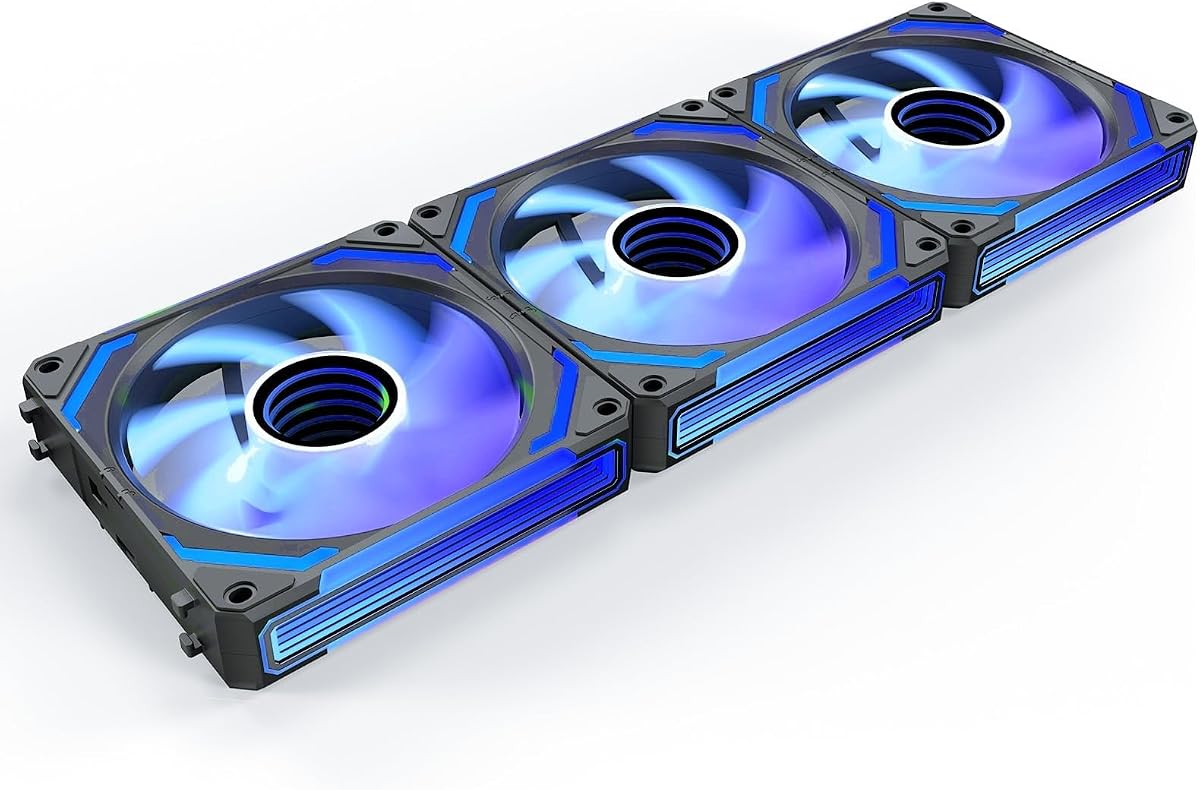
The AsiaHorse COSMIQ 120mm is the most visually ambitious option in the group, with a 4.8 customer rating and a layered infinity-mirror design. Rather than relying only on a ring of diodes around the frame, it uses multiple visible lighting surfaces to create a more dimensional appearance inside a glass-sided chassis.
We may earn a commission when you buy through this link, at no additional cost to you.
Its lighting controller supports eight music-rhythm modes through a built-in sound-pickup module. The lighting can also follow motherboard synchronization through a 5V three-pin ARGB connection, allowing the fans to participate in a broader case lighting system. The included small controller provides independent lighting control and can simplify setups that do not rely entirely on motherboard software.
Cooling remains the focus as well as appearance. The listed speed range is 800–2,000 RPM, with up to 68.5 CFM of airflow and 2.05 mm-H2O static pressure. A maximum noise figure of 29.2 dBA is stated for the full-speed condition, while the FDB bearing is intended to support smooth, quiet operation and long service life.
This is a compelling pick for a showcase build where the lighting itself is a major part of the design. It can also serve case and liquid-cooling radiator positions, with its 120mm format offering broad compatibility. The main trade-off is that its 2,000 RPM maximum is below the ARCTIC model's ceiling and the COSMIQ approach focuses more strongly on visual presentation and reactive lighting modes.
The integrated sound pickup and eight rhythm modes add an interactive element that ordinary synchronized ARGB fans do not provide. It is particularly engaging in a gaming or music-focused desktop where visible lighting reacts to the room.
Interlocking daisy-chain connections can reduce scattered wiring inside the chassis. The included controller also gives users a way to manage lighting independently while retaining PWM control over fan speed.
We may earn a commission when you buy through this link, at no additional cost to you.
The five-pack Thermalright TL-C12C-S provides a straightforward way to fill a case with matching illuminated fans, and its supplied customer rating is 4.7. Five identical units are useful for builders who want a coordinated intake, exhaust, and cooler arrangement without mixing separate fan models.
We may earn a commission when you buy through this link, at no additional cost to you.
Each 120mm fan reaches up to 1,550 RPM and produces up to 66.17 CFM of airflow with 1.53 mm-H2O static pressure. The stated noise level is no more than 25.6 dBA, making this one of the more clearly quantified options for noise-conscious users. A 4-pin PWM connection allows motherboard temperature control, and the fans can also be set to fixed speed through DC mode.
The lighting system provides up to 17 ARGB effects and can be managed through a compatible motherboard port. The listing positions the fan for cases, CPU coolers, and radiators, although the more moderate static pressure means it may be less specialized for dense radiators than the CORSAIR RS120 or ARCTIC P12 Pro A-RGB.
The Thermalright five-pack is a sensible choice for a complete new build, a case lighting refresh, or a system that needs several matching replacement fans. Its principal limitation is that it offers less speed headroom than higher-RPM competitors and creates more individual lighting connections than a fan with comprehensive daisy-chain support.
Five matching fans simplify visual planning across multiple mounting locations. The same frame, lighting pattern, and PWM behavior can produce a consistent result throughout the chassis.
PWM temperature control can let the motherboard reduce fan speed under light loads, while DC mode offers a fixed-speed alternative. That gives builders more control over the final acoustic profile.
We may earn a commission when you buy through this link, at no additional cost to you.
The Thermaltake CT120 EX ARGB is a three-fan option centered on convenient wiring and synchronized lighting. Its 4.6 customer rating reflects a strong overall proposition, while MagForce 2.0 magnetic connections distinguish it from conventional fans that require individual daisy-chain cables at every position.
We may earn a commission when you buy through this link, at no additional cost to you.
Each fan contains nine addressable LEDs controlled through compatible 5V motherboard synchronization software, with support for 16.8 million colors. The product information specifically states that multiple fans can be connected with only one cable, which can simplify installation in cases with limited headers and leave more room around the motherboard and cable-management channels.
Cooling features include a seven-blade design, a hydraulic bearing for reliable and silent operation, and an anti-vibration mounting system with a solid frame. The CT120 EX is designated as a case and radiator fan, but the supplied information does not provide a specific maximum RPM, airflow value, or static-pressure figure. That makes it harder to compare its raw cooling output numerically with the more fully specified alternatives.
This Thermaltake set is most suitable for builders who prioritize a polished lighting ecosystem and a simple cable arrangement. It fits a modern case with 5V ARGB support and is a logical choice when magnetic connections are more attractive than a larger bundle of traditional cables. The trade-off is less transparency in its cooling specifications.
MagForce 2.0 connections are intended to reduce the number of separate leads between adjacent fans. This is especially useful in tightly packed cases where traditional daisy-chain wiring becomes difficult to route.
Nine individually addressable LEDs and 5V synchronization support allow the CT120 EX set to join a broader ARGB lighting configuration. Compatible motherboard software is required for full control.
We may earn a commission when you buy through this link, at no additional cost to you.
This six-fan ARGB PWM set is distinctive because it includes four forward fans and two reverse fans, making it easier to construct a visually balanced case with intake and exhaust positions. Its 4.4 customer rating is the lowest in the group, so buyers may wish to examine current customer feedback more closely before committing.
We may earn a commission when you buy through this link, at no additional cost to you.
The reverse blades are intended for bottom or side intake positions where a conventional fan could obscure the lighting from certain viewing angles. Each fan includes 28 bright addressable LEDs divided between the center hub and outer ring, creating a more layered appearance than a simple perimeter light. Motherboard ARGB synchronization is supported.
Cooling is handled by nine high-pressure blades, an HDB bearing, and a maximum speed of 1,550 RPM. PWM intelligent temperature control can adjust the fans using CPU or motherboard temperature feedback. The combined ARGB and PWM hub controller connects case fans and other addressable lighting devices while centralizing fan-speed management.
This kit is well suited to a complete case refresh where several intake and exhaust locations need to be filled at once. It also fits stock CPU coolers and 120mm, 240mm, or 360mm liquid-cooling radiators. The trade-offs are the lower listed rating, generic branding, and the absence of a precise airflow or static-pressure figure in the supplied specifications.
Including two reverse-design fans allows a builder to plan a more balanced visual airflow layout. Reverse fans can be placed where their illuminated faces remain visible rather than pointing away from the main viewing window.
The combined ARGB and PWM controller can reduce cable clutter and provide one place to manage lighting and speed. It is a useful choice for builders adding several illuminated devices at the same time.
We may earn a commission when you buy through this link, at no additional cost to you.
This Thermalright TL-C12C-S X5 five-pack combines a 4.7 customer rating with a clearly stated maximum noise level of 25.6 dBA. It is a logical option for builders who want matching illuminated fans and care about the documented acoustic characteristics of a full case-fan group.
We may earn a commission when you buy through this link, at no additional cost to you.
Performance is consistent with the other TL-C12C-S selections in this roundup: up to 1,550 RPM, 66.17 CFM of airflow, and 1.53 mm-H2O static pressure. The 120 by 120 by 25mm format makes the fans suitable for standard case positions, CPU coolers, and radiators where the mounting pattern and surrounding clearance allow.
The lighting interface is identified as 5V three-pin ARGB, which helps distinguish the required motherboard connection. Up to 17 lighting effects are available, and colors can be synchronized through a compatible motherboard port. The fan's PWM temperature-control function allows automatic adjustment after connection, while DC mode gives the user a fixed-speed alternative.
This pack is a strong match for a quiet, coordinated five-fan layout, particularly in a workstation or gaming system where a moderate maximum speed is acceptable. It is less compelling than higher-RPM models for tightly packed radiators, and it shares many traits with the smaller three-pack, so careful comparison of the included quantity and connector details is important.
The stated maximum of 25.6 dBA gives buyers a concrete figure to compare with the other fans. It remains important to pair that specification with sensible PWM curves, because operating speed and mounting quality influence perceived noise.
Temperature-responsive PWM operation simplifies everyday cooling, while DC mode provides direct control when a predictable fixed speed is preferred. The choice lets builders align the fans with their own noise tolerance.
We may earn a commission when you buy through this link, at no additional cost to you.
The two-pack Thermaltake CT120 ARGB provides a manageable starting point for adding matched lighting to a PC. It carries a 4.6 customer rating and combines a seven-blade fan design with PWM control reaching up to 2,000 RPM.
We may earn a commission when you buy through this link, at no additional cost to you.
Nine addressable LEDs per fan are controlled through compatible 5V motherboard synchronization software, supporting up to 16.8 million colors. The daisy-chain design reduces cable requirements and the number of ports needed, making the set easier to integrate than individually wired fans.
A hydraulic bearing and anti-vibration mounting system with a solid frame form the basis of its stability and noise-control strategy. The product is marketed for both case and radiator positions, but the supplied data does not include exact airflow or static-pressure measurements. That makes its suitability harder to quantify than the fully specified Thermalright, CORSAIR, ARCTIC, and AsiaHorse alternatives.
This CT120 pair is best for a small lighting upgrade, a two-position replacement, or a builder who wants to add more fans later with daisy-chain support. Its 2,000 RPM ceiling is suitable for a broad range of case applications, although the two-fan quantity offers less flexibility than a three- or five-fan bundle.
Daisy-chain design means additional compatible fans can potentially be linked without using a separate header for every unit. This is helpful in cases that may receive additional cooling later.
The anti-vibration mounting system and rigid frame are intended to reduce unwanted movement and vibration. These features complement the hydraulic bearing for a more stable cooling setup.
We may earn a commission when you buy through this link, at no additional cost to you.
The Thermaltake LE120 ARGB three-pack has the joint-highest customer rating in the roundup at 4.8. Its stated operating range of 500–1,500 RPM and airflow of up to 66.1 CFM position it as a balanced option for standard case ventilation rather than an extreme-performance model.
We may earn a commission when you buy through this link, at no additional cost to you.
The lower starting speed can be valuable for quiet operation. Even a relatively modest fan can move useful air when several are installed, and the hydraulic bearing, narrow speed range, and PWM control provide a straightforward way to tune the final sound and cooling balance.
Lighting is handled by nine addressable LEDs per fan connected through 3-pin 5V ARGB. Daisy-chain cables simplify wiring, and the package includes a three-way PWM splitter for quick installation. Static pressure is listed at 1.41 mm-H2O, which is adequate for many open case positions but lower than the figures given for the CORSAIR RS120 and AsiaHorse COSMIQ.
The LE120 ARGB set is a good pick for a compact gaming build, an office workstation, or a three-position upgrade where a quieter speed ceiling is desirable. Its main limitation is that the 1,500-RPM maximum offers less headroom than several competing fans, particularly for dense radiators or stubborn airflow restrictions.
A 500 RPM minimum provides more room for low-speed operation than fans that begin closer to their maximum. That can help reduce unnecessary noise when the system is not under heavy load.
The included three-way PWM splitter simplifies the initial power arrangement. Daisy-chain ARGB cables help keep the lighting connections organized as the matching fan set is installed.
We may earn a commission when you buy through this link, at no additional cost to you.
The TL-C12C-S X3 three-pack is a compact way to add coordinated ARGB cooling to a standard 120mm PC build. Its 4.6 customer rating, documented performance figures, and relatively low stated noise specification make it a straightforward option for smaller upgrade projects.
We may earn a commission when you buy through this link, at no additional cost to you.
Each fan reaches up to 1,550 RPM, delivers up to 66.17 CFM of airflow, and produces 1.53 mm-H2O static pressure. The maximum noise figure is stated as 25.6 dBA. Four-pin PWM control supports automatic motherboard-controlled speed changes, while the broader description of the model also points to fixed-speed operation when desired.
The S-FDB bearing is designed to minimize blade shaking and sustain smooth operation, and the ARGB lighting offers up to 17 effects through a compatible motherboard port. The fans can be placed in a case, attached to a CPU cooler, or used with a radiator, provided mounting clearance and header availability meet the system's requirements.
This three-pack is best for replacing a small group of stock fans, adding intake and exhaust lighting, or supplementing a CPU cooler with matching 120mm units. It is less suitable for a complete high-airflow rebuild than the five-packs, and its 1,550 RPM ceiling places it below several higher-speed competitors.
Three matching fans cover the most common compact layout: one intake and two exhaust positions, or a similar arrangement determined by the chassis. The pack provides a coordinated appearance without filling every available mount.
The S-FDB bearing is intended to reduce fan blade shaking and support stable operation. Together with PWM control, it gives users tools to balance cooling output against acoustics.
We may earn a commission when you buy through this link, at no additional cost to you.
The best Addressable RGB Fans balance cooling performance, lighting control, electrical compatibility, and installation requirements. Comparing these factors before buying prevents a visually appealing fan set from creating header, clearance, or noise problems later.
Airflow indicates how much air a fan can move, while static pressure describes its ability to push air through resistance. A higher airflow figure can help cool open case positions, but radiator, dense mesh, and heatsink installations place greater importance on pressure. The listed products range from 66.1 to 72.8 CFM and from 1.41 to 2.8 mm-H2O, so the right comparison depends on where the fan will operate.
Choose a higher-pressure model for radiators, restrictive exhaust filters, or fin-dense CPU coolers. For standard open intake positions, airflow, noise behavior, and overall fit may matter more. Do not assume that a higher RPM ceiling automatically produces a better system.
RPM range determines how much performance the fan can offer under load and how quietly it may run when demand is low. The CORSAIR RS120 and ARCTIC P12 Pro A-RGB reach higher maximum speeds than most of the group, while the Thermaltake LE120 ARGB starts at a comparatively low 500 RPM. Matching the range to the intended workload helps avoid unnecessary noise.
A broad range is useful when the same fan serves both quiet desktop use and demanding games. A narrower, lower ceiling may be sufficient in a compact or office-oriented system. Always check the motherboard's PWM support and configured fan curve.
Addressable RGB fans generally require a 5V three-pin ARGB connection rather than a 12V four-pin RGB header. The Thermaltake, Thermalright, CORSAIR, and AsiaHorse options identify 5V synchronization in their supplied information. A visual connector may look similar to RGB, but the electrical pin arrangement is different and should not be forced.
Confirm that the motherboard has a 5V ARGB header, or plan to use a compatible controller. Check the case and fan kit for the necessary adapters and extension cables. Mixing incompatible lighting connectors can prevent synchronization or damage components.
Every separately cabled fan can consume valuable motherboard headers and create clutter behind the tray. Daisy-chain connections, magnetic links, split cables, and included controllers reduce the number of power and lighting connections required. The CORSAIR RS120, Thermaltake CT120 EX, Thermaltake LE120, and AsiaHorse COSMIQ all place some emphasis on simplified multi-fan wiring.
Count the available PWM and ARGB headers before choosing a pack size. A larger bundle is not automatically simpler if each fan needs its own connector. Include any radiator-fan needs in the total and confirm that included splitters or controllers support the intended arrangement.
Most case fans blow air into the case from their labeled side, while reverse fans are intended to pull air outward from that position. Matching forward and reverse designs are especially useful in cases with bottom intake, side intake, or rear exhaust positions where visible lighting should face the main viewing window.
The six-pack combination is the clearest example, supplying four forward and two reverse fans. Builders with a single reversed position can also consider mixing separate models, although matching color and lighting effects is easier when the entire set is coordinated.
The products use several bearing approaches, including S-FDB, FDB, hydraulic, magnetic dome, and HDB designs. Their stated goals are smooth rotation, reduced vibration, and long service life. Noise is influenced by bearing quality, fan speed, blade design, motor characteristics, and mounting, so a maximum RPM comparison alone does not determine the final sound level.
Some listings provide a maximum noise figure, such as 25.6 dBA for the Thermalright TL-C12C-S or 29.2 dBA for the AsiaHorse COSMIQ. Treat these as useful comparisons, not guarantees for the entire PC. A sensible PWM curve and secure, vibration-controlled mounting remain essential.
Basic motherboard synchronization offers broad color and effect control, while premium designs may add a dedicated controller, music-responsive modes, or a more elaborate illuminated structure. Nine LEDs per fan is a common configuration in this group, while the six-pack design uses 28 LEDs per fan and the COSMIQ uses an infinity-mirror appearance.
Choose based on the desired visual effect and available controls. Software synchronization is convenient, but a dedicated controller may be useful in builds without a compatible 5V header or when independent lighting control is preferred. Confirm that the chosen control method works with the rest of the case lighting.
Pack size should reflect the number of usable 120mm mounts rather than a desire for more lights. The products here include two-fan, three-fan, five-fan, and six-fan sets. A larger set may leave unused mounting positions, while a smaller pack can make it difficult to coordinate all intake and exhaust locations.
Measure the case and check radiator thickness, CPU-cooler overhang, cable clearance, and fan thickness before ordering. Standard 120mm size does not guarantee a fit when a radiator, bracket, drive cage, or thick tubing obstructs the mounting area.
Begin by planning the airflow direction before installing the fans. Mount intake fans where they pull cool outside air into the chassis, place exhaust fans where they push warm air out, and use the case manufacturer's guidance as a baseline. Arrange forward and reverse fans so their illuminated faces remain visible where possible. Confirm that each fan clears nearby components before tightening its screws.
Connect the 4-pin PWM cable to the appropriate four-pin fan header or a compatible splitter, and connect the 5V three-pin ARGB cable to a matching 5V ARGB header or controller. Never substitute a 12V four-pin RGB connector for a 5V ARGB connection. Once the system is powered on, use motherboard software or the included controller to set lighting effects and establish a PWM fan curve suited to normal and peak workloads.
During routine care, power the system down before moving any fan. Hold the frame rather than the blades, disconnect cables by their connectors, and remove the fan without pulling on the ARGB or power leads. Keep the intake path free of dust, and check that screws remain secure. If a fan develops unusual noise or vibration, disconnect it and verify that the frame is not touching a radiator, bracket, cable, or adjacent fan.
No. Standard RGB fans usually display one color at a time across all of their LEDs, while addressable RGB fans can control individual diodes independently. That distinction allows more precise gradients, patterns, and synchronization effects. Both still need compatible lighting software and a suitable control connection.
No. A 5V three-pin ARGB connection and a 12V four-pin RGB connection use different pin arrangements and are not interchangeable. Use a compatible ARGB-to-RGB adapter only when its design explicitly handles the required connection and lighting protocol, and never force a connector into the wrong header.
Not necessarily. Additional fans can improve airflow, but their placement, direction, and the case's existing ventilation matter more than the number alone. Fans should work with a balanced intake and exhaust layout. CPU temperature also depends on the cooler, processor load, case design, and room conditions.
Higher RPM can increase available airflow, but static pressure is especially important when moving air through a radiator or dense obstruction. The ARCTIC P12 Pro A-RGB and CORSAIR RS120 both provide strong specifications for restricted positions. Actual performance also depends on the radiator dimensions and the total system configuration.
A reverse fan can be useful at a bottom or side intake position because its illuminated face may remain visible from the main viewing window. Airflow still needs to be planned correctly. The main difference is blade orientation and the intended direction of air, so follow the case and fan manufacturer instructions.
Most models in this guide support 5V motherboard synchronization, which allows lighting to be managed through compatible software. The exact effects depend on the motherboard, its ARGB utility, and the fan's control protocol. Fans with dedicated controllers may also offer additional modes that are separate from motherboard synchronization.
It depends on the fan and motherboard control setup. The ARCTIC P12 Pro A-RGB can stop below 5% PWM, while other models can run at low fixed or controlled speeds. Even a stopped fan may produce a faint electrical or bearing sound, and fan performance is affected by mounting and vibration.
Count the available 120mm mounting positions and include both intake and exhaust needs. A three-fan pack is often convenient for a compact upgrade, while a five-fan pack can provide more complete coverage in a larger case. Also check header capacity and ensure the selected pack includes the forward or reverse orientations your layout requires.
The CORSAIR RS120 ARGB is the strongest all-around choice for builders who want documented high airflow, useful radiator pressure, and straightforward daisy-chain wiring. The ARCTIC P12 Pro A-RGB stands out for its broad PWM range, 3,000-RPM maximum, and ability to stop below 5% PWM. For a visually dramatic showcase system, the AsiaHorse COSMIQ offers infinity-mirror lighting, music-responsive effects, and a dedicated controller.
Prioritize connector compatibility, intended mounting position, airflow versus static pressure, and the amount of cable management your case needs before focusing on lighting alone. A fan set can look excellent but perform poorly if it is mounted in the wrong direction, lacks enough header support, or is pushed against a restrictive surface. Match the speed range and bearing characteristics to the system's cooling demands and preferred noise level.
Finally, compare current product details, customer feedback, and prices before purchasing, since specifications and market conditions can change. Confirm that the included cables, controller, splitter, and mounting hardware meet the needs of your case, and ensure your motherboard provides compatible 5V ARGB and four-pin PWM connections.