
Amazon Basics 120W Nano GaN
4.2Editor score
Two USB-C and one USB-A
Single-port 100W output
Universal 100-240V input
Discover the best 120W USB C Charger options for laptops, phones, and tablets, with expert comparisons of power, ports, compatibility, and travel design.
A capable 120W USB C Charger can simplify a workspace by replacing several lower-wattage adapters, especially when you regularly charge a demanding laptop alongside phones, tablets, and accessories. The best model balances useful power delivery, dependable safety features, sensible port selection, and a design that suits your desk, travel bag, and outlet situation.
This guide compares ten chargers based on their stated output, supported devices, port configurations, cable arrangements, portability, and protection features. It covers options with two 65W USB-C outputs, three-port power distributions, built-in retractable cables, and compact GaN designs, while also noting where a product's actual maximum output depends on the port combination being used.
Each review explains the product's strongest use case, important compromises, and who is likely to benefit most. The selections range from straightforward wall adapters to feature-rich charging stations, and one listed option delivers 130W rather than exactly 120W. Product availability, charging protocols, and prices can change, so confirm the current listing and your device requirements before purchasing.
4.2Editor score

4.6Editor score

4.4Editor score
The table below summarizes each charger's headline capacity, port layout, portability features, and strongest application. Maximum output can change when several devices are connected simultaneously, so the per-port and multi-device figures are important when comparing these models.




This 120W USB C Charger package offers an unusually complete setup for users who want one adapter at home and another at the office. It combines two compact GaN charger blocks, two 10-foot USB-C cables, and two 3.3-foot cables. Its 4.6 rating reflects a favorable customer response, while the dual-port design can provide up to 65W per USB-C connection when both ports are working simultaneously.
We may earn a commission when you buy through this link, at no additional cost to you.
The main attraction is flexibility. Each charger can run two compatible USB-C devices, and the listed maximum power profiles include 65W from each port, making the setup suitable for many modern phones, tablets, and lighter laptops. The included cable lengths are genuinely practical: the longer leads solve reach problems around a sofa or bed, while the shorter cables are easier to manage at a desk. The cables also support data synchronization at up to 480 Mbps according to the product information.
There are trade-offs to consider. A two-pack is not the simplest choice for a traveler who only needs one adapter, and carrying both blocks and four cables could outweigh the benefit for some buyers. The product description also includes broad compatibility claims, so the exact laptop, charging protocol, and simultaneous-load arrangement should be checked before assuming full-speed operation on every connected device.
This is our top overall selection because it combines high per-port power, generous accessories, two separate charger locations, and strong safety protections without requiring the complexity of a display-equipped desktop station. It is especially suitable for families, hybrid workers, and anyone who wants cables available in both short and extended lengths. For a single, minimalist adapter, however, the Amazon Basics model may be more convenient.
The 65W-per-port capability is useful when two devices need meaningful power rather than merely a low-speed top-up. It is particularly relevant for fast-charging phones and tablets, although the heaviest laptops may require a different power arrangement.
Two blocks make it simple to keep separate charging stations at home and work. Four included USB-C cables reduce the chance of leaving a required cable behind and cover both compact desk arrangements and extended bedside reach.
We may earn a commission when you buy through this link, at no additional cost to you.
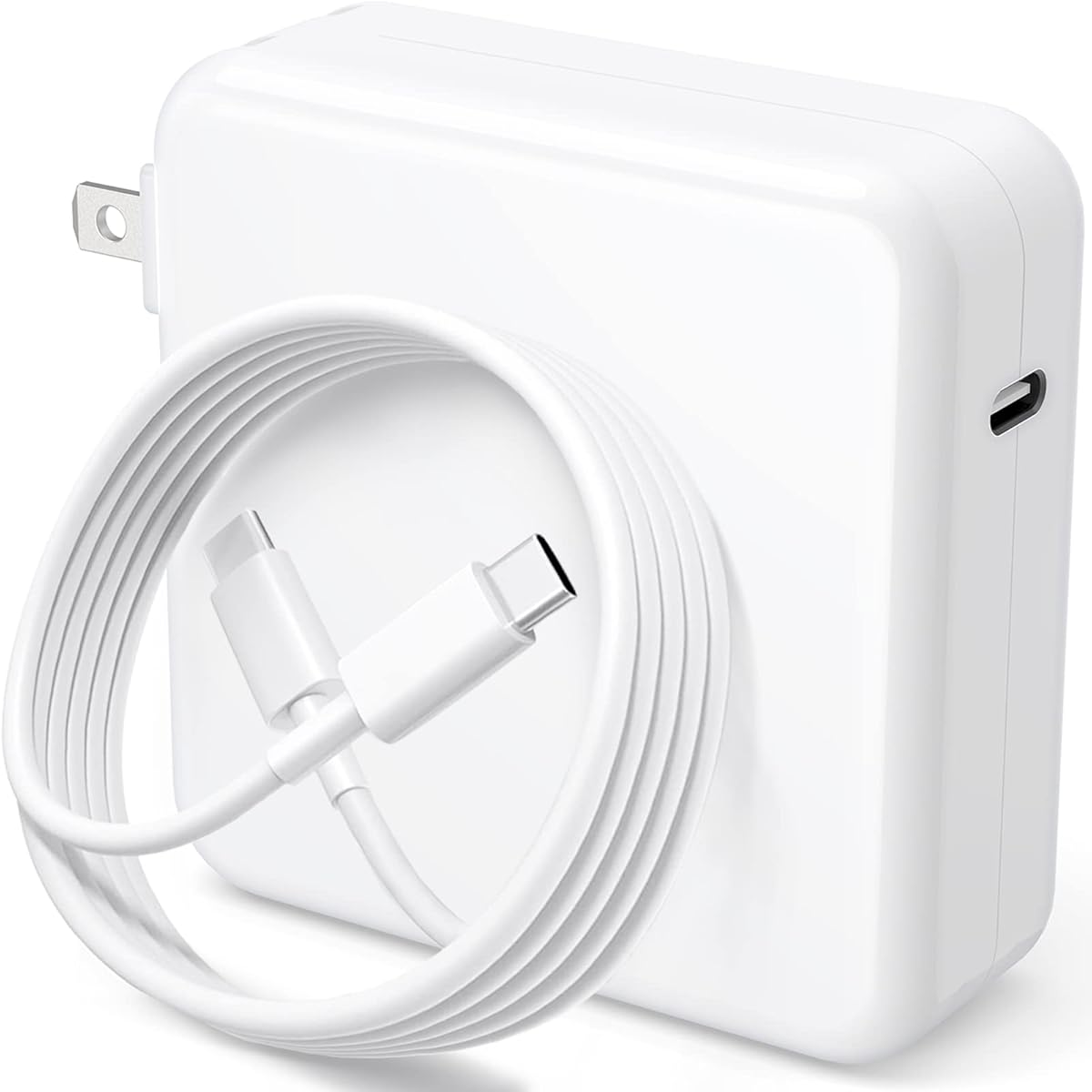
This dedicated 120W USB C Charger is designed primarily around MacBook Pro and MacBook Air charging, with additional support claimed for iPads, Samsung Galaxy devices, and other USB-C products. It carries a 4.2 rating and states charging efficiency of up to 97%. The product description says most laptops can be fully charged in about 1 hour and 20 minutes and many phones can move from 0% to 80% in 18 minutes under suitable conditions.
We may earn a commission when you buy through this link, at no additional cost to you.
Its direct 120W output and automatic device identification make it appealing for users who want a predictable alternative to a laptop power adapter. A 6.6-foot integrated cable provides ample reach from a wall outlet to a sofa, bed, or desk, while the foldable plug protects the prongs during transport. Protection against short circuits and overheating adds reassurance for routine high-load use.
The major limitation is simplicity at the expense of flexibility. With only one charging position, it cannot charge a phone and laptop at the same time, and the attached cable is less convenient when you want to use a different length. Its compatibility list is broad for a single-port design, but the MacBook emphasis makes it less suitable as a universal travel charging hub.
Buyers who regularly use a MacBook and mostly charge one device at a time should appreciate the focused output and long cable. A person with a mixed device ecosystem, several USB-C peripherals, or a need for simultaneous charging will likely find a multi-port model more efficient. Check the current connector and power profile on the listing before replacing an original adapter.
The 120W output is aimed at giving compatible MacBook models a substantial power budget without requiring a larger multi-port desktop charger. Automatic power conversion helps the adapter match the connected device more closely.
The long attached cable reduces the need to sit directly beside an outlet. Its foldable plug also makes the charger easier to pack and protects the prongs when the adapter is not in use.
We may earn a commission when you buy through this link, at no additional cost to you.
The Amazon Basics 120W Nano GaN combines a compact three-port layout with clearly stated power allocations. It includes two USB-C ports and one USB-A port, and its charging profiles are unusually specific: a USB-C port can deliver up to 100W alone, the two USB-C ports can provide 60W each together, and the full three-port arrangement can distribute 60W, 45W, and 12W. Its 4.2 rating reflects generally favorable but not exceptional customer feedback.
We may earn a commission when you buy through this link, at no additional cost to you.
This charger is especially useful for people who want one compact block for a laptop, phone, and legacy USB-A accessory. The 2.7-by-2.7-by-1.3-inch size, foldable plug, and universal 100-240V input make it a logical travel companion. It also includes protection against overcharging, overvoltage, overcurrent, and short circuits, covering the principal electrical risks shoppers look for in a high-output adapter.
The main inconvenience is that no cable is included, so you must use compatible USB-C and USB-A cables you already own or purchase separately. Also, the headline 120W is an aggregate ceiling rather than a guarantee that every port can simultaneously deliver 120W. A demanding laptop and a phone may work well together, but adding a third device changes the available power.
This is a strong premium-style pick for a streamlined, recognizable charging setup that does not rely on a screen, app, or built-in cable. It suits travelers and office users who value clear port assignments and compact dimensions. Choose it when you own suitable cables and need a dependable 100W-capable USB-C connection alongside secondary ports.
Published port combinations make it easier to predict performance. A single modern USB-C device can receive up to 100W, while adding other connections changes the distribution across the charger.
The folding plug, small dimensions, and wide input-voltage range suit international travel and mixed charging environments. The lack of an included cable means careful packing is still necessary.
We may earn a commission when you buy through this link, at no additional cost to you.
This 120W USB C Charger takes an all-in-one approach by incorporating two retractable cables, a USB-A port, a USB-C port, and a Lightning cable connection. The design is aimed at reducing cable clutter while retaining enough reach for desks, beds, and airport seats. It has a 4.5 rating, and its listed features include PD, PPS, 120W total output, and a 65W USB-C port suitable for many laptops and tablets.
We may earn a commission when you buy through this link, at no additional cost to you.
The built-in reels extend up to 27.56 inches and retract into the housing when not needed. This makes the charger more self-contained than a conventional wall block that requires a separate USB-C cable. Four-device support is another differentiator, while the GaN IV implementation is designed to reduce size, weight, and heat compared with older charger architectures.
Its headline output is shared across the connections rather than available independently from all four. The 65W top port is the most relevant for a laptop, and the product description specifically notes PPS support alongside PD. The retractable mechanism also introduces more components than a basic adapter, so buyers who are especially concerned about long-term mechanical durability should consider how frequently they will pull the cables.
This is an excellent choice for someone who wants a travel charger that comes with its own cords and expects to connect several device types. It reduces the need to remember a small bag of cables, making it particularly useful in hotel rooms and shared workspaces. If your priority is maximum laptop headroom or a simple fixed plug, a higher single-port output option may be a better fit.
The two reels keep frequently used USB-C and Lightning leads inside the charger until needed. That makes the product more self-contained for travel and removes the need to search for a matching cable at each stop.
The four-connection arrangement can serve a laptop, phone, tablet, and accessory at once. Actual charging speeds still depend on the connected hardware and the power distribution selected for that combination.
We may earn a commission when you buy through this link, at no additional cost to you.
This charger provides up to 130W through a USB-C connection and is tailored primarily to Dell laptops that use slim USB-C power adapters. Its 4.4 rating indicates favorable customer reception, while the extensive compatibility list includes Latitude, XPS, Inspiron, Precision, and Alienware models. It also states compatibility with 45W, 65W, 90W, and 100W USB-C devices, giving it some value beyond Dell hardware.
We may earn a commission when you buy through this link, at no additional cost to you.
The 11-foot cable is the standout practical feature. It can reach across a large desk, around a workstation, or from an outlet to a sofa without forcing the laptop to remain beside the wall. Input supports 100-240V, and the listed voltage and current profiles cover high-power USB-C charging. Its one-cable format is straightforward for anyone who values reach over multi-device flexibility.
Because this is technically a 130W product, it does not match the exact 120W target of the guide. That is not necessarily a disadvantage: compatible devices negotiate the power they need, and higher rated output can provide useful headroom. The trade-off is that the large model list focuses on Dell, so buyers should confirm the exact system model and connector before assuming support for a competing laptop brand.
This is a targeted recommendation for a Dell owner who needs a long-reaching replacement cable and broad model coverage. It is less appropriate for travelers seeking a small universal adapter or for users who need to charge a phone and laptop simultaneously. Review the current compatibility chart and compare the connector shape with the original Dell charger before ordering.
An 11-foot lead provides exceptional placement flexibility. It can reduce desk clutter by keeping the laptop near the center of the work area rather than directly beside the outlet.
The charger names a wide collection of Latitude, XPS, Inspiron, Precision, and Alienware systems. Checking the specific laptop model remains important because connector and power requirements can vary within a product family.
We may earn a commission when you buy through this link, at no additional cost to you.
Although this Anker model is rated at 100W rather than 120W, it offers one of the most balanced everyday charging packages in the guide. It has a 4.6 rating, a compact folding plug, three ports, and a five-foot USB-C cable in the box. The product description says it can charge a 16-inch MacBook Pro with M1 Max to full in about 1 hour and 20 minutes under the stated conditions.
We may earn a commission when you buy through this link, at no additional cost to you.
PowerIQ 3.0 handles device compatibility, while ActiveShield monitors temperature continuously for a safer charging experience. The included cable means the charger is ready to use without an extra purchase, and its compact form is convenient for commuting or travel. A three-port layout also gives it more everyday versatility than a single-cord laptop adapter.
The central compromise is maximum output. If your goal is specifically a 120W USB C Charger, this product does not claim that headline capacity. Its 100W USB-C port may still be more than enough for many compact and mid-size laptops, but buyers with a high-power workstation or a large performance notebook should examine their exact charging requirements before choosing it.
This is a strong recommendation for a traveler or everyday user who values recognizable charging software, compact construction, a bundled cable, and the ability to power several devices. It is less appropriate for someone who must optimize every minute of laptop charging or needs the full 120W specified by the guide. For that requirement, the 120W selections deserve priority.
The folding plug and small housing make the charger convenient to carry without relying on a bulky fixed-prong adapter. It can remain in a laptop sleeve as a dependable travel or emergency charger.
PowerIQ 3.0 is intended to provide appropriate power negotiation across connected devices, while ActiveShield adds ongoing temperature monitoring. These features support the charger's suitability for routine phone, tablet, and laptop charging.
We may earn a commission when you buy through this link, at no additional cost to you.
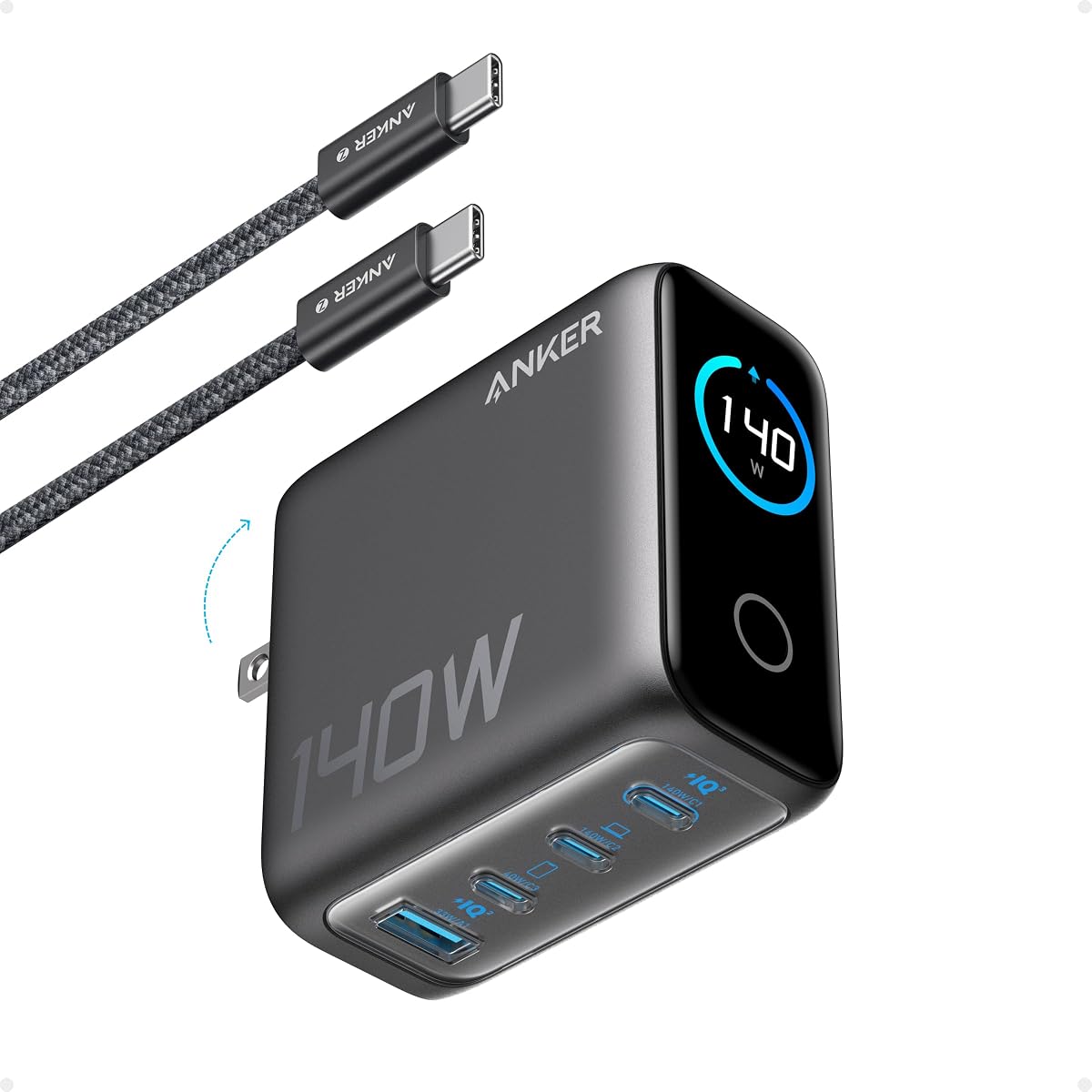
The Anker 140W Max is designed for an expansive desktop ecosystem, combining four charging positions with a high-definition color display. It has a 4.4 rating and can charge four devices simultaneously. According to the product information, either USB-C port can deliver up to 140W on its own, and a 15-inch MacBook Air can reach 50% in 30 minutes under suitable conditions.
We may earn a commission when you buy through this link, at no additional cost to you.
Its greatest benefit is visibility. The display reports charging status, temperature, and port information, allowing users to see what the charger is doing without guessing whether a device negotiated the expected power. ActiveShield 4.0 performs temperature monitoring frequently, and the package includes a five-foot 240W USB-C cable capable of carrying high-power charging signals.
This is clearly a desktop-first design. Its 2.72-by-2.72-by-1.42-inch body and display add bulk compared with a plain adapter, which may be unnecessary for a traveler with only a phone and tablet. The 140W single-port output also exceeds the guide's 120W target, but multi-device charging will divide the available power, so users should not expect every connection to receive that maximum.
Choose this model when your desk routinely hosts several devices or you want clear real-time charging information without opening an app. It is especially compelling for a MacBook-centered workspace that also includes phones, tablets, and accessories. For a simpler bag-friendly charger, one of the smaller 120W options will usually be easier to manage.
Four ports reduce the need for separate wall blocks, and the display provides immediate information about allocation and temperature. That makes the charger easier to manage when several high-power devices are connected.
A maximum 140W output provides ample room for demanding compatible laptops. The included 240W cable is also designed to avoid becoming the limiting link in a high-power setup.
We may earn a commission when you buy through this link, at no additional cost to you.
This black retractable-cable charger offers a four-in-one arrangement for laptops, tablets, smartphones, and accessories. It has a 4.3 rating, a total output of up to 120W, and a 65W top USB-C connection for higher-demand devices. Two built-in cables extend up to 27.56 inches and retract into the body, reducing the need to pack separate charging leads.
We may earn a commission when you buy through this link, at no additional cost to you.
PD and PPS support broaden its usefulness across modern phones, tablets, and compatible laptops. The product description lists MacBook Pro, Galaxy Book4 Pro, Lenovo IdeaPad, ASUS Vivobook, HP Chromebook, Google Pixelbook, Dell XPS, several tablets, and current and recent iPhone and Galaxy models. GaN IV technology is used to maintain a compact form while controlling heat and weight.
Its feature set closely resembles the rank-four model, so the decision may depend on listing details, warranty terms, or connector preferences rather than headline specifications. The 120W total is divided among connected devices, making the dedicated 65W USB-C port the critical specification for laptop charging. As with any retractable design, repeated extension and retraction introduces mechanical movement that a fixed-cable charger does not have.
This model makes sense for travelers who want fewer loose accessories and for users whose devices use both USB-C and Lightning connections. It can handle a workday with several devices without occupying every nearby outlet. If you need a single very high-power laptop connection, choose a charger with a clearly stated high single-port output instead.
The retractable leads remain stored inside the housing until extended. This creates a more organized travel kit and helps prevent small cables from being lost inside a bag.
The dedicated USB-C, USB-A, USB-C reel, and Lightning reel provide broad device coverage. The 65W USB-C port handles the most demanding role while the remaining outputs support phones and accessories.
We may earn a commission when you buy through this link, at no additional cost to you.
This 120W USB C Charger offers a direct, uncomplicated way to power compatible MacBook models, with stated efficiency of up to 96%. It has a 4.4 rating, and the product information says it can fully charge a 16-inch MacBook Pro in about 1 hour and 20 minutes. It also supports a wide set of PD profiles and can fast-charge many phones from 0% to 85% in approximately 20 minutes.
We may earn a commission when you buy through this link, at no additional cost to you.
Compatibility is listed for MacBook Pro 13-, 14-, 15-, and 16-inch models, MacBook Air, iPad Pro, iPad Air, and other USB-C devices. Automatic device identification is intended to select an appropriate output current. The 6.6-foot cable is made with thicker copper wire, has passed a stated 20,000-bend test, and gives enough reach for working in bed or at a distance from the outlet.
The tradeoff is that this is a single-device charger. Its fixed cable cannot be exchanged for a different length or removed for compact packing, and there is no secondary port for a phone or accessory. Users who need one dependable laptop connection may accept that simplicity, but shared desks and travel households often benefit from multiple ports.
This is the best budget-oriented entry in the list because it delivers the guide's target 120W output, includes a long cable, and adds meaningful foldability and safety features. It is best for a MacBook owner who charges one main device at a time and values a long cord. Multi-device buyers should favor a three-port or four-port alternative.
The 120W output and broad PD profile list make this a focused solution for compatible notebooks. Automatic identification reduces the need to manually select a power mode for common devices.
A 6.6-foot lead makes it easy to keep a laptop at a comfortable working distance from the outlet. The folding plug protects the adapter during storage, although the cable itself remains attached.
We may earn a commission when you buy through this link, at no additional cost to you.
The Anker Prime 160W represents the upper end of the guide's charging capacity range. It has a 4.6 rating and combines three ports, GaN construction, and an AnkerSense View display. Its headline 160W output is higher than 120W, while a single port can deliver 140W without being reduced according to the product information. The stated aim is to replace three separate original chargers with one block.
We may earn a commission when you buy through this link, at no additional cost to you.
PowerIQ 5.0 distributes power intelligently among connected devices. The product information gives a representative allocation of 140W for a 16-inch MacBook Pro, 35W for an iPhone 16 Pro Max, and 35W for an 11-inch iPad Pro. Users can inspect power in real time, switch modes, and access custom modes through the app via Bluetooth, adding a level of control unavailable from basic wall adapters.
The compromises are price and complexity. This is the most premium product in the guide, and some shoppers will not need an app, customizable modes, or a display. It is also a charger rather than a portable battery, so it must remain connected to an outlet. Because it exceeds the requested category in several ways, buyers should make sure the added functions justify the investment.
This model is ideal for a power user with several modern devices who wants maximum headroom and detailed charging information. It can serve as a central home or office hub and leaves room for future devices that demand more than 120W. For ordinary phone charging or a single lightweight laptop, one of the less complex models in the guide will be more restrained and easier to justify.
The 140W single-port capability provides substantial charging headroom for demanding laptops. This makes the charger useful even when its overall rating is considered beyond the guide's 120W target.
The built-in display and Bluetooth app support make power allocation visible and adjustable. This is especially helpful for users who move frequently between a laptop, tablet, and multiple phones.
We may earn a commission when you buy through this link, at no additional cost to you.
Choosing a 120W USB C Charger requires more than comparing the number printed on the box. The most useful purchase accounts for your device mix, the charger's per-port allocations, the protocols it supports, cable needs, safety features, and how often the adapter will travel.
Aggregate wattage describes the total available across all connections, while single-port output determines the maximum available to one device. A charger advertised at 120W may provide 60W on each of two USB-C ports, or 100W from one USB-C port and less from the others. This distinction is essential for laptops because a 120W aggregate charger does not necessarily deliver 120W to every device connected at the same time.
Prioritize a high single-port rating for your largest device, then review the published multi-port profile. Choose enough aggregate power for the devices you actually use together rather than paying for capacity that will remain unused.
Two USB-C ports are enough for a laptop and phone, while three or four ports can support a larger desk setup. USB-A remains useful for older accessories, and built-in cables can reduce packing friction. Port placement also matters: side-facing ports are easier to reach in crowded outlets, while a wide charger body can block adjacent sockets.
Match the port count to your routine and check whether the charger supports the connector types you still use. More ports are useful only when the power allocation remains adequate for your most demanding device.
USB Power Delivery is the primary protocol for modern laptops and many tablets, while PPS is common on compatible Android phones and some other devices. Fast charging claims are meaningful only when the phone, tablet, or laptop and its cable support the same protocol. Automatic device identification can help, but it cannot compensate for an unsupported device or a cable that limits the current.
Look for PD and PPS support when using a mixed device ecosystem. For a specific flagship phone or notebook, check the manufacturer's charging requirements and the cable rating before purchasing.
A six-foot cable offers useful reach around a desk, while an 11-foot lead can accommodate large workspaces and unusual outlet positions. Short cables are tidier for travel, and retractable leads combine portability with extended reach. A fixed attached cable is simple but cannot be swapped easily, so consider whether you need a different connector, length, or angle.
Choose a long enough cable for your normal charging location and a high-quality USB-C cable for laptop use. If the charger does not include a cable, budget for one that supports the required charging current and data transfer.
Gallium Nitride components can permit smaller, lighter chargers with efficient power conversion. Compactness is valuable for travel, but smaller housing does not automatically mean better performance. Temperature management, safety circuitry, and the ability to sustain output during long charging sessions are more important than the GaN label itself.
For frequent travel, prioritize a compact model with a folding plug. For a permanent desk position, favor a charger with clearly published thermal monitoring and multi-device power management over the smallest possible footprint.
Look for protection against overcurrent, overvoltage, overheating, overcharging, and short circuits. A built-in controller can also negotiate an appropriate power level for the connected device. Certifications and documented test procedures add confidence, but safety features should be considered together with sound construction and a reputable support policy rather than treated as marketing extras.
Avoid using a high-output charger with visibly damaged cables, exposed conductors, or signs of overheating. Unplug unnecessary high-load devices if the charger becomes unusually hot during normal use.
Universal 100-240V input makes a charger suitable across many countries, but the plug shape still matters. A folding plug protects the prongs and reduces bulk, while a compact enclosure is easier to fit into carry-on luggage. Products with built-in retractable cables can consolidate several accessories into one organized unit.
Check the local plug and the device's charging voltage requirements when traveling. International support is not guaranteed merely because a charger is compact, so confirm both input range and physical plug compatibility.
A display can make power allocation, temperature, and port status easier to understand, while app controls may let you customize modes or monitor a setup remotely. These conveniences are most valuable in a permanent multi-device workspace. They add cost and complexity, so a basic charger can be the better choice when you only need reliable power for one or two devices.
Treat displays and apps as supporting features rather than proof of charging quality. Confirm the underlying wattage, port profiles, included accessories, and safety protections first.
Begin by reading the output chart and identifying which port or ports you intend to use. Connect the charger to a grounded wall outlet, plug in the device that needs the most power, and then add smaller accessories. For a multi-port charger, connecting the laptop first can make the initial power allocation clearer and reduce unnecessary adjustments.
Use cables that match the charger's supported output and the device's input requirements. Inspect connectors for dirt, bent pins, or damaged insulation, and avoid sharply bending a cable at the plug. Retractable leads should be pulled out and returned by their intended mechanism rather than yanked or forced sideways.
Keep the charger uncovered and away from liquids, direct heat, and flammable materials. Do not continue using it if the housing cracks, the plug becomes loose, unusual odors appear, or the charger becomes excessively hot under expected loads. Clean the exterior with a dry or lightly damp cloth after disconnecting it, and never pour liquid into the ports.
A quality charger with proper power negotiation is generally safe for compatible devices. The charger should identify the connected equipment and provide an appropriate power level rather than forcing the full rating onto every device. Use reputable cables and inspect them for damage, and stop using the charger if it shows unusual heat, discoloration, or an odor.
No. In many multi-port chargers, 120W is the total maximum and power is distributed according to the active combination. A single USB-C port may receive 100W or 120W, while two ports might each receive 60W. Always check the published output table before connecting a high-power laptop and other devices simultaneously.
Yes, provided the charger and cable support the device's charging protocol. Compatible devices negotiate a lower current when that is all they need. The key requirements are USB-C power delivery support on the device and a cable capable of carrying the intended wattage.
Many chargers in this guide include a cable, while others do not. A cable that is only suitable for basic charging may not carry the higher current required by a laptop. Look for a USB-C cable explicitly rated for the wattage you need and use a trusted manufacturer when purchasing an extra cable.
A higher rating can provide useful charging headroom, but the charger still must deliver the correct USB-C power profile and use an appropriate cable. The chargers described at 130W, 140W, and 160W are not automatically better for every laptop. A compact 120W unit may be more suitable when travel convenience matters more than maximum output.
It can if it has enough ports and a suitable multi-device power allocation. The total output is shared, so speed may decrease as more devices connect. For predictable laptop performance, review the combination table and connect the highest-demand device before smaller ones.
The wattage indicates the maximum power the charger can provide, subject to its port allocation and the connected device. A 65W charger may support many phones and tablets but could be insufficient for some larger laptops. A 120W charger offers more headroom and is better suited to a high-power mobile workstation.
They can be if the cable and charger support the laptop's required charging protocol and current. The retractable mechanism adds convenience but also introduces moving parts, so it should be extended and retracted gently. For continuous desktop use, a fixed high-quality cable may feel more dependable.
The 120W Fast Charger USB C 2 Pack leads the guide because it provides dual 65W USB-C outputs, two charger blocks, and four cables in a practical home-and-office package. The Amazon Basics Nano GaN stands out for compact construction, explicit multi-port power allocations, and universal input, while the budget-focused MacBook Pro charger offers a long cable and direct 120W output for one-device use.
Choose according to your workload rather than maximum wattage alone. Laptop-centric users should prioritize a high single-port rating and the correct PD profile, while shared desks benefit from additional ports, clear power distribution, and perhaps a display. Frequent travelers may prefer a folding plug, compact GaN housing, or built-in retractable cables over a feature-heavy desktop station.
Finally, check the current product listing, compatibility list, output chart, and included accessories before ordering. Charging standards, firmware, bundled contents, and prices can change over time, and the best charger is the one that safely matches the devices and locations where you will actually use it.
