
CORSAIR Vengeance 16GB DDR5 SODIMM
4.8Editor score
Single 16GB DDR5 module
Up to 5600MHz speed
Intel XMP 3.0 support
DDR5 laptop RAM options compared for capacity, speed, latency, rank, compatibility, and everyday performance in demanding systems.
DDR5 laptop RAM can improve multitasking, responsiveness, gaming performance, and workload capacity, but the right module depends on your laptop’s supported speed, slot layout, and processor. Key considerations include total capacity, module matching, voltage, ECC support, and whether your system can use XMP or EXPO profiles.
The ten products in this guide were compared using their stated capacity, speed, timings, voltage, rank configuration, form factor, and platform support. The list covers matched dual-module kits, single-module upgrades, and options for 4800MHz and 5600MHz laptops, with ratings shown where available.
Each review explains the most useful qualities and practical limitations of its featured DDR5 laptop RAM. Our selections highlight strong options for different needs, including budget-conscious upgrades, high-capacity kits, and modules with premium features such as low-latency XMP 3.0 profiles; prices and availability change over time.
4.8Editor score

4.8Editor score

4.5Editor score
This side-by-side comparison highlights each kit’s capacity, rated speed, timing specification, and memory organization. Because laptop compatibility depends on the exact system and CPU, buyers should verify supported memory speed, module configuration, and maximum capacity before purchasing.




The Crucial CT2K16G56C46S5 combines 32GB of capacity with broad platform support, earning it a 4.8 rating and the top position in this guide. Its matched 2x16GB arrangement is particularly useful for laptops capable of running memory in a dual-channel configuration, while its 262-pin SODIMM design targets modern DDR5 notebooks.
We may earn a commission when you buy through this link, at no additional cost to you.
One of the kit’s most valuable features is its advertised ability to operate at 5600MHz, 5200MHz, or 4800MHz. That flexibility is important because laptop processors and BIOS implementations vary in the memory speeds they support. Intel XMP 3.0 and AMD EXPO support can expose faster performance profiles, but the processor, firmware, and laptop must support them. The stated 1.1V, non-ECC, 1Rx8 configuration also reflects contemporary DDR5 laptop standards.
The trade-off is that the headline 5600MHz figure is a ceiling rather than a guarantee for every installation. A system may operate at a lower JEDEC speed, and some thin-and-light laptops have constrained memory configurations. Buyers should also note that the 32GB total is divided across two modules, making this less convenient than a single 32GB module when only one accessible slot exists.
This is the strongest general recommendation for users who want ample capacity, flexible profile support, and a modern matched kit. It suits multitasking professionals, creators, gamers, and developers who can accept two modules. Confirm your laptop’s maximum memory capacity, supported speed, and slot layout first; if all three align, this Crucial kit delivers a particularly versatile upgrade path.
Supporting both Intel XMP 3.0 and AMD EXPO makes this kit useful across different laptop ecosystems. The system may select a compatible profile automatically, although exact behavior depends on its BIOS and memory controller.
A matched 32GB kit provides room for numerous browser tabs, office applications, creative software, and background services. It is also a sensible foundation for memory-intensive work where sustained multitasking matters more than a very small capacity increase.
We may earn a commission when you buy through this link, at no additional cost to you.
The CORSAIR CMSX16GX5M1A5600C48 offers a practical way to add 16GB of DDR5 laptop memory, and its 4.8 rating places it near the top of the overall rankings. It uses the standard 262-pin SODIMM form factor and is presented as a broadly compatible option for Intel and AMD laptops, small-form-factor PCs, and Intel NUC kits.
We may earn a commission when you buy through this link, at no additional cost to you.
The module’s advertised speed reaches 5600MHz and includes an Intel XMP 3.0 profile. CORSAIR states that Vengeance SODIMM can automatically select its maximum speed on compatible systems, while also noting that achieving the maximum rate depends on the motherboard, processor, and BIOS. A screwdriver is generally the only tool required for installation, making this a straightforward option for first-time laptop memory upgraders.
The main limitation is the module count. A lone 16GB stick gives you a convenient upgrade, but it may not deliver the bandwidth of two matched modules. Its CL48 timing is also less aggressive than the CL40 specification of the G.SKILL Ripjaws kit. Neither point makes it a poor choice, but performance-focused users should set realistic expectations.
This module is a sensible budget-oriented pick for an older or midrange laptop that needs more memory than its current configuration provides. It is particularly useful when one slot is occupied and the other remains accessible, or when a system supports only one module. Confirm the maximum supported capacity and memory generation before ordering.
Using one 16GB module avoids the need to source a matched pair and can make a basic upgrade more affordable. It also gives users an easy way to raise capacity without replacing every existing module at once.
The industry-standard SODIMM form factor supports many modern Intel and AMD notebooks and compact systems. Actual operating speed still depends on the host hardware, so checking the manufacturer’s specifications remains essential.
We may earn a commission when you buy through this link, at no additional cost to you.
The TEAMGROUP TED532G5600C46ADC-S01 is a 32GB DDR5 laptop memory kit built around two matched 16GB modules. Its 4.6 rating reflects a broadly capable configuration, while the 5600MHz PC5-44800 specification targets modern performance laptops that support this data rate.
We may earn a commission when you buy through this link, at no additional cost to you.
The kit operates at 1.1V and is listed as non-ECC and unbuffered, consistent with the standard design of contemporary laptop DDR5 SODIMMs. One particularly relevant feature is on-die ECC support, which can help maintain internal data integrity and system stability. TEAMGROUP also states that the modules are covered by a lifetime warranty, subject to its official policy and the latest published terms.
Compared with low-latency enthusiast kits, this set does not advertise an XMP 3.0 or EXPO profile in the supplied specifications. That means compatibility may be simpler on systems that follow standard JEDEC behavior, although the CPU and laptop still determine the final supported speed. Its CL46 timing is also more conventional than the tighter CL40 option offered by G.SKILL.
TEAMGROUP’s kit is a good fit for users who prioritize 32GB capacity, efficient operation, and a conventional 5600MHz specification. It is well suited to developers, content creators, and multitaskers. Ensure the laptop has two compatible slots and can address the total capacity before installation.
The listed on-die ECC function supports internal error correction within the memory architecture. It is distinct from server-grade external ECC protection, so it should not be interpreted as making the module suitable for every enterprise platform.
Running two 16GB modules at 1.1V balances capacity and power characteristics. The matched configuration is especially attractive for laptops designed to take advantage of dual-channel memory operation.
We may earn a commission when you buy through this link, at no additional cost to you.
The GIGASTONE 32GB DDR5 kit provides two matched 16GB modules and carries a 4.7 rating. It is specifically positioned for laptops, notebooks, and all-in-one computers that use DDR5, making its narrow compatibility focus easy to understand and useful during the upgrade process.
We may earn a commission when you buy through this link, at no additional cost to you.
Its advertised specifications include 5600MHz, PC5-44800, and a CL46-46-46-90 latency profile. The kit runs at 1.1V and is unbuffered and non-ECC. A built-in power management integrated circuit is another distinguishing detail, supporting improved power efficiency in a portable device where battery life and heat management are important considerations.
Compared with the Crucial and CORSAIR options, GIGASTONE does not highlight XMP or EXPO profile support in the provided information. That may be advantageous for users who want standard operation, but it also means buyers should not assume access to 5600MHz beyond what the host laptop officially supports. The full timing information is useful for comparison, though most users will care more about compatibility and capacity.
This kit suits users replacing both memory modules or adding matched memory to an empty dual-slot laptop. It offers 32GB of capacity, a modern speed class, and integrated power management without relying on an enthusiast profile. Verify the maximum RAM limit and supported generation before purchase, especially for older all-in-one systems.
The two 16GB sticks are designed to operate as a set, which is generally preferable to mixing unrelated memory. A laptop with two accessible slots can benefit from the additional bandwidth available through dual-channel operation.
The integrated power management circuit is particularly relevant to notebooks because it helps modules manage operating power efficiently. System-level battery and thermal results still depend on the laptop design and workload.
We may earn a commission when you buy through this link, at no additional cost to you.
The G.SKILL F5-5600S4040A16GX2-RS stands out for its CL40-40-40-89 timing, making it the most latency-focused kit in this roundup. It combines 32GB of capacity with a 5600MT/s target and both JEDEC and Intel XMP 3.0 profiles, giving performance-oriented users more control than a basic standard-speed module.
We may earn a commission when you buy through this link, at no additional cost to you.
Its matched 2x16GB format is designed for dual-channel laptops and is built around the 262-pin SO-DIMM standard. G.SKILL warns that the maximum speed requires overclocking or BIOS adjustments and depends on the processor, motherboard, and other system components. With compatible hardware, the kit can boot at its JEDEC default when needed and use the XMP profile when the firmware supports it.
The central trade-off is stability. G.SKILL specifically advises against mixing memory kits because unmatched modules can produce instability or system failure. Users who already have a module should therefore verify compatibility or replace both sticks. The tighter timings also place more emphasis on the laptop’s memory controller and firmware than a conventional CL46 or CL48 kit would.
This is the premium choice for a compatible gaming or performance laptop whose owner wants to optimize memory settings and can confirm support for the XMP profile. It is also attractive for latency-sensitive applications. Check the G.SKILL memory QVL or configurator and the laptop manufacturer’s memory support list before buying.
The CL40 primary latency is tighter than the CL46 and CL48 specifications used by several other selections. That can appeal to users who want more responsive memory behavior in supported systems, although real-world gains depend on the application and platform.
Including both JEDEC default and XMP 3.0 profiles allows a compatible laptop to start conservatively and apply faster settings when the user or firmware enables them. The system’s memory controller remains the determining factor.
We may earn a commission when you buy through this link, at no additional cost to you.
The CORSAIR Vengeance 32GB DDR5 SODIMM is a two-module kit designed for gaming and performance laptops. Its 4.7 rating and 32GB capacity make it a strong all-around choice for users who need more room for demanding applications, heavy browser use, and simultaneous background tasks.
We may earn a commission when you buy through this link, at no additional cost to you.
The modules advertise speeds up to 5600MHz and support Intel XMP 3.0. CORSAIR says Vengeance SODIMM can automatically set to the maximum speed on compatible systems, avoiding a required manual BIOS adjustment in some configurations. At the same time, its disclaimer makes clear that ultimate performance depends on the CPU, motherboard, and other system components.
The set uses the standard SODIMM form factor and is described as compatible with many Intel and AMD gaming laptops, performance laptops, small-form-factor PCs, and Intel NUC kits. Installation generally requires only a screwdriver. The C48 timing is the main specification that places it below more latency-focused kits, but capacity and broad platform consideration may matter more for many users.
Choose this CORSAIR set when your laptop has two slots, needs a substantial memory increase, and may support XMP 3.0. It is a logical option for a workstation-style notebook or gaming machine. Before installation, check supported maximum capacity, memory generation, and whether the existing module must be replaced.
Thirty-two gigabytes gives games, creative applications, and background services more room to operate together. This can be especially helpful when a laptop is handling large project files alongside communication and browser applications.
The standard SODIMM format and XMP 3.0 support make the kit appealing to performance-laptop users. Installation is approachable, but memory settings should only be changed with stable, compatible hardware.
We may earn a commission when you buy through this link, at no additional cost to you.
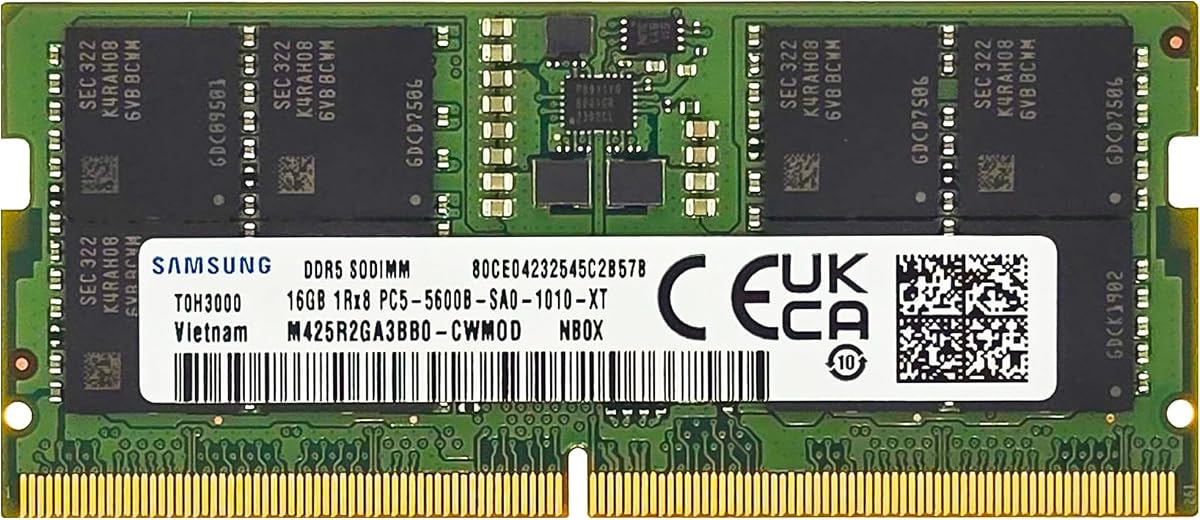
The Samsung M425R2GA3BB0-CWM is a 16GB DDR5 SODIMM intended to expand memory in select laptops and notebooks. Its 4.5 rating, 5600MHz target, and clearly listed 1Rx8 configuration make it a useful option when a system needs a straightforward single-module increase.
We may earn a commission when you buy through this link, at no additional cost to you.
The module follows JEDEC DDR5 standards at 1.1V and is non-ECC and unbuffered. Its PC5-44800 designation corresponds to the listed 5600MHz class, while CL46 provides a conventional operating latency. As a single 16GB module, it is particularly relevant to laptops with one populated slot and one empty slot, or systems with a single accessible memory socket.
Compatibility is the most important limitation. The product information refers to select laptop and notebook computers rather than claiming universal support, and the Samsung part number makes it possible to look for related listings. A module with the right form factor can still be unsupported if the laptop firmware, CPU, or motherboard imposes different restrictions.
This Samsung module is a good choice for a compatible notebook that regularly exhausts a smaller memory allocation. It offers a clean capacity increase without requiring users to source a matched pair. Verify the exact system model, maximum supported memory, and module organization before purchasing, and avoid mixing it with unrelated memory when possible.
Adding a 16GB module can give applications access to a larger working set, helping reduce pressure from page-file use during intensive multitasking. The benefit is strongest in systems that previously had only 8GB or 16GB installed.
The 1Rx8 single-rank layout, 1.1V operation, and 262-pin format make the module’s characteristics clear. These details help buyers compare it with the memory already installed and with the laptop manufacturer’s requirements.
We may earn a commission when you buy through this link, at no additional cost to you.
This Samsung 32GB package uses two 16GB DDR5 SODIMMs and targets modern laptops, notebooks, and all-in-one computers. No customer rating is shown in the supplied product data, so its appeal should be assessed from its specifications rather than a numerical rating. The package provides 32GB of total memory at a stated 5600MHz PC5-44800 data rate.
We may earn a commission when you buy through this link, at no additional cost to you.
Each module uses a 262-pin, non-ECC, unbuffered 1Rx8 configuration and operates at 1.1V under JEDEC DDR5 standards. The listing identifies M425R2GA3BB0-CWM as the part number and notes that it may be substituted with M425R2GA3EB0-CWM or M425R2GA3PB0-CWM. These alternatives are described as matching in specifications and performance.
As a dual-module kit, it is best suited to a laptop with two slots and support for the total capacity. A single 32GB module may be easier to fit in some designs, but this set offers a matched configuration for systems that can use two modules. The absence of a stated XMP or EXPO profile also suggests buyers should focus on standard JEDEC behavior.
The kit is a strong fit for compatible users who want Samsung-branded 32GB memory for multitasking or heavier applications. It is particularly useful when replacing two existing modules together. Check the laptop’s maximum capacity, generation, and slot arrangement before ordering to avoid an incompatible purchase.
Two 16GB modules provide ample memory while preserving a conventional SODIMM layout. This makes the kit well suited to performance notebooks designed with two memory sockets.
Listing the primary and potential substitute part numbers gives buyers useful information when checking system compatibility or comparing equivalent modules. It also helps distinguish the kit from similarly named memory that may have different physical specifications.
We may earn a commission when you buy through this link, at no additional cost to you.
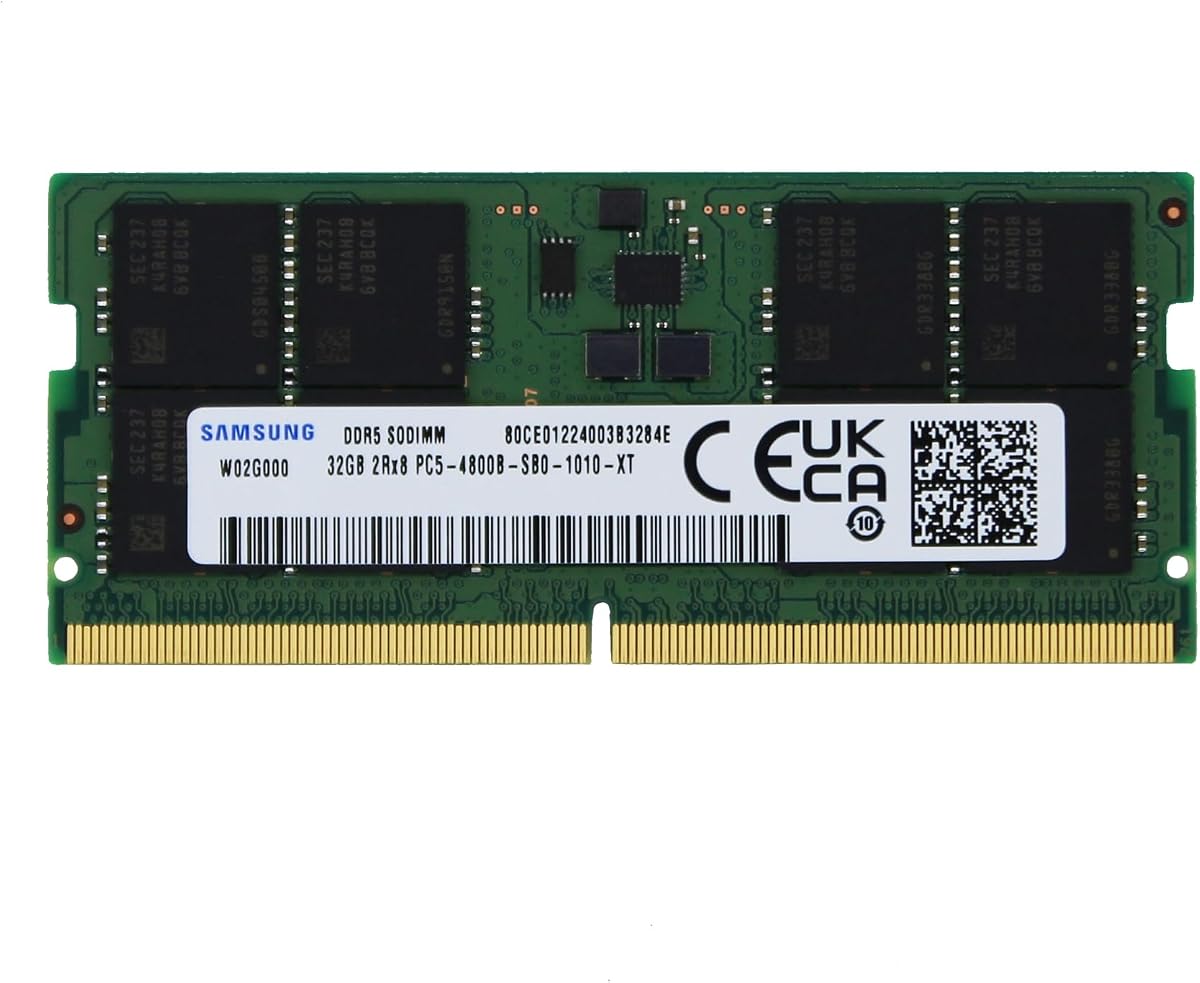
The Samsung M425R4GA3BB0-CQK provides 32GB in one DDR5 SODIMM and holds a 5.0 rating in the supplied data. Its most distinctive feature is the combination of single-module installation, 4800MHz speed, CL40 latency, and 2Rx8 dual-rank organization.
We may earn a commission when you buy through this link, at no additional cost to you.
This configuration is attractive for laptops with a limited number of accessible slots. A single 32GB module can make it easier to reach a high capacity without filling every socket. It also offers a future path for adding another compatible module later, although doing so requires a matching and supported configuration.
The 4800MHz PC5-38400 speed is lower than the 5600MHz or 5600MT/s target used by most other selections. That can be advantageous on systems whose supported standard speed is 4800MHz and may avoid relying on an overclocking profile. The CL40 timing is tighter than many competing kits, but the actual balance between latency and bandwidth depends on the processor and workload.
This module is best for compatible laptops that prioritize 32GB capacity in a single slot rather than maximum transfer speed. Its dual-rank 2Rx8 arrangement is also important to confirm because some laptop memory controllers do not support every rank organization. Verify the system’s memory specifications and maximum module size before buying.
A single 32GB stick is convenient for systems with one accessible slot or users who prefer to leave another socket open. It also reduces the immediate need to match two modules.
The 4800MHz rate aligns with a common DDR5 laptop standard and may suit systems that do not support faster profiles. Users should prioritize this compatibility benefit over headline speed when the host laptop has a 4800MHz ceiling.
We may earn a commission when you buy through this link, at no additional cost to you.
The Samsung 16GB DDR5 package combines two 8GB modules for laptops, notebooks, and all-in-one systems. No customer rating is provided, but the listed 5600MHz PC5-44800 speed, CL46 latency, and JEDEC 1.1V operation place it among the conventional DDR5 laptop options in this guide.
We may earn a commission when you buy through this link, at no additional cost to you.
Both modules use a 262-pin, non-ECC, unbuffered 1Rx16 single-rank organization. Using two matched modules can enable dual-channel operation on compatible laptops, offering more memory bandwidth than a single module in some workloads. The total 16GB capacity is modest by current standards, but it remains useful for light productivity, education, and general browsing.
The 1Rx16 arrangement deserves particular attention. Some laptop memory controllers work best with 1Rx8 modules, while others accept 1Rx16 without issue. Buyers should check the manufacturer’s supported memory configurations rather than assuming every 262-pin DDR5 module is interchangeable. The listing also notes that genuine Samsung modules may use related part numbers with equivalent specifications.
This kit is most appropriate for a compatible notebook that needs a matched low-capacity DDR5 replacement or a modest upgrade from 4GB. It may also suit users who prefer two modules to one and want the potential dual-channel benefit. For heavier multitasking, content creation, or modern games, moving to a 32GB configuration would offer more room.
Installing two modules from the same package can support dual-channel operation where the laptop supports it. This may improve memory bandwidth, although application results depend on the processor and workload.
Sixteen gigabytes remains a practical target for students, office users, and lighter workflows. Users running memory-intensive applications would benefit from choosing one of the 32GB kits instead.
We may earn a commission when you buy through this link, at no additional cost to you.
Choosing laptop memory starts with the laptop itself. Confirm the supported memory generation, maximum capacity, slot layout, speed, and module organization before comparing specifications or choosing a kit.
Laptop memory is not interchangeable across generations. DDR5 SO-DIMMs use a 262-pin form factor, but pin count alone does not guarantee compatibility with a particular system. Check the service manual or manufacturer specifications to confirm that the laptop accepts DDR5, and identify whether it also supports DDR4. Some notebooks use soldered memory, while others expose one or two replaceable SODIMM slots.
Laptop memory limits vary significantly by model and processor generation. A system may support only 16GB or 32GB, while others allow 64GB or more. A single 32GB module can also be less compatible than two 16GB modules because some laptops restrict maximum capacity per slot. Look for both the system-wide limit and any per-slot restriction, then ensure the intended configuration remains within both boundaries.
Mixing memory modules with different capacities, speeds, timings, or rank configurations can reduce performance and threaten stability. A matched kit sold as two modules is designed to work together and is usually the safest option when replacing both slots. If adding one module to an existing system, match its capacity, speed, voltage, and organization as closely as possible, and verify that the manufacturer supports mixed configurations.
Rated memory speed is an upper target, not a guarantee of the speed a laptop will run. The processor’s integrated memory controller, motherboard design, firmware, and thermal limits all matter. Standard JEDEC operation is the safest baseline, while Intel XMP 3.0 or AMD EXPO profiles can expose faster timings on supported machines. A 5600MHz module may operate at 4800MHz or another lower supported speed without enabling its enthusiast profile.
Speed describes how much data can move per second, while CAS latency reflects the timing delay associated with memory access. CL40 is tighter than CL46 or CL48, but lower latency alone does not guarantee better real-world results. Applications that move large files often favor bandwidth, whereas frequent small operations can benefit from tighter timings. Choose based on the laptop, processor, and workload rather than treating one specification as universally superior.
Rank information such as 1Rx8, 1Rx16, and 2Rx8 indicates how memory chips are organized on a module. These layouts are not always equally supported by laptop controllers. A 32GB dual-rank 2Rx8 module may offer useful capacity in a single slot, but a system could reject it or perform better with a 1Rx8 alternative. Use the laptop specifications to determine which organization is recommended.
A useful memory listing should identify capacity, module count, speed, voltage, ECC type, buffering, pin count, rank, and profile support. PC5-44800 and PC5-38400 provide additional context for the stated transfer rates. Complete specifications make it easier to compare different brands and spot products whose headline speed is matched by appropriate voltage, timing, and organization details.
Most laptop memory upgrades require opening the chassis, disconnecting the battery when appropriate, and carefully seating the module in the SODIMM slot. A matched kit simplifies this process, and some brands include lifetime or extended warranty coverage, but warranty terms vary. Review the manufacturer’s policy and retain proof of purchase. A short stability test after installation is also sensible before restoring a full workload.
Before installing memory, shut the laptop down completely, disconnect external power, and consult the manufacturer’s service guide. Confirm the replacement has the correct generation, form factor, capacity, and rank organization. Static electricity can damage memory, so work on a non-carpeted surface, avoid touching the gold contacts, and discharge any static before handling the modules.
Install the modules according to the laptop’s design. In a dual-slot system, seat each module evenly in its connector and apply the retaining clips until they lock into place. Do not force a module that does not fit, and avoid mixing separately purchased kits unless the manufacturer explicitly supports it. Once the laptop is reassembled, power it on and confirm that the full installed capacity appears in the system memory information.
Run a memory diagnostic or a reputable hardware stress test to check stability. If a crash, boot failure, or Blue Screen occurs, power down and reseat the modules before changing BIOS settings. Memory profiles should only be enabled after the system is stable at its default speed, and any frequency increase should be reduced if instability appears. Routine care also means keeping the laptop’s vents clear and allowing it to cool during sustained memory-intensive work.
For general browsing, office work, and online learning, 16GB is a practical minimum in 2026. A 32GB configuration is preferable for heavy multitasking, modern games, creative applications, development environments, and large project files. Your own workload matters more than a universal number, so list the applications you routinely use and choose the smallest capacity that comfortably supports them.
A 5600MHz module can work in a compatible laptop, but it may run at a lower speed if the processor or firmware supports only 4800MHz or 5200MHz. Check the manufacturer’s memory specifications and use a tool that reports the installed speed under load. Advertised module speed is a maximum supported configuration, not a guarantee of the laptop’s final operating rate.
Two matched smaller modules can enable dual-channel operation and may offer better bandwidth, while one large module is easier to fit and leaves a slot available. A single 32GB module can also be incompatible with systems that restrict per-slot capacity or dual-rank layouts. Compare the laptop’s slot and rank support before deciding which arrangement is most appropriate.
You can attempt it, but mixing modules is not guaranteed to be stable, especially when capacities, timings, or rank organizations differ. A matched kit is the safest option because the modules are designed to operate together. If adding to existing memory, choose an identical or explicitly compatible module and confirm that the laptop manufacturer permits mixed configurations.
No. XMP 3.0 and EXPO are optional performance profiles for compatible systems, not requirements for using DDR5 memory. Standard JEDEC operation is usually the most conservative choice, while a profile can expose faster speed and timings when the laptop supports it. Always test the system before and after enabling any profile.
A 16GB kit provides half the total memory of a 32GB kit. The former may consist of two 8GB modules or one 16GB module, while the latter may use two 16GB modules or one 32GB module. A 32GB kit offers more room for concurrent applications and large workloads, but its fit, speed, and rank must still be supported by the laptop.
More RAM improves performance when the system is under memory pressure and has to rely on slower storage-backed virtual memory. If the laptop already has ample unused memory, adding capacity may produce little visible difference. Speed gains can still come from switching to a matched dual-module configuration, but processor, graphics, storage, and cooling performance remain important limits.
Look for the laptop’s technical specifications, service manual, or manufacturer support page. The relevant details include DDR generation, maximum total capacity, maximum capacity per slot, supported speed, soldered versus replaceable memory, and any rank restrictions. The CPU model can also help identify likely platform support, but the laptop model remains the authoritative starting point.
The Crucial 32GB kit is the strongest overall choice because it combines a generous capacity, several supported speed levels, and both Intel XMP 3.0 and AMD EXPO compatibility. The CORSAIR 16GB module is the most approachable budget-oriented option, while the G.SKILL Ripjaws 32GB kit is the premium choice for supported systems that can benefit from its tighter CL40 timing and XMP 3.0 profile.
Compatibility should take priority over every advertised specification. Identify your laptop model, confirm that it accepts DDR5, check its memory-slot layout and maximum capacity, and verify the required speed and rank organization. After that, choose the smallest capacity that comfortably handles your workload and prefer a matched kit when more than one module is installed.
Remember that current prices, seller availability, and product details can change. Review the live listing before purchasing, compare the final configuration with your laptop specifications, and retain the included warranty information. A careful compatibility check will do more for long-term satisfaction than chasing a slightly higher rated speed that the laptop cannot use.