
Thrustmaster T-Flight Hotas X
4.5Editor score
Detachable real-size throttle
Twelve programmable action buttons
Five programmable axes
Adjustable stick resistance
Our Hota or Joystick for Elite Dangerous guide compares ten flight controls across ergonomics, programmability, precision, realism, and setup for PC pilots.
A Hota or joystick for Elite Dangerous can transform a promising cockpit session into a much more convincing experience. The right controller should place pitch, roll, yaw, throttle, and frequently used commands where your hands can reach them without repeatedly searching the keyboard.
This guide compares ten flight-control systems with emphasis on physical design, axis configuration, button availability, programmability, realism, platform support, and practical value. It includes compact entry-level sets, established all-metal replicas, flexible modular controllers, and a feature-heavy universal flight deck.
Each numbered review explains the standout strengths and limitations of its selected product, while the comparison table and buying guide make the differences easier to assess. Product configurations and availability can change, so verify current compatibility, included components, and prices before ordering.
4.5Editor score

4.6Editor score
4.6Editor score
The following comparison highlights the major differences among all ten controllers, including their control layouts, programmability, realism, platform coverage, and the most important trade-offs for Elite Dangerous pilots.



The Logitech G X56 H.O.T.A.S is the most complete standalone choice in this guide for Elite Dangerous, offering a 4.0 rating and an unusually large collection of configurable inputs. Its combination of stick, twin throttles, additional mini analog controls, hall-effect aileron and elevator sensors, and extensive programmability gives pilots many ways to organize a demanding cockpit.
We may earn a commission when you buy through this link, at no additional cost to you.
The four-spring system is one of the controller's most useful features. Rather than accepting a single fixed feel, pilots can tune the stick for a light spacecraft, a stable heavy cruiser, or something between those extremes. The twin throttles include a friction adjuster and lock, while the mini analog stick expands the range of available axes beyond the primary flight controls. Hall-effect sensors also support the kind of precise, consistent input expected in a space simulator.
The X56 is not without compromises. Its many switches and axes can feel crowded until a binding scheme is established, and learning the software layout takes patience. The 2-meter cable and two USB connections may also demand more desk planning than a compact wireless-style alternative. Even so, these are manageable inconveniences when weighed against the number of native inputs and the ability to fine-tune the physical feel.
This is the strongest general recommendation for an Elite Dangerous pilot who wants one controller to cover flight movement, throttle work, targeting, and numerous secondary commands. It is particularly suitable for users willing to invest time in configuration. Those seeking a simpler first setup may prefer the T-Flight Hotas X, while dedicated realism enthusiasts may favor the heavier all-metal Warthog.
With 189 programmable controls, the X56 can place most essential commands on the grip and throttle assembly. That density is especially useful when a ship configuration needs several power, weapon, utility, and targeting functions to remain immediately accessible.
The four-spring option lets users match the stick response to different ships and missions. This adjustability is more useful in Elite Dangerous than a rigid one-setting approach because ships range from nimble fighters to stable industrial vessels.
We may earn a commission when you buy through this link, at no additional cost to you.
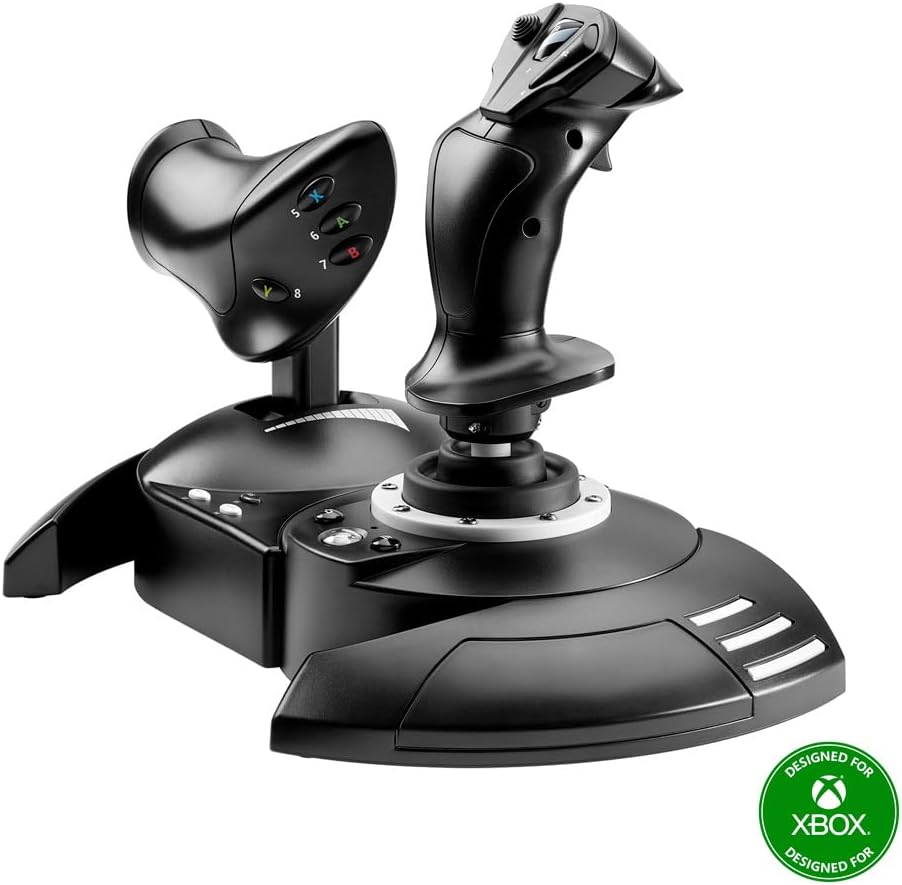
The Thrustmaster T-Flight Hotas X delivers a 4.5 rating and remains a practical entry point for Elite Dangerous. Its core proposition is simple: a precision joystick, a detachable full-size throttle, twelve programmable action buttons, and five axes in one approachable PC package. It delivers the essential experience without attempting to reproduce a complete military cockpit.
We may earn a commission when you buy through this link, at no additional cost to you.
The joystick offers adjustable resistance, allowing the feel to be modified as preferences develop. The throttle separates from the stick so it can be placed on a desk, table, or lap, while the wide hand rest helps support longer sessions. A profile button permits rapid mapping changes, and onboard memory means custom configurations can persist when the controller is disconnected.
Its limitations are most noticeable when compared with higher-end systems. Twelve buttons and five axes provide less freedom than the X56, Warthog, or VelocityOne, and the simplified plastic construction does not offer the same tactile realism as an all-metal replica. It also lacks the broad console compatibility advertised by some newer entries in the list.
For a new Elite Dangerous player or a budget-conscious pilot building a first proper flight setup, the T-Flight Hotas X is a strong recommendation. It delivers the essential axes, throttle movement, resistance adjustment, and remapping without demanding an elaborate initial configuration. The result is a clear upgrade path that can teach a pilot why dedicated flight controls are useful.
The stick and throttle cover the controls a new pilot uses most often: pitch, roll, yaw, engine power, braking, and camera direction. Twelve action buttons add room for essential weapons, power distribution, and utility commands without overwhelming the layout.
Separating the throttle gives users options for limited desk space, lap use, or a more cockpit-like arrangement. This flexibility also makes the controller easier to reposition when switching between a seated game station and a compact setup.
We may earn a commission when you buy through this link, at no additional cost to you.
The Thrustmaster T.Flight HOTAS NEO is a distinctive multi-platform option with 16 action buttons, seven axes, a detachable throttle, and vibration feedback. Its Ace Combat 8: Wings of Theve edition gives it an aviation-inspired identity, but the broader attraction for Elite Dangerous is the combination of a sizable control surface and support for PS5, PS4, and PC.
We may earn a commission when you buy through this link, at no additional cost to you.
The use of 16-bit technology and a seven-axis layout provides more input options than the entry-level T-Flight Hotas X. The Z-axis and tilting lever on the throttle offer two ways to manage rotation, while the rapid-fire trigger and multidirectional hat can map naturally to weapons and camera functions. Built-in vibration adds another feedback layer during combat and turbulence.
The main drawback is thematic rather than functional: the licensed design is aimed at Ace Combat and may not blend as naturally with the visual style of a science-fiction cockpit. It also has no published customer rating in the supplied product data, so prospective buyers cannot compare a verified rating history. Elite Dangerous users should also confirm current platform and game support before relying on the controller for their preferred setup.
This is a compelling choice for a pilot who wants a modern HOTAS with console support and substantial control density. The hardware specifications suggest a versatile platform, although the official license is not centered on Elite Dangerous. PC users who prioritize the widest control layout and multi-device compatibility may find it especially interesting.
The expanded axis count provides room for pitch, roll, yaw, throttle-related movement, and additional control assignments. In Elite Dangerous, having those inputs on one device can reduce interruptions caused by reaching for separate hardware.
Integrated vibration provides tactile feedback during weapon use, impacts, and turbulence. Multi-platform support also makes the controller relevant to pilots who alternate between a gaming PC and a PlayStation setup.
We may earn a commission when you buy through this link, at no additional cost to you.
The Logitech G X56 with Pro Flight Rudder Pedals earns a 4.6 rating and is the most complete conventional flight-control bundle in the guide. It combines the X56 stick and throttle with self-centering rudder pedals, eliminating the need to add yaw and braking hardware separately. That makes it a particularly coherent setup for Elite Dangerous.
We may earn a commission when you buy through this link, at no additional cost to you.
The pedals add a layer of physical realism that a twist axis alone cannot fully reproduce. Their adjustable tension lets pilots choose between the lighter response of a small craft and the firmer feel of a larger vehicle, while differential toe brakes offer separate braking inputs. The X56 contributes four spring options, 189 programmable controls, hall-effect axis sensors, separate throttles, and extensive command capacity.
The tradeoff is footprint and complexity. A three-component setup occupies more desk space, introduces another pair of USB connections, and requires attention to pedal calibration and comfortable leg positioning. A pilot with a compact desk or a casual flying style may not need all three elements. The bundle is therefore more about creating a complete cockpit than minimizing clutter.
This bundle is an excellent recommendation for a serious Elite Dangerous player who values realistic yaw control and already appreciates the X56 layout. It is also a sensible all-at-once option for building a new flight station. Those who need less complexity should examine the standalone X56 or the more compact T-Flight Hotas X instead.
Self-centering rudder pedals provide a natural way to manage yaw while leaving the hands on the stick and throttle. Differential toe brakes also make the transition into landing more interactive than a shared keyboard command.
Buying the stick, throttle, and pedals together creates a consistent control ecosystem. It is particularly convenient for pilots who want dedicated hardware for pitch, roll, yaw, power, and braking without assembling a setup component by component.
We may earn a commission when you buy through this link, at no additional cost to you.
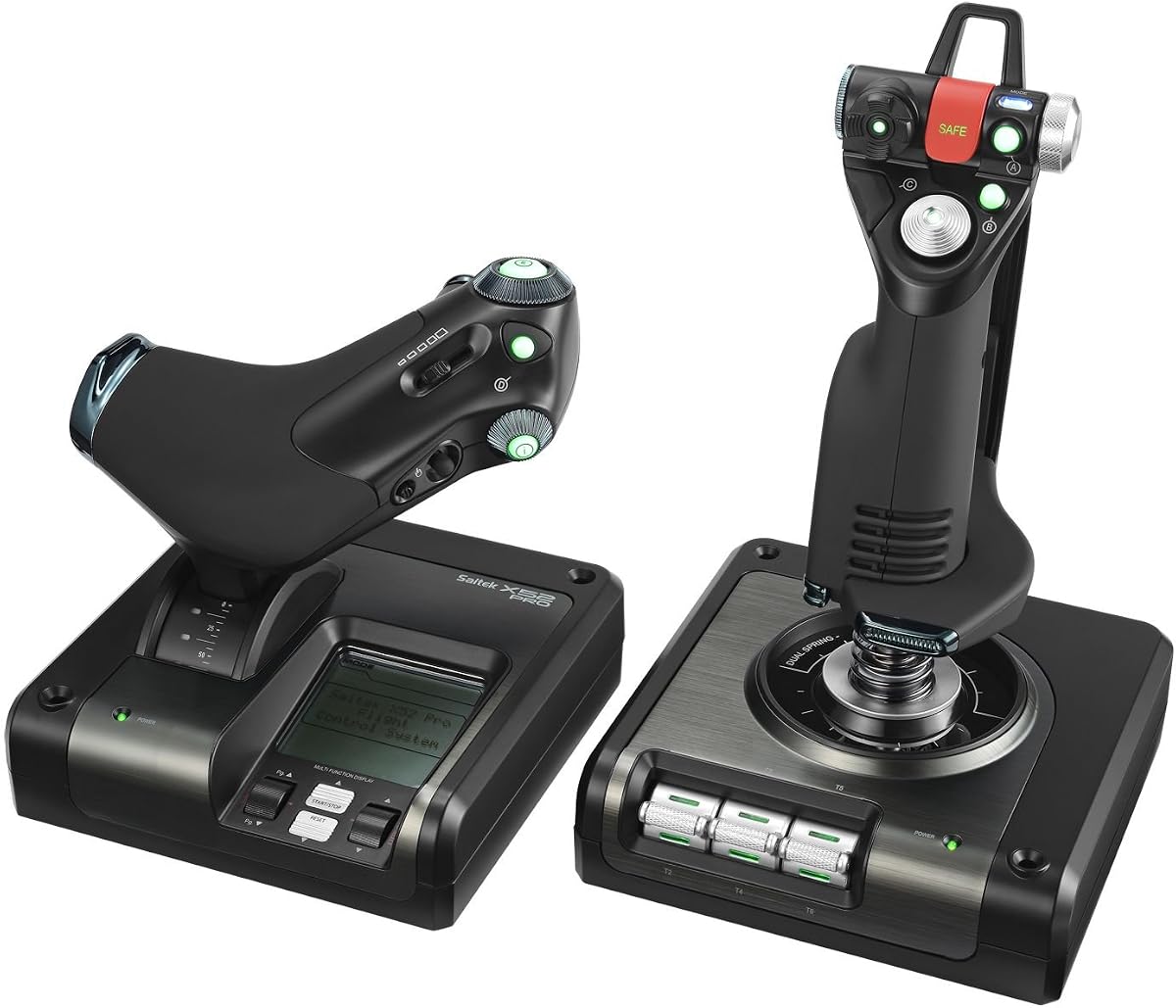
The Logitech G X52 carries a 4.3 rating and stands out for extraordinary command density, offering 282 programmable commands across three modes. Although it is not a modern standalone HOTAS with a detachable throttle, it is a proven all-in-one flight system whose many accessible controls can simplify a complex Elite Dangerous cockpit.
We may earn a commission when you buy through this link, at no additional cost to you.
The five-position grip system helps place buttons within reach, while the multifunction LCD provides a visual check of programmed commands and includes a clock. Magnetic, non-contact X and Y sensors support longevity and consistent input. Its 3D twist function adds a rudder option, and the rudder lock prevents accidental twisting when separate pedals are already in use.
The main concern is its age and design language. A 282-command capacity sounds impressive, but more controls are not automatically better if they are difficult to distinguish by touch. The X52's layout can also feel less modern than the X56's, and its twist-style rudder cannot match the freedom offered by dedicated pedals. Anyone building around current Elite Dangerous conventions must learn the controls carefully and avoid assuming every advertised command has a distinct role.
The X52 remains worthwhile for pilots who value a display, abundant programmable commands, and a single integrated controller. It is a better match for a traditional cockpit-inspired setup than for a minimalist control layout. Buyers should treat its 282-command figure as room to customize rather than a requirement to bind everything.
The multifunction LCD lets a pilot inspect programmed commands before activating them. This is helpful when a cockpit profile includes many grouped functions that would otherwise be difficult to remember.
The five-position grip adjustment improves reach across different hand sizes. The 3D twist axis can be locked when a separate pedal system is used, preventing accidental movement during demanding maneuvers.
We may earn a commission when you buy through this link, at no additional cost to you.
The Thrustmaster T-Flight Hotas One earns a 4.4 rating and offers a balance of ergonomics, modularity, and platform flexibility. It combines a flight stick with a detachable throttle, adjustable resistance, a trigger, a hat switch, and programmable buttons, making it a straightforward option for PC and Xbox-oriented users.
We may earn a commission when you buy through this link, at no additional cost to you.
The detachable design is particularly useful for a modular desk. The throttle can remain beside the stick or move to a different surface, and the whole system is compatible with Thrustmaster TFRP rudder pedals sold separately. That gives new users a manageable starting point while preserving a path toward a more complete cockpit.
Compared with the X56 and Warthog, the Hotas One has fewer controls and a less combat-specific layout. Console compatibility also does not guarantee that Elite Dangerous will recognize every button or axis in the same way as a PC installation. Users should verify the current game and platform situation rather than assume full parity. The separate pedal requirement is another consideration for anyone seeking a complete bundle.
This controller is best for a pilot who values a simple start, wants the option of using Xbox hardware, and plans to build a flight setup gradually. It also suits desktop users who need the throttle to occupy a separate surface. For a denser command environment, move up to the X56; for heavier realism, consider the Warthog.
The detachable throttle allows the pilot to tune the layout as more equipment is introduced. Users can begin with the combined arrangement and later add compatible rudder pedals without replacing the entire stick-and-throttle system.
Adjustable resistance, an ergonomic grip, a responsive trigger, and a hat switch cover the controls used most often. The focus is straightforward operation rather than an extensive replica cockpit.
We may earn a commission when you buy through this link, at no additional cost to you.
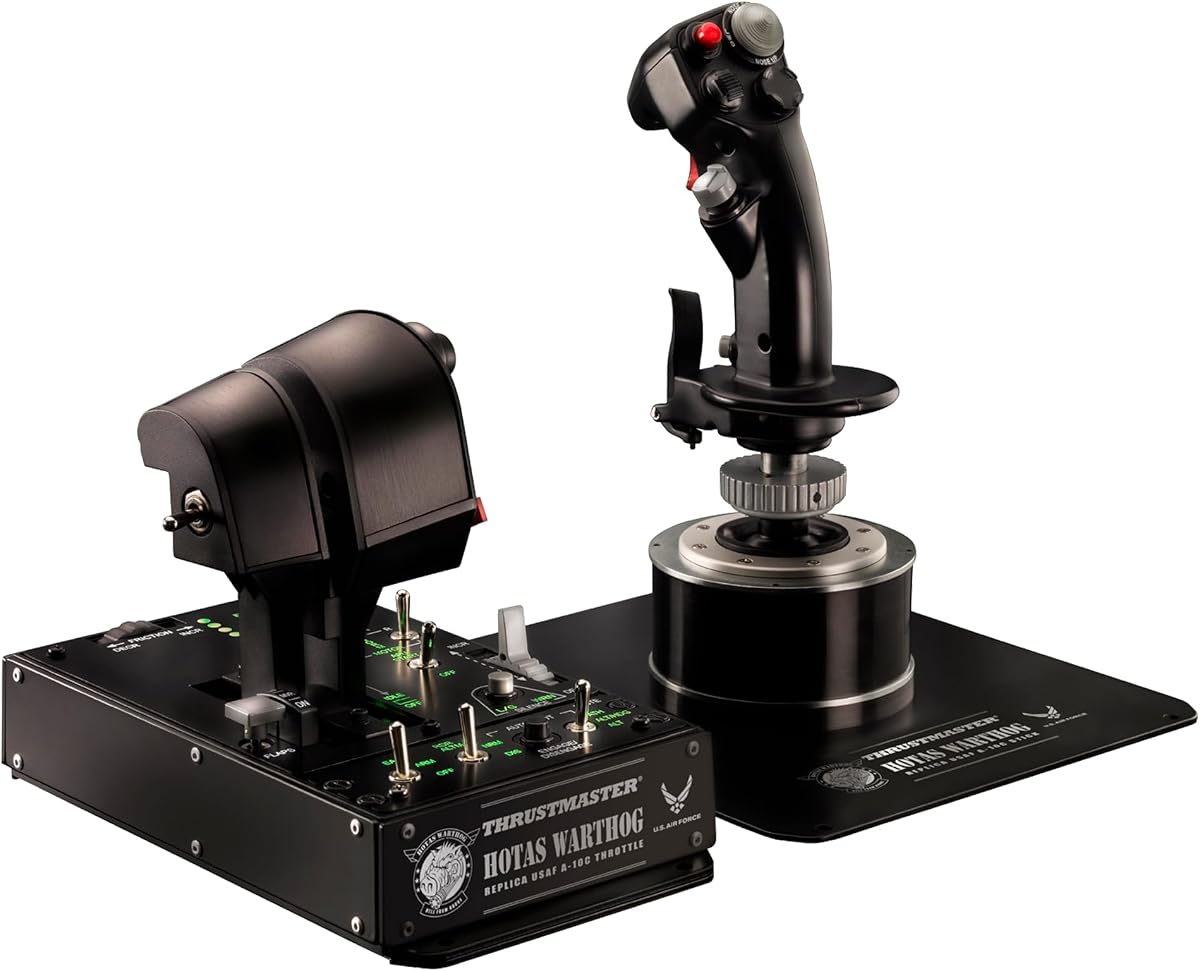
The Thrustmaster HOTAS Warthog A10 is the premium recommendation here, carrying a 4.6 rating and an unmistakable replica design. Built largely from metal and modeled after U.S. Air Force A-10C controls, it prioritizes weight, mechanical strength, tactile realism, and authentic military flight layout over compactness or low-cost accessibility.
We may earn a commission when you buy through this link, at no additional cost to you.
The detachable stick uses H.E.A.R.T. hall-effect sensors for precise and consistent movement. The dual metal throttles support independent engine management, a feature that maps naturally to the multiple power and engine concepts in Elite Dangerous. With 55 programmable actions, an eight-way point-of-view hat, and numerous switches, toggles, and hats, the system offers enough physical controls for sophisticated ship and combat profiles.
Its main disadvantages are physical rather than functional. The all-metal assembly has a substantial weight and needs a sturdy, spacious desk. The replica shape and control density may feel excessive for someone who only wants a comfortable way to pitch, roll, yaw, and manage throttle. It is also a PC-focused product, with no console support stated in the supplied data.
Choose the Warthog A10 when realism, durability, and a large dedicated control surface matter more than desk economy. It is well suited to a permanent flight-sim setup and to pilots who enjoy configuring military-inspired controls. It represents a long-term hardware choice for dedicated Elite Dangerous enthusiasts rather than a casual plug-and-play purchase.
The largely metal construction gives the controller a stable, durable feel. That heft can reduce unwanted movement on a desk while providing the physical feedback expected from a premium replica control system.
Separate left and right throttles can represent individual engines or distinct power-management functions. In Elite Dangerous, this makes it possible to assign a more nuanced throttle workflow than a single linear lever may allow.
We may earn a commission when you buy through this link, at no additional cost to you.
The Logitech G Saitek X52 Pro offers a 3.9 rating and a traditional flight-control experience built around illuminated buttons, a progressive throttle, and a multifunction LCD display. It remains a recognizable option for Elite Dangerous, but it lacks the modern standalone HOTAS architecture and extensive programmability of the strongest choices in this list.
We may earn a commission when you buy through this link, at no additional cost to you.
Its progressive throttle provides adjustable resistance and distinct detents for idle and afterburner, offering useful visual and tactile cues during power changes. The LCD presents in-game information directly in front of the pilot, while the five-position handle adjustment helps improve comfort. Magnetic, non-contact X and Y sensors are designed to provide accurate control and longevity without the same wear associated with older mechanical contact systems.
The shortcomings are significant when compared with the X56 or Warthog. The X52 Pro is a traditional combined flight system rather than a dedicated HOTAS with separate throttle, and it does not advertise the same level of programmable command capacity. Software setup, illuminated controls, and the display may also be less relevant to users whose Elite Dangerous configuration relies primarily on modern binding tools.
This controller makes sense for a pilot who values a display, progressive throttle feel, and a conventional joystick layout. It can provide a satisfying upgrade from keyboard-and-mouse flight controls without requiring a large replica-style setup. However, buyers seeking maximum command density, modularity, or a full metal construction should move to a newer alternative.
Throttle detents for idle and afterburner make engine power changes easier to identify by touch. The progressive resistance also gives the throttle a more deliberate operating feel than a very light lever.
The illuminated display keeps important information close to the controls. For pilots who use a compact flight interface, that visibility can reduce the need to glance at a separate monitor.
We may earn a commission when you buy through this link, at no additional cost to you.
The Thrustmaster HOTAS Warthog Stick receives a 4.6 rating and delivers a high-end replica joystick experience for Elite Dangerous. This is the metal A-10C-style handle by itself, weighing more than six pounds and using hall-effect sensors with 16-bit resolution per axis for precise, durable input.
We may earn a commission when you buy through this link, at no additional cost to you.
Nineteen action buttons, three 8-way hats, a 4-way hat with push button, a dual metal trigger, and pinkie switches create a dense but functional control surface. T.A.R.G.E.T. software supports drag-and-drop programming across Basic, Advanced, and Script levels, while compatibility with HOTAS Cougar bases opens the possibility of adding a separate throttle later.
The largest issue is that this listing is a stick rather than the complete Warthog set. A pilot shopping for dedicated throttle control will need to determine whether a compatible base is already owned or plan to acquire one separately. Its considerable weight also requires a suitable desk, and its A-10C-inspired form is not as sleek as some modern spacecraft-themed designs.
This standalone Warthog is ideal for a pilot who already values a heavy, realistic stick and may want to expand it later. For an immediate complete setup, the Warthog A10 stick-and-throttle combination is the more convenient choice. Either version represents a serious commitment to physical flight controls and delivers the precision and tactile feedback Elite Dangerous can accommodate.
The 16-bit hall-effect sensors provide a high level of input resolution while avoiding the gradual mechanical wear associated with contact sensors. This supports fine corrections and stable centering over extended play.
Compatibility with HOTAS Cougar bases means the stick can become part of a larger modular setup. This is useful for pilots who want a premium handle now but may add a dedicated throttle later.
We may earn a commission when you buy through this link, at no additional cost to you.
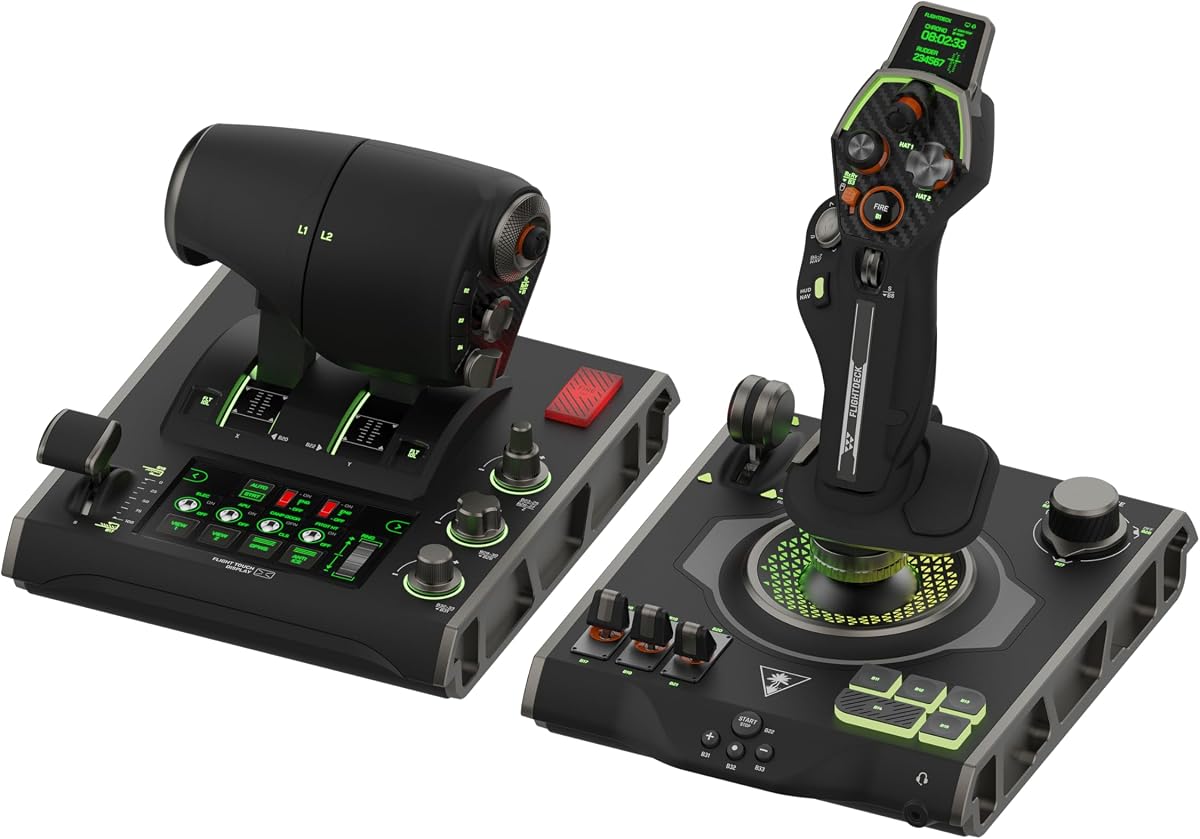
The Turtle Beach VelocityOne Flightdeck is the most unconventional entry in the guide, earning a 3.0 rating while offering a remarkably broad feature set. Its defining element is an integrated flight touch display, supplemented by a customizable OLED head-up display, contactless hall-effect controls, a 39-button stick module, and a system that supports 139 programmable buttons.
We may earn a commission when you buy through this link, at no additional cost to you.
The large control surface is designed for extensive customization. Adjustable stick height accommodates different hand sizes, while haptic throttle detents add feedback when power changes. On-board audio enhancements support connected 3.5mm headsets, multi-zone RGB lighting allows visual personalization, and the Flight Hangar desktop app is intended to handle product customization.
The complexity is the central trade-off. This is a substantial universal system rather than a simple joystick-and-throttle pair, so it may be more than a casual pilot needs. Its 3.0 rating suggests the experience is not uniformly positive, and the supplied information does not explain the nature of any concerns. Buyers should evaluate reviews carefully for software stability, learning curve, and comfort rather than relying on the feature count alone.
The Flightdeck is a fascinating choice for a dedicated Elite Dangerous pilot who wants a digital control surface and extensive programming options. It may suit a custom cockpit where a large footprint is acceptable and experimentation is part of the experience. Pilots wanting a straightforward, widely understood setup should consider the X56 or T-Flight Hotas X instead.
The flight touch display and separate OLED head-up display create multiple ways to surface information near the controls. This can make a dense cockpit more informative without requiring every relevant readout to remain on the main game display.
With 139 programmable buttons, adjustable stick height, haptic throttle settings, RGB zones, and desktop customization software, the Flightdeck offers unusually deep control over the physical setup. That flexibility is most valuable to users willing to spend time perfecting their profiles.
We may earn a commission when you buy through this link, at no additional cost to you.
The best controller depends on how you fly, how much cockpit complexity you want, and how much desk space you can dedicate to the experience. These factors cover the most important differences among the recommended systems.
A dedicated HOTAS places the stick and throttle close together, often within the same hand movement. A traditional flight system may combine a stick with a separate control panel or include the throttle within a wider base. Dedicated HOTAS designs generally reduce desk space and encourage pilots to keep both hands on the controller, while larger combined systems can feel more like a traditional cockpit.
Choose a dedicated HOTAS for focused Elite Dangerous play, especially when you want flight, power, and combat functions accessible together. Consider a traditional or universal system if you value a display, extensive switches, or a more elaborate flight-station aesthetic.
Pitch, roll, yaw, and throttle are the foundation of any Elite Dangerous controller. Hall-effect sensors offer a strong combination of resolution, consistent centering, and reduced mechanical wear, while adjustable spring force lets pilots tune resistance for different ship classes. The X56 provides four spring settings, and the Warthog emphasizes a heavy, realistic movement.
Prioritize a stable center, smooth return, and enough resolution for precise corrections. Adjustable resistance is a useful bonus, but it should complement a fundamentally accurate sensor system rather than compensate for an unpleasant layout.
Elite Dangerous includes ships with different power-management requirements, so throttle design can be more important than it first appears. The X56 includes twin throttles with friction adjustment and a lock. The Warthog A10 set has independent metal throttles for each engine, while the Turtle Beach Flightdeck uses adjustable haptic detent response.
Look for a throttle that supports smooth, repeatable power changes and bindings that suit your preferred ship configuration. Independent throttles offer more nuance, but a single, well-positioned lever can be entirely adequate for many pilots.
A controller may support many axes and buttons, but the real question is whether Elite Dangerous can use them. The X52 offers 282 programmable commands, the X56 offers 189, the Warthog set provides 55 programmable actions, and the VelocityOne lists 139 programmable buttons. These figures indicate potential rather than identical practical capacity across different software environments.
Prioritize controls that can be assigned to frequently used functions and grouped into manageable profiles. More buttons only improve the experience when they have a clear purpose, remain easy to identify, and do not create an overwhelming configuration process.
Yaw control is essential for precise positioning in a six-degree-of-freedom cockpit. Some controllers use a twist axis, while the X56 bundle includes dedicated self-centering pedals with adjustable tension and differential toe brakes. Dedicated pedals generally provide a more natural and repeatable experience than a small twist mechanism, particularly during sustained turns.
Use a twist axis if desk space is tight or you prefer a simpler one-piece setup. Choose pedals when realism, landing control, and finer yaw adjustment are priorities. Make sure pedal size, tension, and calibration can be adjusted to suit your seating position.
The premium Warthog systems use substantial metal construction, while the T-Flight products and older Logitech systems rely on more conventional materials and lighter assemblies. A heavy controller feels stable and realistic, but it also requires a sturdy desk and sufficient clearance. Very wide layouts may interfere with a keyboard, monitor, or mouse.
Measure the available desk area before buying, especially for the Flightdeck, Warthog, and X56 bundles. If space is limited, a compact modular HOTAS such as the T-Flight Hotas X may be easier to accommodate than a full replica cockpit.
Most dedicated flight controllers in this guide are designed primarily for Windows PCs, while the T.Flight HOTAS NEO supports PS5, PS4, and PC and the T-Flight Hotas One lists Windows PC and Xbox Series compatibility. Elite Dangerous is commonly associated with PC, so buyers should confirm the exact platform and any game-specific behavior before ordering.
PC-only users can prioritize control density, hall-effect precision, and configurability. Multi-platform buyers should verify that every essential button and axis is recognized in the game rather than assuming complete parity with desktop software.
A technically advanced controller is only useful if it can be operated comfortably. The X52 and X56 offer adjustable grip positions, the Hotas One and Hotas X use ergonomic shapes, and the Warthog's weight can provide stability. Hand size, grip reach, desk height, and the position of the throttle all affect long-session comfort.
Look for adjustable handles, broad hand rests, and a throttle that can be placed independently. If possible, evaluate the shape and button spacing before committing, because software cannot compensate for a grip that causes strain or places critical commands beyond comfortable reach.
Begin by installing the appropriate configuration software and connecting the stick, throttle, and any pedals to the computer. Update the software if needed, then configure the controller before making a lengthy cockpit profile. Confirm that pitch, roll, yaw, and throttle movements respond in the intended direction and that buttons do not trigger unintended actions.
In Elite Dangerous, begin with a small set of essential bindings for flight, power management, targeting, weapons, and landing. Assign less common commands to grouped modes or secondary buttons, and keep functions that must operate together close to one another. Add advanced ship-management controls only after confirming that the basic profile feels natural during takeoff, cruise, and landing.
For the physical hardware, keep cables routed so they cannot pull the controller or pedals, avoid placing the stick where it can be knocked by a sleeve, and clean the grip and controls with a soft, dry cloth. Check detent and resistance settings regularly, keep the desk free of debris, and allow ventilation around electronic components. For the Warthog and other heavy systems, verify that the desk can support the load comfortably.
For many PC pilots, a HOTAS is more convenient because the stick, throttle, and common commands are grouped in one compact unit. This reduces keyboard switching and makes throttle changes easier to combine with weapon or targeting inputs. A conventional joystick can still be excellent, particularly when paired with separate pedals and a throttle, but it generally occupies more desk space and requires more separate components.
No, because many flight controllers include a twist or lever for yaw control. Dedicated pedals are nevertheless more precise and natural for sustained turning, alignment, and landing. The X56 bundle includes self-centering pedals, while the Warthog and T-Flight systems can suit pilots who prefer to add compatible pedals later.
The T-Flight Hotas X is among the simplest because it offers preset controls, a quick profile-switching button, and onboard memory. The X56 and Warthog provide deeper customization but require more deliberate binding work. Difficulty also depends on the pilot's familiarity with Elite Dangerous control schemes, so fewer buttons can be easier for a beginner to manage.
Support depends on the specific controller and the current game situation. The T.Flight HOTAS NEO lists PS5, PS4, and PC compatibility, while the T-Flight Hotas One lists Windows PC and Xbox Series compatibility. Because console input recognition can differ from PC, verify Elite Dangerous and the controller's current button support before buying for a console setup.
A metal replica is most valuable when realism, stability, and long-term durability are priorities. The Warthog systems provide a substantial tactile experience, hall-effect precision, and numerous physical controls. They also cost more and require a large, sturdy desk, so pilots with limited space or a casual flying style may obtain more value from a lighter modular HOTAS.
The useful number depends on the commands you regularly use rather than a universal minimum. A focused profile can work with relatively few buttons, while complex ship management may benefit from extra inputs, twist axes, mini sticks, or hats. The most important factor is whether the controls are clearly labeled, physically distinguishable, and organized into usable profiles.
A single throttle is simpler and sufficient for many pilots, especially when using a power-management scheme based on one continuous lever. Dual throttles can provide finer independent control of engines or separate power groups. In the Warthog A10 set, independent metal throttles support more detailed power management, while the X56's twin throttles and friction control offer a middle ground.
A flight controller often makes sustained movement, throttle management, and cockpit command access feel more natural. Mouse and keyboard remain excellent for menu navigation, precise cursor work, and some combat tasks. Many pilots use both rather than replacing one entirely, switching to the controller for flight and the mouse for targeting or interface work.
The Logitech G X56 with rudder pedals is the strongest all-around choice because it combines a proven stick-and-throttle system with dedicated yaw control. The T-Flight Hotas X is the most approachable budget option, while the Thrustmaster Warthog A10 set represents the premium standard for metal construction, realistic feel, independent throttles, and extensive physical controls.
Prioritize the factors that match your flying style rather than simply seeking the largest number of buttons. New pilots may benefit more from a light, compact, clearly organized system, while experienced players may value hall-effect sensors, independent throttle control, programmable command access, or a complete pedal setup. Desk space, comfort, and software workflow deserve equal attention.
Before making a final purchase, verify the current Elite Dangerous bindings, platform support, included accessories, controller dimensions, and available configuration options. Product bundles and manufacturer features can change, and current prices fluctuate. Comparing the final package with your most common ship and control requirements will lead to the most satisfying setup.