
OBDLink EX FORScan OBD Adapter
4.7Editor score
Simultaneous CAN bus access
Maximum-throughput design
Rock-solid USB connection
Advanced FORScan functions
Explore the best Forscan USB OBD2 Adapter options, comparing compatibility, switching, speed, programming support, and ease of use for Ford owners.
A Forscan USB OBD2 adapter is the physical bridge between a Windows computer, FORScan software, and a Ford-family vehicle’s diagnostic network. The right unit matters because basic code reading and advanced module programming depend heavily on stable USB communication, correct HS-CAN and MS-CAN access, and hardware that can handle longer diagnostic sessions without dropped packets.
We compared ten USB adapters based on their supplied specifications, including CAN-bus switching, connection method, protocol support, programming features, operating-system requirements, supported vehicle families, and practical setup details. The list covers dedicated FORScan hardware, modified ELM327 adapters, and premium diagnostic interfaces designed for demanding workflows.
Each review explains the adapter’s strongest capabilities, limitations, and ideal buyer, while the comparison table highlights the major differences. FORScan software, extended licenses, and vehicle-specific functions may require separate installation or purchase, and availability and pricing can change, so confirm current details before buying.
4.7Editor score

4.6Editor score
4.3Editor score
The table below compares all ten adapters by their most important purchasing considerations: FORScan positioning, bus-switching method, connection reliability, programming capabilities, and vehicle or software limitations. It is designed to clarify which hardware best matches a routine diagnostic setup or a more advanced module-coding workflow.


The Vgate vLinker FS USB OBD2 USB Adapter for FORScan HS/MS-CAN, Auto Switch is a strong all-around choice for owners who want dedicated FORScan hardware without moving to the premium OBDLink tier. Its supplied rating is 4.7, and the defining feature is automatic electronic switching between supported CAN networks. That removes the need to stop a diagnostic session and manually move a hardware switch when FORScan needs another bus.
We may earn a commission when you buy through this link, at no additional cost to you.
The adapter is described as optimized for FORScan, with support for USB 2.0 and USB 3.0, transfer speeds up to 3 Mbps, full 4095-byte packets, and output of approximately 18 volts for ECU programming on select older US-market vehicles. Those characteristics make it more relevant for programming and long diagnostic sessions than a basic generic code reader. It can also work with AlfaOBD, VCTool, and other ELM327-compatible applications, although FORScan itself is not included.
Compatibility is broad but not universal. The specifications list 12V and 24V gasoline and diesel vehicles that use a standard OBD2 port, plus select CAN flow-controlled electric vehicles. Common gasoline vehicles from 1996 onward and diesel vehicles from 2004 onward are typical coverage, yet year, region, and configuration can change what is accessible. The automatic bus identification is useful, but the actual modules reached still depend on the vehicle’s network architecture.
This is the most balanced pick for a user who values speed, automatic switching, and advanced FORScan workflows. It is less attractive if you need software included or a guarantee of access to every module on a particular vehicle. For owners of compatible Ford-family vehicles who plan to do more than occasional code reading, the combination of stable USB performance, large packet support, and programming-voltage capability makes this adapter particularly compelling.
Automatic electronic switching allows FORScan to move between supported HS-CAN and MS-CAN networks without manual intervention. This is especially useful when a workflow moves from engine or transmission diagnostics to body, ABS, or other modules without requiring the operator to return to the cabin.
Support for up to 3 Mbps and full 4095-byte packets helps preserve complete DTC retrieval and larger data transfers. Actual results depend on the computer, software, vehicle, and network, but the underlying specifications are well suited to extended live-data streaming and programming work.
We may earn a commission when you buy through this link, at no additional cost to you.
The OBDLink EX FORScan OBD Adapter is the premium selection in this guide, combining a 4.7 rating with a hardware design explicitly tailored to FORScan. Its electronic switch allows FORScan to access all CAN buses simultaneously, which can make advanced vehicle functions available without the manual intervention required by toggle-switch adapters. The product is described as custom-designed for FORScan and recommended by the FORScan team.
We may earn a commission when you buy through this link, at no additional cost to you.
Throughput is the main technical distinction. According to the supplied specifications, maximum performance can be up to 20 times faster than toggle-switch adapters. The manufacturer also emphasizes a rock-solid USB connection designed to avoid data corruption and dropped packets. Those characteristics matter because long programming sequences, live-data analysis, and repeated module requests are much less frustrating when the link remains stable and responds promptly.
OBDLink EX supports Ford protocols, modules, and advanced FORScan features. That makes it particularly attractive for technicians, enthusiasts, and owners who regularly work across many modules rather than merely checking a malfunction indicator lamp. The electronic switching and simultaneous access should also reduce the risk of manually transmitting on the wrong network when moving between diagnostic tasks.
The trade-off is financial rather than functional: this is the most advanced adapter in the list. FORScan remains a separate software product, so owning this adapter does not by itself provide a license or an extended subscription. Even so, for intensive diagnostics, configuration, and programming workflows, the throughput and simultaneous bus access justify choosing this model when stable performance is the priority.
The electronic switch allows FORScan to reach all CAN buses at once. This is a meaningful advantage over manual adapters because it eliminates repeated physical switching and supports more complex diagnostic routines across multiple vehicle modules.
The stated maximum-throughput architecture can be up to 20 times faster than toggle-switch alternatives. For users performing frequent live-data review, module configuration, or programming, the faster and more consistent link can materially reduce waiting and connection-related interruptions.
We may earn a commission when you buy through this link, at no additional cost to you.
The OHP FORScan ELM327 OBD2 to USB Diagnostic Scan Tool for Ford MS-CAN/HS-CAN has a 4.3 rating and distinguishes itself through unusually detailed vehicle coverage and setup guidance. It supports a connection speed of up to 500 kbit/s and bus speeds ranging from 19,200 to 500,000 baud. It is intended as an ELM327-compatible USB bridge for Ford cars and light pickups.
We may earn a commission when you buy through this link, at no additional cost to you.
Its diagnostic workflow covers reading, interpreting, and clearing DTCs across systems such as the engine, transmission, and ABS. Each code includes a fault description intended to help users identify the likely source of a problem. FORScan must be downloaded separately, and programming functions depend on the model year, vehicle, and FORScan’s current limitations. An Extended License is also required for certain programming features and is not included.
Compatibility information is unusually specific. The listed vehicles include numerous Ford models from the Focus, Mondeo, Fusion, Kuga, S-Max, Transit, Ranger, Escape, EcoSport, Expedition, Mustang, Fiesta, Taurus, Edge, Flex, Explorer, and F-Series ranges, plus selected Lincoln and Mercury models. It is designed for 12V vehicles only. Mazda seventh-generation platforms such as the Mazda 3, CX-30, CX-50, CX-60, and MX-30 are explicitly excluded, as are joint-venture vehicles using non-Ford protocols.
Software compatibility is also limited to Windows XP, 2000, Vista, 7, 8, and 10, according to the supplied data. It does not support macOS, Chromebooks, tablets, or phones without a full Windows environment. The practical advantage is detailed guidance if FORScan cannot find the cable, including lowering the COM-port number and manually installing the FTDI driver. Choose this adapter when named model support and setup instructions matter more than premium automatic switching.
The product information names supported Ford, Lincoln, and Mercury vehicles while also identifying important exclusions. That level of detail helps buyers verify the exact platform before purchasing, especially around Mazda generations and joint-venture models using different protocols.
When FORScan cannot detect the adapter, the supplied guidance recommends checking the assigned COM-port number and manually installing the FTDI driver. These concrete steps can resolve common Windows recognition issues without requiring users to guess at driver settings.
We may earn a commission when you buy through this link, at no additional cost to you.
The VGATE vLinker FS USB FORScan OBD2 Adapter for HS/MS-CAN Auto Switch, Wire OBD2 USB FORScan Adapter Code Readers & Scanner Diagnostic Tools combines a 4.6 rating with one of the most comprehensive feature lists in this guide. It is designed around FORScan and is described as recommended by the FORScan team. Its standout capability is automatic electronic switching across HS-CAN, MS-CAN, and Ford-specific networks.
We may earn a commission when you buy through this link, at no additional cost to you.
For programming and configuration, it supports FEPS 18V output, a transfer rate up to 3 Mbps, a baud rate up to 3 MHz, an 8192-byte serial buffer, and OBD requests as large as 4128 bytes. Those figures are intended to support special long-frame communication, smoother real-time meters, fault-code work, live data, and ECU programming or modification. USB 2.0 and USB 3.0 ports are supported.
Vehicle coverage includes 12V and 24V cars that comply with OBD2 standards, with the supplied description citing broad compatibility for post-2000 models and many post-1996 models. Actual access varies by architecture and configuration, so compatibility claims should be checked against the specific vehicle. Third-party programs such as FORScan, ELMconfig, ELM FF2, and FoCCCus are supported, but none are included and some may require separate payment.
The adapter also includes meaningful protection features: automatic sleep and wake, over-voltage, over-current, over-temperature, and battery-drain protection. A one-year warranty, lifetime firmware updates, and technical support add reassurance. It is an excellent choice for owners who want dedicated FORScan-oriented hardware, automatic switching, and extensive protections without stepping up to the OBDLink EX.
The adapter can switch among HS-CAN, MS-CAN, and Ford-specific networks automatically. The stated benefit is not merely convenience: avoiding accidental transmission on an incorrect network can make complex programming sessions easier to control.
Automatic sleep and wake help limit unnecessary battery drain, while over-voltage, over-current, and over-temperature protection add safeguards. The adapter can remain connected for longer diagnostic work without the same concern associated with unmanaged accessories.
We may earn a commission when you buy through this link, at no additional cost to you.
The ELM327 USB Adapter OBD2 Scanner for Windows, ELMconfig FoCCCus Diagnostic Scan Tool with MS-Can/HS-Can Switch for Ford Lincoln Mazda Mercury Series Vehicles offers a broad software-focused package at a 4.4 rating. It uses wired USB and V1.5 hardware rather than Bluetooth or Wi-Fi, which the specifications describe as more stable for diagnostic work and configuration tasks.
We may earn a commission when you buy through this link, at no additional cost to you.
The manual MS-CAN and HS-CAN toggle switches allow the adapter to reach Ford-related networks. It supports J1850PWM, HS-CAN, MS-CAN, HS-CAN2, and HS-CAN3, and it is presented as a standard OBDII, EOBD, and CAN fault-code reader for supported vehicles. The listed Ford-family applications include F-Series trucks, Ranger, S-Max, C-Max, Transit, Mondeo, Fusion, Kuga, Mustang, Explorer, and Edge, with coverage described from 1996 onward.
Beyond standard DTC work, the specifications mention hidden Ford features such as global window operation, Bambi mode, security idle, perpendicular parking, trailer brake controller programming, dual-horn and door-ajar chime changes, mirror tilt, and tire-size calibration. Compatibility extends to FORScan-related tools including Elmconfig, FF2, and FoCCCus, as well as Scanmaster and other ELM327-based applications.
This is not a true plug-and-play product. The Windows driver and chosen software must be installed first, and the unit supports 32-bit and 64-bit versions of Windows XP, Vista, 7, 8, and 10 according to its listed information. It is also explicitly unsuitable for trailers and semi-trailers. Buyers who want a single inexpensive cable for several ELM327 programs may find this flexibility valuable, while users who constantly switch buses may prefer automatic hardware.
A wired USB connection removes wireless pairing variables and can maintain a consistent link during long scans or configuration tasks. The physical toggle controls then provide direct access to the relevant CAN network.
Support for FORScan-related tools, Elmconfig, FF2, FoCCCus, Scanmaster, and other ELM327 applications makes this more useful than a single-purpose code reader. Each program still has its own setup, license, and compatibility requirements.
We may earn a commission when you buy through this link, at no additional cost to you.
The Elm327 USB Compatible with Forscan Software Obd2 Adapter for Ford F150 F250 Lincoln Mazda Mercury is the most straightforward manual-switch option in the guide, with a listed rating of 4.0. It is designed for 12V cars and F-Series trucks and uses a physical HS-CAN/MS-CAN selector. That simple layout makes it approachable for owners who understand the basic FORScan workflow and want direct control over the vehicle network.
We may earn a commission when you buy through this link, at no additional cost to you.
Its stated compatibility includes Ford, Mazda, Lincoln, and Mercury vehicles such as the F-150, F-250, Ranger, S-Max, C-Max, Transit, Mondeo, Fusion, Kuga, Mustang, Explorer, and Edge. The description estimates coverage for approximately 92% of models after 1996 and 99% after 2000, though the exact vehicle and configuration remain important. Newer Mazda 3 and CX-30 platforms from 2019 onward are not supported.
The adapter supports J1850PWM, HS-CAN, MS-CAN, HS-CAN2, and HS-CAN3, allowing it to function as a conventional OBDII, EOBD, or CAN code reader on supported vehicles. Listed special functions include global window control, Bambi mode, automatic reverse mirror tilt, tire-size correction, perpendicular parking, secure idle, five-turn signal flashing, heated steering wheel access, and chime or horn adjustments.
Setup is straightforward but not automatic. Users must install the USB driver and FORScan software before connecting to the vehicle, and the supplied information lists Windows XP, Vista, 7, 8, and 10 support. Its 4.0 rating is the lowest among the ten products, but the adapter still presents a useful combination of code reading, Ford-family coverage, and common configuration features for owners comfortable with manual setup.
A visible HS-CAN/MS-CAN switch gives users direct control without navigating an electronic menu. It is a practical approach for basic diagnostic work, although it requires the operator to select the correct network before starting.
Beyond standard OBD2 functions, the adapter supports several listed convenience and personalization features. Availability ultimately depends on the vehicle’s factory modules and the capabilities of the selected software.
We may earn a commission when you buy through this link, at no additional cost to you.
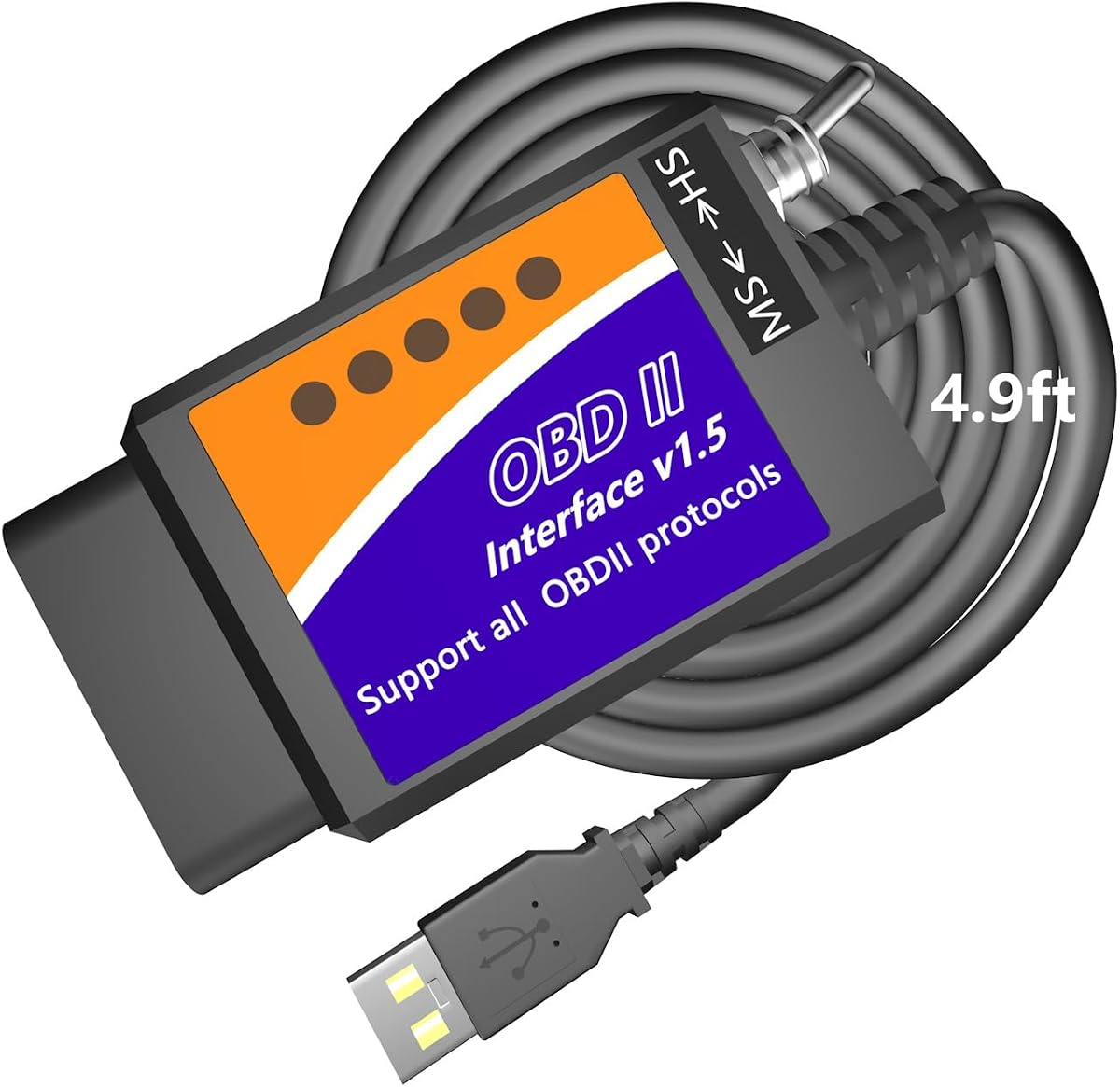
The MOCATEC USB OBD Adapter for FORScan Software for Ford Lincoln Mercury Mazda earns the Best Budget designation by combining useful diagnostics with a particularly long cable. Its supplied rating is 4.3, and the 4.9-foot USB lead is designed to give a laptop user more freedom when the OBD2 port is difficult to reach from the driver’s seat.
We may earn a commission when you buy through this link, at no additional cost to you.
The adapter supports reading and clearing brand-specific DTCs, accessing freeze-frame data, and monitoring live sensor parameters through tables or graphing. Its listed configuration features include global window control, Bambi mode, remote engine starting, automatic mirror folding, disabling the 12V PowerPoint timeout, heated steering wheel adjustments, radio operation with the engine off, and removing seatbelt or double-honk chimes. These functions remain dependent on compatible factory modules and the software used.
Vehicle coverage is stated for Ford, Lincoln, and Mercury models from 1996 through 2025, with 2025–2026 models limited. Mazda support extends from 1996 through the sixth generation, while seventh-generation platforms have partial support. The physical HS-CAN/MS-CAN switch provides access to different modules, but users must change it manually as required.
FORScan runs on a standard x86 or x64 Windows PC. ARM-based Windows systems, MacBooks, macOS without a Windows environment, iPhones, iPads, and Android devices are not supported by the stated configuration. The package includes graphic and video tutorials and programming spreadsheets, which reduces the learning barrier for first-time users. It is a strong value-oriented choice when cable reach and guided setup matter more than premium throughput.
The 4.9-foot lead offers more positioning freedom than a short adapter cable. It can make live-data monitoring or manual switch access easier when the diagnostic port is tucked beneath the dashboard or extends into a less convenient cabin location.
Graphic and video tutorials plus programming spreadsheets give users a structured starting point. They help explain module rules and setup steps, although users should still verify every change against reliable vehicle documentation.
We may earn a commission when you buy through this link, at no additional cost to you.
The AntiBreak elm 327 FORS-CAN USB Switch OBD Modified elmconfig with FTDI chip HS-CAN/MS-CAN OBD2 uses an FTDI chip and V1.5 hardware, according to the supplied specifications. It has a 4.3 rating and emphasizes a reliable wired USB connection designed to avoid data corruption and dropped packets. That focus makes it a recognizable alternative among budget modified ELM327 devices.
We may earn a commission when you buy through this link, at no additional cost to you.
A physical switch selects MS-CAN or HS-CAN, with operation listed at speeds up to 500 kbit/s. The adapter is described as suitable for Ford cars and F-Series trucks, including the F-150, F-250, F-350, F-450, Ranger, S-Max, C-Max, Transit, Mondeo, Fusion, Kuga, Mustang, Explorer, and Edge. Its compatibility claim references approximately 92% of models after 1996 and 99% after 2000, though exact platform verification remains necessary.
Compatible software includes FORScan, Elmconfig, FF2, and FoCCCus. The operating systems listed are Windows XP, Vista, 7, 8, and 10. The product description also instructs buyers to install the CH340T USB driver and the selected diagnostic software before connecting, which means setup is more involved than a self-contained reader.
For everyday diagnostic tasks, it can read and clear fault codes, monitor sensors in real time, and access listed modules such as the engine, transmission, ABS, airbag system, and climate control. Configuration examples include mirror auto-fold, Bambi mode, daytime-running-light resets, brake-controller programming, and dual-horn changes. Its budget positioning and FTDI construction make it attractive to users who understand manual switching and software installation.
An FTDI chip and wired interface are central to the product’s design. The stated goal is to reduce packet loss and corruption, which can be especially important during longer exchanges with vehicle control modules.
Compatibility with FORScan, Elmconfig, FF2, and FoCCCus gives the adapter a broader role than a single-purpose reader. The chosen application determines which diagnostics and configuration actions are actually available.
We may earn a commission when you buy through this link, at no additional cost to you.
The Vgate vLinker FS OBD2 USB Adapter for FORS-can HS/MS-CAN Auto Switch has the highest listed rating in the guide at 4.8. It is custom-designed for FORScan and described as recommended by the FORScan team. Automatic electronic switching allows the software to access CAN buses at the same time and use advanced functions without a physical toggle adjustment.
We may earn a commission when you buy through this link, at no additional cost to you.
The connection is described as fast and rock-solid, with no dropped packets, data corruption, or network interference as design goals. It supports a transfer rate up to 3 Mbps and a baud rate up to 3 MHz, which helps produce smoother graphics and more responsive real-time meters during live-data work. Compatibility with USB 2.0 and USB 3.0 broadens its usefulness with modern laptop ports.
FEPS 18V programming voltage output is another important capability. That feature allows compatible older vehicles to supply the higher voltage sometimes required during programming. It should be used only when the vehicle and module require it and after consulting reliable service information or a qualified technician.
The supplied information notes that FORScan users can obtain a free two-month Extended License trial, with details available from the FORScan team. That trial is not a permanent license and should be confirmed directly with the software developer. This adapter is a compelling choice for owners who prioritize automatic switching, high transfer speed, programming support, and the strongest listed customer rating in the comparison.
Electronic switching allows FORScan to access multiple CAN buses concurrently. That capability can make advanced vehicle functions easier to reach and reduces the operator’s involvement in changing diagnostic networks.
FEPS 18V output addresses a real programming requirement on some compatible vehicles. It should not be treated as a universal feature, because the necessary voltage, module support, and safe procedure vary by vehicle and programming task.
We may earn a commission when you buy through this link, at no additional cost to you.
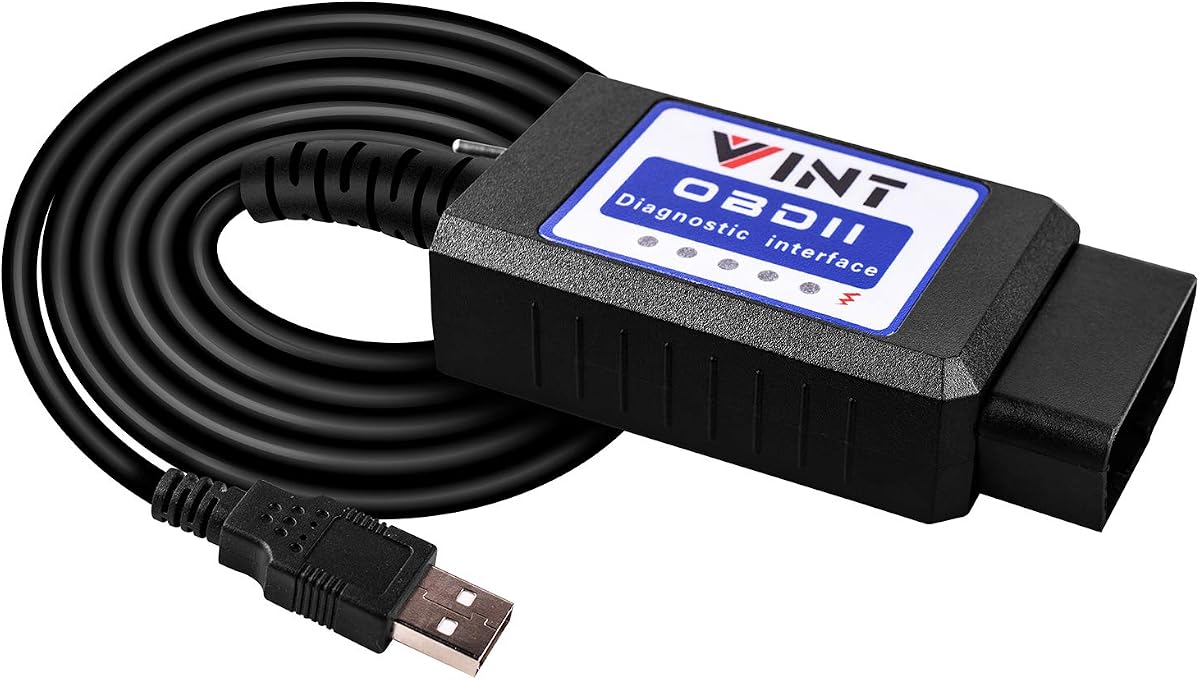
The OBD2 Adapter FORSCans VINT-TT55502 ELMconfig ELM327 Modified VINTscan is a classic manual-switch FORScan adapter with a listed rating of 4.5. It is aimed at Ford-family cars and light pickups from 1996 onward and supports an MS-CAN and HS-CAN toggle. The interface operates at a constant listed speed of 500 kbit/s.
We may earn a commission when you buy through this link, at no additional cost to you.
The vehicle list includes the F-150, F-250, F-350, F-450, Ranger, Transit, Mondeo, Fusion, Kuga, Mustang, Explorer, Edge, and other Ford cars and light trucks. Its described use cases include scanning, programming, and module-hiding workflows, with software support for FORScan, FoCCCus, ELMconfig, and FF2. The supplied information also notes that drivers may need updating and that internet access is required for that process.
Listed hidden functions include the global window feature, Bambi mode, automatic reverse mirror tilt, tire-size correction, perpendicular parking, secure idle, five-turn signal flashing, heated steering wheel access, dual-horn changes, and door-ajar chime changes. The adapter can retrieve generic and manufacturer-specific DTCs, allowing users to investigate faults across supported systems.
It is limited to Windows systems and requires the appropriate software and driver installation before operation. Its manual switch is easy to understand but becomes less convenient when a diagnostic routine requires frequent movement between CAN networks. This adapter remains a practical choice for owners accustomed to traditional modified ELM327 hardware who want broad Ford coverage and several compatible diagnostic programs.
A constant listed speed of 500 kbit/s provides a predictable operating rate for code reading, live data, and supported configuration tasks. It is a familiar performance level for modified ELM327 adapters used with Windows-based FORScan workflows.
FORScan, FoCCCus, ELMconfig, and FF2 compatibility gives users access to different diagnostic and configuration environments. Users must still install the chosen program, verify licensing, and follow vehicle-specific instructions for every proposed change.
We may earn a commission when you buy through this link, at no additional cost to you.
The best FORScan USB adapter is the one that matches your vehicle, computer, and intended diagnostic tasks while communicating reliably. Consider CAN-bus access, protocol support, software requirements, physical design, and safety before choosing a model.
Automatic electronic switching is the most important convenience for users who regularly move among HS-CAN, MS-CAN, or other supported networks. The Vgate models and OBDLink EX can identify and access supported buses without a physical toggle. Manual adapters remain suitable for many diagnostic routines, but the operator must choose the correct bus before starting and remember to change it when moving to another module or network.
Choose automatic switching for frequent programming, comprehensive module scans, or advanced FORScan workflows. Choose manual switching for simpler, predictable tasks or when you value a straightforward physical control.
Compatibility is more than checking whether a vehicle has an OBD2 port. Ford, Lincoln, Mercury, and Mazda vehicles can use different generations and protocols, and some joint-venture platforms do not follow the expected Ford network. Newer Mazda generations, EV platforms, and certain regional models may require special consideration. Review the exact make, model, year, engine, and market version against the adapter’s supplied list.
If compatibility is unclear, contact the seller with the VIN or confirm with FORScan support before purchase. A broad percentage estimate should never replace model-specific verification.
Advanced diagnostics involve more data than a simple check-engine-light read. Live-data streams, freeze-frame information, module coding, and ECU programming can place greater demands on the USB link. Dedicated FORScan hardware may offer higher transfer rates, larger buffers, and stronger packet control, while modified ELM327 adapters commonly operate at a lower but still useful speed. A wired USB connection also avoids wireless pairing and intermittent connection problems.
Prioritize stable data transmission over a headline speed number. The best choice keeps packets intact and responds consistently throughout the intended workflow.
Every adapter in this guide is a hardware interface, not a complete FORScan package. FORScan, its required drivers, and any Extended License generally need separate installation or acquisition. Some basic diagnostic tasks may work with free or trial options, while advanced configuration and programming features can require additional access. The software and hardware must also agree on the expected protocol and vehicle connection.
Confirm the current licensing terms from the FORScan developers before planning extensive module coding. Never assume the adapter includes a paid FORScan license.
Most adapters in this category depend on Windows software and USB drivers. Some listings mention Windows XP through 10, while others specify x86 or x64 systems. macOS, Chromebooks, tablets, phones, ARM-based Windows computers, and mobile operating systems are generally unsupported without a suitable Windows environment. Driver installation may also require access to a Windows Device Manager or administrator permissions.
Check your computer before ordering. If you rely on a Mac, tablet, or mobile device, confirm that you can maintain a supported Windows environment or choose a different diagnostic workflow.
FEPS 18V output is relevant to programming on some compatible older vehicles, but it is not a universal requirement. The vehicle must use the appropriate connection and the module must support the intended operation. Software availability, coding sheets, and module configuration also determine whether a function can be applied safely.
Treat programming as a specialized task rather than a casual adjustment. Use reliable service documentation and consult a qualified technician when the procedure, voltage, or consequences are uncertain.
OBD2 ports are often positioned awkwardly beneath a dashboard or center console. Cable length affects whether a laptop can rest on the driver’s knees, reach the manual switch, or remain connected while the operator moves around the cabin. The MOCATEC model emphasizes a 4.9-foot cable, while other options prioritize compactness, switching design, or automatic bus control.
Choose a longer cable for frequent in-vehicle monitoring and a compact unit for easy storage. Consider switch placement and connector clearance as well as raw length.
A diagnostic adapter is connected directly to the vehicle’s diagnostic port and may remain connected during programming. Protection against over-voltage, over-current, overheating, and unnecessary battery drain is therefore valuable. Automatic sleep and wake functions can reduce the chance of leaving the adapter active when it is no longer needed.
Look for documented protection features, but also follow sensible vehicle practice. Remove the adapter when it is not required and avoid using programming features unless the vehicle, module, and software support the operation.
Begin by confirming that your vehicle, adapter, and Windows computer are compatible. Install the required USB driver and obtain the intended diagnostic software from its official source. Some adapters use FTDI drivers, while others specify CH340T, so follow the instructions for the exact product rather than installing every available driver. Read the vehicle and module documentation before attempting configuration or programming functions.
Connect the adapter to the diagnostic port and to the computer, then start the vehicle according to the task. Open the software, select the correct communication settings, and initialize the connection. Use automatic switching as intended, or place a manual adapter on the correct HS-CAN or MS-CAN network. Begin with a basic vehicle scan and DTC retrieval before attempting live data, module coding, or programming.
For care, keep the connector and cable free of oil, moisture, and debris, and avoid sharply bending the strain relief. Do not leave the adapter connected longer than necessary, especially if the vehicle battery is not being charged. Update software and firmware only through legitimate sources, and disconnect the adapter before moving the vehicle or working around the diagnostic port. After a programming task, verify that the intended configuration works and check for new DTCs.
Yes, the adapters in this guide are hardware interfaces and do not include FORScan. Download FORScan from its official source and install the appropriate USB driver for your adapter. Some advanced features may also require a FORScan Extended License, so confirm licensing before beginning programming or extensive configuration work.
An automatic adapter detects and accesses supported CAN networks electronically, so the operator does not need to change a physical control. A manual adapter requires the user to select HS-CAN or MS-CAN before each relevant operation. Automatic switching is usually more convenient for complex workflows, while manual control remains practical for routine diagnostics.
The listed products primarily support Windows computers, and most specifications do not include native macOS, Chromebook, tablet, or phone support. A Mac may work only when configured with a suitable full Windows environment. Check the exact product requirements and the software’s current operating-system policy before ordering.
No. Compatibility depends on model year, generation, market version, engine, network architecture, and whether the vehicle actually uses a standard OBD2 interface. Some newer Mazda platforms and joint-venture models use protocols that the listed adapters do not support. Always verify the exact vehicle against the supplied compatibility information.
No. The 18V output addresses the programming voltage requirement of some compatible vehicles, but the module, software, connection method, and programming procedure must also be supported. Use the feature only with reliable vehicle-specific guidance, and consult a qualified technician for complex or high-risk programming work.
The usual causes are an incorrect COM-port assignment, a missing or wrong USB driver, an incompatible operating system, or an improperly selected protocol. The OHP product specifically recommends checking whether the assigned COM number is too high and manually installing the FTDI driver. Verify every setting and reconnect the adapter only after the driver is properly installed.
A higher rate can make live data and programming sessions feel more responsive, but reliability matters more than the headline number. Packet loss, dropped frames, or incorrect protocol behavior can undermine a fast connection. Choose hardware that combines adequate speed with documented stability and proper support for your vehicle and software.
Some adapters include automatic sleep and protection against battery drain, but unplugging the adapter when it is not in use remains sensible. A longer connection may also expose the port and cable to accidental contact. Follow the adapter’s instructions and remove it before servicing the vehicle or performing work near the diagnostic connector.
The OBDLink EX is the strongest premium choice for intensive work because it offers electronic bus switching, simultaneous CAN access, high throughput, and a connection designed to avoid corruption and dropped packets. The Vgate vLinker FS USB adapters offer the best value for dedicated FORScan use, combining automatic switching, high transfer rates, programming-voltage support, and solid vehicle compatibility without moving into the premium tier.
For buyers working within a tighter budget, the MOCATEC USB adapter stands out through its long cable, guided setup materials, broad Ford-family coverage, and compatibility with common configuration programs. The other ELM327-based adapters remain useful for standard DTC work and supported hidden functions, but manual switching, driver requirements, and narrower platform support should be considered before purchase.
Before ordering, verify the exact vehicle, generation, operating system, required software, and intended functions. FORScan licenses and third-party applications are separate from the hardware, and prices, software terms, and product availability can change. Checking those details before checkout will help prevent an adapter from being unsuitable for reasons that no specification table can fully capture.