
Philips Hue Bridge
4.5Editor score
Supports fifty Hue devices
Zigbee connection remains reliable
Works with major voice assistants
Enables remote lighting control
This Smart Home Lighting Hub guide compares hubs, bridges, controllers, and connected bulbs for compatibility, automation, reliability, and setup.
A smart home lighting hub is the central coordinator for connected lights, switches, sensors, and other accessories. The right hub can simplify everyday control, enable useful automations, and keep essential lighting routines working when internet access is unreliable. Compatibility, local processing, radio support, and ease of setup matter more than the number of advertised features.
We compared ten products against the information supplied for each listing, focusing on protocol support, voice-platform compatibility, app-based automation, capacity, connection options, and offline behavior. The list includes dedicated lighting bridges, broad smart home controllers, specialized outdoor-light hubs, and a few hub-free smart bulbs that offer a simpler alternative for smaller homes.
Each review explains the product's strongest use case, practical trade-offs, and who it is best suited for. Ratings reflect the supplied customer feedback rather than individual testing, while every recommendation is based on documented specifications. Product availability, bundles, features, and prices can change, so readers should verify the current listing before purchasing.
4.5Editor score

4.2Editor score

4.4Editor score
This side-by-side comparison shows which products act as dedicated hubs, broad smart home controllers, specialized outdoor controllers, or hub-free lighting alternatives. It also highlights supported ecosystems, connectivity, voice control, capacity, and offline functionality so buyers can identify the most appropriate option for their home.


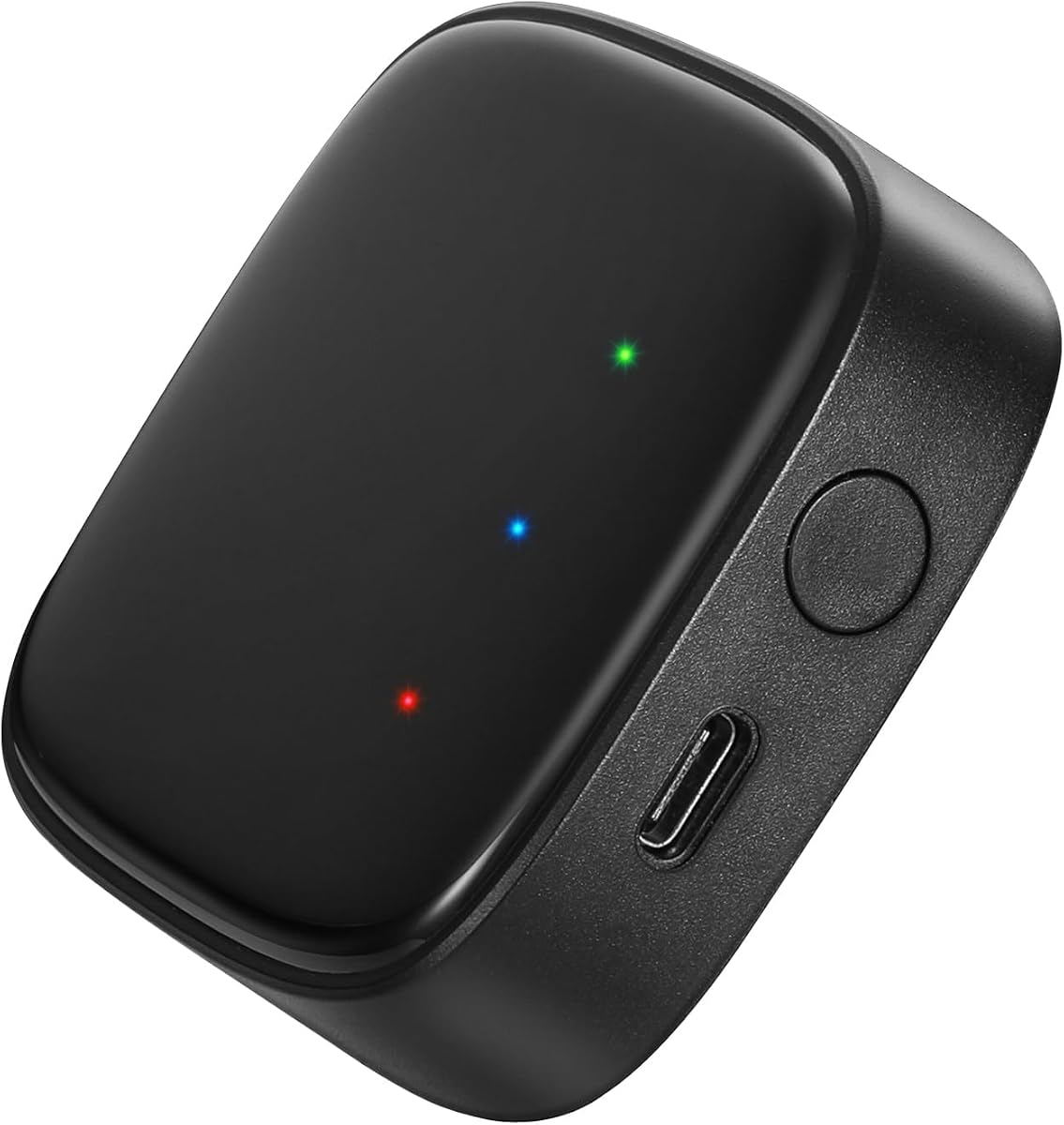

The Philips Hue Bridge is a focused lighting hub with a 4.5 rating, and it remains the most approachable option for a household built around Hue bulbs and accessories. Rather than attempting to manage every category of connected device, it organizes Hue lighting, offers remote access through the Hue app, and connects with Amazon Alexa, Apple HomeKit, and Google Assistant.
We may earn a commission when you buy through this link, at no additional cost to you.
Its main strength is a stable Zigbee connection that does not place the full burden of lighting control on the home Wi-Fi network. Hue lights can continue operating when Wi-Fi is unavailable, while remote control becomes available when an internet connection returns. The bridge can accommodate up to 50 lights and accessories, making it suitable for a substantial room-by-room lighting system as well as a small apartment.
Matter support broadens the bridge's usefulness by allowing compatible Hue devices to participate in a wider smart home ecosystem. The Hue app also supports scheduling, scenes, and automations, while the listed entertainment features can synchronize lighting with movies, television, PC content, and music when paired with a compatible HDMI Sync Box. This adds value for entertainment-focused users, although the sync accessory is not included in the bridge listing.
The central limitation is its focus: this is a Hue controller, not a universal hub for mixed smart home brands. Its 50-device capacity may also be less generous than larger premium platforms. Even so, it offers a clear combination of dependable local control, broad voice-platform support, and straightforward operation, making it our best overall and best budget recommendation for most Hue-focused buyers.
Because compatible Hue devices communicate with the bridge through Zigbee, the network does not need to carry every lighting command. That design can preserve essential lighting behavior during Wi-Fi interruptions, which is valuable for hallways, staircases, and other frequently used areas.
The Hue app provides remote control, scene management, and routine creation. Matter support also gives the bridge a path into a more connected home, making it a practical foundation for users who want modern interoperability without maintaining a complex multi-protocol controller.
We may earn a commission when you buy through this link, at no additional cost to you.
The Aeotec Smart Home Hub carries a 4.2 rating and stands out as the most flexible general-purpose controller in this guide. It functions as a SmartThings hub, supports Matter, Zigbee, and Z-Wave Plus on the V3 model, and can organize lighting alongside sensors, switches, plugs, thermostats, energy devices, and other compatible accessories.
We may earn a commission when you buy through this link, at no additional cost to you.
This broad protocol support makes the hub more useful when a household combines lighting from different standards. The SmartThings app provides a unified place to connect devices, build routines, and coordinate everyday behavior. A practical example would be using a motion sensor to activate a group of lights, then dim them after a defined period rather than leaving them on indefinitely.
Many listed automations can execute locally, improving speed and continuity when the internet is temporarily unavailable. Installation is also flexible: buyers can use Wi-Fi or a wired Ethernet connection, with Ethernet potentially being preferable for a permanently installed central controller. Compatibility with Amazon Alexa and Google Home adds familiar voice control without requiring those platforms to manage every radio protocol directly.
The trade-off is that a broad hub is not automatically the simplest option. Users must confirm device compatibility, configure the SmartThings ecosystem, and understand that Z-Wave Plus applies specifically to the V3 model. The hub is also described for use in North America. Even with those caveats, its combination of protocol breadth, wired networking, and local automation makes it our editor's choice for mixed and expanding homes.
Matter, Zigbee, and Z-Wave Plus support gives the hub more ways to connect with compatible lights and accessories. This makes it a stronger choice than a single-brand bridge for users who already own devices across multiple ecosystems or plan to add them over time.
Local execution of many automations can reduce delays and preserve useful routines during an internet outage. For lighting, that means a wall switch, motion sensor, and light may continue to interact even when cloud-dependent controls are temporarily unavailable.
We may earn a commission when you buy through this link, at no additional cost to you.
The Aeotec Smart Home Hub2 is a 4.0-rated V4 controller built around SmartThings, Matter, and Zigbee. It is positioned as a simpler evolution of the original Aeotec hub, and its most important distinction is the deliberate removal of Z-Wave support. Buyers whose devices use Zigbee or Matter can use it to connect, monitor, and automate lighting, switches, plugs, sensors, and thermostats.
We may earn a commission when you buy through this link, at no additional cost to you.
The hub supports both Wi-Fi and Ethernet, helping accommodate apartments, houses, and installations where running a network cable may be practical. Its local processing capability allows custom routines for security, lighting, comfort, and energy management to continue working during temporary internet outages, reducing dependence on cloud round trips for supported automations.
The SmartThings app provides the setup and management interface, while compatibility with Alexa and Google Home makes it possible to add familiar voice commands. The hub2 is especially relevant for people building around current Matter-compatible products and SmartThings rather than maintaining a collection of Z-Wave accessories. It can bring thousands of compatible devices into one managed system.
Its primary compromise is clear: no Z-Wave support. A household that already depends on Z-Wave sensors, locks, or switches should choose the original Aeotec hub instead. The lower 4.0 rating also suggests somewhat less uniformly positive customer feedback. Even so, for a new installation centered on Matter, Zigbee, and SmartThings, this is a clean and potentially capable choice.
Matter and Zigbee support makes the Hub2 appropriate for newer mixed ecosystems. Its local processing is particularly useful for lighting routines because a command to turn on or dim a room can execute without waiting for an internet response.
Although Wi-Fi offers easier placement, Ethernet can provide a consistent connection for a central controller. Buyers installing the hub near a network port should consider the wired option for a stable, always-on home setup.
We may earn a commission when you buy through this link, at no additional cost to you.
The Home Assistant Green has a 4.4 rating and serves as official hardware for one of the most flexible home automation platforms. It arrives with Home Assistant already installed, so initial setup can be as simple as connecting the included power supply and Ethernet cable. Its small fanless design is backed by a quad-core processor, 4GB of RAM, and 32GB of storage.
We may earn a commission when you buy through this link, at no additional cost to you.
For lighting, Home Assistant can unify compatible devices and make them work together through advanced routines. The supplied examples include dimming lights when a movie begins or turning off heating when the home is unoccupied. Unlike a dedicated bulb app, the platform is designed to coordinate many systems, making it valuable for users who want sensors, climate controls, switches, and lighting to interact.
Privacy is a central advantage. Home data remains on the Green, while users can view, share, or export it as needed. The unit also uses only a few watts of power, and its fanless construction avoids operational noise. For people who already know Home Assistant or are willing to configure it, the combination provides a powerful alternative to cloud-dependent ecosystems.
The trade-off is complexity. The Green is not the simplest hub for a household wanting only a few colored bulbs. Z-Wave, Zigbee, and Thread can be added through compatible USB devices, so buyers may need to budget for the correct radio and account for installation details. For committed Home Assistant users seeking local control, however, it is the premium choice.
Keeping home data on the hub gives users greater control over their automations and connected information. It also supports the broader Home Assistant approach of making everyday logic work locally whenever the configuration and devices permit.
The base Green is a capable automation computer, but a Zigbee or Z-Wave USB adapter may be needed to communicate directly with lights using those radio standards. This expandability makes the hub adaptable without relying on a proprietary bridge for every device category.
We may earn a commission when you buy through this link, at no additional cost to you.
The Kasa KL125P2 is not a hub, but it is included because many people searching for smart lighting hubs are seeking an easier way to add connected bulbs. Its 4.5 rating reflects a well-regarded product that connects directly to a 2.4 GHz Wi-Fi network and works with the Kasa app, Amazon Alexa, and Google Assistant without a separate bridge.
We may earn a commission when you buy through this link, at no additional cost to you.
Each A19 bulb provides dimmable, full-color illumination with 16 million possible colors and adjustable white light from 2500K to 6500K. The Kasa app supports remote changes, timers, schedules, and energy monitoring, while auto-white features can follow natural light patterns from dawn through dusk. A sunrise offset can create a gradual morning wake-up routine.
The absence of a hub is both its strongest feature and its main boundary. Each bulb depends directly on the Wi-Fi network, and the product requires a 2.4 GHz connection. While Amazon Alexa and Google Assistant are supported, this is not a universal controller for Z-Wave, Zigbee, Matter, or arbitrary smart home accessories. Users seeking those capabilities will need a physical hub.
For a small apartment, guest room, or a few connected lights, that limitation may be irrelevant. The two-bulb pack gives buyers a straightforward starting point without network pairing beyond their existing Wi-Fi. It is a practical choice for people who want voice control, color, and schedules without learning a more advanced automation platform.
The Kasa app and voice assistants can manage the bulbs directly, removing the need to pair them with a dedicated controller. This reduces setup complexity and avoids adding another box to the home network.
Schedules, timers, and sunrise offsets make the bulbs useful beyond occasional color changes. Energy monitoring also gives users a way to review consumption, supporting more informed decisions about when and how the lights should operate.
We may earn a commission when you buy through this link, at no additional cost to you.
The Kasa KL125P4 is a single multicolor A19 bulb with a 4.4 rating. Like the KL125P2, it connects directly to a 2.4 GHz Wi-Fi network and offers dimmable full color, 16 million available colors, and adjustable white temperatures from warm 2500K to cool 6500K. It is a useful lighting alternative for anyone who does not need a central hub.
We may earn a commission when you buy through this link, at no additional cost to you.
The Kasa app supports remote control, timers, schedules, brightness adjustments, and energy monitoring. Amazon Alexa and Google Assistant provide hands-free operation. A two-year warranty and UL certification are also listed, giving the product a reassuring combination of support and safety credentials for a device that replaces a standard household bulb.
Automatic white shifts can help the bulb follow natural daytime patterns, while custom schedules can turn it on gently in the morning and off later at night. The bulb's actual input power is listed as 9 watts while producing light equivalent to a 60-watt bulb, which is relevant for users comparing operating consumption with conventional lamps.
Its limitation is the same one shared by direct-connect bulbs: it depends on a compatible 2.4 GHz network and does not provide the multi-protocol coordination of a real hub. Buyers with a large mixed smart home should use it alongside a more capable controller, not as a replacement for one. For a single room or uncomplicated lighting setup, however, the KL125P4 offers a concise and capable solution.
The Kasa interface centralizes dimming, color, timers, and schedules in a straightforward mobile app. That makes recurring routines easy to create without requiring a separate controller or a technical automation environment.
For one or a few bulbs, direct Wi-Fi control can be more practical than assembling a hub ecosystem. The main technical requirement is keeping a 2.4 GHz network available and ensuring the chosen router supports connected devices.
We may earn a commission when you buy through this link, at no additional cost to you.
The Philips Hue Bridge Pro is a 4.5-rated upgrade for extensive Hue installations. Its defining advantage over the standard bridge is capacity and processing power: the listing supports more than 150 lights and over 50 accessories, while the Hue Chip Pro operates at 1.7 GHz with a quad-core Cortex-A35 processor.
We may earn a commission when you buy through this link, at no additional cost to you.
That stronger hardware is intended to make the lighting system more responsive as it grows. Four gigabytes of DDR4 memory provides additional capacity for personalized scenes and automations, with the listing noting support for as many as 500 stored scenes. Buyers can migrate existing Hue devices to the new bridge and then expand the system as additional rooms are finished.
Hue MotionAware is another notable feature. With the necessary Hue devices, lighting can switch on automatically when movement is detected without requiring separate motion sensors. The bridge also introduces enhanced security controls and the Zigbee Trust Center, which is intended to prevent unauthorized access and protect the wider Hue system.
Like the standard Hue Bridge, this remains a dedicated Philips product rather than a universal multi-protocol hub. Buyers who use only a few lights may not need its capacity, while households with extensive Hue setups or a clear plan for expansion will receive more value. It is the stronger choice for a large, feature-rich Hue home.
A 150-plus-light capacity is a substantial increase over the standard bridge's 50-device limit. This makes the Pro more suitable for large homes, expansive outdoor installations, and users who intend to automate many rooms over time.
The newer chip and additional memory are designed to improve responsiveness and provide room for more scenes and automations. That processing headroom is particularly relevant as a household combines lighting with entertainment, security, and presence-related behaviors.
We may earn a commission when you buy through this link, at no additional cost to you.
The Govee A19 Color Bulb has the highest supplied rating in this group at 4.6, although it is a direct-connect bulb rather than a hub. It provides 800 lumens, an E26 base, 16 million DIY colors, and 54 preset scene modes, making it particularly attractive for decorative and entertainment lighting.
We may earn a commission when you buy through this link, at no additional cost to you.
Its standout feature is music synchronization. When sound is detected through the phone's microphone, the bulbs can change color and brightness together. The Govee Home app must be installed and microphone permissions enabled for this function, and it works only when the microphone is not occupied. That dependence on the phone should be considered before making synchronized lighting a central feature of the setup.
The app supports voice commands, brightness changes, colors, and scenes, while groups can combine multiple smart bulbs and other compatible Govee devices. Timers, schedules, Sunrise, and Sunset modes help automate daily use. A stable 2.4 GHz Wi-Fi connection is required for optimal operation, and the listing clearly warns that the A19 bulb cannot be used with smart switches.
This product is best for a gamer, renter, or homeowner seeking lively color effects and a strong 4.6 rating without buying a hub. It is less appropriate for a carefully engineered whole-home system because it lacks multi-protocol coordination and has explicit compatibility limitations. Within its narrower role, however, it offers one of the most entertaining lighting experiences in the roundup.
A broad selection of DIY colors and preset scenes makes the bulb useful for parties, gaming, and accent lighting. Music mode adds synchronized movement, although it depends on an available phone microphone and the required app permissions.
Grouping lets several compatible bulbs change settings together, reducing repetitive app adjustments. Sunrise, Sunset, and timer functions also support recurring routines that are easy to maintain after initial setup.
We may earn a commission when you buy through this link, at no additional cost to you.
The Linkind Outdoor Lights Smart Hub is a 4.2-rated controller designed for a specific but useful purpose: coordinating compatible Linkind smart solar spotlights and pathway lights through Bluetooth Mesh. It can connect and group up to 32 lights, allowing an outdoor area to be managed from a single interface rather than device by device.
We may earn a commission when you buy through this link, at no additional cost to you.
The hub's stated control distance expands from 98 feet to 40 meters, which is meaningful for larger yards, paths, and garden displays. One-click group control can change colors, brightness, scenes, lighting modes, and music modes across connected devices. It also supports 43 dynamic preset scenes and multiple music options for decorative outdoor use.
Control is available through the Aidot app, Amazon Alexa, and Google Assistant. Users can remotely manage the group, add or remove lights, and create synchronized timed displays. As a USB-powered unit, the hub avoids requiring a dedicated mains adapter beyond the listed 5V power requirements, although the product information specifies a 5V-1A or 5V-2A adapter.
The trade-off is specialization. This is not a general home controller, and its broad outdoor control is intended for compatible Linkind devices. Setup also calls for 2.4 GHz Wi-Fi and placement approximately two to six meters from the router. For a large outdoor lighting project, however, it provides a capable and focused way to manage lights that a generic interior hub may not support.
Bluetooth Mesh is the defining feature for users managing path lights and spotlights around a property. The listed range of up to 40 meters makes the hub more appropriate for outdoor layouts that extend beyond a single room or patio.
Forty-three presets and music modes make coordinated outdoor displays easier to activate. Timed group actions can also create a consistent evening appearance without adjusting every fixture separately.
We may earn a commission when you buy through this link, at no additional cost to you.
The Lutron Caseta Deluxe Smart Dimmer Starter Kit has a 4.7 rating, the highest among the supplied products, and combines a Lutron Smart Hub, two Caseta dimmer switches, two Pico remotes, and wall plates. It is a complete control solution for rooms where reliable dimming and flexible switch placement matter more than broad bulb compatibility.
We may earn a commission when you buy through this link, at no additional cost to you.
Its defining advantage is operation without Wi-Fi. The hub can maintain fast, stable communication with the included dimmers, avoiding a common source of delay and failure in Wi-Fi-based lighting systems. In the event of an internet interruption, the local lighting control remains dependable, while the Lutron app adds remote management, scenes, scheduling, geofencing, Smart-Away, and timers.
The Caseta system also supports a broad collection of smart platforms, including Alexa, Apple HomeKit, Google Home, and Ring. Lutron LED dimming technology supports up to 150 watts of dimmable LEDs and is designed for stable, flicker-free performance at low output levels. Installation is simplified because no neutral wire is required, and Pico remotes can be placed in standard wall plates or used as portable remotes.
The main limitation is that this is a purpose-built Lutron starter kit rather than a universal hub for arbitrary smart bulbs. It includes only two dimmers, and a larger home will require more compatible switches and accessories. Even so, for buyers who want dependable dimming, flexible control points, and a broad voice-platform ecosystem, the strong 4.7 rating makes this an excellent specialized lighting system.
The dedicated hub communicates locally with Caseta dimmers, making everyday switching less dependent on the home Wi-Fi. That architecture is especially attractive for people who prioritize consistent control over app-based convenience.
Pico remotes allow a new control point to be added almost anywhere without running additional wiring. The dimmers' low-level LED performance also makes them suitable for relaxing evening use rather than simple on-and-off switching.
We may earn a commission when you buy through this link, at no additional cost to you.
The best smart home lighting hub depends on the lights already in your home, the ecosystems you want to control, and the value you place on offline reliability, privacy, and advanced automation. These factors help narrow the field before you invest in additional hardware.
Start by identifying how your current lights and switches communicate. Zigbee, Z-Wave, Matter, Wi-Fi, and Bluetooth Mesh are not interchangeable just because they all appear under the broad smart home label. A dedicated Philips Hue Bridge is ideal for Hue devices, while the original Aeotec hub supports Matter, Zigbee, and Z-Wave Plus on the V3 model. The Hub2 supports Matter and Zigbee but not Z-Wave. The Home Assistant Green can use compatible USB radios, and direct-connect Kasa or Govee bulbs require compatible 2.4 GHz Wi-Fi instead.
Device capacity can determine whether a hub will grow with your home. The standard Philips Hue Bridge supports up to 50 lights and accessories, while the Hue Bridge Pro supports more than 150 lights and over 50 accessories. The Linkind hub supports up to 32 compatible outdoor lights. Broader controllers such as the Aeotec models can link thousands of compatible devices. Buyers with only a few bulbs do not need the same headroom as someone automating an entire home, exterior, and entertainment area.
A hub can technically support a light while still depending on a cloud server for every command. Local operation can improve response time and preserve essential routines during internet outages. The standard Hue Bridge's Zigbee connection allows Hue lights to work when Wi-Fi is down. The original Aeotec hub and Hub2 can run many automations locally. The Lutron Smart Hub works without Wi-Fi, and Home Assistant Green is designed around locally stored data and local automation. These characteristics are particularly valuable for hallways, entryways, staircases, and security lighting.
Basic scheduling and app control are common across many products, but advanced automation changes the comparison. The Aeotec hubs support custom routines involving lights, sensors, switches, and other devices. Home Assistant Green offers extensive automation and can coordinate lighting with climate and presence systems. Hue products deliver an established lighting experience with scenes, motion-aware behavior on the Pro bridge, and entertainment synchronization. Direct-connect bulbs are easiest for fixed schedules, timers, and color changes but offer less complex cross-device logic.
A strong hub should fit the voice assistant and mobile application already used by the household. The Hue Bridge supports Amazon Alexa, Apple HomeKit, and Google Assistant. Both Aeotec controllers support Alexa and Google Assistant. The Linkind hub works with Alexa and Google Assistant, while the Lutron Caseta kit supports Alexa, Apple HomeKit, Google Home, Ring, and other connected services. Kasa and Govee bulbs also support major voice platforms, but their control remains tied to their respective app ecosystems. A common voice platform can make household control more natural even when the underlying lighting devices use different standards.
The easiest installation is often the one that avoids unnecessary hub setup. Kasa and Govee bulbs connect directly to a 2.4 GHz Wi-Fi network, although the router must support connected devices and the home may need a separate 2.4 GHz band. The original Aeotec hub and Hub2 can use Wi-Fi or Ethernet. Home Assistant Green begins with the included power supply and Ethernet cable, while additional radio hardware may be required for certain device standards. The Linkind hub uses USB power and should be placed approximately two to six meters from the router during setup.
Smart lighting hubs can reveal when a home is occupied, which lights are used, and which routines run. Some systems emphasize local processing and local data storage, while others depend more heavily on vendor cloud services. Home Assistant Green keeps home data on the device and allows viewing, sharing, and export. The Hue Bridge Pro adds enhanced security controls and a Zigbee Trust Center. The Aeotec hubs run many routines locally, although general account and ecosystem policies still apply. Privacy-conscious buyers should consider where data is processed and how much essential operation continues without cloud access.
A single-room accent light does not need the same hardware as a whole-home system. Direct-connect Kasa and Govee bulbs are efficient for color, schedules, and voice control. The Linkind hub is tailored to outdoor solar lights and decorative group displays. Lutron's kit is optimized for in-wall dimming and dependable switch control. Home Assistant Green is appropriate for a broad, locally controlled ecosystem, while the Hue and Aeotec options serve mixed smart homes with different protocol needs. Selecting by task prevents an expensive universal controller from being used for a simple requirement.
Begin by identifying the hub's connection method and placing it where it can maintain reliable radio or network coverage. Plugged-in hubs should be installed in an open, dry location, away from direct sunlight and heat. Ethernet-based controllers work best near a network connection, while Wi-Fi devices should be placed where signal strength is strong. Read the current manufacturer instructions and compatible-device list before moving existing bulbs or switches into the new system.
Connect the hub to its app, create or sign in to the required account, and complete the basic software update. Add one light or switch at a time, confirm its name and room assignment, and test it before creating elaborate routines. Build automations around specific triggers, such as motion, time, app state, or another device. Local routines should be checked for proper communication among their participating devices, and voice-control names should be distinct enough to avoid confusion.
Care for the system by keeping the hub's firmware, mobile app, and connected device software current. Dust the unit occasionally without pushing debris into vents, and keep liquids away from its power connection. Test local automations and remote access periodically, particularly before relying on them for security or nighttime lighting. If a light becomes unresponsive, first confirm Wi-Fi or Ethernet connectivity, then check the app and hub status before resetting any equipment.
It depends on the bulbs and the control features you want. Kasa and Govee bulbs listed here connect directly to a 2.4 GHz Wi-Fi network, so a separate hub is optional for basic app, schedule, color, and voice control. A hub becomes more important when you need Zigbee or Z-Wave devices, local offline operation, advanced cross-device automations, larger device capacity, or centralized control across mixed lighting brands.
No. Matter is an application-level smart home standard that can operate over different networking technologies, while Zigbee and Z-Wave are radio protocols used by compatible devices. A controller may support one, two, or all three, but every intended light, sensor, or switch must also support an appropriate standard. Check both the hub and individual device compatibility before building a mixed system.
Local operation is the key factor. The standard Philips Hue Bridge can keep compatible Hue lights working when Wi-Fi is down, the original Aeotec hub can run many automations locally, the Hub2 offers local processing, the Lutron Smart Hub works without Wi-Fi, and Home Assistant Green is designed for locally controlled automations. Exact behavior depends on the devices and routines involved, so test offline operation before relying on it.
Not always. The Govee A19 listing explicitly states that the bulb cannot be used with smart switches. Other direct-connect bulbs may also behave poorly when a switch cuts power to them, because they cannot communicate or execute schedules while fully powered off. In-wall smart dimmers and switches are generally more suitable for permanent fixtures, while direct-connect bulbs are often easiest in table lamps and other always-on locations.
The main differences are capacity, processing power, and advanced Hue-specific behavior. The standard Bridge supports up to 50 lights and accessories, while the Bridge Pro supports more than 150 lights and over 50 accessories. The Pro uses the Hue Chip Pro, includes four gigabytes of memory, and supports MotionAware lighting behavior. The standard Bridge is usually more proportionate for a modest Hue installation, while the Pro is intended for larger systems.
Choose the original Smart Home Hub if you need Z-Wave Plus, provided you have the V3 model. The Hub2 is the better fit when your devices use Matter or Zigbee and you do not require Z-Wave. Both provide SmartThings management, support Wi-Fi and Ethernet, offer local processing, and work with Alexa and Google Assistant. Confirm the protocol requirements of your existing accessories before deciding.
No, but the requirement depends on the model. The original Aeotec hub and Hub2 support both Wi-Fi and Ethernet, and Home Assistant Green includes an Ethernet cable for a quick wired start. Other products use Wi-Fi, Bluetooth Mesh, or a connection through a compatible hub. Wired Ethernet can provide a consistent network connection for a stationary central controller, while a wireless connection may make placement easier.
Capacity varies substantially by product. The standard Hue Bridge supports up to 50 lights and accessories, the Hue Bridge Pro supports more than 150 lights and over 50 accessories, and the Linkind hub supports up to 32 compatible outdoor lights. The Aeotec controllers are designed for much larger compatible ecosystems. Count both lights and accessories when comparing a device limit, and leave room for future additions.
The Philips Hue Bridge is the most balanced choice for a household seeking a dependable, straightforward lighting hub, while the original Aeotec Smart Home Hub is the stronger recommendation for a mixed smart home using Matter, Zigbee, or Z-Wave. Home Assistant Green takes the premium position for users who prioritize local data, deep automation, and Home Assistant's flexible ecosystem.
Prioritize the features your home actually needs: protocol support for existing devices, enough capacity for planned expansion, reliable local routines, and compatibility with the voice assistant and app already in use. Direct-connect bulbs can be sufficient for a few rooms, specialized controllers serve outdoor or in-wall installations better, and privacy-conscious buyers may favor platforms that keep essential data and commands on the device.
Product bundles, compatibility, features, ratings, and prices can change over time, so check the current listing and manufacturer documentation before buying. Confirm the hub works with your lights and voice platform, review network requirements, and test the routines you expect to use before completing the installation.
