
8-in-1 External Blu-ray Drive
4.2Editor score
Reads and writes BD media
Built-in four-port USB hub
USB-A and USB-C connections
Compare 10 External Blu Ray Drive options for playback, burning, portability, compatibility, and everyday use across computers.
An external Blu-ray drive gives modern computers access to physical media without requiring a built-in optical drive. The right model should match your disc collection, computer connections, playback software, and storage needs while remaining portable enough for your workspace.
We compared the featured drives by examining supported disc formats, read and write functions, playback capabilities, interface options, operating-system compatibility, portability, bundled accessories, and manufacturer support. The list includes conventional burners, USB hubs, and a dedicated UHD option.
Each review identifies the drive best suited to a particular use case, from creating DVD and CD backups to accessing large Blu-ray discs. Ratings reflect the supplied customer feedback, and specifications may change, so confirm current details and pricing before purchasing.
4.2Editor score

4.7Editor score

4.2Editor score
The comparison below highlights the major differences among all ten drives, including supported media, writing capability, connectivity, portability, and software requirements.


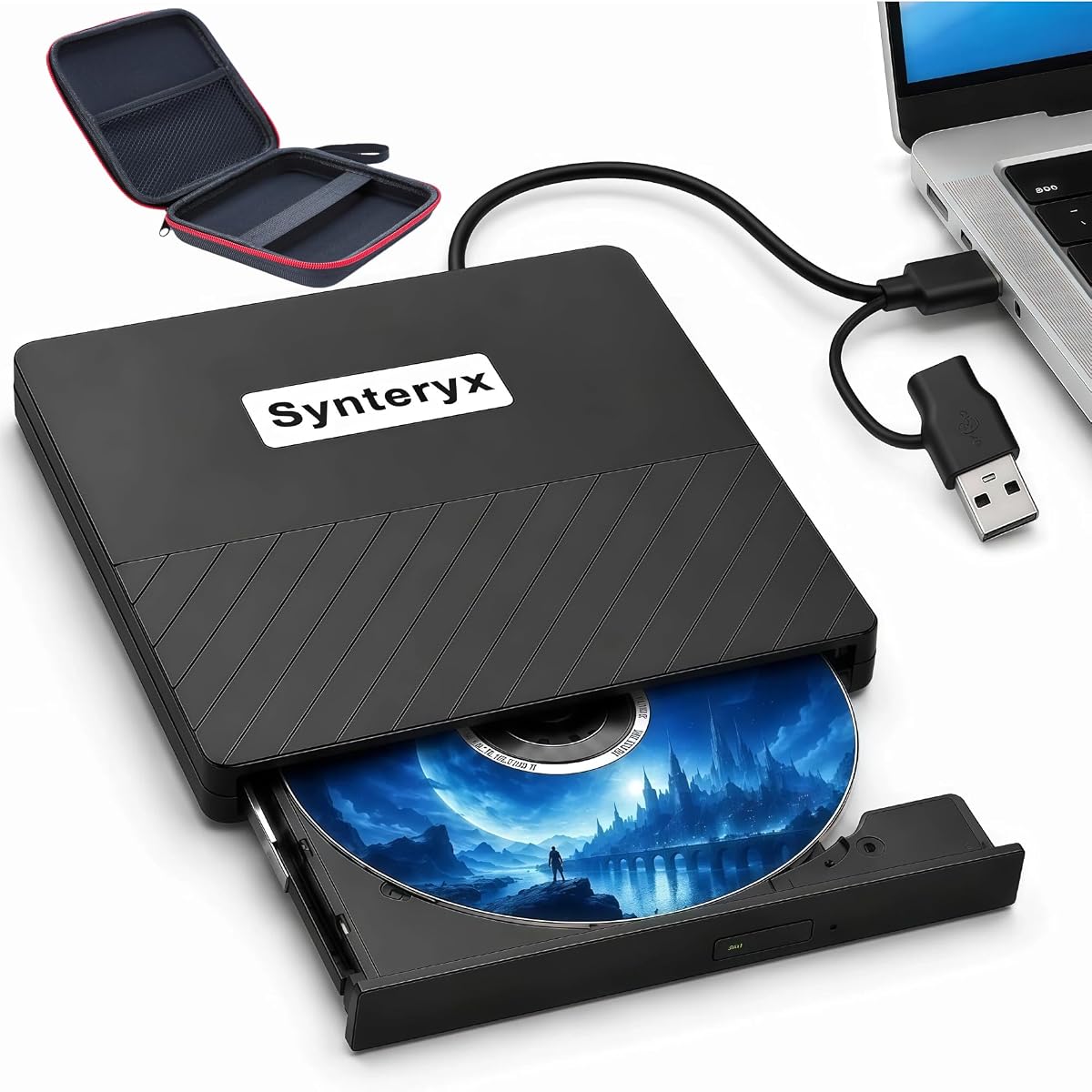

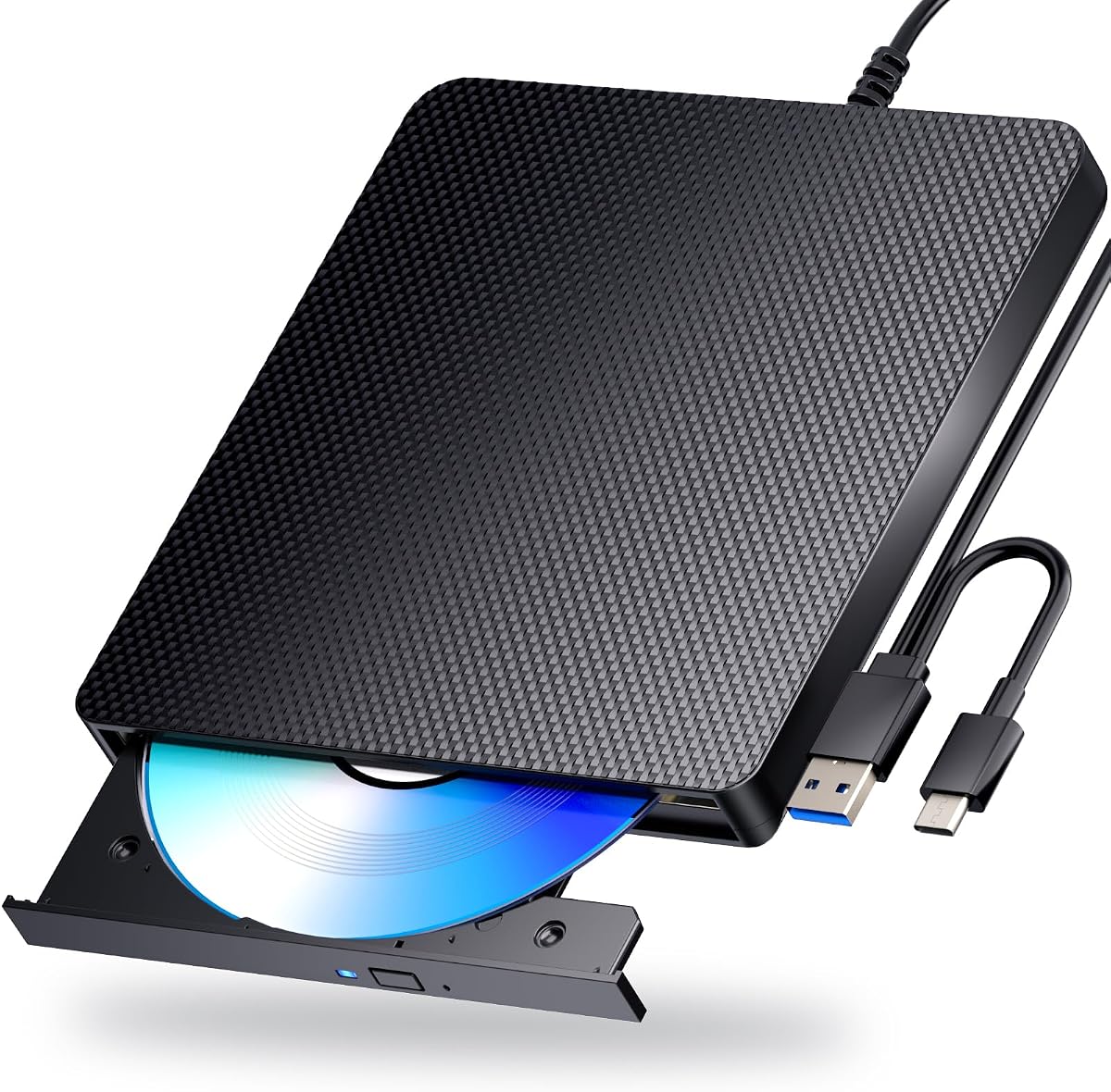
The archgon Premium Aluminum External USB 3.0 UHD 4K Blu-Ray Writer is the only option in this list explicitly designed around UHD 4K Blu-ray playback and recording. It carries a 4.2 rating and stands apart for users who have 4K discs that ordinary external optical drives cannot handle. Its CNC aluminum body also gives it a more substantial appearance than the lightweight plastic models included here.
We may earn a commission when you buy through this link, at no additional cost to you.
The drive reads UHD Blu-ray discs and can read or write regular Blu-ray, DVD, and CD media when appropriate software is installed. M-DISC BD-R support adds another layer of appeal for archival recording. USB 3.0 provides a modern connection, while the enclosure's aluminum construction should help it feel more durable and dissipate heat more effectively during sustained tasks.
The important limitation is software. CyberLink PowerDVD is recommended for UHD Blu-ray playback, and it is a separate purchase. The supplied information also states that no suitable UHD Blu-ray software was available for Mac at the time of the product description, meaning Mac users should be especially cautious and verify current software support. This makes the drive less universally convenient despite its advanced disc capabilities.
Choose the archgon if UHD 4K media is central to your collection or you need a writer for regular Blu-ray and archival media. It is our premium pick because no other featured product claims the same UHD-specific combination. For standard disc access, a simpler and less demanding model may be the better choice.
UHD Blu-ray requires more than a drive labeled simply Blu-ray compatible. This model is designed for UHD playback, but you must use suitable software and confirm that your computer meets the requirements of your chosen playback application.
Support for regular Blu-ray writing and M-DISC BD-R media makes the premium model useful for creating physical copies. The drive therefore serves both collection access and storage tasks rather than functioning only as a reader.
We may earn a commission when you buy through this link, at no additional cost to you.
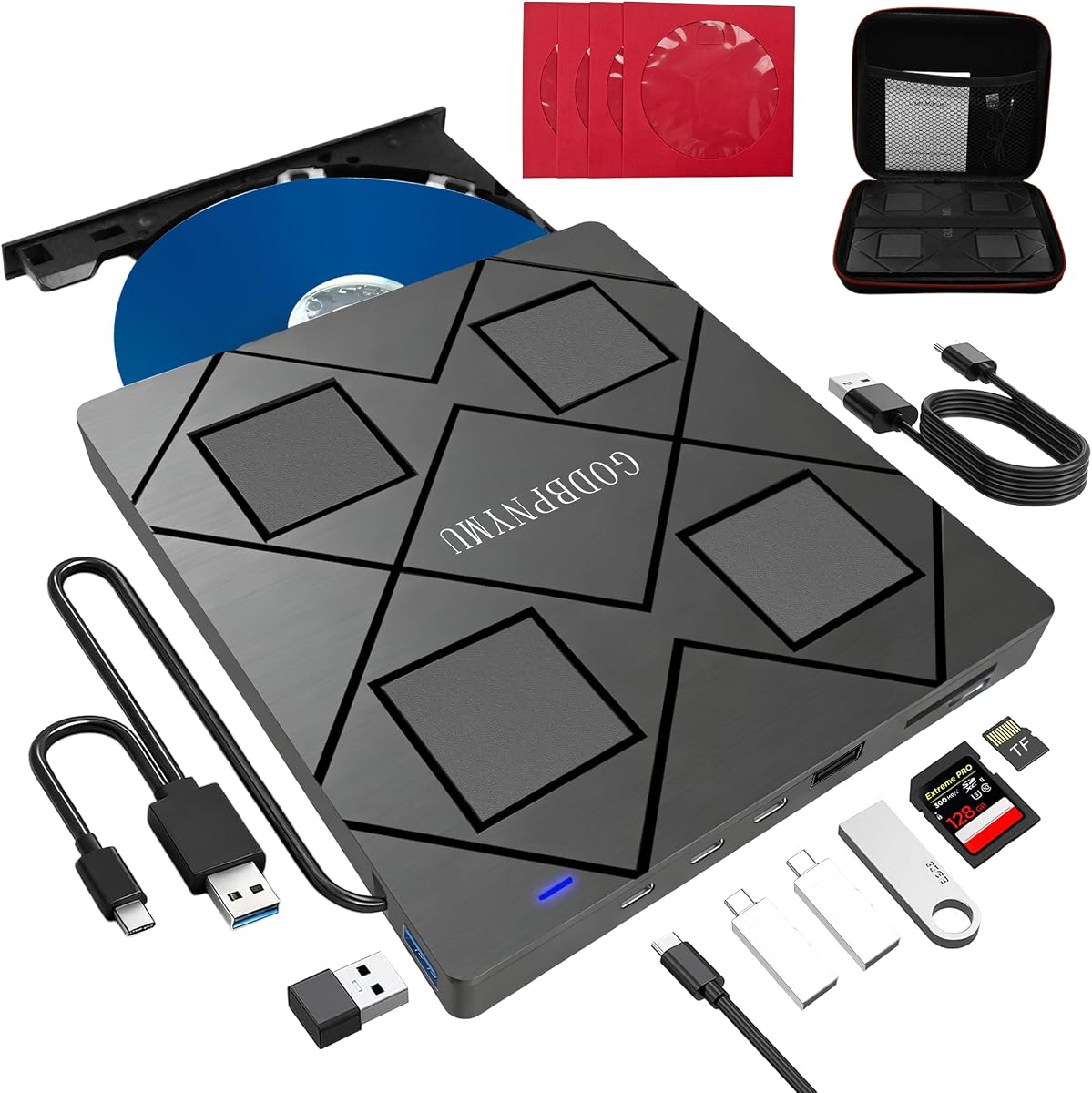
The 8-in-1 External Blu-ray Drive combines a versatile optical drive with a USB hub and card reader in a slim package. Its 4.2 rating reflects a broad feature set at a comparatively accessible price point. It reads and writes standard Blu-ray, DVD, and CD media, making it a practical choice for backups, disc installation, and physical-media playback.
We may earn a commission when you buy through this link, at no additional cost to you.
Its hub includes two USB-C ports, one USB 3.0 port, one USB 2.0 port, and a slot for SD or TF cards. The cable combines USB-A and USB-C connectivity, so it can suit both traditional computers and modern laptops. A separate power lead can improve stability if a computer does not provide sufficient power. Read and write speeds are listed at 6x for Blu-ray, 8x for DVD, and 24x for CD.
The drive cannot play 4K Blu-ray, and its maximum recording capacity is 50GB, so BD-XL discs remain read-only. Only one memory card can be used at a time. Third-party software is required for Blu-ray playback, and compatibility does not extend to televisions, tablets, smartphones, or in-car systems.
This is the strongest budget-oriented recommendation for someone who wants more than a basic disc reader. It combines useful ports, a protective case, and disc sleeves in a 300-gram package. Its main trade-off is that buyers with 4K discs should look elsewhere.
The integrated hub can reduce the need for a separate adapter when connecting a mouse, keyboard, cooler, or flash drive. The memory-card slot is convenient for moving photos and videos from supported cameras.
At approximately 5.5 by 5.5 by 0.35 inches and 300 grams, the drive is easy to pack. The included case and four disc sleeves help prevent scratches and keep the built-in cable organized.
We may earn a commission when you buy through this link, at no additional cost to you.
The BUFFALO 6X Portable Blu-ray Drive is the most balanced product in this guide. Its 4.7 rating is the strongest among the conventional external drives, and its specification sheet is refreshingly direct. It plays and burns Blu-ray, DVDs, and CDs, supports both Mac and Windows systems, and offers a USB 3.2 Gen 1 Type-A connection.
We may earn a commission when you buy through this link, at no additional cost to you.
Blu-ray read and write speeds are listed at 6x, while DVD read and write speeds reach 8x. M-DISC support allows temperature-, light-, and humidity-resistant recordings that the manufacturer says can last up to 1,000 years. These features make it suitable for both media playback and long-term physical storage rather than limiting it to one narrow role.
The enclosure measures 6 by 5 by 0.5 inches and weighs 0.5 pounds, which is compact for a full-featured writer. A Type-C adapter is included for newer computers. However, UHD 4K Blu-ray is not mentioned, so this model should not be selected for 4K discs. Like many optical drives, it also needs suitable software for certain playback and authoring tasks.
This is the overall recommendation for most buyers because it combines strong customer feedback, broad media support, a two-year warranty, and straightforward USB connectivity without an elaborate hub. It is a particularly sensible choice for offices, students, and travelers who need reliable writing as well as reading.
Writing support across Blu-ray, DVD, and CD formats lets the BUFFALO serve as a general-purpose backup drive. M-DISC support adds a durable option for files that users want to preserve on physical media.
USB 3.2 Gen 1 provides a familiar, widely supported connection, while the included Type-C adapter helps bridge newer laptop ports. The drive is listed for Mac and current Windows environments without requiring a complex setup.
We may earn a commission when you buy through this link, at no additional cost to you.
This second 8-in-1 external Blu-ray drive shares a capable approach with the earlier hub model: one compact device handles discs, USB peripherals, and memory cards. It carries a 4.2 rating and supports reading and burning BD, DVD, and CD formats. 3D Blu-ray playback is available with suitable third-party software.
We may earn a commission when you buy through this link, at no additional cost to you.
The built-in hub provides two USB-C ports, one USB 3.0 port, one USB 2.0 port, and an SD or TF card reader. Its integrated USB-A and USB-C 3.0 cable facilitates connection to both newer and older computers. A 5V power cable is included for situations where direct computer power is insufficient.
This model cannot play 4K Blu-ray, and its Blu-ray recording limit is 50GB. BD-XL can be read but not recorded. It also lacks some of the refined support information associated with established manufacturers, so buyers should check their operating system and software needs carefully before committing.
It makes sense for a laptop user who wants to consolidate an optical drive and USB hub in one enclosure. The included carrying case and four protective disc sleeves add useful organization. Buyers focused on archival writing should note that a larger-capacity writer may serve them better.
Combining four USB ports with an optical drive is useful on computers that have limited free connections. It can keep frequently used peripherals attached while preserving access to physical media.
The drive handles standard 25GB and 50GB Blu-ray media but cannot record 100GB BD-XL discs. It also excludes 4K playback, making it better suited to conventional collections.
We may earn a commission when you buy through this link, at no additional cost to you.
The Portable Blu-ray and Burner is a straightforward 2-in-1 option for users who mainly want to read Blu-ray discs while occasionally creating CDs or DVDs. Its 3.8 rating is the lowest among the featured products, but the core feature set remains useful. It reads Blu-ray at up to 6x, DVD at 8x, and CD at 24x.
We may earn a commission when you buy through this link, at no additional cost to you.
USB 3.0 and Type-C connectors simplify use with different computers, and the product is listed for Windows, Mac, and Linux. The brushed-texture shell and embedded data cable give it a tidy portable design. Blu-ray movie playback still depends on third-party software such as PowerDVD or Leawo.
The key limitation appears in the name as well as the specifications: it can read but not write Blu-ray discs. It is also not designed for Chromebooks, televisions, tablets, iPads, trucks, or cars. Those restrictions make it less versatile than models that combine full optical writing with broader computer support.
Consider this drive when your requirements are limited to lightweight Blu-ray access plus CD and DVD burning. It is best suited to users who understand the software and platform requirements and do not need UHD playback, BD-XL recording, a card reader, or a USB hub.
The embedded cable reduces the chance of leaving a required connector behind while traveling. Its compact shell suits home offices, business trips, and temporary use with a desktop or laptop.
This model cannot create Blu-ray discs, despite reading them. It remains appropriate for archival formats such as DVD or CD when that limitation aligns with your storage routine.
We may earn a commission when you buy through this link, at no additional cost to you.
The Portable 3D Blu-ray Burner is aimed at users who want both physical-media access and the ability to create discs. Its 4.0 rating reflects a capable product with a few important compatibility caveats. It supports 3D Blu-ray playback and writes BD-R, BD-RE, DVD-R, DVD-RW, CD-R, and CD-RW media.
We may earn a commission when you buy through this link, at no additional cost to you.
The drive uses a standard USB connection and draws power from the computer, making setup straightforward. The matte finish and anti-skid feet help keep it stable during the higher energy demands of disc writing. It is listed for Windows 10, 8.1, and 7 as well as Mac OS.
Blu-ray movie playback requires professional third-party software that is not included. The product description also warns that some Windows 11 installations may experience compatibility problems, and it is not intended for Chromebooks, televisions, tablets, or car systems. A powered connection is recommended for laptops, while desktop users should favor a rear motherboard USB port.
This model is a practical choice for someone who watches 3D Blu-ray movies, installs software from discs, or regularly writes DVDs and CDs. It is less appealing for Mac users who want a broad guarantee of current support, and it should not be confused with a 4K UHD-capable drive.
Support for both single-layer and rewritable disc families gives the drive flexibility for media duplication and routine backups. It is particularly useful for creating DVD and CD copies without moving to a larger-format-only workflow.
The anti-skid feet help reduce movement when a disc is spinning at high speed. Stable placement and adequate power are particularly important when writing rather than merely reading media.
We may earn a commission when you buy through this link, at no additional cost to you.
The Dainty Dual-Interface Drive is a compact option for users who need flexible connections and support for Windows, macOS, and Linux. It has a 3.9 rating and provides USB 3.0 and Type-C connectivity through a combined cable design. CD, DVD, and Blu-ray media can be read and written, while playback software remains a separate consideration.
We may earn a commission when you buy through this link, at no additional cost to you.
The drive handles 100GB Blu-ray media according to its stated capacity, along with 700MB CDs, 4.7GB DVDs, and 8.5GB dual-layer DVDs. It also includes an additional USB power cable intended to reduce interruptions and writing failures caused by insufficient power. That feature is especially relevant to laptops with limited bus power.
The listing recommends PowerDVD, Leawo Blu-ray Player, AnyDVD, or VLC Media Player for relevant operations, but states that the required playback software is not included. It is also incompatible with televisions, tablets, PlayStation 4, iPads, Chromebooks, projectors, and vehicles. Users should therefore treat it as a computer accessory rather than a universal media player.
This drive suits a buyer who values easy Type-C access, cross-platform flexibility, and a backup power connection. Its compact design and integrated cables are useful for travel, while writing support makes it more versatile than a read-only portable unit.
Optical writing can demand more energy than basic disc reading. The included auxiliary cable gives users a way to improve stability on systems that cannot reliably power the drive through the primary data connection.
Hardware compatibility does not guarantee that a commercial Blu-ray movie will play immediately. Install a suitable player and confirm the requirements of the software before expecting smooth playback.
We may earn a commission when you buy through this link, at no additional cost to you.
The USB-A Type-C Blu-ray Burner combines a strong 4.7 rating with one of the most useful connector arrangements in the guide. It supports 3D Blu-ray playback, writes BD-R, BD-RE, DVD-R, DVD-RW, CD-R, and CD-RW media, and is described as compatible with Windows 11, 10, 8.1, and 7, macOS, and Linux.
We may earn a commission when you buy through this link, at no additional cost to you.
Separate USB-A and Type-C cables eliminate the need for an adapter in many setups. The product is advertised as plug-and-play without additional drivers, and its slim, scratch-resistant matte body includes anti-skid feet for stability. These qualities make it a natural fit for a laptop that has recently moved away from legacy USB-A ports.
The product warns that some Windows 11 installations may have compatibility issues, so operating-system support should be verified against current requirements. Blu-ray movies also require professional third-party software that is not included. It is not designed for Chromebooks, TVs, tablets, or in-car systems.
For a buyer comparing modern interface convenience with strong customer feedback, this is one of the most compelling models. It is particularly well suited to people who need both playback and writing across conventional Blu-ray, DVD, and CD formats.
Having both USB-A and Type-C cables available means the drive can fit older desktops and newer laptops without hunting for an adapter. The choice of ports also makes the product easier to keep in one shared bag.
The 4.7 rating is especially notable because the drive combines full writing functions with cross-platform support. It does not chase UHD playback, which keeps expectations focused on standard Blu-ray media.
We may earn a commission when you buy through this link, at no additional cost to you.
The 5-in-1 Portable Optical Drive is designed for users who need more than physical-media access. Its 4.2 rating accompanies a feature set that includes Blu-ray, DVD, and CD functions, two USB ports, and an SD or TF card slot. The extra connections make it useful for transferring photos and videos from supported memory cards.
We may earn a commission when you buy through this link, at no additional cost to you.
USB 3.0 and Type-C cables provide broad compatibility with laptops, desktops, iMacs, MacBook Pro and Air models, and Windows systems. The listing also mentions Linux OS. The drive is thin and light, and its embedded cable design reduces loose pieces that could otherwise be lost during travel.
It cannot play 4K Ultra HD Blu-ray discs, which limits its appeal for modern high-resolution collections. It also excludes iPads, tablets, projectors, televisions, Chrome OS, cars, and smartphones. The card reader serves one card type at a time, so simultaneous SD and TF access is not available.
This model is best for users who routinely move camera files and want a compact hub nearby. It can also play music, watch standard-definition or conventional Blu-ray movies, back up data, install programs, and create physical media when suitable software is available.
The card slot can move photos and videos from compatible cameras or phones to a computer without requiring a separate reader. This is the feature that most clearly distinguishes the product from a plain external disc drive.
The embedded cable and thin enclosure support easy transport, while the hub and card reader expand the value of a single desktop accessory. Software and disc-format limitations still need to be considered.
We may earn a commission when you buy through this link, at no additional cost to you.
The Dainty BD DVD CD Drive has a perfect 5.0 rating in the supplied product data, making it a strong candidate for buyers who prioritize customer feedback. It combines USB 3.0 and Type-C connectivity with reading and writing for Blu-ray, DVD, and CD media. The drive also supports Windows, macOS, and Linux.
We may earn a commission when you buy through this link, at no additional cost to you.
Its stated capacity covers 100GB Blu-ray discs, 700MB CDs, 4.7GB DVDs, and 8.5GB dual-layer DVDs. An additional USB power lead helps maintain stable operation during playback and writing, while the integrated dual-interface cable is easy to carry. Its compact enclosure suits travel, business, and home use.
As with most optical drives, successful movie playback depends on appropriate software. The listing names PowerDVD, Leawo Blu-ray Player, AnyDVD, and VLC Media Player, but states that the required software is not included. UHD 4K capability is not claimed, and televisions, tablets, PlayStation 4, iPads, Chromebooks, projectors, and vehicles are excluded.
The high rating makes this product worth considering for personal collections, disc backups, and users who want flexible connectors. The absence of a hub and the need for separate playback software make it less comprehensive than several multi-function alternatives, but its core drive functions are clearly described.
A 5.0 rating can inspire confidence, although the number should be considered alongside the volume of feedback and individual experiences. The broad format support and simple connection design reinforce the product's practical appeal.
Support for Windows, macOS, and Linux makes the drive useful in mixed-device environments. USB-A and Type-C access improves physical compatibility with both older and newer computers.
We may earn a commission when you buy through this link, at no additional cost to you.
The right external Blu-ray drive depends primarily on whether you need UHD playback, physical-media writing, extra connectivity, or simply a compact way to read conventional discs.
Begin with the media already in your possession and the formats you expect to create. A useful all-around drive reads and writes standard Blu-ray, DVD, and CD media, but differences appear when you need 100GB BD-XL discs or UHD 4K Blu-ray. Standard 50GB dual-layer Blu-ray is widely supported among the featured models, whereas BD-XL recording is not.
Reading a disc and writing one are different capabilities. Several products can read Blu-ray while burning only CDs and DVDs, so the product title alone may not describe every limitation. Full writers support formats such as BD-R, BD-RE, DVD-R, DVD-RW, CD-R, and CD-RW, giving you more freedom for backups and media duplication.
Only the archgon model in this guide explicitly advertises UHD 4K Blu-ray playback and writing. Conventional Blu-ray drives, including those labeled 3D-compatible, should not be expected to play UHD discs. UHD playback also involves separate software and computer requirements, and the archgon description specifically notes limited UHD software support for Mac.
USB 3.0 provides a good balance of speed and broad adoption, while USB-C and Type-C make the drive more convenient with newer laptops. Some products combine both connector styles in one cable, while the BUFFALO includes a Type-C adapter. Check the port on your computer and whether a separate adapter or power lead will be necessary.
An optical drive provides hardware access, but commercial Blu-ray playback often depends on third-party software. PowerDVD, Leawo, AnyDVD, and VLC are mentioned across the listings, but they are not all included with every product. Software compatibility can also differ by operating system, so verify current requirements before buying, especially for UHD or specialized authoring tasks.
Optical drives can draw more power while spinning and writing than a keyboard or flash drive. Several models include an auxiliary power cable, and the guidance for some products recommends connecting a desktop directly to a rear motherboard port or using a laptop power adapter. Stable power can reduce recognition problems, playback interruptions, and failed burns.
Some drives double as USB hubs or add SD and TF card readers. These features can reduce the need for separate accessories, especially with laptops that have few ports. Other bundles include carrying cases, protective disc sleeves, and embedded cables. Extras are useful only when they solve a real need, since they do not substitute for stronger core media support.
Portable drives are typically thin and light, with some models weighing around 300 grams and others remaining below a pound. A carrying case and managed cable storage make transport easier. Warranty terms also vary: the BUFFALO includes a two-year manufacturer warranty, while several alternatives offer one year, making support another useful point of comparison.
Before using the drive, confirm that your computer has an appropriate USB port and install the necessary playback or authoring software. Connect the drive while the disc tray is open, wait for the operating system to recognize it, and place one clean disc on the exposed tray before closing it. Never force a disc that does not load easily.
For writing, choose blank media matching the drive's supported format and use reliable software to complete the task. Keep the drive connected to a stable power source throughout the process, avoid moving it while a disc is spinning, and do not force the tray open when software indicates that it is busy.
Handle discs by the edges, keep them away from direct heat and moisture, and use the supplied sleeves or another protective case for storage. When the drive is not in use, retract the tray or use the emergency eject mechanism only when the computer confirms that no activity is occurring. A soft, dry cloth is appropriate for cleaning the exterior.
Yes, suitable software is generally required for commercial Blu-ray playback. The listings mention PowerDVD, Leawo, AnyDVD, and VLC as possible options, but most do not include a dedicated player. Check the software's current operating-system support, especially if you plan to use UHD discs, and confirm whether the application must be purchased separately.
Only if the hardware explicitly supports UHD 4K Blu-ray. The archgon model in this guide makes that claim, while the other conventional drives do not. A label such as 3D Blu-ray compatible refers to 3D discs and should not be interpreted as UHD support.
A reader can access discs but cannot create them. A burner can write compatible blank media such as Blu-ray, DVD, or CD, depending on its specifications. The Portable Blu-ray and Burner reads Blu-ray but burns only CDs and DVDs, whereas several other featured models support writing across all three major disc families.
It will generally work if the laptop has a compatible USB port and operating system. Most models support USB-A, USB-C, or both, and many list Mac and Windows compatibility. Check for exclusions involving Chromebooks, tablets, and Chrome OS, and verify the software requirements for the specific computer you plan to use.
Insufficient power, an unstable connection, incompatible software, or damaged blank media can cause failures. Connect the auxiliary power cable when one is supplied, avoid moving the drive, and use a reputable writing application. For desktop computers, a rear USB port connected directly to the motherboard may provide more stable power.
Some models state that 100GB BD-XL media can be read, but that does not mean they can write to it. The two 8-in-1 models list BD-XL as read-only, while their maximum Blu-ray recording capacity is 50GB. Always distinguish read support from write support before choosing a drive for archival media.
Not necessarily. Several models include a built-in hub with USB-A, USB-C, USB 2.0, and USB 3.0 connections, while others also include an SD or TF card reader. These extras can be convenient on slim laptops, but a dedicated drive with stronger media support may be preferable if your main need is reliable writing.
Keep the drive dry, away from direct heat, and protected from impact. Retract the tray before packing it, and use a case that prevents the cable from tangling. Store discs vertically in sleeves or cases, touching only their edges, and avoid leaving them in dusty or humid environments.
The BUFFALO 6X Portable Blu-ray Drive is the strongest all-around choice because it combines a 4.7 rating, broad read and write support, USB 3.2 connectivity, M-DISC capability, and a two-year warranty. The 8-in-1 USB-C Hub Drive offers more built-in utility for the budget-conscious buyer, while the archgon is the specialist pick for UHD 4K collections.
Prioritize the formats you actually use rather than relying on a broad product name. Confirm whether you need Blu-ray writing, 4K playback, BD-XL capacity, a USB hub, card slots, or a particular operating system. Also plan for suitable playback software and a stable power connection before starting a burn.
Customer ratings and product details can evolve, so read the current listing and reviews before ordering. Prices and promotions also change frequently, making it sensible to compare the final offer with the features that matter most to your computer and physical media.