
Elgato 4K Pro
4.5Editor score
Internal PCIe capture
4K60 recording
8K60 passthrough
HDMI 2.1 connectivity
Up to 240fps capture
Our Audio Capture Card for Streaming guide compares ten options for game capture, live production, commentary, passthrough, audio mixing, and setup ease.
An audio capture card for streaming connects consoles, cameras, computers, and other HDMI sources to a streaming PC. A capable card should preserve smooth video, add your voice cleanly, minimize delay, and provide dependable passthrough for monitoring without forcing complicated software changes.
We compared the ten available models by examining their stated capture resolutions, frame rates, audio connections, passthrough behavior, operating-system support, installation requirements, and suitability for gaming, broadcasting, podcasting, and other production tasks. The list covers basic USB devices, advanced external cards, an all-in-one mixer, and an internal PCIe option.
Each review shows which creator or environment the card best serves and where its compromises lie. Ratings reflect the supplied customer feedback, while feature assessments come from the listed specifications. Availability and pricing can change, so confirm current specifications and compatibility before purchasing.
4.5Editor score

4.6Editor score

4.3Editor score
The table below compares all ten cards by their strongest stated capabilities, including source resolution, frame-rate potential, monitoring features, audio integration, and setup requirements.
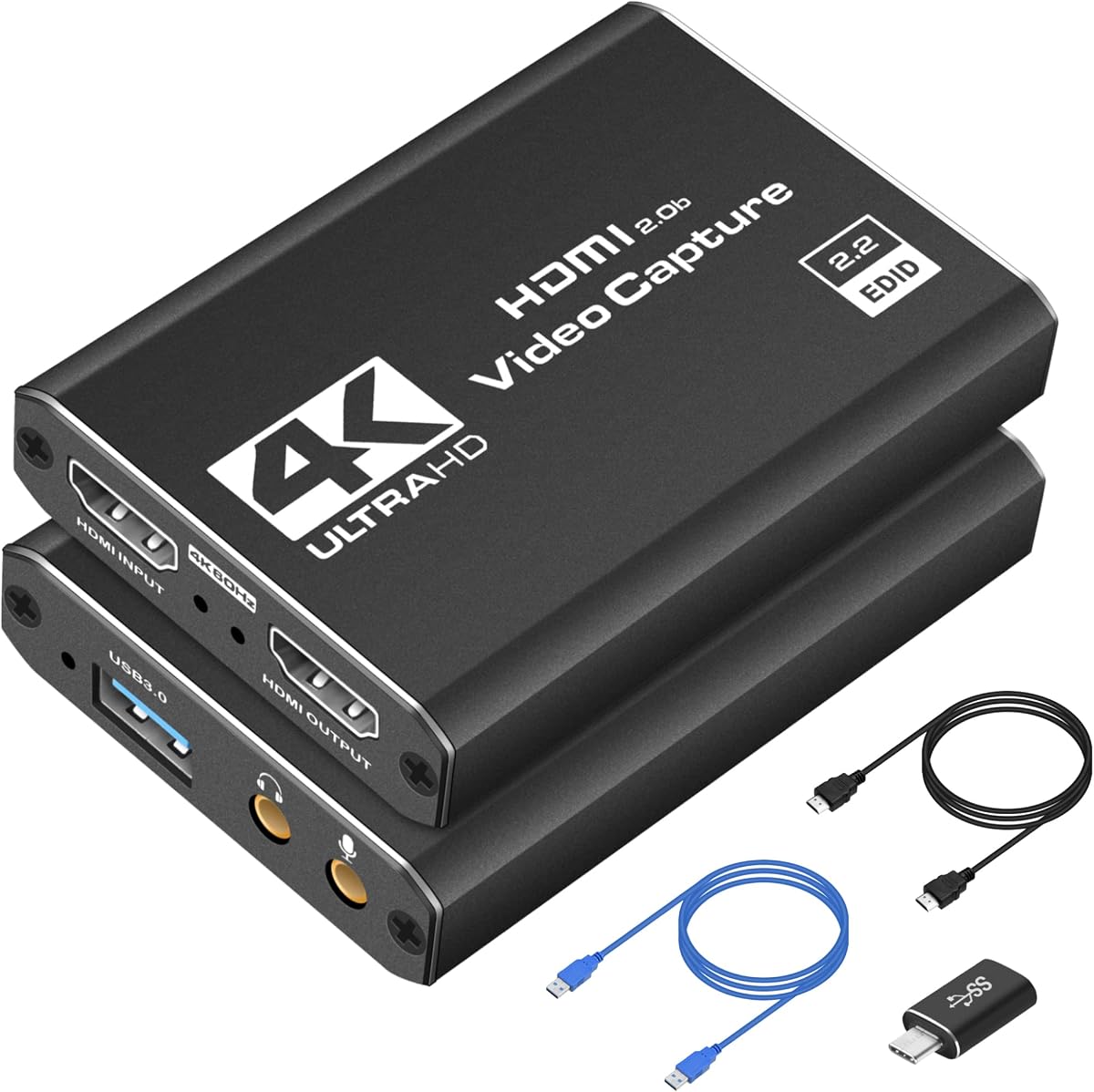


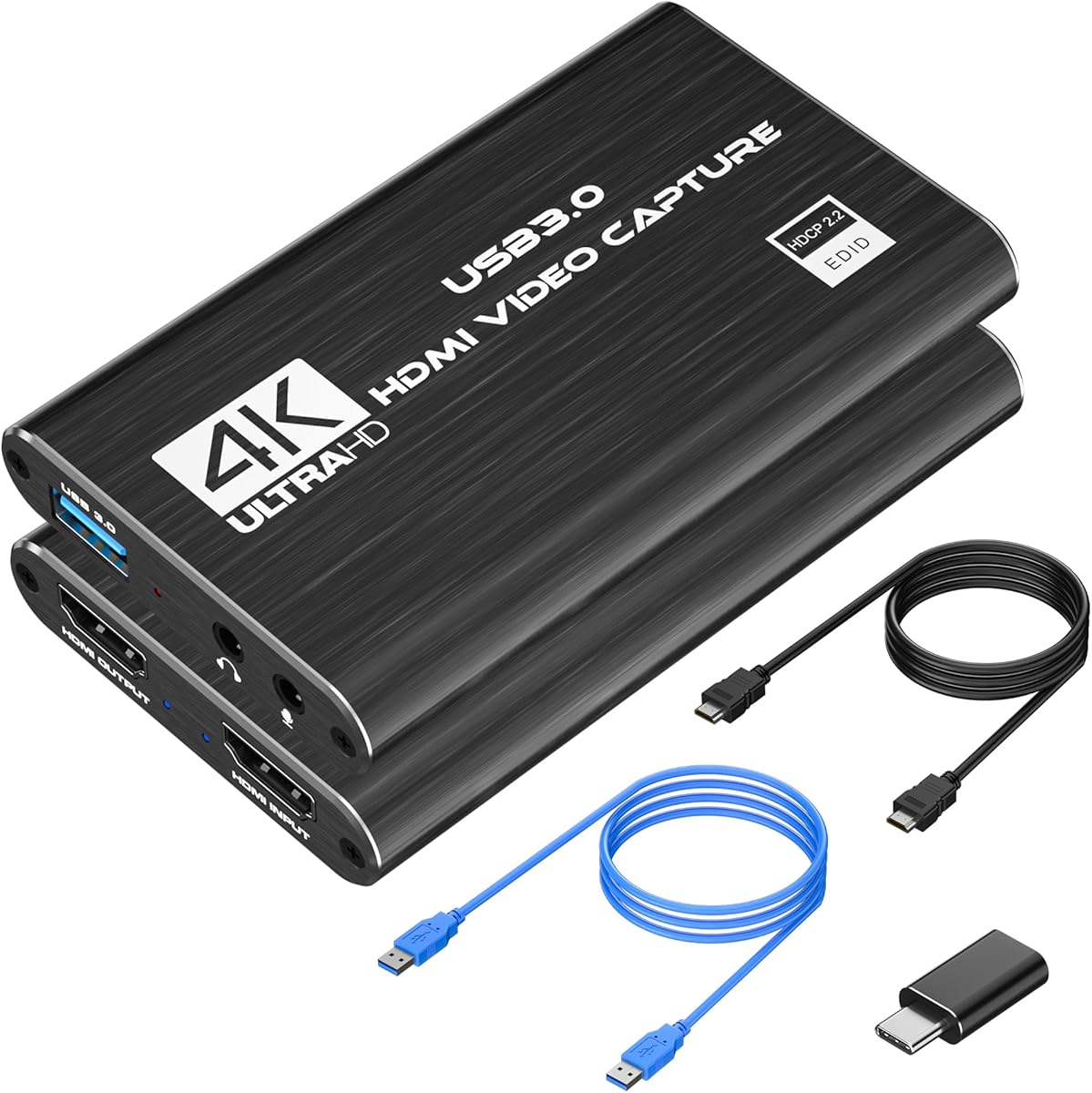


The Rybozen HDMI Capture Card is a straightforward USB 3.0 solution for creators who want to stream a console, camera, or PC without assembling a complicated production setup. It carries a 4.3 rating and is positioned as an approachable option for standard 1080p streaming. Its strongest appeal is the combination of plug-and-play behavior, HDMI loop-out, and a dedicated 3.5mm microphone input.
We may earn a commission when you buy through this link, at no additional cost to you.
The device captures video at up to 1080p and accepts several HDMI source types, including current and older game systems, cameras, DVD players, and set-top boxes. Its HDMI input can read 4K30/60Hz signals and high-refresh 1080p signals, although the card cannot accept 4K at 120Hz or 144Hz. That distinction matters for creators who want 4K as a passthrough source but do not necessarily need to record it at that resolution.
Installation should be straightforward because no driver or external power supply is required. The card is recognized automatically as a webcam, while the listed system support covers Windows and Mac. A 3.5mm TRS microphone headset can be connected for commentary. The trade-offs are its 2K30 maximum output, which is below the capture and passthrough figures available from higher-end devices, and the absence of more advanced onboard audio controls.
This is a sensible choice for a first streaming rig, classroom demonstration, console session, or creator who values uncomplicated operation more than 4K recording. It also suits users who want a separate physical microphone input without buying a dedicated mixer. For competitive high-refresh capture or professional 4K production, move up the list; for dependable everyday streaming, this card covers the essentials.
HDMI loop-out lets the source remain visible on a local display while the USB connection carries the signal to the computer. The listed no-delay behavior makes this particularly useful for game streaming, where immediate on-screen feedback is more valuable than elaborate controls.
The 3.5mm TRS microphone input allows a compatible headset or microphone to add commentary directly to the production. It is a useful entry-level solution, although it does not provide the multi-channel mixing, mute buttons, or level faders found on the dedicated audio-mixer card.
We may earn a commission when you buy through this link, at no additional cost to you.
The OREI 4K Capture Card is the most versatile external device in this guide, combining high-resolution HDMI handling, zero-delay monitoring, and onboard audio mixing. Its 4.6 rating is the highest among the listed products. It is aimed at streamers and live-production users who want broad format support without immediately adding a large internal capture system.
We may earn a commission when you buy through this link, at no additional cost to you.
The stated input capability reaches 8K at 60Hz, while uncompressed 4K at 60fps is available for capture. HDR, YUY2, NV12, and MJPEG support gives the card flexibility across different recording and streaming workflows. USB 3.2 Gen 1 supplies 5Gbps of bandwidth, a useful margin for high-resolution workflows, while UVC and UAC compliance means it can operate without separate drivers.
Audio is one of the card's defining strengths. HDMI loop-out provides local monitoring, and integrated mixing combines digital HDMI audio with microphone and line inputs. That makes it possible to manage source sound and commentary in one unit rather than depending entirely on software routing. The included USB cable, manual, manufacturing support, and lifetime technical support add useful value, although the card still has the physical limitations of any USB capture device.
Choose the OREI for a demanding external setup that may evolve from console streaming into 4K recording, camera capture, or live production. It is particularly attractive for users who need advanced audio connections alongside modern display features. The main reason to choose the Elgato instead would be a preference for an internal PCIe installation and its 8K60 passthrough emphasis.
Supporting 8K60 input, uncompressed 4K60 capture, HDR, and several color formats makes this card adaptable to different sources and delivery targets. The 5Gbps USB interface is designed to reduce bottlenecks when moving high-resolution video to a computer.
Integrated mixing of HDMI audio, mic input, and line input gives creators a more complete production path. It is especially helpful for commentary, interviews, and streams that require more than the basic audio pass-through offered by many compact cards.
We may earn a commission when you buy through this link, at no additional cost to you.
This compact USB 3.0 capture card is designed for creators who need an uncomplicated way to stream or record HDMI sources. It offers 1080p at 60fps, works with popular applications such as OBS Studio, Streamlabs, and XSplit, and carries a 4.4 rating. Its portable construction makes it more relevant to mobile creators and temporary event setups than to a permanently installed studio.
We may earn a commission when you buy through this link, at no additional cost to you.
The stated device compatibility includes Nintendo Switch, PS5, Xbox Series X, DSLR cameras, and PCs, covering the most common sources found in a creator's bag. Seamless passthrough lets a console or camera remain connected to a local display while the USB signal is captured by the computer. The product description emphasizes low-latency operation for competitive gaming, live broadcasts, and podcast sessions.
No drivers are required, so setup can remain focused on selecting the source in streaming software rather than installing additional components. Its compact size also reduces cable strain and makes the device easier to move between a home setup, LAN party, or event location. The limitation is that 1080p60 is the stated ceiling for capture, and there is no dedicated onboard mixer for balancing commentary, game audio, and line-level sources.
This card is a practical pick for portable 1080p streaming, travel, and occasional console or camera recording. It is well suited to beginners who value broad compatibility and quick setup. Creators seeking higher-resolution recording, extensive refresh-rate support, or physical audio mixing should compare it with the OREI, PORTTA, or dedicated mixer.
The lightweight enclosure and single USB connection make this device convenient for creators who alternate between locations. It avoids the need to install internal hardware in each computer used for a stream.
Compatibility with OBS Studio, Streamlabs, and XSplit means the card can fit into an existing software-centered production process. With no driver installation required, setup remains accessible to users who do not want to manage additional system components.
We may earn a commission when you buy through this link, at no additional cost to you.
The PORTTA DX20R is built around high-refresh gaming and detailed passthrough control. Its stated capabilities include 4K at 60Hz, 2K at 144Hz, and 1080p at 240Hz, along with HDR and Variable Refresh Rate support. That makes it a strong consideration for console and PC gamers who want modern display features as well as the ability to record a stream.
We may earn a commission when you buy through this link, at no additional cost to you.
A smart display and control system provides real-time operating parameters, and the physical control arrangement includes a switch for display and ring-light functions. The PORTTA CapHub Utility for Windows and macOS can be used to customize video settings, adjust audio mixing, update firmware, and manage EDID and VRR modes. It therefore offers more deliberate configuration than a completely hands-off capture card.
The card supports Windows, macOS, and Linux without driver installation, which makes it usable across several production computers. Compatibility with PS5, Xbox, and OBS is explicitly stated, and the broad refresh-rate passthrough is the central feature. Its 4.2 rating suggests solid reception, although the included utility adds a step that some users may view as either helpful control or unnecessary complexity.
The DX20R makes the most sense for a gaming-focused external rig where high-refresh passthrough, HDR, and VRR are priorities. It is less necessary for a creator who records primarily at 1080p and never needs advanced EDID management. In that situation, a simpler card can provide a cleaner path with less configuration.
Support for 1080p at 240Hz and 2K at 144Hz passthrough gives compatible displays more of the performance available from modern consoles and PCs. It is a meaningful advantage for competitive players who want the source connected to a fast gaming monitor while the stream is recorded.
The CapHub utility gives users direct control over EDID and VRR modes. That level of configuration is useful in multi-display setups where source resolution, refresh rate, and operating-system recognition must be aligned.
We may earn a commission when you buy through this link, at no additional cost to you.
The acer USB 3.0 HDMI Capture Card offers a practical mix of 4K input, 1080p60 output, loop-out, and direct microphone connectivity. It carries a 4.4 rating and is suited to gaming, online teaching, video calls, vlogging, and portable recording. The product's simplicity makes it especially appealing to first-time streamers and users who do not need advanced production hardware.
We may earn a commission when you buy through this link, at no additional cost to you.
YUY2 encoding is highlighted as a way to retain richer color than MJPEG, which can be important for game footage, camera feeds, and on-screen text. The stated 4K input also allows higher-resolution sources to be connected, while 1080p at 60Hz provides a common streaming and recording target. A 3.5mm microphone connection lets a headset or compatible mic add commentary without a separate mixer.
The card requires no extra drivers or external power and has a small, lightweight enclosure. Its listed platform support spans Switch and Switch 2, PS5 and PS4, Xbox, DSLR cameras, PCs, macOS, and Android. It is also listed as compatible with OBS, XSplit, VLC, YouTube, Facebook, Twitter, and VLC, allowing it to fit into a variety of established production workflows.
This is a good choice for users who value direct audio input and broad device compatibility without advanced controls. It may not satisfy a professional operator who wants line-level mixing, 4K recording, or high-refresh passthrough. For those requirements, the OREI, PORTTA, or AVerMedia is the more focused recommendation.
YUY2 support offers a useful alternative to compressed MJPEG workflows. The stated color advantage can make this card appealing for creators who want clean 1080p output from game consoles, cameras, and computers.
The 3.5mm microphone input supports real-time gaming commentary, online classes, and vlog narration. It simplifies voice capture for creators who do not yet own a standalone audio interface.
We may earn a commission when you buy through this link, at no additional cost to you.
The Kedok 1080p60 USB Card is a basic capture solution for users who want reliable 1080p streaming from an HDMI source. It has a 4.4 rating and closely resembles other compact USB capture designs, offering automatic input detection, a webcam-style connection process, and physical commentary input. It is a sensible option for console streaming, camera feeds, and simple recording sessions.
We may earn a commission when you buy through this link, at no additional cost to you.
The card identifies itself automatically as a webcam after connection, reducing the amount of setup required before opening a streaming application. It supports Windows and Mac and works with Twitch, YouTube, Facebook, Twitter, OBS, PotPlayer, and VLC. Its USB 3.0 connection is intended to provide low-latency transmission without external power, while the HDMI loop-out allows local monitoring during live play.
A 3.5mm TRS microphone headset can be attached for commentary. The restriction on that connector is important: the listed input specifically accepts a 3.5mm TRS standard microphone headset, so users should verify their equipment rather than assume every 3.5mm microphone or adapter will work. The larger limitation is that capture tops out at 1080p, and the card does not offer advanced audio mixing.
Choose the Kedok when a direct, uncomplicated 1080p workflow is more important than 4K recording or sophisticated control. It is a sensible first card for a gaming stream, a classroom presentation, or a camera feed. Creators who need higher resolutions, multiple audio inputs, or extensive frame-rate support should move to a more specialized model.
The device is automatically identified as a webcam and can adjust input and output after connection. This behavior shortens the path from unpacking to selecting a video source in the chosen streaming application.
The listed source support covers PS4, PS5, Xbox One, Xbox 360, Switch-related HDMI devices, cameras, DVDs, and set-top boxes. That makes the card adaptable across common streaming and demonstration scenarios.
We may earn a commission when you buy through this link, at no additional cost to you.
The 4K Capture Audio Mixer is unusual because it combines HDMI capture with a four-channel physical audio mixer. It supports 4K input, zero-latency loop-out, 1080p at 60fps USB output, an XLR input with 48V phantom power, voice effects, RGB lighting, and customizable sound pads. It is designed for creators who want more control than a conventional capture card provides.
We may earn a commission when you buy through this link, at no additional cost to you.
Audio is the centerpiece. The XLR and 6.35mm combination input supports condenser and dynamic microphones, while the stated signal-to-noise ratio is at least 105dB and total harmonic distortion is below 0.01%. Four 60mm faders control microphone, line input, headphone, and line output levels, and dedicated one-touch mute buttons allow individual channels to be silenced quickly.
The video side delivers 1080p at 60fps through USB-C with a maximum bitrate of 50Mbps, alongside 4K input and zero-latency loop-out. Six voice-changer modes, twelve auto-tune keys, three customizable sound pads, and nine RGB modes make it more entertaining for livestreams and interactive broadcasts. It is also compatible with PS5, Xbox, Switch, cameras, PCs, Windows, macOS, Linux, and Android.
This device is best for a streamer or podcaster who wants a single box to handle video, microphone capture, monitoring, mixing, mutes, and live sound effects. Its 4.0 rating is the lowest among the listed products, and the feature set may be excessive for a basic game stream. The trade-off is flexibility: users who only need one HDMI source and one microphone can get a leaner setup elsewhere.
Combining an XLR interface, four faders, mute controls, headphone monitoring, sound pads, and RGB lighting reduces the number of separate boxes on a desk. It is a compelling arrangement for creators who perform live and want immediate physical control.
The 48V phantom power allows compatible condenser microphones to operate without an external preamp. Dynamic microphones are also supported, making the interface useful across different recording budgets and speaking styles.
We may earn a commission when you buy through this link, at no additional cost to you.
The AVerMedia Live Gamer Ultra S is aimed at creators who need advanced console, PC, and ultrawide workflows. It supports passthrough at 4K60, 1440p144, and 1080p240 with HDR and VRR, and it can record VRR at 1440p60 or 1080p240 through Streaming Center. Its 4.2 rating reflects a capable package for users who know how to configure production software.
We may earn a commission when you buy through this link, at no additional cost to you.
The card adds support for 3440×1440 and 2560×1080 input, which is relevant for 21:9 gaming. On Windows, it can capture 5.1-channel audio with Streaming Center or Streaming Center Plug for OBS through the USB 3.2 Gen 1 Type-C connection. RGB24 capture and a 4K60 target make it suitable for game recording, streaming, and live production.
Source compatibility is broad, covering PS5, PS5 Pro, Xbox, Nintendo Switch, PC, Switch 2, and other unencrypted HDMI devices. The stated operating systems include Windows 10 or 11, macOS 13 or later, and iPadOS 17 or later. This flexibility is useful for creators who move between desktop and iPad-based workflows or need more than a simple console card.
The Live Gamer Ultra S is a strong recommendation for a gaming specialist who values high refresh rates, ultrawide support, surround audio, and cross-platform operation. It is less compelling for a beginner whose software and computer only handle 1080p60. Make sure the source, display, software, and USB system can all sustain the selected resolution and frame rate.
Support for 4K60, 1440p144, and 1080p240 passthrough allows the source to retain high-refresh presentation on compatible screens. HDR and VRR passthrough further align the device with contemporary gaming and display features.
Five-channel audio capture and 3440×1440 input demonstrate attention to premium gaming formats. These features are particularly useful for game-focused channels that want to preserve cinematic or ultrawide presentation.
We may earn a commission when you buy through this link, at no additional cost to you.
The Elgato 4K Pro is the only internal capture card in the guide, making it distinct from every USB device listed alongside it. It records at up to 4K60 while supporting 8K60 passthrough, and its HDMI 2.1 connectivity can reach up to 240fps at 1080p. With a 4.5 rating, it is a compelling option for creators building a permanent desktop streaming rig.
We may earn a commission when you buy through this link, at no additional cost to you.
The internal PCIe format can provide a stable, direct connection to the computer and avoids adding another external USB device to the desk. It is intended for users who are comfortable opening a compatible PC, installing the card, and connecting display and source cables. VRR passthrough and ultra-low latency support help preserve a smooth relationship between gameplay, local monitoring, and the captured broadcast.
Its software compatibility includes OBS, Streamlabs, Twitch Studio, Restream, Zoom, Teams, YouTube, Twitch, Discord, and Facebook Gaming. That broad support allows the card to fit into live broadcasting, online meeting, and recorded-content workflows. The strongest reasons to select it are the 8K60 passthrough, 4K60 capture, high-frame-rate capability, and internal reliability-oriented design.
The Elgato is best for a creator with a compatible desktop who wants a permanent, performance-focused setup. It is unnecessary for a laptop, temporary event, or beginner who wants a device that can move between machines. Confirm case size, motherboard slot availability, operating-system requirements, and your desired resolution before installation.
Installing the card inside a desktop removes it from the external-device category and places capture directly into the computer's PCIe ecosystem. This is well suited to a dedicated streaming station with a stable enclosure and planned cabling.
The stated ability to record up to 240fps at 1080p and provide 8K60 passthrough gives modern consoles and PCs considerable headroom. It also supports varied streaming targets, from high-frame-rate gameplay to detailed 4K recording.
We may earn a commission when you buy through this link, at no additional cost to you.
The XIIXMASK USB 3.0 HDMI Capture Card combines 4K60 passthrough with 1080p120 recording and support for several video formats. It has a 4.2 rating and a driverless design that works across Windows, macOS, Linux, Android, and iPadOS. This makes it a versatile portable option for creators who move among different devices and production environments.
We may earn a commission when you buy through this link, at no additional cost to you.
MJPEG, YUY2, NV12, and XRGB support give the card more choice than a basic device limited to a single encoding format. It can capture 4K60 via USB 3.0 and provides 4K HDMI passthrough for real-time monitoring. At 1080p, the listed recording capability reaches 120fps, making it suitable for fast gameplay and detailed motion where the source and software support that rate.
Audio connectivity includes a 3.5mm audio input and microphone output, allowing a headset or microphone to be integrated into commentary or ambient sound. The device works without drivers or external power and uses a convenient USB A/C connection. Listed source support includes Switch, Switch 2, PS5, PS4, Xbox Series X/S, Quest 3 and 3s, DSLR cameras, webcams, TV boxes, and DVDs.
The XIIXMASK is a good middle-ground choice for portable production, live events, and creators who want several format options. It is less attractive than a more advanced external card when uncompressed 4K capture, professional onboard mixing, or extensive refresh-rate passthrough is essential. Its broad compatibility and flexible encoding support make it a useful general-purpose streamer or recorder.
Support for MJPEG, YUY2, NV12, and XRGB lets the creator align the card with the target application and workflow. This is useful when testing different recording pipelines or balancing file size, processing load, and output quality.
Windows, macOS, Linux, Android, and iPadOS support make the card useful beyond a single desktop setup. Its driverless USB connection also reduces the chance that a production trip will be disrupted by installation requirements.
We may earn a commission when you buy through this link, at no additional cost to you.
The right capture card depends on your source, recording resolution, audio setup, and whether the device must travel. Review the following factors before comparing the final features of competing models.
Resolution determines how much detail can be recorded, while frame rate controls how smoothly motion appears. Most streamers can work effectively with 1080p at 60fps, but a creator producing detailed 4K footage may need a card that explicitly supports 4K60 capture. Also distinguish between capturing at 4K and merely passing a 4K signal to a monitor. A device can accept 4K input while recording at 1080p, which is suitable when the stream platform ultimately delivers lower-resolution video.
Passthrough sends the source image to a local display while the computer captures the same feed. This matters for console and PC gaming because the player needs immediate visual feedback. Higher refresh rates, including 1080p240, 1440p144, and 4K60, are attractive for fast competitive games, provided the source, display, capture card, and software all support the same mode. EDID and VRR controls can also help the computer identify the source correctly in complex multi-screen setups.
A streaming card may capture HDMI audio, accept a microphone, or provide dedicated line inputs. Creators with one headset can often work with a single 3.5mm connection, while podcasters and commentators may prefer an XLR input, phantom power, independent faders, headphone monitoring, and dedicated mute controls. Software mixing is flexible, but physical controls offer faster reactions to feedback, coughs, or background noise. Check connector type carefully because 3.5mm TRS, TRRS, and line-level signals are not interchangeable in every device.
External cards use USB bandwidth to transfer video to the computer. USB 3.0 or 3.2 Gen 1 is appropriate for 1080p and many 4K workflows, although uncompressed high-resolution capture places greater demands on the connection, processor, and storage. An internal PCIe card removes the external USB link and can suit a permanent desktop installation. It also requires a compatible case, a free slot, the correct operating system, and confidence in installing the hardware inside the computer.
A card can be physically capable of capturing excellent video yet still be inconvenient if it is not recognized by the chosen application. The listed models support combinations of Windows, macOS, Linux, Android, and iPadOS. Most current UVC-style devices work directly with OBS Studio, Streamlabs, and similar tools, while some advanced functions require companion utilities. Verify operating-system version, application requirements, and any required control software before purchasing, especially when using a less common platform.
A useful card should accept the devices in your production environment, including consoles, PCs, cameras, webcams, and other HDMI sources. Check the supported input resolutions, refresh rates, color formats, and HDR behavior rather than relying on a broad 4K label. For cameras, verify whether your model outputs clean HDMI. For recording, decide whether MJPEG, YUY2, NV12, XRGB, or uncompressed output best fits your storage and editing workflow. Wider format support provides more options but can also complicate initial setup.
A compact, driverless card is convenient for LAN parties, travel, teaching, and temporary live events. A larger device with physical faders, lights, and display controls takes up more space but may suit a fixed studio. Driverless operation shortens setup, while utility-based configuration can provide useful control over EDID, firmware, HDR, and VRR. The best choice is not automatically the most advanced device; it is the one whose controls and connections support the work you actually perform.
Capture resolution, color format, and bitrate determine how much data the recording system must process and store. Higher settings preserve detail and motion but demand a capable USB link, graphics processor, CPU, storage drive, and encoder. The dedicated mixer lists a maximum 50Mbps bitrate and recommends an SSD, a quad-core i5 or Ryzen 5 or better, at least 8GB of RAM, and DirectX 11 or a Metal-capable GPU. Even lower-resolution workflows benefit from leaving processing headroom for effects, overlays, and other applications.
Begin by identifying the signal path. The source connects to the capture card through HDMI, the card connects to the streaming computer by USB, and the source also connects to a display through HDMI loop-out when local monitoring is required. Before powering the system, confirm that the selected resolution and refresh rate are supported by the source, card, monitor, and capture application. For devices with EDID controls, set the intended source mode before configuring the stream.
Add the audio next. Connect HDMI source audio when available, then attach the microphone through the appropriate 3.5mm, XLR, or line connection. With a hardware mixer, set reasonable levels before engaging effects or voice changing, confirm that phantom power is used only with a compatible microphone, and keep line-level and microphone signals at separate inputs. In the streaming software, select the card as the video and audio device, then monitor for delay, clipping, feedback, and unintended console beeps before going live.
Run a short test recording and live preview before the main event. Record several minutes, check frame rate, color, audio synchronization, and file playback, and confirm that the stream platform receives the intended aspect ratio. Store firmware and configuration software as needed, keep ports free of dust, and avoid repeatedly unplugging a live USB connection. For an internal card, power down correctly before changing cables or hardware, and check that the enclosure and cooling arrangement remain unobstructed.
A capture card is useful whenever your source cannot be added directly as a webcam or standard streaming input. It is commonly used for consoles, game capture, cameras with clean HDMI output, and computers that need a separate passthrough display path. If you only stream your own desktop through a supported application, the card may be unnecessary. It is worth the added hardware when consistent source detection, high-resolution capture, or local monitoring improves the production.
Yes, because accepting a 4K signal and recording it at 4K are separate functions. A card may accept 4K input, pass it to a 4K monitor, and downscale the USB capture to 1080p for streaming. That configuration is often efficient because many platforms deliver a lower resolution. Check both the input and output or capture limits before buying if you plan to preserve 4K files for editing.
4K input means the card can receive a 4K HDMI signal from the source. 4K capture means the card can transfer that signal to the computer and record it at 4K. Some products deliberately cap capture at 1080p while accepting higher-resolution input for passthrough. The distinction matters to editors who need native 4K recordings but may not matter for a standard 1080p livestream.
Only if your chosen microphone or existing audio setup uses XLR and you want the capture device to handle that connection directly. A single USB microphone, 3.5mm headset, or PC audio input may be sufficient for a basic stream. XLR becomes more valuable when you need microphone controls, line-level routing, phantom power for a condenser microphone, or a hardware mixer with independent faders and mute buttons.
Most of the listed devices are designed to work with OBS Studio, although the exact operating system and mode should be checked. The OREI, PORTTA, XIIXMASK, and several other cards are described as driverless and UVC-style, allowing OBS to recognize the USB video device directly. After connecting the hardware, select the capture card as the video source, choose the correct resolution and frame rate, and then add a separate audio source for your microphone if needed.
An internal card is generally better suited to a permanent desktop streaming system because it connects directly through PCIe and avoids an external USB device. A USB card is more convenient for laptops, travel, temporary events, and creators who use several computers. The better choice depends less on universal performance and more on whether you value a clean fixed installation or portability and quick reconnection.
Yes, as long as the camera provides a compatible HDMI output and the capture resolution and frame rate are supported. Many listed models explicitly list DSLR and camera compatibility. Confirm whether the camera output is clean rather than displaying menu information, and use the loop-out connection if you need to see the camera preview on a separate monitor. Verify the camera's audio output too, because some models separate video and sound handling.
Start with a device that supports the audio connection and processing level your microphone requires, then test the complete path in the streaming software. Avoid unnecessary effects, large buffers, and mismatched software sample rates. Cards with integrated audio mixing or low-latency monitoring can simplify synchronization. Run a local recording and compare the spoken waveform with the video before beginning a public broadcast, and keep a consistent monitoring path during the event.
The OREI 4K Capture Card offers the strongest all-around external combination of 8K60 input, 4K60 uncompressed capture, zero-delay loop-out, HDR, and integrated audio mixing. The Elgato 4K Pro stands apart as the premium internal choice for a permanent desktop, while the Rybozen card offers the most approachable route into 1080p60 console or camera streaming.
Prioritize the features your production actually needs. Basic 1080p streamers may be fully served by a compact, driverless card, while high-refresh gamers should examine passthrough, EDID, HDR, and VRR. Commentators should look for a suitable microphone input, and podcast-style productions may benefit more from XLR connectivity, phantom power, physical faders, and quick mute controls than from extra source resolution.
Before ordering, verify the source format, computer configuration, streaming software, operating-system version, and audio connectors. Current product specifications and availability can change, so consult the listing before purchasing. With those checks complete, the right capture card becomes a dependable bridge between your source and a clean, well-controlled stream.