
Raywego 49 Inch Curved Ultrawide Gaming Monitor, DQHD 165Hz, 1500R
4.6Editor score
49-inch Dual QHD canvas
165Hz refresh rate
One-millisecond response time
Adaptive Sync support
A 49-inch ultrawide monitor can transform a sim-racing setup by placing the road, side mirrors, race telemetry, and car status farther toward the edges of your vision. The best model balances a wide 32:9 canvas with enough resolution to keep distant cars readable, while offering smooth motion, convincing contrast, and a curve that feels natural during long sessions.
This guide compares ten 49-inch ultrawide monitors using the specifications most relevant to driving simulators: panel resolution, refresh rate, response time, curvature, variable refresh rate support, HDR capability, input options, and useful multitasking features. The list covers VA, QD-OLED, and other gaming-focused designs at different performance levels, with no assumption that the highest specification always produces the best experience.
Each review explains how a monitor fits into a realistic sim-racing setup rather than treating it as a general-purpose display in isolation. The top picks are highlighted separately for buyers starting with a strict budget, seeking the strongest all-around performance, or wanting a premium OLED panel. Product availability and pricing can change, so confirm the current listing and specifications before purchasing.
4.6Editor score

4.3Editor score

4.1Editor score
As an Amazon Associate we earn from qualifying purchases.
The comparison below highlights the core specifications that shape a sim-racing experience, including pixel density, motion performance, curvature, HDR support, and connectivity. The quickest way to narrow the field is to prioritize resolution and refresh rate first, then assess the panel technology, adaptive synchronization, and desk-friendly features.





The Raywego 49-inch ultrawide monitor combines a 5120 x 1440 DQHD canvas with a 165Hz refresh rate, giving it a notably strong specification mix for an entry-level sim-racing display. Its 1500R curve is less aggressive than many 49-inch competitors, which can make a desk-mounted setup easier to accommodate while still providing a wide, enveloping image. The monitor carries a 4.6 rating, reflecting a favorable balance of display capability and value.
We may earn a commission when you buy through this link, at no additional cost to you.
The most important benefit for racing is the combination of 32:9 resolution and 165Hz refresh rate. More horizontal pixels can reveal distant competitors, trackside objects, and dashboard information that a conventional 16:9 display compresses into a smaller area. The advertised 1ms response time also supports a crisp sense of motion when the virtual car changes direction or scenery sweeps past at speed. Adaptive Sync is included to help reduce tearing and stuttering on compatible graphics systems.
Image quality is based on a VA panel with 127% sRGB coverage, HDR400 support, and 400-nit brightness. These figures make it a credible all-around gaming monitor, although HDR400 is less ambitious than the HDR 600, HDR 1000, or True Black treatments available on premium models. Its strongest argument is not cutting-edge highlight performance but combining useful racing fundamentals with a wide feature set. PIP and PBP modes are particularly valuable for placing telemetry, a timing application, or a second PC feed beside the game.
This is the most straightforward recommendation for a sim racer who wants a large, high-resolution cockpit without starting at the premium end. Connect it through DisplayPort 1.4 for the full supported resolution and refresh-rate combination, and use the adjustable stand or VESA 100 x 100 mounting option to establish comfortable sight lines. The acceptable tradeoff is modest HDR capability, but most racing benefits come from resolution, motion handling, peripheral visibility, and a usable multitasking layout.
For drivers building a full motion-rig cockpit, the stand and a stable monitor arm may need extra care because a 49-inch panel is physically demanding to position. Even so, the Raywego offers an unusually convincing package for its tier. It is the best overall value for most enthusiasts who want Dual QHD detail and a high refresh rate without moving to an OLED flagship.
The 32:9 format places more of the track and adjacent cars within the display's usable arc. That extra width can reduce the need to turn the head toward side mirrors or off-screen opponents, which is especially helpful in wheel-controlled racing with a fixed seating position.
PIP and PBP allow secondary information to remain visible without surrendering the entire racing display. A small telemetry window or timing panel can help drivers judge lap time, brake temperature, gear, and race position while keeping the road in view.
We may earn a commission when you buy through this link, at no additional cost to you.
Samsung's Odyssey OLED G9 G91SD is a 49-inch Dual QHD QD-OLED monitor built around a 144Hz refresh rate and an extremely fast 0.03ms response time. Its 4.3 rating reflects the appeal of an OLED panel in a gaming format that is especially effective for racing. Dark cockpit interiors, distant road lighting, brake discs, and shaded racing lines can look convincingly deep without the gray haze sometimes associated with conventional VA panels.
We may earn a commission when you buy through this link, at no additional cost to you.
For sim racing, the monitor's 5120 x 1440 resolution preserves useful detail across the panoramic 32:9 canvas, while 110 pixels per inch gives the image a clear appearance at typical desk distances. The extremely low response time minimizes visible lag as cars, trees, and barriers move across the display. G-Sync compatibility and AMD FreeSync Premium Pro support synchronization with compatible graphics hardware, helping produce smoother action when the frame rate falls within the supported range.
QD-OLED demands a little more care than a standard gaming monitor, but the G91SD includes several features intended to manage that concern. A thermal modulation system adjusts brightness based on predicted surface temperature, while logo and taskbar detection reduces brightness for static content. A screen saver dims the display after inactivity. These protections are useful for owners who keep a racing game, setup menu, or telemetry program open for long periods.
The best reasons to choose this model are the combination of high resolution, deep blacks, fast response, and broad synchronization support. Its 144Hz ceiling is not the highest in this roundup, and some very fast competitive titles may favor a 240Hz panel, but many sim-racing experiences benefit more from a vivid image, stable frame pacing, and immediate visual response. Picture-in-picture is also convenient for chats, setup guides, and live timing.
This Samsung is the strongest all-around recommendation for a driver who wants a premium look and responsive performance without moving to the most expensive specification tier. It should suit a single-GPU system, a high-end gaming PC, and a dedicated simulator PC equally well. Treat it as a capable display first and a multitasking cockpit second, and its balance of picture quality, motion handling, and practical features is difficult to dismiss.
QD-OLED's strong black rendering gives night stages and shadowed road sections greater perceived depth. Brighter highlights then feel more distinct, helping drivers separate illuminated signage, rival cars, and track edges from the surrounding darkness.
A 0.03ms response time is especially reassuring in a simulator because visual feedback follows steering inputs almost immediately. The result is a more direct connection between the wheel, brake, throttle, and what appears on the track.
We may earn a commission when you buy through this link, at no additional cost to you.
The INNOCN 49C1R combines a 5120 x 1440 resolution with a 120Hz refresh rate and a pronounced 1800R curve. Its 4.2 rating makes it a strong option for sim racers who need a large, high-resolution workspace and unusually broad device connectivity. The VA panel, 99% sRGB color coverage, HDR400 support, and 3000:1 contrast ratio create a respectable foundation for dark and detailed racing scenes.
We may earn a commission when you buy through this link, at no additional cost to you.
Its standout feature is the port selection. DisplayPort 1.4, HDMI 2.1, a USB-C connection with 65W power delivery, two USB-A ports, USB-B, RJ45, and a 3.5mm audio jack cover nearly every part of a simulator installation. A laptop can potentially be connected through USB-C, while a desktop uses DisplayPort or HDMI, and network or peripheral connections can travel through the monitor. Built-in speakers add another layer of convenience for menus and system sounds, although external speakers or headphones are still preferable for immersion.
The 1800R curve creates a noticeably enveloping effect and can help peripheral visibility by placing the far sides of the image closer to the driver's natural sight line. PIP and PBP modes let a second source occupy part of the display, making the monitor useful for keeping a setup guide, replay, timing page, or second computer visible. Height, tilt, and swivel adjustments help compensate for the large panel's footprint.
The main limitation is the 120Hz refresh rate. It remains perfectly suitable for many sim-racing experiences, especially when the system is designed around steady, high frame rates, but it does not offer the extra headroom of 165Hz or 240Hz alternatives. HDR400 is also modest compared with higher-end HDR and OLED models. Buyers should assess whether connectivity and the broad curve matter more to their particular cockpit than maximum gaming refresh rate.
Choose the 49C1R when your setup includes several source devices, accessories, and a desire to simplify cabling. It is less compelling for a dedicated single-PC rig whose only requirement is the highest possible competitive frame rate. Within that niche, however, the combination of Dual QHD detail, PIP/PBP, 65W USB-C, built-in audio, and extensive connectivity is unusually useful.
The USB-C port can carry video, data, and up to 65W of power to a compatible laptop. That makes the monitor convenient for a mobile or travel-oriented rig in which reducing adapter and cable requirements is valuable.
PIP and PBP are particularly useful when telemetry, an instructor feed, or a timing utility must remain visible. Rather than adding another physical monitor, a driver can use a smaller inset without losing the full racing view.
We may earn a commission when you buy through this link, at no additional cost to you.
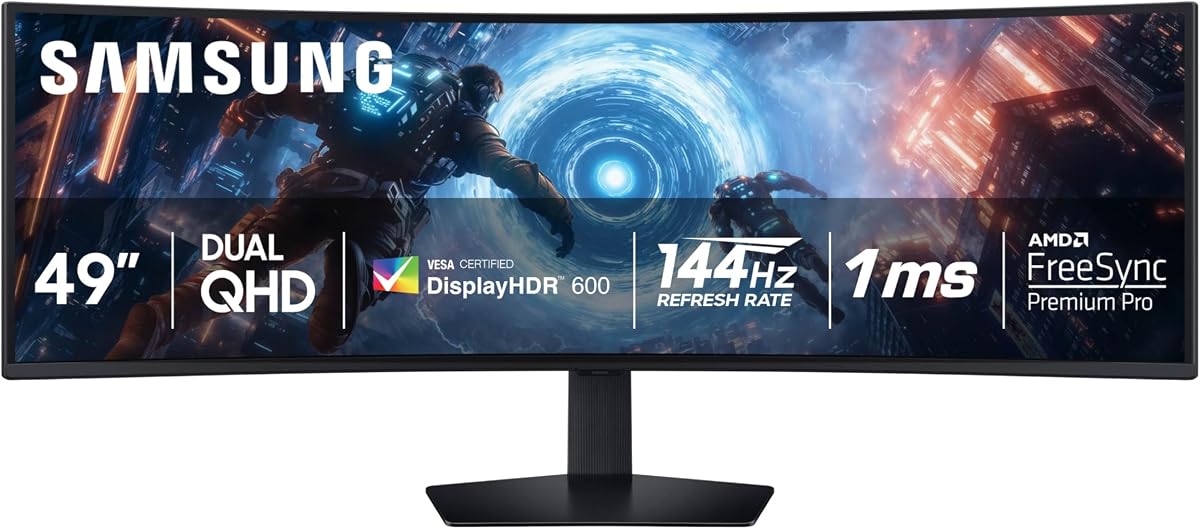
The Samsung Odyssey G9 LS49CG954ENXZA is a 49-inch DQHD monitor built around a 240Hz refresh rate, 1ms GtG response time, and 1000R curve. Its 4.1 rating reflects a specification-led design aimed at gamers who want maximum motion performance and exceptional immersion. At 5120 x 1440, it provides the horizontal detail needed for a convincing simulator display while also supporting extremely rapid frame changes.
We may earn a commission when you buy through this link, at no additional cost to you.
The 1000R curvature is among the tightest in this list. That creates a pronounced wraparound effect and places more peripheral track content toward the edges of the driver's vision. It can feel dramatically immersive in racing games, especially with a wheel and a centered seat, but it also demands careful positioning. A desk too shallow or a stand placed too close can make the outer edges harder to view comfortably.
HDR is a major strength. The listed 1000-nit peak brightness and 1,000,000:1 contrast ratio support a vivid, high-impact presentation, while Adaptive Picture can automatically adjust brightness to ambient light. That makes the monitor adaptable to both a controlled night-time simulator room and a brighter daytime environment. AMD FreeSync Premium Pro helps synchronize the GPU and panel for smoother action, and Auto Source Switch is convenient for rigs with several computers.
The trade-off is that a 240Hz panel does not automatically make the simulator faster. A capable graphics system, supported game settings, and a high frame rate are necessary to benefit consistently. The monitor can also look extremely bright when driven hard in a dim room, so sensible calibration and comfortable ambient lighting remain important. Its PBP and PIP functions are useful, but the extreme curve and large physical footprint deserve more planning than a flatter display.
This model is ideal for a high-end racing PC where the driver wants a wide field of view, minimal motion lag, and punchy HDR. It is less suitable for a modest system or a compact desk where the 1000R curve cannot be positioned correctly. For a dedicated, properly sized cockpit, the combination of speed, brightness, and curvature makes this one of the most ambitious options in the guide.
The 1000R shape follows the curve of the user's field of view more closely than a gentler display. In a centered racing seat, that geometry can make side mirrors and nearby competitors feel more naturally integrated into the scene.
The built-in ambient light sensor and Adaptive Picture function can make the image easier to manage across changing conditions. Night racing benefits from restrained brightness, while daylight visibility may call for a brighter and more forceful presentation.
We may earn a commission when you buy through this link, at no additional cost to you.
Samsung's Odyssey G9 G91F is a 49-inch Dual QHD gaming monitor with a 144Hz refresh rate, 1ms response time, 1000R curve, and DisplayHDR 600 support. Its 4.4 rating makes it one of the stronger general-purpose choices for a high-end sim-racing setup. It sits between the more conventional Raywego and CRUA designs and the extreme specifications of the 240Hz Samsung models.
We may earn a commission when you buy through this link, at no additional cost to you.
The 5120 x 1440 resolution gives racing scenes enough horizontal detail to keep cars and scenery distinct across the 32:9 image. A 144Hz refresh rate offers additional motion headroom over 120Hz alternatives without requiring the very latest high-end graphics hardware to exploit every frame. The 1ms response time helps minimize ghosting, while AMD FreeSync Premium Pro and variable refresh rate support are valuable for maintaining smooth delivery when the simulation's frame rate moves.
DisplayHDR 600 is a meaningful upgrade from entry-level HDR400, with enough contrast and brightness to make dark scenery, headlights, brake lights, and bright track elements more dimensional. A 1000R curve gives the monitor a pronounced but purposeful racing feel. It can envelop the user in a wide cockpit, although the physical depth of a curved 49-inch panel means that desk depth, chair position, and monitor distance must be handled carefully.
Picture-in-picture and split-screen functions make it easier to retain chats, timing information, videos, or a secondary PC feed. Auto Source Switch can detect when a connected device is turned on, which is helpful in rigs built around separate driving, telemetry, and motion-feedback systems. The ergonomic stand supports tilt and height adjustment, allowing the image to be aligned more precisely with the driver's straight-ahead sight line.
The G91F is a strong recommendation for an enthusiast who wants a conventional high-performance gaming monitor with meaningful HDR and a wide racing field of view. It does not match an OLED's black levels or the absolute speed of a 240Hz QD-OLED, but that makes it a more versatile all-round display. Choose it when strong motion performance, HDR, and a dramatic curve matter more than perfect black rendering.
The combination of 144Hz, 1ms response, and FreeSync Premium Pro delivers a capable motion package for most sim racers. It leaves room for fast laps and responsive inputs without insisting on a 240Hz-class graphics system.
DisplayHDR 600 gives night tracks and shadowed environments more impact than entry-level HDR. Drivers who prefer a conventional gaming panel but still want brighter highlights and deeper contrast have a strong option here.
We may earn a commission when you buy through this link, at no additional cost to you.
The CRUA 49-inch DQHD 165Hz combines a 5120 x 1440 resolution, 165Hz refresh rate, and 1500R curve in a specification package well suited to sim racing. Its 4.4 rating supports its position as a capable general-purpose ultrawide. The combination gives drivers a high level of detail and smooth motion without moving into the 240Hz or OLED categories.
We may earn a commission when you buy through this link, at no additional cost to you.
The 32:9 aspect ratio expands the view enough to show more of the racing environment, while 1500R curvature offers noticeable immersion without the extreme wrap of a 1000R display. That middle-ground curve can be easier to accommodate on a conventional desk and may be more forgiving of imperfect seating alignment. At the same time, the panel is large enough that a shallow desk and close viewing position can still cause some distortion at the edges.
Image specifications include 120% sRGB coverage, 330 cd/m2 brightness, and a 3000:1 contrast ratio. The strong contrast is especially relevant for racing, where the ability to distinguish dark road surfaces from shaded scenery can improve perceived clarity. AMD FreeSync support is included for compatible graphics systems, and the monitor offers HDMI 2.1 and DisplayPort 1.4 connections for modern PCs, laptops, and compatible consoles.
Low-blue-light and flicker-free eye-care features are useful for long sessions, although they cannot compensate for a poorly arranged monitor or an uncomfortable seat. The adjustable stand provides height and tilt changes, while wall-mount compatibility provides a cleaner installation. A 3.5mm audio output is present, but there are no built-in speakers, so a simulator setup will need separate audio hardware for an immersive soundtrack.
CRUA is a compelling choice for drivers who want high refresh and strong contrast but do not need premium OLED clarity or ultra-fast 240Hz performance. It also serves well as a productivity display, since the wide canvas can accommodate telemetry and reference applications beside a game. The main uncertainty is HDR capability, which is not specified in the supplied information, so buyers who prioritize HDR should compare it with the Samsung OLED and HDR 600 alternatives.
The 1500R radius delivers a wide, curved image while remaining less visually dramatic than a 1000R design. For many home racing rigs, that balance provides immersion without requiring an unusually deep desk or perfectly centered viewing position.
A listed 3000:1 contrast ratio can help make road markings, vehicles, and illuminated objects stand out against darker backgrounds. That makes the display especially interesting for night circuits, endurance races, and dim indoor driving environments.
We may earn a commission when you buy through this link, at no additional cost to you.
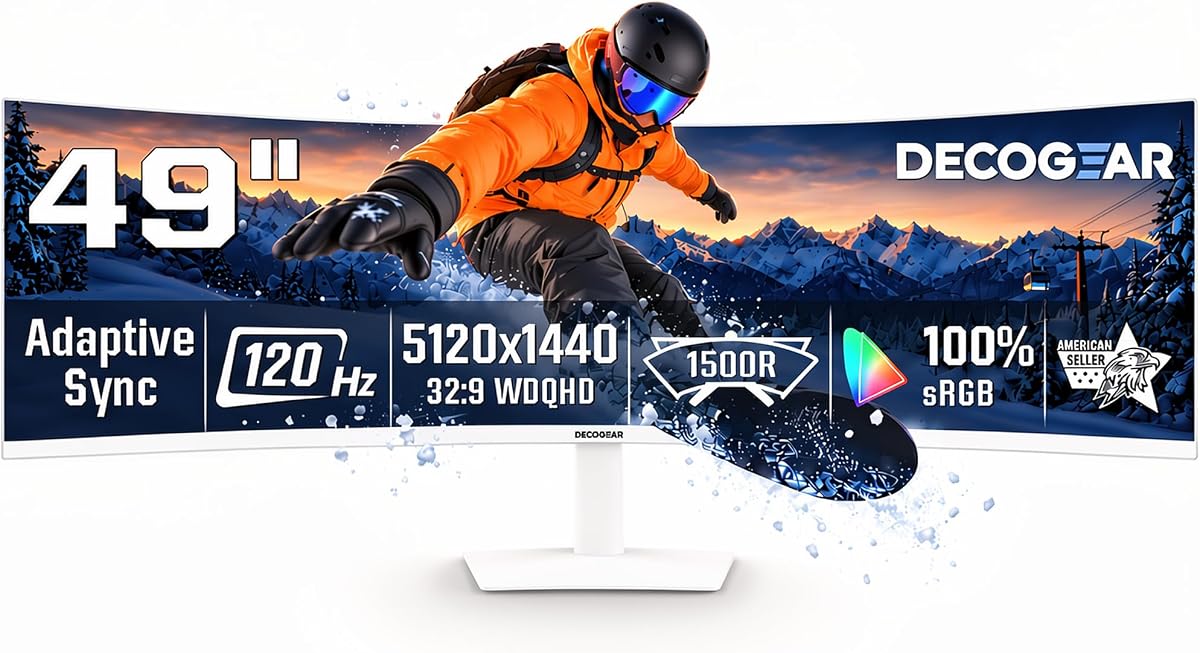
Deco Gear's 49-inch ultrawide monitor combines a 5120 x 1440 resolution with a 120Hz refresh rate and a 1500R curve. Its 4.1 rating makes it particularly interesting for mixed-use simulator stations that must also handle telemetry, research, streaming, and general desktop work. The 32:9 workspace provides the equivalent width of two side-by-side QHD areas without a central bezel.
We may earn a commission when you buy through this link, at no additional cost to you.
The 3000:1 contrast ratio helps dark areas appear deeper, while 100% sRGB, 91% DCI-P3, and 85% NTSC coverage support consistent color in documents, photos, video, and games. Its 120Hz refresh rate and 1ms MPRT keep fast visuals reasonably fluid, and Adaptive Sync can reduce tearing and stutter. While 120Hz is not competitive with 240Hz panels, it remains well suited to many simulation titles and the productivity demands of a multi-purpose rig.
Connectivity is a major strength. USB-C carries video, data, and up to 65W of power, while KVM switching allows one keyboard and mouse to control multiple connected computers. PIP and PBP are useful for comparing timing information, a coach's feed, or a second system. HDMI 2.0, DisplayPort 1.4, a USB hub, audio output, and built-in speakers make it easier to create a complete workstation with fewer separate accessories.
The monitor can be tilted from -5 to +15 degrees, swiveled 30 degrees in either direction, and raised by 130mm. It also supports a 100 x 100mm VESA mount. Low-blue-light control, multiple picture modes, and a 178-degree viewing angle support extended sessions. Owners should still calibrate brightness and color, especially when using the same display for both accurate photo work and competitive gaming.
The Deco Gear is the most balanced productivity-oriented recommendation in this list. A sim racer who reviews lap data, streams sessions, records video, or uses a separate telemetry PC can benefit from the KVM and wide workspace. The tradeoff is a lower gaming refresh rate and no stated HDR class, making it less suitable for buyers focused on the highest possible motion rate or premium HDR presentation.
The wide canvas can place a racing game beside telemetry graphs, setup sheets, timing tables, or broadcast controls. This makes the monitor more than a display and turns it into a workstation that can support both performance analysis and practice.
KVM switching is valuable in simulator setups with a dedicated driving PC and a separate streaming or telemetry computer. One keyboard and mouse can move between systems, reducing desk clutter and the need for repeated physical reconnection.
We may earn a commission when you buy through this link, at no additional cost to you.
The ASUS ROG XG49VQ is a 49-inch 1800R ultrawide gaming monitor with a 3840 x 1080 resolution and 144Hz refresh rate. Its 4.4 rating reflects the appeal of a mature 49-inch format that many racing enthusiasts already understand well. It offers more total pixels and a much wider aspect ratio than a standard 16:9 display, though it has fewer horizontal pixels than the Dual QHD models in this guide.
We may earn a commission when you buy through this link, at no additional cost to you.
The 32:9 format is still highly useful for racing because it can place track content, mirrors, and adjacent vehicles across a much broader field of view. At 3840 x 1080, however, the image is less dense horizontally than a 5120 x 1440 panel. Distant scenery may appear less finely resolved, which matters if a driver uses a wide field of view to spot subtle objects or small opponents at long range.
A 144Hz refresh rate and FreeSync 2 support provide a good motion foundation. The 1800R curve creates a substantial wraparound effect, making the display feel like a cockpit when viewed from a centered position. DisplayHDR 400 certification and 90% DCI-P3 coverage provide respectable color performance, although HDR impact is less pronounced than on the premium OLED and higher-tier HDR models in the list.
The stand supports swivel, tilt, and height adjustment, and VESA mounting offers another installation route. ASUS Eye Care technology uses flicker-free backlighting and blue-light filters to reduce strain during extended sessions. GamePlus and GameVisual overlays provide convenient access to gaming settings and visual presets. These features help make the monitor practical for regular use rather than one that is compelling only in a high-end racing environment.
This is a sensible choice for an established rig whose graphics system and game settings comfortably support the monitor's resolution and refresh rate. It is also attractive for owners who want a large racing display without moving to the denser Dual QHD format. The trade-off is clear: the ASUS offers fewer pixels across the same width, so it is best chosen when resolution is not the primary priority and a 49-inch footprint is.
The 3840 x 1080 canvas has a long history in competitive ultrawide gaming and remains highly effective for placing more of the racing environment on screen. The result is often more useful than simply increasing panel size while keeping a conventional aspect ratio.
Swivel, tilt, height adjustment, and VESA compatibility make it possible to place the display around a fixed seating position. ASUS Eye Care features also address flicker and blue light during lengthy sessions, though correct monitor distance remains essential.
We may earn a commission when you buy through this link, at no additional cost to you.
The Z-Edge 49-inch DQHD 240Hz pairs a 5120 x 1440 resolution with a 240Hz refresh rate and 1800R curve. Its 4.5 rating makes it one of the most interesting performance-oriented options for a sim racer. Unlike many 240Hz 49-inch monitors that use a lower-resolution panel, this model combines high pixel density with very fast motion.
We may earn a commission when you buy through this link, at no additional cost to you.
The extra resolution is valuable when a simulator uses a wide field of view. More pixels spread across the track can make distant scenery, rear-view mirrors, and rival cars easier to distinguish. A 240Hz refresh rate and 1ms response time provide a brief visual window for each update, helping motion feel immediate. FreeSync support is included for compatible graphics systems, although actual frame-rate gains depend on the hardware and the chosen simulation.
Color specifications include 99% sRGB coverage, a 3000:1 contrast ratio, and a stated Delta E below 2. These figures are encouraging for a display that may also be used for setup design, video editing, or photography. The 1800R curve wraps significantly around the user and can provide a strong cockpit sensation, but it also makes careful alignment with the wheel and seat particularly important.
PIP and PBP functions are available for placing guides, telemetry, streams, or a second device on-screen. Connectivity includes one HDMI 2.1 port, two DisplayPort 1.4 connections, USB-C with one-cable video support, and an audio output. Built-in speakers are also included, though a dedicated headset or speaker system will provide a more convincing sense of speed and spatial positioning in a simulator.
The main caveat is that HDR performance is not identified in the supplied specifications, and a high-end graphics card may be needed to drive 5120 x 1440 at the full 240Hz target. Even so, the Z-Edge is a compelling specification combination for a driver who wants both detail and speed. It is particularly well suited to competitive racing, time attack, and league play where rapid visual updates can improve clarity.
Many fast 49-inch gaming displays trade pixel density for a higher refresh rate. This model avoids that compromise by combining Dual QHD resolution with a 240Hz target, giving sim racers a broader field of detail while preserving rapid motion.
The higher horizontal pixel count can help when a wide field of view makes distant competitors and roadside objects smaller. Greater detail is especially useful for spotting subtle visual cues without moving the camera or relying on a rear-view display.
We may earn a commission when you buy through this link, at no additional cost to you.
The Samsung Odyssey G93SC is a 49-inch QD-OLED ultrawide monitor with a 5120 x 1440 resolution, 240Hz refresh rate, and 1800R curve. Its 4.1 rating does not diminish the significance of the technology: this is a premium display for drivers who want high resolution, exceptional motion response, and the deep blacks associated with OLED in one large gaming panel.
We may earn a commission when you buy through this link, at no additional cost to you.
The 0.03ms GtG response time is the standout technical specification. It provides a very brief transition between frame states, helping minimize visible smearing as scenery crosses the screen during a fast lap. The 240Hz refresh rate adds substantial headroom, while the Dual QHD canvas preserves horizontal detail across the panoramic display. G-Sync compatibility is included to help synchronize the graphics output and panel, reducing choppiness, lag, and image tearing when conditions permit.
DisplayHDR True Black 400 is especially relevant to night races. OLED pixels can switch off individually, producing extremely deep black levels that make headlights, illuminated signs, and bright horizon elements stand out sharply. The 1800R curve creates a large wraparound effect, giving the driver a broad peripheral view. At the same time, this geometry demands careful placement so the far edges remain comfortable and the straight-ahead road remains centered.
The display includes HDMI 2.1, DisplayPort, and a USB hub, along with Auto Source Switch and Picture-by-Picture at native resolution. Those features suit a multi-PC simulator or a setup that keeps timing and telemetry on a second source. The thin 4.5mm design also looks more premium than many large gaming monitors, although physical robustness and positioning should be handled with care.
As an OLED display, the G93SC needs sensible usage habits to preserve long-term picture quality. Avoid leaving bright static interfaces on screen for extended periods, use the available screen protections, and maintain sensible brightness. Its cost also places it in a different category from conventional VA options. For a buyer with a high-end PC who places visual quality and maximum speed above budget, it is the most premium and technically advanced recommendation in this guide.
A 0.03ms GtG rating and 240Hz refresh rate make this the most aggressively fast option listed. The combination can produce exceptionally clean movement in fast circuits, although the game's frame rate and the graphics card's output remain equally important.
DisplayHDR True Black 400 can render dark areas with exceptional depth. For nighttime circuits, that separation between unlit road, black scenery, bright headlights, and colorful track markings creates a convincing sense of depth and scale.
We may earn a commission when you buy through this link, at no additional cost to you.
The best sim-racing monitor is one that combines enough horizontal resolution, a smooth refresh rate, responsive motion, and a shape that suits the driver's seating position. Connectivity and multitasking features matter too, but they should support the cockpit rather than distract from it.
A 5120 x 1440 panel, commonly called Dual QHD or DQHD, is the most useful resolution for a 49-inch 32:9 racing display. It provides roughly twice the horizontal pixels of a standard 16:9 Full HD screen, allowing more of the simulated track to fill the image without making distant objects excessively small. The extra detail is especially helpful in wide field-of-view settings, where the driver relies on visual cues to locate cars, braking boards, apex markers, and trackside scenery.
Choose Dual QHD when image clarity and the ability to use a broad field of view are priorities. A 3840 x 1080 ultrawide can still provide a compelling racing view, but it has fewer horizontal pixels and may reveal less fine detail when the same camera angle fills the larger screen.
Refresh rate determines how many times the display updates each second, while response time describes how quickly pixels change state. A 120Hz monitor can work well for many sim-racing experiences, but 144Hz, 165Hz, and 240Hz options create more opportunities for smooth input feedback and rapid visual movement. The actual benefit depends on the game's frame rate, graphics card, settings, and whether the simulator can sustain the target.
Prioritize response time when choosing between displays, then match refresh rate to your hardware. A very high specification cannot compensate for a system that renders too few frames, while a modest system may not need the fastest possible panel to maintain an enjoyable experience.
Curvature is measured by radius, with a lower number indicating a tighter wrap. A 1000R design feels notably more enclosed, a 1500R model offers a middle ground, and 1800R creates a broader curve. Tighter curves can improve the feeling of peripheral immersion, but they are more sensitive to desk depth, seat alignment, and the driver's eye position.
Choose the curve according to your room and seating arrangement rather than by appearance alone. Ensure the outer edges remain comfortably visible, the center of the road is not distorted, and the display can be positioned without extending far beyond the desk.
VA panels are common in high-end ultrawide gaming monitors and commonly provide useful contrast without the same panel-care considerations as OLED. QD-OLED adds exceptionally deep blacks, near-instant pixel response, and strong color, but it represents a more specialized premium approach. HDR support also varies substantially: HDR400 is modest, HDR600 offers greater contrast, and HDR1000 or True Black classifications indicate a more ambitious presentation.
For most drivers, resolution, refresh rate, and synchronization matter more than the HDR label. Choose OLED when image quality is central and you are comfortable managing static-interface exposure. For frequent desktop work, spreadsheets, and long periods of bright menus, verify how a VA model handles brightness in the room.
Adaptive synchronization helps the monitor match the graphics system's frame output more closely, reducing visible tearing and stuttering when the frame rate varies. Compatibility ranges differ by model and graphics platform, so a feature labeled FreeSync or G-Sync should not be assumed to provide identical behavior across every system.
Check whether your graphics card supports the monitor's listed synchronization standard and whether the required connection and bandwidth are available. Frame pacing remains important, but adaptive synchronization is a valuable companion rather than a substitute for a capable graphics system.
DisplayPort 1.4 and HDMI 2.0 or 2.1 are the primary connections to examine for a modern simulator PC. USB-C with power delivery can simplify a compatible laptop setup, while a KVM switch, USB hub, and audio output can reduce cable clutter in a multi-computer cockpit. PIP and PBP allow timing software, telemetry, setup guides, or a coaching feed to remain visible on the same display.
Prioritize the connections you will actually use and confirm that cables are included where necessary. A simple setup with one racing computer may need only DisplayPort, while a multi-PC installation benefits more from switching, hub, and picture-in-picture functions.
A 49-inch display is large enough that stand adjustment, desk depth, and viewing distance become essential. Height adjustment, tilt, and swivel help align the screen with the driver's sight line, while VESA compatibility allows use of a monitor arm or cockpit mount. The curved form also needs clearance behind the screen so it does not force the driver forward into an uncomfortable position.
Measure the desk and the simulator seat before ordering. Check the monitor's dimensions, stand footprint, curvature, and mounting pattern, and leave enough space to adjust the display after the wheel and pedal position are finalized.
Begin by positioning the screen before installing it permanently. Set the wheel, seat, and pedal assembly first, then align the monitor's center with the road ahead and place the left and right edges within a comfortable field of view. With a curved model, move the display forward or backward until the peripheral scene feels natural without requiring repeated head movement. If the image appears too bowed, reduce the in-game field of view rather than forcing an uncomfortable physical distance.
Use DisplayPort for a compatible desktop when it is the monitor's intended high-bandwidth connection, and confirm that Windows or the graphics control panel is running the desktop at the desired resolution and refresh rate. Enable the appropriate adaptive synchronization setting in the graphics software and monitor menu. For telemetry, timing, or coaching applications, PIP is generally better for small references, while PBP can create a more even two-source layout. Avoid placing a secondary image directly over the racing line.
For OLED models, use sensible brightness, enable any available logo or taskbar protection, and activate the screen saver when the display will be idle. For conventional VA panels, manage brightness according to room lighting rather than leaving the monitor at maximum output. Calibration can improve color consistency, but no monitor should be pushed so bright that dark track sections lose detail. Periodically clean the screen with a soft microfiber cloth, and check cables, ventilation, mount stability, and desk clearance for safe long-term use.
A 49-inch ultrawide monitor is particularly well suited to sim racing because its 32:9 format can show a much wider portion of the track than a conventional 16:9 display. It can reduce reliance on side mirrors and make opponents or road features easier to notice. The best results come when the resolution, field of view, and monitor position are adjusted together.
No, 240Hz is not required for a good sim-racing experience. A 120Hz or 144Hz display can provide smooth motion when the simulation and graphics system sustain a suitable frame rate. The 240Hz option becomes more valuable for competitive formats, fast visual changes, and owners with hardware capable of driving the panel at its full specification.
The 5120 x 1440 resolution provides more horizontal detail across the same 32:9 size. That can make distant cars, signs, and trackside objects easier to distinguish, especially with a wide in-game field of view. A 3840 x 1080 display can still feel expansive and may be easier to drive at high frame rates, but it offers fewer pixels across the screen.
A 1000R curve creates a tighter wraparound and can feel more immersive because peripheral track content is positioned more naturally around the driver. It also requires more careful placement. A 1500R or 1800R curve is often easier to accommodate and may be more forgiving when the seat or desk does not allow perfect alignment.
VA panels are a versatile conventional choice, often providing good contrast with less concern about static on-screen interfaces. QD-OLED offers deeper blacks, extremely fast response, and vivid color, which can improve night racing and visual immersion. OLED models are best suited to buyers who prioritize picture quality and will use brightness and screen-protection features responsibly.
Yes, PIP is a convenient way to keep a small telemetry, timing, or setup reference visible while the main game remains full size. Position the inset away from the racing line and mirror, and select a size that does not obscure essential track information. PBP can be useful for two similarly important sources but usually divides attention more than PIP.
A monitor arm is not mandatory, but it can make positioning easier and free desk space. A 49-inch panel is heavy, wide, and sensitive to alignment, so a suitable arm or mounting solution adds stability. If using the included stand, check that the desk can support the footprint and that the curve remains comfortable at the driver's natural eye position.
The ideal distance depends on panel size, curvature, in-game field of view, and personal comfort. Begin with the monitor at a natural arm's-length distance, then adjust the in-game field of view until the full track is comfortable without excessive head movement. Avoid leaning forward simply to see the side edges, because that can quickly produce neck and shoulder fatigue.
The Raywego 49-inch DQHD 165Hz stands out as the best overall value, combining a high-resolution 32:9 canvas, 165Hz refresh rate, adaptive synchronization, and useful PIP/PBP features. The Samsung Odyssey OLED G9 G91SD is the strongest all-around premium alternative for drivers who prioritize deep blacks, fast response, and a refined picture, while the Samsung Odyssey G93SC represents the high-end choice with 240Hz speed, Dual QHD detail, and QD-OLED image quality.
For most sim racers, prioritize the combination of resolution, motion performance, and fit rather than selecting solely on an HDR label. A 144Hz or 165Hz Dual QHD display can be an excellent match for a modern gaming PC, while a 240Hz panel is most meaningful when the rest of the system can consistently deliver a high frame rate. Match the curve to the cockpit and make sure the display can be positioned without creating neck strain.
Before buying, verify the current product listing, connectivity, compatibility, dimensions, and specifications because product details and prices can change. The right monitor is the one that places the track in a comfortable field of view, responds cleanly to wheel inputs, remains clear at high speed, and fits the physical reality of your racing room.