
Protescreen 14 Inch 16:10 Privacy Screen
4.0Editor score
Dual adhesive and removable installation
Reversible matte and glossy surfaces
Blue and UV light reduction
Our guide compares the best privacy screen for 14 inch laptop options, covering fit, viewing angles, installation, glare control, and portability.
A privacy screen for a 14 inch laptop can make open offices, cafés, airports, and shared study spaces feel more private while also reducing glare and filtering some blue and ultraviolet light. The most important consideration is fit, because many laptops advertised as 14 inch models use different display dimensions and aspect ratios.
This guide compares ten magnetic, adhesive, and removable privacy filters based on the supplied compatibility dimensions, viewing-angle claims, installation methods, surface finishes, included accessories, and suitability for travel or frequent screen sharing. It includes models for both 16:9 and 16:10 displays, along with one designed specifically to block views from four directions.
The selections show where a budget adhesive filter can be practical, where magnetic attachment makes removal easier, and when four-way privacy or a reversible finish offers a meaningful advantage. Ratings and product details reflect the supplied information, while prices and availability can change, so shoppers should confirm the current listing and measure their laptop before purchasing.
4.0Editor score

4.3Editor score

4.3Editor score
The table below compares all ten filters by display fit, attachment method, privacy coverage, and finishing options, making it easier to identify the model that matches your laptop and routine.


This Protescreen filter is a strong general choice for a 14-inch 16:10 laptop because it combines side-angle privacy, glare reduction, and two installation methods in one package. Its supplied rating is 4.0, and the standout qualities are flexibility: users can secure it with double-sided strips or slide it into a raised bezel using removable tabs. The stated filter dimensions are 11.89 by 7.40 inches, with a 14-inch diagonal.
We may earn a commission when you buy through this link, at no additional cost to you.
The micro-louver filter is described as limiting the viewing angle to approximately plus or minus 30 degrees. Its two faces serve different priorities: the matte surface reduces glare, while the glossy side is presented as more privacy-resistant. The product information also states that the optical layer reduces blue light by 92 percent and UV light by 98 percent, while the anti-glare finish blocks 95 percent of reflected light. These specifications make it relevant for office work, travel, and shared study areas.
The main trade-off is that buyers must distinguish the 16:10 version from the similar 16:9 model in the list. Its permanent adhesive method may be less convenient for people who frequently alternate between filtered and unfiltered viewing, although the included slide tabs provide a removable alternative when the laptop has a raised frame. The package also includes alcohol and cleaning cloths, which helps with installation and maintenance.
This is a practical recommendation for a 14-inch 16:10 user who wants multiple mounting choices without moving to a magnetic-only design. Measure the visible image area before ordering, especially if the laptop has unusually narrow bezels. If reversible finishes, side privacy, and useful light filtering matter more than ultra-simple magnetic placement, this model offers a balanced package.
The stated plus-or-minus 30-degree restriction is intended to make the screen difficult to read from either side. Switching to the glossy face can suit a crowded location, while the matte face may be more comfortable under bright overhead lighting.
Adhesive strips create a more permanent setup, while slide tabs let a user remove the filter for presentations or when maximum brightness is desired. The choice depends on the laptop bezel and how often the screen is shared.
We may earn a commission when you buy through this link, at no additional cost to you.
This magnetic privacy filter is a convenient option for a 14-inch 16:10 display, particularly for travelers and hybrid workers who alternate between focused work and screen sharing. It carries a supplied rating of 4.0. Its main attraction is the magnetic top section, which lets the user attach or remove the panel without relying on a permanent adhesive strip.
We may earn a commission when you buy through this link, at no additional cost to you.
The listed visible-area dimensions are 11.87 by 7.42 inches, with a 14-inch diagonal and a roughly 9 mm magnetic portion at the top. Privacy is directional: the filter is stated to narrow the viewing angle to plus or minus 30 degrees, but it does not block someone looking directly from behind. The product description acknowledges that the finish slightly reduces sharpness and vibrancy, an important consideration for color-sensitive work.
Both sides can be used, with an anti-glare face and a glossy face for clearer visibility. The manufacturer states that the anti-glare surface reduces blue light by 49 percent, a lower stated figure than several competing filters. The panel also offers protection from scratches and dust and includes additional mounting accessories, allowing more than one way to position it.
This filter is best for someone who values rapid magnetic removal more than four-direction privacy or very high light-blocking percentages. Confirm that the display's viewable width and height match the listed measurements, and note that a magnetic laptop lid is not required when the supplied mounting accessories are used. It is a sensible travel-oriented alternative with straightforward operation.
Magnetic placement reduces the time required to add or remove the filter. That convenience is useful when moving between a desk, a meeting room, and a public location where a stricter side view is desired.
The anti-glare side is intended for bright rooms, while the glossy side prioritizes visible clarity. Because image vibrancy and sharpness can decrease slightly with this style of filter, photographers and designers may wish to compare it with an unfiltered display before committing.
We may earn a commission when you buy through this link, at no additional cost to you.
The ZOEGAA filter stands out for offering four-way privacy rather than concentrating solely on left and right side views. Its supplied rating of 4.3 is the highest among the products here, making it an attractive editor's choice for users who work around a table or in an environment where people may approach from above or below.
We may earn a commission when you buy through this link, at no additional cost to you.
The stated display dimensions are 30.2 by 18.8 centimeters with a 14-inch diagonal. Compatibility is specified for 14-inch 16:10 screens from brands including HP, Dell, Acer, Asus, Samsung, and ThinkPad, but the product explicitly excludes Surface and MacBook series computers. The four-direction claim is the central differentiator, offering broader privacy than the standard plus-or-minus 30-degree side protection described for most alternatives.
Users can select between a glossy side for stronger privacy and a matte side for glare control. Installation supports either slide mount tabs or double-sided adhesive at the corners. Additional adhesive strips can be used if the user wants a more secure attachment. The filter is also described as blocking blue and ultraviolet rays while reducing reflected glare.
This is the strongest recommendation for someone who is specifically concerned about viewing angles above and below the laptop, not just to the sides. Its limitations are equally clear: do not choose it for a Surface or MacBook, and verify the viewable area before ordering. For a compatible 16:10 laptop, however, the four-way design gives it a meaningful functional advantage over conventional side-view filters.
A four-way filter is especially relevant in shared offices, classrooms, and collaborative travel settings. It reduces the chance that information remains visible when a passerby stands above, below, or to the side of the user.
The reversible construction allows greater control than a single-surface panel. Use the glossy face when privacy is the priority and the matte face when bright ambient light makes glare reduction more useful.
We may earn a commission when you buy through this link, at no additional cost to you.
This Protescreen model is designed for the many 14-inch laptops that use a 16:9 display rather than the increasingly common 16:10 format. It has a supplied rating of 4.0 and shares a useful package with the brand's other filter: one privacy panel, double-sided adhesive strips, slide mount tabs, alcohol, and cleaning cloths.
We may earn a commission when you buy through this link, at no additional cost to you.
The specified viewable area is 12.2 by 6.9 inches, corresponding to a 14-inch diagonal. The listing identifies compatibility with HP, Dell, Lenovo, Acer, Asus, LG, Envy, Toshiba, and Samsung models. Side visibility is restricted to approximately plus or minus 30 degrees, while the optical material is stated to reduce blue light by 92 percent and UV light by 98 percent. The matte side targets glare, while the glossy side is described as more privacy-resistant.
Its main limitation is obvious but easy to avoid: it is intended for 16:9 screens, so users with a 16:10 display should select another model. The adhesive installation can be semi-permanent, though the slide-tab method provides a removable option for compatible raised frames. As with any directional filter, someone directly behind the user may still be able to see the display.
This is a strong choice for a 14-inch 16:9 laptop owner who wants a reversible filter and the freedom to choose between permanent and removable mounting. Measure the actual displayable width and height rather than relying on the diagonal alone. For compatible systems, it provides a well-rounded combination of privacy, light filtering, and glare control.
The 12.2-by-6.9-inch measurement targets the traditional 16:9 geometry. Users should compare these figures with the usable area of their own display, since bezels and panel revisions can differ even within the same laptop family.
The stated blue and UV light reductions add value for long study or work sessions, while the matte face can make the display more comfortable under strong overhead lighting. These are filter characteristics, not a substitute for taking regular screen breaks.
We may earn a commission when you buy through this link, at no additional cost to you.
The Peslv filter is a portable magnetic option for 14-inch 16:9 laptops. It has a supplied rating of 4.0 and distinguishes itself with a straightforward snap-on design, a storage clip, four single-sided adhesive magnets, a cleaning kit, and a microfiber cloth. The included clip makes it easier to carry the panel without bending it during travel.
We may earn a commission when you buy through this link, at no additional cost to you.
Compatibility depends on a viewable area of 12.2 by 6.9 inches with a 14-inch diagonal. Its filter limits views from the left and right beyond 30 degrees, which is useful on a train, at a café table, or in an open office. The matte surface is described as reducing blue light by 95 percent, UV light by 92 percent, and reflected light by 95 percent. An anti-scratch layer adds basic display protection.
The product's privacy is limited to side angles. Someone standing directly in front of the user, including behind the laptop in some arrangements, may still see the content. The magnetic system is convenient, but it requires compatible magnetic positions or the supplied adhesive magnet pieces. Users should also account for the panel's storage needs inside a laptop bag.
This filter is well suited to a commuter or student who wants to add privacy at a shared table and remove it again for presentations. Choose it when the laptop's visible area matches 310 by 175 millimeters and side-angle protection is enough. It is less appropriate for users who need four-direction filtering or a reversible matte and glossy surface.
The included storage clip is a practical detail for frequent travelers. It helps keep the filter organized during transport and makes it easier to bring the same panel to offices, campuses, and shared spaces.
The product focuses on left and right side angles, which are common sightlines in shared seating. Its matte finish also targets reflected light, making it useful in brightly lit indoor environments.
We may earn a commission when you buy through this link, at no additional cost to you.
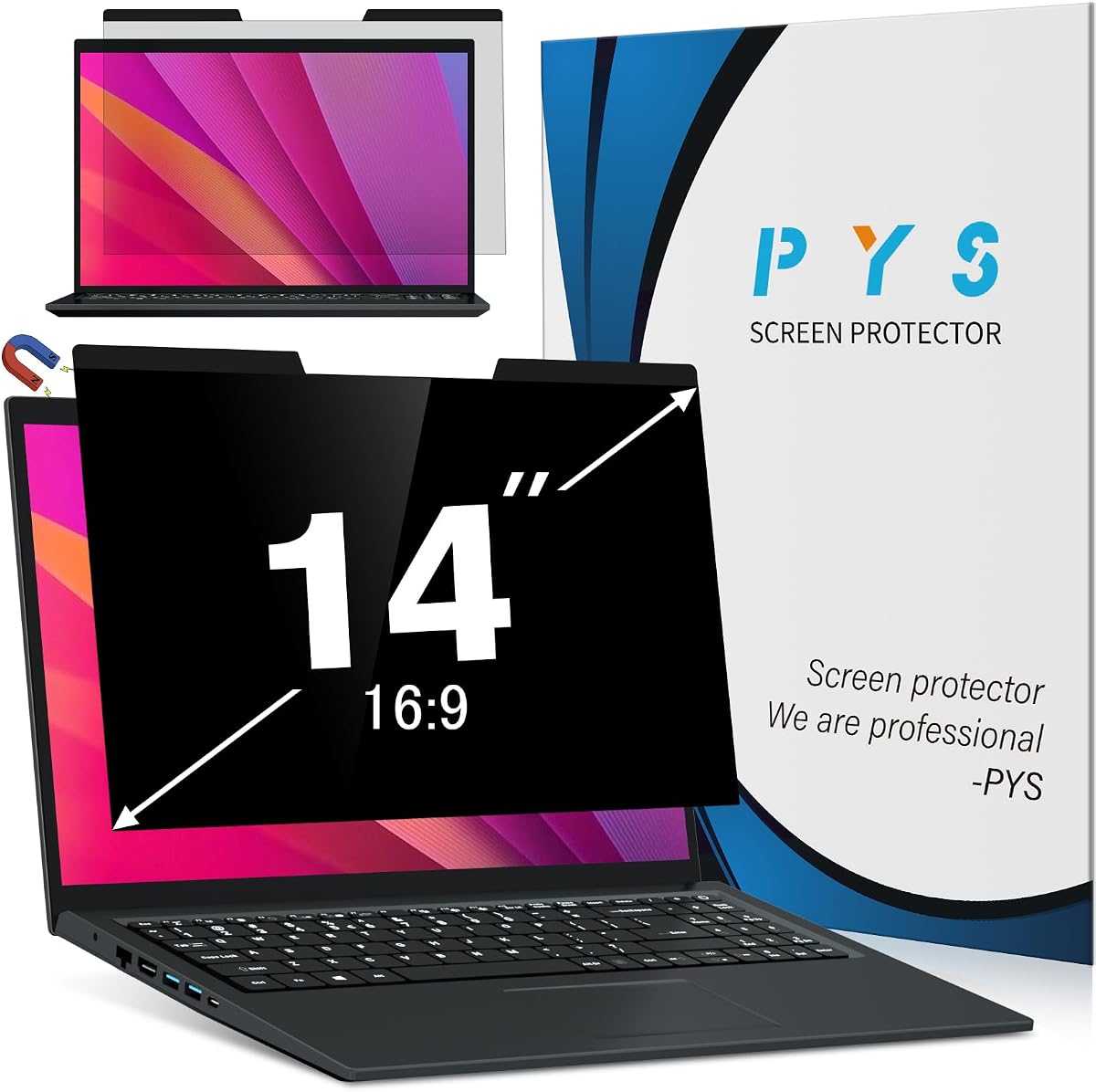
This PYS magnetic shield is intended for 14-inch 16:10 laptops, with a supplied rating of 4.0. Its central advantage is simple operation: the panel attaches when moved close to the display and pressed gently, then detaches for storage. A dedicated clip is included to help protect and organize the filter between uses.
We may earn a commission when you buy through this link, at no additional cost to you.
The stated visible-area dimensions are 12 by 7.5 inches, or 304 by 190 millimeters, with a diagonal of 14.1 inches. This is slightly different from several other 16:10 filters in the list, so a buyer should compare all three numbers rather than assume every 16:10 panel is interchangeable. The listing says it is not compatible with MacBooks and is not optimized for touchscreens.
The matte finish focuses on anti-glare comfort and a darkened side view for nearby observers. Magnetic attachment avoids applying an adhesive film directly to the display and permits quick removal for presentations, media viewing, or situations where full brightness is preferred. The supplied information does not state the same numerical blue-light reduction found in some competing listings, so buyers should treat that feature without assigning it a specific figure.
This is a good option for a compatible 16:10 laptop owner who frequently switches between privacy and an unobstructed display. It is especially convenient for students and commuters because the shield can be removed and stored with the laptop. Confirm the dimensions, avoid a MacBook or touch-optimized setup if those conditions apply, and choose it for the convenience of magnetic removal.
The magnetic format makes the filter practical for work sessions that alternate between confidential documents and collaborative screens. Removing it avoids the need to reboot, change display settings, or work around a permanently attached panel.
The listed 12-by-7.5-inch image area differs from several common 16:10 dimensions. Accurate measurements are essential because a diagonal measurement alone cannot establish whether the filter will cover the panel correctly.
We may earn a commission when you buy through this link, at no additional cost to you.
The IPROKKO filter combines a 4.3 supplied rating with a polished magnetic design and a broad accessory package. It is a premium recommendation for a 14-inch 16:10 laptop when quick attachment, clean removal, and compatibility with touchscreen displays are the main priorities.
We may earn a commission when you buy through this link, at no additional cost to you.
The stated viewable dimensions are 11.89 by 7.40 inches, with a 14-inch diagonal, and the listing explicitly excludes the raised frame from the measurement. It is listed as compatible with touchscreens and major brands including HP, Lenovo, Dell, Acer, Asus, Samsung, Envy, and ThinkPad. The automatic magnetic attachment lets users align the filter, press it into place, and remove it without dealing with bubbles or screen adhesive.
The filter is described as reducing harmful light such as blue and UV light by 98 percent, intercepting 95 percent of reflected light, and protecting the display from scratches, dust, and scrapes. Its side view is restricted to approximately plus or minus 30 degrees. Importantly, the listing notes that it does not prevent visibility from directly behind the user, regardless of distance.
This is the pick for someone who wants a carefully equipped magnetic filter and has a matching 16:10 touchscreen. It is also suitable for standard non-touch screens. The premium label reflects the stronger stated light-filtering figures, comprehensive accessories, and easy snap-on operation, although the same basic side-angle limitation applies to most filters in this category.
The claimed 98 percent harmful-light reduction, 95 percent reflected-light interception, and scratch protection make the filter appealing for extended work sessions. Actual comfort and clarity can vary by display brightness, room lighting, and viewing angle.
The snap-on arrangement simplifies frequent use and avoids applying a conventional adhesive sheet directly to the display. A storage clip, cleaning kit, adhesive magnets, and microfiber cloth support transport and setup.
We may earn a commission when you buy through this link, at no additional cost to you.
This reversible 16:9 filter is a flexible option for 14-inch laptops from brands such as ThinkPad, HP, Dell, Lenovo, Acer, Asus, Envy, Toshiba, and Samsung. Its supplied rating of 4.2 is among the higher ratings in this guide, and the dual-face design lets users balance privacy against glare depending on the environment.
We may earn a commission when you buy through this link, at no additional cost to you.
The visible display area is specified as 12.2 by 6.9 inches with a 14-inch diagonal. The listing explicitly says not to rely on diagonal size alone and identifies MacBooks as incompatible. The matte face is intended for clarity without glare, whereas the glossy face offers stronger privacy. Side viewing is limited to beyond 30 degrees, and the optical treatment is stated to block 95 percent of blue light and 92 percent of UV light.
Installation can be handled with double-sided tape or slide mount tabs, giving users a permanent or removable approach. As with other traditional side-view filters, a person looking from a sharp angle sees a darkened screen, but the protection does not extend equally above and below. The matte side is the more practical choice in rooms with bright reflections; the glossy side is better when concealing content takes priority.
This filter suits users who want to switch between a glare-reducing surface and a more privacy-oriented surface without buying two panels. Choose it for a laptop whose visible area matches the specified dimensions and avoid it for MacBook models. Its combination of moderate side protection, high stated light filtering, and flexible mounting makes it a well-rounded 16:9 option.
Reversing the filter changes the balance between privacy and glare control. This is useful in offices, where lighting varies, and on journeys, where a darker privacy finish may be more valuable than a purely matte appearance.
Permanent adhesive can make sense for a dedicated travel or work laptop, while slide tabs suit a raised bezel and frequent removal. Neither method should be selected without checking the laptop's frame and measuring its viewable area.
We may earn a commission when you buy through this link, at no additional cost to you.
The Mamol filter offers a supplied rating of 4.2 and a removable magnetic design for 14-inch 16:9 laptops. It is aimed at users who want side-angle privacy without keeping an adhesive sheet attached to the display, making it a practical choice for frequent presentations, shared work areas, and travel.
We may earn a commission when you buy through this link, at no additional cost to you.
The specified image area is 12.2 by 6.9 inches with a 14-inch diagonal. It is listed for Lenovo, HP, Dell, Acer, Asus, Samsung, ThinkPad, Envy, and other compatible 16:9 models. The privacy filter narrows the viewing field to plus or minus 30 degrees, causing off-axis observers to see a darkened screen. The product states that it can reduce UV light by up to 97 percent and blue light by up to 65 percent.
Its magnetic attachment is applied along the top and side of the display and avoids dealing with adhesive material that could damage the screen. The panel can be removed and reattached as needed. Included items include single-sided adhesive magnets for laptops without suitable magnetic frames, a storage clip, a cleaning kit, a microfiber cloth, and instructions.
Choose this model when you have a compatible 16:9 panel and want simple removal. The side-angle limitation means it is not the right answer for someone requiring protection from above and below, and it cannot conceal the display from a person located directly behind the user. Within that narrower brief, it provides solid privacy features and useful light filtering.
Magnetic removal is especially useful before presenting, sharing a screen, or watching content. Because the filter is not bonded to the panel, repeated use does not require peeling adhesive from the display.
The stated UV reduction is high, while the blue-light figure is more moderate than those offered by several other products. The filter also provides a physical layer against everyday scratches, dust, and scuffs.
We may earn a commission when you buy through this link, at no additional cost to you.
This PYS filter is a feature-rich magnetic option for 14-inch 16:9 laptops. It has a supplied rating of 4.0 and supports a quick, residue-free magnetic system while also including adhesive magnets for laptops that do not have suitable built-in attraction points. A storage clip is included for travel.
We may earn a commission when you buy through this link, at no additional cost to you.
The intended image area is 12.2 by 6.9 inches with a 14-inch diagonal. Its stated viewing-angle restriction is plus or minus 30 degrees, which darkens the display for observers positioned to either side. The matte anti-glare finish is combined with stated filtering of up to 95 percent of blue light and UV rays. The product is not compatible with MacBooks and is not optimized for touchscreens.
The main advantage is flexible installation. Users can align the filter with compatible built-in magnets or apply the supplied adhesive magnets to a laptop without them. Strong magnetic attachment allows repeated removal without leaving adhesive residue on the display. The panel can be detached for presentations or stored in its clip between uses.
This is a worthwhile choice for a standard 16:9 laptop that lacks convenient magnetic hardware, because the supplied magnets expand the range of compatible systems. It is less suitable for touch-focused or MacBook devices. If the priority is straightforward attachment, side-view privacy, glare reduction, and travel-friendly storage, this model covers those needs comprehensively.
The ability to use either compatible built-in magnets or the supplied adhesive magnet pieces makes installation less dependent on the laptop manufacturer. This expands usefulness across a broader range of compatible 16:9 systems.
The product is intended to preserve a clear image when viewed straight on while obscuring it from side angles. As with every directional filter in the guide, privacy is not intended to extend equally to someone positioned directly behind the user.
We may earn a commission when you buy through this link, at no additional cost to you.
A suitable privacy filter depends primarily on exact display dimensions, the directions you need to protect, and how often you will remove the panel. The following factors help narrow the choices before purchase.
Compare width, height, and diagonal every time. Measure the screen area rather than the entire lid or bezel.
Use the listed width and height as the deciding factors; treat the aspect ratio and brand name only as supporting information.
For typical side viewing, choose a standard filter; for overhead or below-screen visibility, prioritize the four-way model.
Choose magnetic or slide-tab mounting for frequent removal and adhesive mounting for a fixed workstation.
Prioritize glare control in bright spaces, privacy in crowded spaces, and measured light-filtering figures rather than marketing language alone.
For commuting, select a filter with a storage clip and a compact removal method that fits inside your laptop bag.
Treat brand names as guidance and exclusions as firm boundaries; always verify the exact model and display dimensions.
If accurate colors or maximum clarity are important, favor a filter that is easy to remove and test it with your normal applications.
Start with a clean, dry display. Use the supplied alcohol and cleaning materials or an appropriate electronics-safe cleaning method to remove fingerprints, dust, and residue, then allow the screen to dry completely. Confirm the filter's visible-area measurements against the laptop display before attaching it. For adhesive strips, position the filter carefully from one edge so it does not trap air. For slide tabs, attach the tabs around the bezel and guide the filter into place without dragging it across the panel.
Magnetic filters should be aligned and pressed into position rather than slid forcefully across the display. If the laptop does not hold the magnets securely, use the supplied single-sided adhesive magnet pieces on a clean bezel or frame where they will not interfere with the screen. Treat the privacy side as a directional feature: position yourself directly in front of the display for the clearest view, and remove the filter for presentations, media viewing, or when a shared image needs to be visible from more than one angle.
For cleaning, use a soft microfiber cloth and avoid abrasive pads, excessive pressure, and unapproved solvents. Store a removable filter in its case or clip so it does not bend during transport. If an adhesive-mounted filter must be removed, follow the manufacturer's removal guidance and lift it slowly to reduce the chance of leaving residue. Periodically check that tabs, magnets, and adhesive points remain secure.
No. A 14-inch label describes the diagonal, while laptops can use different aspect ratios and visible dimensions. Compare the filter's listed width, height, and diagonal with the laptop's displayable image area. A 16:9 screen generally needs a wider, shorter filter, while a 16:10 screen requires a narrower, taller one.
It depends on the exact product and model. The ZOEGAA 4-way filter explicitly excludes MacBook series, and both PYS options state that they are not compatible with MacBooks. Other filters list broad brand compatibility but may still require exact measurements. Check the product's exclusions and compare the visible screen area before ordering.
Most filters in this guide are designed to block side views, and their descriptions specifically note that they do not prevent visibility from directly behind the user. The ZOEGAA model protects from four directions, but that is still different from complete screen invisibility. For highly sensitive material, pair the filter with physical positioning or a privacy screen in a more controlled environment.
Magnetic models are usually easier to remove and reattach, making them convenient for presentations, travel, and shared workspaces. Adhesive or slide-tab systems can create a steadier permanent setup, with slide tabs offering a removable alternative on suitable raised frames. The best method depends on the laptop bezel and how often you need to switch between filtered and unfiltered viewing.
They can reduce perceived brightness, clarity, and color vibrancy, particularly when the view is off-axis. The supplied information for the magnetic 16:10 model specifically mentions slightly softened sharpness and vibrancy. Increasing display brightness and removing the filter for detailed visual work can help, but extreme settings may still create eye strain.
The matte side is generally better for reducing glare in brightly lit rooms, while the glossy side is presented as offering stronger privacy resistance. Reversible models let you compare both surfaces. Choose based on your immediate environment rather than treating one side as universally better.
It depends on the model. The IPROKKO magnetic 16:10 filter explicitly states that it is compatible with touchscreens, while the PYS 16:10 model says it is not optimized for touchscreen use. Other filters do not make clear claims. Confirm compatibility before purchase and test input responsiveness after installation.
Use a soft microfiber cloth and a cleaner approved for the screen, following the manufacturer's guidance. Avoid abrasive pads, sharp objects, and excessive pressure. Remove the filter before using liquid directly on it, and let any cleaning solution evaporate before reattaching the panel.
The Protescreen 16:10 model is a versatile budget-minded choice because it supports adhesive and slide-tab installation, includes two surface finishes, and provides stated blue and UV light reduction. For broader directional privacy, the ZOEGAA 4-way filter is the standout, while the IPROKKO magnetic model is the premium option for convenient attachment, a comprehensive accessory kit, and stated touchscreen compatibility.
Prioritize exact dimensions before any other feature. Once compatibility is confirmed, choose according to your environment: select a four-way filter when people may view from above or below, a reversible model when balancing glare and privacy, and a magnetic design when frequent removal and travel-friendly storage are priorities. Also consider image clarity, touch support, and whether the laptop's bezel can accommodate the chosen mounting method.
Product ratings, listings, and prices can change over time, so review the current Amazon details before purchasing. Reconfirm the viewable width, height, diagonal, brand restrictions, and included installation accessories. With those checks completed, one of these ten filters can add meaningful visual privacy while making a 14-inch laptop more comfortable to use in shared or mobile work environments.