
WD 2TB Elements Portable
4.7Editor score
Two terabyte photo capacity
Compact USB 3.0 design
Windows and Mac support
Discover the best portable hard drives for storing photos, with ten options compared for capacity, speed, portability, compatibility, security, and ease of use.
Portable hard drives give photographers, travelers, and mobile creators a practical way to keep large photo libraries away from limited device storage. A useful model balances usable capacity, transfer speed, compact dimensions, broad device compatibility, and dependable features such as plug-and-play setup or hardware encryption.
The ten products in this guide were compared using their published specifications and listed customer ratings. The list covers conventional hard drives, a phone-focused backup drive, and portable solid-state options, with attention to capacity, read speed, durability, security, and everyday portability.
Each review identifies the drive's strongest benefit and its most important limitations, helping you match a model to your workflow. The top picks represent three distinct priorities: value, all-around performance, and premium speed, while current prices and availability can change over time.
4.7Editor score
4.5Editor score

4.6Editor score
This side-by-side comparison highlights the major differences among ten portable storage options, including conventional hard drives, a mobile backup drive, and high-speed portable solid-state drives. The specifications make it easier to compare capacity, connection style, protection, and the features most relevant to storing photos.


The Seagate 2TB Portable Hard Drive combines a useful amount of space with an uncomplicated setup, earning a 4.6 customer rating. It is designed for photographers who want to move photo libraries from a laptop or desktop without adding complicated configuration steps, and its conventional portable hard-drive format is well suited to high-capacity archives.
We may earn a commission when you buy through this link, at no additional cost to you.
Its main strengths are the 2TB capacity, USB 3.0 connection, and support for both Windows and Mac computers. Once connected, the drive is automatically recognized, allowing backups through a familiar drag-and-drop process. The included 18-inch USB 3.0 cable also means you do not need to find a suitable cable before starting, which is a small convenience that matters when you are moving files away from a shoot or while traveling.
The trade-off is that this is a mechanical hard drive rather than a solid-state model, so it is not the right choice for users who prioritize maximum transfer speed or a rugged, shock-resistant enclosure. The supplied information also does not identify hardware encryption or password protection. If your library includes sensitive client images or unreleased work, a security-focused model may offer a more appropriate feature set.
Overall, this Seagate is a strong general-purpose choice for building a secondary photo archive, copying images home from a trip, or creating a simple working backup. Choose it when dependable capacity, cross-platform use, and minimal setup matter more than extreme speed. Photographers with very large raw libraries may prefer the 4TB version, while those editing constantly should consider a portable SSD.
The 2TB capacity provides room for a substantial collection of photos, videos, and related files. It is particularly useful for offloading camera media and keeping a working archive separate from a computer's internal storage.
Windows and Mac support, automatic recognition, and drag-and-copy operation make the drive approachable. Mac users should confirm their preferred backup method and account for any formatting needs before organizing a large library.
We may earn a commission when you buy through this link, at no additional cost to you.
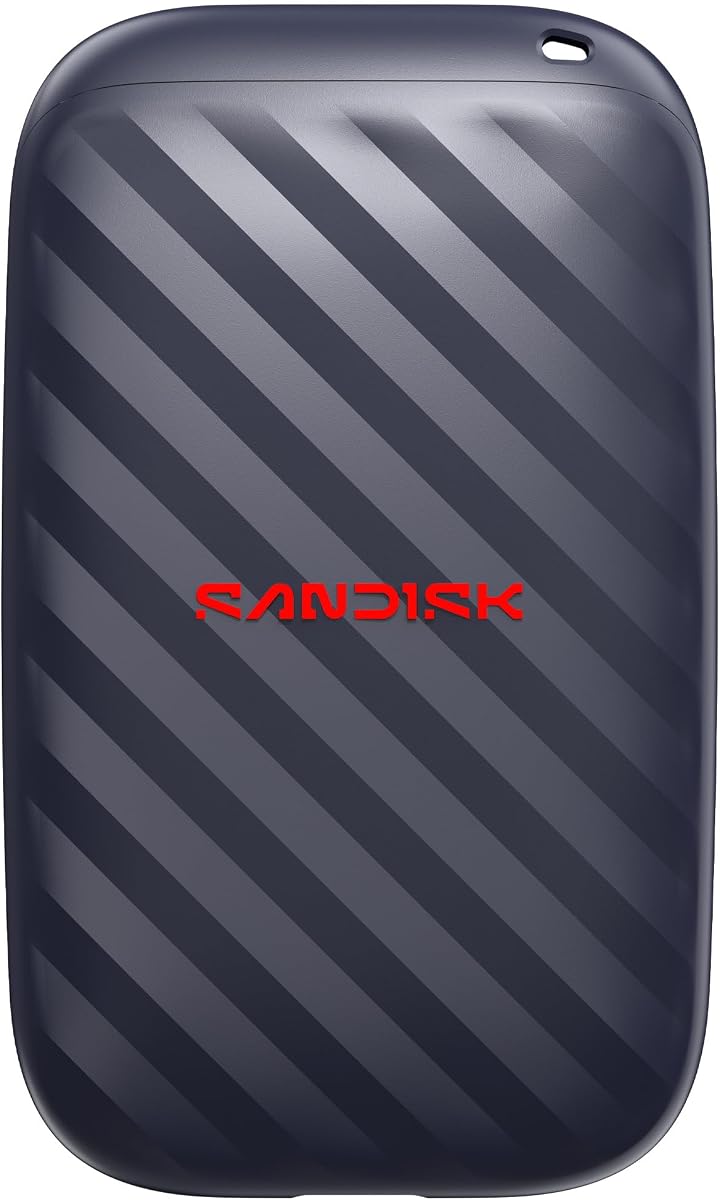
The Sandisk 1TB Portable Drive delivers the combination of speed, compact size, and physical protection that many photographers want from an everyday transfer drive. It carries a 4.5 customer rating, and its published read speed of up to 600MB/s makes it well suited to moving high-resolution images, video clips, and edited files without waiting on a slower mechanical drive.
We may earn a commission when you buy through this link, at no additional cost to you.
Unlike a conventional spinning hard drive, this portable model has no moving parts, which the product information associates with better durability. It also provides up to two-meter drop protection. The pocket-sized enclosure simplifies transport, while USB-C readiness supports a modern connection workflow. Together, these characteristics make the drive appealing for field transfers, editing sessions away from a desk, and general photo organization.
Its main limitation is capacity. One terabyte can be useful for a recent trip or a focused working set, but it may not hold an extensive multi-year archive alongside large video files. The listed features also do not mention password protection or encryption. Buyers handling confidential material should consider the Sandisk Extreme Portable SSD, which includes 256-bit AES encryption.
This is a good choice for photographers who want fast transfers in a small, durable package and do not need to preserve every original file on one device. It is especially attractive when you regularly move files from a camera, phone, or laptop and want a drive that can be carried in a pocket or small bag. For a larger archive, consider pairing it with a higher-capacity hard drive or choosing a single larger model.
With read speeds stated at up to 600MB/s, the drive is designed for users who regularly move large media files. It can make previews, imports, and recent edits feel more immediate than transfers to a conventional portable hard drive.
The lack of moving parts and up to two-meter drop protection make the drive better suited to bags and travel than a bare exposed platter. The pocket-sized body further reduces the chance of leaving it behind.
We may earn a commission when you buy through this link, at no additional cost to you.
The Seagate Portable 4TB is aimed at photographers who need more room than a typical working drive provides. It has a 4.6 customer rating, USB 3.0 connectivity, and support for Windows and Mac computers, making it a practical high-capacity archive for finished photo projects, video files, and important documents.
We may earn a commission when you buy through this link, at no additional cost to you.
Four terabytes provides meaningful room for a large collection, reducing the need to divide an archive across several devices. Setup is direct: connect the drive and let the computer recognize it, then use the familiar drag-and-drop process to move or copy files. An 18-inch USB 3.0 cable is included, and the one-year Rescue service adds a recovery-oriented support feature that is relevant to long-term archives.
As with other mechanical portable drives, portability and capacity come at the expense of solid-state speed and shock resistance. The drive is intended for personal storage and should be treated as a repository rather than the only copy of irreplaceable photographs. The product information also does not list password protection or hardware encryption, which may matter for private client work.
This model is a strong recommendation for a photographer building a long-term home archive or backing up multiple card volumes at once. It makes the most sense when capacity and straightforward file management are the top priorities. Users who need rapid scratch space for editing should choose a portable SSD, while sensitive work may be better suited to a drive with encryption.
The 4TB capacity can hold several major shoots and related media in one place. This makes the drive useful for photographers who prefer fewer devices and a straightforward organized library.
The included one-year Rescue service provides an added layer of support for eligible files. It does not replace prudent backups, but it can be valuable for a drive holding an extended personal archive.
We may earn a commission when you buy through this link, at no additional cost to you.
The WD 2TB Elements Portable stands out as a balanced, high-rated choice for photographers who want substantial capacity without moving to the largest archive drive. Its 4.7 customer rating is the highest among the ten listed products, while the small enclosure and plug-and-play design support routine use at home or on the move.
We may earn a commission when you buy through this link, at no additional cost to you.
USB 3.2 Gen 1 provides a 5Gbps connection interface, and the drive is listed for use with both Windows and Mac computers. Its stated purpose covers photos, videos, music, and important documents, making it suitable as a general-purpose media repository. The 2TB capacity is large enough for many working libraries, and the simple setup means you can connect it and begin organizing files without installing software.
The drive remains a mechanical hard drive, so it should not be expected to match the read speed of the Sandisk portable solid-state options. The supplied information also does not mention password protection or hardware encryption. If you are transporting valuable or confidential material, a model with explicit security features may offer greater peace of mind.
For most photographers seeking a dependable, easy-to-use photo archive, the WD 2TB Elements is a compelling balance of rating, capacity, portability, and versatility. It is particularly effective as a second drive for backups or a media repository that can be connected to either major desktop platform. Choose it for value-oriented storage; choose a portable SSD when speed is the deciding factor.
Two terabytes offers enough room for a serious photo collection while remaining easy to carry. It is a sensible middle ground between smaller working drives and multi-terabyte archive models.
Plug-and-play operation and Windows and Mac support simplify day-to-day use. The same drive can move between a work laptop and a home computer for organized transfers.
We may earn a commission when you buy through this link, at no additional cost to you.
The 500GB Ultra Slim External HDD is the most compact-capacity option in this guide and carries a 4.3 customer rating. Its appeal lies less in large archives and more in portability, broad device compatibility, and the ability to use the same drive with computers, Linux systems, and supported game consoles.
We may earn a commission when you buy through this link, at no additional cost to you.
The drive weighs 0.35 pounds and uses USB 3.0, with claimed theoretical read speeds of 110MB/s to 133MB/s and write speeds up to 103MB/s. It supports Windows, Mac, Linux, PS4, Xbox One, and Xbox 360 according to the supplied information. The package includes the external hard drive, a USB cable, and a quick start guide, along with a one-year after-sales warranty.
Mac users must first format the drive and select exFAT, making it less convenient than models that are immediately recognized across platforms. The 500GB capacity also reaches its limits quickly with high-resolution photographs, RAW files, and video. For older consoles, the drive can hold and run supported last-generation game libraries, but current-generation PS5 and Xbox Series X or S games must first be copied to a console's internal SSD.
This model is best for a photographer who wants a light, inexpensive secondary drive for a recent batch of images, travel files, or cross-device transfer. Its wide platform list is unusually useful, though the smaller capacity and manual Mac formatting make it less attractive for a primary high-volume archive. For ongoing photo work, choose capacity and simplicity over console flexibility.
Support for Windows, Mac, Linux, and multiple game consoles makes the drive adaptable. Check your device's requirements and format the drive appropriately before moving a large library.
At 0.35 pounds, the enclosure is easy to carry and can serve as a transfer or backup device. The 500GB capacity is best reserved for recent files rather than a complete long-term collection.
We may earn a commission when you buy through this link, at no additional cost to you.
The Seagate Portable 1TB External Hard Drive is a straightforward personal drive for photographers who want more room than a memory card but do not need a large multi-project archive. It has a 4.6 customer rating, USB 3.0 connectivity, and support for Windows and Mac computers, with the product information also listing PlayStation and Xbox use.
We may earn a commission when you buy through this link, at no additional cost to you.
Its main user benefit is easy operation. Connect the drive and the computer recognizes it automatically, after which backups can be handled with drag-and-drop copying. The included 18-inch USB 3.0 cable supports immediate setup, while one terabyte provides useful space for recent shoots, edited images, and a collection of media files. For users who want the familiar Seagate design at a lower capacity, this model fills that role.
Mac users may need to reformat the drive, so compatibility does not mean identical setup on every platform. It is also a mechanical drive, which limits its appeal for rapid editing or active scratch storage. The listed features do not include password protection or hardware encryption, so sensitive images should be handled with an appropriate security plan.
This Seagate is a good option for personal photo storage, travel backups, or a compact library of completed projects. It is most attractive to someone who values recognizable cross-platform operation and simple copying over maximum transfer speed. Consider a 2TB or 4TB version if the collection is growing quickly, or a portable SSD if you need near-instant access to a working set.
One terabyte is a practical middle-sized library for personal use. It can hold substantial photo collections while remaining easier to carry and organize than the largest archive drives.
Automatic recognition and drag-and-drop operation reduce setup time. Mac users should reformat when needed and confirm that their backup workflow supports the resulting file structure.
We may earn a commission when you buy through this link, at no additional cost to you.
The iDiskk MFi Certified 2TB is purpose-built for people who create photos on an iPhone or iPad and need to move them into a larger archive. It carries a 4.2 customer rating and stands apart from the computer-focused drives in this list through its direct mobile connection, built-in 5000mAh battery, and one-tap backup function.
We may earn a commission when you buy through this link, at no additional cost to you.
When connected through the included app, the drive can automatically back up photo and video albums. Future backups save newly added files, which helps avoid consuming storage with duplicates. The in-app camera can also place captures directly onto the drive. For privacy, the product supports password-based protection of all or selected files, with encrypted content hidden when viewed on a computer. Its MFi-certified connector and listed compatibility cover a broad range of iPhones, iPads, Macs, PCs, and Android devices.
The mobile workflow is not as simple as plugging a conventional drive into a computer. iPhone users need to download the iDiskk Player app, and the product information specifies iOS 12.1 or later. The built-in battery also introduces a charging dependency and makes the drive less minimal than a standard external hard drive. Its rating is lower than those of the conventional Seagate, WD, and Sandisk choices in this roundup.
Choose this model if phone-based photo capture is central to your work and you value automatic album backup over universal plug-and-play simplicity. It is particularly useful for travel, family archives, and users who want to free space on a phone. For desktop-only workflows, a standard 2TB hard drive or portable SSD will usually be simpler and faster.
Automatic album backup and incremental saves make routine phone transfers easier to maintain. The app can also send new camera captures directly to the drive for centralized organization.
Password protection can hide selected or all encrypted files from ordinary computer access. The built-in battery also allows the drive to serve mobile users without relying solely on a host computer's power.
We may earn a commission when you buy through this link, at no additional cost to you.
The WD 6TB Elements is built for photographers who want the largest on-device library in this comparison. It has a 4.7 customer rating and uses a 2.5-inch portable format, combining substantial capacity with a form factor intended to remain manageable for travel and home archiving.
We may earn a commission when you buy through this link, at no additional cost to you.
The product information identifies it as the world's first 6TB 2.5-inch portable hard drive. That distinction matters for users who want to consolidate many years of images, RAW files, videos, music, and documents without moving between several drives. USB 3.2 Gen 1 provides a 5Gbps interface, while plug-and-play operation and listed support for Windows and Mac computers simplify access from either platform.
The same mechanical trade-offs apply as with other high-capacity portable hard drives: it is not designed to deliver solid-state transfer performance or the impact resistance of a drive built without moving parts. The supplied features do not mention password protection or hardware encryption. Because the drive may hold an extensive irreplaceable archive, it should not be treated as the sole copy of the images.
This is the leading capacity option for photographers who value consolidation over compact storage or editing speed. It is well suited to a home media vault, a long-term external archive, or a device that regularly backs up multiple memory cards. If your priority is instant access to a recent working set, pair this archive drive with a smaller portable SSD rather than using it for every task.
The 6TB capacity can consolidate a substantial multi-year media collection. A 2.5-inch enclosure keeps the drive more manageable than a large desktop storage format.
Plug-and-play operation and broad platform support make the drive convenient for regular archives. Keep a second copy elsewhere because greater capacity does not eliminate the need for backup discipline.
We may earn a commission when you buy through this link, at no additional cost to you.
The WD 5TB My Passport is a compelling choice for photographers who need both substantial capacity and stronger file-security controls. Its 4.5 customer rating reflects a well-rounded feature set that includes password protection, hardware encryption, backup software, and ransomware defense alongside a slim, portable enclosure.
We may earn a commission when you buy through this link, at no additional cost to you.
Five terabytes is sufficient for large photo and video collections, while the slim design makes the drive suitable for carrying between locations. Its compatibility with USB 3.1 and USB 3.0 allows it to work with a wide range of current and older connections. More importantly for sensitive work, hardware encryption and password protection add safeguards that are not listed for several conventional portable drives in this guide.
The included device management software is central to the ransomware-defense and backup features, so the strongest results depend on setting it up and using it correctly. The drive is still a mechanical hard disk, and it will not provide the responsiveness of a portable SSD. Encryption also means that forgotten passwords can prevent access to protected files, making it important to store credentials safely.
This model is best for a photographer managing client work, unreleased images, or a large personal archive where privacy matters. It combines enough capacity for substantial media with explicit protection features. Choose it over a basic Elements drive when security is a deciding factor, and maintain at least one additional copy of irreplaceable photographs.
Password protection and hardware encryption help prevent unauthorized access to sensitive images. Configure these features before filling the drive with client material or confidential photographs.
The included device management software adds backup tools and ransomware defense. Keep the software updated and verify that scheduled backups are completing as intended.
We may earn a commission when you buy through this link, at no additional cost to you.
The Sandisk 1TB Extreme Portable SSD is the premium performance option, offering transfer speeds of up to 2000MB/s in a compact solid-state design. It carries a 4.6 customer rating and is aimed at photographers who work with high-resolution images, video clips, and photo edits and want immediate access rather than merely a storage destination.
We may earn a commission when you buy through this link, at no additional cost to you.
Its headline performance is substantial: Sandisk states that 1,000 high-resolution photos can be moved in under 60 seconds under the cited conditions. The drive also has an IP65 rating for protection against spills and dust, plus up to three-meter drop protection. These features make it more appropriate for mobile editing and frequent transport than a bare mechanical drive. A 256-bit AES encryption system adds password-based protection for private files.
The one-terabyte capacity is the main constraint for a high-end portable model. A photographer working with large RAW catalogs, 4K video, or extensive project files may fill it quickly. Its premium design also places it above conventional hard drives in the market. Performance claims depend on the connected device, files, and conditions, so buyers should verify that their computer and cable can support the intended workflow.
This is the strongest recommendation for users who prioritize speed, durability, security, and a pocket-sized form factor. Use it as an active working drive for recent shoots, client deliveries, or on-location editing, while relying on a larger hard drive for long-term archives. It is less necessary for someone who only needs inexpensive offline storage and rarely opens large media folders.
Transfer speeds of up to 2000MB/s suit users who regularly move large photo libraries. The drive can reduce waiting during imports, copies, and on-location edit workflows when the host system supports it.
The IP65 rating, three-meter drop protection, and 256-bit AES encryption provide useful physical and digital safeguards. These features suit mobile professionals handling valuable or sensitive images away from a desk.
We may earn a commission when you buy through this link, at no additional cost to you.
The right photo drive depends on how you shoot, how much you archive, how quickly you need to move files, and how you protect the resulting images. Capacity, connection, performance, durability, compatibility, and security should be weighed together rather than judged by one specification alone.
Capacity is usually the first practical consideration because original photos, short videos, RAW files, and edited exports can consume substantial space. A 500GB drive is best viewed as a small working or recent-trip collection. One terabyte is more useful for an active personal library, while 2TB suits photographers balancing portability and room. The 4TB, 5TB, and 6TB options are better for long-term archives, consolidated client work, and libraries that include large video collections. Leave additional room beyond your current library so the drive does not become full during a major trip or production cycle.
Choose enough capacity for your normal workflow plus a reasonable margin. Think about how many shoots you want to keep offline and whether you will store video alongside still images.
Transfer speed affects how long it takes to copy cards, open large folders, and move files to a second location. The Sandisk Portable Drive is stated to reach up to 600MB/s read speeds, while the Sandisk Extreme Portable SSD is stated to reach up to 2000MB/s transfer speeds. The 500GB drive lists read speeds of 110MB/s to 133MB/s and write speeds up to 103MB/s. Conventional Seagate and WD portable hard drives use USB interfaces, but their supplied listings do not state exact read or write figures. Faster media is useful for active editing, while archive drives can prioritize capacity over immediate access.
Match speed to your task rather than choosing the largest number. A high-capacity archive does not need the fastest interface, but an edit-heavy workflow benefits from solid-state performance.
Mechanical portable hard drives generally provide high capacity in a familiar format, while portable solid-state drives use no moving parts and can offer much faster performance. The Sandisk 1TB Portable Drive and the Sandisk 1TB Extreme Portable SSD fall into the solid-state category and are better suited to frequent mobile use or active editing. The Seagate, WD Elements, WD My Passport, and 500GB models are conventional portable hard drives. Solid-state construction is not automatically necessary for every archive, but it can be valuable when a drive will be moved frequently, used as scratch storage, or exposed to impacts during normal travel.
Choose a mechanical drive for economical long-term capacity and a portable SSD for speed, durability, and immediate access. Your editing volume and travel frequency should guide the decision.
The connection standard and supported platforms determine how easily you can begin a backup. USB 3.0 appears throughout the list, while the WD Elements products support USB 3.2 Gen 1 at 5Gbps, and the WD My Passport supports USB 3.1 and USB 3.0. The Sandisk Portable Drive is described as USB-C ready, while the iDiskk drive uses an MFi-certified connector designed for iPhone and iPad workflows. Some conventional drives automatically appear on Windows and Mac, but the 500GB model requires Mac users to format it as exFAT. Confirm connector type, operating system, and any formatting requirements before organizing a large archive.
Check the device you use today and the device you may use tomorrow. Plug-and-play behavior is valuable, but only when it works with your exact platform and file system.
A portable drive should be easy to carry without making the storage unnecessarily fragile. The 500GB model weighs 0.35 pounds, and the Sandisk portable options are described as pocket-sized. Mechanical drives require more care during transport than solid-state models because they contain moving parts. The Sandisk Portable Drive offers up to two-meter drop protection, the Extreme SSD offers up to three-meter drop protection and an IP65 rating, and the other products do not state comparable physical protection specifications in the supplied information. A protective case and careful packing remain sensible even with a rugged drive.
For frequent travel, favor a compact design with stated impact and spill protection. For a drive that stays beside a desk, capacity and security may matter more than rugged construction.
Security can be essential when a drive contains client photographs, personal travel images, or unpublished creative work. The WD 5TB My Passport includes password protection, hardware encryption, and software with ransomware defense. The iDiskk MFi 2TB supports password-based encryption for all or selected files. Other listed products do not advertise comparable encryption features. Separately from security, most basic drives support simple drag-and-drop backups, while the iDiskk model offers one-tap album backup and incremental saving. Security features should complement, not replace, maintaining another copy of irreplaceable files.
Encrypt sensitive material and use a separate backup location. A drive full of photographs is still vulnerable to accidental damage, theft, or device failure.
Your source devices influence the most convenient storage method. Photographers working from a camera and laptop may prefer a standard USB drive with drag-and-drop copying. Mobile creators can benefit from the iDiskk MFi 2TB, whose built-in battery and MFi-certified connector support direct phone and tablet photo backups. That model requires the iDiskk Player app on iPhone and is more specialized than a conventional computer drive. Users who move files among an iPhone, iPad, Mac, PC, and Android device can value its broad compatibility, but should review the manual and current device requirements before relying on it for an important archive.
Choose a direct phone backup drive only if your workflow regularly starts on a mobile device. Otherwise, a straightforward computer-connected drive will usually offer fewer setup complications.
Longer support can add value when a drive is used as a central archive. The Seagate 4TB and 1TB products list a one-year Rescue service, the 500GB drive includes a one-year after-sales warranty, and the WD My Passport carries a three-year limited warranty. These details help define the support associated with a purchase, but no service or warranty replaces routine backups. Check the current listing for coverage details, eligibility, and regional terms. A three-year limited warranty is especially relevant to a device intended for regular long-term use.
Compare warranty duration alongside capacity and security, then maintain at least one additional copy of your most valuable photographs. Support helps after a problem, while prevention preserves your work.
Before transferring important files, connect the drive and confirm that the computer recognizes it. Create a clearly named folder for each shoot, copy rather than move your originals when making the first backup, and wait until the transfer completes before disconnecting. For Windows and Mac-compatible models, check whether formatting is required. The 500GB model must be formatted as exFAT for Mac use, while the iDiskk drive requires its mobile app and the specified setup process.
Develop a simple backup routine that includes at least two copies in different locations. After a shoot, copy files from the memory card to the portable drive, verify that the images open correctly, and retain the card until the second backup is confirmed. Use the iDiskk drive's one-tap backup for compatible phone albums when appropriate, and take advantage of incremental saves to avoid copying duplicate files. The WD My Passport also includes backup and ransomware-defense software that should be configured before the drive becomes your only storage location.
Protect the drive physically and logically. Keep mechanical models in a padded case during transport, avoid exposing any drive to moisture or extreme conditions, and use the stated drop and IP65 protections as added safeguards rather than permission to neglect careful handling. Eject it through the operating system before unplugging it, review password and encryption settings regularly, and verify important archives from time to time. If a drive contains your only copy of irreplaceable images, replace it and refresh the backup rather than waiting for a warning sign.
The right amount depends on image resolution, RAW or JPEG format, video use, and how long you keep originals. A 1TB drive suits a focused personal library, while 2TB is a versatile choice for active work. Consider 4TB to 6TB for multi-year archives, especially when you also store video. Leave some free space so the drive remains useful for new shoots and organize files by date or project.
A portable SSD is usually better when you need rapid transfers, frequent travel, or an active editing workflow because it has no moving parts and the featured models offer much higher stated speeds. A portable hard drive remains a practical choice for large, cost-conscious archives. If you edit in the field, choose an SSD for working files; if you simply need a long-term library, capacity may matter more.
Several models in this guide explicitly support Windows and Mac computers, including the Seagate portable drives and the WD Elements models. A drive may need to be formatted differently for the operating system, and the 500GB model specifically requires exFAT formatting for Mac use. Check the instructions and your preferred file-system format before storing the only copy of any files.
Keep the card until you have created and verified at least one additional backup. Copying to a portable drive is important, but a single drive can still suffer from accidental damage, loss, or a device failure. Safely erase or format the card only after confirming the copied images open correctly and another backup exists in a separate location.
Encryption is advisable when the drive contains private client images, family photographs, financial documents, or unreleased creative work. The WD My Passport and iDiskk MFi 2TB list password-based protection or encryption features. For other drives, you can use operating-system encryption if supported. Store passwords securely, because protected data may be difficult to recover if access details are lost.
Yes, the listed capacities and connections are suitable for many RAW files, high-resolution photographs, and video collections. Actual room depends on file size and the number of media files. Larger video projects, editing files, and multiple RAW formats can fill lower-capacity drives quickly, so estimate your current library size and allow additional space for future work.
The iDiskk MFi 2TB is the most directly specialized choice because it uses an MFi-certified connector, includes a 5000mAh battery, and supports one-tap album backup. It works with the listed iPhone and iPad models when the required app is installed and iOS 12.1 or later is available. A conventional computer drive is simpler when you already transfer photos through a laptop or desktop.
Back up after every important shoot, and before erasing or reusing a memory card. A reliable routine copies the images to the portable drive, verifies the files, and then creates a second copy on another computer or drive. Periodically open a few photos from older folders to confirm the archive remains readable. Regular verification is more valuable than merely having a backup drive connected occasionally.
The WD 2TB Elements stands out as the strongest value pick because it combines a 4.7 rating, useful capacity, a compact form, and simple Windows and Mac operation. The Sandisk 1TB Portable Drive is the most compelling all-around portable option when speed, drop protection, and USB-C readiness matter, while the Sandisk 1TB Extreme Portable SSD delivers the premium combination of up to 2000MB/s transfers, strong physical protection, and AES encryption.
Prioritize capacity for archives, transfer speed for editing, security for private work, and direct phone compatibility for mobile creators. Larger mechanical drives such as the Seagate 4TB, WD 6TB Elements, and WD 5TB My Passport make sense for consolidated libraries, while smaller one-terabyte and 500GB options work best for recent shoots and active working sets. No single drive should be the only copy of irreplaceable photographs.
Before purchasing, confirm that the connector, operating system, format, capacity, and security features fit your workflow. Current prices, availability, and product details can change, so check the listing and manufacturer information at the time of purchase. With a suitable capacity, a safe connection method, and a disciplined backup routine, a portable drive can become a dependable part of every photographer's storage plan.