
KYY 15.6-inch Dual-Screen Extender
4.4Editor score
Two 15.6-inch Full HD displays
Single-cable USB-C connection
Landscape and portrait rotation
Adjustable freestanding support
A portable dual-monitor setup can turn a MacBook Pro into a much more capable workspace without forcing you to remain at a fixed desk. The right combination should offer readable Full HD imagery, dependable connections, manageable dimensions, and enough flexibility for travel, presentations, editing, or trading.
We compared all ten products by examining their stated display specifications, connection options, Mac and macOS support, portability features, stands, mounting compatibility, and intended work environments. The list includes true dual-screen systems as well as single-screen extenders that can be combined into a more conventional two-display arrangement.
Each entry explains the product's strongest attributes, practical limitations, and likely audience, while the comparison and buying guide help narrow the field. Product ratings and availability can change, and pricing should always be checked on the current retailer listing before purchase.
4.4Editor score

4.8Editor score

4.8Editor score
As an Amazon Associate we earn from qualifying purchases.
The table below places every listed option side by side, emphasizing display size, resolution, connectivity, portability, and compatibility. Because some products are single-screen extenders and others include two integrated displays, MacBook Pro users should distinguish between an immediate two-screen package and a modular one-screen alternative.



The InnovRay 15.6-inch Laptop Screen Extender is a 4.4-rated, triple-screen-style solution designed to turn a compatible laptop into a broad workstation. Its headline features are two 15.6-inch Full HD IPS panels, 300-nit brightness, a 1000:1 contrast ratio, and a thin 0.18-inch folding profile. That combination makes it more ambitious than a conventional single travel monitor.
We may earn a commission when you buy through this link, at no additional cost to you.
The strongest feature is its flexibility. The supplied information describes a free-standing adjustable bracket that fits laptops from 12 to 17.3 inches, avoids placing stress on the laptop lid, and allows each display to fold from 0 to 180 degrees. It can be used in extend, mirror, or second-screen modes, while the built-in InnovRay software adds brightness, contrast, color-temperature, eye-care, game, and split-screen controls.
Compatibility is the central trade-off. The product supports laptops with two full-function USB-C outputs or a combination of full-function USB-C and HDMI, and the listed cables are included. However, standard M1, M2, and M3 MacBooks cannot provide native dual-screen output, while Pro and Max versions can. Buyers with a base-chip MacBook Pro may need the separately available H5 cable.
This is a compelling recommendation for a MacBook Pro user who wants more than two panels, especially a professional using charts, documents, communication windows, and editing tools simultaneously. It is less suitable for someone who expects effortless operation on every base M-series model. Confirm the MacBook's chip and available video outputs before ordering.
Rather than simply adding one display, this system is intended to create an independent triple-screen workspace. That arrangement is valuable for traders, developers, remote workers, and designers who want to reduce tab switching while retaining a relatively compact, self-supported design.
The aluminum body, adjustable freestanding support, anti-slip pads, and included leather-like carry bag make the unit more travel-oriented than a pair of conventional desktop monitors. The screens fold for packing, while the stand allows the laptop to remain separate from the extended panels.
We may earn a commission when you buy through this link, at no additional cost to you.
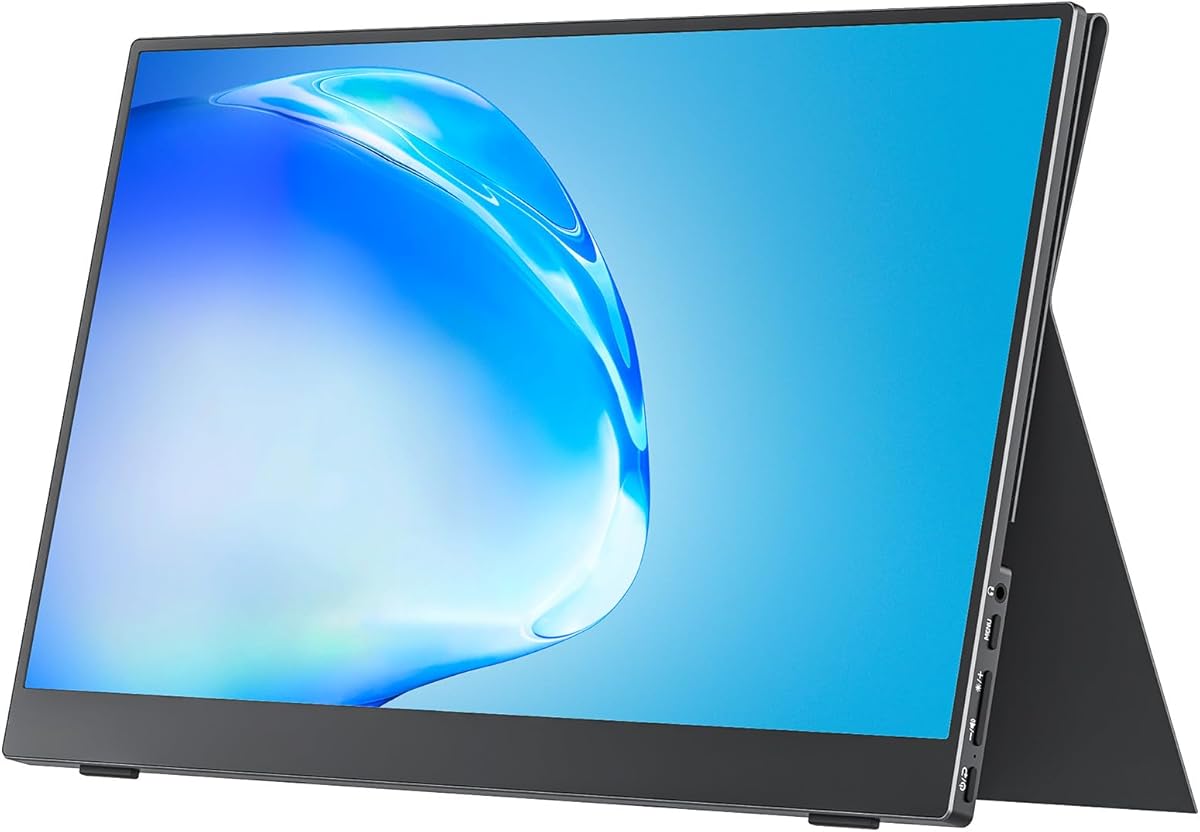
The KYY 15.6-inch Laptop Screen Extender is a 4.4-rated dual-panel option built around convenience and portability. It includes two 15.6-inch 1080p IPS screens, each with a 178-degree viewing angle, and uses a single USB-C-to-USB-C connection to establish the extended display arrangement. That makes it one of the clearest choices for buyers who want a complete two-screen package.
We may earn a commission when you buy through this link, at no additional cost to you.
Its freestanding structure is practical for a MacBook Pro. The built-in stand adjusts up to 90 degrees, and each display rotates from 0 to 360 degrees, allowing landscape, portrait, and shared-viewing configurations. The product also supports macOS, Windows, Chrome OS, Android, and Linux, making it more broadly useful than a solution tied to one operating system.
The main caveat is that drivers must be downloaded before use. That is less convenient than a fully driver-free system, but it is especially relevant to Mac users because macOS does not natively support as many standard external display arrangements as Windows. The supplied information also explicitly says the extender is not compatible with PS5, Xbox Series X, or other gaming consoles.
The KYY deserves consideration for budget-conscious buyers who need two large Full HD panels without assembling separate monitors. It is a strong fit for analysts, designers, students, and office professionals who can complete a one-time driver setup and travel with a single-cable package.
A single full-function USB-C connection carries display and power requirements according to the product description. This reduces cable clutter and simplifies setup compared with two unrelated portable monitors, particularly when every bag space and charging connection matters.
Independent 360-degree rotation and a stable adjustable stand make it possible to share one panel with a colleague, orient another vertically, or adjust the screens to the user's seat. These mechanical options are valuable beyond conventional side-by-side extension.
We may earn a commission when you buy through this link, at no additional cost to you.
The VisionOwl Portable Monitor Dual is one of the strongest all-around options in this roundup, carrying a 4.8 rating. It pairs two 15.6-inch 1080p matte IPS screens with 107% sRGB coverage, eight-bit color, and a 60Hz refresh rate. The vertically stacked format is distinctive and particularly effective for reducing the distance between the MacBook Pro screen and upper information panels.
We may earn a commission when you buy through this link, at no additional cost to you.
Connection coverage is extensive. The enclosure provides a USB-C DisplayPort port, a USB-C power port, and dual Mini-HDMI inputs. A USB-C cable, USB-A-to-USB-C cable, two HDMI-to-Mini-HDMI cables, a power adapter, and a sleeve are included. Windows systems can install the Microsoft-certified DisplayLink driver automatically, while macOS users install the official DisplayLink driver.
The 3.5-pound full-metal body folds 360 degrees, supports landscape and portrait orientation, and includes a 120-degree kickstand. It also offers VESA mounting for users who want a fixed desk arrangement. The trade-offs are the requirement for DisplayLink on macOS and the need for sufficient vertical clearance for the stacked design.
This monitor is a strong recommendation for MacBook Pro owners who want a polished, travel-ready two-screen workstation with better stated color coverage than most 1080p competitors. It suits creative work, dashboards, timelines, and communication-heavy workflows, provided the buyer is comfortable installing the required macOS driver.
The stacked arrangement expands the usable area vertically and can reduce neck movement because related content appears closer together. It is particularly useful for spreadsheets, chat windows, timelines, dashboards, and documents that otherwise require constant scrolling.
The folding full-metal enclosure and custom padded fabric bag create a more protective travel package than a simple screen with a folding cover. At 3.5 pounds, the stated weight also remains manageable relative to carrying two independent desktop-class displays.
We may earn a commission when you buy through this link, at no additional cost to you.
The Cocopar 15.6-inch Travel Monitor is a 4.8-rated, single-screen solution that remains highly relevant to buyers seeking two displays for a MacBook Pro. It can serve as a second panel on its own or be paired with another compatible portable monitor. Its defining advantage is portability, with the screen weighing 1.5 pounds without the magnetic cover.
We may earn a commission when you buy through this link, at no additional cost to you.
The display uses a 1080p IPS panel with a 60Hz refresh rate, 178-degree viewing angle, HDR, low-blue-light features, and 85% sRGB coverage. Connectivity includes two full-featured USB-C ports and HDMI. With a suitable USB-C port supporting Thunderbolt 3 or 4 or USB 3.1 DisplayPort Alt Mode, one cable can handle display and power, including reverse charging.
Unlike many dual-screen products, this is a single display, so buyers must purchase another unit if they want two external panels. It also depends on the MacBook Pro having the appropriate video-output capability. The four-millimeter slim body, VESA holes, and magnetic smart-cover stand provide useful flexibility for travel and desktop mounting.
The Cocopar is best for mobile professionals who value low weight, broad device support, and a cover that doubles as a stand. It is not the most direct answer to the dual-screen keyword, but it is one of the most practical building blocks for a two-monitor MacBook Pro setup.
A compatible full-function USB-C port can carry display and power through a single original USB-C cable. HDMI is available as an alternative, making the monitor useful across laptops, mini PCs, and supported game systems.
The 4-millimeter screen profile keeps the display slim in a bag, while the magnetic cover provides scratch protection and folds into a basic stand. The stated weight advantage makes long travel days easier to manage.
We may earn a commission when you buy through this link, at no additional cost to you.
The MNN 15.6-inch Portable Monitor is a 4.3-rated, straightforward second-screen option with a value-oriented design. It provides a 1920-by-1080 IPS display at 60Hz, a 178-degree viewing angle, HDR support, and eye-comfort features. For a MacBook Pro owner who only needs one additional display, it presents a practical way to begin building a two-screen workspace.
We may earn a commission when you buy through this link, at no additional cost to you.
Two full-feature USB-C ports allow a single USB-C cable to handle both display signal and power when the source device supports the required DisplayPort Alt Mode. The monitor also supports multiple display modes, including copy, extension, second-screen, and portrait. Its compatibility list includes laptops, PCs, phones, MacBooks, PS4 and PS5, Xbox, and Nintendo Switch.
This is not a bundled dual-monitor system, and the glossy IPS finish may produce reflections in bright rooms. Users also need to verify source-device video support rather than assuming every USB-C port can drive an external display. The scratch-proof PU leather smart cover provides protection and can function as a stand.
The MNN is a good choice for travelers, students, and occasional remote workers who want a capable second panel at a modest entry point. It also works well as one half of a two-screen arrangement if the buyer later adds a matching display and has the necessary MacBook Pro connections.
Copy, extension, independent second-screen, and portrait modes cover presentations, focused work, shared viewing, and long-document tasks. This range makes the display useful even when the user's workflow changes from day to day.
The included durable PU leather cover protects the panel during transport and folds into a stand for landscape or portrait use. It reduces the need to carry a separate basic support for the monitor.
We may earn a commission when you buy through this link, at no additional cost to you.
The APILDELLA 14-inch Dual Laptop Screen Extender is a 4.3-rated, one-screen extender designed to add a second display without attaching directly to the laptop lid. Its zero-contact frame and sliding support arm are intended to protect the MacBook's finish while accommodating laptops from 13 to 16 inches diagonally.
We may earn a commission when you buy through this link, at no additional cost to you.
The 1920-by-1080 IPS screen includes HDR, adjustable brightness, contrast, and backlight, along with low-blue-light and anti-vertigo features. USB-C and HDMI cables are included, and the product supports extension and mirror modes. Importantly for Mac users, the stated setup requires no driver download, although the device still needs compatible video output and adequate power.
The screen folds from 0 to 225 degrees, which allows several viewing arrangements. A bracket fixes the unit to the laptop for stability, while the product supports Mac, Windows, Android, and most 13-to-16-inch laptops. The main trade-offs are that only one external screen is included and brightness may be reduced when the unit is not connected to external power.
This is an appealing choice for a MacBook Pro user who prioritizes plug-and-play operation, physical laptop protection, and a compact 14-inch footprint. It works particularly well for email, messaging, documents, and monitoring tasks where a smaller second panel is sufficient.
Instead of clamping onto the display lid, the sliding support arm holds the extender away from the screen. This zero-contact approach reduces the risk of scratching or putting uneven pressure on the MacBook Pro's enclosure.
The listed guidance recommends trying one connection configuration at a time: USB-C alone, HDMI with USB-C, external power with USB-C, or external power with HDMI. Identifying the working arrangement can resolve no-signal or low-brightness issues more efficiently.
We may earn a commission when you buy through this link, at no additional cost to you.
The Upperizon 90% sRGB Dual is a 4.8-rated integrated pair designed to turn a MacBook Pro into a three-screen workstation. Each 15.6-inch display offers 1920-by-1080 resolution, 300-nit brightness, 90% sRGB coverage, 16.7 million colors, a 1000:1 contrast ratio, and a 60Hz refresh rate.
We may earn a commission when you buy through this link, at no additional cost to you.
DisplayLink enables the two external displays after the appropriate driver is installed. The stated compatibility includes MacBooks with M1, M2, M3, M4, and M5 chips, as well as Windows laptops. A USB-C or USB-A connection is supported, and the included 30-watt power adapter can help prevent the flickering that may occur when power is insufficient.
The package includes a sleeve, power adapter, one USB-A-to-USB-C cable, and two USB-C-to-USB-C cables. At 4.51 pounds, the unit is portable, though it is the heaviest product listed. It does not include speakers or VESA mounting holes, which narrows its appeal for users who want integrated audio or a permanent monitor-arm setup.
The Upperizon is a strong recommendation for a mobile professional who needs an immediate two-panel package and values stated brightness, anti-glare treatment, and explicit support for current MacBook chip families. The driver requirement is the main setup cost to account for.
Two external panels combine with the MacBook Pro's built-in display to create three work areas. That extra separation is useful for communication, reference material, and the primary production task without forcing everything into one crowded workspace.
IPS technology, anti-glare coating, low-blue-light functionality, and 300-nit brightness support comfortable use in varied environments. These specifications are useful for office work, travel, and long sessions involving documents or communication tools.
We may earn a commission when you buy through this link, at no additional cost to you.
The Upperizon 107% sRGB Dual combines two 15.6-inch Full HD matte IPS screens in a vertically stacked, 360-degree folding enclosure. It carries a 4.8 rating and stands out for stated 107% sRGB coverage, eight-bit color, a color-difference target below two, 16.7 million colors, and a 2000:1 contrast ratio.
We may earn a commission when you buy through this link, at no additional cost to you.
The product is designed for extended and mirrored work on MacOS and Windows. Windows can use automatic driver installation, while MacOS requires manual DisplayLink setup. A USB-C DisplayPort port, USB-C power port, and two Mini-HDMI ports support different device arrangements, and the upper screen can flip for more comfortable viewing angles.
Its 3.5-pound weight and included sleeve make it more manageable than many desktop-monitor pairs. The full-metal frame protects the displays while folded, and the adjustable kickstand provides desktop stability. Four VESA holes also make permanent mounting possible, giving it more installation flexibility than the other Upperizon model in the list.
This is a premium recommendation for MacBook Pro users who prioritize color specifications, mounting flexibility, and a compact stacked workflow. Its main setup hurdle is DisplayLink installation on macOS, while the vertical form requires enough room above the laptop to avoid obstructing the built-in screen.
The 107% sRGB gamut, eight-bit depth, low stated color difference, and 2000:1 contrast ratio make this a compelling specification set for design review, photo-oriented tasks, and detailed content production. The matte finish can also reduce distracting reflections.
The adjustable kickstand handles quick desktop deployment, while VESA compatibility supports a permanent arm or wall bracket. This makes the product more adaptable than a purely travel-oriented screen once it reaches a stable workspace.
We may earn a commission when you buy through this link, at no additional cost to you.
The VisionOwl 15.6-inch 4K monitor is a 4.8-rated single-screen option for MacBook Pro users who prioritize resolution and color capability. Its 3840-by-2160 panel and stated 145% sRGB coverage place it well above the specification level of the other 1080p single-screen alternatives in this list.
We may earn a commission when you buy through this link, at no additional cost to you.
It connects through a full-featured USB-C port or standard HDMI. A USB-C source with DisplayPort Alt Mode can send both power and video through one original cable, while HDMI offers another route for compatible devices. The built-in metal kickstand adjusts for different working angles, and 75-by-75-millimeter VESA compatibility allows use with a monitor arm or wall bracket.
The full-metal body, folding kickstand, built-in speakers, protective sleeve, power adapter, USB-C cables, and HDMI cable form a complete package. As a single display, it does not provide the immediate two-screen effect implied by the keyword, and its high pixel count demands a capable connection to display the full resolution as intended.
The VisionOwl is a strong recommendation for a creative professional who needs a sharp, color-rich second panel and can source a second unit later. It also works well for detailed documents, image review, and media work where text and fine visual detail benefit from 4K resolution.
A 4K UHD panel provides substantially more pixel density than a standard 1080p 15.6-inch display. Combined with the stated 145% sRGB gamut, it is especially relevant to photo review, design work, and detailed productivity applications.
The integrated metal kickstand provides portable stability, while VESA compatibility opens a more permanent installation route. Built-in speakers add convenience for media playback and meetings, although they are not substitutes for a dedicated microphone.
We may earn a commission when you buy through this link, at no additional cost to you.
The 14-inch Dual Laptop Monitor Extender is a 4.6-rated modular display that provides a compact second panel for a MacBook Pro. Its 1920-by-1080 IPS screen runs at 60Hz with 300-nit brightness and a 1000:1 contrast ratio, offering a balanced specification set for work, communication, and entertainment.
We may earn a commission when you buy through this link, at no additional cost to you.
Setup is designed to remain driver-free. A full-feature USB-C connection is the simplest option, while HDMI requires the additional USB-A-to-USB-C power cable. The package includes a Type-C cable, HDMI cable, and USB-C-to-USB-A cable. The stated device support includes Windows, Mac, Chrome, Linux, Type-C phones, several game systems, and M1, M2, and M3 Pro and Max processors.
The monitor folds to 0.9 inch and weighs 2.34 pounds, making it compact for travel. It supports mirror, extension, and portrait modes, although it includes only one display. The product also warns that some devices, including certain Surface Pro models, may not work and that the source laptop needs a full-function USB-C or HDMI port.
This is a good recommendation for a MacBook Pro owner seeking a smaller, no-driver second screen without a high-resolution premium. It is especially practical for quick travel, remote work, and document-heavy tasks, though users seeking two external screens immediately should consider a bundled dual-panel option.
The stated 0.9-inch folded thickness and 2.34-pound weight make the display easier to fit into a laptop bag than a full-size desktop monitor. It also leaves more room on the desk than a pair of 15.6-inch panels.
The product supports macOS and several M-series MacBook chip families without requiring separate display software, according to the supplied information. A compatible full-function USB-C port is still necessary, and unsupported device exceptions should be checked before purchase.
We may earn a commission when you buy through this link, at no additional cost to you.
The right portable monitor depends on how many external panels you need, the video capabilities of your MacBook Pro, the space available at your destination, and the balance between image quality and portability. The following factors are the most important to evaluate before purchasing.
Prioritize a display whose driver requirements and Mac compatibility are clearly stated.
Choose native output when simplicity matters most.
Choose a bundled dual system for immediate two-screen use.
Choose a lightweight single screen for modular setups.
Match resolution to screen size and viewing distance.
Prioritize IPS and matte surfaces for mixed lighting.
Use sRGB coverage as a useful comparison point.
Expect professional color work to require calibration.
Compare packed weight, not just panel thickness.
Choose a protective case that suits your travel routine.
Prefer full-function USB-C for simpler cabling.
Confirm how many video outputs your Mac supports.
Prioritize a stable stand for mobile use.
Choose VESA support for a permanent desk.
Budget for external power with dual displays.
Higher brightness improves travel usability.
Before connecting the displays, inspect the MacBook Pro's ports, confirm the chip generation, and check the monitor's compatibility instructions. Install DisplayLink software first when the product requires it, then connect the power adapter if one is included. For USB-C, begin with a single full-function cable; for HDMI, follow the product's power-routing instructions and add the USB power cable if brightness is low.
Place the laptop on a stable surface and unfold or erect the portable display only after the screens are supported. Start in mirror mode to verify the connection, then switch to extension mode. In macOS display settings, choose the arrangement that matches the physical position of each panel, set the primary display, and adjust resolution, brightness, and color-related controls from the system's display preferences or the monitor's onboard controls.
For transport, disconnect all cables, fold the screens as intended, and place them in the supplied sleeve, bag, or protective cover. Do not leave a dual-panel unit unfolded inside a bag, and avoid placing pressure against an exposed screen. Clean the display with a soft microfiber cloth, keep liquid away from the edges, and inspect connectors for debris before the next setup.
No. Compatibility depends on the MacBook Pro's chip, macOS version, ports, and display-output limitations. Products using DisplayLink require a compatible driver, while other solutions need a full-function USB-C port with DisplayPort Alt Mode or a suitable HDMI output. Always check the exact Mac model before purchasing.
It depends on the product. The VisionOwl and Upperizon dual-screen systems require DisplayLink installation on macOS, while the APILDELLA and 14-inch extender listings specify no driver. Even driver-free products still need a compatible video-output port and the correct connection configuration.
Base M1, M2, and M3 models have more limited native external-display support, while Pro and Max variants generally offer broader support. Some products in this guide explicitly state that base chips require an H5 cable or another solution. Check the exact chip and current macOS support rather than relying on the model family alone.
A stacked layout expands workspace vertically and can reduce the need to scroll through long documents. It may also reduce eye and neck movement when related windows are placed one above the other. Side-by-side screens, however, are often easier to position on a desk and may suit timeline, dashboard, and comparison workflows better.
They can often draw power from the MacBook, but two Full HD panels may consume enough power to cause dimming or flickering. Several products include a power adapter, and the APILDELLA troubleshooting guidance specifically recommends external power if brightness is inadequate. For long sessions, external power is the more dependable choice.
Yes. The Cocopar, MNN, VisionOwl 4K, APILDELLA, and 14-inch extender are single-screen products that can add one external display to a MacBook Pro. Pairing one with the MacBook's built-in display creates a conventional two-screen workspace, while a second purchased unit can provide a true two-external-monitor arrangement.
It depends on the task and screen size. Full HD is sufficient for many office, communication, and web workflows, while 4K provides noticeably finer detail on a 15.6-inch display. Creative work, dense documents, and close viewing benefit most from 4K, although the source device and cable must support the intended output.
Use the supplied sleeve, bag, or cover and fold the display according to the manufacturer's instructions. Avoid pressure on the panel, keep it away from moisture, and disconnect cables before packing. A padded case is especially important for integrated dual-screen products because one impact can affect both panels.
The KYY 15.6-inch dual-screen extender stands out as the budget-conscious choice for a ready-made two-panel package, while the VisionOwl stacked dual monitor earns the Editor's Choice position for its 107% sRGB specification, sturdy folding construction, and broad accessory bundle. The Upperizon 107% sRGB dual is an equally strong premium option, especially for users who value color depth and VESA flexibility.
Before choosing, prioritize the number of screens actually included, the MacBook Pro's native display limits, and the availability of compatible USB-C or HDMI connections. Drivers matter for DisplayLink systems, external power improves reliability with two panels, and the physical work environment should determine whether stacked, side-by-side, mounted, or ultra-light designs make the most sense.
Ratings and product details can evolve, and retailer listings may change over time. Check the current specification sheet, connection requirements, included accessories, and price on the product page before making a final purchase.