
Standard 5ft Three-Prong Cord
4.7Editor score
Five-foot flexible length
18 AWG construction
Three-prong monitor connection
An HP monitor replacement power cord must match the display’s voltage, amperage, wattage, and barrel connector before it can be considered a suitable replacement. The right cable can restore a monitor with a damaged or missing power lead while avoiding unnecessary compatibility problems at the desk.
This guide compares ten replacement cords and adapters using the specifications supplied for each product. It evaluates supported HP monitor families, input and output ratings, connector dimensions, total cable length, included components, and stated protections against common electrical faults.
Each pick highlights the models and use cases it is best suited to, from 19V yellow-tip and 19.5V blue-tip systems to 12V displays and standard IEC equipment cords. Product listings and monitor designs can change, so confirm your exact model and connector before ordering.
4.7Editor score
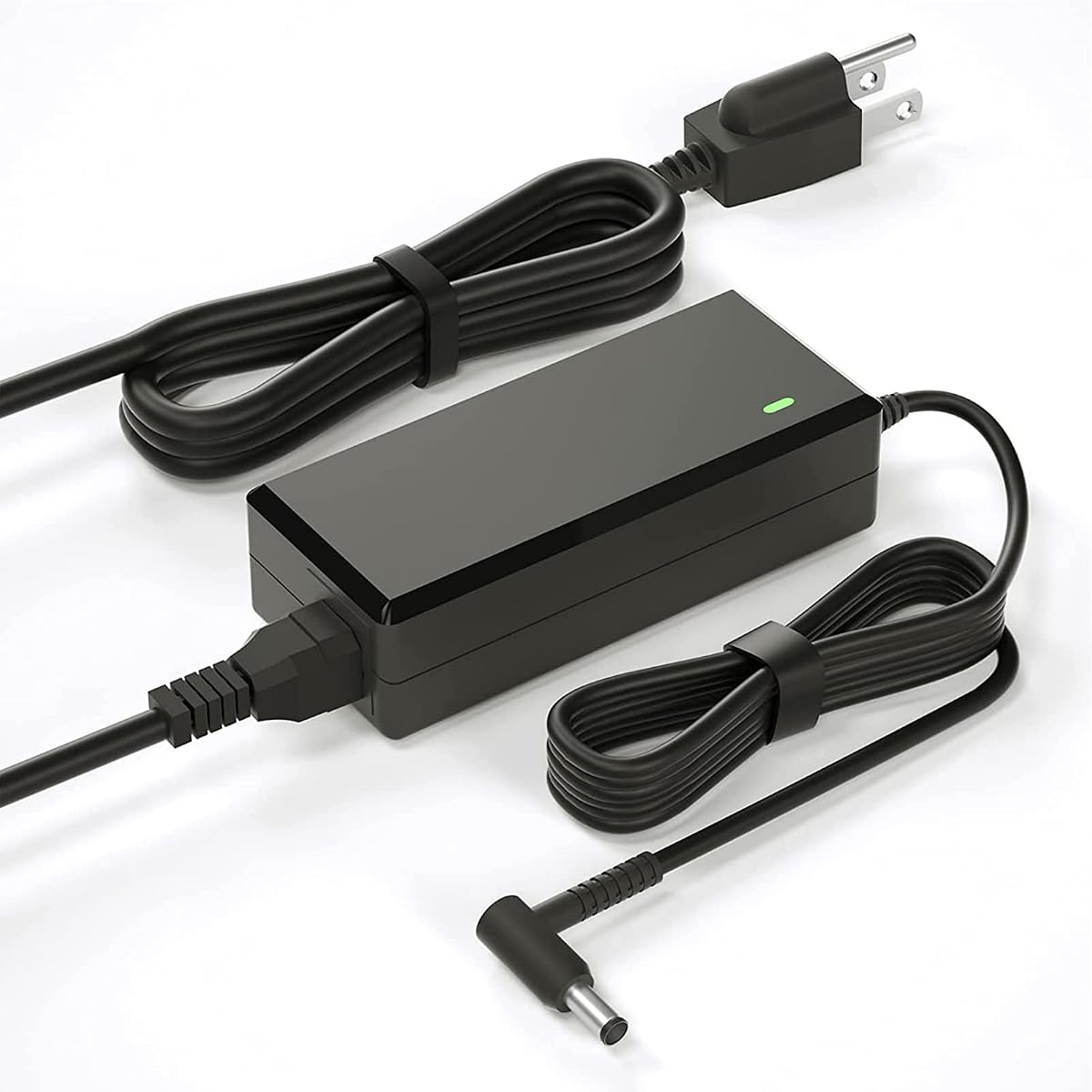
4.4Editor score

4.5Editor score
As an Amazon Associate we earn from qualifying purchases.
The table below places the ten replacement options side by side, emphasizing output rating, connector design, supported monitor groups, and cable configuration rather than treating every HP monitor as if it uses the same power connection.


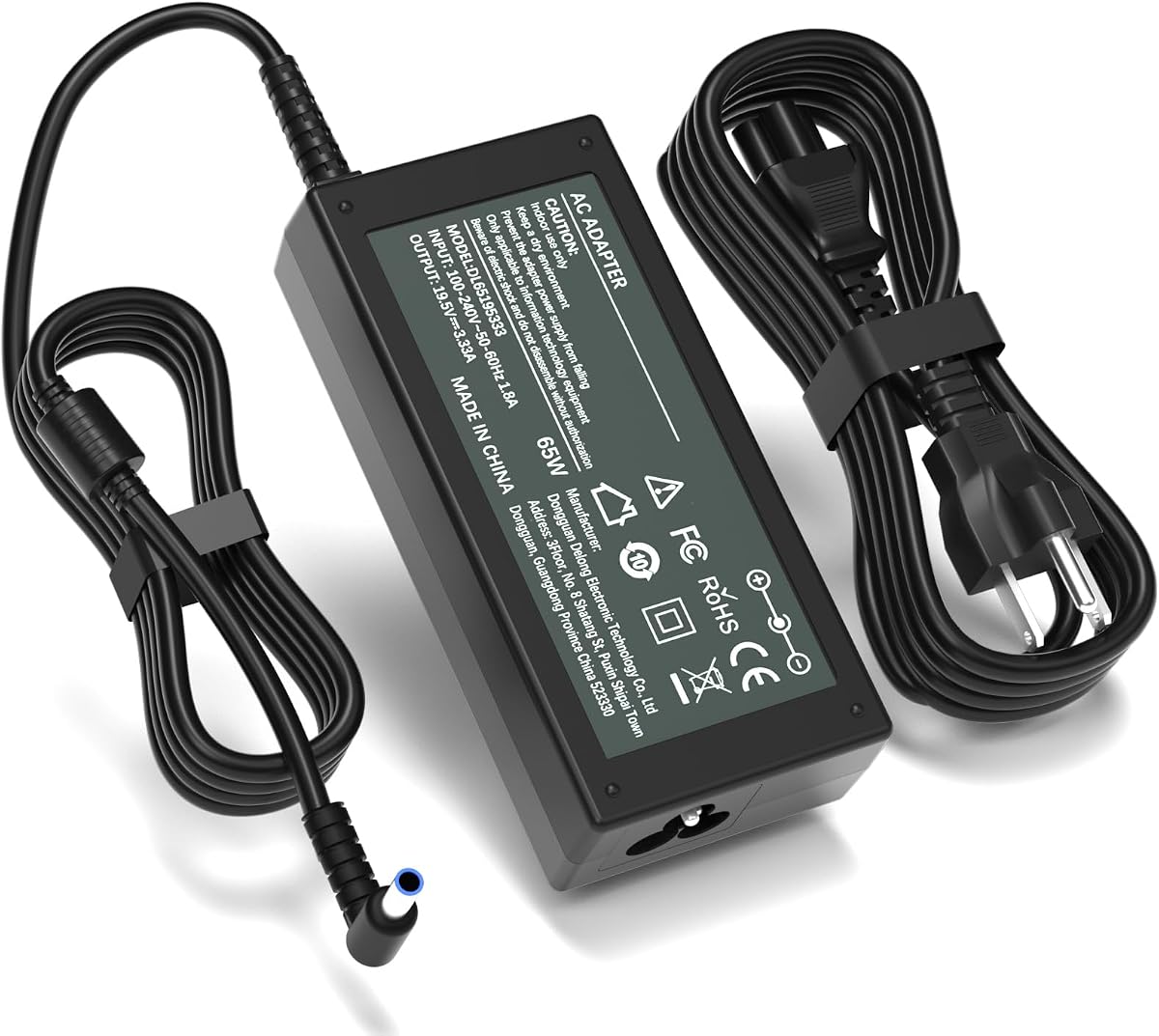


This replacement power cord and adapter combination holds a 4.4 rating and is aimed at a large portion of HP’s 19V desktop monitor lineup. Its defining strength is the extensive compatibility list, which includes Pavilion and other display families associated with 22cwa, 22xi, 23xw, 24ea, 25xi, 27xw, 27xi, and VH240A platforms.
We may earn a commission when you buy through this link, at no additional cost to you.
The electrical specification is 19V at up to 3.42A and 65W, with a stated input range of 100-240V. That makes it suitable for use across different line-voltage environments, while the listed lower-current compatibility broadens the potential range of supported displays. A combined 8.2-foot configuration provides useful positioning flexibility, particularly when the outlet sits behind a desk or behind the display itself.
The important limitation is model separation. The manufacturer explicitly excludes the 2011X, 2211X, 2311X, 2511X, and 2711X families, along with M22F, M24F, M24FW, M27F, and M27FD. Those exclusions are sensible because these displays use different electrical arrangements, and they reinforce the need to check the exact model rather than relying only on the display’s screen size.
This is a practical choice for owners of the many supported 19V HP displays, especially when the original adapter is missing or damaged. It is less appropriate for M-series monitors or systems with a blue smart-tip connection. Verify the printed model number and compare the original connector before purchasing.
The broad model coverage makes this useful for a home or office with several common HP displays. Its compatibility includes multiple part numbers, but the printed system model remains the most reliable verification point.
The 8.2-foot combined length can reduce awkward routing and make it easier to place the adapter brick where it is not pinched. Route the lead so it cannot be bent sharply at the connector.
We may earn a commission when you buy through this link, at no additional cost to you.
This standard three-prong AC cord carries a 4.7 rating and serves a different role from most adapter-based replacements. Instead of converting wall power to a specific 19V, 19.5V, or 12V monitor output, it supplies a standard equipment-side connection for monitors and other electronics that accept that format.
We may earn a commission when you buy through this link, at no additional cost to you.
Its 125V and 10A rating, combined with heavy-duty 18 AWG construction, makes it a straightforward option for a damaged wall lead. The fully molded design is intended to improve durability at both ends, while the five-foot length is useful for connecting equipment without leaving excessive slack around the workspace.
The key trade-off is that this cord does not solve every monitor power problem. It will not fit a monitor that requires a 5.5 x 2.5mm barrel plug, a 4.5 x 3.0mm blue smart-tip connector, or another proprietary power input. Nor does it perform the voltage conversion associated with a laptop-style or monitor power brick.
Choose this option when the monitor has a standard three-pin IEC inlet and only the removable AC cable needs replacement. For displays requiring a dedicated HP adapter, select one of the voltage-specific options instead and verify the connector before ordering.
When the adapter brick remains functional, replacing only the wall cord can be the simplest repair. This option keeps the installation minimal and avoids adding another conversion brick to the desk.
The important distinction is the connection at the monitor rather than the wall plug. Confirm that the device accepts the cord’s three-pin IEC-style configuration before purchase.
We may earn a commission when you buy through this link, at no additional cost to you.
This VH240A-focused replacement earns a 4.6 rating and provides a complete 19V adapter package. It is particularly relevant to HP displays using the VH240A family, including models identified by 1KL30AA#ABA and 1KL30AA#ABB part numbers, as well as several listed 19V monitor configurations.
We may earn a commission when you buy through this link, at no additional cost to you.
The package includes a 4.9-foot AC cord and a 3.9-foot DC lead attached to a 19V, 3.42A adapter. Its worldwide input range is stated as 100-240V at 50/60Hz. The manufacturer also states compatibility with several lower-current outputs, including 19V devices drawing 1.58A, 2.1A, 2.37A, and 3A.
The supplied description mentions a broad set of non-monitor equipment and specialty power products in addition to HP displays. That breadth may be helpful for research purposes, but it makes the monitor model and connector more important to verify. The adapter is still a specific 19V replacement, not a universal solution for every connector design.
This product is well suited to owners of a VH240A or another explicitly listed 19V display who want a complete cord-and-adapter set. The separate AC and DC lengths make routing more flexible than a permanently attached short lead, while the stated protections support confidence in routine use.
Receiving both the wall cable and the DC adapter removes uncertainty about which pieces are included. It also provides a fresh connection at both ends of the power path.
A 19V label alone does not guarantee a fit. Check the required amperage, wattage, and barrel dimensions, and confirm that the monitor’s original adapter uses the same connector.
We may earn a commission when you buy through this link, at no additional cost to you.
This 19.5V adapter carries a 4.4 rating and is specifically positioned for HP M-series and selected 527 and 524 displays. It supports M27f, M27fe, M27fw, M27ha, M27fq, M27fd, M27fwa, M24f, M24fw, M24fe, M24fwa, and M22f models listed in the product information.
We may earn a commission when you buy through this link, at no additional cost to you.
Its defining electrical feature is 19.5V at 3.33A and 65W, paired with a 4.5 x 3.0mm blue round-tip connector. The product description also states compatibility with 19.5V 2.05A devices and several 19V outputs, but it expressly excludes the yellow-tip 19V monitor groups covered by other adapters in this roundup.
The physical design includes a 1.5-meter adapter cord and a 1.2-meter AC cable, producing a stated total reach of 2.7 meters, or 8.8 feet. That makes it convenient for desks where the outlet is far from the display. The stated protections include overcurrent, short-circuit, and overheating safeguards.
This is a strong candidate for an owner of a supported blue-tip M-series monitor, particularly when longer routing is desired. It should not be chosen for a yellow-tip system or a monitor labeled for a different output. Confirm the voltage and examine the connector tip before connecting the adapter.
The 4.5 x 3.0mm blue connector distinguishes this adapter from standard yellow-tip replacements. A visible tip comparison helps prevent the most common mistake with this category.
The 8.8-foot combined reach can help position the wall outlet behind a desk or along a shared cable tray. Keep the conversion brick uncovered and ventilated during use.
We may earn a commission when you buy through this link, at no additional cost to you.
This 19V VH240A replacement has a 4.4 rating and focuses on HP desktop monitors that use a 19V barrel connection. The supported list spans common 20-inch, 22-inch, 23-inch, 24-inch, 25-inch, and 27-inch families, including numerous VH240A, 27xw, 27xi, 25xi, and 24ea models.
We may earn a commission when you buy through this link, at no additional cost to you.
The power specifications are 19V, up to 3.42A, and 65W. Its connector is identified as 5.5 x 2.5mm, making it suitable for hollow yellow-tip monitor ports. Input is listed as 100-240V at 50/60Hz, while the product description states CE, FCC, and RoHS certification.
The manufacturer is unusually explicit about what the adapter does not fit. It excludes M22F, M24F, M24H, M24FW, M27F, M32F, L7014, L7016, S230T, 2011X, 2211X, 2311X, 2511X, and 2711X. This makes the selection less forgiving but much clearer when those exclusions are compared with the monitor’s printed model number.
Choose this product for a clearly identified 19V system with a matching 5.5 x 2.5mm port. It is less suitable for blue-tip, 12V, or other HP display families. When in doubt, compare the replacement with the original adapter’s label rather than inferring compatibility from screen size.
The explicit exclusion list is a major benefit for buyers comparing many visually similar adapters. It makes it easier to rule out the product when the monitor belongs to another power family.
A dedicated connector can reduce the chance of selecting the wrong interchangeable tip. It also means the lead is intended for one connector size rather than several.
We may earn a commission when you buy through this link, at no additional cost to you.
This 19V AC power cord earns a 4.4 rating and offers another route for replacing a missing or damaged adapter across a broad selection of HP monitors. Its compatibility information includes 20xi, 22cwa, 23xw, 23vx, 24ea, 24m, 25xw, 27f, 27xw, and VH240A-related families.
We may earn a commission when you buy through this link, at no additional cost to you.
The output is specified as 19V, 3.42A, and 65W, with compatibility also stated for 45W systems. Its connector measures 5.5 x 2.5mm, while the input specification is 100-240V at 50/60Hz. These details align it with the common yellow-tip monitor connection rather than the blue smart-tip or 12V alternatives.
The product information emphasizes internal copper wiring, PVC protection around the cable coil, and more than 10,000 bending tests. It also describes a smart chip with over-temperature, over-current, over-voltage, and short-circuit protection. Those claims make it look like a conventional full-size monitor adapter rather than a simple low-power wall lead.
This option is well suited to owners of the listed 19V models who need both a replacement adapter and cord. Its main inconvenience is that the listing does not state one clear combined cable length. Check the model with Ctrl+F as suggested by the manufacturer, and confirm the original output label and connector before ordering.
The stated bend testing and copper construction address a common source of replacement-cord failure. Even so, protect the barrel connector from sharp bends and repeated pressure.
The stated 45W compatibility broadens the possible use of the 65W adapter. Verify that the monitor’s required amperage does not exceed the supplied output specification.
We may earn a commission when you buy through this link, at no additional cost to you.
This blue-tip 19.5V adapter combines a 4.7 rating with a tightly defined compatibility list. It supports HP M27f, M27fe, M27fw, M27ha, M27fq, M27fd, M27fwa, M24f, M24fw, M24fe, M24fwa, and M22f displays, along with the listed 527 and 524 monitor families.
We may earn a commission when you buy through this link, at no additional cost to you.
Its output is 19.5V at 3.33A, with a maximum of 65W. The manufacturer also lists compatibility with 19.5V 2.05A equipment and 19V devices drawing 1.58A or 2.1A. The physical connection is a 4.5 x 3.0mm blue smart round tip, while input is stated as 100-240V at 50/60Hz.
A useful detail is the inclusion of HP part numbers such as ADS-45PE-19-3, 19540E, M45741-001, and M45875-001 in the supported information. Part-number matching can be more dependable than screen size alone, especially when a monitor is being replaced within the same product family.
This is an excellent fit for a supported M-series or 527/524 display with a blue-tip input. It is not the right choice for a monitor using the common 19V yellow tip or a 12V connector. Confirm the model, part number, and tip geometry before purchasing.
The detailed list gives buyers more than one way to verify fit. Use the rear housing label or system information page to find both the model and any clearly printed adapter part number.
The 4.7 rating reflects strong customer reception, but the rating should not replace connector verification. Specialized monitor power categories require exact electrical and physical matching.
We may earn a commission when you buy through this link, at no additional cost to you.
This 65W monitor power supply has a 4.5 rating and emphasizes clarity. It provides a 19V, 3.42A output through a 5.5mm hollow yellow tip with a 2.5mm center opening. It also explicitly describes the connector as lacking a center smart pin, which helps distinguish it from blue-tip adapters.
We may earn a commission when you buy through this link, at no additional cost to you.
The supported monitor list includes 27F, 25F, 24F, 23F, VH240A, 27BW, 25BW, 27CW, 25CW, 27FW, 27XW, 25XW, 27ER, 25ER, and 24EA displays requiring 19V. Input is listed as 100-240V at approximately 50/60Hz and 1.8A, making it suitable for a wide range of line voltages.
Its physical design uses a fixed output connector rather than an interchangeable multi-tip head. The listing says this helps avoid sliding or loose connections. A detachable 1.2-meter AC cord and a 1.2-meter attached DC lead create a combined 7.9-foot reach, while the wall plug includes a physical grounding pin.
The adapter is specifically not intended for M-series or X-series monitors, 7.4mm ports, laptops, tablets, or USB-C devices. It also notes that the brick may normally become warm during operation and should remain ventilated. Those boundaries make it a dependable choice for the 19V desktop models it directly supports.
A permanently attached tip cannot be installed backward or swapped for the wrong size. It also eliminates the loose-fit problem associated with some universal adapter heads.
A warm adapter is not necessarily a fault, particularly at higher output. Keep it uncovered on a hard surface and avoid placing papers, fabric, or other insulating material over it.
We may earn a commission when you buy through this link, at no additional cost to you.
The StarTech PXT10110 holds a 4.8 rating and offers a durable standard equipment cord rather than a voltage-converting monitor adapter. It uses a NEMA 5-15P wall plug and an IEC 60320 C13 connector, a combination used by many desktop computers and some monitors, scanners, and printers.
We may earn a commission when you buy through this link, at no additional cost to you.
Its 10-foot length provides considerable routing flexibility for workstation setups. The cable is rated for 125V at 10A, uses 18 AWG conductors, and is made from 100% copper wire. Its PVC SVT jacket has a stated outer diameter of 0.25 inches and an operating range from 37°F to 140°F.
Safety and durability details are particularly useful here. The product is UL listed under UL62 and UL817, has fully molded strain relief, and carries a VW-1 fire rating. The grounded three-conductor configuration also provides a physical ground path for compatible equipment.
This is a strong option for replacing a standard IEC monitor or computer power lead, especially where a longer route is required. It will not fit a monitor with a proprietary barrel socket or HP-style power brick. Confirm that the device has an IEC C13 inlet and that the local outlet matches the NEMA plug.
The ten-foot cable can connect equipment located farther from an outlet or help organize a workstation without forcing the device into an awkward position.
UL listing, molded strain relief, and copper conductors make this a practical replacement for heavily used office equipment. Avoid sharp bends and inspect the plug if it is repeatedly moved.
We may earn a commission when you buy through this link, at no additional cost to you.
This 12V adapter carries a 4.9 rating, the highest numerical rating among the ten products, and addresses a distinct group of HP displays. Its listed compatibility includes 2011X, 2211X, 2311X, 2011xi, 2311F, 2311CM, 1503 D5061-A, F1503, 1703 F1703, and L1800 LED LCD models.
We may earn a commission when you buy through this link, at no additional cost to you.
The output specification is 12V at 5A, and the connector is a 5.5 x 2.5mm round tip. The listing also states compatibility with 12V monitors drawing 4A, 3A, 2A, or 1A. Input covers 100-240V at 50/60Hz, allowing the adapter to operate across differing line-voltage environments.
The cord configuration includes a 1.5-meter adapter lead and a 1.2-meter AC cable, providing a stated total length of 2.7 meters, or 8.8 feet. The description identifies overcurrent, short-circuit, and overheating protection, along with heat-resistant and flame-retardant materials.
This is the most appropriate choice for a supported 12V HP monitor, but it must not be substituted for a 19V or 19.5V adapter. The 5.5 x 2.5mm connector may look similar to a yellow-tip connection, so check both voltage and the shape of the port before ordering.
A matching barrel diameter does not guarantee that an adapter is safe. The output must match the monitor’s required voltage and current, so check the original power brick first.
The 8.8-foot combined length is helpful in offices and classrooms where power outlets may be located away from the workstation. Position the brick where ventilation is not blocked.
We may earn a commission when you buy through this link, at no additional cost to you.
Choosing the correct replacement begins with identifying the monitor’s power architecture. Voltage, current, connector geometry, and model compatibility are more important than the display’s screen size or the visual similarity of an adapter.
The replacement adapter must deliver the voltage printed on the original HP power supply. Most of the relevant desktop monitors in this roundup use 19V, while the M-series options commonly use 19.5V and the 2011X family can use a 12V system. These voltages are not interchangeable, even when several plugs share a similar 5.5mm outer diameter.
Read the output label on the original adapter or obtain the voltage from the monitor’s technical documentation. Compare that value with the replacement’s stated output, and only then consider amperage and connector details.
Voltage indicates the electrical pressure supplied by the adapter, while amperage indicates how much current it can provide. An adapter with a higher current rating may be suitable when the monitor draws less, provided the connector, voltage, and protocol otherwise match. A lower-rated replacement may shut down, fail to start the display, or operate unpredictably.
Look for an output such as 19V 3.42A and 65W when the original unit has the same rating. For the 19.5V M-series options, compare 19.5V 3.33A and 65W. For 12V equipment, verify the required current against the stated 12V 5A maximum.
HP displays use more than one barrel connector. The common 19V replacement in this guide uses a 5.5 x 2.5mm yellow tip, while the 19.5V M-series adapters use a 4.5 x 3.0mm blue smart tip. The 12V adapter uses a 5.5 x 2.5mm round tip, making voltage verification especially important when the shape looks similar.
Compare the outer diameter and inner opening of the original plug, and inspect the center of the socket for a small pin. Do not force a connector. A tip that appears close in diameter can still damage the socket if its internal dimensions or electrical protocol differ.
Compatibility lists are more dependable than size alone because HP reused several family names across different years and power arrangements. The listings in this roundup provide extensive supported models, but they also include explicit exclusions. The 19V yellow-tip products generally exclude the M-series and X-series, while the blue-tip options exclude many 19V systems.
Search the manufacturer or retailer listing for the complete model number rather than relying on a broad category such as Pavilion, ProOne, or HP monitor. Check any part number printed on the original adapter, and compare it with the replacement list before purchasing.
Some monitors use a detachable IEC C13 cord, while others use a proprietary barrel connector and a power brick. If the original wall lead is damaged but the brick remains intact, a standard grounded equipment cord may be all that is required. The standard three-prong and StarTech options in this guide are intended for that situation.
If the monitor accepts a barrel plug, choose one of the voltage-specific adapter products. Installing an IEC cord directly where the original used a proprietary adapter would leave the monitor without the required conversion from wall power to its low-voltage operating level.
Cable length matters when the outlet is behind a desk, on a wall-mounted display, or in a shared workspace. Adapter-and-cord packages range from roughly seven or eight feet to a stated 8.8 feet, while the standard equipment cords offer five- and ten-foot options.
Choose enough length to route the lead without tension, but avoid leaving excess cord where it can tangle. Keep the adapter brick uncovered, avoid sharp bends at the connector, and secure the cable so it is not pulled when the monitor is moved.
A suitable replacement should include protection against common faults such as overcurrent, overvoltage, short circuits, and excessive heat. Several products in this guide also identify CE, FCC, RoHS, or UL markings. These details provide useful context, but markings should complement—not replace—a correct voltage and connector match.
Use the adapter with an intact wall outlet, keep the brick ventilated, and stop using it if the cable, connector, or housing shows visible damage. A replacement should never be paired with a monitor that requires a different power protocol merely because the plug appears to enter the socket.
The package may include only a cord, a cord and power brick, or separate AC and DC leads of different lengths. The VH240A package explicitly includes a 4.9-foot AC cord and a 3.9-foot DC cord. Other products provide a combined adapter cable and AC lead, so the total reach can differ from the visible wall-cord length.
Before ordering, determine which parts are missing from the original setup. If the adapter brick is intact, a replacement AC wall lead may be enough. If the brick is damaged or missing, choose a complete adapter-and-cord package with the correct output and connector.
Before installation, disconnect the monitor and unplug its existing power lead. Photograph the original setup, record the monitor model, and compare the replacement’s voltage, current, connector dimensions, and stated compatibility with the equipment. Do not connect the new lead if any of those details conflict.
Connect the replacement from the wall outlet to the adapter or monitor, then join the low-voltage connector to the monitor’s power input. The connector should enter without force. Route the cord behind the display or desk, avoid sharp bends, and keep the adapter brick uncovered with open space around it for ventilation.
Turn on the monitor and confirm that the display powers normally without flickering, repeated shutdowns, unusual noise, or excessive heat from the connector. Unplug the system if you notice damaged insulation, a loose fit, discoloration, burning odor, or a connector that becomes uncomfortably hot. Inspect the cord periodically and replace it if the jacket, plug, or barrel connector is cracked or distorted.
Usually not, even when the connector sizes appear similar. The 19V yellow-tip and 19.5V blue-tip adapters serve different HP monitor families and use different output specifications. Identify the voltage and connector from the original adapter before ordering. If the monitor uses the 4.5 x 3.0mm blue smart tip, choose a 19.5V option listed for that model.
Compare the replacement plug with the original one, including the outer diameter, inner opening, and any center pin. Common 19V systems may use a 5.5 x 2.5mm yellow tip, while some M-series monitors use a 4.5 x 3.0mm blue tip. Check the monitor’s model and part number as well, since visual similarity alone does not establish electrical compatibility.
A higher current rating can generally support a monitor that draws less current, provided the voltage, connector, and communication protocol all match. The monitor controls how much current it draws. Do not use a higher rating to compensate for a different voltage or an incompatible smart-tip connection, and follow the manufacturer’s compatibility list.
If the brick provides the correct voltage and remains undamaged, you may only need to replace the detachable wall cord. That cord must have the correct equipment-side connector, such as a three-prong IEC C13 arrangement for a compatible monitor. If the monitor uses a proprietary barrel connection, its wall cord usually cannot be replaced independently with a generic IEC lead.
A conversion brick can become warm during normal operation because some electrical energy is converted into heat. Keep the adapter uncovered on a hard, ventilated surface and do not wrap it in fabric or place papers over it. Disconnect it if it becomes unusually hot, smells burnt, shows discoloration, or causes a connector problem.
No. These products are intended for compatible HP monitors or standard equipment connections, not portable devices. Laptop and tablet charging can require a different voltage, current, connector, and smart-chip communication protocol. Use the power adapter specified for the portable device even if a physical plug appears similar.
Do not force the plug or modify the monitor’s socket. Recheck the model number, voltage, connector dimensions, and whether the original port contains a center pin. A loose fit can damage the connector and create an unsafe power interruption. If the specifications should match, contact the seller or manufacturer before attempting another replacement.
A longer cord is useful when the wall outlet is far from the desk, but it should not create tension at the connector or leave a hazardous loop. Select a length that permits safe routing and then secure it along the desk or wall. Also ensure the adapter brick has enough open ventilation space and is not buried behind equipment.
The strongest general-purpose choice in this roundup is the 19V HP Monitor Adapter and Cord because it covers many common 19V desktop display families while providing a long combined reach. The Standard 5ft Three-Prong Cord is the practical pick when only a conventional IEC equipment-side wall lead needs replacement.
For specialized systems, connector and voltage matching matter more than general popularity. The 19.5V blue-tip adapters are appropriate for the listed M-series and 527/524 displays, the fixed yellow-tip option offers clear 19V desktop coverage, and the 12V adapter addresses the supported 2011X and related systems.
Before purchasing, check the exact monitor model, original adapter label, connector geometry, and included components. Confirm that the selected cord is listed as compatible with your display and review current product listings before checkout, as product configurations and manufacturer information can change.