
lulaven Lightning to HDMI Adapter Cable
4.3Editor score
1080P screen mirroring
No WiFi or apps
Broad Lightning compatibility
Clear app restrictions
Our HDMI Lightning Adapter for iPhone guide compares 10 MFi-certified, multi-port, charging, and high-resolution options for TV, projector, and monitor use.
An HDMI Lightning Adapter for iPhone connects a Lightning-equipped iPhone or iPad to a television, projector, or monitor for larger-screen video. A worthwhile adapter should provide stable mirroring, useful app compatibility, straightforward setup, and the right connection style for your particular device and viewing setup.
This guide compares ten current options using the supplied specifications, compatibility details, customer ratings, connector layouts, supported features, and stated limitations. It covers compact dongles, charging models, wired adapters, multi-port hubs, and a two-in-one Lightning and USB-C design to help readers distinguish their real-world options.
Each review explains who the product suits, what stands out, and where its compromises may matter. The first three entries receive the guide's featured selections, while the remaining products receive special recognition for useful features. Prices and availability change frequently, so readers should confirm current listings before purchasing.
4.3Editor score
4.6Editor score

4.6Editor score
The comparison below highlights each adapter's connection style, maximum stated resolution, charging provisions, and principal advantage. The important distinction is that most Lightning adapters mirror at 1080p and cannot display HDCP-protected streaming content, while the newer two-in-one model adds USB-C flexibility and higher-resolution USB-C output.




This Lightning to HDMI Adapter for iPhone has a 4.2 customer rating and combines a compact Apple MFi Certified plug with 1080p mirroring and a dedicated charging connection. It is a straightforward option for users who want to move between a television, projector, or monitor without carrying multiple separate accessories.
We may earn a commission when you buy through this link, at no additional cost to you.
Its strongest features are practical rather than elaborate. The adapter supports mirroring of apps, websites, presentations, games, images, and locally saved videos without requiring a personal hotspot, WiFi connection, driver, or application. A Lightning charging port lets the connected iPhone continue receiving power while the display is active, which is especially helpful during longer presentations or movie sessions.
The supplied specifications list broad compatibility across numerous iPhone generations, iPads, and iPods with Lightning interfaces. They also identify familiar streaming and application limitations: Netflix, Amazon Video, HBO Go, Hulu, and other content protected by HDCP may not appear on the television. The HDMI cable is also not included, so the final setup still requires an appropriate cable.
This is a good fit for travelers, students, presenters, and household users who value a small MFi-certified adapter with charging pass-through. It is less attractive for someone whose priority is protected streaming or a complete multiport hub, but for ordinary mirroring, local media, and presentations, it covers the central requirements clearly.
The integrated Lightning charging port separates power delivery from the display connection, making the adapter convenient for longer viewing or presentation sessions. The product information specifically states that no external power supply is needed for normal operation.
After connecting the adapter and display cable, the user approves the Trust prompt and waits briefly for the connection. Because the process does not depend on WiFi or a hotspot, it is practical for hotel rooms, classrooms, and temporary workspaces.
We may earn a commission when you buy through this link, at no additional cost to you.
This Apple MFi Certified Lightning to HDMI Digital AV Adapter carries a 4.1 rating and offers 1080p mirrored output, a charging connection, and broad compatibility with Lightning-based iPhones and iPads. Its overall design focuses on making direct big-screen use uncomplicated.
We may earn a commission when you buy through this link, at no additional cost to you.
The adapter can mirror apps, presentations, websites, and slideshows without installation of drivers or companion applications. Its stated device list covers iPhone 14, 13, 12, 11, X, XS, XR, 8, 7, 6, and SE families, as well as several iPad Air, Pro, and Mini models. Compatibility with iOS 9.2 and above is also specified.
The important limitation is copy protection. The product information says paid services such as Netflix, HBO Go, Prime Video, Hulu, and DIRECTV are not supported because they use HDCP. The product also needs an HDMI cable, and a compatible display must be selected manually after connection. These constraints are common to many Lightning-to-HDMI alternatives but still deserve attention before purchase.
This adapter is best for a user who wants an MFi-certified, portable adapter with charging and broad support for common presentation or media applications. It is not the leading choice for protected streaming, and its 4.1 rating is slightly lower than several alternatives. Within those boundaries, it provides a sensible and clearly described feature set.
The extensive device list makes the adapter practical for households or workplaces where several generations of Lightning hardware may be in use. Users should still confirm their exact model and current iOS behavior before relying on a critical presentation.
A charging connection allows the phone to remain powered while mirroring to a larger display. That makes the adapter better suited to extended entertainment, online lessons, and presentations than a simple passive connector.
We may earn a commission when you buy through this link, at no additional cost to you.
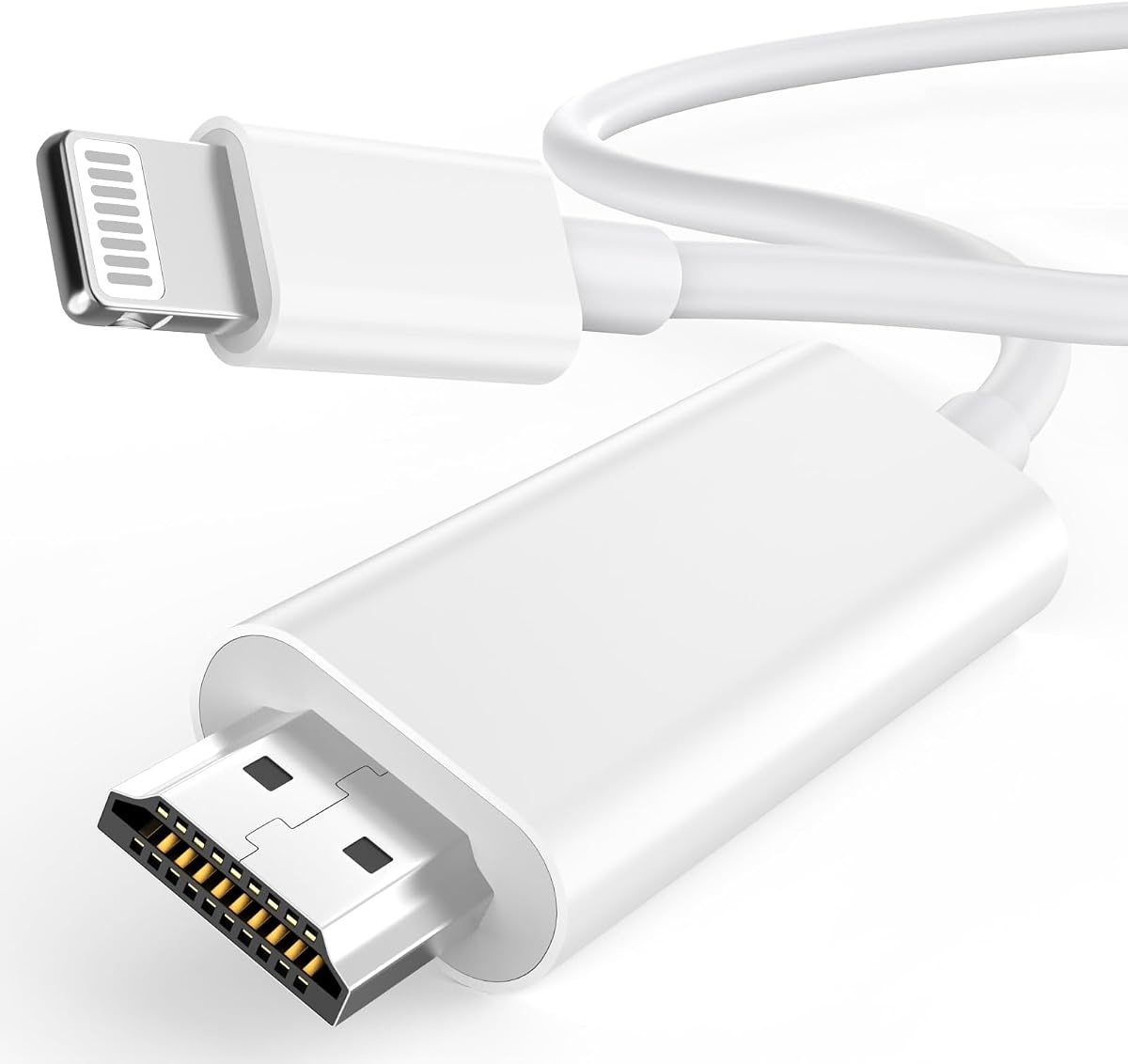
The KikoSaka Lightning to HDMI Cable earns a 4.3 rating and is identified as Apple MFi Certified. Its defining attraction is simplicity: it is a dedicated Lightning-to-HDMI solution rather than a broad multi-function hub, making it a potentially clean fit for users who only need reliable screen mirroring.
We may earn a commission when you buy through this link, at no additional cost to you.
Compatibility is the main strength documented in the supplied information. The cable lists iPhone 14, 13, 12, 11, X, XR, XS, 8, 7, 6, 5, and SE families, along with iPad, iPod, and other Lightning-interface devices. The stated support for all iOS versions simplifies device planning, although current software behavior should still be confirmed for a particular setup.
The product data is less detailed than that provided for many competing adapters. It does not explicitly describe an integrated charging port, supported applications, resolution, or required television connection steps. As a result, buyers should examine the complete listing and package contents before ordering, especially if they require simultaneous charging or a long fixed cable.
This is a worthwhile premium-style choice for someone who values MFi certification, broad Lightning compatibility, and a dedicated cable design over extra ports. It may be the easiest choice for a straightforward mirror-to-television arrangement, but it is not the strongest selection for buyers whose priority is a documented charging pass-through or multifunction connectivity.
A dedicated cable avoids the extra size and complexity of a hub with USB, headphone, and charging sockets. For basic mirroring from a compatible Lightning device, that focus can be a meaningful convenience.
MFi certification is a meaningful selection criterion because it indicates the accessory is designed within Apple's accessory program. It does not remove HDCP content restrictions, but it can provide greater confidence in Lightning compatibility.
We may earn a commission when you buy through this link, at no additional cost to you.
This Apple MFi Certified Lightning to HDMI cable adapter has a 4.3 rating and is distinguished by a 6.6-foot cable that allows the iPhone to remain farther from the television or projector. It supports up to 1080p mirrored output for apps, games, presentations, websites, and local media.
We may earn a commission when you buy through this link, at no additional cost to you.
The long cable is useful in rooms where the television sits on a cabinet, a projector is positioned overhead, or a short adapter would create awkward tension. It also avoids the need to locate a separate HDMI cable, according to the product description. The MFi-certified chip is presented as supporting stable, lag-free output for common presentation, gaming, and streaming tasks.
The adapter supports a wide range of Lightning iPhones, iPads, and iPods, and its listed applications include YouTube, Hulu Plus, IDMB, Quickly, Family On TV, ABC, NBC, FOX, and local videos. HDCP-protected platforms such as Netflix, Prime Video, Amazon Video, HBO Go, and Hulu are explicitly excluded. A fixed six-foot cable also cannot be shortened, which may be inconvenient for compact stands or travel.
This product is a strong choice for buyers who want an MFi-certified, ready-to-connect cable and enough slack to position a Lightning device comfortably. It suits presentations, shared family screens, and projector setups particularly well. Those wanting a compact dongle or adjustable reach should instead favor a short adapter with its own cable.
The six-foot lead gives users more freedom to place an iPhone on a table, stand, or bed while the display sits elsewhere. It reduces the chance that the connector will be pulled sideways by a short cable.
Because the product information says an additional HDMI cable is unnecessary, it offers a more self-contained setup than most compact dongles. Buyers should still verify the included cable and connector arrangement in the package photograph.
We may earn a commission when you buy through this link, at no additional cost to you.
The Apple Lightning to Digital AV Adapter has a 4.2 rating and follows a clean, familiar design for connecting Lightning iPhones, iPads, and iPods to HDMI-equipped displays. It supports mirroring of the device screen as well as video content at up to 1080p high definition.
We may earn a commission when you buy through this link, at no additional cost to you.
Its main strength is directness. The user attaches the Lightning plug, connects an HDMI cable to the television or projector, and changes the display's input source. There is no stated requirement for an application, driver, wireless network, or special power supply. It also supports both video and audio, making it suitable for local movies, television shows, captured video, presentations, and mirrored applications.
The limitation is that an HDMI cable is sold separately, and no charging pass-through is described. That means the adapter can occupy the phone's only Lightning port without providing a route for power. The product information also does not claim support for a particular set of streaming services, so buyers should not assume that protected apps will work.
This adapter suits buyers who value a minimalist Apple-style accessory and a dependable basic connection more than charging, extra ports, or app-specific functionality. It is a sensible option for playing saved video and mirroring presentations, but users who need simultaneous charging should examine a model with an integrated charging port.
The described workflow closely follows the traditional Lightning Digital AV Adapter format. That familiarity makes it easy to understand and use with a television, projector, or monitor that accepts HDMI.
Supporting both audio and video makes the adapter appropriate for media playback as well as presentations. Its 1080p ceiling is suitable for many common displays, though it is not a high-resolution 4K Lightning solution.
We may earn a commission when you buy through this link, at no additional cost to you.
This Lightning to HDMI Adapter for iPhone has a 4.4 rating, making it one of the higher-rated products in this comparison. It combines 1080p mirrored output, audio synchronization, and an integrated charging connection in a compact adapter intended for a wide range of Lightning devices.
We may earn a commission when you buy through this link, at no additional cost to you.
The most useful distinction is its charging arrangement. A 5V 1A USB charging cable must be plugged in before use, allowing the phone to charge while it sends video and audio to a television, projector, or monitor. The product description says no driver, app, WiFi connection, or personal hotspot is required, and users approve the standard Trust prompt before the connection completes.
The compatibility list spans iPhone 14 through Lightning-era iPhone 5, 6, 7, 8, X, XR, XS, and 11 families, along with iPod and other Lightning devices. Support is stated for iOS 17 and earlier. The familiar HDCP limitation remains: Netflix, Prime Video, Amazon Video, HBO Go, Hulu, and other protected applications do not work.
This adapter is a well-rated option for presentations, local video, and ordinary mirrored content where charging during use matters. The mandatory 5V cable adds a small setup requirement, and the title's 4K reference should not be mistaken for 4K Lightning output because the stated mirroring resolution is 1080p.
The dedicated charging path is useful for long meetings, lessons, and media sessions. Its requirement for a 5V 1A USB cable means the user should keep that cable accessible rather than treating the adapter as entirely cable-free.
The stated application list includes YouTube, Quickflix, Hulu Plus, IDMB, Family On TV, ABC, NBC, FOX, Microsoft Office, and locally saved videos. Recognizing the HDCP exclusions in advance prevents an otherwise disappointing purchase.
We may earn a commission when you buy through this link, at no additional cost to you.
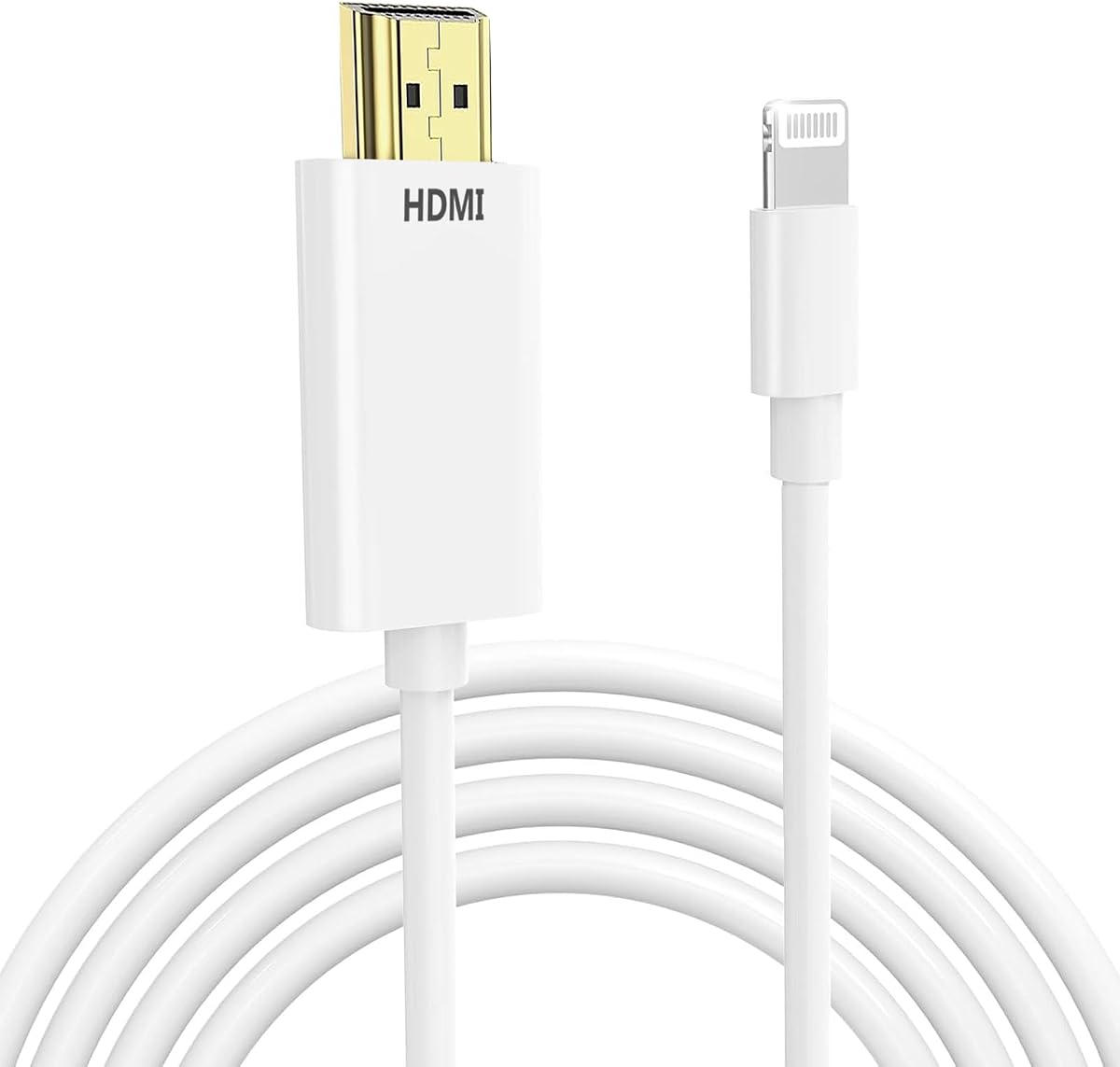
The lulaven Lightning to HDMI Adapter Cable has a 4.3 rating and an unusually clear description of both its capabilities and limitations. It offers 1080p screen mirroring from Lightning iPhones and iPads, requires no WiFi, application, or complicated setup, and is positioned as a practical everyday adapter.
We may earn a commission when you buy through this link, at no additional cost to you.
Its strongest selling points are clarity and versatility. The product supports YouTube, ABC, NBC, FOX, Hulu Plus, local videos, photos, games, and more than 50 listed applications. It is also presented as suitable for business meetings, classrooms, live lessons, gaming, slideshows, and fitness viewing, making it more of a general presentation tool than a streaming-only accessory.
The listing explicitly explains that HDCP-protected applications such as Netflix, Prime Video, HBO, and Disney+ will not work because of Apple's policy restrictions. It also states that the Lightning version does not support USB-C devices, including iPhone 15, 16, and 17, and directs buyers to verify the model before ordering. Maximum output is 1080p rather than 4K.
This is the guide's featured budget selection because it combines broad everyday use, straightforward operation, and unusually candid expectations. It is an excellent choice for a Lightning iPhone or iPad owner who needs presentations, local media, photos, or mirrored applications. It will not satisfy a buyer seeking protected streaming or a USB-C-capable connection.
The same adapter can support slide decks, classroom material, photo displays, gaming, and fitness routines. That range makes it more adaptable than an adapter intended solely for one category of media.
Clear disclosure of the 1080p ceiling, unsupported protected apps, and lack of USB-C support reduces uncertainty. A buyer who can accept those limits receives a simple product designed for a Lightning-oriented workflow.
We may earn a commission when you buy through this link, at no additional cost to you.
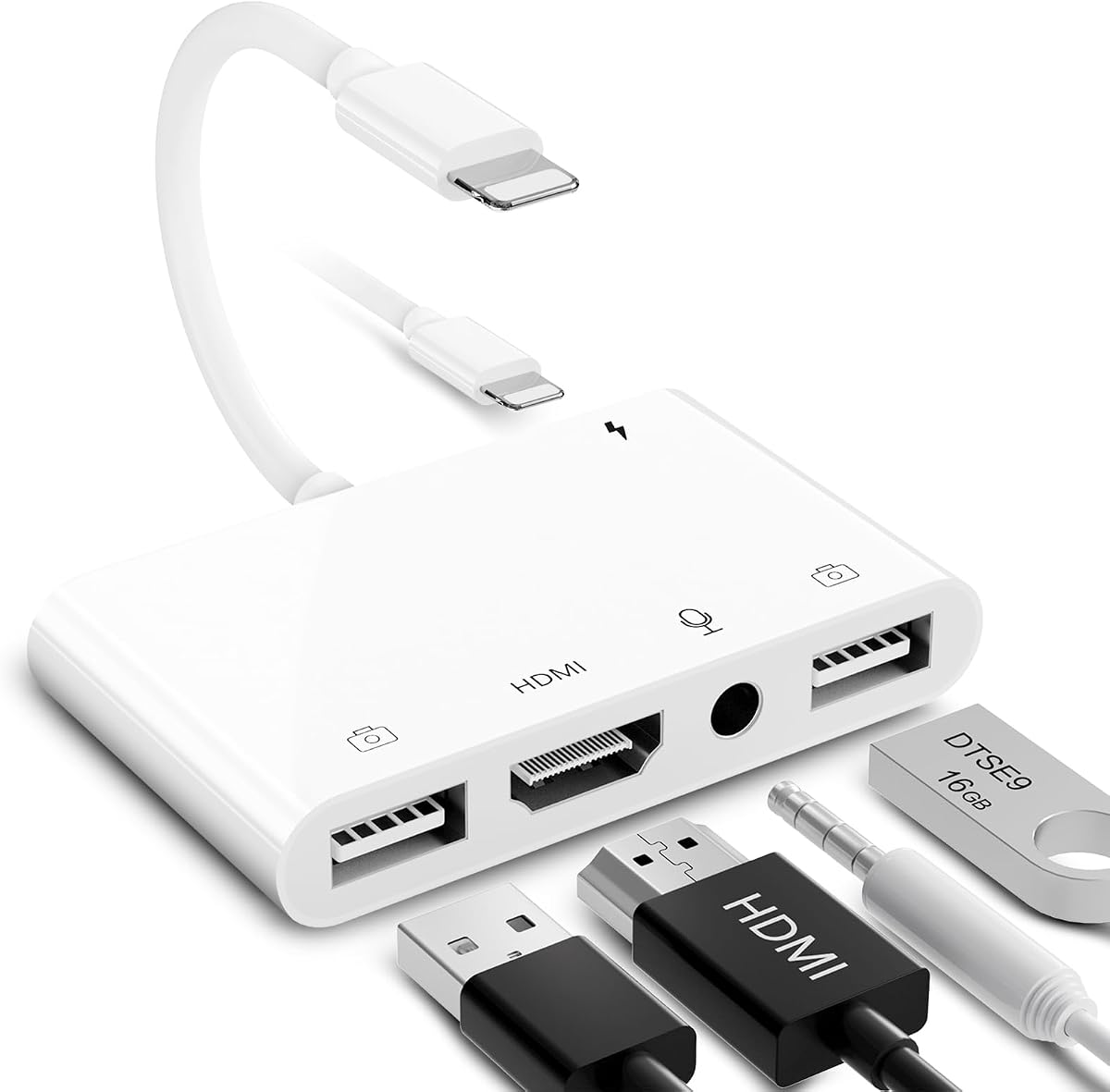
The Dual USB OTG HDMI Adapter is a five-in-one Lightning hub rated 4.3 by customers. Unlike a simple screen-mirroring dongle, it combines an HDMI port, two USB ports, a 3.5mm microphone and headphone jack, and a Lightning charging connection through a single interface.
We may earn a commission when you buy through this link, at no additional cost to you.
That port selection gives it unusual flexibility. USB keyboards and mice can be connected for document editing and typing, while flash drives, hubs, cameras, and supported music peripherals can use the USB data ports. The listed transfer speed is 60MB/s to 90MB/s. The 3.5mm connection also supports headphones and microphones for selected live-streaming and music applications, including YouTube, TikTok, Twitch, Spotify, iTunes, and Google Play Music.
The HDMI side supports mirrored or extended presentation-style content on compatible televisions, projectors, and monitors, while the charging port helps maintain power. The product details recommend waiting about 15 seconds for the first connection and connecting power if HDMI output becomes unstable. Phone calls are not supported through the audio connection, and protected streaming applications remain excluded.
This is the best choice in the list for a user who wants a compact workstation or production hub rather than one-purpose video accessory. Its extra size and broad feature set are justified for editing, peripherals, audio, and charging. A casual viewer seeking a tiny dongle will find a simpler model more appropriate.
The two USB data ports allow compatible keyboards, mice, storage, and other peripherals to connect through one Lightning hub. This is particularly useful for mobile editing, classroom instruction, or document-focused tasks.
The 3.5mm jack supports headphone listening and microphone use in many compatible applications. It is not a universal replacement for every phone function, and the specification explicitly notes that phone calls are not supported.
We may earn a commission when you buy through this link, at no additional cost to you.
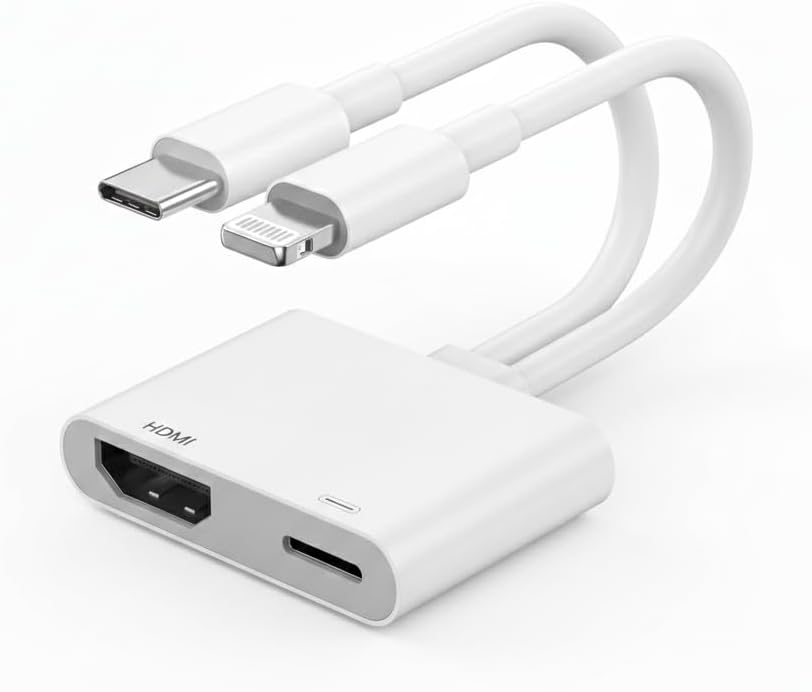
This MFi Certified USB-C and Lightning to HDMI Adapter has the joint-highest customer rating in the comparison at 4.6. It is also the only selected product designed to accommodate both Lightning and USB-C devices, making it the most versatile option for households using iPhones, iPads, Macs, and compatible phones from other manufacturers.
We may earn a commission when you buy through this link, at no additional cost to you.
Its USB-C performance is the standout feature. The product supports 4K at 60Hz in USB-C mode and is listed as compatible with HDCP-protected content, including Netflix, Prime Video, and HBO Max in the appropriate USB-C configuration. The Lightning side supports 1080p-style Lightning use, YouTube, network channels, and locally saved videos, but the supplied details exclude protected services such as Netflix, Prime Video, and HBO Max for Lightning devices.
A built-in USB-C charging port provides up to 100W Power Delivery, allowing compatible devices to charge while the display remains active. Setup is still conventional: connect the device and an HDMI cable, accept the Trust prompt, and select the appropriate display input. The product is backed by a stated 24-month warranty and dedicated customer support.
This is the strongest general recommendation for buyers who want one accessory to cover both Lightning and USB-C equipment. It is especially attractive for recent USB-C iPhones, iPads, and MacBooks. Buyers restricted to a Lightning iPhone and seeking protected streaming should not treat the adapter's USB-C capabilities as applying to their device.
Supporting both Lightning and USB-C allows the same adapter to remain useful when an Apple device transitions to a newer connector. It can also serve compatible Samsung Galaxy, Google Pixel, and MacBook equipment.
The advertised 4K at 60Hz capability applies to the USB-C side of the product. Lightning connections remain subject to Apple's content and output limitations, so buyers should match the mode to their actual device.
Up to 100W of Power Delivery makes the charging port useful for demanding tablets and laptops as well as phones. The actual charging rate depends on the connected device, power supply, and cable.
We may earn a commission when you buy through this link, at no additional cost to you.
The Apple Lightning to Digital AV Adapter has a 4.6 rating and provides the core Apple-style connection experience covered in this guide. It works with Lightning-equipped iPhones, iPads, and iPods and sends mirrored screens, applications, presentations, websites, and slideshows to an HDMI display at up to 1080p.
We may earn a commission when you buy through this link, at no additional cost to you.
The adapter also outputs movies, television shows, and captured video. Users attach it directly to the Lightning connector and then connect their display through a separately purchased HDMI cable. This short workflow and broad device support make it a familiar choice for users who want a basic adapter without additional ports or wireless setup.
No integrated charging port is stated, so it is best suited to shorter sessions or use with external power available. The separate cable requirement adds a small extra step, and the 1080p ceiling is lower than the USB-C output offered by the featured dual-connector model. As with the broader category, protected streaming behavior depends on the source application and Apple's policies.
This adapter earns a place in the ranking because its rating reflects a well-established, focused product rather than a feature-heavy alternative. It is a strong recommendation for basic mirroring, saved media, and presentations using a Lightning device. Buyers wanting simultaneous charging, multiple USB ports, or modern USB-C support should choose a more specialized model.
The product description centers on a single clear function: moving the device display to a larger screen. That focused design can be preferable for users who have no need for peripheral ports or pass-through charging.
Besides live mirroring, the adapter can output stored movies, television shows, and captured video. This makes it useful for both entertainment and professional presentations as long as the source content is compatible.
We may earn a commission when you buy through this link, at no additional cost to you.
The most important factors are connector compatibility, output resolution, protected-content behavior, cable arrangement, and whether the adapter must charge a device during use. Checking these details before buying prevents most disappointments with Lightning-to-HDMI accessories.
A Lightning adapter requires an iPhone, iPad, or iPod with a Lightning port. This includes many older iPhone generations through the iPhone 14 family, but it does not serve iPhone 15, 16, or 17 models, which use USB-C. Several iPads also moved to USB-C, so checking the port rather than relying only on the device name is essential. The dual-connector adapter in this guide is the exception because it supports both Lightning and USB-C devices.
Most Lightning products in this comparison support up to 1080p output, which remains practical for televisions, projectors, and monitors. The featured USB-C and Lightning model advertises 4K at 60Hz, but that higher resolution applies to compatible USB-C devices rather than the Lightning side. Consider the resolution of the target display, the quality of the source content, and whether screen mirroring or extended presentation views are actually required.
HDCP-protected services may display a black screen or refuse to mirror through a Lightning adapter. The supplied product information identifies Netflix, Prime Video, Amazon Video, HBO Go, Hulu, Disney+, HBO Max, and other protected services as unsupported on many Lightning models. YouTube, local videos, photos, presentations, and several broadcast applications are more consistently listed as compatible. The USB-C mode of the dual-connector product is the notable exception in this comparison, although iPhone 15, 16, and 17 are expressly excluded from that exception.
A Lightning adapter with pass-through charging can keep the phone powered during long films, meetings, or lessons. Some models work without external power, while the adapter with the highest customer rating requires a 5V 1A USB cable to be connected before use. Apple's basic Digital AV Adapter design has no stated charging option. The two-in-one USB-C and Lightning model offers up to 100W pass-through charging, making it particularly useful with higher-power tablets and laptops.
A compact dongle is easy to carry and works with the HDMI cable you already own. A fixed integrated cable is more self-contained and may offer better positioning, while a multiport hub adds USB, audio, and charging functionality. Consider bag space, the number of peripherals, cable length, and whether a short connector is likely to pull against the phone. The most feature-rich option is not automatically the easiest one to carry.
Apple MFi certification indicates that an accessory is designed within Apple's MFi program and provides additional confidence in Lightning compatibility. It does not guarantee support for every protected streaming service or every iOS update. Certification remains useful, but buyers should still compare resolution, connector design, charging support, and the stated device list. Several products in this guide identify MFi certification, while Apple's own adapters provide a similarly focused alternative.
The adapters differ in their listed application support. Common options include YouTube, ABC, NBC, FOX, Hulu Plus, IDMB, Quickly, Family On TV, Microsoft Office, and locally saved video. A broader app list can be helpful, but support still varies by operating system and content rights. For presentations, confirm that the needed presentation, spreadsheet, browser, or video application appears in the product description and test it before an important event.
For travel, a pocket-size adapter is easier to carry than a multiport hub, and a dongle usually leaves the phone's charging port free unless pass-through charging is built in. Fixed cables should be coiled rather than tightly bent, and multiport hubs require more space in a bag. Check connector shape, included cable length, and whether your device case allows the Lightning plug to seat fully.
Begin by checking that the iPhone or iPad has a Lightning port and that the adapter's specifications support the intended display and applications. Connect the adapter directly to the device, connect an HDMI cable between the adapter and television, projector, or monitor, and select the correct HDMI input. If the adapter requires charging, connect its specified power cable before starting.
After making the physical connections, unlock the Apple device and approve the Trust prompt when it appears. Wait several seconds for the display to recognize the signal, then open the desired app, website, slideshow, game, or saved video. If the screen remains blank, change the display input, reconnect the cable, and confirm that the chosen content is not restricted by HDCP.
For care, remove the adapter before moving the iPhone or changing displays, and avoid pulling on the attached cable. Keep the Lightning contacts free of dust and moisture, do not bend the connector sharply, and coil longer cables loosely. Unplug the charging connection when it is no longer needed, and periodically verify that Apple software updates have not changed compatibility or app behavior.
Most Lightning-to-HDMI adapters cannot display Netflix because the service uses HDCP content protection. The product descriptions for several models in this guide specifically exclude Netflix, Prime Video, Amazon Video, HBO Go, Hulu, and similar services. The dual USB-C and Lightning adapter supports protected content in its USB-C mode, but the supplied information excludes iPhone 15, 16, and 17 from that exception. Always check the exact listing and your device connection.
No. Most Lightning adapters in this comparison support screen mirroring at up to 1080p, which is suitable for many televisions, projectors, and monitors. The featured USB-C and Lightning adapter advertises 4K at 60Hz for compatible USB-C devices, but that specification should not be applied to a Lightning iPhone. Resolution also depends on the source app, device, cable, and display.
A standard Lightning adapter will not work with those models because they use USB-C. The dual-connector USB-C and Lightning adapter is a potential exception, but its supplied details explicitly state that iPhone 15, 16, and 17 are exceptions to its USB-C support. Buyers should verify the current listing and the precise device model before ordering.
Most compact dongles require a separate HDMI cable, including the basic Apple Lightning Digital AV Adapter designs. Some integrated-cable products, such as the six-foot Apple MFi cable adapter, include the television connection and are intended to work without another cable. Check the package contents and product description because the requirement differs among the products reviewed here.
Yes, when the adapter includes pass-through charging. Several options in this guide have an integrated charging port, while Apple's basic Digital AV Adapter does not state a charging feature. The Lightning adapter with the highest rating requires a 5V 1A USB cable to be connected before use, and the dual USB-C and Lightning model supports up to 100W Power Delivery for compatible USB-C devices.
The listed Lightning adapters are designed primarily for direct cable connection without a companion app, driver, personal hotspot, or WiFi network. The user generally needs to approve the standard Trust prompt on the Apple device and select the correct input on the display. Multiport models may still require an appropriate USB device or peripheral driver for that peripheral's specific functions.
The physical connector and supported device generation are the main differences. Lightning adapters are designed for older iPhones, iPads, and iPods with Lightning ports, whereas USB-C adapters serve newer Apple devices and many modern laptops, tablets, and phones. The dual-connector adapter in this guide can serve both categories, but its content restrictions and maximum resolution differ between Lightning and USB-C modes.
First confirm that the correct HDMI input is selected and that both cables are firmly seated. Then unlock the iPhone, approve any Trust prompt, and wait for the connection to establish. Check whether the app or video is protected by HDCP, because no amount of adapter adjustment will make unsupported protected content appear. Finally, restart the iPhone, reconnect the display, and verify the adapter's stated power requirements.
The MFi Certified USB-C and Lightning to HDMI Adapter is the strongest all-around recommendation because it combines a 4.6 rating, two connector standards, high-resolution USB-C output, and up to 100W pass-through charging. The lulaven cable stands out as a value-oriented option with clear compatibility guidance, while Apple's Lightning to Digital AV Adapter delivers a focused, familiar experience with a top-tier 4.6 rating.
Prioritize your actual use case before choosing. A Lightning owner focused on presentations, photos, games, and local video may prefer a compact charging dongle or a long integrated cable. A mixed-device household should consider the USB-C and Lightning model, while a mobile editor or streamer may need the five-port hub with USB data, audio, and charging connections. Verify protected-content support, cable requirements, and device compatibility every time.
Product specifications and availability can change, and current prices should be checked before purchase. Read the final listing carefully, particularly its supported operating systems, application notes, included accessories, and return terms. With those details confirmed, an HDMI Lightning Adapter for iPhone can provide a convenient and dependable path to a much larger screen.