
MFi Certified 3-in-1 Flash Drive
4.4Editor score
MFi-certified three-interface design
256GB mobile storage capacity
One-click photo backup
Touch ID file encryption
Discover the best flash drives for iPhone, comparing connectors, apps, encryption, backup features, compatibility, and portability for everyday storage needs.
Flash drives for iPhone provide a practical way to expand storage, move large files, and keep important photos or videos accessible without relying entirely on cloud services. The right model should connect cleanly, work with your iOS version, offer dependable backup tools, and fit comfortably into your mobile routine.
We compared all ten products by examining capacity, connector design, iPhone and iPad compatibility, app requirements, backup features, encryption options, portability, and stated transfer performance. The list includes Lightning-based drives, USB-C options, and dual-interface models for people working across Apple and non-Apple devices.
Each review highlights the product's strongest use case while also noting important limitations. From large-capacity storage to simple direct file access, these picks show what is available in November 2026, although retail pricing, availability, app behavior, and device support can change over time.
4.4Editor score

4.3Editor score
4.5Editor score
This side-by-side comparison highlights each flash drive's capacity, connection method, backup support, and security options so you can quickly identify the most suitable option for your iPhone or iPad.


The USB Flash Drive for iPhone/iPad combines 256GB of storage with USB, Lightning, and USB-C interfaces, earning a 4.4 rating among buyers. Its MFi certification is a meaningful advantage for iPhone users because it signals that the drive has been designed around Apple's accessory requirements rather than offering an uncertified alternative.
We may earn a commission when you buy through this link, at no additional cost to you.
The multi-interface design makes this one of the most adaptable options in the guide. It can connect directly to compatible iPhones and iPads, OTG-enabled Android devices, and computers. Within the U-Disk app, users can back up photos, videos, and phonebooks, save new in-app camera content automatically, play stored media, and share files with social platforms. Encryption can apply to the entire drive or selected files, with Touch ID or a passcode available for protection.
The main drawback is dependence on the required U-Disk app for iOS use. That requirement adds an extra setup step, and the stated compatibility begins with iOS 12.1. Although automatic camera saving and direct media playback are convenient, actual transfer speed and app responsiveness can vary by device, file size, and the source media being copied.
This is a strong recommendation for iPhone owners who want generous capacity, several connector options, and thorough backup functionality without moving to a higher-capacity specialized design. It is particularly useful for travel, shared family storage, and users who alternate frequently between Apple and non-Apple devices.
The U-Disk app can organize one-click backups of photos, videos, and phonebook data, while its in-app camera automatically saves captures to the drive. That combination helps separate new memories from the phone's limited internal storage without requiring constant manual transfers.
Users can protect the entire drive or individual files with Touch ID or a passcode. This is more flexible than a single storage-wide setting and is useful when one drive contains both everyday media and more sensitive documents.
We may earn a commission when you buy through this link, at no additional cost to you.
This 128GB MFi-certified flash drive provides USB, Lightning, and USB-C connections and carries a 4.3 rating. It is a sensible middle-ground option for users who want to move photos, videos, and documents among an iPhone, iPad, Android phone, PC, or Mac without carrying several separate adapters.
We may earn a commission when you buy through this link, at no additional cost to you.
Its strongest feature is the combination of one-click backup and automatic camera storage. The U-Disk app can save photos, videos, and phonebook information, while media captured through the in-app camera is automatically directed to U-Disk albums. Stored music and movies can also be played back when needed, making the drive useful beyond emergency storage transfers.
Compared with the first pick, its main limitation is capacity. A 128GB drive can still hold plenty of documents and a meaningful photo collection, but photographers or frequent video creators may fill it more quickly. It also requires the U-Disk app for iOS devices, and its stated operating-system requirements should be checked before use.
Choose this model if you need a dependable three-interface drive for everyday iPhone storage and cross-platform transfers, but do not need the larger capacity offered by several 256GB alternatives. It is well suited to everyday organization, document transfer, and sharing media with friends or colleagues.
The in-app camera can save new photos and videos directly into organized U-Disk albums. Automatic storage reduces the chance of filling the iPhone with large media files and makes the drive especially relevant during trips, events, and extended periods away from a computer.
USB, Lightning, and USB-C interfaces cover most current phone and computer workflows. The included keychain design also makes the lightweight drive easier to keep with a bag, keys, or travel kit.
We may earn a commission when you buy through this link, at no additional cost to you.
The SANDISK 256GB Phone Drive combines USB-C and Lightning connectors, giving it one of the clearest upgrade paths across recent and older iPhone models. With a 4.3 rating, it stands out for organized backup management, flexible password protection, and support for both Apple's Files app and the SANDISK Memory Zone app.
We may earn a commission when you buy through this link, at no additional cost to you.
For iPhone 15 and newer models using USB-C, the drive can work with the SANDISK Memory Zone app or the Apple iOS Files app, although automatic backup requires the SANDISK app. Lightning-equipped iPhone 14 and older models require the app for copy and backup functions. Users can choose manual or automatic backups, monitor real-time progress, multitask in the background, and use partial backups when storage is constrained.
The strongest feature is its clearly structured app experience, which puts backup status, file management, and encryption in one place. That is more convenient than a drive whose main advantage is only its connector count. The trade-off is that Lightning users cannot avoid the app for copying and backup, and the drive's claimed performance will depend on the connected device and the file sizes involved.
This is the most broadly practical recommendation for iPhone users who want a reputable phone-storage workflow with automatic backup, encryption, and support across both USB-C and Lightning generations. It is especially suitable for users who periodically need space for photos, videos, documents, or media while traveling.
Manual and automatic modes let users choose when a backup occurs, while real-time progress and partial backup support make long transfers easier to manage. The same drive can therefore serve as occasional overflow storage or a routine backup destination.
Password-protected file encryption adds a useful security layer for confidential documents and personal media. Keeping the protection tied to the app also gives iPhone users a direct way to manage access.
We may earn a commission when you buy through this link, at no additional cost to you.
The Lexar D50E is a compact USB-A and USB-C solid-state dual drive with a 4.6 rating, the highest customer rating among the products listed. Its headline strengths are fast stated performance, a cable-free design, durable metal housing, and a Lexar app that offers photo backup for iOS and Android.
We may earn a commission when you buy through this link, at no additional cost to you.
With speeds listed at up to 400MB/s read and 360MB/s write, the D50E is designed for users who move large collections of photos, videos, or documents and want an adapter-free experience. The dual connectors support broad device compatibility, while the app's photo backup function adds a mobile workflow beyond conventional computer storage.
It is important to distinguish this model from a conventional Lightning iPhone flash drive. It does not have a native Lightning connector, so older iPhones and many iPads would require an appropriate USB-C-to-Lightning adapter and compatible host setup. The stated comparison with USB 3.0 is based on internal testing, and actual results vary. The app also does not support iCloud content backup.
This is an excellent choice for a USB-C iPhone user who values speed, durability, and app-assisted photo backup, or for anyone building a mixed-device portable storage kit. For an older iPhone, confirm adapter compatibility before buying, and use the app-based backup workflow rather than expecting a full Lightning-native experience.
The stated read and write speeds make the D50E suitable for users who regularly move large photo and video sets. Its solid-state construction and metal housing also create a reassuring combination of portability and physical protection.
With both USB-A and USB-C connectors, the drive works across many laptops, tablets, and modern phones without a permanently attached cable. That makes it useful for users who want one drive to cover several categories of equipment.
We may earn a commission when you buy through this link, at no additional cost to you.
This blue 256GB MFi-certified flash drive offers USB, Lightning, Micro USB, and Type-C connections, creating the broadest explicit interface list in the guide. Its 4.1 rating reflects a functional design aimed at users who move between modern and older mobile devices as well as computers.
We may earn a commission when you buy through this link, at no additional cost to you.
The retractable construction helps protect the connector while the attached keychain improves portability. Within the required iPhone app, users can back up videos, pictures, and documents with one click, store media directly on the drive, encrypt files or apps, and play back music and videos. The additional Micro USB interface remains useful for compatible legacy Android equipment and other devices that still rely on that port.
The drawback is that four interfaces do not automatically guarantee seamless operation across every device. iPhone users must download the required app, Android users generally need OTG enabled, and the stated iOS 12.1-or-later requirement limits older hardware. The product's 4.1 rating is also lower than the stronger options in the ranking.
This model makes sense for users who still work with legacy devices or want maximum connector coverage. For the newest iPhones, the SANDISK drive offers a more focused and clearly explained backup experience, while this four-interface option is best valued by people who prioritize physical connectivity options.
Adding Micro USB alongside Lightning and USB-C makes this drive especially interesting for users with older Android accessories. The variety reduces the need to carry separate adapters when working across several generations of mobile hardware.
The retractable design reduces exposure of the connectors, and the attached keychain helps prevent the drive from being left behind. One-click backups add a simple path to moving common media categories off the phone.
We may earn a commission when you buy through this link, at no additional cost to you.
The Lexar D40E is a 128GB USB-A and USB-C drive built around a 360-degree swivel design, a metal enclosure, and plug-and-play operation. Its 4.3 rating reflects a solid general-purpose storage option, although it is primarily a computer and USB-C mobile accessory rather than a native Lightning iPhone drive.
We may earn a commission when you buy through this link, at no additional cost to you.
The dual connectors support Type-C smartphones, tablets, laptops, Macs, and traditional Type-A devices without requiring software installation. Listed transfer speeds reach 100MB/s, while the enclosure is specified to withstand temperatures from 0 to 50 degrees Celsius. The drive weighs 26 grams and measures 70.4 by 16.9 by 11.7 millimeters, making it easy to carry.
For iPhone users, the absence of a native Lightning connector is the central limitation. USB-C iPhones and iPads may be able to use it with compatible cables or adapters, but older Lightning models need additional hardware. It also lacks the dedicated app-based photo backup and automatic camera features found in the leading Lightning-oriented models.
Choose the D40E when you need a small, secure, cable-free drive for USB-C and USB-A equipment. It is a good supporting tool for a modern Apple setup, but it is not the most direct choice for an older iPhone or for someone whose main goal is one-click mobile photo backup.
The rotating enclosure keeps the USB-A and USB-C connectors attached to the body, removing the need for separate caps. This makes the drive convenient to carry and reduces the chance of losing a protective piece.
A metal body, 256-bit AES encryption, and a three-year limited warranty support the drive's role as a compact storage solution. The security software provides an added layer for files that need more protection than ordinary removable media offers.
We may earn a commission when you buy through this link, at no additional cost to you.
The 512GB Flash Drive for iPhone/iPad offers the largest capacity in this guide, paired with USB-C, Type-iOS, and an included USB-A adapter. Its 4.5 rating makes it an appealing premium choice for photographers, filmmakers, and other users who need considerably more local storage than a conventional phone provides.
We may earn a commission when you buy through this link, at no additional cost to you.
The mFlash app supports copying, managing, and transferring photos, videos, music, and documents. Because the drive includes a Type-iOS connector, it can be used directly with compatible iPhone and iPad devices, while the USB-C side and USB-A adapter extend the workflow to modern phones, tablets, and computers. This is a broad hardware package for users who do not want to carry separate storage media for each connector type.
The trade-off is that iPhone and iPad users must download the mFlash app and grant photo or file access permissions. It is also explicitly not compatible with Micro USB devices. While the 512GB capacity is generous, users should recognize that formatting and other system functions can reduce the amount available for personal files.
This is the top recommendation for buyers who prioritize capacity above all else. It is particularly appealing for a large iPhone media library, offline travel storage, or a shared drive used for both Apple and modern USB-C or USB-A equipment.
A 512GB drive can hold a much larger working library of photos and videos than most smartphone storage. That makes it useful for creators who need to move large batches without deleting source files as quickly as they are created.
The USB-C connector, Type-iOS connector, and included USB-A adapter cover most modern storage workflows. Users can transfer files between iPhones, iPads, computers, and compatible phones without building a kit around multiple separate drives.
We may earn a commission when you buy through this link, at no additional cost to you.
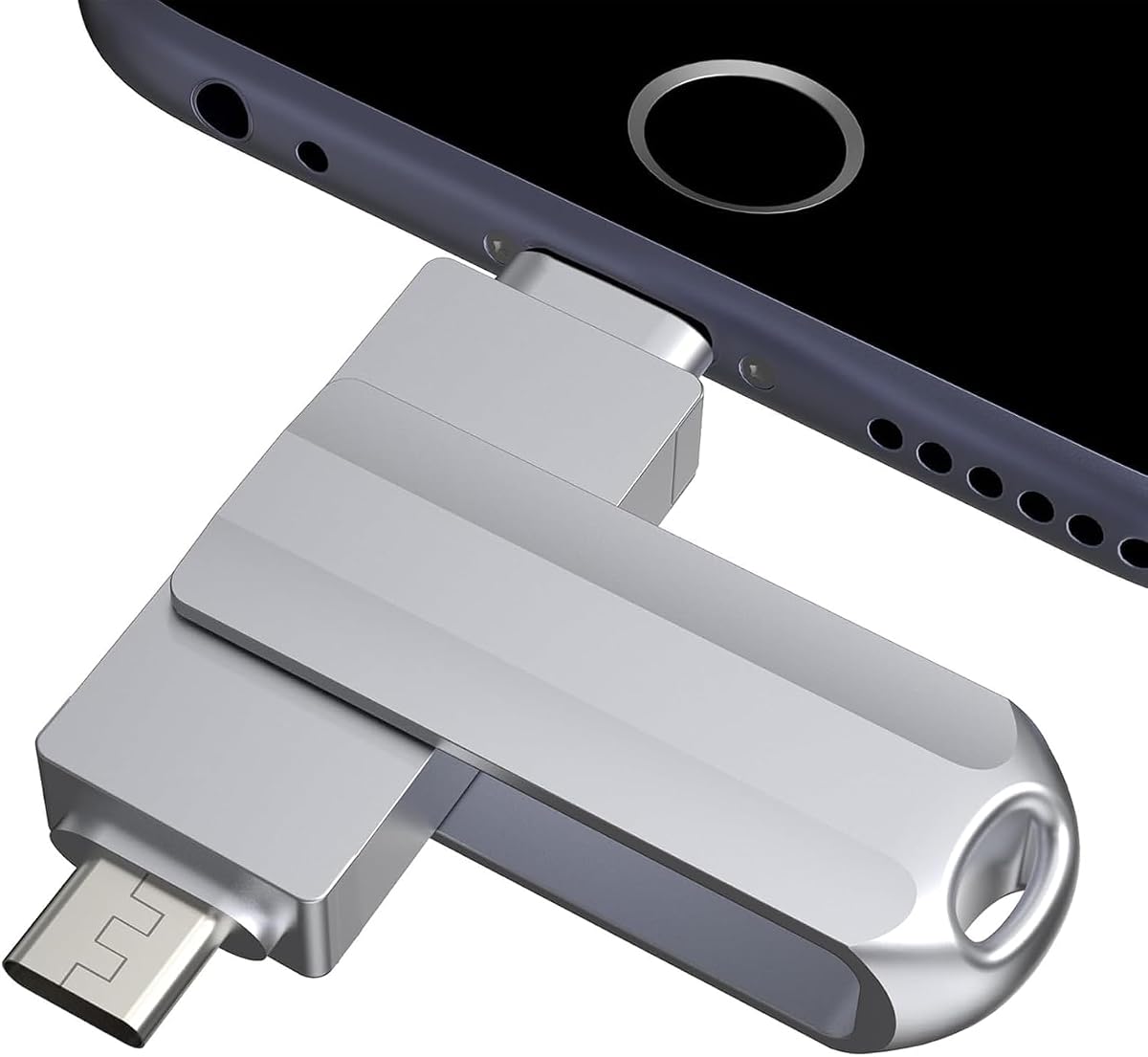
This MFi-certified 256GB drive combines USB, Lightning, and USB-C interfaces in a metallic silver body. With a 4.1 rating, it offers a recognizable combination of capacity, app-based backup, and cross-device connectivity, though it does not lead the category in customer rating or stated speed.
We may earn a commission when you buy through this link, at no additional cost to you.
The drive supports one-click backup of photos, videos, and phonebook information through its app, along with direct media storage and sharing to platforms such as Facebook and Twitter. Individual files can be encrypted, while the keychain design helps prevent the drive from being misplaced. Stated read and write speeds reach 80MB/s and 40MB/s, respectively.
As with many MFi flash drives, iPhone and iPad users need to install the app, and Android users generally need OTG enabled. The stated compatibility covers iOS 12.1 and later. It also includes a capacity note reflecting the difference between decimal and binary measurement systems, meaning the amount available to users can be lower than the headline number.
This is a sensible choice for users who want 256GB, a direct Lightning connection, and familiar one-click backup features in a compact drive. It is less attractive for users who prioritize maximum transfer speed, but its balanced feature set works well for routine photo and document management.
The 256GB capacity provides room for a substantial collection of photos, videos, and documents without making the drive excessively large. Its keychain attachment makes it practical to keep available for trips or daily work.
Backed-up media can be shared directly to social platforms from the app's photo storage. Individual file encryption offers protection for documents or personal content that requires an extra security layer.
We may earn a commission when you buy through this link, at no additional cost to you.
The SSK 256GB dual drive combines USB-C and USB-A 3.2 connectors, earning a 4.4 rating for its speed-focused design. With listed read speeds up to 550MB/s and write speeds up to 500MB/s, it is built for rapid transfers on compatible USB-C equipment rather than for direct Lightning use.
We may earn a commission when you buy through this link, at no additional cost to you.
The zinc alloy shell, protective double-head cover, and stated heat dissipation characteristics make it appealing for people who move large files frequently. It works as plug-and-play external storage across Windows, Mac, Android USB-C phones, tablets, MacBook systems, smart TVs, and compatible car audio equipment. The default exFAT format supports a broad range of systems, with backward compatibility for older USB ports.
The decisive issue for iPhone buyers is that the product is explicitly incompatible with Lightning ports. It may suit iPhone 15 and newer USB-C models, but it cannot serve older iPhones without an appropriate adapter, and it lacks the native iOS mobile backup experience offered by dedicated iPhone flash drives. The impressive speed figures also depend on host hardware, interface, and usage conditions.
This drive is best for USB-C iPhone users, Android power users, and computer owners who want one extremely fast, durable drive across modern systems. Buyers with a Lightning iPhone should choose a dedicated Lightning model instead.
High listed read and write rates suit users who routinely move large video files, extensive photo collections, or other demanding data sets. Actual performance will vary with the connected device, but the specifications place this model firmly in the performance-oriented category.
The zinc alloy body and double-head cover are designed to protect both interfaces during transport. A single 256GB drive can then serve compatible phones, tablets, Macs, Windows computers, and other USB hosts.
We may earn a commission when you buy through this link, at no additional cost to you.
The EATOP 256GB drive distinguishes itself by offering direct iPhone and iPad file access without a required third-party app. It has a 4.2 rating and provides USB, USB-L, Micro USB, and USB-C interfaces, making it a simple option for users who prefer working through Apple's Files app.
We may earn a commission when you buy through this link, at no additional cost to you.
After connecting the drive, compatible iPhone and iPad users can find it in the Files app under Browse, where the drive appears as Untitled. Photos, videos, and files can then be moved directly without internet service. Android devices generally locate the drive through File Manager when OTG is supported. Listed read speed reaches 30MB/s, with write speed lower.
The lower stated transfer rates make this less compelling for users who frequently transfer enormous video files. It also requires iOS 13 or later, and a thick phone case can physically prevent the connector from seating correctly. The product uses decimal capacity measurement, so usable space after formatting will be lower than the headline figure.
Choose this model when app-free operation is a priority and you want direct access through the native Files interface. It is a convenient everyday option for basic file management, contacts, documents, and moderate volumes of photos or videos.
The absence of a mandatory app removes a common source of friction in iPhone storage setups. Once connected, the drive appears in Browse, allowing users to move files with the tools already available on the device.
The drive supports backups of photos, videos, contacts, and documents without requiring an internet connection. That makes it useful in locations where cloud uploads are impractical or where users prefer to maintain a separate local copy.
We may earn a commission when you buy through this link, at no additional cost to you.
The most useful flash drive is one that connects to your specific iPhone, provides the backup workflow you need, and holds enough data for your usual media library. Connector type, app behavior, capacity, and security should be considered together before making a choice.
The connector is the first compatibility checkpoint. Lightning-equipped drives connect directly to older iPhone and iPad models, while USB-C drives suit iPhone 15 and newer devices. Some products combine a USB-C plug with a Type-iOS connector, while others add adapters for USB-A or Micro USB. Check the exact iPhone model, iPad generation, and case thickness before buying, because a connector that does not physically fit may prevent recognition.
Capacity should reflect both your current library and the rate at which new content is created. A 128GB drive is useful for documents and a moderate photo collection, while 256GB suits many active users. The 512GB option in this guide is more appropriate for high-resolution video, extensive media archives, or creative work. Formatting and system functions reduce usable space, and manufacturers measure capacities differently, so do not expect the headline number to translate perfectly into available file space.
Some iPhone flash drives require an app for copying, backup, playback, or encryption. Others appear directly in Apple's Files app and require no additional software. App-based products may provide automatic backups, camera capture, progress tracking, and easier security controls, while native-access products reduce setup and keep the workflow within iOS. Review the stated iOS minimum, required permissions, and whether the companion app must be updated before use.
The best backup drive does more than accept a manual copy. Look for one-click backup, automatic camera storage, real-time progress, partial backup support, and organized albums. These features make it easier to maintain a current copy without repeatedly choosing files and folders. A drive that supports automatic storage can be especially valuable during travel, events, or shoots when a phone's internal capacity is most likely to fill.
Encryption can protect sensitive documents, personal photos, and business material. Some iPhone apps support passcode or Touch ID protection for an entire drive, while others allow encryption on individual files. The Lexar D40E adds 256-bit AES protection through its security software, and the SANDISK drive offers password-protected file encryption through its app. Consider how the protection is unlocked and whether it works naturally within your chosen phone workflow.
Published speeds can indicate whether a drive is designed for routine documents, large photo collections, or multi-gigabyte video. Higher-speed USB-C models can reach substantially higher read figures, but real performance also depends on the host device, connection standard, file size, and whether files are cached. For most users, stable app performance and sufficient free space matter more than the largest headline number.
A flash drive is most useful when it is easy to carry and dependable in a bag, pocket, or travel kit. Metal housings, retractable connectors, swivel designs, and keychain attachments can reduce damage or loss. Some MFi products also advertise dustproof, drop-proof, waterproof, anti-magnetic, or high-temperature resistance. Consider where you will use the drive and whether a protective case or keychain would be useful before choosing a design.
A drive may need to work across an iPhone, iPad, Android phone, and computer rather than serving only one device. USB-A and USB-C combinations support most current computers, while Lightning and Micro USB can help with older mobile hardware. Check the stated operating-system requirements, OTG support, file format, and included adapters. A broad interface list is useful only when every connection is supported by the actual devices you own.
Before connecting the drive, confirm that your iPhone or iPad meets the stated iOS requirement. Install the required app if the product uses one, grant file or photo permissions, and update the app and drive firmware when prompted. For native-access models, open the Files app and look under Browse for the storage device, which may appear as Untitled.
Create a clear backup structure with separate folders for photos, videos, documents, and temporary transfer files. Use the drive's one-click or automatic backup feature when available, and review the app's progress rather than disconnecting during a large transfer. If storage is limited, use partial backup support or transfer selected media first. Always eject the drive through the app or Files interface before removing it.
Protect the connectors from force, moisture, and impact, and avoid using the drive while the phone battery is critically low. Keep the storage below its limit, periodically check that important files can be read, and maintain a separate backup of irreplaceable media. Do not treat the drive as the only copy of your most important photos, videos, contacts, or documents.
A regular USB-A drive usually cannot connect directly to an iPhone. You need compatible USB-C or Lightning storage with support for the iOS version you use. Some USB-C drives also require an appropriate adapter, so check the connector and operating requirements before purchasing.
It depends on the product. Several MFi models use a dedicated app for backups, media management, and encryption, while others can be accessed through Apple's Files app without third-party software. App-based drives generally provide more backup controls, while native-access models emphasize simplicity.
A Lightning-only drive will not plug directly into a USB-C iPhone 15 or newer model. You need a USB-C drive or a compatible adapter that supports the connection and required data protocols. A product with both USB-C and Type-iOS connectors can serve new and older iPhone models more conveniently.
Usable space is usually lower than the advertised capacity because the drive reserves some space for formatting and system functions. Manufacturers and computers also use different measurement conventions, with some capacity calculated in decimal units and other systems using binary units. Check the product's capacity note and your device's storage display for the exact amount available.
Several models support automatic camera storage, scheduled or automatic backup, and one-click photo and video copies. Automatic features generally require the manufacturer's app, so users who value a hands-off workflow should prioritize those models. Keep the app updated and retain another backup of irreplaceable files.
Yes, when the drive and its app support direct media playback. The MFi options in this guide describe playing stored movies and music from the drive, while the EATOP model supports direct file management through the Files app. File format and codec support can still affect playback.
Most of the listed drives support at least one or more additional device categories through Lightning, USB-C, USB-A, or Micro USB connections. The exact operating-system versions and adapters differ, so verify the specifications for your iPad and computer. The EATOP model, for example, is not compatible with Micro USB devices.
First, remove the phone case in case it prevents the connector from seating fully. Then confirm that the device meets the required iOS version, that the app is installed when required, and that the drive is formatted for a supported system. Trying another compatible device can help determine whether the problem is specific to the phone, its case, or its configuration.
The SANDISK 256GB Phone Drive is the strongest all-around recommendation because it combines USB-C and Lightning connections with structured manual and automatic backups, progress tracking, partial backup support, and password-protected encryption. For a value-focused MFi option with three interfaces, the silver 256GB flash drive ranks first, while the 512GB model is the most capacity-focused premium choice.
When choosing, prioritize the connector that matches your actual iPhone or iPad, then select a backup workflow you will genuinely use. Lightning compatibility matters for older devices, USB-C is essential for newer models, and capacity should reflect the size and growth rate of your photo and video library. App requirements, encryption, and included adapters are equally important for a frustration-free setup.
Before purchasing, verify the current compatibility notes, iOS requirements, app availability, and product details on the retail listing. Retail pricing and availability can change, and software updates may alter app behavior. A reliable flash drive adds valuable local storage, but the safest approach is to maintain at least one additional copy of irreplaceable content.