Ethernet Cable for HP Printer guide compares 10 RJ45 and USB options for length, shielding, speed, compatibility, durability, and cleaner setup in daily use.
As an Amazon Associate we earn from qualifying purchases. We may earn a commission when you buy through links on this page, at no additional cost to you.As an Amazon Associate we earn from qualifying purchases.Purchases through our links may earn us a commission, at no extra cost to you.
Connecting an HP printer by Ethernet can provide a dependable wired alternative to Wi-Fi, but the cable must fit both the printer and the network path. Cable category, connector style, length, shielding, and installation environment all influence the experience. The wrong cable may be incompatible, inconvenient to route, or poorly suited to an outdoor run.
The products in this guide were compared using the supplied specifications, customer ratings, stated compatibility, conductor design, supported bandwidth, connector construction, and intended applications. The list covers standard RJ45 Ethernet patch cables, high-speed Cat 8 models, a longer Cat 6 option, and one USB A-to-USB B printer cable for installations that require a direct computer connection.
Each review explains where a product makes the most sense, along with the limitations implied by its design. The top selections are the Amazon Basics Cat-6 10-foot cable, UGREEN Cat 8 6-foot cable, and Cable Matters Cat 6 25-foot cable. Prices and availability can change, so verify current listings before purchasing.
Top 3 Picks for Best Ethernet Cable for HP Printer
Best Budget
Amazon Basics RJ45 Cat-6 Ethernet Patch Cable, 1Gbps Transfer Speed, Gold-Plated Connectors, 10 Foot, Fast Data Transfer for PC, Laptop, Gaming Consoles, Router, Printer, Black
Top 10 Best Ethernet Cable for HP Printer in 2026 Compared
The comparison covers connector type, cable length, category, maximum stated speed, and notable installation features. It also distinguishes Ethernet network connections from the direct USB printer connection represented by the tenth product.
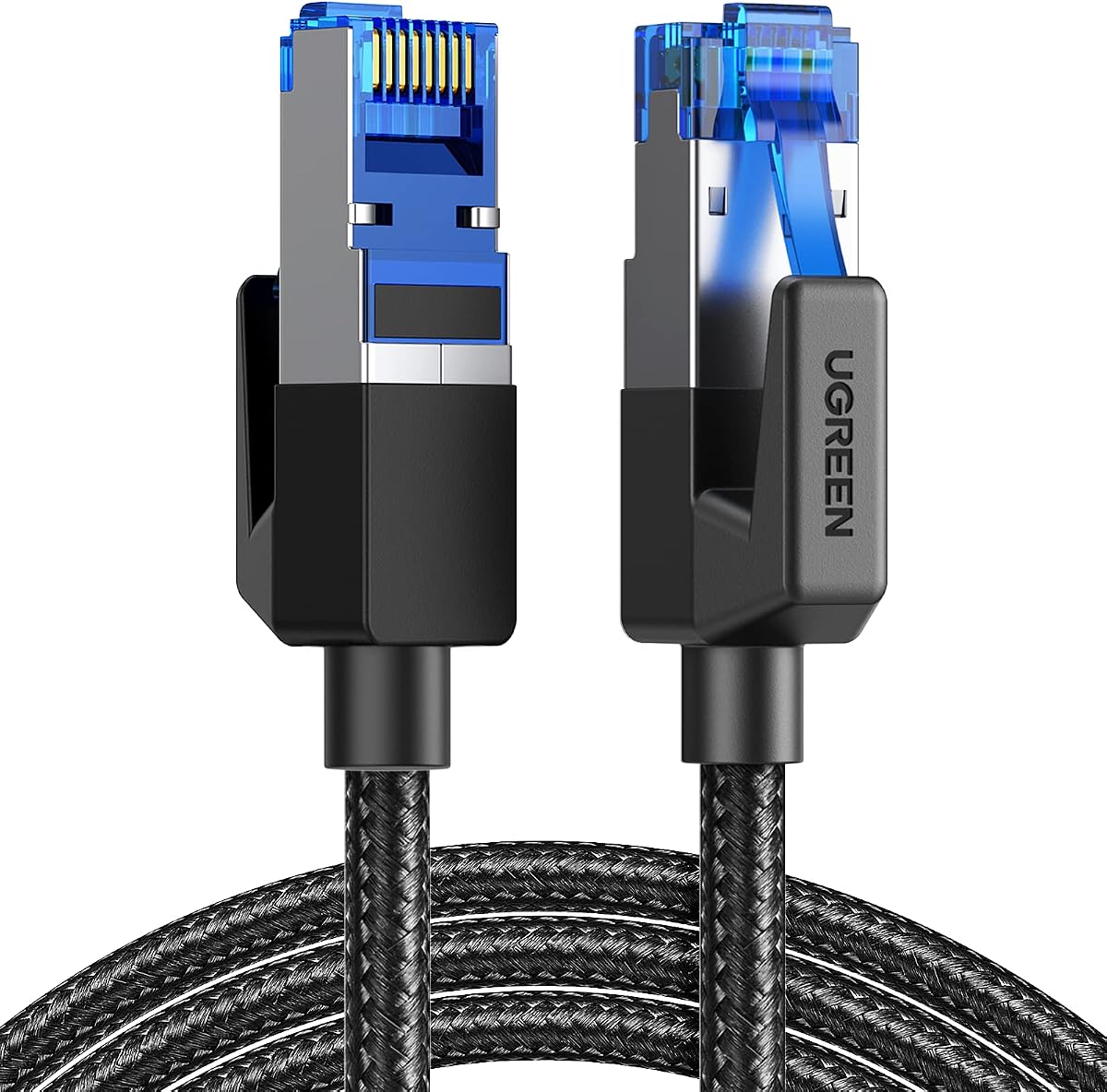
The UGREEN Cat 8 6FT is a compact, shielded RJ45 cable designed for high-speed wired networks, with a customer rating of 4.7. Its standout specifications include support for data transfer rates up to 40Gbps and bandwidth up to 2000MHz. The six-foot length also makes it easier to place an HP printer near a router or network switch without leaving a long cable across the work area.
Pros
High stated bandwidth
Shielded copper construction
Braided exterior resists wear
PoE support across listed lengths
Broad RJ45 device compatibility
Cons
Six-foot length may be restrictive
More advanced than many printer needs
We may earn a commission when you buy through this link, at no additional cost to you.
Signal protection comes from four shielded foiled twisted pairs, a pure copper core, and gold-plated RJ45 connectors. Those features are intended to reduce interference, noise, and crosstalk, which can be useful in offices with nearby networking equipment or in homes where the cable must run close to other electronics. A cotton-braided outer jacket adds mechanical protection and is stated to withstand at least 10,000 bends.
The practical tradeoff is that most HP printers do not require Cat 8 performance or 2000MHz bandwidth. A Cat 6 cable can satisfy many conventional printer connections, making this model more specialized than a straightforward patch cable. Its 6-foot length is also less flexible for printers positioned across a room, behind furniture, or on another floor. Nevertheless, the shielding and durable jacket make the extra specification meaningful in demanding installations.
This is a strong choice for a compact, high-performance connection when the printer is close to a router, switch, or network jack. It also suits users who want one cable to handle other compatible RJ45 devices and appreciate PoE capability. Choose it when short routing, reduced interference, and future headroom matter more than a longer, simpler patch cable.
Practical Performance for Shared Networks
The stated 40Gbps capability and shielding make this cable appropriate for a busy wired network where several devices share the same connection area. Even if the HP printer itself operates below the cable maximum, a strong construction can help preserve signal quality across the full run.
Durability for Repeated Daily Use
The braided jacket and bend-resistance claim are useful in offices where the printer may be moved for maintenance or cable management. Gold-plated connector contacts also support reliable, corrosion-resistant connectivity over repeated plug cycles.
The DanYee 10ft Cat 8 Ethernet Cable combines a useful printer-oriented length with high-speed Cat 8 specifications. It carries a 4.7 rating and explicitly lists printers among compatible devices, along with routers, modems, computers, consoles, and switches. At 10 feet, it offers more placement flexibility than a short six-foot patch cable while remaining manageable in most home offices.
Pros
Ten-foot routing flexibility
Printer expressly supported
Shielded copper pairs
Braided nylon exterior
Universal RJ45 connectors
Cons
Advanced for basic printing
Lifetime support requires vendor contact
We may earn a commission when you buy through this link, at no additional cost to you.
Its four shielded twisted pairs are designed to improve resistance to crosstalk, noise, and interference. The specification describes this as STP construction, while the connector arrangement provides a standard RJ45 endpoint at each side. The braided nylon exterior is intended to improve strength and resist dirt, and the cable supports bandwidth up to 2000MHz and transfer rates up to 40Gbps.
As with the first product, most basic HP printer tasks will not exercise the maximum transfer capability. The additional shielding and high category rating are still valuable if the cable shares space with other network cables or passes near electronic equipment. The principal limitation is that buyers paying for advanced headline specifications may receive no visible performance benefit on a printer with a modest Ethernet interface.
The DanYee is a good fit for an HP printer positioned around 10 feet from a router, switch, or wall network port. It offers a more flexible length than the UGREEN without moving into long permanent-run territory. Select it when printer compatibility, shielding, and a moderately short routing distance are the priorities.
Useful Reach Without Excess Cable
Ten feet is often a practical middle ground for an office printer, allowing the unit to sit away from the wall or router while avoiding a long loop. It also provides enough slack for a tidy strain-relieved connection.
Interference Protection in Busy Rooms
Shielded twisted pairs are especially useful when a printer cable runs alongside computer cables, power adapters, or other networking leads. The design can help preserve signal integrity in crowded connection areas.
The Amazon Basics RJ45 Cat-6 Ethernet Patch Cable is a straightforward option for putting an HP printer onto a wired network. It has a 4.7 rating, comes in a 10-foot length, and lists printers directly among its supported devices. Its 1Gbps transfer rate is more than adequate for typical office printing and ordinary home network traffic.
Pros
Explicit printer compatibility
Simple ten-foot length
Familiar RJ45 connection
Corrosion-resistant contacts
Broad network-device support
Cons
Lower speed ceiling than Cat 8
Unshielded construction may be less ideal
We may earn a commission when you buy through this link, at no additional cost to you.
The cable uses standard RJ45 connectors and a Cat-6 configuration, allowing it to connect a printer to a router, switch, or network wall jack. Gold-plated contacts are designed to support accurate data transfer and resist corrosion. Its simple patch-cable format also makes installation familiar: one connector goes to the Ethernet port on the printer, and the other goes to the network equipment.
This model does not provide the 40Gbps headline rate or shielding emphasized by the Cat 8 options. That is not necessarily a disadvantage for an HP printer, because printer ports and most home routers rarely operate at those advanced rates. The absence of shielding may matter in a particularly noisy installation, although a well-routed Cat 6 cable can still provide a dependable standard connection.
Choose this cable when you want a familiar, uncomplicated connection without paying for specifications the printer may never use. Its 10-foot length works well for a nearby printer, and the product is explicitly designed for printer use. It is a practical budget choice for offices, classrooms, and homes with conventional Ethernet networking.
Reliable Speed for Everyday Printing
A 1Gbps ceiling is more than most HP printer workflows require, especially for text documents, standard office output, and routine scanning. The important benefit here is straightforward, stable Ethernet performance rather than unnecessary speed headroom.
Simple Installation and Maintenance
The standard RJ45 format means there is no special adapter or proprietary connector. Users can also replace the cable easily if it becomes damaged, routed through a furniture gap, or upgraded with another network.
The VOIETOLT Cat 8 20ft is distinguished by its flat, braided construction, making it a useful option for HP printers that need a longer run without creating a bulky cable obstacle. It has a 4.8 rating and supports up to 40Gbps and 2000MHz bandwidth. The stated applications include routers, servers, televisions, laptops, and game devices, while its RJ45 connectors provide standard network connectivity.
Pros
Flat profile saves space
Easy routing under carpets
High stated transfer speed
Dust covers included
Multiple fixing clips included
Cons
Longer than most desk setups
Advanced specifications exceed printer needs
We may earn a commission when you buy through this link, at no additional cost to you.
Its defining practical feature is the flat braided jacket. The manufacturer says it can pass beneath carpets, through doorways, and around corners while taking up less space. It is also designed to resist abrasion and tensile damage, and the product includes two dust covers along with multiple fixing clips for the stated 20-foot version. These accessories can improve tidiness around a printer or network station.
Signal protection comes from a pure copper conductor, four aluminum-foil-shielded twisted pairs, and gold-plated RJ45 connectors. A snap-less connector design is intended to make repeated plugging and unplugging convenient. These are useful qualities, although the printer itself remains the limiting factor in most installations. The cable also states backward compatibility with Cat 7, Cat 6e, Cat 6, Cat 5e, and Cat 5.
This is a compelling pick when appearance and routing flexibility matter, particularly if the printer sits beyond a conventional ten-foot reach. Its flat profile makes it easier to conceal along a wall, under a rug, or around a desk. For a printer directly beside a router, the extra length and advanced shielding may be unnecessary, but for a longer, cleaner installation they make good sense.
Cleaner Routing Around Furniture
A flat cable takes up less vertical space than a conventional round patch cable. That makes this model useful for running between a printer stand, wall, desk, or network jack without creating a conspicuous raised loop.
Organization Accessories Included
Dust covers help protect connector openings when the cable is not in use, while the included fixing clips can keep the run in place. These details are especially useful in shared offices where loose cables are easily moved or damaged.
The Ltemziiy Cat 8 8ft is a compact high-speed Ethernet cable for an HP printer positioned near a router, switch, or wall outlet. It carries a 4.7 rating and advertises transfer rates up to 40Gbps with bandwidth up to 2000MHz. The eight-foot length is slightly more flexible than a six-foot cable but still suited to a tidy local installation.
Pros
Compact eight-foot length
Shielded twisted pairs
Tangle-resistant braid
Gold-plated contact pins
Broad RJ45 compatibility
Cons
Eight feet may limit placement
Indoor and outdoor claim needs context
We may earn a commission when you buy through this link, at no additional cost to you.
Its four shielded twisted pairs use solid copper wires and 50-micron gold-plated contact pins within the RJ45 connectors. The stated design is intended to reduce interference and signal attenuation. A 48-strand cotton-yarn braid adds strength, resists tangling, and is described as capable of performing reliably across cold, wet, and hot environments. RJ45 compatibility and backward compatibility with Cat 7, Cat 6a, Cat 6, and Cat 5 broaden its potential uses.
The main limitation is the eight-foot length. It will not accommodate a printer placed far from the connection point, and adding excessive slack can make a short cable look untidy. Also, while the product description mentions indoor and outdoor use, it does not provide the direct-burial rating or specialized outdoor jacket details found in some other picks on this list.
Choose this model for a nearby printer where a short, tidy, shielded connection is preferred. It is a good general-purpose network lead for compatible routers, modems, computers, and network devices as well. Its value comes from the combination of moderate length, robust braid, and high-end signal specifications in one manageable cable.
Tidy Connection for Nearby Printers
The eight-foot length provides enough reach for basic positioning adjustments without creating a large coil of unused cable. It works well when the printer is beside, slightly behind, or near a wall-mounted network point.
Shielded Copper Core
Solid copper conductors are specified for conductivity and reduced attenuation. Combined with shielded pairs, this design is appropriate for users who want a robust network lead for a printer or other RJ45 device.
The Cat 8 20ft Outdoor cable is built for HP printer installations that cross exposed or rugged environments. It has a 4.7 rating and combines 26AWG solid bare copper conductors with shielded twisted pairs. The stated 40Gbps and 2000MHz capabilities exceed typical printer requirements, but the cable's outdoor and direct-burial features are the important differentiators here.
Pros
Waterproof outdoor jacket
Supports direct burial
Thick 26AWG conductors
UV-resistant PVC construction
Broad device compatibility
Cons
Heavier than indoor patch cables
Twenty feet may not cover every route
We may earn a commission when you buy through this link, at no additional cost to you.
A UV-resistant PVC jacket is designed to resist aging and environmental exposure, while the product description states that the cable is waterproof and suitable for burial directly underground. It uses an aluminum-foil shield and woven mesh shield around the four pairs, helping reduce electromagnetic and radio-frequency interference. The heavier 26AWG gauge is also specified as more stable than a thinner 32AWG alternative.
The tradeoff is weight and routing effort. This is built like an outdoor cable rather than a lightweight desktop patch lead, so it may feel less convenient around a clean office desk. Direct burial requirements can also involve installation practices and local conditions that should be considered carefully. Its broad application list includes printers, IP cameras, routers, NAS devices, smart televisions, and other networked equipment.
This is the pick for a printer placed in a workshop, detached room, garage, or exterior network location where an indoor patch cable would be unsuitable. It is particularly useful when the run can be concealed underground. For an HP printer beside a router, this level of environmental protection is unnecessary, but for a demanding external route it adds meaningful installation resilience.
Designed for External Network Runs
The waterproof PVC jacket and UV resistance distinguish this cable from standard indoor patch leads. Those features make it a better fit for an HP printer in a garage, workshop, garden office, or other exposed location.
Stable Thick-Gauge Conductors
The four 26AWG solid copper pairs are specified to support stable transmission and reduce signal loss. The heavier gauge can also be beneficial for long or higher-load network runs where cable integrity is important.
The Amazon Basics RJ45 Cat-6 10ft is a conventional patch cable with a useful combination of 10Gbps capability and snagless connectors. It has a 4.7 rating and is explicitly described as suitable for networked devices such as computers, printers, and routers. That makes it a natural choice for users who want a simple upgrade over an older basic Ethernet lead.
Pros
Snagless connector design
Up to 10Gbps transfer rate
Printer and router compatible
Corrosion-resistant contacts
Flexible protective jacket
Cons
Unshielded UTP construction
Ten-foot reach may be limited
We may earn a commission when you buy through this link, at no additional cost to you.
The cable provides 250MHz bandwidth and up to 10-gigabit-per-second transmission with minimal signal loss. Gold-plated contacts, bare copper conductors, and a flexible protective PVC jacket are included for durability and signal integrity. The snagless plug design is especially useful in offices because it removes the protruding retaining tab that can catch on equipment or make repeated unplugging awkward.
It is an unshielded twisted-pair cable, so it does not offer the same interference resistance as the shielded Cat 8 selections. That distinction matters most in crowded installations, near strong electrical equipment, or when several network cables run in parallel. In a normal office wall drop or home router connection, however, a Cat 6 UTP lead can be a practical, uncomplicated choice.
Choose this option for an HP printer that sits near its network equipment and for users who value snagless plugs. It provides more stated speed headroom than the other 10-foot Amazon Basics model without requiring a high-category cable. The 10-foot length remains the main placement constraint, so measure the complete cable path before ordering.
Gentler Repeated Plugging
The snagless RJ45 design can reduce the chance of damaging the connector's locking tab during routine reconnections. That is particularly helpful for offices where the same printer and network equipment are serviced regularly.
Useful Network Upgrade Path
With support for up to 10Gbps and 250MHz bandwidth, the cable offers more capability than a conventional 1Gbps Cat 6 lead. That headroom can be valuable when a printer shares infrastructure with faster network devices.
The DbillionDa Cat 8 6FT combines a compact length with a rugged, direct-burial-capable jacket. It has a 4.7 rating and supports up to 40Gbps and 2000MHz bandwidth. Six feet is short for general desk placement, but it can work for a printer installed immediately beside a protected network junction or for a short exterior lead between two nearby points.
Pros
Waterproof direct-burial jacket
UV and weather resistance
Shielded foiled twisted pairs
Solid copper conductors
Broad network-device compatibility
Cons
Short six-foot length
Outdoor robustness is unnecessary indoors
We may earn a commission when you buy through this link, at no additional cost to you.
Its four shielded foiled twisted pairs use 26AWG oxygen-free copper conductors. A waterproof, anti-corrosion, UV-resistant PVC jacket is designed for outdoor and indoor use and for direct burial. The shielded RJ45 connectors are compatible with switches, routers, modems, cameras, game systems, patch panels, servers, smart televisions, and other RJ45 equipment. The product also lists compatibility with Cat 7, Cat 6, Cat 5e, and Cat 5 devices.
The six-foot length sharply limits where the printer can sit, and a cable built for burial may be more cumbersome than a flexible indoor patch lead. Its substantial shielding and environmental jacket also make it overkill for a normal indoor printer location. Buyers should confirm that the abbreviated title's six-foot length matches the variant they intend to order.
This model is worth considering for a short but exposed network path, especially where a protected indoor patch cable would be vulnerable to moisture or UV exposure. It can also be useful as a high-spec connection between an outdoor-rated network enclosure and nearby equipment. For most office printers, one of the longer Cat 6 or Cat 8 options will be more convenient.
Environmental Protection for Exposed Links
The waterproof, anti-corrosion, and UV-resistant jacket provides more protection than a conventional indoor cable. These features are useful for a printer in an exposed workshop, utility area, or outdoor-rated enclosure.
High-Performance Backward Compatibility
The RJ45 endpoints can work with a wide range of common network devices, including older Cat 5 and Cat 5e equipment. That versatility makes the cable useful in mixed network environments where connectors and compatibility matter more than nominal category alone.
The Cable Matters 10Gbps Snagless Cat 6 Ethernet Cable is the strongest choice for an HP printer that needs a longer connection than a standard desk patch cable. It has a 4.8 rating, a 25-foot length, and support for up to 10Gbps over a stated 550MHz bandwidth. The extended reach makes it useful when the printer is across a room, around a corner, or beyond a wall outlet.
Pros
Long twenty-five-foot reach
Highest-rated pick at 4.8
Snagless durable connectors
PoE family support
Standard compliance stated
Cons
Excess length may need coiling
Not a direct-burial cable
We may earn a commission when you buy through this link, at no additional cost to you.
Its 24AWG bare copper core is intended to improve performance and meet communication-cable specifications. The product states that it meets or exceeds Category 6 performance under the TIA/EIA 568-C.2 standard. Gold-plated contacts and strain-relief boots improve connector durability, while the snagless form helps avoid damage to the connector's locking tab during repeated installation or removal.
PoE, PoE+, and PoE++ support can be useful if the same network infrastructure serves powered devices such as IP cameras, VoIP phones, or wireless access points. The 25-foot length is the main installation consideration, however, and it should be measured along the full route rather than as a straight-line distance. The product is not described as a waterproof direct-burial cable, so it is better suited to indoor runs or protected pathways.
Choose the Cable Matters model when cable length, high stated performance, snagless connectors, and a 4.8 customer rating matter more than maximum category specifications. It is an excellent all-around choice for a shared office network and a versatile cable for computers, servers, routers, and printers. The result is a premium-feeling wired setup without requiring an outdoor-grade cable.
More Freedom for Printer Placement
The 25-foot length can eliminate awkward extension arrangements or a Wi-Fi fallback in rooms where the printer must remain far from the router. Measuring the complete route helps ensure enough slack for tidy strain relief without unnecessary excess.
Performance Across a Mixed Network
Support for PoE, PoE+, and PoE++ makes this cable suitable for broader office infrastructure. A high-bandwidth Cat 6 design also gives users more headroom for routers, servers, computers, and printers sharing the same wired environment.
The HP Printer Cable 6ft is a USB A-to-USB B cable for connecting a compatible printer or scanner directly to a computer. It has a 4.7 rating and uses USB 2.0. This is an important distinction: despite its relevance to printer setup, it is not an Ethernet cable and cannot connect an HP printer to a router, switch, or network wall port.
Pros
Direct printer-to-computer connection
No network configuration required
Plug-and-play operation
Gold-plated connector contacts
Compatible with USB B devices
Cons
Not an Ethernet network cable
Shared printer access is limited
We may earn a commission when you buy through this link, at no additional cost to you.
The square connector ends are stated to use gold plating, while a flexible PVC jacket is designed for durability and reduced interference. Installation is plug and play, with the USB A end connecting to a computer and the USB B end connecting to a compatible printer. The product description states that no drivers or software installation is required for the cable connection itself, though the printer and computer must still have compatible USB support.
The largest limitation is network functionality. A direct USB connection generally ties the printer to one computer, whereas Ethernet allows the printer to be reached independently by multiple users on the same network. USB 2.0 also has a lower stated data ceiling than the modern Cat 6 and Cat 8 Ethernet options in this guide. It is best understood as an alternative connection type rather than a true Ethernet substitute.
Choose this cable for a desktop HP printer that lacks a network port, is intentionally restricted to one computer, or needs a simple local connection. For most modern office users seeking flexible placement and shared access, an RJ45 Ethernet cable remains the more useful choice. It is best for close-range setups where stable, direct connectivity matters more than network mobility.
Simple Local-Only Printing
A direct USB link can be ideal when only one nearby computer needs access to the printer. It avoids network configuration and provides a straightforward physical connection for basic printing and scanning tasks.
Why Connection Type Matters
USB and Ethernet solve different network needs. USB links one computer directly to a device, while Ethernet integrates the printer into a LAN so authorized users can access it from compatible devices on the network.
We may earn a commission when you buy through this link, at no additional cost to you.
Buying Guide – How to Choose the Best Ethernet Cable for HP Printer
The right connection depends first on whether the HP printer has an Ethernet port and must join a network, followed by cable length, category, shielding, connector quality, and routing conditions. A direct USB cable serves a different purpose and should not be treated as a substitute for a network cable.
Confirm Ethernet Support
Before comparing categories or lengths, verify that the specific HP printer model has an RJ45 Ethernet port and that the intended network uses Ethernet-compatible connections. A USB A-to-USB B lead may provide a stable direct link to one computer, but it does not place the printer on a local network. If several computers or mobile users need shared access, Ethernet is normally the more flexible solution, provided the printer and network configuration support it.
Measure the Full Cable Path
Measure from the printer's Ethernet port to the router, switch, or wall jack, following the actual route rather than drawing a straight line. Account for furniture, doorways, desk height, wall routing, and a small amount of slack for strain relief. Six- and eight-foot cables suit close installations, ten feet covers many office desks, and twenty to twenty-five feet offers much greater placement freedom. A longer cable can also be used for a shorter setup, but excess slack should be coiled neatly rather than left near a walkway.
Match the Cable Category
Cat 6 is a practical middle ground for most printer networks, with options in this guide supporting either 1Gbps or 10Gbps depending on the model. Cat 8 products specify 40Gbps and 2000MHz capability, which is useful when the cable must support advanced shared infrastructure, but the HP printer's own Ethernet interface will usually be the limiting factor. Matching the cable to the network equipment is more important than choosing the highest headline speed. Backward compatibility means a Cat 8 lead can also be used with compatible Cat 7, Cat 6a, Cat 6, Cat 5e, and Cat 5 devices.
Consider Shielding
Shielded cables use additional layers around twisted pairs to reduce electromagnetic interference, crosstalk, and noise. They are worth considering when the printer cable runs beside power cables, office equipment, multiple network lines, or through a crowded wall cavity. F/FTP and SSTP-style products in this list provide stated interference resistance. Unshielded Cat 6 can still work well in a clean, short indoor route, so shielding is most valuable in electrically busy installations rather than being mandatory for every printer.
Check Connector Construction
Look for RJ45 connectors that fit the printer port securely and provide a positive latch. Gold-plated contacts are intended to resist corrosion and support consistent data transfer, while snagless connectors can be helpful in offices where the cable is removed regularly. Strain-relief boots protect the cable where it enters the connector and reduce stress from bending. For a direct USB setup, the connector must instead be USB A on the computer side and USB B on the compatible printer side.
Match the Installation Environment
Indoor printer locations generally call for a standard patch cable with a manageable length. Outdoor, garage, workshop, and underground installations require a cable whose jacket is explicitly waterproof, UV resistant, corrosion resistant, and suitable for direct burial. Products in this guide with those claims use heavier PVC or protective jackets and 26AWG conductors. Do not assume an indoor cable can safely be buried or exposed to weather; verify the installation requirements and follow appropriate routing practices.
Evaluate Practical Extras
A braided jacket can resist abrasion and make a frequently handled cable easier to manage. Flat cables are useful under carpets, behind furniture, or along a wall where a round lead would stand out. Dust covers protect exposed RJ45 ends, and fixing clips can keep longer runs orderly. These extras do not determine basic network compatibility, but they can make installation and daily maintenance more convenient, especially in a visible office location.
How to Use and Care for Your Ethernet Cable for HP Printer
Identify the correct network endpoint. Connect one RJ45 plug into the HP printer's Ethernet port, then connect the other end to a router, network switch, or wall outlet. If the wall outlet is active, use a compatible wall jack rather than a passive decorative opening. Arrange the cable so it does not sit under a chair, cross a doorway, or create a sharp bend immediately beside either connector.
Power on the printer and network equipment, then install or update the printer software if your model requires it. Follow the manufacturer's network setup process and select the wired connection method if prompted. On a compatible Windows or macOS system, the network interface may be detected automatically, while other models may require the printer's control panel to be used to locate the network. Confirm that the printer receives an address and can be reached from another computer on the same network.
For care, disconnect the cable by pressing the connector latch rather than pulling on the cable itself. Avoid sharp bends, twisting, crushing beneath furniture, and repeated exposure to moisture unless the cable is specifically rated for those conditions. Keep connectors clean and dry, and inspect the latch and jacket for damage. Replace the cable if the plug becomes loose, contacts are visibly corroded, or the jacket is cracked.
Frequently Asked Questions
What type of Ethernet cable works with an HP printer?
An HP printer with an RJ45 Ethernet port generally works with a standard RJ45 Cat 5e, Cat 6, or Cat 7 patch cable, subject to the network equipment and printer configuration. Cat 8 is also backward compatible with those standards. Choose a length that reaches the router or switch without creating a long loose loop.
Is Cat 8 necessary for an HP printer?
Usually not. Most HP printer Ethernet interfaces operate at rates far below the 40Gbps maximum associated with Cat 8 cables. Cat 6 generally offers enough performance for printing, while Cat 8 can make sense when one cable must support a demanding shared network or future high-bandwidth equipment.
Can I connect an HP printer with a USB cable instead?
Yes, if the printer has a compatible USB B port and the computer has the required USB A connection. The USB A-to-USB B product in this guide provides a direct local connection, but it does not put the printer on the Ethernet network. USB is less convenient for shared access by multiple computers.
How long should an Ethernet cable be for a printer?
The correct length depends on the actual path from the printer to the router, switch, or wall jack. Six to ten feet suits many desks, while twenty-five feet provides more freedom for a printer in another area. Measure around obstacles and leave enough slack for strain relief, but avoid creating a hazardous or untidy excess loop.
Will a Cat 8 cable work with a Cat 6 network?
Yes, the Cat 8 products in this guide are stated to be backward compatible with Cat 7, Cat 6a, Cat 6, Cat 5e, and Cat 5 devices. The connection will operate at the limits supported by the printer, router, switch, and other devices in the network rather than at the cable's maximum headline speed.
Do I need shielded cable for a printer?
Shielding is helpful when the cable runs near power equipment, parallel network cables, or through a crowded wall cavity. It reduces crosstalk and interference. A standard unshielded Cat 6 cable can be perfectly suitable for a short, clean indoor route, so the added construction is not essential in every installation.
Can an Ethernet cable for an HP printer be run outdoors?
Only use a cable that is explicitly rated for outdoor exposure. Relevant features include a waterproof or UV-resistant jacket, corrosion resistance, and direct-burial suitability. A standard indoor patch cable can deteriorate when exposed to moisture, sunlight, temperature changes, or physical damage.
Why does my HP printer recognize Wi-Fi but not Ethernet?
Confirm that the Ethernet cable is fully seated in both the printer and the network device, then verify that the correct printer port and network settings are selected. The computer or router may also need DHCP or network-discovery support, and the printer firmware may need updating. The manufacturer instructions for the exact model provide the correct setup sequence.
Final Thoughts on Choosing the Best Ethernet Cable for HP Printer
The UGREEN Cat 8 6FT is the leading choice for a short, shielded, high-speed connection, while the Amazon Basics Cat-6 10ft is the most straightforward option for a nearby printer on a conventional network. The Cable Matters Cat 6 25ft stands out for longer placement freedom, snagless connectors, PoE-family support, and a 4.8 customer rating.
Prioritize the connection type first: choose RJ45 Ethernet for shared network access and USB A-to-B only for a direct one-computer setup. Then select enough length for the full route, match the cable category to the network equipment, and add shielding or outdoor construction only when the installation environment calls for it.
Before purchasing, verify that your exact HP printer has the appropriate port, measure the route, and check the selected cable's stated compatibility. Product prices, availability, and listings can change, so review the current retail information before placing an order.
Our mini PCs for Mac Displays guide compares 10 compact systems and display accessories for performance, connectivity, expansion, multi-screen use, and setup.