
ACMER S1 Laser Engraver Machine
4.3Editor score
2500mW diode laser output
130 x 130mm work area
Preassembled beginner-friendly design
Acmerstudio and LightBurn support
A cheap laser engraver can turn blank wood, leather, acrylic, and other materials into personalized gifts, useful labels, decorative pieces, and small-batch products. The best value comes from balancing laser power, accuracy, work area, safety features, software support, and included accessories rather than considering the lowest purchase cost alone.
We compared ten laser engravers using the supplied specifications, focusing on practical differences that affect home makers, students, crafters, educators, and small businesses. The list covers open and enclosed designs, diode and infrared systems, standalone touchscreens, offline operation, available work areas, material compatibility, and the learning required to prepare artwork.
Each review explains the model’s strongest features, limitations, and ideal buyer, while the comparison table provides a faster way to scan essential specifications. Product ratings and availability can change over time, and retailer promotions may also affect the final cost, so confirm current listing details before purchasing.
4.3Editor score

4.5Editor score

4.4Editor score
As an Amazon Associate we earn from qualifying purchases.
The table below compares all ten laser engravers by laser configuration, work area, notable technology, and primary use case. It makes it easier to compare compact starter systems with enclosed, multi-laser, and high-speed models.




The ACMER S1 is the most budget-focused option in this guide, combining a 2500mW diode laser with a compact 130 x 130mm working area. It earns a 4.3 rating and stands out for its free Acmerstudio software, largely preassembled construction, and support for several common design formats. It is best suited to small crafts, labels, personalization, and beginners who want a simple introduction to laser engraving.
We may earn a commission when you buy through this link, at no additional cost to you.
Its useful specifications include a 455±5nm wavelength, 2mm focal length, engraving speeds up to 10,000mm/min, and repeatable positioning accuracy of 0.01mm. The machine can engrave wood, bamboo, leather, plastic, PCB, aluminum oxide, and ceramics while cutting thin plywood, MDF, and acrylic. Compatibility with macOS, Windows, and Linux expands its usefulness for users of different creative workflows.
The principal compromises are its small bed and open-frame format. A 130 x 130mm area cannot accommodate many signs or standard sheet goods, while the lack of a full enclosure makes ventilation, eye protection, and fire awareness more important. It also relies on the bundled workflow or external software rather than offering a large built-in display for direct touch control.
Choose the ACMER S1 if your priority is inexpensive access to a capable diode engraver and your projects fit inside a small square workspace. It is especially suitable for prototypes, keychains, small labels, and personalized wood pieces. For larger work areas, enclosed operation, or more powerful cutting, one of the midrange alternatives will be a better fit.
The S1 arrives 99% preassembled, with only the laser head requiring installation. That makes it a practical choice for users who want to begin making without a complicated setup process, while the included software helps simplify artwork preparation and machine control.
At approximately 2kg, the aluminum frame is easier to store than a full-sized enclosed machine. It also supports LightBurn, LaserGRBL, and common NC, DXF, BMP, JPG, and PNG files, giving experienced users room to adopt a more advanced workflow later.
We may earn a commission when you buy through this link, at no additional cost to you.
The xTool M2 combines a 10W diode laser with an enclosed Class 1 design and two built-in cameras. Its 4.5 rating reflects a well-rounded package for home crafters who want clearer setup, safer operation, and flexible project options. Unlike a basic open-frame engraver, the M2 is designed as a contained creative workstation with software guidance built in.
We may earn a commission when you buy through this link, at no additional cost to you.
The dual-camera system provides a real-time workspace preview and supports a Place & Go positioning workflow. xTool Studio includes ready-made templates and an AI image generator, helping new users turn text, photographs, and simple design ideas into personalized projects. The M2 also supports cutting and engraving across materials such as cardstock, felt, leather, wood, paper, and fabric.
Its modular architecture is a major strength, but some features are optional rather than included. The CMYK inkjet module and RA3 Lite rotary attachment are sold separately, as is a 3W infrared laser for certain metal and plastic applications. Buyers who only need the standard 10W diode configuration can still use the machine as a complete enclosed engraver.
The M2 is an excellent choice for beginners, home users, and crafters who prioritize safety and design guidance. It also suits someone who wants room to add printing, rotary, or infrared capabilities later without replacing the entire machine. If your work is small, however, a simpler diode engraver may offer greater value and more open workspace flexibility.
The built-in cameras show the material bed before processing and help users place designs accurately. This is particularly useful for small objects, batched pieces, and layouts where a shifted outline could waste material or produce inconsistent results.
The M2 can be expanded with an inkjet module for full-color printing and a rotary axis for cylindrical work. These additions make it relevant to stickers, printed-and-cut projects, tumblers, and other personalized products, although each accessory adds to the complete system cost.
We may earn a commission when you buy through this link, at no additional cost to you.
The BlazeX M3 combines a 10W laser module, an enclosed Class 1 frame, and 0.01mm claimed accuracy. It has a 4 rating and is designed as a complete starter system for desktop makers. The bundle includes a protective enclosure, tool kit, honeycomb bed, and 13 engraving materials, reducing the need to purchase essential setup items individually.
We may earn a commission when you buy through this link, at no additional cost to you.
Its enclosure includes safety features designed for a home or creative studio, including sensors that stop the machine if it tilts or the lid opens. An integrated fan helps exhaust smoke and reduce noise. Software support for LightBurn, LaserGRBL, and CutLabX across major desktop and mobile operating systems gives users several ways to prepare and control projects.
The specifications mention engraving and cutting across wood, leather, glass, coated metal, and other materials, but results depend on preparation and settings. Coated metals and glass in particular may require suitable coatings or preparatory steps. The honeycomb bed is useful for supporting small pieces and helping direct airflow, though it may not suit every flat or through-cut design.
The M3 is worth considering for buyers who want a complete package rather than a bare machine. Its enclosure, safety sensors, included materials, and broad software support make it approachable for beginners and educational users. It is a less conventional choice than the xTool M2, but potentially more practical for someone who values included accessories and open software compatibility.
The tool kit, sample materials, and honeycomb bed make the M3 more immediately useful than a simple frame-and-laser package. New owners can learn material settings and bed positioning before investing in a fuller collection of accessories.
Automatic stops for lid opening and frame tilting add practical safeguards around common user errors. These controls complement, rather than replace, sensible ventilation, material preparation, and the use of suitable protective eyewear.
We may earn a commission when you buy through this link, at no additional cost to you.
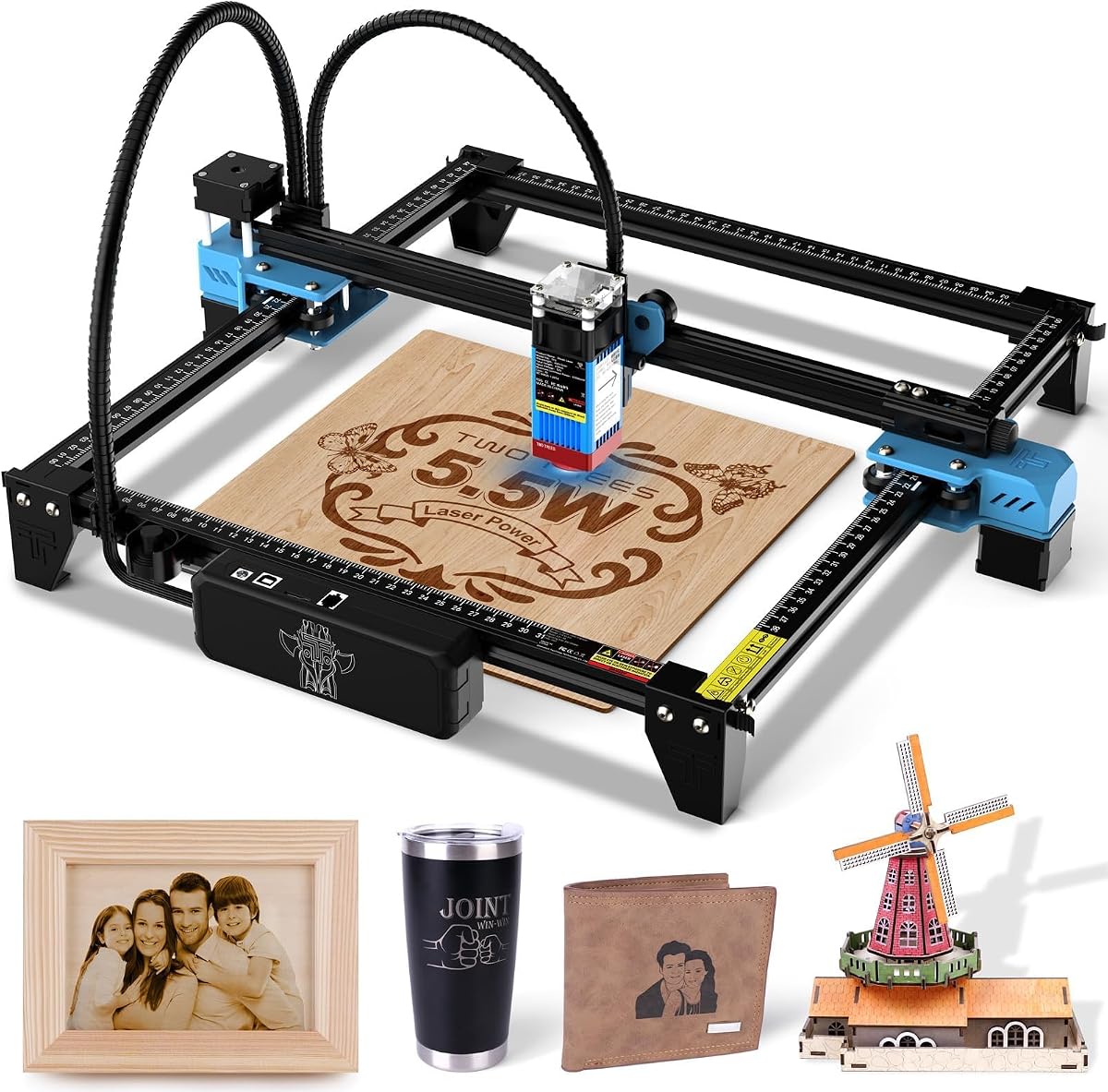
The Twotrees TTS-55 Pro pairs a 5500mW diode laser with a 300 x 300mm work area and a 4.3 rating. It is a capable midrange machine for hobbyists and small businesses, with listed cutting depths of 5mm plywood, 3mm acrylic, and 0.7mm leather. The relatively large square bed gives it more flexibility than the compact ACMER S1.
We may earn a commission when you buy through this link, at no additional cost to you.
The control system supports online and TF card offline operation, along with built-in Wi-Fi for mobile app or computer web control. A dual-core 32-bit board supports engraving speeds up to 30,000mm/min, while compatibility with LaserGRBL and LightBurn covers both beginner-friendly and more advanced software workflows. The included metal air-assist nozzle is designed to improve cutting by directing airflow toward the work area.
The machine is not fully enclosed, and its listed spot size and claimed engraving accuracy should not be treated as equivalent measures of real-world output. Reflective metals may also require marking spray, testing, and careful parameter adjustment. Its fast headline speed is most valuable when paired with sensible power, speed, and pass settings.
The TTS-55 Pro suits makers who want a larger bed, wireless control, and offline flexibility. It is a good fit for wood, leather, acrylic, paper, and prepared stainless-steel projects, while the air-assist nozzle improves its usefulness for deeper cuts. Buyers prioritizing a fully enclosed design may prefer the M2 or M3 instead.
USB, Wi-Fi, and TF card workflows let users move between connected editing and standalone production. That flexibility is valuable for classrooms, shared workspaces, and anyone who wants to repeat a saved job without keeping a computer connected.
The LD+FAC+C-Lens compression technology and 23mm focal length are intended to produce a tighter working area and sharper results. Air assist further supports cleaner cuts by removing debris and helping direct heat toward the material.
We may earn a commission when you buy through this link, at no additional cost to you.
The xTool F2 is the premium model in this guide, pairing a 15W diode laser with a 5W infrared laser in a fully enclosed desktop system. It carries a 4.4 rating and is built for users who need more than a single-purpose diode engraver. The infrared source can create color marking on certain metals, while the diode side handles engraving, embossing, and cutting tasks.
We may earn a commission when you buy through this link, at no additional cost to you.
Its 50MP camera is the most visually advanced feature in the group, supporting workspace visualization and alignment accuracy up to 0.1mm on small pieces. Processing speeds of up to 6000mm/s make the machine suitable for batch work, while the Slide Extension can expand workflows for items such as coasters and phone cases. Material presets reduce some of the guesswork involved in setup.
This is also a Class 4 laser system, so it demands more care than a Class 1 enclosed product. The specified 15,000mW diode output and 5,000mW infrared output should be considered alongside enclosure, fume control, and operational safety. The machine weighs 4.6kg but is intended to remain portable for workshops, stores, fairs, and pop-ups rather than fit comfortably in a small backpack.
The F2 makes the most sense for a serious maker, educator, or small production business that benefits from dual-laser capability and fast camera-assisted workflows. It can handle richer projects than a basic engraver, particularly where metal color marking or embossing matters. If the budget is limited and you mostly engrave wood or acrylic, a simpler 6W to 10W machine offers more efficient value.
The 5W infrared module adds a capability that a standard diode laser cannot provide in the same way, particularly for color marking on metals. The 15W diode remains the general-purpose source for engraving, cutting, and three-dimensional relief work.
High processing speed, a high-resolution camera, and material presets reduce positioning and production time. The optional slide extension and rotary accessories make the platform suitable for repeat-oriented product workflows rather than one-off crafts alone.
We may earn a commission when you buy through this link, at no additional cost to you.
The xTool S1 40W is built for projects that exceed the capacity of desktop hobby engravers. It has a 4.6 rating, the highest among the listed products, and combines a 40W laser with a spacious 23.93 x 15.16-inch bed. It is aimed at users producing larger signs, wooden objects, acrylic components, and multiple personalized pieces in one batch.
We may earn a commission when you buy through this link, at no additional cost to you.
The supplied specifications state that the laser can cut 18mm cherry wood in a single pass and operate at speeds up to 600mm/s. Pin-point positioning supports precise placement, while AutoPassthrough technology extends the working range for projects up to 3000mm. The rotary bundle broadens the system’s usefulness for tumblers and other curved surfaces, which are central to many personalization businesses.
Its fully enclosed Class 1 design includes a protective cover, flame sensors, an emergency stop, and a lid-open stop. xTool Creative Space adds autofocus, material presets, AI-assisted design generation, and a large tutorial library. These features reduce the learning curve, although the machine still demands appropriate ventilation and careful setup for larger jobs.
The S1 is ideal for a growing craft business, school fabrication area, or maker who regularly handles oversize stock. The 40W power and large bed justify themselves when failed cuts would be expensive, downtime disruptive, or the project cannot fit elsewhere. For occasional small crafts, however, this system is excessive and its larger footprint may be inconvenient.
A 23.93 x 15.16-inch workspace provides room for signs, multiple blanks, and sheet materials. This reduces the need to reposition work and supports more efficient batch processing than smaller square beds.
Automatic focus, curated material parameters, and guided tutorials make the system more accessible than a traditional CNC-style controller. Users can begin with established settings and refine them as they learn the relationship between power, speed, passes, and material.
We may earn a commission when you buy through this link, at no additional cost to you.
The LONGER Ray5 10W combines a 10W laser module with a large 400 x 400mm working area and a 3.5-inch touchscreen. Its 4.3 rating and mix of standalone controls, connectivity, and safety features make it a flexible choice for creators who want room to work without moving to a large production machine.
We may earn a commission when you buy through this link, at no additional cost to you.
The touchscreen provides a more integrated way to prepare and run jobs, while USB, TF card, Wi-Fi, and app options support different working patterns. LaserGRBL and LightBurn compatibility also gives users access to established design ecosystems. The 240MHz ESP32 controller can manage multiple engraving machines, and the quoted 10,000mm/min speed is useful for suitable production settings.
This remains an open-frame machine, so ventilation and safe operating procedures remain essential. Although the specifications list stainless steel, metal, glass, and other materials, reflective and transparent surfaces need particular preparation and testing. A 0.06 x 0.06mm spot can create fine marks, but the actual appearance depends on focus, power, speed, surface finish, and material response.
The Ray5 is well suited to a home workshop, classroom, or small maker who wants a generous bed and touchscreen convenience. It also makes sense for users who sometimes need to engrave offline and at other times use LightBurn or a connected computer. It is less compelling for a home user who needs the strongest enclosure or the smallest footprint.
The touchscreen and offline TF card operation make it possible to run saved jobs away from a computer. USB, Wi-Fi, and app control provide alternatives for design transfer, monitoring, and more connected production routines.
An emergency stop, abnormal-vibration shutdown, heat protection, a protective cover, and safety goggles create a more defensive setup. A hidden active cooling system is also designed to support laser longevity during sustained work.
We may earn a commission when you buy through this link, at no additional cost to you.
The ELIDOR Z6 is a 6000mW laser engraver with a 4.3 to 5-star distinction in the supplied data, rated 5 in the product listing. It combines a 300 x 300mm bed with a portable 2.13kg frame, making it appealing for craft fairs, classrooms, and mobile personalization work. The advertised 0.04 x 0.14mm spot is intended to support crisp text and detailed graphics.
We may earn a commission when you buy through this link, at no additional cost to you.
It handles wood, leather, acrylic, cardboard, ceramic, glass, and metal according to the product information, with engraving speeds up to 10,000mm/min. LightBurn and LaserGRBL support covers Windows, macOS, and Linux, while NC, DXF, BMP, JPG, and PNG files make artwork transfer straightforward. The absence of a required built-in screen is offset by broad desktop software compatibility.
Reflective metals, transparent glass, and certain ceramics are among the most demanding surfaces and may need coatings, testing, or different parameters. The machine is also an open-frame unit, making ventilation and controlled access important. Its listed performance figures are strongest as a guide to capability, not a guarantee of identical outcomes on every material.
The Z6 is a strong option for mobile makers who need a balance of portability, a useful square work area, and precise marking. It also appeals to beginners who already have access to LightBurn or LaserGRBL. Those wanting a touchscreen, a full enclosure, or a larger collection of starter accessories should compare the Ray5, M2, or M3.
The 300 x 300mm bed gives the Z6 more usable space than pocket-sized engravers while preserving a 2.13kg weight. That balance makes it suitable for a dedicated craft table as well as fairs and mobile demonstrations.
Compatibility with both major desktop platforms and common artwork formats reduces barriers to adoption. Users can follow community knowledge, build reusable settings, and work with familiar vector or raster files.
We may earn a commission when you buy through this link, at no additional cost to you.
The AlgoLaser 8W is built around a 3.5-inch IPS touchscreen running AlgoOS, allowing users to sketch, type, and import designs without a computer. It has a 5 rating and a 400 x 400mm work area. This combination makes it one of the most approachable choices for beginners, gift makers, and users who want a laser that can function as an independent creative tool.
We may earn a commission when you buy through this link, at no additional cost to you.
The 8W diode supports engraving on wood, leather, dark opaque acrylic, coated or anodized metal, prepared glass, and laser-safe plastics. Its stated speed reaches 15,000mm/min, while AlgoOS includes more than 400 lab-calibrated material presets. Drag-and-drop positioning and repeat-processing mode help simplify both one-off and batch projects.
Setup is also designed to be quick. The machine arrives 95% preassembled with belts, limit switches, core modules, and cable routing factory-aligned. A flip-down focus column locks the head at the material surface and then moves out of the way. Flame detection, overheating alerts, an emergency stop, and included eyewear add protection, though ventilation is still needed.
The AlgoLaser is best for users who want immediate access without learning a full desktop workflow first. It also supports LightBurn, LaserGRBL, and the AlgoLaser app for more advanced or mobile control, so it does not permanently limit experienced users. Its principal trade-off is that touchscreen-based design work will not replace the precision and flexibility of a full desktop editor for every design.
AlgoOS turns the screen into a practical standalone workspace for simple text, sketches, and imported images. This can be particularly useful at markets, in classrooms, or when a user wants quick personalization without carrying a laptop.
The large preset library reduces the need to discover basic power and speed combinations from scratch. Users should still test materials and make incremental adjustments, especially for unfamiliar coatings, plastics, or surfaces with varying finishes.
We may earn a commission when you buy through this link, at no additional cost to you.
The LaserPecker LP1 Plus Mini is the most portable product in the guide, designed for quick personalization away from a permanent workstation. It has a 4.2 rating and includes an adjustable stand, magnetic base, and cross-platform app. The machine targets wood, leather, acrylic, paper, and other compatible non-metal materials for lightweight DIY projects.
We may earn a commission when you buy through this link, at no additional cost to you.
Its defining advantage is flexibility in positioning. The adjustable stand supports 360-degree multi-angle engraving, while the magnetic base secures small items. The manufacturer states that the laser lens should be maintained at 200mm from the material surface using the included ruler, an important setup requirement when working outside a fixed bed.
Metal engraving is explicitly unsupported, so the LP1 Plus should not be chosen for steel, aluminum, or similar reflective surfaces. Its small format is also less suitable for larger blanks, sign panels, or high-volume production. The app-oriented design is convenient for importing photos or doodles, but users wanting advanced vector editing and CNC-style control should look to a desktop platform.
Choose the LP1 Plus for beginners, travelers, teachers, and makers who want a small personal engraver for gifts and simple demonstrations. It is especially useful where portability matters more than cutting power, work area, or material breadth. For fuller workshops, the ELIDOR Z6, LONGER Ray5, or other desktop models are more capable long-term choices.
The compact body and power-bank support make the LP1 Plus convenient for outdoor or mobile crafting. It can provide a personal engraving station without occupying a full table or requiring a permanent computer setup.
The adjustable stand makes it easier to engrave sides, edges, and differently shaped small objects. Its magnetic base holds lightweight pieces in position, although larger or heavier items will require an alternative support.
We may earn a commission when you buy through this link, at no additional cost to you.
The right inexpensive laser engraver depends less on maximum headline power than on the materials, safety environment, software, and projects you expect to make. Use the following factors to narrow the field before comparing the final specifications.
Choose based on the materials you will genuinely use, not on the broadest list printed by a manufacturer. Verify whether metal is directly supported or requires a coating, and check whether transparent glass is included without preparation.
Avoid buying an undersized machine if you regularly make signs or grouped gifts. If you mostly engrave tiny jewelry components, a compact bed is acceptable and may free up valuable workspace.
Enclosed models are the safer default for homes, classrooms, and public demonstrations. Open frames require an exhaust solution, controlled access, fire awareness, and careful handling of every material.
Pay more attention to camera positioning, focus consistency, and repeatable bed setup than a single precision number. Test a representative design before committing to a production run.
Beginners should prioritize guided software and clear material settings, while experienced users may prefer broad file support and offline job control. Confirm your computer operating system before choosing.
Prioritize clean, repeatable cuts over a dramatic speed number. If most of your work is engraving rather than cutting, lower power can still provide excellent results.
Choose accessories based on repeated project needs, not possible future ideas. Verify the current package contents and whether a required rotary or print module is included.
Match the machine to your working environment. Choose a compact model for mobile crafting and a larger enclosed system for a dedicated studio with proper ventilation.
Begin by reading the specific manual, inspecting the frame and cables, and setting up the machine on a stable, level surface. Confirm that the lens, protective window, exhaust path, and emergency stop are unobstructed. Install the correct focus aids, connect the laser head securely, and verify the emergency stop before powering the unit. If the machine includes a protective cover, enclosure, or goggles, use them as intended rather than treating them as optional accessories.
Prepare artwork using the supported software and export the correct file format. Place the material on the bed or work surface, adjust focus according to the manual, and run a small test on a scrap piece. Begin with conservative settings and increase power, speed, passes, or travel speed only after checking the result. Keep the material flat and use clamps, masks, or the included bed for small items rather than relying on the laser head to hold them.
Never leave the laser running unattended, keep combustible items away from the work area, and treat unknown plastics, coated metals, and composites with caution. Allow the machine and cooling system to cool as directed, clean the lens and protective window with an appropriate lint-free method, and remove residue from the bed and exhaust filters. Store the unit in a dry environment, cover it against dust, inspect cords and connectors periodically, and back up software settings and proven material parameters.
A compact diode laser engraver is generally the most affordable practical choice for beginners. Models such as the ACMER S1 focus on wood, acrylic, leather, paper, and other common craft materials. Their smaller work areas limit production, but they provide a relatively simple way to learn focus, artwork preparation, and material settings. Confirm that the included software supports your computer and that the machine has suitable safety protections.
No. More power can make deeper or faster cuts, but engraving quality also depends on focus, spot size, speed, passes, and the material. A well-focused lower-power laser may create cleaner text than an improperly focused higher-power one. Choose power according to the thickest material you expect to cut, not simply the largest number on the specification list.
Many diode lasers can mark coated, painted, or anodized metal, but bare reflective metal is difficult for them. A marking spray can create a temporary dark layer that absorbs the laser energy, while the xTool F2 offers a dedicated infrared source for additional metal-marking capability. Always verify the manufacturer’s material guidance and test a small area because engraving can permanently alter or discolor the surface.
It depends on the model. The AlgoLaser 8W and xTool M2 include standalone software experiences that can handle many common projects directly through their screens. Other machines, such as the ACMER S1, ELIDOR Z6, and LONGER Ray5, generally rely on a connected computer and software such as LightBurn or LaserGRBL. Even standalone systems benefit from a computer for detailed vector editing and batch preparation.
Use the enclosure or cover provided with the machine, suitable laser safety eyewear, effective smoke extraction, and a clear, nonflammable work area. Keep water, paper, fabric, and other combustibles away from the beam path, and never leave the machine unattended. Enclosed Class 1 systems reduce exposure, but ventilation and fire-safe housekeeping remain necessary. Follow the exact manual and local safety requirements for your model.
Commonly supported formats include vector designs such as DXF and NC, along with raster artwork in BMP, JPG, and PNG. The ACMER S1 and ELIDOR Z6 explicitly list these formats, while the xTool M2 and AlgoLaser provide their own software workflows. Keep a master design file, export outlines rather than only screenshots, and check color, resolution, and scaling before processing.
A larger bed is worthwhile when you regularly work on signs, multiple pieces, full sheets, or products that cannot be rearranged. It reduces manual positioning and supports batch processing. If your projects are consistently small, the extra footprint may not be justified, and a compact model can be easier to store and move. Measure both the machine and your available work surface before deciding.
Focus carefully, use clean and flat material, and test settings on the same type of surface you plan to engrave. Leather varies considerably by type and finish, while wood grain and moisture can affect the result. Begin with slower settings, compare multiple passes, and save the settings that work for each material. Clean the bed between jobs so loose debris does not affect airflow or create a fire concern.
The ACMER S1 is the strongest budget selection for a first small diode engraver, while the xTool M2 stands out as the most balanced home-crafting choice thanks to its enclosure, cameras, and guided software. The xTool F2 is the premium selection for makers who need both a powerful diode laser and an infrared module. These three options cover very different budgets and ambitions without forcing every buyer into the same type of machine.
Prioritize the factors that affect your actual work: material compatibility, work area, safety, positioning accuracy, and software. A 10W enclosed system may be a better value than a faster open frame if you work near family or in a classroom. Conversely, a portable 6W model can be the rational choice for small personalized items and mobile demonstrations. Software familiarity and the availability of useful accessories can matter as much as the headline power.
Before ordering, confirm the current product configuration, included accessories, supported file formats, and safety requirements. Customer ratings and retailer promotions change over time, and the final cost may vary. Use this guide to narrow the field, then check the current listing and manufacturer documentation to ensure the selected cheap laser engraver matches your materials, workspace, and intended project volume.