
Samsung ViewFinity S7 S71H
4.8Editor score
32-inch 4K display
HDR10 color support
TÜV eye comfort
A cheap 4K monitor can bring sharper text, more workspace, and greater creative detail to a desk without requiring a premium display. The best choice depends on panel quality, color coverage, refresh rate, connectivity, ergonomics, and the kind of work you do each day.
This guide compares ten current 4K and ultrawide options, focusing on the specifications that materially affect everyday use. It covers productivity, photo and video work, gaming, entertainment, monitor-arm compatibility, built-in audio, and eye-comfort features without relying on laboratory-style testing claims.
The selections reveal a range of useful compromises, from 60Hz office displays to 120Hz and 144Hz gaming-oriented models. One featured ultrawide is not a 4K display and is included as an important resolution alternative, while availability and prices can change at any time.
4.8Editor score
4.4Editor score

3.9Editor score
As an Amazon Associate we earn from qualifying purchases.
This side-by-side overview compares screen size, native resolution, panel technology, refresh rate, color capabilities, and major connectivity features across all ten selections.


The Samsung ViewFinity S7 S70H is a 27-inch 4K UHD monitor designed around detailed productivity, with a 4.2 rating and a feature set that extends well beyond basic office use. Its 3840-by-2160 resolution gives documents, spreadsheets, browser pages, and timelines noticeably more room than a conventional Full HD panel, while HDR10 support improves contrast when compatible content is displayed.
We may earn a commission when you buy through this link, at no additional cost to you.
Its strongest productivity feature is Samsung Display Manager. The supplied information lists split-screen setup, brightness adjustment, KVM functionality, picture-in-picture and picture-by-picture modes, and calibration controls. These tools can make it easier to divide the screen between applications, compare information, or handle content arriving from more than one computer. A 178-degree viewing angle also adds flexibility when the display is used in a shared workspace.
The main compromise is that this model is centered on productivity rather than competitive gaming. It does not list a high refresh rate, variable refresh support, or a specified fast pixel-response rating. Its HDMI and DisplayPort connections are appropriate for most office and media setups, but buyers seeking a gaming monitor should examine the alternatives with higher refresh rates and adaptive synchronization.
This Samsung is a strong all-around recommendation for professionals, students, and home-office users who want crisp 4K detail, flexible screen management, and eye-comfort features in a conventional 27-inch format. Eye Saver Mode, blue-light reduction, flicker prevention, and TÜV certification make it particularly appealing for long document-based workdays, while HDR10 adds value for video and general entertainment.
Samsung Display Manager makes the high pixel count more useful by simplifying split-screen work and access to common display settings. KVM, PIP, and PBP functions are particularly useful for users who regularly move between a desktop and laptop or need to keep reference material visible.
Eye Saver Mode is designed to reduce blue-light output and prevent flickering. Combined with the 4K panel's ability to present small text clearly, these features suit long sessions involving documents, browsing, and communication applications.
We may earn a commission when you buy through this link, at no additional cost to you.
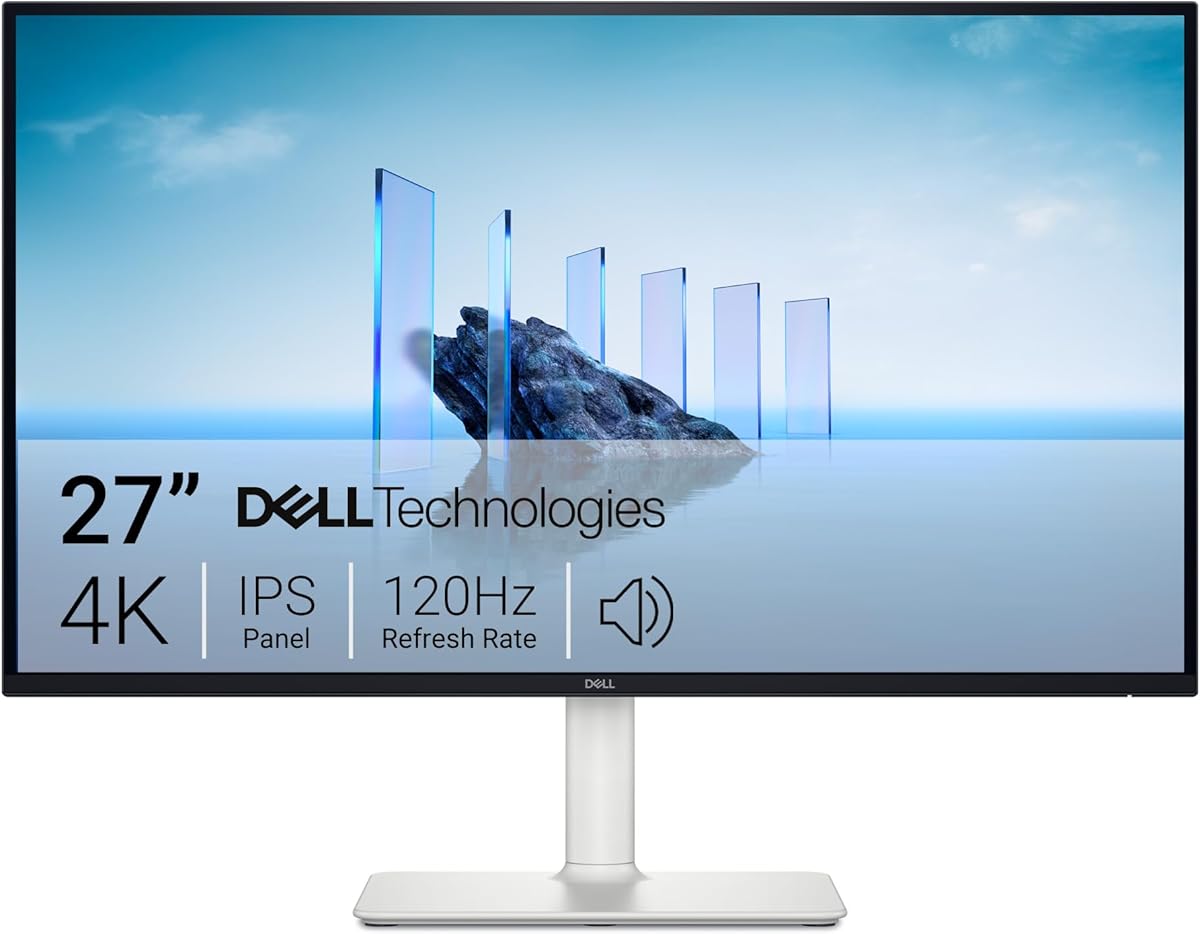
The Dell S2725QS stands out as a versatile 4K monitor that can handle professional work, entertainment, and gaming without specializing in only one category. It carries a 4.4 rating, uses an IPS panel, supports 4K UHD resolution, and offers a 120Hz refresh rate. That combination makes it one of the strongest choices for users who want sharper image quality alongside noticeably smoother motion.
We may earn a commission when you buy through this link, at no additional cost to you.
AMD FreeSync Premium and an extremely low stated 0.03ms response time target visible stutter and ghosting. The 99% sRGB gamut and 1500:1 contrast ratio support clear color and respectable depth, while HDR readiness gives compatible content an additional contrast pathway. Dell also re-engineered the built-in audio with greater output power and deeper frequency response, making the speakers more useful for casual media and communication.
It is not a specialist color-grading display, and the listed color coverage is 99% sRGB rather than a broader professional gamut. The product data also describes HDR readiness rather than a specific peak brightness or certification level. Buyers who require exact Adobe RGB coverage, calibrated reference accuracy, or guaranteed high-end HDR performance would need more specialized specifications.
The S2725QS is best for hybrid users who want one panel for dense office layouts and fast games. Its modern ash-white finish, ultra-thin bezels, 120Hz IPS panel, and FreeSync Premium support create a particularly balanced package for a shared office, creative workstation, or gaming setup.
The 120Hz rate provides a meaningful improvement over standard office refresh rates when scrolling, moving windows, or playing games. FreeSync Premium also helps synchronize compatible frame delivery for a smoother presentation.
IPS technology supports wide viewing angles, while 99% sRGB coverage and a 1500:1 contrast ratio provide a useful foundation for interface design, document review, photo viewing, and general content creation.
We may earn a commission when you buy through this link, at no additional cost to you.
The LG 27US500-W is a 27-inch UltraFine monitor aimed at users who want sharp 4K imagery and stronger color expression than many entry-oriented alternatives. Its 4.4 rating, native 3840-by-2160 resolution, IPS panel, HDR10 support, and up to 90% DCI-P3 gamut give it a particularly creative-leaning feature set.
We may earn a commission when you buy through this link, at no additional cost to you.
The stated 1000:1 contrast ratio, vivid color capability, and wide viewing angles are useful for digital imagery, design review, and entertainment. A borderless design reduces visual interruptions, while Onscreen Control lets users split the workspace or adjust basic settings with a mouse. The ergonomic stand provides tilt adjustment, and the box includes the stand, base, screws, power adapter, HDMI cable, and documentation.
Its primary limitation is the lack of a specified high refresh rate or gaming-focused response time. That makes the LG more appropriate for detailed creative work, office productivity, and media consumption than for fast competitive gaming. The supplied stand also offers tilt rather than the broader height, pivot, and swivel adjustment found on more ergonomic premium models.
This is a compelling recommendation for designers, students, and home users who prioritize resolution, color range, and clean presentation over gaming specifications. It delivers the core qualities of a useful 4K desktop at a practical tier while including enough connectivity and control features for a straightforward dual-purpose setup.
Up to 90% DCI-P3 coverage gives the display broader color expression than a standard sRGB-focused panel. That makes it more useful for photo review, graphic design exploration, and viewing HDR-enabled content, although it should not be mistaken for a calibrated reference monitor.
Onscreen Control supports split-screen layouts and common adjustments without requiring a complex menu system. This helps users turn the large 4K canvas into a more practical productivity environment for documents, communication windows, and reference material.
We may earn a commission when you buy through this link, at no additional cost to you.
The Sceptre U325W-UPT is built for buyers who want a large 4K canvas without immediately moving into a premium workstation display. Its 32-inch panel renders 3840 by 2160 pixels, offering more room for multiple windows, detailed timelines, and large design projects. The 3.9 rating is the lowest among these selections, so prospective buyers should weigh the specifications against that comparatively modest user feedback.
We may earn a commission when you buy through this link, at no additional cost to you.
A 70Hz refresh rate is a modest improvement over the standard 60Hz baseline, while 100% sRGB coverage supports accurate everyday color. Built-in treble speakers provide a convenient option for video conferencing and media without requiring separate desktop speakers. Connectivity is unusually generous for this category, with two DisplayPort and two HDMI inputs for switching among desktop workstations, laptops, and consoles.
The display does not list an adaptive synchronization feature, a precise pixel-response rating, or a broad professional color gamut. Its 70Hz rate and specifications place it more squarely in the productivity and general-entertainment category than among dedicated gaming displays. The 32-inch panel also requires more desk depth, and some users may prefer a smaller 27-inch format for close-range text viewing.
The Sceptre is best for multitaskers, video editors working with timelines, and anyone who wants four video inputs plus room for several open applications. Its 100-by-100-millimeter VESA compatibility adds flexibility for an arm or wall mount, while the larger screen can reduce the need for a dual-monitor arrangement.
The 32-inch 4K panel provides enough space to keep documents, communication apps, previews, and reference windows open at once. That makes it particularly useful for editing timelines, comparing large files, and handling complex office workflows.
Two DisplayPort and two HDMI connections allow multiple devices to remain connected. A 100-by-100-millimeter VESA pattern also supports arms and wall mounts, helping users improve desk layout and positioning.
We may earn a commission when you buy through this link, at no additional cost to you.
The Philips 27E1N1800A combines a 27-inch 4K UHD panel with IPS technology, HDR, built-in speakers, and adaptive synchronization. Its 4.2 rating places it among the stronger-reviewed products in the group, while the broad feature mix makes it a practical option for office work, media use, and general gaming.
We may earn a commission when you buy through this link, at no additional cost to you.
IPS technology provides wide viewing angles and rich color, which helps when collaborating around a desk or viewing images outside the ideal directly in front position. Adaptive-Sync is designed to produce smoother, artifact-free performance at virtually any frame rate. Flicker-free technology and LowBlue Mode address two common sources of visual discomfort during prolonged work.
The supplied specifications do not provide a numeric sRGB or DCI-P3 coverage figure, a precise maximum refresh rate, or a measured response time. Buyers who need verifiable professional color specifications may therefore find alternatives with more detailed color information easier to compare. The built-in speakers also add convenience but are not a substitute for a dedicated audio system in critical listening work.
The Philips is a strong choice for users seeking a conventional 4K monitor without narrow productivity or gaming focus. HDMI and DisplayPort inputs provide broad device compatibility, while HDR, adaptive synchronization, and eye-comfort features expand its usefulness across work and entertainment.
Adaptive-Sync technology is intended to maintain a smooth image at virtually any frame rate. It can be a useful middle ground for a 4K display used across productivity, video, and casual gaming rather than only one type of content.
Flicker-free operation and LowBlue Mode are designed to reduce strain during extended use. IPS wide viewing angles also make the screen more practical when the viewing position is not perfectly centered.
We may earn a commission when you buy through this link, at no additional cost to you.
The ZZA 27-inch 4K UHD monitor is a flexible office and productivity option with a 4.2 rating, 75Hz refresh rate, and four video inputs. Its 3840-by-2160 native resolution provides sharp detail for documents, design work, and media, while the stated ability to reduce graininess makes the display potentially useful for close-range productivity.
We may earn a commission when you buy through this link, at no additional cost to you.
Connectivity is a major strength. Two HDMI 2.0 and two DisplayPort 1.2 inputs allow several laptops, desktops, or consoles to remain connected, and a 3.5mm audio output supports private listening through headphones or external speakers. The 75Hz rate offers a smoother presentation than a standard 60Hz panel for scrolling, video playback, and casual gaming.
The supplied information does not list variable refresh support, a precise response time, or a numerical color-gamut rating. The stand provides tilt adjustment from negative five to positive 15 degrees, which is helpful but less flexible than an ergonomic stand with height, swivel, and pivot controls. Its 75-by-75-millimeter VESA pattern supports wall mounting and many monitor arms.
The ZZA is well suited to administrators, office workers, students, and casual gamers who need a sharp display with generous connectivity. Its HDR10 capability adds appeal for media, while the modest 75Hz target and practical mounting support make it a flexible second display as well as a primary desktop panel.
The combination of two HDMI 2.0 and two DisplayPort 1.2 ports reduces cable swapping and supports several connected systems. This is helpful for a desk that alternates between a work computer, laptop, and console.
Tilt adjustment lets users find a comfortable viewing angle, while 75-by-75-millimeter VESA support creates a path to a wall mount or articulating arm. A monitor arm can also recover valuable desk area in a compact workspace.
We may earn a commission when you buy through this link, at no additional cost to you.
The Sceptre C345B-QU240T is an important exception in this list because its native 3440-by-1440 resolution is ultrawide rather than 4K UHD. It should not be chosen by a buyer whose main requirement is 3840-by-2160 resolution. Its purpose is to offer a very wide, curved gaming canvas with up to a 240Hz refresh rate and a 1ms response time.
We may earn a commission when you buy through this link, at no additional cost to you.
The aggressive speed specification makes it attractive for competitive shooters, racing games, and other fast-moving titles. A 1500R curve creates a more enveloping field of view, while 100% sRGB coverage supports clear everyday color. Two DisplayPort and two HDMI inputs offer strong device flexibility, and built-in speakers plus an audio output help keep the desk uncluttered.
The central trade-off is resolution. Although 3440 by 1440 provides more pixels than a standard 16:9 Full HD screen, it does not match the fine detail of a native 4K display. A 34-inch curved monitor also needs substantially more desk space, and some users may find the curvature distracting. The supplied information does not state a variable-refresh feature, despite the high refresh-rate emphasis.
This model is best for a gamer who values speed and an ultrawide field of view more than 4K clarity. It can also serve as a large multitasking display for games, video, and timelines, but buyers searching specifically for a cheap 4K monitor should choose one of the native 4K models instead.
The 240Hz maximum refresh and 1ms stated response time focus on fast motion and low-latency play. This is the central advantage over the native 4K alternatives in this guide, though their higher resolution offers finer detail.
The 34-inch curved format can make racing games and cinematic content more immersive while providing room for side-by-side applications. Its broad connectivity and integrated audio simplify a multi-device entertainment setup.
We may earn a commission when you buy through this link, at no additional cost to you.
The Samsung ViewFinity S7 S71H is the highest-rated option in this guide, earning a 4.8 rating. Its 32-inch 4K UHD IPS display combines high pixel density with a generous physical canvas, making it particularly compelling for creative professionals, engineers, analysts, and office users who routinely need multiple windows open.
We may earn a commission when you buy through this link, at no additional cost to you.
The screen supports HDR10 and a claimed gamut of more than one billion colors, with darker blacks and brighter highlights intended to add depth to compatible content. Its resolution is useful for intricate designs, complex diagrams, and detailed video timelines. Eye Saver Mode reduces blue light and screen flickering, while Game Mode adjusts color and contrast to clarify scenes.
The lack of a stated maximum refresh rate and gaming-specific response figure keeps it from being the most obvious choice for competitive gaming. Its 32-inch size also demands more desk space, and users sensitive to a roomy viewing distance may prefer a 27-inch model. Professional color buyers may still want a wider gamut or calibration documentation than this listing provides.
The S71H is an excellent choice for professionals who need more room than a standard 27-inch display while retaining a true 4K canvas. The combination of strong user feedback, HDR10, eye-comfort functions, flexible HDMI and DisplayPort connectivity, and Game Mode makes it one of the most versatile selections here.
The 32-inch 4K panel provides a generous amount of information without requiring multiple displays. High pixel density can make small interface elements and fine design details easier to inspect at normal desktop distances.
HDR10 support improves contrast for compatible media, while Game Mode offers an alternate presentation for clearer scenes. Eye Saver Mode adds a separate layer of comfort for lengthy work sessions.
We may earn a commission when you buy through this link, at no additional cost to you.
This 27-inch 4K UHD monitor offers a broad collection of specifications for a general-purpose workstation, with a 4.0 rating. Native 3840-by-2160 resolution is supported at 60Hz, and the IPS panel is specified to cover 99% sRGB with a 178-degree viewing angle. It is aimed at designers, office users, and casual PC gamers who value sharpness and connectivity.
We may earn a commission when you buy through this link, at no additional cost to you.
One of its distinguishing features is the port assortment, including DisplayPort, HDMI, Type-C, and USB interfaces. It also supports VESA installation and tilt adjustment, giving users more placement flexibility than a completely fixed basic display. A listed 5ms response time and 60Hz refresh rate make it suitable for everyday animation, video, and noncompetitive gaming.
Its primary limitation is the standard 60Hz refresh rate, which is less compelling for fast games than the 120Hz Dell, the higher-speed Acer configuration, or the 240Hz ultrawide. The 4.0 rating is also modest relative to several other products in the guide. Because the listing uses a generic product identity, buyers should pay close attention to the warranty, return terms, and support details offered by the seller.
This display is a sensible option for users who need a sharp 4K desktop, clean borderless styling, and several connection options without focusing on high refresh rates. It is best suited to office work, creative browsing, media, and light gaming rather than competitive play.
DisplayPort, HDMI, Type-C, and USB interfaces give the monitor flexibility across modern laptops and desktops. That makes it useful for users who may switch between a compact computer, a workstation, and an external display setup.
The IPS panel's 99% sRGB coverage and wide viewing angle are appropriate for interface design, document work, and general photo viewing. HDR400 support adds contrast for compatible content, though it does not imply specialist-grade HDR mastering.
We may earn a commission when you buy through this link, at no additional cost to you.
The Acer Nitro VG270K L1 uses Dynamic Frame Rate technology to offer different refresh-rate and resolution combinations, making it unusually flexible for a gaming display. It runs at up to 72Hz in native 4K and up to 144Hz at 1920-by-1080, allowing users to prioritize either detail or speed according to the task. Its 4.2 rating reflects a generally favorable user-response profile.
We may earn a commission when you buy through this link, at no additional cost to you.
AMD FreeSync is included to reduce stuttering and tearing by synchronizing frames with compatible graphics hardware. The stated response time reaches 1ms and up to 0.5ms gray-to-gray, helping keep fast transitions and movement crisp. HDR10 support extends to up to 95% DCI-P3 coverage, a broad specification for a gaming-focused panel.
The key limitation is that its maximum 144Hz mode sacrifices 4K resolution. At the native 3840-by-2160 setting, the refresh rate is much less competitive than the Dell's 120Hz, so speed-focused buyers may prefer that alternative. The ZeroFrame design is attractive for multi-monitor arrangements, but the supplied data lists only negative-five-to-positive-25-degree tilt adjustment.
The Nitro VG270K L1 is best for a gamer who wants crisp 4K for some games and very high refresh rates for competitive titles. Its broad color gamut, FreeSync support, fast response, and flexible resolution modes also make it a solid all-around display for media and everyday PC use.
Dynamic Frame Rate lets the display operate at native 4K for sharp visuals or at Full HD with up to 144Hz for competitive gaming. This flexibility is useful when different games or applications benefit from different priorities.
Support for up to 95% DCI-P3 and HDR10 gives games and media a wider color presentation. A stated 1ms response time, with up to 0.5ms gray-to-gray performance, is designed to reduce visible smearing during quick movement.
We may earn a commission when you buy through this link, at no additional cost to you.
The right inexpensive 4K monitor balances native resolution with panel quality, motion performance, connectivity, and practical ergonomics. Comparing these factors against your actual workload prevents an unnecessarily specialized display from displacing a more balanced option.
A genuine 4K display should output 3840 by 2160 pixels, ideally at the full 60Hz refresh rate. This produces four times the pixel count of 1920 by 1080, allowing smaller text, denser interfaces, and more detailed imagery. Check that the computer and graphics output support the desired 4K refresh rate, because cables, adapters, and older graphics hardware can impose limits.
Choose native 4K when fine text, large workspaces, photo inspection, or video timelines matter most. Do not mistake an ultrawide 3440-by-1440 display for 4K; it offers more width but fewer total pixels.
IPS panels are common in affordable 4K monitors because they offer wide viewing angles and consistent color when the screen is viewed from the side. They are especially suitable for offices where a colleague may briefly view a shared screen. Contrast and black levels will not match a high-end mini-LED or OLED panel, so users who prize deep blacks should calibrate expectations accordingly.
For general office work, creative review, and family use, look for IPS with a stated viewing angle and recognized color coverage. If accurate professional output is essential, verify calibration records and gamut specifications rather than relying on resolution alone.
A 60Hz 4K panel is sufficient for documents, browsing, video, and many simulators, while 75Hz provides a slightly smoother feel. Competitive and fast-paced gaming benefits more from 120Hz or higher, although some displays offer their fastest refresh only at a reduced resolution. Specified response times should be treated as comparative guidance rather than a guarantee of real-world clarity.
Prioritize a higher refresh rate when gaming is a primary activity. If 4K gaming is nonnegotiable, verify the refresh rate at 3840 by 2160. Otherwise, a 4K panel for work combined with a faster lower-resolution gaming mode can offer a practical balance.
The sRGB percentage indicates how much of the standard web color space a monitor can display, while DCI-P3 coverage matters for newer HDR content and some creative workflows. A stated 99% sRGB rating is useful for general design and photo viewing, but professional color work also depends on calibration, uniformity, and whether the manufacturer supports accurate factory settings.
HDR support by itself does not guarantee a strong HDR experience. Look for brightness specifications, contrast details, local-dimming information, and certification when HDR quality is important. If accurate color is the goal, choose a documented gamut first and treat HDR as a secondary feature.
DisplayPort and HDMI are the most important connections for a desktop monitor, and multiple inputs make it easier to move between a laptop, workstation, and console. USB hub functionality is convenient for peripherals but can add complexity and may depend on the exact port implementation. Type-C is useful with compatible modern laptops, particularly when power delivery or a single-cable workflow is supported.
Count the devices you expect to connect and confirm the available inputs and cable versions. A 3.5mm audio output can be useful with external speakers or headphones, while built-in speakers are generally best treated as a convenient secondary audio option.
A useful stand should provide at least tilt, but height adjustment, swivel, and pivot offer better control over posture and screen alignment. Ergonomic positioning matters because a 32-inch display is often placed farther away than a 27-inch model, while a 4K panel can encourage closer viewing. VESA compatibility also makes it possible to use an arm or wall mount and reclaim desk space.
Check the VESA pattern and included hardware before buying an arm. If the package does not include compatible screws or an adapter, obtain the correct fasteners separately. Users who expect to reposition the screen frequently should give stand adjustment greater consideration than thickness or bezel styling.
Flicker-free operation, low-blue-light modes, and automatic brightness or ambient adjustments can make long work sessions more comfortable. These features do not eliminate eye strain caused by poor positioning, glare, or inappropriate brightness, but they reduce some of the visual triggers associated with prolonged screen use. A TÜV certification indicates that a product has been evaluated against defined eye-comfort criteria.
Use eye-comfort features alongside sensible desk practices: position the top of the screen near eye level, reduce reflections, and take regular breaks. If a monitor offers several viewing modes, test them with your actual applications rather than assuming one preset suits every task.
A monitor is a durable but exposed electronic device, so warranty length, dead-pixel policy, and return procedures can be as important as headline specifications. Manufacturer support may be easier to navigate than buying through an unfamiliar marketplace seller. For less established brands, checking the seller's return window and replacement process before ordering is particularly prudent.
Keep the original packaging and purchase documentation, and inspect the display promptly for damage or defective pixels. Researching these terms can prevent surprises if the monitor develops an issue. It is also wise to confirm that the exact model listing includes the features you need rather than relying on a brand or series name.
Begin by choosing the correct native 4K resolution in your computer's display settings, then select a compatible refresh rate and make sure scaling is set to a comfortable level. The 4K panel can display very small text, but forcing Windows or macOS to render interfaces at a tiny size can reduce readability. Adjust brightness to match the room, and use the included controls or onscreen software to fine-tune sharpness.
For color-sensitive work, keep the monitor out of direct sunlight and away from strong colored reflections. Use a neutral desktop background, avoid leaving bright applications open when judging images, and allow the display to warm up before evaluation. If accurate output is required, request a calibration report or use a colorimeter rather than assuming the factory settings meet professional standards.
Clean the screen with a soft, lint-free microfiber cloth lightly dampened with water, and avoid spraying cleaner directly onto the panel. Keep vents unobstructed, route cables so they do not press against connectors, and loosen the stand before rotating or moving the display. For an arm-mounted model, use the correct VESA fasteners and check the connection periodically for signs of sagging or looseness.
Yes, especially for office work, browsing, documents, video editing, and general entertainment. A 4K panel provides four times the pixels of Full HD, so text and interfaces can look much sharper even when motion remains at 60Hz. Fast competitive gaming is the main situation in which a higher refresh rate offers a more noticeable benefit.
A 27-inch model is usually easier to position at a normal desk distance and can feel denser when viewed closely. A 32-inch model offers more physical workspace and is better for timelines, side-by-side applications, and professional diagrams, but it needs more desk depth. The ideal choice depends on viewing distance as much as screen size.
Many modern integrated graphics processors can drive a 4K display, particularly for office applications and video playback. Gaming, complex creative software, and high-refresh 4K output require more graphics performance and may benefit from a dedicated card. Confirm that the computer, adapter, and cables support the intended resolution and refresh rate.
A 4K display has 3840 by 2160 pixels, while a 3440×1440 ultrawide is wider but has fewer total pixels. Ultrawides can offer a very high refresh rate and an expansive gaming field of view, whereas 4K provides finer detail and a conventional 16:9 shape. The better option depends on whether you prioritize resolution detail, immersion, or speed.
HDR400 can improve contrast on compatible content, but it is a modest HDR tier rather than a guarantee of a premium HDR experience. Its value depends on brightness, black-level performance, and the content being viewed. For office work, a good IPS panel and accurate sRGB presentation may matter more than the HDR label.
Built-in speakers are convenient for system alerts, video calls, and casual media, but they rarely match dedicated desktop speakers or headphones for detailed listening. Consider them a bonus rather than a deciding feature. A headphone or audio output gives you more control over the final sound quality.
You can if it has a compatible VESA pattern and the arm supports that pattern and the display's weight. Check the stated dimensions, such as 75-by-75 or 100-by-100 millimeters, and obtain the correct screws because the supplied hardware may not fit every arm. An arm can improve positioning and free up desk space.
Confirm the native resolution, maximum refresh rate at 4K, panel type, color-gamut claims, input ports, stand adjustments, and VESA compatibility. Also review the warranty, dead-pixel policy, and seller return process. These checks help ensure the monitor fits both your equipment and the way you actually work.
The Dell S2725QS is the strongest all-around recommendation because it combines a 4K IPS panel, 120Hz refresh rate, FreeSync Premium, 99% sRGB coverage, and improved built-in audio. The Samsung ViewFinity S7 S71H offers a larger 32-inch professional canvas and the highest listed rating, while the Sceptre 32-inch 4K UHD provides a spacious multi-input option for productivity.
Prioritize native 4K if fine text and dense applications are your priority, but consider a higher refresh rate if gaming is a major part of the experience. IPS panels, suitable connectivity, adjustable stands, eye-comfort features, and credible color specifications can matter more than minor differences in advertised contrast. For a different balance of speed and immersion, the Sceptre ultrawide is worth considering, though it is not a 4K display.
Product availability, promotions, and prices change regularly, so verify the current listing and seller information before purchasing. Read recent customer feedback, check the return policy, and confirm that the exact model includes the ports, mounting support, and performance you need. Those final checks can be as valuable as any specification on the page.