
Powseed 65W Charger
4.4Editor score
Four interchangeable barrel tips
Supports 65W 45W 33W
Includes six-foot power cord
This ASUS Vivobook and Zenbook Power Cord guide compares 10 chargers for wattage, connector type, voltage, cable length, portability, and compatibility.
Finding a replacement charger for an ASUS laptop is not simply a matter of matching the brand. Port shape, voltage, current, wattage, and the exact model all affect whether a power cord will work safely and reliably. A well-chosen ASUS Vivobook and Zenbook Power Cord should also suit your desk, travel bag, or backup-charger setup.
This guide compares ten options based on their published power ratings, connector systems, supported laptop families, cable lengths, safety certifications, and warranty coverage. The list includes round-barrel adapters for traditional Vivobook and Zenbook models, as well as USB-C chargers for newer OLED and slim systems that require a different connection.
Each review highlights the charger most relevant to a particular use: broad model support, a compact lower-power option, a long cable, USB-C convenience, or higher power for demanding machines. Ratings and specifications are based on the supplied product information, while current prices can change and should be checked before purchasing.
4.4Editor score

4.8Editor score
4.8Editor score
The comparison below distinguishes round-barrel and USB-C chargers by maximum output, connector flexibility, supported ASUS families, and practical extras such as cord length, included tips, and warranty coverage.


The Superer 65W Laptop Charger for ASUS VivoBook ZenBook, Chromebook is a traditional round-barrel adapter aimed at ASUS notebooks that accept 65W, 45W, or 33W power. Its 4.4 rating reflects broad customer interest, while the four included switchable connectors and 24-month warranty set it apart from many simple replacement blocks.
We may earn a commission when you buy through this link, at no additional cost to you.
Its principal strength is flexibility. One adapter can serve compatible Vivobook, ZenBook, Chromebook, Transformer, EeeBook, ImagineBook, and ExpertBook models when they use one of the supported round connectors. The output is listed as 19V at up to 3.42A for 65W, and the broad 100-240V input makes it suitable for use in many regions.
The limitations are important because the product is not universal. It does not support USB-C, 7.4 by 5.0mm, or 6.0 by 3.7mm connectors. The stated exclusions also cover TUF Gaming, ROG Strix, ROG Zephyrus, ROG Flow, several ProArt systems, Vivobook Pro 15 and related models, Zenbook Pro 14 Duo and OLED versions, and higher-wattage Chromebooks.
This charger is a sensible choice for an owner of a mainstream round-port ASUS laptop who wants one compact power brick for several compatible devices. Check the original charger label, compare the port, and confirm that the model is not among the explicit exclusions before ordering. For those conditions, the long warranty makes it a reassuring replacement option.
The included round tips allow the charger to accommodate compatible Vivobook, ZenBook, Chromebook, Transformer, EeeBook, ImagineBook, and ExpertBook systems. This makes it more useful than a fixed-tip replacement when you own more than one eligible ASUS notebook.
A 24-month manufacturer warranty is more substantial than the one-year coverage listed for several competing replacements. It does not change the need to verify connector size, voltage, and model compatibility before use.
We may earn a commission when you buy through this link, at no additional cost to you.
The Dexpt Charger Compatible with ASUS Laptop Round Port combines a 65W charging brick, a 7.5-foot cord, four detachable round tips, and an LED status indicator. It is intended for compatible ASUS Vivobook, ZenBook, Chromebook, EeeBook, ImagineBook, ExpertBook, and TransformerBook laptops rather than USB-C systems.
We may earn a commission when you buy through this link, at no additional cost to you.
The generous cable can be particularly useful when the wall outlet is inconveniently placed. A visible LED also gives the user a quick indication that the adapter is receiving power. The electrical specification is 19V at up to 3.42A for 65W, with stated compatibility for lower 45W and 33W requirements.
Its scope is narrower than its family list might initially suggest. Gaming laptops and models requiring more than 65W are excluded, as are TUF Gaming, ROG Strix, Flow, and Zephyrus series, Vivobook Pro, Zenbook Pro, Chromebook Flip, and several ExpertBook configurations. Its four round connectors also cannot address a USB-C charging port.
The Dexpt adapter is best for a compatible conventional ASUS laptop that benefits from a longer cable. Buyers should inspect the charge port, verify the required output, and check the exclusion list before purchase. Within that narrower category, the long cord and LED make it especially practical for a shared office or home workspace.
The 7.5-foot power cord offers more placement flexibility than a compact adapter with a short lead. It can reach a wall outlet positioned behind furniture or across a larger desk without an immediately obvious need for an extension cord.
The LED indicator gives visual feedback that the charger is energized. It is a modest convenience, but it can help distinguish a failed cable or outlet from a charger that is operating normally.
We may earn a commission when you buy through this link, at no additional cost to you.
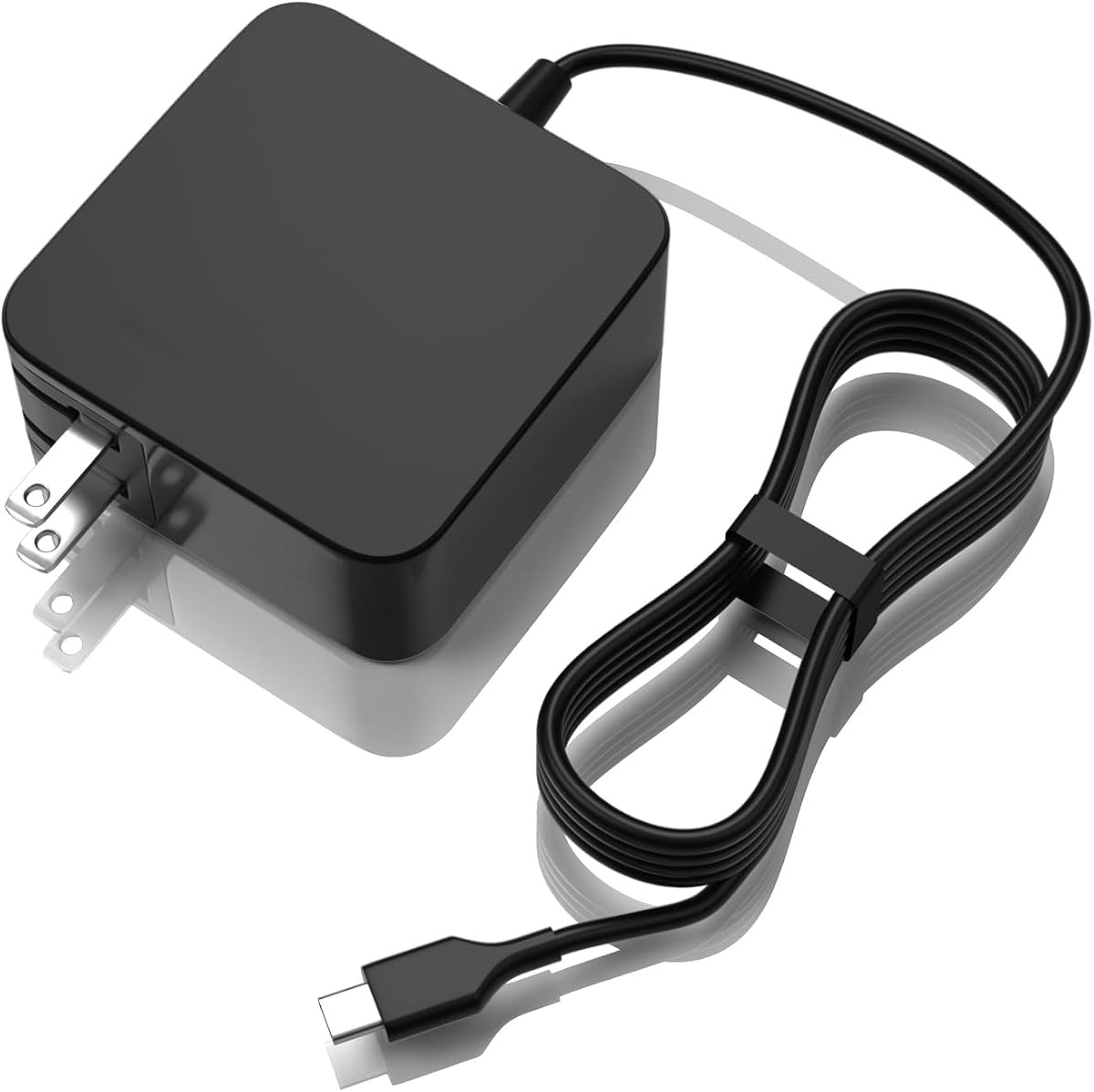
The Powseed Laptop Charger 65W Replacement for Asus VivoBook Zenbook Power Cord combines three output levels with four interchangeable DC barrel tips. Its listed compatibility covers a large selection of Vivobook, ZenBook, ExpertBook, and Chromebook models, making it one of the more explicitly documented options in this guide.
We may earn a commission when you buy through this link, at no additional cost to you.
The output selections cover 65W at 19V 3.42A, 45W at 19V 2.37A, and 33W. Connector tips measure 4.5 by 3.0mm, 4.0 by 1.35mm, 3.0 by 1.0mm, and 5.5 by 2.5mm. A six-foot AC cable is included, and the product is described as FCC and CE certified with short-circuit protection.
A potential drawback is that the detailed compatibility lists can create the impression that every modern ASUS laptop is covered. The charger is limited to round DC barrel inputs, and the exact model must still use a supported connector and accept the appropriate voltage and current. Its tip set also does not include a USB-C option.
This is a strong choice for a round-port ASUS laptop owner who wants broad documented model coverage without moving to USB-C. Buyers should locate the input label on the original adapter and measure the existing plug if the model is not listed. With a correct match, the combination of multiple tips, certifications, and a two-year warranty makes it a practical budget replacement.
The listed Vivobook ranges include popular X, S, Go, and classic model families, while the ZenBook section covers 13-, 14-, and 16-inch patterns. This breadth is useful when maintaining laptops across several years rather than replacing the charger for only one recent model.
Built-in short-circuit protection and stated FCC and CE certification add useful reassurance. These features should complement, rather than replace, careful connector matching and use of the correct output setting for the laptop.
We may earn a commission when you buy through this link, at no additional cost to you.
The 90W Charger Compatible with Asus Vivobook USB C provides a USB-C adapter for modern ASUS systems that use that connection. Its 4.6 rating places it above the group average, and the stated 20V at up to 4.5A output provides 90W of maximum power for compatible laptops.
We may earn a commission when you buy through this link, at no additional cost to you.
Compatibility information includes selected Vivobook S, 16X, Flip OLED, and other models, along with the Zenbook 14X OLED UX3404VA and UX5400ZB. It also lists several compatible ASUS part numbers, including ADP-90RB E, A21-090P2A, and ADP-90RB E adapter variants.
Safety features include overvoltage, short-circuit, and overcharge protection, with FCC, CE, and RoHS certification stated in the product information. The limitation is that its one-year warranty is shorter than the two-year terms offered by some competing barrel chargers. It also cannot serve a laptop that requires a physical round barrel tip.
This adapter is a good candidate for a newer USB-C Vivobook or Zenbook whose original charger uses a 90W-class arrangement. Check the USB-C plug shape, required output, and original part number before ordering. If all three align, the high power rating and stated protections provide a practical replacement package.
A 90W rating gives the adapter more headroom than a conventional 65W replacement. That makes it relevant for selected newer Vivobook and Zenbook configurations listed in the product information, provided the laptop's charging specification agrees.
FCC, CE, and RoHS certification is paired with stated protection against overvoltage, short circuits, and overcharging. These safeguards support reliable use, although correct part-number and connector compatibility remain the buyer's responsibility.
We may earn a commission when you buy through this link, at no additional cost to you.
The KAQIAR 90W USB C Fast Charger is the strongest premium option for compatible modern ASUS laptops in this roundup. It carries a 4.8 rating and supports up to 90W through USB-C, with output modes of 5V 3A, 9V 3A, 15V 3A, and 20V 4.5A.
We may earn a commission when you buy through this link, at no additional cost to you.
Its published compatibility includes Vivobook S 14, 15, 14X, and 16X OLED models; several K, M, S, and TP series systems; and the Zenbook 14X OLED, UX3404, UX5400, and Q410V and Q420V families. It also lists selected ExpertBook B3, B5, and Flip models, as well as original part numbers such as A21-090P2A and ADP-90RE series.
Protection is listed against short circuits, overvoltage, overcurrent, and internal overheating. The package contains the charger and a power cord, and the product description invites compatibility questions before use. Its key tradeoff is that this is strictly a USB-C solution; it does not cover legacy ASUS notebooks with round charging sockets.
The charger earns its premium position for owners of a listed USB-C Vivobook, Zenbook, or ExpertBook who wants 90W capability and broad modern-model support. Confirm the port, required output, and original part number first. If the model matches, this offers a capable, well-specified alternative to a standard 65W barrel adapter.
The 20V 4.5A mode enables the adapter's 90W maximum output, while lower voltage modes provide negotiation options for compatible devices. The key requirement is that the laptop must support USB-C Power Delivery with a compatible charging profile.
The detailed list includes recent Vivobook S and OLED models, Zenbook 14X and Q-series systems, and selected ExpertBook configurations. This is more appropriate for a modern USB-C laptop than for an older round-port Vivobook.
We may earn a commission when you buy through this link, at no additional cost to you.
The LAP POW USB-C 65W 45W AC Adapter is designed for ASUS and other devices that charge through USB-C at 33W, 45W, or 65W. Its 4.4 rating, foldable plug, and 5.9-foot cord make it particularly relevant to students, travelers, and office users who switch between locations.
We may earn a commission when you buy through this link, at no additional cost to you.
The output specification supports up to 65W, while the input range is 110-240V at 50-60Hz. The listed ASUS coverage includes numerous Chromebook Flip, Chromebook, and Transformer models; several ZenBook families such as UX325, UX363, UX370, UX390UA, UX393, UX425, UX435, and UX482; and the VivoBook S435.
Certification includes CE, FCC, and RoHS, and the description references built-in safety mechanisms. Compatibility is still model-specific. A broad statement that it can charge any USB-C device needing 33W, 45W, or 65W should not be interpreted as permission to use a charger whose plug, protocol, or output profile differs from the laptop's requirements.
This is a sensible choice for a compatible USB-C Zenbook, VivoBook, Chromebook, or ExpertBook that operates at 65W or less. Its foldable plug and core-tied cord reduce the chance of tangling in a bag. Before buying, compare the connector and output with the original adapter, especially for models with specialized charging protocols.
The foldable plug and cable-tie design are convenient for a backpack or laptop sleeve. At 5.9 feet, the lead also offers useful reach in hotel rooms, classrooms, and shared workspaces without being as cumbersome as some longer cords.
Support for 33W and 45W devices makes this more versatile than a fixed 65W USB-C adapter. The laptop still needs to negotiate a compatible USB-C profile, so users should check the original charger specification.
We may earn a commission when you buy through this link, at no additional cost to you.
The Nicpower 65W 45W Laptop Charger is a direct replacement option for ASUS systems using a compatible round connector. Its stated 19V 3.42A output supplies 65W and is also described as working with 45W and 33W laptops, covering many traditional Vivobook and ZenBook configurations.
We may earn a commission when you buy through this link, at no additional cost to you.
The broad family description mentions Vivobook 12-, 14-, 15-, 16-, and 17-inch models, Flip models, S-series notebooks, and Go devices, along with Zenbook, EeeBook, and ExpertBook. It is positioned as a one-for-many solution for round-port machines rather than as a USB-C or high-wattage gaming charger.
The exclusion list is substantial and deserves careful review. It includes USB-C and several unusual barrel dimensions, plus named Vivobook and Zenbook families. One-year manufacturer warranty coverage is included. The product is therefore less flexible than adapters that provide multiple removable tips, even if its listed electrical specification is clear.
The Nicpower adapter is most suitable when you have confirmed that your ASUS laptop has a supported round charging port and a 19V requirement at or below 3.42A. Check the connector image, original output label, and excluded model list before ordering. A correct match gives you a straightforward 65W-class replacement with lower-wattage support.
The 19V 3.42A output mirrors a common class of ASUS laptop adapters. It also supports lower-rated 45W and 33W notebooks, offering useful flexibility within a limited voltage and connector family.
The supplied information names many incompatible Vivobook and Zenbook models. Checking the original adapter and physical plug is more dependable than relying only on a broad series name, particularly for a newly released notebook.
We may earn a commission when you buy through this link, at no additional cost to you.
The Dexpt 45W Laptop Charger is a lower-power replacement for compatible ASUS Vivobook and ZenBook systems that use a 4.0 by 1.35mm round barrel connector. Its 4.5 rating and unusually specific compatibility notes make it a useful alternative when a full 65W adapter would be unnecessary.
We may earn a commission when you buy through this link, at no additional cost to you.
The output is 19V 2.37A for 45W, and the product is also described as backward compatible with lower 19V 1.75A or 33W laptops. A six-foot total cable is integrated into the adapter, and the folding two-prong wall plug uses a listed 100-240V input range.
Its fixed tip is the decisive tradeoff. It will not fit 5.5mm large-plug models such as the X550 or X551, 3.0mm-tip systems, or USB-C laptops. The charger is also not a phone or tablet adapter. Its output is intended exclusively for compatible laptops, so a lower price alone should not persuade a buyer to use it on another device category.
This is a good fit for a student, travel user, or desk owner with a supported low-power ASUS notebook. Measure the tip and read the original charger label before ordering. If the laptop requests 19V at no more than 2.37A and accepts the 4.0 by 1.35mm plug, this offers a compact, lower-output option with useful cord length.
The 45W specification is appropriate for compatible systems designed for lower power. It also supports 33W machines, but never a laptop whose original charger requires a higher current or a different connector.
The description explicitly distinguishes the 4.0 by 1.35mm tip from large 5.5mm, small 3.0mm, and USB-C connections. That specificity makes verification straightforward if the buyer has access to the laptop or original adapter.
We may earn a commission when you buy through this link, at no additional cost to you.
The Dexpt 65W Laptop Charger Replacement for ASUS VivoBook ZenBook Chromebook is a compact round-port adapter with three selectable connector sizes. Its 4.5 rating reflects solid user reception, while the support for 65W, 45W, and 33W systems makes it suitable for several generations of compatible ASUS notebooks.
We may earn a commission when you buy through this link, at no additional cost to you.
The included tips measure 4.5 by 3.0mm, 5.5 by 2.5mm, and 4.0 by 1.35mm. Output reaches 19V 3.42A and 65W, with 100-240V input. The package contains one power adapter and all three tips, and the product includes a one-year manufacturer warranty.
This option is more compact than some products that bundle multiple tips and a lengthy cable, but it also lists fewer connector options and no specific cable length. It is not compatible with USB-C, 6.0 by 3.7mm, or square connectors. Its stated current limit is important: the laptop should call for no more than 3.42A.
The Dexpt adapter is a practical choice when one of its three tips matches the port on a compatible Vivobook, Zenbook, or Chromebook. Test all three supplied tips before applying force and confirm the required voltage and wattage against the original charger. For a straightforward round-port replacement without excess accessories, it is a well-focused option.
The 4.5 by 3.0mm, 5.5 by 2.5mm, and 4.0 by 1.35mm tips cover several round connectors encountered on older and mid-range ASUS laptops. The bundle remains smaller than a multi-tip kit that offers five or more diameters.
A maximum output of 19V 3.42A is stated to work with 65W, 45W, and 33W systems. The laptop's input rating still controls, and devices requiring a different voltage or higher current should not use this adapter.
We may earn a commission when you buy through this link, at no additional cost to you.
The EERSY 65W Laptop Charger for Asus Vivobook 14 15 17 ZenBook Chromebook combines a 4.8 rating with five interchangeable round connectors and an unusually long 8.8-foot cord. It is the most flexible conventional round-port charger in this group for users who need to cover several ASUS devices.
We may earn a commission when you buy through this link, at no additional cost to you.
Maximum output is 19V 3.42A and 65W, with stated support for 19V 2.37A and 19V 1.75A laptops. Connector options include 4.0 by 1.35mm, 4.5 by 3.0mm, 3.0 by 1.1mm, 4.0 by 1.7mm, and 5.5 by 2.5mm. The 100-240V input is suitable for broad international use.
The model and part-number lists are extensive, spanning many Vivobook, ZenBook, Chromebook, and ASUS Pro families. Nevertheless, connector variety does not create universal compatibility: the port must physically match, and the laptop's required voltage, current, and polarity must agree with the adapter. USB-C models remain outside this product's scope.
This charger is the best general choice for a round-port ASUS laptop owner who values connector breadth, a long lead, and strong published customer feedback. The long cord is especially useful behind desks or across larger workspaces, while the five tips reduce the chance of buying the wrong replacement for another eligible device. Always verify before ordering.
The connector set includes five common round dimensions, reducing the chance that a compatible ASUS laptop will require an additional adapter. It does not cover USB-C, square connectors, or proprietary charging arrangements.
At 8.8 feet, the cable is the longest among the round-barrel options here. It can simplify setups where the outlet is behind a desk, along a wall, or farther from the work surface than a shorter adapter lead permits.
We may earn a commission when you buy through this link, at no additional cost to you.
The safest replacement is the one that satisfies the laptop's port, voltage, current, and power requirements. The following factors help narrow the field before you consider model lists, cord length, or convenience features.
Start by determining whether your ASUS laptop uses a round barrel socket or USB-C. Round-port models require a matching diameter and internal pin size, while modern USB-C models need a cable and charger that support the laptop's required power-delivery profile. A physically similar connector can still be electrically unsuitable, so visual inspection should be followed by the original adapter's output label.
Read the output line on the original charger. Most round-port replacements in this guide supply 19V, with current ratings corresponding to 33W, 45W, and 65W. The replacement should match the voltage and provide the current the laptop expects; using an adapter with insufficient current can cause charging problems, while a higher-current adapter may be acceptable only when the manufacturer supports it and the connector protocol agrees.
Round connectors are identified by both outer and inner diameter, and visually similar tips may have different dimensions. Common options here include 4.5 by 3.0mm, 4.0 by 1.35mm, 5.5 by 2.5mm, 3.0 by 1.0mm or 1.1mm, and 4.0 by 1.7mm. A product with several tips is convenient, but you must still select the correct one and avoid forcing a plug that does not slide in cleanly.
A 65W adapter generally serves lower-power 19V Vivobook and ZenBook models, while 90W USB-C options are aimed at newer high-power systems and are not automatically interchangeable with every USB-C laptop. A 45W charger can be appropriate for a 45W or 33W notebook, but it should not be assumed to charge a machine designed for 65W. The original power requirement is the best guide.
Product descriptions often list popular series names but then exclude newer or specialized variants. Gaming, Pro, OLED, Flip, Flow, and other high-power families may use different ports, protocols, or power requirements. Search the listing for the precise model number and compare it with the supported and excluded lists before buying.
Cable length determines where the charger can be used. Options in this guide range from an integrated six-foot lead to an 8.8-foot cord. A longer cable can make wall placement easier, but it may add bulk to a travel bag. A shorter or compact system may be more convenient for commuting, while a long lead is useful behind furniture or at a shared desk.
Look for overvoltage, overcurrent, short-circuit, overcharge, and thermal protection. Stated FCC, CE, or RoHS certification can also help identify a product that was produced with recognized compliance requirements. These features are useful, but they do not correct an incorrect connector or a mismatched power profile, so compatibility verification remains essential.
Warranty terms range from one year to two years in the supplied product information. A longer term may be reassuring for a frequently used primary charger, while a shorter term can still be acceptable for a backup. Also consider how the product is intended to be used, whether it will remain connected for long periods, and whether the included tip arrangement reduces the need for additional purchases.
Before connecting a new charger, compare the plug with the laptop's port and compare the replacement's output label with the original adapter. If the charger uses interchangeable tips, select the tip by measured diameter, attach it firmly, and test it in the appropriate round port or USB-C socket without forcing the connector. Never try to insert a round plug into a USB-C port or alter the tip.
Use the charger on a stable, dry surface with the cable routed so it cannot be pinched, stepped on, or pulled sharply. Do not leave the power brick under a mattress, beneath a desk pad, or inside an enclosed space where heat cannot dissipate. Unplug it when leaving the area for an extended period, and stop using it if the plug, cable, brick, or connector shows heat, discoloration, swelling, fraying, or physical damage.
For storage, disconnect the cable from the wall and laptop, wrap the lead without creating a sharp bend, and protect the connector from dust and impacts. Keep interchangeable tips in their original set so they do not become mixed up. If the charger is replaced under warranty, retain the original packaging and purchase information, and never open the power brick or attempt an internal repair.
Often, yes, provided the voltage, connector, and charging protocol match. A 65W adapter that supplies the same voltage and a compatible connector can generally support a laptop designed for 45W, since the laptop normally draws only the power it needs. The exceptions include proprietary protocols, polarity differences, or systems with special charging requirements, so confirm the original charger label before using it.
A 45W charger is not automatically safe for a laptop whose original adapter supplies 65W. The current limit may be too low, which could prevent proper charging or cause instability under heavier workloads. Check the laptop's required input wattage, voltage, and current, and use an adapter with an appropriate rating and connector for the model.
A round barrel tip is a circular DC connector whose outside and inside diameters must match the laptop's socket. USB-C is a small reversible oval connector used by many newer systems and may require a specific power-delivery profile. These connectors are physically different, so a round-tip charger cannot be used by changing it to USB-C without an unsuitable or unsupported adapter.
Look up the laptop's exact model number and inspect the charger port and the label on the original power adapter. Note the output voltage, current, wattage, connector shape, and any part number. The round-charging and USB-C options in this guide support different Zenbook families, so the series name alone may not identify a safe match.
No. A USB-C connector does not guarantee that a charger will negotiate the voltage and current required by a particular laptop. The charger must support the appropriate USB-C Power Delivery profile, and the manufacturer's wattage guidance should be followed. This is especially important for high-performance or specialized ASUS models that use proprietary charging features.
Matching the original wattage, voltage, current, and connector is the safest general rule. A higher-wattage charger may work when the connector and protocol are compatible because the laptop controls its draw, but that should not be assumed for every device. A lower-wattage charger may charge inadequately or fail to handle peak loads.
Inspect the charging socket and compare both its outside and inside diameters with the replacement tips, or remove the original charger and measure its plug carefully. Common sizes include 4.5 by 3.0mm, 4.0 by 1.35mm, and 5.5 by 2.5mm. Do not rely on visual similarity alone, because several round tips look nearly identical at a glance.
It can if all of those laptops use the same supported connector, voltage, and compatible charging requirements. Products with multiple tips and support for 33W, 45W, and 65W offer useful flexibility. The charger's explicit exclusions still apply, and each laptop should be checked before connecting it to a shared replacement adapter.
The EERSY 65W Charger stands out as the most flexible conventional option, with a 4.8 rating, five round connector sizes, and an 8.8-foot cord. The Powseed 65W Charger is a strong budget-oriented alternative with four tips, broad model documentation, and a two-year warranty, while the KAQIAR 90W USB-C Charger is the premium option for compatible modern systems.
Your priority should be the charging interface and electrical requirements rather than the length of the compatibility list. Start with the connector, compare the original output label, and then match the voltage, current, wattage, and model exclusions. If your laptop uses USB-C and needs 90W, choose a suitable USB-C Power Delivery charger; if it uses a round port, select the tip that physically matches.
Finally, review the current listing, warranty terms, and price before purchasing, since availability and prices can change. The goal is not merely a charger branded for ASUS, but one whose connector, power profile, and supported model range all align with the laptop you actually own.