
Nelko Bluetooth Thermal Shipping Label Printer
4.3Editor score
Bluetooth and USB options
150 mm/s print speed
203 DPI resolution
Roll and fanfold support
Our 4x6 shipping label printer guide compares ten models for print quality, speed, wireless connections, compatibility, and everyday shipping needs.
A 4×6 shipping label printer is a practical tool for small businesses, online sellers, warehouse teams, and anyone who regularly prepares parcels. The right model should produce readable barcodes, handle common label formats, connect smoothly to your devices, and keep up with daily fulfillment without creating unnecessary maintenance work.
This guide compares ten thermal shipping label printers based on resolution, print speed, supported label sizes, connection methods, platform compatibility, storage design, and intended workload. It covers wired and Bluetooth models, compact printers for mobile workflows, and higher-capacity designs for busy packing stations, helping buyers understand the practical differences.
The selections range from budget-friendly units for occasional shipping to feature-rich desktop models for daily business use. Each review highlights the strongest benefits, limitations, and ideal buyer, while product details and availability can change over time, so readers should confirm current specifications before purchasing.
4.3Editor score

4.6Editor score
4.4Editor score
The comparison below places all ten printers side by side, highlighting their connection options, print specifications, label-handling capabilities, and strongest use cases. It is designed to make differences in daily workflow easier to identify before you buy.




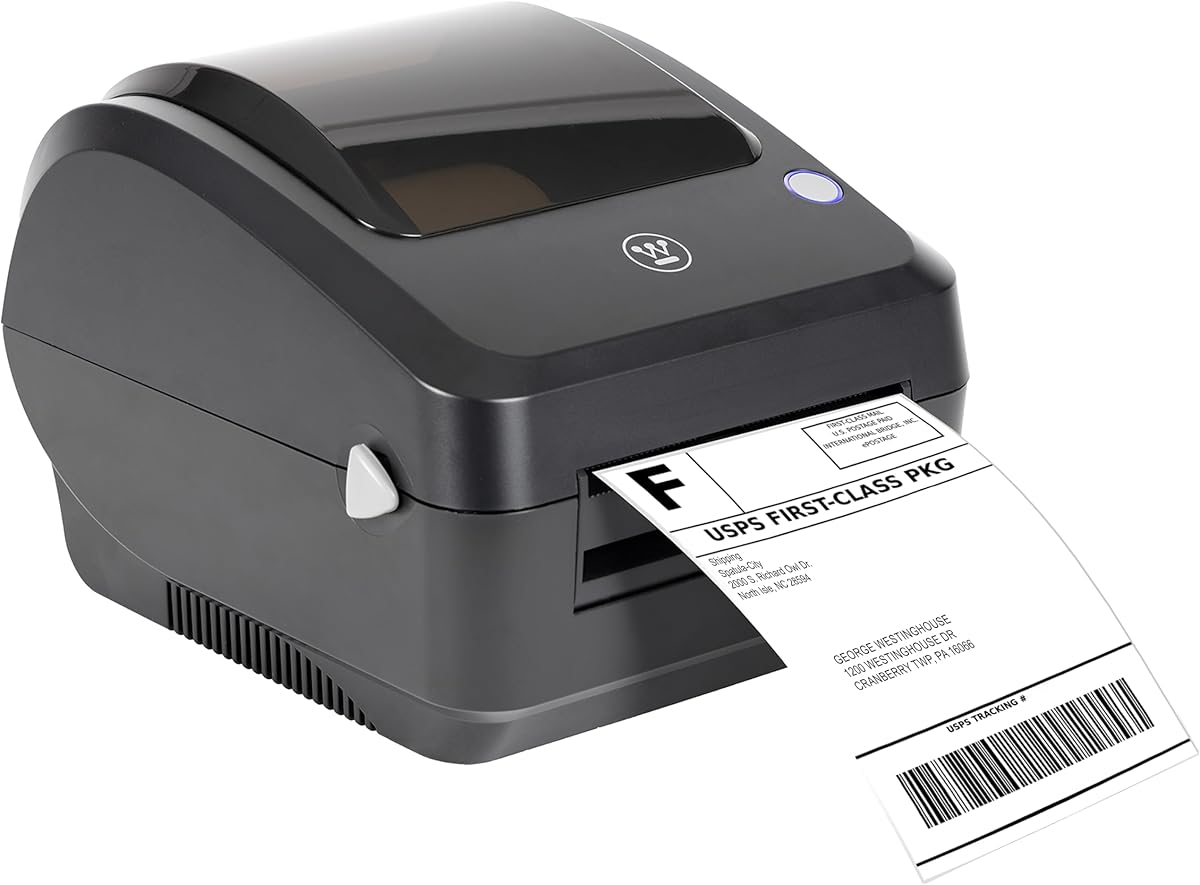
The Westinghouse Thermal Shipping Label Printer USB combines commercial-oriented construction with a fast stated print speed of six inches per second. Its 203 DPI output is appropriate for addresses, text, barcodes, and graphics commonly found on 4×6 shipping labels. The 4.4 rating reflects a generally positive user response, while the specification set makes this one of the strongest candidates for sustained desktop fulfillment.
We may earn a commission when you buy through this link, at no additional cost to you.
One of its most important advantages is operating-system flexibility. The printer supports Windows, macOS, and Linux and can be used with ZPL software, which gives it broader relevance than a model tied only to mobile apps or a single desktop ecosystem. Its Ethernet capability adds another option for shared or network-oriented setups, although the product is not Bluetooth-capable and the manual must be consulted for proper driver installation.
The media system is another strength. It accepts fanfold labels and label rolls, supports media widths from 0.78 to 4.6 inches, and offers a maximum print width of 4.25 inches. That range accommodates standard 4×6 labels as well as smaller formats. Direct thermal technology removes the need for ink, ribbons, and toner, reducing routine consumables, but the initial setup should include a print test to confirm visibility on the chosen stock.
This is a strong recommendation for a fixed packing station where speed, operating-system choice, and label flexibility matter more than cable-free mobile printing. The included printer, starter labels, holder, flash drive, power components, and USB cable make it a more complete package than many competitors. Its lack of Bluetooth and possible need for separately sold Ethernet or USB-C accessories are acceptable when those features are not central to the intended workflow.
A stated speed of six inches per second gives the Westinghouse an advantage when labels must be produced consecutively. The 203 DPI head targets clear text and graphics, making this a sensible option for sellers and fulfillment teams that value throughput.
Support for roll and fanfold stock broadens the types of labels it can handle. USB and Ethernet options suit fixed workspaces, while compatibility with Windows, macOS, Linux, and ZPL software makes setup more flexible across different business computers.
We may earn a commission when you buy through this link, at no additional cost to you.
The JADENS Bluetooth Thermal Shipping Label Printer offers a flexible combination of wireless and wired printing in a small-business-oriented package. It has a 4.4 rating, a 203 DPI Japanese thermal print head, and support for common 4×6 labels. Its appeal lies in offering Bluetooth for many devices while retaining USB as a dependable wired option.
We may earn a commission when you buy through this link, at no additional cost to you.
For Windows 8 or later and Mac computers, Bluetooth printing is supported directly. Android and iOS users must download the Jadens printer app rather than relying on direct Bluetooth printing. USB works with Windows 7 and newer and Mac OS 10.9 or newer. This distinction is important because wireless convenience does not mean every device or operating system follows the same connection path.
The printer supports roll and fanfold labels with widths ranging from 1.57 to 4.1 inches. It also works with numerous shipping services and marketplaces, including Endicia, Dazzle, ShipStation, Shipping Easy, Shippo, ShipWorks, Ordoro, eBay, Amazon, and Shopify. The supplied setup resources, instruction videos, troubleshooting videos, and one-year warranty add practical support for a new owner.
A change in label stock requires users to press and hold the feed button so the printer can identify and calibrate the new size. That extra step is a modest inconvenience compared with the benefits of wireless operation and broad platform support. JADENS is particularly attractive to mobile or flexible sellers who want to print from a phone, laptop, or desktop without committing to a permanently wired unit.
Bluetooth support is useful for mobile packing stations and shared workspaces, while USB provides a consistent alternative for desktop users. The available connection method depends on the operating system and whether the dedicated mobile app is being used.
Compatibility with major shipping platforms and marketplaces makes the printer useful beyond parcel processing. It can also handle warehouse labels, market labels, and other operational identifiers when the proper label dimensions are loaded.
We may earn a commission when you buy through this link, at no additional cost to you.
The Rollo USB Shipping Label Printer stands out with a 4.6 rating, the highest listed score in this comparison, and a well-balanced feature set. It prints at up to 150 mm/s, described as roughly one 4×6 label per second, while its 203 DPI head is intended to keep addresses, text, and barcodes clear and easy to scan.
We may earn a commission when you buy through this link, at no additional cost to you.
Rollo emphasizes an all-in-one shipping and custom-label workflow. The complimentary shipping app can connect an ecommerce platform and provide access to shipping rates, while the label-creation app supports barcodes, QR codes, product labels, thank-you stickers, business labels, and name stickers. Labels from 1.57 to 4.1 inches wide can be used, allowing the same device to handle shipping and non-shipping tasks.
Compatibility is extensive. The printer works with FedEx, UPS, USPS, Rollo Ship Manager, ShipStation, ShippingEasy, Shippo, and ShipWorks, as well as Amazon, Shopify, Etsy, and eBay. It connects to Windows XP and newer computers and Mac systems running OS 10.9 or later through USB, making driver installation a central part of initial setup.
The absence of Bluetooth or Wi-Fi is the main compromise, but it can be a benefit for buyers who want a stable desktop peripheral rather than a mobile accessory. Rollo is best suited to sellers and small fulfillment operations that want fast thermal output, good platform support, and flexible label creation in one dedicated machine. Its stronger rating, speed, and workflow tools make it an especially balanced overall recommendation.
The stated one-label-per-second speed is well suited to continuous order processing. Combined with 203 DPI output, it offers a practical balance between throughput and readable shipping information.
Beyond carrier labels, the custom label tools support product identification, QR codes, thank-you stickers, and business labels. That versatility can consolidate several small labeling jobs into a single desktop device.
We may earn a commission when you buy through this link, at no additional cost to you.
The Nelko Bluetooth Thermal Shipping Label Printer is a value-focused model offering wireless printing, 203 DPI resolution, and a stated speed of 150 mm/s. It can produce up to 72 4×6 labels per minute and has a 4.3 rating, placing it among the strongest practical choices for small businesses that want more flexibility than a basic USB-only printer.
We may earn a commission when you buy through this link, at no additional cost to you.
The Nelko app provides Bluetooth printing for iOS and Android, while Windows 7 or later systems can also print over Bluetooth. Mac users with M1 or M2 processors can install the app and connect wirelessly. Mac users are limited to USB for direct printing, however, and some devices must communicate through the app rather than a native Bluetooth connection.
Labels can be supplied as rolls or fanfold media, with widths from 1.54 to 4.1 inches. Compatible formats include common 4×6, 3×2, 3×1, and 2×1 labels. Major platforms such as Amazon, eBay, Shopify, USPS, UPS, Etsy, PayPal, and Poshmark are supported, with users generally expected to save a logistics label as a PDF and upload it to the editing app.
Its compact size and low weight make it easier to place in a small packing area than a full-size commercial printer. Setup resources, instructional videos, and troubleshooting videos are supplied on a flash drive. This is a strong pick for value-conscious sellers who need speed and wireless convenience, while buyers with Mac-heavy workflows should confirm that USB is acceptable for their primary computer.
The combination of Bluetooth, a mobile app, and a useful print speed makes this model accessible for home businesses and traveling sellers. USB remains available for a steadier desk-based workflow.
Despite its smaller footprint, the printer supports several common label widths and major shipping services. It can also produce price labels, barcode labels, name tags, and other small category labels.
We may earn a commission when you buy through this link, at no additional cost to you.
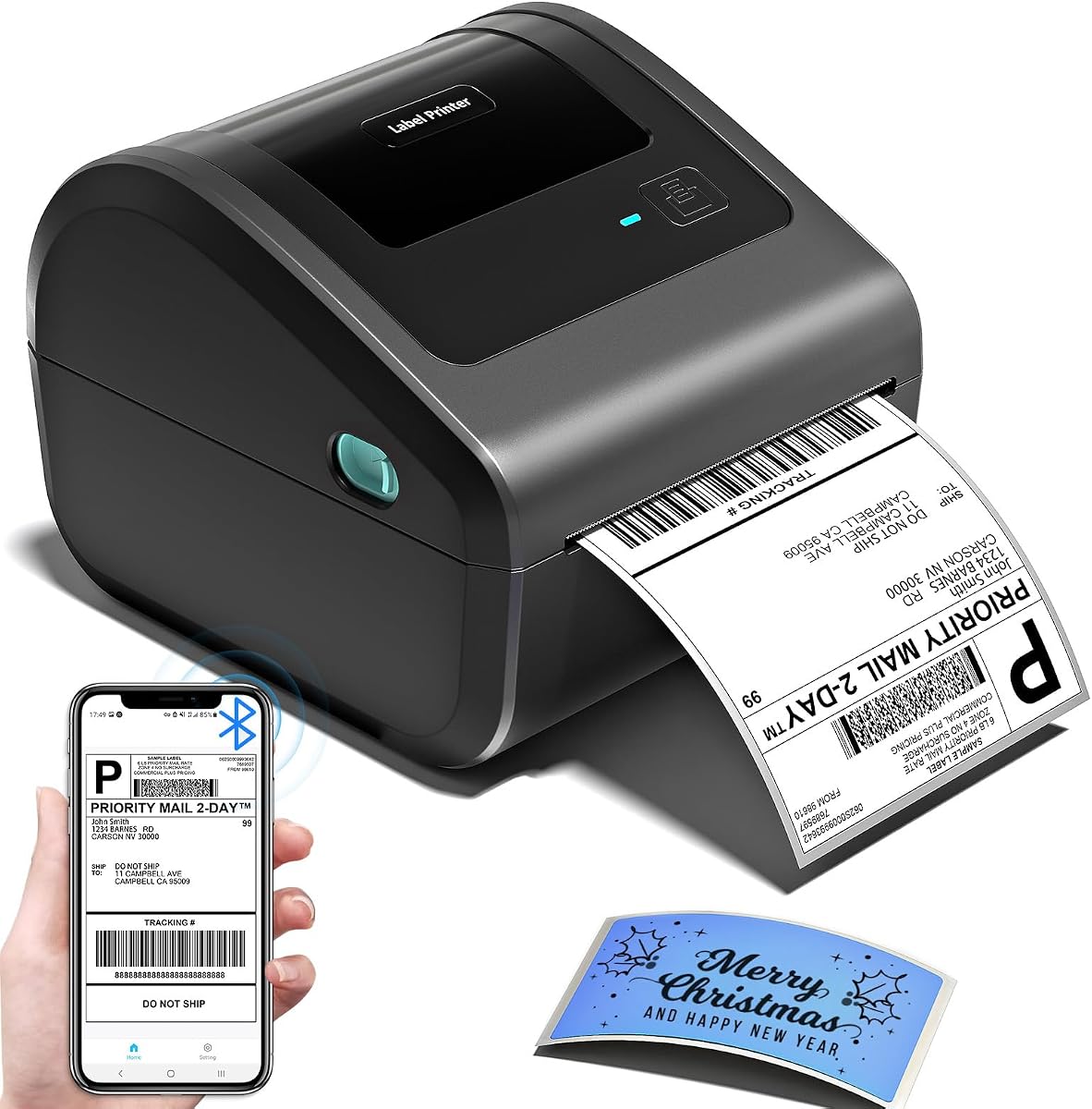
The Bluetooth Shipping Label Printer with Built-in Label Bin is designed around an efficient storage system. Its D450BT enclosure measures 7.2 by 6.3 by 5.3 inches and includes a compartment for internal roll paper holding up to 250 4×6 labels. Rear-loaded folded paper is also supported, reducing the need for separate holders and helping keep a packing desk organized.
We may earn a commission when you buy through this link, at no additional cost to you.
The printer has a 4.2 rating, 203 DPI output, and a stated speed of 72 labels per minute. Automatic alignment is intended to reduce label waste, while direct thermal technology removes ink and toner from the routine supply list. Label widths from 1 to 4.6 inches are supported, giving the model enough range for shipping, mailing, barcode, logistics, warehouse, organization, and pricing labels.
Bluetooth pairing is described as working with Android, iOS, Windows, macOS, Linux, and ChromeOS. USB support provides an alternative across major systems. The product data also identifies compatibility with USPS, UPS, eBay, FedEx, Amazon, Shopify, Etsy, PayPal, and Poshmark, covering a broad range of small-business fulfillment environments.
The built-in bin and small footprint are the defining advantages for anyone working in a confined space. While its 4.2 rating is not the highest in the group, the storage design is unusually convenient and the printer can manage both roll and folded media. It is best for users who value a tidy, self-contained station and frequent access to labels over larger maximum roll capacity.
The internal compartment keeps a supply of roll labels enclosed within the printer body. This makes the unit visually tidier and more convenient for spaces where an exposed roll would interfere with packing.
Automatic label alignment is intended to position media more consistently before printing. In a repetitive shipping workflow, that can reduce avoidable label consumption and operator adjustments.
We may earn a commission when you buy through this link, at no additional cost to you.
The KNAON Bluetooth Thermal Shipping Label Printer combines a compact 7.17 by 3.9 by 3.43-inch housing with a stated print speed of up to 180 mm/s. It has a 4.4 rating and supports paper widths from 1.5 to 4.2 inches. That makes it a fast and portable option for small businesses that need to produce both standard shipping labels and customized identifiers.
We may earn a commission when you buy through this link, at no additional cost to you.
Wireless printing centers on the FlashLabel Pro app. Mobile users can obtain it from the App Store or Google Play, while Windows and macOS users can connect through the app as well. Windows 7 and later computers can also print over Bluetooth after installing the appropriate advanced driver. Not every device can connect directly, so the app-based workflow is central to the experience rather than an optional extra.
USB connectivity supports macOS, Windows 7 and later, ChromeOS, and Linux. ChromeOS users must install the FlashLabel extension. The product includes a built-in USB drive with drivers and tutorial videos, and the package contains ten test printing papers. Its customization library is extensive, with more than 3,000 templates, over 5,000 icons, and more than 100 fonts available in the app.
Shipping services and marketplaces including Amazon, eBay, Shopify, USPS, UPS, Etsy, PayPal, Poshmark, and DHL are supported. As with many app-centered models, the logistics label generally needs to be saved as a PDF and imported into the app. KNAON is best for mobile sellers who value creative label templates, a fast stated print rate, and a printer small enough to store easily.
The large template, icon, and font library expands the printer beyond carrier labels. Users can create shipping labels, thank-you labels, name tags, price tags, barcodes, and other customized thermal designs.
The small housing and high stated print speed suit sellers who move between packing locations. Wireless printing adds flexibility, while the USB drive and tutorial media assist with initial configuration.
We may earn a commission when you buy through this link, at no additional cost to you.
The NULLTONEX Thermal Shipping Label Printer 4×6 Bluetooth Label Maker emphasizes practical everyday operation. It delivers 203 DPI output at up to 150 mm/s, equivalent to a stated 72 labels per minute, and carries a 4.4 rating. The printer supports standard 4×6 shipping labels and other widths from 1.57 to 4.3 inches.
We may earn a commission when you buy through this link, at no additional cost to you.
Bluetooth and USB provide two working paths. FlashLabel Pro supports wireless setup and label creation through a phone, laptop, or PC, while a wired USB connection offers a more stable office workflow. The app includes more than 1,800 customizable templates, over 300 fonts, and several editing tools. Its offline capability stores templates and designs locally so work can continue without waiting for cloud downloads.
Amazon, Shopify, Etsy, USPS, UPS, FedEx, and DHL are among the supported platforms. Output is monochrome, which is normal for direct thermal shipping labels but means it cannot produce color branding, full-color graphics, or color-coded retail signage. The reinforced matte finish and built-in print-head overheat protection are intended to support stable longer-run operation.
The package includes the printer, power cord, USB cable, and 25 sheets of 4×6 thermal labels, making it relatively ready for initial use. It is a well-rounded recommendation for users who frequently create their own labels and want both wireless and wired options. Its strongest distinguishing feature is the ability to retain and use designs offline when a reliable internet connection is unavailable.
Local template and design storage lets users prepare labels without waiting for cloud resources. This is useful during busy fulfillment periods or whenever network access is inconsistent.
A reinforced matte coating and built-in print-head overheat protection support dependable operation. These details are particularly relevant for small businesses that print repeatedly throughout the day.
We may earn a commission when you buy through this link, at no additional cost to you.
The MUNBYN Bluetooth Thermal Label Printer distinguishes itself through a quiet operating level of 60 dB, making it appropriate for home offices, libraries, and shared workspaces. It has a 4.2 rating and supports direct thermal labels from 1.57 to 4.25 inches wide, covering standard shipping labels, return slips, inventory tags, barcodes, and organization labels.
We may earn a commission when you buy through this link, at no additional cost to you.
Its DAC Dynamic Algorithm technology automatically calibrates the printer to reduce label misalignment. This feature is valuable when media is changed frequently or several label sizes share the same workstation. The product data also highlights 0.1 mm font legibility as a measure of fine-text clarity, although buyers should still verify readability using their own shipping templates and label stock.
Durability is a major selling point. The stated lifespan reaches 970,000 labels, while the near-zero jam rate is listed below 0.01%. These figures suggest a design aimed at ongoing professional use rather than occasional printing. Bluetooth is the featured wireless connection, and the indicator light illuminates during data transfer before switching off once the computer connection is stable.
A notable omission in the supplied information is a specific print-speed figure. That makes the MUNBYN harder to compare with several competitors that state speeds in millimeters per second or labels per minute. It remains a compelling option for quiet spaces and users who value calibration and durability. The recommendation is strongest for home-based businesses, studios, and shared offices where acoustic comfort matters.
The stated 60 dB operating level is designed to minimize distraction during continuous work. It makes this printer easier to keep near conversations, focused desk tasks, or shared office activity.
The DAC Dynamic Algorithm automatically adjusts to the loaded media, helping reduce misalignment. Consistent positioning supports cleaner labels and can lower the need for repeated manual correction.
We may earn a commission when you buy through this link, at no additional cost to you.
The Rongta Bluetooth Shipping Label Printer is built around convenient media handling and broad label support. The RP425 automatically detects, grabs, and feeds labels, reducing manual adjustment when moving between sizes. It accommodates direct thermal media from 0.98 to 4.37 inches wide, including 4×6 shipping labels, 2×2 circular labels, 2×1 barcode labels, and 1×1 QR code labels.
We may earn a commission when you buy through this link, at no additional cost to you.
The printer provides 203 DPI output at a stated speed of up to 150 mm/s. It supports Bluetooth connections for iOS and Android phones or tablets through the RONGTA app. Windows and Mac drivers are available from the manufacturer's official website, with stated support for Windows 7 and newer, Mac OS 10.11 and newer, and ChromeOS.
Its enclosure measures 10.2 by 7.4 by 5.3 inches, making it portable but somewhat larger than several compact competitors. The 4.0 rating is the lowest in this group, so buyers should consider both convenience and the availability of manufacturer support before committing. That said, the automatic label system and wide media range address common sources of setup frustration.
Rongta is best for users who regularly change label formats and want less manual calibration. It is especially relevant to mobile sellers because the app supports phone and tablet printing, while desktop users can rely on separate drivers. For a straightforward one-label printer, the combination of automatic feeding, 150 mm/s performance, and support for small specialty labels is compelling.
Automatic detection and feeding can simplify changes between shipping labels, barcodes, QR codes, and other media. This reduces the need to adjust the unit manually for each new size.
The 0.98-inch minimum width makes the printer suitable for compact inventory and identification labels. The broad supported range allows one device to cover several labeling tasks.
We may earn a commission when you buy through this link, at no additional cost to you.
The CLABEL G4 4×6 Shipping Label Printer is aimed at fulfillment workflows that need fewer roll changes. Its built-in 125 mm label bin holds up to 500 4×6 labels, while the enclosed design helps organize the packing station. Roll and fanfold media are supported, and a spring-loaded paper guide assists with loading and replacement.
We may earn a commission when you buy through this link, at no additional cost to you.
It has a 4.5 rating and a stated speed of up to 152 mm/s. Thermal media widths from 20 to 118 mm are supported, giving it flexibility for 4×6 shipping labels and smaller business identifiers. Direct thermal operation eliminates ink, toner, and cartridges, while the print head is rated for up to 300,000 labels or 50 km of printing.
Bluetooth is available for iOS and Android, with NFC-assisted pairing on compatible phones. USB supports Windows and Mac computers. The Clabel app adds templates, custom label editing, and PDF or Excel batch printing, which can be useful for inventory and product-label workflows. Up to ten mobile devices can share the printer, including seven Android and three iOS devices.
Amazon, UPS, USPS, FedEx, Shopify, Etsy, and eBay are among the compatible platforms, while warehouse, retail, packaging, thank-you, barcode, and inventory labels broaden its use. The large built-in holder is the main advantage over smaller units, although it necessarily adds to the printer's footprint. CLABEL is a compelling choice for growing operations that value label capacity and shared-device workflows.
A built-in capacity for 500 labels is useful when an operator prints continuously. Longer runs between replacements can reduce interruptions at a busy packing station.
The app supports shared printing from up to ten mobile devices and includes batch workflows. These features are useful for small teams that want several phones to use one label printer.
We may earn a commission when you buy through this link, at no additional cost to you.
The right shipping label printer depends on label volume, device compatibility, operating system, required connections, and the kinds of documents you print. These factors help narrow the field before comparing speed, storage, and specialized design features.
A printer advertised for 4×6 labels should accept both roll and fanfold media if your workflow uses different supplies. Check the supported media width and maximum print area, because a nominal shipping-label size does not always mean every part of the label can be printed. Models in this guide support maximum widths ranging from 4.1 to 4.6 inches, with the Westinghouse offering a stated 4.25-inch printable width and CLABEL supporting media from 20 to 118 millimeters.
Also consider the core diameter, roll diameter, thickness, and paper guide arrangement if you use a specific stock. Smaller label formats matter for inventory tags, product stickers, QR codes, and barcodes. If your operation prints only standard 4×6 parcels, nearly every model here can serve that purpose, but flexible media support adds long-term value.
USB is the most consistent choice for a fixed computer, Bluetooth offers mobility, and Ethernet can support a shared network setup. Mobile operating systems frequently require a manufacturer app rather than a direct Bluetooth connection, so read the connection instructions carefully. Windows, macOS, Linux, and ChromeOS support also varies substantially among the featured models.
The Westinghouse supports Windows, macOS, Linux, ZPL software, USB, and Ethernet but has no Bluetooth. Most alternatives combine Bluetooth and USB, though Mac Bluetooth behavior differs. KNAON requires a Chrome extension, and several brands distribute drivers through a built-in USB drive or official website. Choose based on the devices you already use rather than on wireless support alone.
For continuous fulfillment, print speed determines how quickly labels are ready. Stated speeds range from 150 to 180 mm/s in several products, while the Westinghouse is rated at six inches per second. The Rollo is described as producing one 4×6 label per second, and two models state up to 72 labels per minute. These figures are not perfectly standardized, so they should be treated as relative indicators rather than identical laboratory measurements.
Resolution affects the readability of small text, addresses, and barcodes. Most of the featured printers use 203 DPI, which is a common standard for readable shipping labels. Whatever speed and resolution you choose, test a real carrier label and scan it before placing a large order.
All ten models use direct thermal technology, which means they do not need ink, toner, or ribbons. This reduces consumables and simplifies maintenance, but the printed output can fade over time when exposed to heat, light, or friction. Use label stock appropriate for the storage conditions in which the parcel will spend its time.
Direct thermal is intended primarily for black-and-white output. It is well suited to addresses, barcodes, QR codes, and text, but it is not the right choice for full-color images or richly colored packaging graphics. None of the listed models should be treated as a conventional color inkjet or laser printer.
A larger internal holder can reduce interruptions during a long shipping session. The CLABEL G4 accommodates up to 500 4×6 labels, while the built-in-bin model stores as many as 250. The other printers generally require more visible or external roll storage. Capacity is especially important for sellers who replenish only once per day or use several carrier labels in succession.
Storage design also affects desk organization. A built-in compartment keeps the roll protected and visually tidy, but it increases the printer's footprint. A compact exposed-roll design takes up less physical room and may be easier to carry. Choose based on the trade-off between capacity, portability, and workspace constraints.
A printer can be technically compatible with a carrier while still requiring a particular file-transfer process. Most models work with major carriers and marketplaces such as Amazon, Shopify, USPS, UPS, FedEx, and eBay. Nelko, KNAON, and other app-based products commonly instruct users to save a logistics label as a PDF and import it into the editing app before printing.
Compare the workflow with your own fulfillment system. If you already create PDFs, a model with direct desktop drivers may be simplest. If your team relies on phones or wants custom thank-you labels, barcodes, and QR codes, an app with strong templates may be more valuable. The Rollo and CLABEL models are particularly relevant when batch editing or custom design is part of the process.
Occasional shippers can prioritize compactness, wireless flexibility, and an affordable purchase. Frequent shippers should examine speed, automatic calibration, durability, and roll capacity. Higher-volume operators may also appreciate wired stability, a larger label bin, batch printing, and the ability to share a printer among several devices.
Thermal printers require less maintenance than inkjet models, but reliable media handling remains important. MUNBYN states a lifespan of up to 970,000 labels and a near-zero jam rate, while CLABEL lists a 300,000-label or 50-kilometer print-head rating. These claims indicate intended use levels, but actual longevity depends on duty cycle, label quality, temperature, and maintenance habits.
Printer noise can matter in a home office, shared workspace, retail counter, or library. The MUNBYN explicitly emphasizes a 60 dB operating level, making it a notable option for quiet settings. Most other models do not publish comparable noise figures, so buyers should consider motor sound, media handling, and repeated use in a shared room.
Measure the intended position before buying. The KNAON is among the most compact units, the built-in-bin model is designed to use less desk space than conventional printers, and the CLABEL's large holder adds purposeful bulk. Leave enough room to open lids, feed labels, reach connectors, and remove printed output without disrupting the device.
Begin by confirming the printer, label media, and software environment are compatible. Install the manufacturer driver or required app before loading labels, then use the feed control to perform a test print. Compare the printed result with the screen version and scan a barcode to confirm that text, margins, and codes are clear. Some models automatically identify the label size, while others require a feed-and-hold calibration.
Load only the intended thermal stock and keep the print head, platen, guides, and cutter area free of adhesive buildup. Open the housing only when the unit is powered off, remove debris gently, and avoid scraping the thermal elements. Do not use harsh liquids on the print head; a soft, dry lint-free cloth is generally the safer choice for routine care.
For a shared business printer, establish a routine for checking remaining label capacity, reviewing the app's template source, and printing a test when switching media. Keep the unit in a dry, moderate environment away from direct heat and prolonged sunlight. If output becomes faint, check the label type and storage conditions before assuming the printer itself has failed, since direct thermal images can deteriorate under unsuitable conditions.
No. Direct thermal printers create images by applying heat to a special label surface, so they do not require ink, toner, or ribbon cartridges. You still need compatible thermal labels, and the printed image can fade if exposed to excessive heat, bright light, or friction over time. Use storage-grade stock when parcels will be held or travel in difficult conditions.
Usually, yes, but the workflow depends on the printer. Most Bluetooth models in this guide provide an app for iOS or Android, while some computers can also print over Bluetooth. A common process is to save the carrier label as a PDF in the marketplace app, download that file to the phone, and import it into the printer's companion app.
A USB model is often simpler and more consistent for a fixed computer because it avoids wireless pairing and interference. A Bluetooth printer is more convenient for mobile packing, temporary stations, or shared access from several devices. The best choice depends on where you print, which operating systems you use, and whether cable-free operation is important enough to manage app-based setup.
Most of the featured printers use 203 DPI, which is a common standard for address text, barcodes, and QR codes on 4×6 thermal labels. Resolution is only one part of readability, so buyers should also test the printer with their actual label stock and carrier templates. Barcode scanning is the most reliable final check.
Yes. Every printer in this guide supports additional label dimensions, though the exact range differs. Several support narrow formats around 1.5 to 1.6 inches, while the Westinghouse accepts media from 0.78 to 4.6 inches and Rongta supports widths from 0.98 to 4.37 inches. Confirm both the media width and printable area before using a smaller format.
The featured models are compatible with major shipping platforms and marketplaces, including Amazon, Shopify, USPS, UPS, FedEx, and Etsy to varying degrees. Carrier and marketplace support does not always mean every device can print directly. Many workflows require downloading the shipping label as a PDF and importing it through the printer app or editing software.
Capacity should match your fulfillment volume and refill habits. A compact external-roll design may be adequate for intermittent shipping, while a built-in bin holding 250 or 500 labels can reduce interruptions during long sessions. Consider the printer's physical footprint as well as capacity, especially if your packing station has limited desk space.
Faded output can result from unsuitable label stock, heat exposure, moisture, friction, a dirty print head, or settings that are not calibrated for the loaded media. Run a test print, confirm that the roll is genuine thermal stock, and gently clean the print head with a soft dry cloth. Replace old or heat-exposed labels before assuming the printer has a hardware fault.
The Rollo USB Shipping Label Printer is the strongest all-around option, combining a 4.6 rating, 203 DPI output, fast label production, broad carrier support, and useful custom-design tools. The Nelko Bluetooth model offers the best budget balance for value-conscious mobile sellers, while the Westinghouse stands out for high speed, broad media support, and multiple operating-system options.
Prioritize the workflow you will actually use. Choose a stable wired model for a permanent computer station, a Bluetooth printer for mobile or flexible packing, a large built-in holder for continuous fulfillment, and an app-rich model when custom labels and templates are central. Before purchasing, verify the operating system, label width, required driver, app, and connection method to avoid setup friction later.
Product specifications, ratings, software behavior, and prices can change, so confirm the current listing and included accessories before ordering. Print a test label and scan it as soon as the printer arrives. That quick verification will confirm that the label dimensions, carrier template, and connection workflow fit your operation.