
Samsung PRO Plus 1TB microSDXC Memory Card + Adapter
4.7Editor score
Up to 180MB/s reading
Up to 130MB/s writing
U3, V30, and A2
Adapter included
Discover the best 1TB micro SD cards for phones, cameras, drones, and gaming by comparing speed, capacity, durability, and compatibility.
A 1TB microSD card offers enough room for extensive photo libraries, hours of video, portable game collections, and demanding mobile workflows. However, capacity alone does not determine performance. The most useful card also needs suitable speed ratings, dependable endurance, and compatibility with the devices into which you plan to insert it.
This guide compares ten 1TB microSD cards from SanDisk, Samsung, Lexar, PNY, TEAMGROUP, and Amazon Basics. We evaluated advertised read and write speeds, UHS-I, U3, V30, and A2 classifications, durability claims, included adapters, app performance, and device compatibility. These specifications help separate cards intended for routine storage from those aimed at video, gaming, or professional-style capture.
The list includes an option for demanding action-camera and drone workflows, a broad everyday performer, and more affordable choices for phones and Full HD recording. Each review explains the strongest use case and the compromises to consider. Product availability and performance can change, so check current listings and device requirements before making a final purchase.
4.7Editor score
4.8Editor score

4.6Editor score
This side-by-side comparison highlights each card's advertised speed, video and application ratings, durability focus, and key compatibility considerations. Read speed alone does not tell the entire story, so the table also makes it easier to identify cards suited to gaming, phone storage, 4K recording, or faster file transfers.




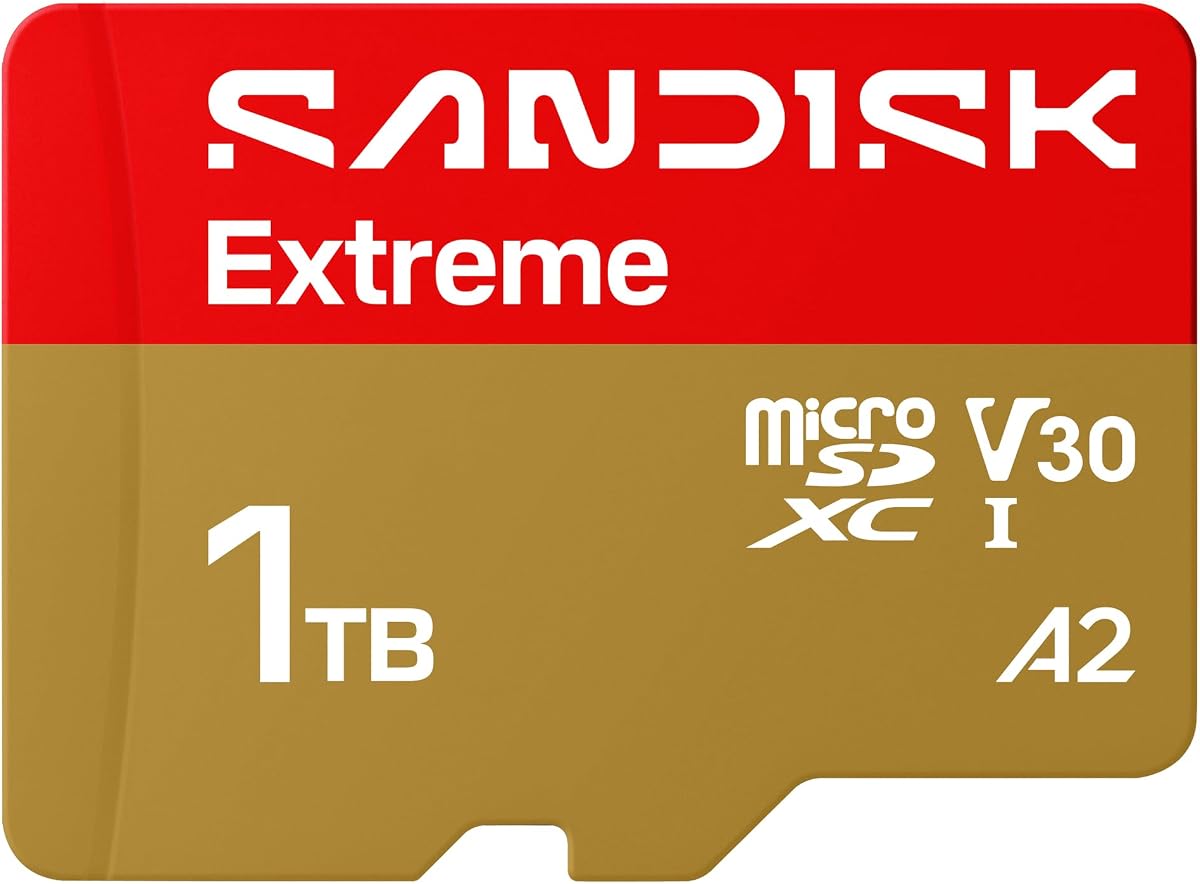
The SanDisk Extreme 1TB combines a 4.8 rating with the highest advertised read speed in this comparison, reaching up to 245MB/s. Its write speed is advertised at up to 170MB/s, while U3 and V30 ratings position it for demanding video workflows. The card is especially relevant to action cameras, drones, Android devices, and anyone who regularly moves large media files.
We may earn a commission when you buy through this link, at no additional cost to you.
Its headline benefit is the combination of fast transfers and capable sustained writing. The product details specifically call out 5K point-of-view capture, pristine high-resolution stills, and 4K UHD use. The available 1TB capacity gives creators room to record longer sessions without constantly changing cards. For phone-based editing or offloading footage, the read speed also offers a useful foundation for quicker file movement.
Durability is another major strength. The manufacturer describes the card as temperature proof, humidity proof, waterproof, shock proof, drop proof, magnet proof, X-ray proof, and wear-out proof. That broad protection profile makes sense for cameras, drones, dash cameras, and other devices used outdoors. The SanDisk Memory Zone app also adds convenient backup, organization, and transfer options for supported workflows.
The trade-off is that the card is aimed at buyers who want more than basic file storage. Its fastest advertised transfer rates require compatible readers, hosts, cables, and interfaces, while actual performance varies with the equipment used. Even so, the combination of capacity, speed classes, durability, and the 4.8 rating makes this a strong all-around recommendation for users who regularly capture or transfer substantial media.
The combination of U3, V30, and advertised write speeds up to 170MB/s makes the card a better fit for sustained 4K, 5K, and burst-oriented workflows than a basic Class 10 card. Actual recording quality still depends on the camera, bitrate, file format, and device support.
The extensive list of water, shock, drop, temperature, magnet, X-ray, and wear resistance claims gives the card an advantage when files travel between phones, drones, cameras, and other demanding environments.
We may earn a commission when you buy through this link, at no additional cost to you.
The PNY PRO Elite Prime 1TB offers a 4.6 rating and advertised read and write speeds of up to 200MB/s and 150MB/s when paired with the specified PNY Performance Prime card reader. Its U3 and V30 classes position it for modern video capture, while the A2 rating adds a measurable advantage for applications and games loaded directly from the card.
We may earn a commission when you buy through this link, at no additional cost to you.
This card is particularly interesting for content workflows that involve recording and then transferring media to a computer. The supplied information emphasizes accelerating editing and file-transfer processes. A2 performance is also clearly explained in terms of at least 4,000 read IOPS and 2,000 write IOPS, which can translate into faster app launches and more responsive use when a compatible phone or tablet supports the standard.
Compatibility is broad but not universal. The card is listed for Android phones and tablets, action and surveillance cameras, drones, and computers. An SD adapter is included for compatible cameras and computers, although it is not compatible with Nintendo Switch 2. That last limitation is worth checking, but it affects a specific product generation rather than its general utility.
This is a strong choice for users who want high advertised throughput and app performance without focusing on a particular single device category. The compatible reader and host interface must support the claimed speed to realize the full benefit, but the card's speed classes, 1TB capacity, and broad host support make it well suited to media-rich phones, compact cameras, drones, and portable editing workflows.
A2 certification makes the card more relevant when you run applications or games from the microSD slot. The standard targets at least 4,000 read IOPS and 2,000 write IOPS, helping explain why it may feel more responsive than a card with only a basic application rating.
The pairing of 150MB/s advertised writes with 200MB/s reads supports a practical sequence: record substantial footage, move it quickly, and begin organizing or editing with less waiting. The included SD adapter simplifies transfers into many full-size card slots.
We may earn a commission when you buy through this link, at no additional cost to you.
The Lexar Blue 1TB carries a 4.7 rating and a clear mid-to-high-speed profile centered on up to 160MB/s reads. It supports Full HD and 4K UHD media, includes a V30 rating, and carries A2 performance for compatible Android devices. That combination makes it a versatile choice for people who want more than basic storage without needing the absolute fastest card in the list.
We may earn a commission when you buy through this link, at no additional cost to you.
The card's benefits extend beyond transfer speed. It is designed for capture, playback, and storage of high-resolution video, while its A2 rating supports faster app starts and smoother multitasking in devices that recognize the card. The large capacity reduces the need to remove files frequently, which is useful for a phone that also holds downloaded media, messages, and offline applications.
Lexar also emphasizes durability through testing against temperature, water, X-rays, vibration, magnetism, shocks, drops up to 1.5 meters, and wear. A 10-year limited warranty and lifetime access to the Lexar Recovery Tool add a different kind of reassurance. Recovery software cannot prevent every loss, but it may help retrieve mistakenly deleted or formatted files when the card remains accessible.
The main limitation is that the supplied product information highlights a maximum read speed without giving a comparable maximum write speed. It also notes that peak read performance requires a select Lexar 2-in-1 USB 3.1 reader. For general users, the 1TB capacity, A2 rating, video classes, and protective design make this an easy recommendation for a broad range of phones, cameras, tablets, and portable devices.
A V30 rating, A2 performance, and 4K UHD support make the Blue 1TB useful across both recording and phone-storage tasks. It is a particularly sensible choice for creators who need a capable everyday card rather than a specialized extreme-performance model.
The extensive proof-point testing, 10-year limited warranty, and access to Lexar Recovery Tool distinguish this card on a practical level. These features are most valuable when valuable photos and recordings remain on the card over a long ownership period.
We may earn a commission when you buy through this link, at no additional cost to you.
The Samsung PRO Plus 1TB earns a 4.7 rating and offers advertised read and write speeds of up to 180MB/s and 130MB/s when used with Samsung USB readers. Its U3, V30, and A2 ratings make it suited to 4K UHD phone or drone footage, burst photography, app storage, and rapid transfer workflows involving large collections of media.
We may earn a commission when you buy through this link, at no additional cost to you.
One of its most useful features is the included Samsung adapter. It allows the card to work with computers, handheld gaming consoles, tablets, and cameras that accept full-size SD media. That simplifies a mixed-device setup, particularly if you already own a phone or camera with an SD slot. The card is also listed as compatible with Nintendo Switch, but not Nintendo Switch 2.
Samsung describes the card as protected against water, extreme temperatures, wear, and tear. It also states that its firmware and components, including DRAM and NAND, are produced in-house. While that manufacturing detail does not guarantee a particular result, it supports the brand's emphasis on component quality and consistent performance. The Memory Zone app is not described for this model, so its management ecosystem is less prominent than the SanDisk Extreme offering.
This is our premium recommendation for buyers who want a balanced, polished card with fast transfers, strong application performance, and broad compatibility. Peak advertised speeds depend on the appropriate Samsung reader and a capable host, so the adapter is useful but not the same thing as a high-speed USB reader. Even without a specialized reader, the card's speed classes provide a solid foundation for modern phones, drones, cameras, and portable gaming.
Samsung states that its firmware and components are produced in-house, including DRAM and NAND. For buyers who value a tightly controlled product ecosystem, this adds meaningful context to the card's performance and reliability positioning.
The included adapter expands compatibility with full-size SD slots in computers, cameras, tablets, and handheld consoles. It makes the 1TB card easier to integrate into a mixed-device workflow without relying only on a compact microSD slot.
We may earn a commission when you buy through this link, at no additional cost to you.
The Amazon Basics 1TB A2 is a value-focused card with a 4.6 rating, up to 100MB/s read speed, and modern U3, V30, and A2 classifications. Those labels are more important for many buyers than the difference between the highest and lowest peak transfer figures, particularly when the main goal is expanding a phone or tablet for 4K video, photographs, and applications.
We may earn a commission when you buy through this link, at no additional cost to you.
The card is optimized for high-bitrate video recording and burst-mode photography. Its listed capabilities also include RAW files, time-lapse sequences, and smooth 4K UHD playback without lag or frame drops. A2 performance supports faster application loading and responsive multitasking on compatible Android devices, making the card more versatile than a basic Class 10 product.
Its durability claims cover shock, IPX6 water resistance, extreme temperatures from -10°C to 80°C, X-rays, and magnetic fields. Those features make it suitable for travel, outdoor use, and dash cameras. The included full-size adapter is another practical benefit, while the stated usable capacity of at least 908GB helps set realistic expectations for operating-system formatting and decimal-versus-binary capacity differences.
Compatibility deserves attention because 1TB is a relatively high capacity. The product details advise checking a device's maximum supported capacity. The card is compatible with Nintendo Switch, but not Nintendo Switch 2. For buyers who want 4K support, A2 application performance, and dependable everyday protection without paying for the highest advertised speeds, this is an excellent budget-oriented recommendation.
U3, V30, and A2 ratings give this card a more useful feature set than its straightforward read-speed figure suggests. Compatible phones and cameras can benefit from better app responsiveness and support for higher-bitrate recording.
The stated minimum usable capacity of 908GB helps explain why an operating system may display less than one terabyte. The card remains broadly practical for large photo libraries, video archives, and offline media collections.
We may earn a commission when you buy through this link, at no additional cost to you.
The SanDisk Ultra 1TB pairs a 4.7 rating with advertised read speeds of up to 150MB/s and a capacity of up to 1TB. It is presented primarily as storage for Android smartphones and tablets, particularly for Full HD video, photographs, and routine file transfers. The included adapter makes it convenient to move the card into compatible full-size SD devices.
We may earn a commission when you buy through this link, at no additional cost to you.
Its transfer capability is meaningful for everyday workflows. SanDisk says the card can move up to 1,000 photos per minute under specified internal-test conditions using a USB 3.0 reader and compatible hardware. Actual results will vary with the host device, interface, file attributes, and usage conditions, but the advertised rate positions it well for moving large batches of images from a phone.
The card has an A1 application rating, providing 1,500 read IOPS and 500 write IOPS. That is still useful for compatible Android devices, although it is below the A2 standard found in several other cards in this list. It is rated Class 10 for Full HD video recording and playback, making it a natural fit for users whose needs center on standard-definition and Full HD media rather than high-end 4K workflows.
Operating temperature is listed from -25°C to 85°C, and the card is compatible with Nintendo Switch, though not Nintendo Switch 2. For users who want a trusted general-purpose card, strong read performance, and ample space for Full HD media, the Ultra 1TB is a practical choice. It is most attractive when A2-level app performance and advanced 4K specifications are not necessary.
The up-to-150MB/s read claim and stated ability to transfer up to 1,000 photos per minute make the Ultra useful for routine media offloading. A USB 3.0 reader and a capable host are important for approaching the advertised result.
A1 performance remains useful for compatible apps, but buyers who frequently run games or demanding applications from the card may prefer an A2-rated option. The choice depends on how much application responsiveness matters relative to the card's transfer speed and other features.
We may earn a commission when you buy through this link, at no additional cost to you.
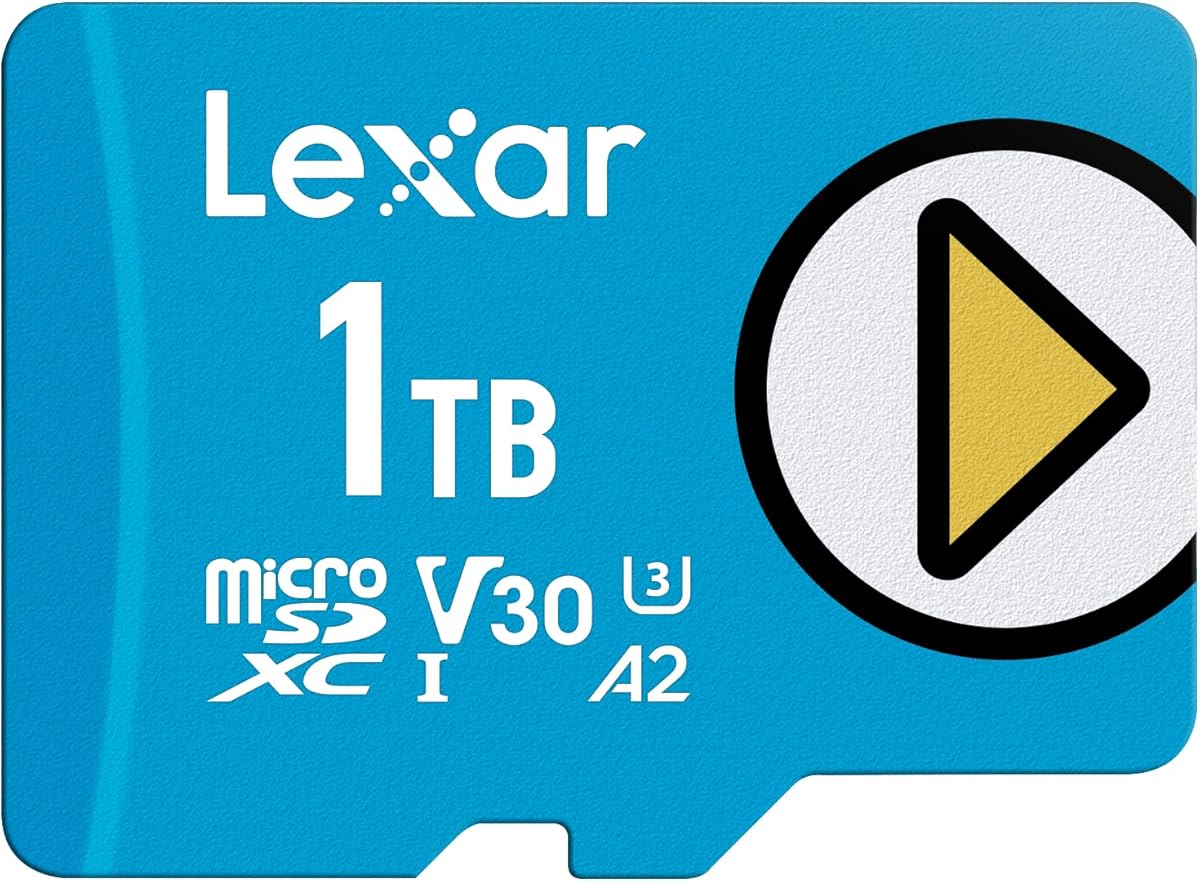
The Lexar Play Blue 1TB is a 4.5-rated card aimed at gamers, phone users, and anyone who wants a mix of media storage and responsive application performance. Its advertised read speed reaches 160MB/s, while U3, V30, and A2 ratings create a modern profile for supported phones, tablets, and other compatible devices.
We may earn a commission when you buy through this link, at no additional cost to you.
The primary appeal is the combination of game-oriented features and general storage capacity. Up to 160MB/s reads can improve load times when the host and card interface cooperate, and A2 performance is intended to make directly stored apps and games more responsive. A 1TB capacity also allows users to keep many games, videos, photos, or other content on one card rather than managing smaller capacities.
This is not limited to gaming. The V30 rating and 4K support make it relevant for video recording, and the stated device compatibility includes Nintendo Switch 1, smartphones, and tablets. The card is not compatible with Nintendo Switch 2, which is an important distinction for buyers shopping for newer gaming hardware.
The listing gives less detail about write performance and endurance testing than some competing products, so buyers with demanding camera workflows may need to investigate those specifications further. Within the provided information, however, the card's 160MB/s read speed, A2 rating, 4K support, and 1TB capacity make it an attractive choice for portable game libraries and mixed phone workloads.
A 1TB capacity can accommodate a much larger collection of installed games and media than smaller cards. It is especially useful for devices that let users move or manage content directly from a microSD card.
A2 application performance and up-to-160MB/s reads target the delays users notice when launching games and applications. Actual load times also depend on the device, game, file type, and competing background activity.
We may earn a commission when you buy through this link, at no additional cost to you.
The TEAMGROUP A2 Pro Plus 1TB has a 4.4 rating and advertised read and write speeds of up to 160MB/s and 110MB/s. Its U3, V30, and A2 classifications give it a versatile profile for supported gaming devices, tablets, smartphones, cameras, and other hosts that use microSD or full-size SD media.
We may earn a commission when you buy through this link, at no additional cost to you.
The stated target use cases are unusually broad. Nintendo Switch, Steam Deck, gaming devices, tablets, and smartphones are all highlighted, while 4K shooting support makes the card relevant beyond portable gaming. The A2 rating helps with app and game responsiveness, and the U3 and V30 classes support higher-quality video workflows when the recording device is compatible.
An included adapter is useful because many cameras and computers have full-size SD slots rather than microSD slots. The capacity provides room for games, downloaded media, photographs, and video, reducing the need for frequent transfers. A combination of 160MB/s reads and 110MB/s writes also provides a reasonable balance between quickly loading content and saving new files.
The 4.4 rating is the lowest in this particular comparison, and the supplied product information contains limited detail about environmental protections or warranty coverage. That does not negate the card's useful specifications, but it means buyers should examine the complete listing and product documentation if the card will be used in harsh or mission-critical conditions. For general gaming, phone, and 4K-capable storage, it remains a compelling all-rounder.
The combination of A2 performance, V30 video support, and advertised 160MB/s reads serves both portable game libraries and camera workflows. This makes the card a flexible choice for users who do not want separate storage for different activities.
The bundled full-size adapter makes transfers into compatible cameras, laptops, and desktops more convenient. It also allows the card to serve as a portable library across devices with different card-slot formats.
We may earn a commission when you buy through this link, at no additional cost to you.
The Amazon Basics 1TB 200MB/s has a 4.6 rating and advertised read and write speeds of up to 200MB/s and 150MB/s. It supports Full HD, 4K, and 5K media and carries UHS-I, U3, Class 10, and A2 ratings, creating a strong specification set for users who move among smartphones, tablets, cameras, drones, action cameras, and computers.
We may earn a commission when you buy through this link, at no additional cost to you.
The product is especially notable for listing a broad range of compatible equipment. It is designed for mobile devices, GoPro and similar action cameras, laptops, desktops, DSLRs, drones, and gaming consoles. It is not compatible with Nintendo Switch 2, however, so current gaming hardware should be checked before purchase. The included full-size adapter adds convenience for compatible standard SD slots.
Its durability features include shockproofing, IPX6 water resistance, temperature protection from -10°C to 80°C, X-ray resistance, and magnetic resistance. Those characteristics suit travel, outdoor recording, and dash-camera use. As with the other Amazon Basics listing, the available capacity exceeds 908GB despite the one-terabyte label because operating systems and measurement standards affect displayed space.
To reach the advertised 200MB/s read speed, the listing specifically recommends the Amazon Basics Micro SD Card Reader USB C 3.0, which is sold separately. A compatible host device and interface are also necessary. The absence of a bundled reader may be inconvenient for buyers seeking an immediate high-speed workflow, but the card itself combines strong speed figures with broad media and device support.
The 200MB/s read claim is designed for use with the separately sold USB-C 3.0 reader and a compatible host. This distinction matters because a standard card reader or older USB port can prevent the card from delivering its advertised peak transfer rate.
Support for smartphones, drones, action cameras, DSLRs, computers, and other devices makes this a useful card for mixed equipment. The included adapter reduces friction when moving files between microSD and full-size SD hosts.
We may earn a commission when you buy through this link, at no additional cost to you.
The SanDisk Extreme PRO 1TB has a 4.7 rating and advertised card-offload speeds of up to 200MB/s, with write speeds up to 140MB/s. These numbers make it a strong option for photographers and videographers who need to save continuous shots and move substantial media from a camera to a computer with minimal delay.
We may earn a commission when you buy through this link, at no additional cost to you.
The card is designed for demanding media workflows. Its write speed supports continuous shooting, while A2 performance adds faster application and in-card content access on compatible devices. The 1TB capacity is substantial enough for large image catalogs, extended footage archives, and mixed collections without requiring frequent file movement.
Durability is a major selling point. The product is described as temperature proof, waterproof, shock proof, and X-ray proof, which suits cameras, drones, action cameras, and field equipment. The included adapter works with compatible full-size SD slots, while the SanDisk Memory Zone app provides file-management support on compatible mobile and desktop workflows.
The specified SanDiskProfessional PRO-READER is sold separately, and pairing it with the card is necessary to reach maximum advertised speeds. That adds a purchase for buyers who do not already own a compatible reader. Even so, the card's 200MB/s read figure, 140MB/s write figure, and strong durability positioning make it a compelling choice for content creators who regularly work with high-resolution media.
An advertised write speed of up to 140MB/s gives the card headroom for continuous shooting and high-resolution recording. Camera bitrate, file format, device settings, and sustained card performance determine how this translates in real use.
The separate SanDiskProfessional PRO-READER is part of the intended high-speed workflow. It is worth budgeting for if rapid offloading is a priority, while the included SD adapter remains useful for more conventional transfers.
We may earn a commission when you buy through this link, at no additional cost to you.
Choosing a 1TB microSD card means balancing device compatibility, sustained performance, video requirements, application responsiveness, and durability. The largest capacity can be inconvenient on older hardware, while headline transfer speeds are meaningful only when the host device, reader, cable, and interface can support them.
Before choosing a 1TB card, verify the maximum capacity accepted by every phone, tablet, camera, drone, action camera, and handheld console you intend to use. Some older devices accept only 64GB, while others impose limits on specific capacity tiers or card generations. The product details for multiple cards in this guide explicitly warn buyers to check maximum supported capacity. Compatibility with Nintendo Switch is also distinct from compatibility with Nintendo Switch 2, and several products make that distinction clearly. Look for the full device model rather than assuming every current device supports the largest available microSD cards.
Read speed affects how quickly a host can open, copy, or manage existing files, while write speed affects recording continuity, burst photography, and the time needed to save large media. Advertised peaks are laboratory or internal-test values and require compatible hardware. A USB 2.0 reader or an older phone may deliver only a fraction of the stated rate. For workflow planning, examine both figures when available, but give greater weight to sustained write performance if the card is used for video, bursts, or drones. Cards advertised at 200MB/s or more offer excellent potential, yet the included reader and host interface determine whether that speed is reachable.
Class 10, U3, and V30 describe minimum sustained performance relevant to recording. Class 10 is commonly associated with Full HD, U3 supports more demanding HD and 4K workflows, and V30 guarantees a minimum sequential write rate of 30MB/s. A card's advertised peak write speed is not the same as its video class, and recording quality also depends on the camera's bitrate, resolution, frame rate, codec, and file format. Cards marketed for 4K, 5K, or 5.3K point-of-view capture may be overkill for a workflow that only produces standard Full HD footage. Match the class and device documentation to the content you actually plan to record.
Application Performance ratings matter when a phone or tablet runs games, utilities, or other software directly from the microSD card. A1 establishes a baseline of 1,500 read IOPS and 500 write IOPS. A2 raises the targets to 4,000 read IOPS and 2,000 write IOPS, making it preferable for game libraries and apps that benefit from lower launch and access delays. These benefits require a compatible device and cannot compensate for an unsupported card format. If you only use the card for photos, documents, or offline video, A1 may be sufficient; if you want responsive portable games, prioritize A2.
Cards used in drones, action cameras, dash cameras, and outdoor equipment benefit from proven water, shock, drop, temperature, X-ray, magnetic, and wear resistance. No card should be treated as immune to damage, but stronger protection claims are especially relevant when data cannot be backed up immediately. Compare the stated test conditions rather than relying on broad labels. Some cards list IPX6 or IPX7 water resistance, while others use manufacturer-specific waterproof language. Keep the card in an approved case, avoid exposing it to extreme conditions beyond its specifications, and maintain a separate backup of irreplaceable recordings.
A full-size SD adapter is useful with cameras, laptops, and desktop computers that lack a microSD slot, but it does not itself make a card faster. A high-speed USB reader is a separate consideration. Several cards in this comparison mention specific or recommended readers, and some include one while others do not. Check the reader's interface, USB generation, and supported speed before planning on peak transfer rates. For a newly assembled media kit, choosing a card and reader as a matched system is usually more predictable than assuming every generic reader will maximize performance.
Longer warranties can provide useful long-term reassurance, particularly for large archives. Some brands also provide recovery utilities or file-management apps, while others emphasize their own management ecosystem. These services should complement, rather than replace, regular backups. Recovery tools may be able to retrieve certain deleted or formatted files, but they cannot restore data after physical destruction or every form of logical failure. Consider whether the included software works with your preferred computer or mobile platform and whether its functions match your needs before relying on it.
Every card here provides the same nominal 1TB class, so the meaningful differences lie in speed classes, durability, accessories, and intended use. Spending more does not automatically make a card appropriate for every device. A budget card with U3, V30, and A2 may be better for phone storage than a faster card lacking the application rating you need. Conversely, frequent 4K capture, continuous bursts, and rapid offloading justify paying closer attention to sustained writes, reader compatibility, and brand-specific durability claims.
Before inserting a new 1TB microSD card, confirm that your device supports the capacity and card type. Check the manufacturer's specifications rather than relying only on the slot shape. Format the card in the device that will use it most often, and use a quick format if the device provides that option. This helps the operating system establish a compatible file system and can reduce the chance of recording errors or inaccessible files.
Handle the card by its edges and avoid touching the gold contacts. Do not force it into a slot, and do not use the full-size adapter as a permanent extension unless the device supports that arrangement. When transferring files, use a compatible reader and an active port, then wait for the transfer to finish before removing the card. In cameras, drones, and action cameras, follow the device's shutdown procedure to reduce the risk of corrupting a file during finalization.
Keep a separate backup of irreplaceable photos, videos, and documents. Periodically check the card for read errors and replace it if the device reports failures or if performance becomes unreliable. Avoid exposing the card to water, excessive heat, impact, or strong magnetic fields beyond its stated specifications, and store it in a protective case when it is not in use. These habits help preserve performance and reduce the chance of losing important files.
A 1TB card provides substantial room for high-resolution photos, video, offline media, and portable games. The exact amount of recording time depends on resolution, frame rate, bitrate, codec, and file type. Before buying, confirm that your phone or camera supports 1TB capacity, since some devices impose lower limits.
A1 is designed for basic application responsiveness, while A2 raises the minimum random read and write performance targets. A2 can provide faster app launches and better responsiveness for supported games and applications. The host device must support the card and rating, so older equipment may not show a meaningful difference.
Not necessarily. Advertised speeds are peak figures achieved with compatible hardware under suitable conditions. The host device, USB port, card reader, cable, file sizes, and background activity can all reduce real results. A high-speed reader and a capable computer or camera are often necessary to approach the stated maximum.
V30 guarantees a minimum sustained write speed of 30MB/s and is commonly used for 4K workflows. A camera may still require a specific bitrate, class, or file format. Check the camera requirements and choose a card with adequate sustained write performance for the intended recording settings.
Storage manufacturers use decimal units, while operating systems may display space using binary units. Formatting, file-system overhead, and reserved areas also reduce visible capacity. The Amazon Basics listing specifies a usable capacity of at least 908GB, which gives a useful expectation for the amount of free space shown after formatting.
Several products in this guide are compatible with Nintendo Switch, but they are not compatible with Nintendo Switch 2. The original Switch also has separate requirements for game files, so check the console's current instructions and use the card in the approved slot and format.
An SD adapter is useful when transferring files to a computer, camera, or other device with a full-size SD slot, but it is not needed for direct microSD use. A high-speed reader is required to approach peak transfer rates when the host lacks a suitable card slot or interface.
Keep at least one additional copy on a computer, external drive, or cloud service. Do not erase the original until the backup is verified. Use the card within its environmental specifications, handle it carefully, and replace it if your device reports read errors or if files become intermittently inaccessible.
The SanDisk Extreme 1TB is the strongest all-around recommendation because it combines the highest advertised read speed, strong write performance, modern video classes, and extensive environmental protection. The Samsung PRO Plus stands out as a polished premium option for buyers who want balanced transfer speeds, A2 performance, and an included adapter. The Amazon Basics 1TB A2 delivers the most approachable feature set for everyday phone, camera, and high-bitrate recording needs.
For other priorities, the PNY PRO Elite Prime offers high transfer speeds and detailed A2 performance, while the Lexar Blue combines a 4.7 rating with warranty and recovery support. The SanDisk Ultra is well suited to Full HD media and straightforward phone storage. The Lexar Play Blue and TEAMGROUP A2 Pro Plus emphasize gaming, while the remaining Amazon Basics and SanDisk Extreme PRO options suit users prioritizing transfer speed and mixed-device workflows.
Before purchasing, check the device's maximum supported capacity, required video class, and physical compatibility. Then consider whether you need A2 application performance, a particular reader, or enhanced environmental protection. Current listings can change, so review the latest product details, included accessories, warranty terms, and compatibility information before placing your order.