
Square Reader for magstripe
4.6Editor score
Compact USB-C design
Free Square Point of Sale app
Works with Lightning devices
Compare 10 leading credit card swipers across compatibility, connectivity, security, payment methods, ease of use, merchant features, and ideal business setups.
Credit card swipers range from simple USB magnetic-stripe readers for data capture to sophisticated mobile payment terminals that process chip, contactless, and magnetic-stripe transactions. A useful device should match your computer, payment platform, card formats, transaction volume, and security requirements rather than simply offer the broadest feature list.
We compared the 10 products using their supplied specifications, ratings, connectivity, supported payment methods, installation needs, intended business applications, and physical design. The list covers keyboard-emulation readers, standalone mobile terminals, contactless accessories, and integrated countertop systems, while distinguishing data-reading tools from complete payment processors.
Each review identifies the strongest use case and the compromises that shoppers should consider. Ratings and product configurations can change over time, and prices also fluctuate, so confirm the current listing, compatibility, service availability, and account requirements before purchasing equipment for your business.
4.6Editor score

4.5Editor score

3.9Editor score
This side-by-side comparison covers dedicated magnetic-stripe readers, mobile payment terminals, contactless accessories, and integrated countertop systems. It highlights the most important differences in connectivity, card support, platform dependence, mobility, and built-in security.



The MSR90 USB Swipe Magnetic Credit Card Reader is a dedicated three-track magnetic-stripe reader with a 4.2 rating. It uses USB keyboard emulation, allowing captured card data to appear as typed text rather than requiring a specialized driver for basic reading. That makes it one of the most approachable options for developers, technical users, and organizations that need dependable magnetic-stripe input.
We may earn a commission when you buy through this link, at no additional cost to you.
Its strongest feature is the combination of plug-and-play operation and bi-directional reading. The reader supports ISO7811, AAMVA, CA DMV, and most other magnetic-card formats, while its design is intended to perform well with cards affected by jitter, scratches, or wear. The product information also states a reliability figure of more than one million card swipes, making it look particularly appropriate for repeated administrative or development use.
The main limitation is that this is a data reader rather than a complete payment system. It does not itself process transactions, generate an authorized receipt, or provide a merchant account. Configuration software is available for changing settings, so the setup is not entirely software-free even though ordinary reading does not require a driver. The supplied description also limits explicit operating-system references to Windows and Mac.
This is a strong recommendation for a technical user who needs compact, mountable, three-track magnetic-stripe reading without a complicated installation. A retailer seeking customer-facing payment acceptance should instead choose a processor-based terminal. For development, identity, access-control, loyalty, or card-testing workflows, however, the MSR90 offers an unusually clear and capable package.
Bi-directional reading and claimed tolerance for high jitter, scratches, and wear make the MSR90 a practical choice when card condition or swipe technique varies. Its LED changes from solid to blinking to provide a visible indication that the connection and card-read events are being recognized.
Keyboard emulation lets the device work with TXT files, Notepad, Word, Excel, and compatible point-of-sale software without a dedicated reading driver. Users can connect the reader through USB, read a card, and handle the resulting text in familiar applications.
We may earn a commission when you buy through this link, at no additional cost to you.
The USB Magnetic Stripe 3-Track POS Credit Card Reader Swiper carries a 4.2 rating and is built around a straightforward USB interface. Like the MSR90, it uses keyboard emulation and avoids the need to install software merely to read a card. This is valuable for users who want to work in a text editor, spreadsheet, word processor, or compatible point-of-sale environment.
We may earn a commission when you buy through this link, at no additional cost to you.
The device supports all three magnetic-stripe tracks, high- and low-coercivity cards, ISO7811, AAMVA, CA DMV, and most other magnetic-card formats. Its broad software compatibility reduces the need to rebuild an existing workflow, while the included configuration utility allows operating settings to be adjusted. A red LED stays on when connected and blinks when a card is swiped.
As with other USB data readers, it should not be confused with a transaction terminal. Reading a card does not mean the equipment can authorize a sale, protect payment data, or give a customer a receipt. The listed use cases are wide—POS, banking, loyalty, access control, and identity verification—but the exact requirements of the connected system still matter, especially where encrypted readers are mandated.
Choose this reader when you need an adaptable magnetic-stripe input device for several operational environments. It is a particularly good fit for developers and small organizations that want three-track support and broad application compatibility in a simple USB package. Businesses accepting consumer payments should verify that their payment platform supports this reader or choose a dedicated mobile payment terminal.
Compatibility with TXT, Notepad, Word, Excel, and compatible POS systems makes the reader useful beyond a single registry task. A business can adapt it to banking, loyalty, access-control, or identity-verification workflows where magnetic-stripe data is already the required format.
Reading all three tracks and accommodating both high- and low-coercivity cards broadens the range of magnetic media the unit can handle. The ISO7811, AAMVA, and CA DMV references make it relevant for organizations working with common identification and magnetic-card standards.
We may earn a commission when you buy through this link, at no additional cost to you.
The Square Terminal is a complete customer-facing payment device with a 4.5 rating. It combines sales entry, payment acceptance, and receipt printing in one enclosure, making it much more suitable for actual retail transactions than a USB magnetic-stripe data reader. It can be used at a counter or carried around a store when a mobile checkout is needed.
We may earn a commission when you buy through this link, at no additional cost to you.
The terminal accepts all major credit and debit cards and presents a single stated rate without hidden fees or a long-term contract. Chip-card processing is advertised at two seconds, while funds can reach the seller as soon as the next business day. A built-in battery is designed to last all day, eliminating the need to remain connected to a wall outlet throughout a mobile sales period.
Its main dependency is the Square service ecosystem. Merchants need the appropriate account and software rather than treating the device as an unrestricted reader. Connectivity and account availability should also be checked for the intended sales location. Although its magnetic-swipe function is not the defining strength of this model, it provides a more complete payment workflow than devices designed only to capture card data.
Overall, the Square Terminal earns the Editor's Choice designation because it solves the broadest retail problem. It reduces the number of separate accessories needed at checkout, supports major payment methods, prints receipts, and can move between counter and mobile use. It is the most balanced recommendation for a small business or independent seller that wants an integrated, portable payment system rather than a basic capture accessory.
Integrating the reader, payment interface, and receipt printer reduces counter clutter and makes each transaction easier to present. A merchant can ring up a sale, accept a card, and provide a receipt without assembling several unrelated devices.
The cordless design and all-day battery support use at a counter, in a store, or wherever the seller can ring up a customer. This flexibility is more useful than a fixed USB reader when a business needs to move between checkout locations.
We may earn a commission when you buy through this link, at no additional cost to you.
The ETEKJOY ET-MSR90 is a compact, three-track magnetic-stripe reader with a 4.3 rating. It uses a USB connection and keyboard emulation, so a computer can treat a swiped card as keyboard input. This makes it approachable for technical applications that already rely on text fields, spreadsheets, or point-of-sale software.
We may earn a commission when you buy through this link, at no additional cost to you.
The physical design is a notable distinction. The reader has a 145-centimeter USB cable and two three-millimeter screw holes on the bottom, allowing it to be secured beneath a counter or workstation. A status LED provides feedback, while the compact enclosure helps control desk space. The unit supports high- and low-coercivity cards and common ISO7811, AAMVA, and CA DMV formats.
It shares the central limitation of the other keyboard-emulation readers in this list: it captures data but does not independently authorize transactions. Configuration software is available for changing settings, even though no driver is needed for ordinary reading. The attached cable offers more reach than a very short lead, but it remains less adaptable than a wireless device for roaming checkout or occasional mobile use.
This is a good recommendation for a fixed checkout station, kiosk, developer bench, or internal registration desk where a magnetic reader should stay connected. Its 4.3 rating is slightly higher than the ratings assigned to the other dedicated three-track USB readers in the list, but ratings alone do not resolve every fit question. Confirm the encryption requirements of your existing software, especially in banking or access-control environments.
Two screw holes provide a practical way to attach the reader beneath a counter or workstation. Fixed installation helps prevent accidental unplugging and keeps the magnetic slot at a consistent position during repeated use.
The small enclosure makes the reader appropriate for workstations where space is limited. Its extended attached cable provides useful positioning freedom without introducing the complexity of batteries, wireless pairing, or device charging.
We may earn a commission when you buy through this link, at no additional cost to you.
The Square Reader for magstripe is a compact USB-C accessory with a 4.6 rating, the highest numeric rating among the listed products. It is designed for merchants that want to accept magnetic-stripe payments through the Square Point of Sale app while avoiding a larger standalone terminal.
We may earn a commission when you buy through this link, at no additional cost to you.
Setup is straightforward within the Square ecosystem. Users download the Point of Sale app, create an account, and can begin taking payments wherever the service is available. The same app provides sales tracking, inventory management, tip handling, and digital receipts, creating a unified business tool rather than leaving the reader as an isolated data-accessory purchase.
The principal compatibility limitation is explicit: this version works with Apple devices that use a Lightning connector, even though the reader itself is identified as USB-C. Buyers should not assume that a USB-C label guarantees compatibility with USB-C phones, tablets, or computers. It also requires the appropriate Square account and remains part of a platform-dependent payment workflow.
The Best Budget label reflects the combination of a low entry cost, strong rating, portable size, and useful software bundle. It is best suited to an Apple seller with a compatible Lightning device, a Square account, and a need for mobile magnetic-stripe acceptance. If broader device compatibility or complete independence from a payment platform is essential, one of the USB keyboard-emulation readers may be a better fit.
Sales tracking, inventory management, tips, and digital receipts extend beyond basic card acceptance. Merchants can use the Point of Sale app to organize several routine checkout functions without relying on separate software for each task.
The compact reader is easier to carry between checkout locations than a wired desktop unit. That portability makes it useful for mobile sellers, market stalls, pop-up events, and any Apple-based setup with a compatible Lightning connection.
We may earn a commission when you buy through this link, at no additional cost to you.
The 2xhome POSMATE set includes two USB mini magnetic-stripe readers and carries a 4.1 rating. Each unit supports tracks one, two, and three and is compatible with ISO, ANSI, and AAMVA formats. The set is intended for cashier registries and other point-of-sale environments that could use more than one card-reading position.
We may earn a commission when you buy through this link, at no additional cost to you.
Buying two readers together can be convenient for businesses with separate registers, front and back counters, or a primary workstation and a dedicated testing or verification station. Each reader has an approximate five-foot, or 150-centimeter, cable, offering enough reach for many counter arrangements without adding a complex network configuration.
The product information contains an important warning: this set is not suitable when the connected system requires an encrypted reader. That restriction is particularly important in payment, banking, or other sensitive environments, where a plain magnetic-stripe reader may not satisfy internal security rules. The listing also supplies fewer operational details than several competing readers, so buyers should seek clarification about exact interface behavior and software requirements.
This set is best for a merchant or technical user who already knows that unencrypted, three-track readers are appropriate and needs two units. The pair provides a convenient way to equip multiple stations. It is less suitable for security-conscious organizations that require encrypted capture or for buyers who need detailed information about mounting, indicators, and configuration before making a decision.
Two readers are useful when separate registers, service counters, or verification points each need dedicated card input. Owning a pair can also provide a spare without requiring a completely separate purchasing and configuration process.
The explicit incompatibility with encryption-dependent systems is the most important limitation. Shoppers should check internal requirements and software specifications before ordering, because magnetic-stripe capture alone may not be sufficient for sensitive data workflows.
We may earn a commission when you buy through this link, at no additional cost to you.
The SumUp Plus Card Reader is a Bluetooth payment accessory designed for use with a smartphone or tablet. It has a 3.8 rating, the lowest of the three rated mobile and compact payment options in this roundup, but its wireless design and NFC RFID support serve a distinct need: accepting payments away from a fixed desk.
We may earn a commission when you buy through this link, at no additional cost to you.
The reader accepts major credit and debit cards through the SumUp platform. A free app is used to begin transactions, while Bluetooth removes the need to tether the reader to a counter. Its stated pricing model combines a percentage and a fixed amount per in-person transaction, without hidden fees or a long-term contract, allowing a seller to understand the structure before adopting it.
The 3.8 rating deserves attention, although it does not by itself reveal why buyers gave the product that score. A shopper should consider the need for a dependable smartphone or tablet, current operating-system support, and access to the SumUp service. Since the reader is designed for mobile transaction acceptance rather than raw three-track data capture, it should not be compared directly with the keyboard-emulation readers.
This is a compelling option for a mobile seller, freelancer, or small retailer who wants a wireless reader and can work through the SumUp app. Its lack of a long-term contract also suits organizations seeking flexibility. Verify current app and device compatibility before buying, and choose a higher-rated dedicated terminal if customer-facing reliability and integrated receipt handling are your highest priorities.
Bluetooth communication lets the reader move with the user rather than remain tied to a workstation. This is valuable for mobile appointments, market stalls, field sales, and temporary checkout counters where a cable would be inconvenient.
NFC RFID support provides a contactless path, while the smartphone and tablet orientation keeps the main interface in familiar software. Merchants can begin transactions through the free SumUp app instead of operating a complex standalone terminal.
We may earn a commission when you buy through this link, at no additional cost to you.
The PAX S300 v2 is an integrated retail payment terminal with a 3.9 rating. It combines a PIN pad, card reader, secure card reader, and contactless interface in a countertop enclosure. Unlike the lightweight USB readers, it is designed for multilane merchants that want a high level of transactional security and support for modern payment methods.
We may earn a commission when you buy through this link, at no additional cost to you.
Payment coverage is the centerpiece. The terminal supports contactless, e-Signature, magnetic stripe, and Chip and PIN, as well as EMV and NFC. A large color touchscreen and built-in loudspeaker create a more interactive checkout interface, while a 32-bit ARM11 processor and substantial memory are designed to support smooth multimedia performance across retail tasks.
Security is a more prominent consideration than with any other product in the list. The S300 includes PCI PTS 3.x and SRED protections, and the supplied information states that it protects and encrypts transaction information. It also offers USB and LAN connectivity, with the particular model identified as RS232 and Ethernet. These capabilities suit established checkout operations but bring more integration considerations than a basic swipe reader.
The Best Premium recommendation reflects the S300's comprehensive feature set, not merely its physical design. It is an excellent choice for a serious retail counter that needs PIN entry, contactless payment, e-signature, magnetic-stripe support, and a high level of security. Smaller or highly mobile operations may find the Square Terminal or SumUp Plus easier to deploy, while larger businesses should confirm software, processor, and cabling compatibility before choosing this premium model.
PCI PTS 3.x and SRED support, along with encrypted transaction handling, makes the S300 a stronger fit for security-conscious retail environments. The emphasis is appropriate for systems where payment data and merchant operations must be protected within a formal counter workflow.
Combining a PIN pad, touchscreen, magnetic-stripe reader, EMV, and NFC functionality reduces the need for separate customer-facing devices. The large display also allows a richer checkout experience than a small card-only accessory.
We may earn a commission when you buy through this link, at no additional cost to you.
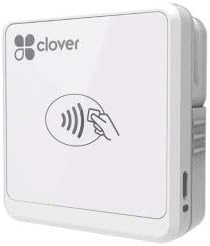
The Clover Go Contactless Reader is a compact mobile accessory with a 4.0 rating. It is designed for contactless and chip-ready payment workflows and works with both iOS and Android. Its portability makes it more approachable for a seller who wants to accept modern payment methods without carrying a full countertop terminal.
We may earn a commission when you buy through this link, at no additional cost to you.
The listing emphasizes that no merchant account is required to purchase the reader, which can simplify the initial acquisition process. The physical format is also well suited to mobile use because it can accompany a phone or tablet rather than remain fixed to a register. Compared with the Square Terminal or PAX S300 v2, it offers a narrower and more focused customer-facing experience.
Availability is the biggest concern. The supplied information states that quantities of this version are limited or end of life, and that orders may be fulfilled with a more current version of Clover Go. That wording means the product name on the listing may not perfectly describe the unit received. Buyers should verify the physical design, included accessories, app compatibility, and current service support before relying on this model for an ongoing checkout operation.
This reader is a reasonable choice when a shopper values a small contactless-focused accessory and accepts the need to confirm the exact version being delivered. It is less suitable for someone who needs a predictable, fully supported product with a complete feature list visible in the listing. Confirming current Clover availability is the essential extra step before making this purchase.
The reader's focus on contactless and chip-ready use reflects the way many mobile sellers interact with customers. It can support a streamlined tap-oriented flow without carrying a large terminal or relying on a tethered card slot.
Compatibility with both iOS and Android gives the reader broader appeal than accessories limited to one device family. Sellers can use the platform that best fits their business rather than changing phones or tablets solely to support checkout.
We may earn a commission when you buy through this link, at no additional cost to you.
The Generic Dejavoo QD2 is a mobile wireless payment terminal with no numeric rating supplied. It is designed for secure payment processing across locations and is especially distinctive because a new merchant account with SwyftPAY is required before equipment can ship. That prerequisite makes this a business-service purchase rather than an ordinary standalone reader.
We may earn a commission when you buy through this link, at no additional cost to you.
The terminal supports chip card, EMV, and NFC transactions and includes a two-point-four-inch color LCD with backlight. Its stated memory includes 128 MB of RAM and 64 MB of DDR RAM. The package contains both the terminal and a power supply, giving a merchant the core hardware needed to begin using it after account approval and configuration.
The account requirement is the decisive factor. A shopper cannot simply purchase the device and immediately use it as a general-purpose payment terminal; the processing relationship must be arranged in advance. This also makes service quality and support dependent on the merchant-account onboarding process. Because no rating is available, buyers have less customer-review information to help compare the product with established alternatives.
The Dejavoo QD2 is best for a business that has already identified a compatible SwyftPAY arrangement and wants wireless, portable payment hardware with a display. It is less attractive for casual users or merchants seeking a simple reader with an immediate, self-service setup path. Obtain account approval, confirm the intended processing workflow, and verify device provisioning before ordering.
A wireless terminal lets a merchant move away from a stationary checkout counter. The built-in display and modern payment support make it more suitable for mobile business operations than a card-only data reader.
The requirement for a new SwyftPAY merchant account means onboarding comes before shipment. Merchants should begin with account approval and confirm that the terminal is compatible with their expected transaction types and operational environment.
We may earn a commission when you buy through this link, at no additional cost to you.
The right credit card swiper depends on whether you need to capture magnetic-stripe data or accept customer payments, along with connectivity, supported cards, security, portability, and existing software. Start by defining the job, then match it to the least complicated device that satisfies your requirements.
A keyboard-emulation reader such as the MSR90 or ETEKJOY ET-MSR90 is designed to read magnetic-stripe data and enter it into a computer as text. That is different from a payment terminal such as the Square Terminal or PAX S300 v2, which is intended to participate in an authorized customer transaction. Data-reading devices can be useful for development, identity, access-control, loyalty, and testing workflows, but they do not replace a secure payment processor or provide a receipt by themselves.
Choose a data reader only when you have compatible software and a legitimate purpose for capturing the relevant card data. For a retailer, restaurant, mobile seller, or other business accepting money, choose a processor-backed terminal that supports the payment methods and security requirements of the checkout environment.
USB keyboard-emulation readers are broadly straightforward because the operating system treats the device like a keyboard. Verify that your desired software can accept text input, and note that configuration utilities may still be needed to change reader settings. Wireless readers introduce additional questions: Bluetooth compatibility, phone or tablet operating-system support, app availability, and whether the intended version supports the connector on your device.
In short, check the physical connector, operating system, required app, and payment platform before ordering. The Square Magstripe Reader's USB-C designation, for example, does not erase its stated limitation for Apple devices with a Lightning connector. Compatibility should be confirmed from the current listing and service documentation rather than inferred from the product name.
Magnetic-stripe-only products address a narrow segment of older payment media. The 2xhome POSMATE set and the dedicated USB readers in this guide focus on three-track magnetic-stripe capture. By contrast, the SumUp Plus supports contactless operation, the Clover Go is contactless and chip ready, and the PAX S300 v2 supports EMV, NFC, magnetic stripe, Chip and PIN, and contactless transactions. The Square Terminal accepts major credit and debit cards and processes chip cards.
List the methods your customers actually use before choosing. If you expect modern contactless or chip transactions, a magnetic-stripe reader is not a substitute. If your operation depends on a particular platform, confirm that the platform supports both the device and the card types you intend to accept.
Fixed USB readers are dependable for a stationary workstation, while wireless devices are more useful when a seller moves between counters, visits customers, or works at temporary locations. The Square Terminal has a built-in battery designed for all-day use and can be used at a counter or around a store. The SumUp Plus and Dejavoo QD2 also prioritize mobile use, whereas the PAX S300 v2 is designed as a more permanent retail fixture.
Choose mobility only when it solves a real operating requirement. A compact wireless accessory can simplify pop-up sales and mobile appointments, but it introduces charging, pairing, and app dependencies. A wired or mounted unit may be simpler for a dedicated register, especially when it can be physically secured and kept connected.
Security considerations differ sharply between capture devices and transaction terminals. The PAX S300 v2 provides PCI PTS 3.x and SRED protections and encrypts transaction information, according to its supplied description. The 2xhome POSMATE set explicitly does not suit systems that require an encrypted reader. Several compact payment options also require a merchant account or a particular processing service before use, with the Dejavoo QD2 requiring a new SwyftPAY account before shipment.
Ask what security standard your environment mandates, then check whether the device meets it. Never assume a card reader is suitable for storing sensitive payment information. Review account approval, encryption, processing, and data-handling requirements with the relevant provider before deploying equipment.
A complete checkout may require more than a magnetic-stripe slot. The Square Terminal adds an integrated receipt printer and a standalone interface, while the PAX S300 v2 includes a color touchscreen, loudspeaker, PIN pad, and multiple payment interfaces. The Square Magstripe Reader, SumUp Plus, and Clover Go lean on phone or tablet applications for the surrounding workflow. These bundled functions can reduce equipment complexity, but they also tie the buyer to a particular service or operating pattern.
Compare the entire setup rather than focusing on the reader in isolation. Consider receipts, PIN entry, inventory, signatures, multiple registers, offline operation, and whether the equipment will be used by staff. The smallest device is not automatically the most economical choice if it creates extra steps or forces an incompatible platform.
Physical details can affect long-term usability. The MSR90 and ETEKJOY reader include mounting provisions, the ETEKJOY has a 145-centimeter cable, and the 2xhome set includes approximately 150-centimeter cables. The Square Terminal is cordless and contains a printer, whereas compact mobile readers depend on the host device. Availability also matters: the Clover Go listing warns that this version is limited or end of life and may be replaced by a current model.
In short, consider mounting, cable length, connector type, battery life, display usability, replacement risk, and service access. These practical details often decide whether a device is convenient in daily use long after its core specification has been compared.
A large integrated terminal is valuable for a multilane merchant with established infrastructure, while a small phone-connected reader may be more appropriate for a solo seller. A dual-reader set makes sense when multiple cashiers need dedicated hardware, and a single fixed USB reader may be enough for one registry. The right scale avoids paying for unused capability or burdening a simple workflow with unnecessary configuration.
Match the device to transaction volume, staff, checkout locations, and service complexity. For a single mobile operator, a compact reader can be enough. For a busy counter with PIN, receipts, contactless payment, and formal security controls, an integrated terminal may provide a more coherent workflow.
Begin by confirming the reader's connection type, required app, supported card formats, and account status. For a USB keyboard-emulation model, connect the device to the intended computer, open the application that should receive the card data, and perform a controlled test with an appropriate card. For a platform-based terminal, install the required app, sign in or complete account onboarding, and follow the provider's setup sequence before attempting a live customer transaction.
Teach staff to present cards consistently and to wait for the appropriate on-screen or LED confirmation. Do not swipe a card repeatedly while the system is still processing the first attempt, because that can confuse the operator or user. Keep the magnetic slot and contactless area clean, protect the device from impact and moisture, and use the supplied cable, connector, power supply, and charging method rather than unverified substitutes.
For fixed readers, use the available mounting holes to prevent accidental movement or unplugging. For mobile equipment, maintain the battery between uses and keep the paired phone or tablet available when a transaction is in progress. Periodically test the workflow, review account status and service notices, update the required app, and retire equipment that is no longer supported or cannot be provisioned through the selected payment platform.
A magnetic-stripe reader captures data from a card and typically sends it to a computer as keyboard-style text. A payment terminal is designed to process a customer transaction, communicate with a payment service, and often support security features such as PIN entry, encryption, and receipts. The MSR90 and ETEKJOY readers are data-capture devices, while the Square Terminal, SumUp Plus, and PAX S300 v2 are transaction-oriented systems.
No. Reading a card's magnetic-stripe data is not the same as securely authorizing and processing a payment. A business accepting customer payments should use a processor-backed terminal and confirm the supported card types, device requirements, and account setup. The 2xhome set is also explicitly unsuitable for systems that require an encrypted reader, making that compatibility check essential.
No. Keyboard-emulation readers such as the MSR90, the generic USB magnetic-stripe reader, and the ETEKJOY ET-MSR90 focus on data capture and may be used with compatible development or operational software. Platform-based products have different requirements: the Square products use Square services, the SumUp Plus uses the SumUp app, and the Dejavoo QD2 requires a new SwyftPAY merchant account before equipment ships.
The SumUp Plus, Square Magstripe Reader, Square Terminal, and Dejavoo QD2 are designed with mobile use in mind. The Square Magstripe Reader is particularly compact, while the Square Terminal adds a printer and all-day cordless operation. The Dejavoo QD2 has a display but also requires advance account provisioning. Actual portability should be weighed against battery needs, app support, and device compatibility.
Generally, no. A three-track magnetic reader handles cards with magnetic stripes, but it does not provide the chip and contactless interfaces expected by many modern customers. The PAX S300 v2 supports EMV, NFC, magnetic stripe, Chip and PIN, and contactless, while the SumUp Plus and Clover Go emphasize contactless use. Choose according to the payment methods your customers actually bring.
First decide whether you need data reading or actual payment acceptance. Then confirm the connection method, operating-system and app support, payment methods, merchant-account requirements, security standards, portability, mounting needs, and current product availability. For the Clover Go, pay particular attention to the warning that this version may be limited or end of life and replaced by a newer model.
No. Ratings provide useful customer feedback, but compatibility and workflow requirements are more decisive for a business purchase. The Square Magstripe Reader has the highest listed rating, while the PAX S300 v2 offers substantially more integrated payment and security features. The best choice is the device that meets your required interfaces, card types, account setup, and operating environment.
Keep the card slot and contactless surface free from dust, debris, and sticky residue, and handle the reader by its housing rather than pulling on the attached cable. Secure fixed units using the provided mounting points, charge mobile devices with the intended power supply, and use only the specified connector or app. Regular test transactions and software updates help identify connectivity or service problems early.
The Square Terminal is the strongest all-around recommendation for a business that wants a complete, portable checkout with major card support, chip processing, receipt printing, and cordless operation. The Square Magstripe Reader is the best budget-oriented option for a compatible Apple setup, while the PAX S300 v2 stands out as the premium choice for sophisticated counters requiring PIN, contactless, e-signature, encrypted processing, and multiple interfaces.
Prioritize the kind of work the equipment must perform. Choose a keyboard-emulation three-track reader for compatible magnetic-stripe data workflows, a compact connected reader for mobile sales, or a full terminal for customer-facing transactions. Account requirements, encryption standards, app support, physical setup, and long-term service availability can be more important than a small difference in feature count.
Before ordering, recheck the current product page, compatibility details, account status, availability, and prices. Product versions, service terms, and hardware configurations can change after this guide was prepared, so confirm that the selected credit card swiper still fits your computer, phone, payment platform, customers, and checkout environment.