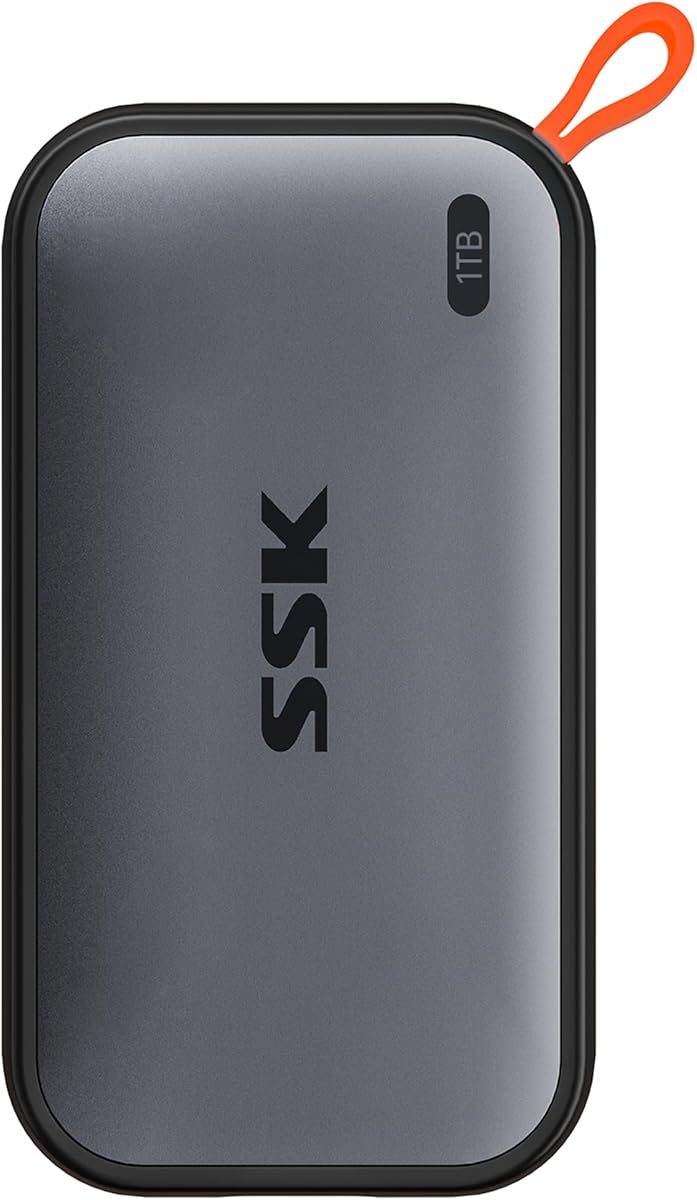
SSK Portable SSD 1TB
4.5Editor score
Up to 1050MB/s read speed
USB-C and USB-A cables
Compact 36.6g aluminum design
Discover the best External SSD for Linux with detailed comparisons of speed, capacity, durability, encryption, compatibility, and portability.
An External SSD for Linux can dramatically improve how you move projects, backups, virtual machines, and media between machines while avoiding the moving parts of a traditional hard drive. The right model balances fast USB transfer rates, useful capacity, dependable enclosure design, and compatibility with the ports and Linux distributions used in your daily workflow.
This guide compares ten portable external solid state drives using the supplied specifications, including interface generation, stated read and write speeds, capacity, physical size, environmental resistance, encryption, and supported devices. The list covers compact everyday drives, rugged models, high-speed creator options, and more established Samsung models for Linux users with different performance needs.
Each review explains who the drive suits, where it stands out, and where its specifications suggest a compromise. The top selections identify an overall favorite, a budget-oriented alternative, and a premium high-speed option. Product listings and availability can change, so readers should verify current details, connector requirements, and Linux compatibility before purchasing.
4.5Editor score

4.6Editor score
4.6Editor score
The table below places all ten drives side by side, focusing on the specifications that most directly affect Linux use: interface, stated transfer speed, capacity, durability, encryption, and physical design. Maximum speeds require compatible hardware, so the connection on your computer remains as important as the drive itself.




The Sandisk 2TB Extreme Portable SSD combines generous capacity, a modern USB 3.2 Gen 2 interface, and rugged physical protection in a drive that works well as a general-purpose Linux companion. Its stated performance reaches up to 1050MB/s for reads and 1000MB/s for writes, placing it among the faster conventional USB options in this guide. The 4.6 rating also reflects a generally favorable reception, although the headline figures remain dependent on the host device and workload.
We may earn a commission when you buy through this link, at no additional cost to you.
Its most attractive combination is capacity and toughness. Two terabytes gives Linux users room for extensive project files, local backups, virtual machine images, and media libraries without making the drive feel like a temporary transfer medium. At the same time, the IP65 water and dust resistance and stated three-meter drop protection make it more suitable for mobile work than a basic indoor enclosure. The included carabiner loop further improves practicality by providing a straightforward way to secure the drive to a backpack or belt loop.
Security is another meaningful strength. Password protection with 256-bit AES hardware encryption keeps the design focused on more than throughput. That is useful when the same drive moves between a Linux workstation, a borrowed computer, and other devices. The SanDisk Memory Zone app adds file-management and automatic space-freeing features, but Linux users should not assume every mobile-oriented function from the accompanying software will be available on their chosen distribution. Direct filesystem use and platform-independent encryption tools may prove more practical for routine administration.
This is the strongest all-around recommendation for Linux users who want more than speed alone. The 2TB capacity makes it particularly useful for users who previously would have needed a rotating hard drive or several smaller SSDs. Its potential limitations are predictable: full USB 3.2 Gen 2 performance depends on the Linux computer, port, cable, and file system, while the listed mobile application may not provide the same management experience under Linux. Even so, the combination of capacity, ruggedness, encryption, and solid-state transfer speed makes it an especially well-rounded external drive.
The 2TB capacity gives Linux users practical room for backups and active projects, while the IP65 rating and stated three-meter drop protection suit travel. The carabiner loop adds another secure carrying option without changing the drive's compact external format.
Included password protection uses 256-bit AES hardware encryption, which is valuable when sensitive files move between workstations. Linux users should confirm their preferred encryption workflow and account for the possibility that the companion phone app is not their main management interface.
We may earn a commission when you buy through this link, at no additional cost to you.
The Samsung T7 1TB in Titan Gray is a compact, fast external SSD with a 4.7 rating and specifications that align well with the needs of Linux developers, photographers, and video editors. It uses USB 3.2 Gen 2 and offers stated read and write speeds of up to 1050MB/s and 1000MB/s. That puts it in the same broad performance class as the Sandisk Extreme, but in a smaller and less explicitly rugged aluminum design.
We may earn a commission when you buy through this link, at no additional cost to you.
The drive is positioned for a flexible range of workloads. Samsung describes compatibility with PCs, mobile phones, cameras, and other devices, and it also supports direct recording of Ultra High Resolution 4K 60fps video from compatible cameras and mobile devices. For Linux users, the core appeal is the combination of a standard portable enclosure, fast interface, and capacity that is large enough for a working library of source footage, photographs, project archives, or backups.
Physical construction is a clear strength. The solid aluminum unibody gives the T7 a refined feel, while shock resistance and protection from falls up to six feet help it tolerate ordinary mobile use. The lack of an IP rating in the supplied specifications is the main distinction from the Sandisk Extreme and Samsung T7 Shield. If a drive will remain on a desk, the T7 prioritizes speed, size, and understated portability rather than formal resistance to water and dust.
The T7 is a strong recommendation for anyone seeking a fast portable drive without needing a specialized phone workflow. Its 4.7 rating places it among the highest-rated products in the guide, and its 1TB capacity is sufficient for many active-project and backup tasks. Users who routinely work with extremely large archives may prefer the 2TB Sandisk Extreme, while those working over USB 3.2 Gen 2×2 should consider the faster T9. Within its class, however, the T7 offers a balanced and attractive package.
The T7's stated transfer rates closely match faster USB 3.2 Gen 2 alternatives, while its compact metal body and simple interface make it convenient for daily carry. It is a sensible option when a user values speed and broad compatibility over a formal environmental rating.
Support for direct 4K 60fps recording from compatible devices broadens its appeal beyond standard file transfer. Linux users should confirm the exact device, adapter, file system, and power requirements for their preferred recording setup.
We may earn a commission when you buy through this link, at no additional cost to you.
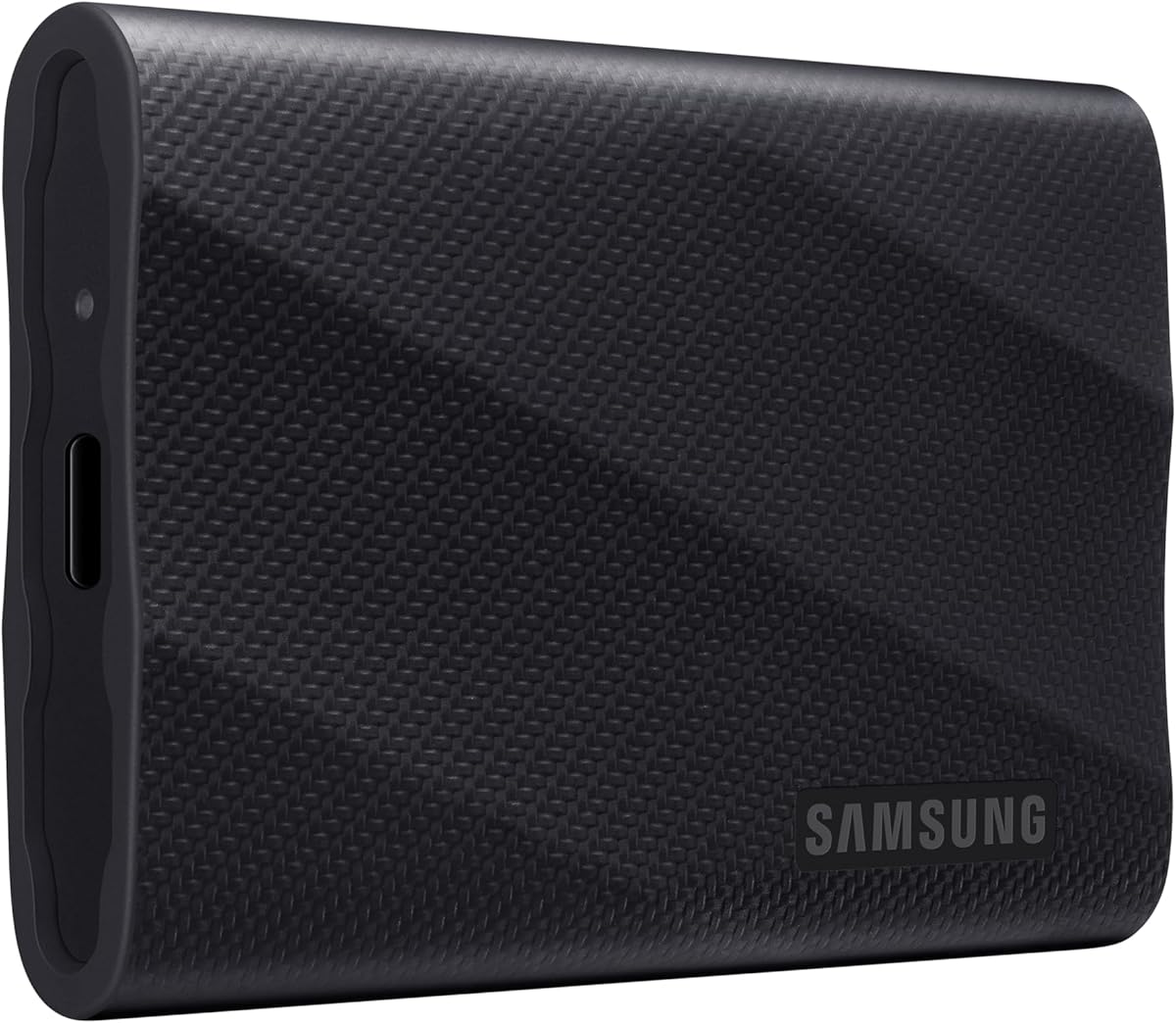
The Samsung T9 1TB is the premium speed choice in this guide, with a 4.6 rating and stated transfer performance of up to 2000MB/s. It is built around USB 3.2 Gen 2×2 rather than ordinary USB 3.2 Gen 2, giving it a substantially higher theoretical ceiling than the 1050MB/s class used by several other selections. That makes it especially relevant to Linux users moving large working sets on suitably equipped systems.
We may earn a commission when you buy through this link, at no additional cost to you.
Samsung emphasizes sustained read and write performance rather than presenting the T9 only as a short burst-transfer device. Its Dynamic Thermal Guard system is designed to control heat during heavy use, which is important because faster interfaces generate more heat and a compact enclosure has less room for passive cooling. The drive also works with Samsung Magician software, which provides firmware updates, extra encryption options, and continual drive-health monitoring. Those functions may require a compatible management environment rather than a native Linux utility.
The T9 is also designed for a wide collection of working environments. The supplied information cites compatibility with desktops, cameras, gaming consoles, and other devices, plus support for iPhone 15 Pro Res 4K at 60fps video when an appropriate setup is used. For Linux, these wider claims remain useful only when the host, cables, adapters, and file system meet the relevant requirements. As always, the headline speed should be understood as a maximum rather than a guaranteed result on every machine.
Users who routinely transfer multi-gigabyte archives, work with high-resolution media, or want the largest performance headroom should give the T9 priority. The trade-off is that its advantages depend on owning compatible USB 3.2 Gen 2×2 hardware, and its 1TB capacity may be less generous than the 2TB alternatives. It is therefore best viewed as a premium performance investment for users whose computer can take full advantage of it, rather than as an automatic upgrade for every Linux system.
The up-to-2000MB/s specification makes the T9 suitable for users who regularly move large archives or active project directories. A Linux system with USB 3.2 Gen 2×2 support is needed to approach that headline performance.
Dynamic Thermal Guard is designed to keep the enclosure at an appropriate temperature during extended transfers. This cooling focus supports the drive's positioning as a sustained-performance product for demanding workloads.
We may earn a commission when you buy through this link, at no additional cost to you.
The SSK Portable SSD 1TB offers an unusually useful combination of capacity, speed, portability, and dual-cable convenience. Its 4.5 rating supports a generally favorable buyer response, while the stated read and write speeds of up to 1050MB/s and 1000MB/s place it alongside the faster USB 3.2 Gen 2 models in the guide. The included USB-C and USB-A cables make it easier to connect to both modern and older systems, including a range of Linux computers.
We may earn a commission when you buy through this link, at no additional cost to you.
The drive is exceptionally small and light according to its specifications, weighing 36.6g and measuring 2.6 by 1.5 by 0.5 inches. Its 2mm aluminum alloy case is designed to dissipate heat, with a stated peak case temperature of 105.58°F. S.M.A.R.T. health diagnostics and adaptive TRIM are listed as data-management features, and an activity LED provides a quick visual indication of use. These details make the enclosure feel oriented toward regular maintenance rather than simply passive storage.
Performance is supported by SLC caching, with 25% of currently available capacity allocated as high-speed cache. That design helps maintain strong transfer performance within the cache allowance, but it also defines an important limitation: sustained workloads that exceed the cache may not retain the same speed. The drive also supports direct 4K60Hz ProRes HDR capture from compatible iPhones, along with cross-platform transfer and backup use across computers, tablets, and phones.
This is the budget-oriented selection for Linux users who need a capable 1TB portable drive without moving to the T9's premium interface. The 10Gbps connection, dual cables, modest weight, and useful health features make it particularly practical for students, developers, and everyday creators. Buyers who routinely transfer files larger than the available cache should account for possible speed variation, and those with specific phone requirements should verify the device and adapter combination. For general Linux storage, however, the specification balance is strong.
The 2mm aluminum alloy shell is engineered for heat dissipation, while the stated peak temperature gives buyers a concrete environmental specification. Its low 36.6g weight also makes it easy to carry between Linux workstations.
SLC caching can make everyday transfers feel consistently fast, but 25% of available capacity defines the high-speed cache. Users planning sustained, unusually large transfers should expect performance to depend on cache availability and host conditions.
We may earn a commission when you buy through this link, at no additional cost to you.
The Lexar ES3 1TB is a slim external SSD aimed at users who need fast everyday storage without a bulky enclosure. It has a 4.4 rating, supports USB 3.2 Gen 2, and is listed at up to 1050MB/s read and 1000MB/s write performance. Those figures make it suitable for routine project transfers, backups, and access to larger media collections on Linux systems equipped with a compatible USB connection.
We may earn a commission when you buy through this link, at no additional cost to you.
Physical portability is one of the model's defining characteristics. The drive weighs 42g and is only 10.5mm thick, allowing it to fit into a pocket more easily than a card while still providing the capacity and durability expected from an SSD. It includes a Type-C cable for straightforward plug-and-play use. The specifications also note that MagSafe is unavailable on this version, which is a minor distinction for most Linux users but worth considering for anyone building a device-centered magnetic storage setup.
Data protection comes through Lexar DataShield, which provides 256-bit AES encryption software for protecting files. The listed compatibility is broad, extending to iPhone 17-series devices, Android devices, laptops, cameras, Xbox X|S, PS4, PS5, and other equipment. However, iPhone 14 and older models are expressly not supported, and Linux compatibility ultimately depends on the standard USB storage behavior, kernel support, and the file system used when mounting the drive.
The Lexar ES3 is most attractive to Linux users who prioritize a thin, capable drive and software-based file protection. It is less compelling when rugged environmental ratings, thermal specifications, or a high-end management suite are the main requirements. Its 1TB capacity is practical for many active workloads, and the stated speed is more than adequate for everyday use. For users who want a discreet, high-speed drive with encryption software, the ES3 stands out as a focused and capable option.
At 42g and 10.5mm thick, the ES3 is designed to move easily between a laptop bag and a pocket. Its one-terabyte capacity preserves useful working space without turning the drive into a desktop accessory.
Lexar DataShield supplies 256-bit AES encryption software for protecting private data. Linux users should review the software's host requirements and ensure that they have a dependable way to unlock and manage encrypted content.
We may earn a commission when you buy through this link, at no additional cost to you.
The Samsung T7 Shield 2TB combines high capacity with one of the strongest durability specifications in this roundup. Its 4.7 rating is among the best shown, while USB 3.2 Gen 2 and stated speeds of up to 1050MB/s read and 1000MB/s write make it fast enough for active project work, local backups, and large media libraries. For Linux users, it is a particularly natural fit for a workstation that is moved between locations.
We may earn a commission when you buy through this link, at no additional cost to you.
Physical protection is the major differentiator. The enclosure carries an IP65 rating for water and dust resistance and is listed for drops up to 9.8 feet. That makes it better suited to outdoor shoots, field work, and travel than a basic desktop SSD. Despite that protection, it remains compact enough to be described as a portable device, preserving the convenience expected from an external drive rather than becoming a bulky stationary unit.
Samsung Magician adds drive-health monitoring, optimization tools, firmware information, and configuration options. The supplied compatibility information also covers PCs, Mac systems, Android devices, gaming consoles, and iPhone 15 Pro Res 4K at 60fps recording with the recommended cable. Linux users may rely on the standard USB mass-storage behavior, but should confirm that any management or encryption functions they need are accessible in their preferred software environment.
The T7 Shield is a compelling choice for users who need both space and resilience. Two terabytes provides room for sizable backups and working projects, while the environmental protection reduces concern about using the drive in less controlled environments. The trade-off is that it uses ordinary USB 3.2 Gen 2 rather than the faster Gen 2×2 interface found on the T9. Buyers without a need for extreme portability or environmental protection may find the standard T7 more streamlined, but for mobile Linux work, the Shield is one of the strongest options here.
IP65 water and dust resistance and protection from falls up to 9.8 feet make the T7 Shield suitable for travel and field assignments. It preserves a large capacity while reducing the risk associated with less controlled working environments.
The 2TB capacity is well suited to source media, project snapshots, and local backups. USB 3.2 Gen 2 transfer performance allows quick access without the interface requirement of the higher-speed T9.
We may earn a commission when you buy through this link, at no additional cost to you.
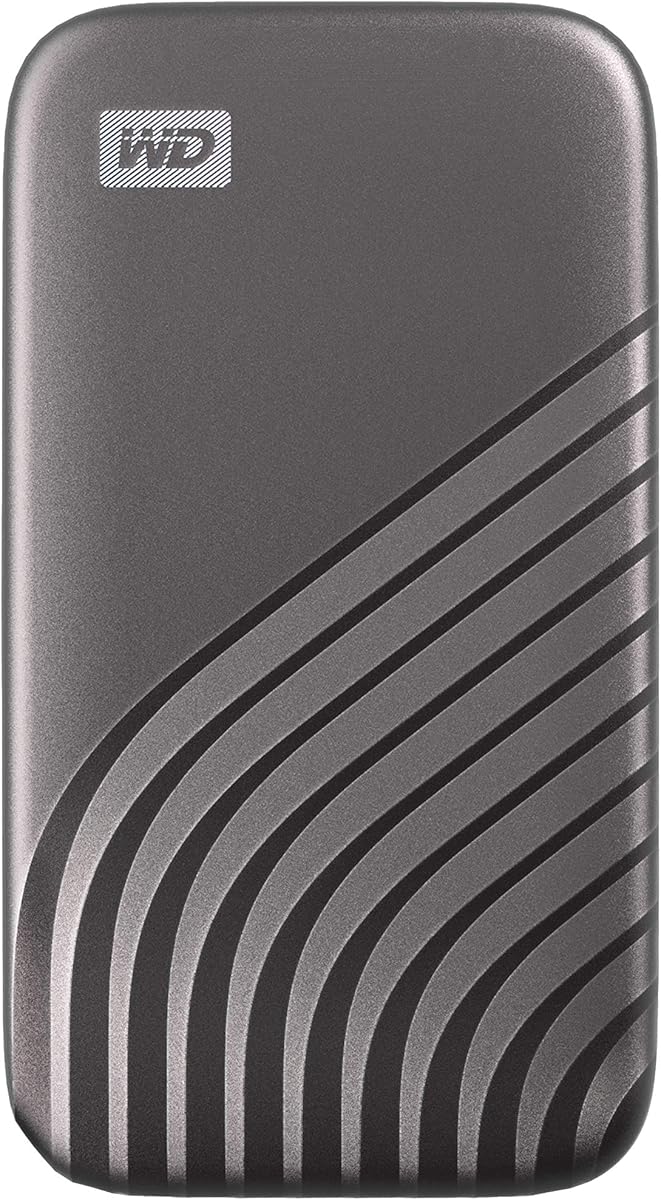
The Western Digital 1TB My Passport SSD Portable combines NVMe-level speed with the familiar My Passport product family and a 4.5 rating. It offers stated read and write performance of up to 1050MB/s and 1000MB/s through USB 3.2 Gen 2, making it appropriate for Linux users who need quick access to large files but do not require the newest interface generation. Its primary appeal is the combination of speed, security, and physical toughness.
We may earn a commission when you buy through this link, at no additional cost to you.
Password-enabled 256-bit AES hardware encryption provides protection for sensitive content at the hardware level. That can be particularly valuable for a portable drive used across several systems, since data security is built into the product rather than depending solely on filesystem permissions. The enclosure is also described as shock and vibration resistant, with drop protection up to 6.5 feet, giving it a durable profile for regular transport.
Connection options are straightforward for Linux users. The drive supports USB 3.2 Gen 2 and USB-C, while a USB-A adapter or cable for older systems is noted in the specifications. As with every external SSD, reaching the advertised transfer speed requires a compatible host controller, a suitable cable, and an appropriately configured filesystem. A modern Linux desktop generally offers a clear path to using a standard USB solid state drive, but users should confirm the exact connection path before transferring important archives.
The My Passport SSD is a solid general recommendation for users seeking a secure, fast portable drive with a traditional external-drive form. Its 1TB capacity is adequate for many projects, and the hardware encryption and drop resistance make it reassuring for mobile use. The absence of a stated IP rating means it should not be treated as a sealed drive for wet environments, and its physical design may be bulkier than the ultracompact SSK or Lexar models. Subject to those distinctions, it is a well-balanced Linux storage option.
Password-enabled 256-bit AES hardware encryption protects sensitive files while the drive moves between computers. Users should save the unlock credentials securely and confirm how the encryption interface appears under their chosen Linux setup.
USB 3.2 Gen 2 and USB-C support provide modern high-speed access, while USB-A support helps with older systems. The stated NVMe transfer performance makes the drive suitable for large files once the host connection supports the full interface.
We may earn a commission when you buy through this link, at no additional cost to you.
The Samsung T5 2TB stands out for a 4.8 rating, the highest numerical rating among the listed products, and a large 2TB capacity. Its USB 3.1 interface and stated speed of up to 540MB/s are less advanced than the USB 3.2 Gen 2 and Gen 2×2 options, but the drive remains a capable external SSD for backups, archives, document collections, and less bandwidth-intensive Linux workflows.
We may earn a commission when you buy through this link, at no additional cost to you.
Its top-to-bottom metal design is compact enough to fit in the palm of the hand, making it a straightforward portable option. The product includes both USB Type-C to Type-C and USB Type-C to Type-A cables, which is helpful for Linux systems with different ports. Optional password protection and 256-bit AES hardware encryption add security without changing the basic external solid state format.
The T5's main strength is the combination of a strong customer rating, two-terabyte capacity, and a mature portable design. It may appeal to users who value a familiar model and broad practical utility more than headline transfer speed. The lower ceiling of 540MB/s matters most when copying very large working directories, high-resolution media, virtual disk images, or other files that benefit from faster sustained throughput.
This is a compelling choice for Linux users who need ample space but do not need the newest USB standard. The T7 family offers much higher stated speeds and more advanced features, while the T5 remains attractive as a simple, secure, portable drive with a particularly strong rating. Buyers should consider the age and interface generation of the model carefully, especially if they expect to use it as an active scratch drive rather than primarily for backups and long-term file storage.
The 2TB capacity gives Linux users room for substantial archives and local backups, while the metal housing keeps the format portable. It is a good choice when space matters more than cutting transfer times to the shortest possible duration.
Optional password protection with 256-bit AES hardware encryption helps protect private files. Including both Type-C and Type-A cables simplifies setup across a wide range of Linux computers and other devices.
We may earn a commission when you buy through this link, at no additional cost to you.
The red Samsung T7 500GB is a compact, fast external SSD that provides up to 1050MB/s reads and 1000MB/s writes over USB 3.2 Gen 2. Its 4.7 rating is among the strongest in the guide. The reduced capacity makes it most suitable for Linux users who need a fast personal scratch drive, a focused project archive, or a portable transfer medium rather than a large library.
We may earn a commission when you buy through this link, at no additional cost to you.
Samsung describes it as suited to gaming, students, professionals, and other users who need portable performance. It is shock resistant and listed to withstand drops from six feet, providing more durability than a basic enclosure. Dynamic Thermal Guard automatically manages heat and can reduce transfer speed if necessary, which helps the drive maintain safe operating conditions during sustained use.
Maximum speed requires USB 3.2 Gen 2 and UASP support, and Samsung specifically recommends the included Type-C to Type-C and Type-C to Type-A cables. It also recommends downloading the latest firmware through the included Portable SSD Software 1.0 to ensure optimal performance. Linux users should treat those cables and firmware considerations seriously because a lower-bandwidth port or an unsuitable cable can prevent the drive from reaching its stated transfer rate.
The T7 500GB is a strong choice for users who prioritize speed and portability over capacity. It is particularly useful for active source files, system images, a selected project library, or fast local working storage, while password protection adds value for sensitive material. Users who regularly maintain extensive backups or media archives may find the larger 1TB and 2TB models more practical. Within its capacity class, though, this T7 provides modern performance in a compact and well-regarded package.
The 500GB capacity is best matched to focused working sets, selected projects, and temporary high-speed storage. Its full-speed USB 3.2 Gen 2 interface can make everyday Linux transfers noticeably quicker than older external drives.
Dynamic Thermal Guard protects the drive by controlling heat and reducing transfer speed if conditions require it. Linux users who need predictable sustained performance should use the recommended cables and keep the enclosure well ventilated.
We may earn a commission when you buy through this link, at no additional cost to you.
The blue Samsung T5 500GB has a 4.8 rating, tying for the highest rating in the guide, and offers a straightforward combination of portability, security, and established solid state performance. Its stated transfer rate of up to 540MB/s is lower than that of the latest T7 and T9 models, but it remains well suited to backups, documents, photos, games, and moderate-sized media collections in a Linux environment.
We may earn a commission when you buy through this link, at no additional cost to you.
The all-metal enclosure is shock resistant and small enough to slide into a pocket, which is one of the T5's most durable qualities. Samsung lists compatibility with Windows 7, Mac OS X 10.9 Mavericks, Android 4.4 KitKat, and later systems, along with a three-year limited warranty. The supplied USB Type-C to Type-C and Type-C to Type-A cables make it easier to connect the drive to a range of Linux computers and other devices.
Optional password protection and 256-bit AES hardware encryption help secure private files. The performance specification of up to 540MB/s makes the drive noticeably quicker than an external hard drive, especially for large transfers, while its lack of moving parts also makes it a practical option for frequently carried work files. Linux users should still format or partition the drive using a file system appropriate for their needs, especially if the same drive will be shared with Windows or macOS systems.
The T5 500GB is a dependable compact option for users who do not need the latest transfer interface. Its strong rating, metal design, encryption support, and broad compatibility make it particularly useful for documents, coursework, travel, and lighter creative work. The newer T7 models are the better choice when maximum speed is important, and the 2TB T5 is preferable for larger archives. For a smaller, simpler external SSD, this blue T5 remains a capable and highly rated choice.
The shock-resistant metal body and optional 256-bit AES hardware encryption suit a drive that travels between locations. Its compact size and included cables keep setup straightforward across Linux systems with different connector types.
At 500GB, the drive is best for focused personal storage rather than expansive archives. Users who regularly exceed that capacity can find a more suitable option among the 1TB and 2TB selections.
We may earn a commission when you buy through this link, at no additional cost to you.
Choosing an external SSD for Linux involves balancing interface performance, usable capacity, physical protection, and the software and hardware available on your computer. The most important rule is to match the drive to your ports and workloads rather than relying on a maximum speed printed on the package.
Choose the interface your Linux hardware can actually sustain. A high-speed drive remains useful on a slower host, but it will be limited by the connection. Use a high-quality cable and avoid unpowered hubs when transferring large files or using the drive with power-hungry devices.
Prioritize the speed class that matches your files. Large media libraries and virtual disks benefit from faster interfaces, while documents and routine backups may not justify paying for the newest standard. Always benchmark with representative files on your own system.
Choose enough space for your active workload plus room for growth. A larger drive also reduces the need to delete files constantly, while a smaller drive can be more convenient for selective transfers. Consider your largest realistic project rather than only your current folder size.
Choose a size you will actually carry. A tiny drive is convenient for daily transfers, while a slightly larger enclosure may feel more substantial in hand. Check pocket, bag, and adapter clearance before ordering.
Select a rugged model for travel and field work, but no rating makes a drive waterproof. Keep connectors dry, use a protective sleeve, and treat environmental specifications as risk reduction rather than a guarantee against every scenario.
Treat encryption as part of the buying decision, not an afterthought. A drive that contains sensitive backups should be unlockable through a method you can administer reliably on Linux. Preserve recovery information and test the unlock process before relying on it.
For extended transfers, keep the drive uncovered and allow heat to dissipate. Avoid wrapping it tightly while it is active. A drive that controls heat well is generally better suited to sustained work than one optimized only for short bursts.
Decide on the file system before storing important data. If several operating systems must share the drive, test mounting and write access on each one. Keeping one universal format is usually simpler than maintaining separate partitions and conversion workflows.
Begin by connecting the drive with the recommended cable and confirming that Linux recognizes it through the desktop file manager or a command such as lsblk. Check the device name carefully before formatting, because the command can erase the selected disk. Choose ext4 for a drive used primarily with Linux, or exFAT when broad compatibility with other operating systems is more important. Give the new filesystem a recognizable label so it is easier to identify when several removable devices are connected.
After formatting, copy a few test files and verify both reading and writing before transferring an important archive. Compare the result with the drive's stated transfer rate, and check whether the connection is delivering the expected USB generation. Use rsync, rsync with progress enabled, or another copy utility that can preserve timestamps and resume interrupted work. Safely unmount the filesystem before disconnecting the drive, and do not remove it while a transfer or background index is still running.
To protect the drive, keep its firmware and management software current where the relevant tools support your Linux workflow, and use the supplied or manufacturer-recommended cables. Monitor available capacity, avoid leaving a nearly full drive for large transfers, and back up irreplaceable data to a second location. For mobile use, protect the connectors, keep the enclosure away from standing water, and allow the drive to cool after long transfers. Routine health checks can help identify problems before a failing drive compromises an important backup.
These models use standard USB storage interfaces and are generally suitable for Linux systems that support the corresponding USB generation and filesystem. Linux support can vary by kernel, enclosure, file system, and intended use, so confirm the drive appears correctly in the disk utility before formatting. Administrator-level access may also be required for initial mounting and formatting.
The Samsung T9 has the highest stated transfer speed at up to 2000MB/s and uses USB 3.2 Gen 2×2. It will only approach that figure with compatible hardware, a suitable cable, and a Linux host that supports the full interface. Several USB 3.2 Gen 2 models list up to 1050MB/s reads and may be more practical across a wider range of systems.
Ext4 is a strong default for a drive used mainly by Linux because it provides mature features and reliable local storage behavior. ExFAT is often easier for sharing files with Windows and macOS systems. Whichever format you choose, format the drive on the system where you will use it most and test it on every other platform before relying on it for important files.
Only if you want to take full advantage of the Samsung T9's stated performance. A USB 3.2 Gen 2×2 host, controller, and compatible cable are required for the highest transfer rate. If your computer only supports older USB versions, the T9 will still function, but a matching USB 3.2 Gen 2 drive may offer a more balanced experience.
Several listed drives include 256-bit AES encryption, while others can be paired with Linux-native full-disk or file-level encryption tools. Hardware-encrypted models may require the manufacturer's software or compatible management utilities. Before storing important data, confirm that you can unlock the drive, recover its credentials, and use the encryption workflow on every Linux computer that needs access.
The right amount depends on the files you need to retain and how many historical copies you want. A 500GB drive can hold a focused project or personal archive, while 1TB and 2TB options are better for larger collections and working backups. Ideally, keep another copy in a separate location so a single drive failure does not remove your only version.
An external SSD is generally faster, quieter, smaller, and more resistant to impact because it has no moving parts. It also works well for active project files and boot or test environments. An external hard drive may still be useful for very large, inexpensive archives, but the SSDs in this guide are better suited to responsive everyday storage.
Most can be used across both operating systems, but the filesystem determines how easily they can share one partition. ExFAT is generally the simplest cross-platform choice, while NTFS may require extra care for full read and write support in Linux. You can also create separate partitions, although that adds setup and backup-management complexity.
The Sandisk 2TB Extreme is the strongest overall choice because it combines a generous two-terabyte capacity, fast USB 3.2 Gen 2 performance, IP65 protection, and hardware encryption. The SSK Portable SSD 1TB is the budget-focused alternative for users who value a light 36.6g enclosure, dual cables, and strong 10Gbps performance. The Samsung T9 1TB is the premium option for Linux systems equipped for USB 3.2 Gen 2×2 and workloads that benefit from its stated performance of up to 2000MB/s.
Before buying, prioritize the connection your computer actually supports, the amount of data you need to store, and the environment in which the drive will be used. Fast daily transfers may justify USB 3.2 Gen 2, sustained heavy workloads may favor the T9's cooling and speed, and frequent travel may make the Sandisk Extreme or Samsung T7 Shield more appropriate. Choose a filesystem carefully and make sure the drive can be managed and unlocked in your Linux environment.
Finally, remember that specifications and product listings can change over time. Check the current interface, capacity, cable contents, encryption method, firmware information, and operating requirements before purchasing. Current prices also vary, so comparing the complete feature set rather than focusing on cost alone will help identify the most suitable External SSD for Linux.