
HP 17 Inch FHD Laptop
4.6Editor score
AMD Ryzen 5 7430U
16GB DDR4 memory
1TB solid-state storage
17.3-inch Full HD IPS
A laptop for engineering students must balance academic software, processor capability, portability, battery life, and a display that remains comfortable during long study sessions. The right computer also needs dependable connectivity for virtual classes, collaborative projects, lab work, and access to campus resources.
This guide compares ten laptops using their published specifications, including processors, memory, storage, displays, ports, weight, software, and battery claims. It covers affordable models for general coursework as well as more powerful configurations suited to CAD, data analysis, programming, and engineering software.
Each review explains who benefits most from a particular model and where compromises appear. Ratings reflect the supplied customer feedback, while performance observations are based on listed hardware rather than personal testing. Product availability, configuration details, and prices can change, so verify the current listing before buying.
Choosing a laptop for engineering students is not simply a matter of finding the highest processor number. Course requirements vary dramatically. A first-year student may need nothing beyond web-based classes, Office applications, and note-taking, while upper-level mechanical, electrical, civil, or computer engineering students may depend on demanding CAD, simulation, and data-processing tools. A portable general-purpose notebook is often sufficient for lectures and written work, but students working with 3D assemblies, large spreadsheets, virtual machines, or machine-learning projects should prioritize more memory, faster storage, and stronger sustained performance. A 15.6-inch Full HD display can provide useful workspace, although a smaller 14-inch model may be easier to carry between buildings. The most valuable setup is one that comfortably handles the software you already use without asking you to carry a charger every day.
4.6Editor score

4.3Editor score

4.5Editor score
As an Amazon Associate we earn from qualifying purchases.
The table below places the ten candidates side by side, making it easier to compare processor class, memory, storage, display size, portability, and the most relevant differences for engineering coursework.




The Dell DC15250 is the most balanced option in this guide for a student who needs more headroom than a basic ultraportable but still wants a conventional 15.6-inch engineering notebook. Its listed Intel Core i5 1334U processor places it above the entry-level N-series and Celeron alternatives here, while the 4.3 customer rating provides a generally favorable user signal.
We may earn a commission when you buy through this link, at no additional cost to you.
The Full HD 15.6-inch format gives students a practical work area for circuit diagrams, spreadsheet columns, lecture notes, and side-by-side reference documents. Dell ComfortView software is included to help reduce blue-light emissions during extended viewing. The full-size keyboard, separate numeric keypad, calculator hotkey, and lifted hinges also make this a comfortable machine for writing calculations and entering engineering data.
Not every detail is equally compelling for a mobile student. A 15.6-inch notebook is bulkier and more demanding to carry than the compact 14-inch alternatives, and the supplied information does not clearly state the amount of RAM or storage capacity. The listing also does not provide detailed connectivity specifications, so students requiring several external ports should verify the exact configuration before ordering.
Overall, the Core i5 1334U gives the DC15250 the strongest general-purpose appeal here. It is a sensible recommendation for engineering students who will use demanding applications, value a large screen and numeric keypad, and appreciate one year of onsite hardware service. It is less attractive for buyers focused primarily on the lightest possible backpack load.
The roomy keyboard, numeric keypad, calculator hotkey, and lifted hinges improve the experience of entering equations, tabulated measurements, and spreadsheet data. These practical details can matter more in daily study than a headline specification students rarely use.
The Core i5 1334U offers a more appropriate foundation for CAD, programming, data analysis, and multitasking than the lower-powered processors in most competing entries. Windows 11 Home also provides a familiar environment for course software and Office workflows.
We may earn a commission when you buy through this link, at no additional cost to you.
The HP Stream 14 stands out for students who want ample memory and a generous collection of accessories without moving to the most expensive performance class. It carries a 4.2 rating, and its defining combination of 16GB DDR4 RAM, a 1TB docking-station storage set, and a 7-in-1 dock makes it particularly useful for file-heavy academic work.
We may earn a commission when you buy through this link, at no additional cost to you.
The included dock provides a more flexible desktop-like setup than a bare laptop. A Type-C data cable, a 3-in-1 charging cable, a 32GB microSD card, and a cleaning cloth add practical value. The laptop itself includes a media card reader, USB-C, two USB-A ports, HDMI, a headphone jack, and a charging connection, giving students several ways to connect peripherals and external displays.
The Intel Celeron N4120 is the main limitation. It is designed for online education, browsing, media, and general office tasks, but it is not the strongest choice for intensive CAD rendering, large simulations, compiling large codebases, or processing big datasets. The included 1TB storage also belongs to the docking-station set rather than the laptop chassis, so students needing internal capacity should account for that distinction.
Choose the Stream 14 if your coursework centers on notes, Office documents, research, presentations, and online learning, especially if you value 16GB memory and want a dock. For engineering students beginning heavier technical software, the Dell DC15250 or HP Ryzen 5 model offers a more capable processor for sustained work.
The 7-in-1 docking station turns the compact notebook into a more practical workstation for a dorm room or home desk. It can simplify the connection of a monitor, keyboard, mouse, storage, and network accessories without requiring a separate purchase.
Sixteen gigabytes of DDR4 memory is unusually generous for this category and helps when a browser, video call, documents, and course applications remain open together. It is a meaningful advantage over models that include only 4GB or 8GB.
We may earn a commission when you buy through this link, at no additional cost to you.
This HP 14-inch N150 laptop is a strong budget-oriented recommendation for engineering students whose daily work includes web-based classes, Office applications, code editors, research, and communication. Its 4.4 rating is among the stronger results in the group, while the combination of 8GB RAM, Wi-Fi 6, a 720p camera, and a claimed 11-hour battery makes it well suited to campus use.
We may earn a commission when you buy through this link, at no additional cost to you.
The N150 has four cores and four threads with speeds reaching 3.6GHz. That is a credible platform for document editing, research, lightweight data analysis, and standard student applications. A full-size keyboard, USB-C, HDMI 1.4, Wi-Fi 6, Bluetooth, and a weight of 3.24 pounds create a practical mobile package. The one-year Microsoft 365 subscription provides immediate access to Word, Excel, and PowerPoint.
The 128GB UFS drive is the most important compromise. Large software libraries, engineering datasets, archived projects, and virtual machines can exhaust that capacity quickly. The listing also refers to a 14-inch Full HD display, but the more detailed N150 listings in this group use a 1366-by-768 panel, so buyers should confirm the exact screen resolution on the product page.
This is a convincing choice for a first-year or general-study student who values battery life and everyday responsiveness over intensive computation. It is also a sensible travel companion. Students who expect to install large engineering applications should choose a model with more storage and a stronger processor.
A weight of 3.24 pounds and an advertised battery life of up to 11 hours reduce the need to carry a charger around campus. Actual runtime will depend on screen brightness, wireless activity, and the applications in use.
The bundled one-year Microsoft 365 subscription includes the familiar Office applications needed for reports, presentations, and spreadsheets. The built-in Copilot key and 720p camera also support AI-assisted workflows and online classes.
We may earn a commission when you buy through this link, at no additional cost to you.
The HP 2026 Essential Laptop is a straightforward option for students whose engineering coursework is centered on notes, browsing, Office documents, video lectures, and communication. Its 4.4 rating indicates generally positive customer sentiment, and the portable 14-inch design, modern wireless standard, and useful port selection make it a credible everyday companion.
We may earn a commission when you buy through this link, at no additional cost to you.
Its N150 processor has four cores and four threads, reaches 3.6GHz, and handles browsing, email, document editing, streaming, and light productivity applications. The anti-glare 1366-by-768 display reduces reflections, while a 79% screen-to-body ratio helps the compact chassis feel modern. USB-C with DisplayPort 1.2 is especially useful because it can support an external display when the built-in panel is too small.
Four gigabytes of LPDDR5 memory is the clearest limitation. It can feel restrictive when many browser tabs, video calls, and productivity applications are open simultaneously, and memory generally cannot be upgraded in a thin integrated design. The 128GB UFS drive also leaves limited room for large application suites and project files, making external storage or cloud services important.
Students who need a light machine for lectures and writing should consider this laptop. It also includes a 720p camera, dual microphones, dual speakers, Windows 11 Home, and one year of Microsoft 365 Personal. For CAD, virtual machines, or demanding datasets, move up to a higher-memory or stronger-processor configuration.
Wi-Fi 6, Bluetooth 5.4, two USB-A ports, HDMI, and a DisplayPort-capable USB-C port cover most student accessories. The selection is particularly helpful for students who alternate between a dorm screen and a larger external monitor.
The anti-glare panel, full-size keyboard, 3.24-pound weight, and 0.71-inch thickness support daily use in lectures and libraries. A 79% screen-to-body ratio offsets the modest native resolution to some degree.
We may earn a commission when you buy through this link, at no additional cost to you.
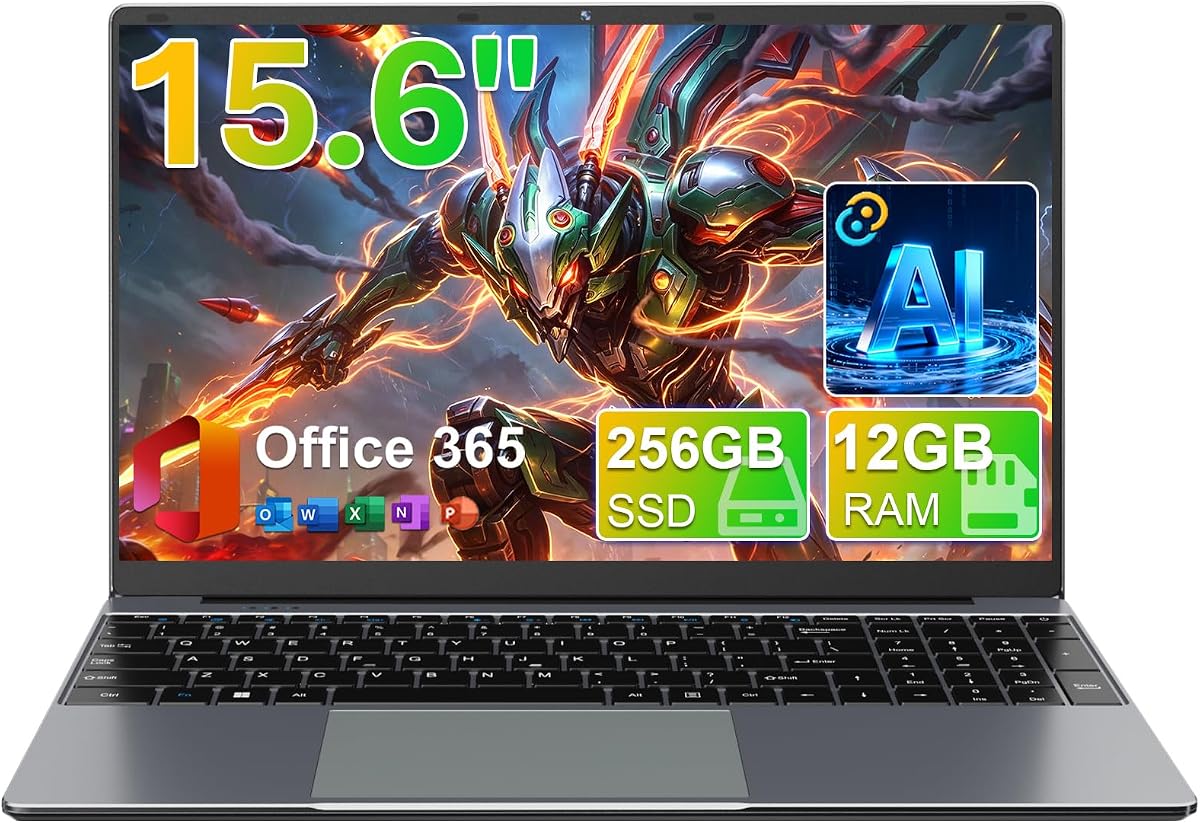
The 15.6-inch FHD IPS Student Laptop combines one of the largest displays in this roundup with 12GB of RAM and a 4.6 customer rating, the highest listed score among these ten products. It is aimed at students who want more visual workspace for documents, spreadsheets, diagrams, and split-screen study.
We may earn a commission when you buy through this link, at no additional cost to you.
Its Celeron J4105 is a four-core processor, while the 12GB memory configuration should be more accommodating than many entry-level alternatives. A 256GB SSD provides a useful balance of speed and capacity, and the system supports SSD expansion up to 2TB or TF-card expansion up to 1TB according to the supplied information. The 1920-by-1080 display offers a notably sharper image than the HD panels used by several competitors.
The 180-degree hinge is distinctive. It allows the screen to lie flat for sharing, collaboration, or use at different angles, although a larger display and flexible chassis may make the laptop less convenient in a tightly packed backpack. The J4105 is also a less powerful platform for advanced CAD, rendering, and large simulations than the Dell Core i5 or HP Ryzen 5 choices.
This laptop is a persuasive match for budget-conscious students who prioritize screen quality, memory, and everyday productivity over advanced computational performance. It is also well suited to group study because the flat display is easy to share. Heavy software users should examine processor benchmarks and application requirements before committing.
The 1920-by-1080 IPS panel provides more usable detail than the 1366-by-768 screens common in compact budget laptops. That difference is noticeable when reading small diagram labels, spreadsheets, or code.
A hinge that opens to 180 degrees makes it easy to lay the display flat for shared viewing. This is useful in study groups, although screen sharing software remains more practical for remote collaboration.
We may earn a commission when you buy through this link, at no additional cost to you.
The HP Copilot Student Laptop is a portable everyday machine centered on connectivity, compact dimensions, and access to Microsoft productivity tools. Its 4.3 rating and mix of Wi-Fi 6, Bluetooth 5.4, USB-C, HDMI, USB-A, and an SD card reader make it a practical pick for students who regularly work across multiple devices.
We may earn a commission when you buy through this link, at no additional cost to you.
The Intel N150 offers four cores and four threads, reaches 3.6GHz, and drives the listed light productivity workloads. The 14-inch anti-glare display uses a 79% screen-to-body ratio, while the 720p camera and dual-array microphones support lectures and online meetings. A claimed battery life of up to 11 hours during video playback adds to its appeal for long school days.
Its 4GB of LPDDR5 memory is the major weakness for a modern multitasking environment. Even with UFS storage, 4GB can become a bottleneck when several large browser-based applications, communication tools, and engineering utilities run simultaneously. The 128GB internal capacity also calls for careful file management or supplemental storage.
Choose this HP when your priority is mobility, modern connectivity, and a clean Windows environment for standard coursework. It is less appropriate when your degree involves large local datasets or specialized rendering. Students who can accept a slightly larger footprint should compare the higher-memory Windows 11 i3 model, which includes 12GB RAM and a 256GB SSD.
USB-C with DisplayPort 1.2, HDMI 1.4b, two USB-A connections, and an SD reader cover common engineering accessories. This makes the laptop useful in a fixed workstation arrangement as well as on the move.
The 720p camera, dual-array digital microphones, dual speakers, and anti-glare screen support recorded lectures and video conferences. Copilot features can also help organize ideas and draft course materials.
We may earn a commission when you buy through this link, at no additional cost to you.
This HP student laptop earns the highest customer rating in the supplied data at 5.0. It combines a quad-core Intel N200 processor with a 640GB storage bundle, Windows 11 Home, one year of Microsoft 365, a numeric keypad, and a camera privacy shutter, making it a distinctive option for students who appreciate useful physical controls.
We may earn a commission when you buy through this link, at no additional cost to you.
The N200 reaches 3.7GHz and provides a modest performance increase over common N150 configurations. Storage includes 128GB UFS plus a 512GB PLUSERA docking set, giving students more room for course materials than a basic 128GB laptop. The numeric keypad is useful for entering matrices, measurements, and other numerical data without relying on a separate accessory.
The product data is not fully consistent about the display. Although the listing title identifies a 14-inch laptop, the supplied feature description calls out a 15.6-inch 1280-by-720 LED screen. The 4GB memory configuration is also modest, and a 720p-class panel provides less detail than the Full HD options elsewhere in this guide.
This is a worthwhile choice for a student beginning school who wants abundant bundled storage, privacy controls, and a highly rated package. Verify the physical screen size before purchase, and favor a higher-memory model if your course software tends to run many applications simultaneously.
The combination of 128GB internal UFS storage and a 512GB docking set provides a useful starting library for documents, lecture recordings, and reference files. It also reduces the immediate need to purchase separate media for a new student.
A numeric keypad speeds up data entry, while the camera privacy shutter provides a simple way to block the webcam when it is not needed. These details are simple but valuable for a frequently used study machine.
We may earn a commission when you buy through this link, at no additional cost to you.
The HP Copilot Laptop Plus Drive is built around the same efficient N150 platform as the other similarly named HP model, but its inclusion of a 500GB portable drive gives students more flexibility for storing assignments, datasets, and backups. It carries a 4.3 rating and remains a compact 3.24-pound notebook.
We may earn a commission when you buy through this link, at no additional cost to you.
Its everyday specifications include a four-core N150 processor, 4GB of LPDDR5 memory, and 128GB UFS storage. The 14-inch anti-glare panel has a 79% screen-to-body ratio. USB-C with DisplayPort 1.2, HDMI 1.4b, two USB-A ports, Wi-Fi 6, Bluetooth 5.4, and an SD reader create a well-rounded connection package.
The external drive solves part of the storage problem but does not improve system responsiveness. Four gigabytes of memory remains a significant constraint for heavy multitasking, and the internal drive is still small. As with the similar HP Copilot Student Laptop, buyers should distinguish the bundled portable drive from the laptop's own internal storage when comparing configurations.
This is a useful choice for students who travel between campus, home, and a shared laboratory and want a simple way to carry course files. It is best suited to standard academic work. Students running specialized engineering applications should prioritize a model with more memory and a stronger processor rather than relying on added file capacity.
The 500GB external drive provides room for project archives, course media, and a local backup. It is especially helpful when working on campus and carrying assignments between different locations.
Microsoft 365 and Copilot integration support writing, spreadsheets, presentations, and research workflows. These features are useful for summarizing notes, organizing ideas, and preparing conventional engineering reports.
We may earn a commission when you buy through this link, at no additional cost to you.
The Dell DC15250 is a strong mainstream engineering laptop for students who need a more capable processor and a large Full HD display without moving to the premium Ryzen 5 configuration. Its Intel Core i5 1334U is well suited to multitasking and a broad range of academic applications, while the supplied customer rating is 4.3.
We may earn a commission when you buy through this link, at no additional cost to you.
The 15.6-inch display is paired with a full-size keyboard, separate numeric keypad, calculator hotkey, and lifted hinges. Those elements are particularly suitable for technical study, spreadsheet work, and repeated numerical entry. Energy-efficient batteries, Express Charge support, and Dell ComfortView software are also highlighted by the manufacturer.
The supplied listing provides fewer component details than most of the alternatives, omitting exact RAM, storage, weight, and port information. That makes configuration verification essential. Buyers should confirm whether the model includes soldered memory, how much storage is available, and whether the required charger and ports suit their intended use.
As a general study and technical-work machine, the DC15250 remains one of the strongest options here. Its Core i5 processor offers more headroom than entry-level N-series chips, while Windows 11 Home supplies the expected software foundation. It is best for students who value performance, screen size, and numeric data entry over ultralight portability.
The separate numeric keypad and calculator hotkey make the system attractive for engineering calculations and large tables. Lifted hinges improve the typing angle and can reduce wrist strain during long sessions.
One year of onsite service can provide valuable support if a covered hardware issue cannot be resolved remotely. Express Charge support is another useful feature for students with tightly scheduled class days.
We may earn a commission when you buy through this link, at no additional cost to you.
The HP 17 Ryzen 5 is the most substantial performance option in this roundup. It combines an AMD Ryzen 5 7430U processor with 16GB of DDR4 memory and a 1TB SSD, a specification set that gives engineering students much more room for specialized software, projects, and multitasking than the entry-level alternatives.
We may earn a commission when you buy through this link, at no additional cost to you.
The six-core, twelve-thread processor can reach 4.3GHz, providing a substantial foundation for CAD, simulation, programming, data processing, and virtualized study environments. The 17.3-inch Full HD IPS anti-glare display has wide 178-degree viewing angles, while the full-size keyboard and numeric keypad support detailed data entry.
Its large footprint is the main tradeoff. A 17.3-inch display is excellent for sustained work but takes more space than a 14-inch or 15.6-inch notebook, and the supplied information does not state the exact weight. Windows 11 Pro also adds professional management capabilities, but some of those features may not be necessary for every student.
This laptop is a strong recommendation for students whose major involves heavy applications or who prefer to keep large project files locally. It can also function as a portable workstation when connected to an external monitor. Those who prioritize light carrying may find a smaller Core i5 or N150 model more appropriate.
The Ryzen 5 7430U's six cores and twelve threads offer a substantial upgrade over the N100-series and Celeron processors in this list. That additional capability is useful for CAD, code compilation, data analysis, and running several engineering applications together.
The 17.3-inch 1920-by-1080 IPS display provides a spacious canvas for technical drawings, simulation windows, and multiple documents. Anti-glare treatment and wide viewing angles also make it practical for shared study spaces.
Sixteen gigabytes of DDR4 memory supports substantial multitasking, while the 1TB SSD provides room for application libraries and project files. This combination reduces the likelihood of running out of local space during active coursework.
We may earn a commission when you buy through this link, at no additional cost to you.
Engineering laptop selection should begin with the software and workload in your curriculum. Hardware that feels quick for word processing may still disappoint in 3D modeling, large simulations, programming builds, or data analysis, so students should evaluate the complete academic use case rather than relying on screen size or battery claims alone.
Prioritize a processor with enough cores and sustained performance for your heaviest applications, not merely the highest advertised clock speed.
Choose at least 8GB for general study and consider 12GB or 16GB for CAD, programming, data work, or virtual machines.
Prefer at least 256GB internally for regular coursework and 1TB when managing large engineering files locally.
Choose 15.6 or 17.3 inches for detailed technical work, or 14 inches when carrying comfort matters more.
Treat advertised battery life as a guide, then prioritize processor efficiency, charger portability, and access to outlets.
Check monitor, USB, memory-card, and lab-equipment needs, and verify that USB-C supports the modes you require.
Balance screen size against daily carrying comfort, especially if you move between buildings, libraries, or off-campus sites.
Verify course-specific software, operating-system needs, subscription terms, and any required academic licenses before purchasing.
Begin by organizing the machine for your first semester. Sign in to your academic account, install required course software, enable file synchronization or a verified backup service, and create separate folders for lectures, assignments, simulations, and project files. For engineering datasets and reports, maintain at least one additional copy on external storage or a reliable cloud service. Keep software and the operating system current, and check departmental requirements before removing preinstalled productivity software. This setup prevents avoidable disruption when a deadline or presentation arrives.
Create a sensible power and thermal routine. Use the included or manufacturer-approved charger when the workload is sustained, particularly during CAD, simulation, compiling, or data analysis. Keep vents unobstructed and avoid placing the computer on soft bedding. On battery, reducing screen brightness and disabling unnecessary wireless connections can help extend runtime. A protective sleeve or padded backpack compartment reduces the risk of impact damage, while a clean microfiber cloth is safer for the display than harsh cleaners. Students should also learn the difference between sleep, shutdown, and restart when an application is not responding.
Treat the laptop as the primary workstation but use accessories strategically. An external monitor, keyboard, and mouse can make long CAD sessions more comfortable, while USB-C display output and HDMI are useful for connecting to lecture rooms or shared lab screens. Before starting a project, confirm that critical files are saved, close sensitive applications safely, and carry any required adapter or storage media. For presentations, test the video, audio, microphone, and display connection before class rather than during it.
For lectures, Office documents, web-based coursework, and light programming, 8GB can be adequate. It becomes less comfortable when CAD, large spreadsheets, virtual machines, or several browser-based engineering tools run simultaneously. Students in those workflows should favor 12GB or 16GB whenever possible, especially if the laptop's memory cannot be upgraded later.
Not every engineering course requires one. General coursework, basic CAD, documentation, and many simulation assignments can run on the integrated graphics found in many general-purpose laptops. Students specializing in rendering, advanced 3D visualization, machine learning, or GPU-accelerated simulation should ask their instructors about accelerated-graphics requirements and choose a system designed around those applications.
A 14-inch model is easier to carry and usually more comfortable between classes, while a 17.3-inch display offers a larger workspace for CAD, spreadsheets, and side-by-side research. The best choice depends on where you study, how much you carry, and whether you regularly connect to an external monitor. Resolution and display quality matter as much as physical size.
The models with Core i5 or Ryzen 5 processors are the safer starting points for intensive CAD and MATLAB work, especially with 16GB of memory. N150 and N200 systems may handle introductory assignments, while Celeron configurations are best reserved for lighter coursework. Always check the software version, processor requirements, and any instructor-provided specifications before buying.
Memory generally has the more direct effect on multitasking and application responsiveness, while storage determines how many files and programs you can keep locally. Engineering students often need both: at least 8GB of RAM and a 256GB internal drive are sensible targets, while heavy software users should consider 16GB and 1TB. An external drive can supplement files but cannot replace system memory.
Windows 11 is a suitable operating system for most engineering courses because CAD, MATLAB, Office, programming tools, and simulation applications commonly support it. Some specialized or older programs may have different requirements, so students should consult course syllabi and departmental software lists. Confirm any needed licenses or academic versions before the first assignment is due.
It matters considerably when classes, libraries, and laboratories are spread across campus. A model claiming all-day video playback can support a normal schedule, but heavy software and video calls may reduce runtime faster than expected. Carry a compact compatible charger or power bank when long sessions are unavoidable, and verify that your department's lab equipment uses compatible connections.
A dock is useful if you regularly connect several peripherals or want to use a larger external display with a full-size keyboard and mouse. It is unnecessary if your school provides those peripherals or your work is mostly performed on campus. Before buying one, check that the laptop's USB-C port supports the data, charging, and display functions required by the dock.
The Dell 15.6 DC15250 is the strongest all-around recommendation because its Core i5 1334U processor, Full HD display, roomy keyboard, numeric keypad, and onsite service create a balanced platform for academic and technical work. The HP 17 Ryzen 5 model is the premium choice for students who want more processing capability, 16GB of memory, 1TB of storage, and a large IPS display. The Windows 11 i3 model offers another persuasive balance with 12GB RAM, a 256GB SSD, and a Full HD 15.6-inch panel.
Most students do not need the largest display or the most expensive processor. Your first consideration should be the software required by your major, followed by the amount of memory and storage you realistically need. A student attending lectures and writing reports may be well served by a lighter N150 or N200 model, while those opening CAD assemblies, running large data workflows, or compiling demanding projects should invest in a Core i5 or Ryzen 5 configuration with expanded memory.
Before ordering, verify the live product page for the exact screen size, RAM, storage, port functions, operating-system mode, included subscription terms, and warranty coverage. Ratings and configurations can evolve, and prices change frequently. Comparing the current listing with your department's software requirements will produce a much better purchase than choosing from a processor number or discount alone.