
HP Chromebook 14 Laptop
4.3Editor score
Long battery life
Portable 14-inch design
Chrome OS simplicity
A cheap laptop for everyday use should make browsing, writing, streaming, video calls, and school or office tasks feel uncomplicated. The best examples balance a capable display, enough memory, dependable battery life, and portable construction without demanding advanced hardware for workloads they are not designed to handle.
We compared all ten models by operating system, processor, memory, storage, screen quality, battery claims, connectivity, portability, and practical extras. The list includes Windows laptops for users who need conventional desktop software and Chromebooks for web-centered school, home, and office use.
Each recommendation highlights the strongest reasons to consider that model, along with compromises that may affect a particular buyer. Product configurations and prices can change, so confirm the current listing and specifications before ordering, especially for newer or less-established models.
4.3Editor score

4.5Editor score

4.2Editor score
As an Amazon Associate we earn from qualifying purchases.
The table below compares all ten laptops across their most consequential everyday-use specifications: processor, memory, storage, display, operating system, and primary connectivity features.




The HP Chromebook 14 is a straightforward, highly portable option for web browsing, schoolwork, document editing, video calls, and entertainment. It carries a 4.3 rating, and its most compelling feature is the stated battery life of up to 14 hours. That makes it particularly appealing for students, commuters, and anyone who wants a computer that can move between locations without frequent charging.
We may earn a commission when you buy through this link, at no additional cost to you.
Its 14-inch micro-edge display measures 1366 by 768 pixels and uses an anti-glare coating, which can make it easier to work near windows or under bright indoor lighting. The Intel Celeron N4120 is a quad-core processor designed around efficient performance and low power consumption, while Intel UHD Graphics 600 supports smooth 4K content streaming. A multi-touch touchpad adds four-finger scrolling and zooming without requiring a separate pointing device.
The main compromises are the 4GB of memory and 64GB of eMMC storage. That capacity is adequate for cloud-focused Chrome OS use, but it is less generous than several competing configurations. The screen is also only HD rather than Full HD. Nevertheless, Chrome OS updates automatically, includes built-in security features, and supports familiar Google applications, making the trade-offs easy to understand for web-first users.
This is a strong recommendation for anyone seeking a light, uncomplicated laptop for browsing, Google-based productivity, school assignments, streaming, and remote meetings. It is less suitable for large local media libraries, intensive software, or users who need full desktop application compatibility. For those priorities, the HP Essential or Lenovo Windows alternatives offer more conventional storage and flexibility.
The stated maximum of 14 hours of battery life is the standout feature for this model. HP Fast Charge can also bring the battery from 0% to 50% in approximately 45 minutes, making the Chromebook practical for school days, travel, and meetings away from an outlet.
Chrome OS provides an accessible environment built around a browser, Android apps, automatic updates, and built-in protection. Users can begin with a Google account and move between common productivity, communication, and entertainment tasks with relatively little configuration.
We may earn a commission when you buy through this link, at no additional cost to you.
The Amzboy 15.6-inch Laptop combines a Full HD anti-glare display, Windows 11, and a fanless solid-state design. Its 4.8 rating is the highest among the models with a numeric customer rating in this guide. The result is an appealing option for shoppers who want a large screen and conventional Windows software in a quiet everyday-use machine.
We may earn a commission when you buy through this link, at no additional cost to you.
The supplied specifications describe smooth handling of daily Zoom classes, browsing, and document work, while the fanless architecture allows the computer to operate without fan noise and helps reduce the accumulation of internal dust. Storage starts at 128GB and can be expanded through an external TF card slot up to 1TB. A 45W Type-C PD adapter simplifies charging and reduces the need to carry a bulky dedicated power brick.
The 4GB of memory is the clearest limitation. It leaves less room for many demanding applications and heavy browser workloads than the 8GB or 12GB configurations in this list. Storage is also based on eMMC rather than a conventional solid-state drive, so it may not feel as responsive under sustained transfers. The port selection is useful, including dual Type-C and USB 3.2 connections, but buyers who need legacy ports may still require an adapter.
The Amzboy is a strong fit for students, travelers, and home users who prioritize screen size, silent operation, and Windows compatibility. It may not be ideal for advanced work, extensive local file libraries, or users who expect premium-level component support. Even so, it offers a clear combination of useful features for basic computing.
The 1920-by-1080 anti-glare screen gives documents, websites, and video calls more usable workspace than a standard HD panel. A 3.3-pound body and slim profile help offset the larger display, preserving reasonable portability for school and travel.
The solid-state fanless design provides an inherently quiet operating experience. That can be valuable in shared classrooms, libraries, offices, and video calls where continuous fan noise would be distracting.
We may earn a commission when you buy through this link, at no additional cost to you.
The HP Everyday Laptop is a Windows 11 option designed around browsing, online classes, office documents, streaming, and general productivity. No numeric customer rating is currently shown in the supplied listing, so the recommendation rests on its specifications rather than a comparative rating. Its Intel N150 processor, 128GB SSD, and generous port selection give it a practical everyday-use profile.
We may earn a commission when you buy through this link, at no additional cost to you.
The 14-inch anti-glare display uses a 1366-by-768 LED micro-edge panel with 250 nits of brightness. It is comfortable for reading and indoor use, although the resolution is modest for people who regularly work with detailed spreadsheets, photo previews, or multiple side-by-side application windows. The laptop weighs 3.24 pounds, and the listed battery figures reach 12 hours of video playback or 7.5 hours of wireless streaming.
Wi-Fi 6, Bluetooth 5.4, USB-C, two USB-A ports, HDMI, an SD card reader, and an audio jack provide a more versatile connection setup than many compact Chromebooks. Windows 11 Home and Copilot AI are included, while the SSD offers a useful improvement over eMMC storage in terms of storage responsiveness. The lack of stated memory capacity and the basic HD screen are the main points to verify before purchase.
This laptop is a sensible recommendation for students and home users who want modern Windows software, current wireless standards, and a portable form factor. It is less compelling for creative work or users who need a higher-resolution display, but it covers mainstream productivity needs with a balanced set of features.
The port selection covers common accessories without requiring a large dock: USB-C, two USB-A connections, HDMI, an SD reader, and a headphone and microphone combination jack. Wi-Fi 6 and Bluetooth 5.4 also make it suitable for contemporary networks and wireless accessories.
At 3.24 pounds, the laptop is light enough for daily carrying. Claimed playback and streaming endurance also make it practical for students and commuters who spend substantial time away from a wall outlet.
We may earn a commission when you buy through this link, at no additional cost to you.
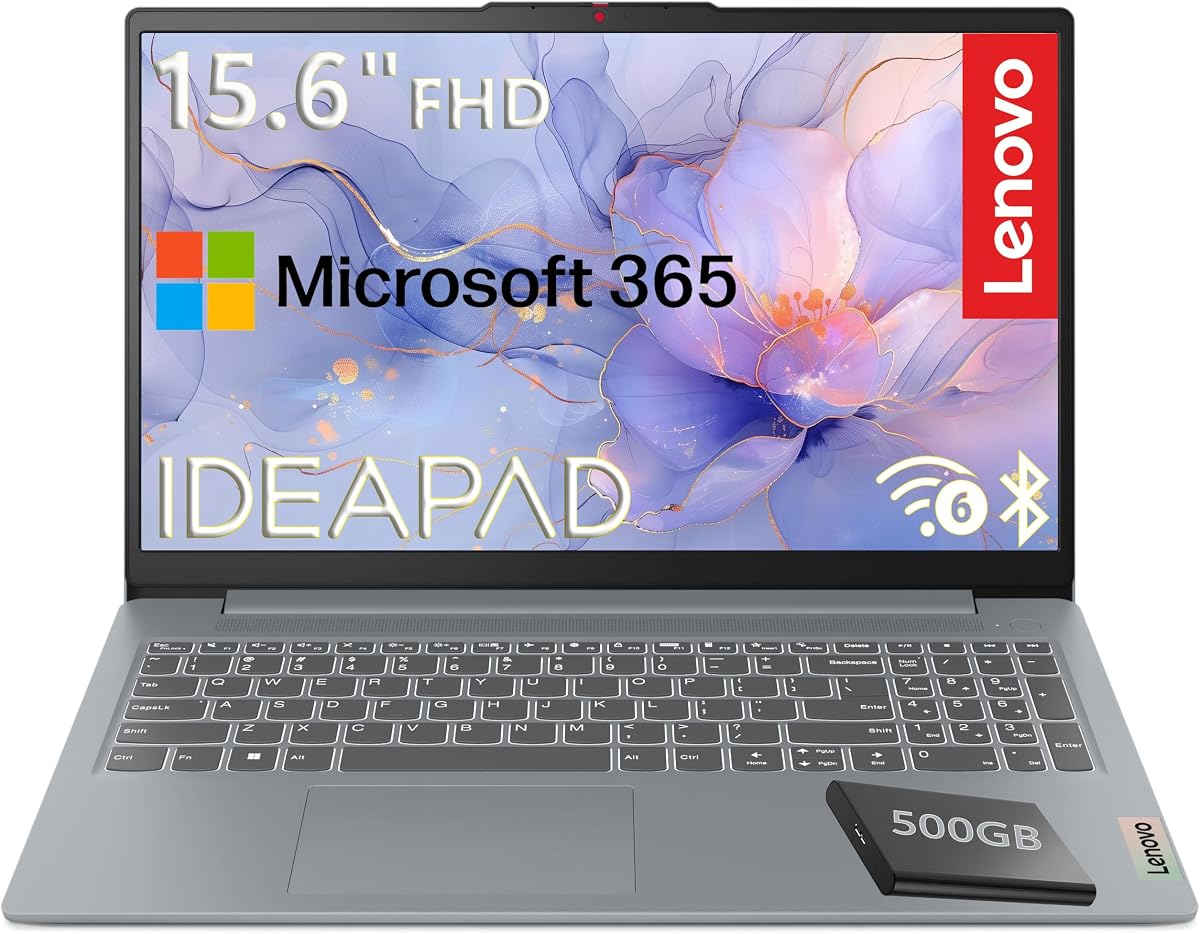
The Lenovo 15.6-inch FHD Laptop is the most storage-oriented option in the group, combining 128GB of internal UFS storage with an included 500GB portable external hard drive. It has a 4.2 rating and an Intel N100 processor with four cores, four threads, up to 3.4GHz turbo speed, and 6MB of Intel Smart Cache.
We may earn a commission when you buy through this link, at no additional cost to you.
Its 1920-by-1080 TN anti-glare display provides more detail than the HD screens found on several alternatives, while stereo speakers, a 720p camera with privacy shutter, and dual-array microphones support calls and entertainment. The bundle includes Microsoft 365 Personal for Word, Excel, PowerPoint, and cloud storage. A generous port selection includes two USB 3.2 Gen 1 ports, a USB-C port, HDMI, an SD card reader, and an audio jack.
Its 4GB of LPDDR5-4800 memory is less than the 8GB or 12GB offered by a few competitors, and Windows 11 Home in S mode can limit installing certain traditional desktop applications. The included external drive adds useful capacity, but it must be carried and connected when needed. On the positive side, MIL-STD-810H certification, a privacy shutter, firmware TPM 2.0, Wi-Fi 6, and a 3.42-pound weight support a durable, portable recommendation.
Choose this Lenovo for buyers who value a large, detailed screen, bundled storage, strong physical-security features, and enough connectivity for a home-office setup. It is well suited to documents, browsing, classes, streaming, and media storage. Buyers needing demanding software or heavy multitasking should look for more memory and a less restricted edition of Windows.
The 1920-by-1080 anti-glare panel provides a more detailed workspace than the standard 1366-by-768 displays found in several competing laptops. Its 250-nit brightness and 88% screen-to-body ratio also make the 15.6-inch form more practical for documents, classes, and streaming.
The 500GB external hard drive is a meaningful addition for users who want to keep documents or media locally. MIL-STD-810H certification, a camera privacy shutter, and firmware TPM 2.0 give the model practical durability and security features for school, home, and office use.
We may earn a commission when you buy through this link, at no additional cost to you.
The HP Chromebook 14 N100 stands out from other affordable Chromebooks by pairing the efficient Intel N100 processor with 8GB of LPDDR5 memory. Its 4.4 rating reflects a well-rounded configuration for browsing, learning, communication, and entertainment, particularly for users who keep several browser tabs and applications open.
We may earn a commission when you buy through this link, at no additional cost to you.
Storage is 128GB UFS, which offers faster operation and lower power use than eMMC according to the product details. Intel UHD Graphics supports smooth 4K streaming, while the 14-inch anti-glare HD screen uses a non-reflective panel intended to reduce glare outdoors. Chrome OS handles updates automatically, includes built-in protection, and provides access to a broad collection of web and Android applications.
As with other Chromebooks, the principal limitations come from the operating system and the panel. The 1366-by-768 resolution is less spacious and detailed than Full HD alternatives, and users whose essential programs run only as traditional Windows or macOS applications will need a different device. The 8GB memory is a meaningful advantage, but it cannot compensate for software that is not available in Chrome OS.
This HP Chromebook is a strong choice for students, families, and travelers who want responsive everyday performance without a complex operating system. It offers a better memory balance than many similarly inexpensive models while retaining the simplicity and security advantages of Chrome OS.
The 8GB LPDDR5 configuration is well suited to Chrome OS workloads involving multiple tabs, video calls, and lightweight applications. Its power-efficient design also complements the portable nature of a 14-inch Chromebook.
Chrome OS automatically keeps the system updated and includes built-in protection. This reduces the need for manual maintenance, making the laptop convenient for users who want a straightforward device for everyday online tasks.
We may earn a commission when you buy through this link, at no additional cost to you.
The Lenovo Chromebook S330 is a highly portable Chrome OS laptop for travelers, students, and light users. It has a 4.2 rating, weighs 3.3 pounds, and is less than one inch thick. That compact body is paired with a claimed battery life of up to 10 hours, helping it serve as an easy computer for classes, cafés, travel, and remote work.
We may earn a commission when you buy through this link, at no additional cost to you.
The MediaTek MT8173C processor, 4GB of onboard LPDDR3 memory, and 32GB eMMC SSD support Chrome OS workloads such as browsing, document editing, communication, and media playback. Connectivity includes Wi-Fi, Bluetooth 4.1, USB-C, USB 3.0, a microSD slot, and a 720p webcam. Two 2W speaker systems support casual media use, and 100GB of Google Drive cloud storage is listed for two years.
The 32GB drive is the most restrictive storage figure in this roundup and leaves very little room for local files. Its LPDDR3 memory is also dated compared with LPDDR5 configurations elsewhere. The 1366-by-768 display is adequate for basic tasks but does not offer the resolution or workspace advantage of a Full HD panel.
The S330 makes sense for users who value mobility, simple operation, and cloud-centered computing more than extensive storage or sophisticated desktop applications. It is a fitting choice for a first laptop, lightweight travel device, or secondary computer, provided the buyer is comfortable working primarily through cloud-connected apps.
The combination of a 3.3-pound weight and sub-one-inch thickness makes the S330 easy to place in a backpack or carry between locations. Its stated 10-hour battery endurance further reduces dependence on a charger during ordinary days.
Chrome OS includes automatic updates and built-in virus protection. Once a Google account is added, the laptop is designed to support everyday browsing and collaboration with little configuration.
We may earn a commission when you buy through this link, at no additional cost to you.
The HP Essential Laptop 2026 is an adaptable Windows notebook for home users, students, and office workers. It carries a 4.5 rating and combines an Intel N150 processor with 4GB of LPDDR5 memory, 128GB of UFS storage, Windows 11, and a one-year Microsoft 365 Personal subscription for Word, Excel, PowerPoint, and cloud storage.
We may earn a commission when you buy through this link, at no additional cost to you.
Its 14-inch anti-glare display has a 1366-by-768 resolution, 250-nit brightness, and a 79% screen-to-body ratio. A 720p camera with noise reduction, dual-array microphones, and AI noise reduction support clearer calls and online learning. The full-size natural silver keyboard and HP Imagepad are practical for regular typing, while dual speakers cover everyday media needs.
Connectivity is a major strength: Wi-Fi 6, Bluetooth 5.4, one 10Gbps USB-C port with DisplayPort 1.2, two 5Gbps USB-A ports, HDMI, an SD reader, and an audio jack. The laptop weighs 3.24 pounds and offers claimed endurance of 11 hours for video playback, 7.5 hours for mixed use, or 7.5 hours for wireless streaming. The 4GB memory and HD resolution remain the principal limitations.
This is our Editor's Choice because it offers the most complete balance of portability, connectivity, Windows compatibility, included productivity software, and battery claims without moving into a large, heavy workstation design. It is a particularly strong recommendation for a home-office replacement or student laptop.
USB-C with DisplayPort, HDMI, two USB-A ports, an SD reader, and an audio jack cover displays, storage, peripherals, and file transfers. This broad selection can eliminate the need for a permanent docking setup.
The included Microsoft 365 Personal subscription provides access to Word, Excel, PowerPoint, and cloud storage. A dedicated Copilot key also provides quick access to AI-assisted research, summaries, and common productivity tasks.
We may earn a commission when you buy through this link, at no additional cost to you.
The Lenovo Flagship Chromebook is the clearest touchscreen choice in the guide, pairing a 14-inch Full HD IPS display with an octa-core MediaTek Kompanio 520 processor. Its 4.2 rating and broad compatibility with everyday school, home, professional, and communication tasks make it appealing for users who prefer a larger, more interactive workspace.
We may earn a commission when you buy through this link, at no additional cost to you.
The 1920-by-1080 touchscreen provides detailed visuals, wide viewing angles, an LED backlight, and natural finger navigation. At 2.86 pounds and 0.73 inches thick, the laptop is one of the most portable full-size models listed. The Kompanio 520 combines four 2.0GHz Cortex-A73 cores with four 2.0GHz Cortex-A53 cores and is designed for strong battery behavior and responsive Chrome OS use.
The main limitations are 4GB of RAM and 64GB of eMMC storage, which place it behind the 8GB HP Chromebook and the Windows models with 128GB SSDs. It also lacks a numeric keypad despite the 15-inch-class width implied by its screen and chassis. A 720p camera, dual-array microphones, privacy shutter, Wi-Fi 6, Bluetooth 5.1, USB-A, USB-C, a microSD reader, and an audio jack cover the basics.
Choose this model for touch-first browsing, online lessons, document work, streaming, and users who value a light Full HD display. It is less appropriate for large local collections or programs that cannot run in Chrome OS.
The Full HD IPS touchscreen makes scrolling, selecting, and navigating more natural than on a conventional non-touch laptop. Wide viewing angles are useful for shared viewing and different seating positions.
A 2.86-pound weight and 0.73-inch thickness make this model easy to carry despite its large display. The result is a portable Chromebook suited to students and professionals who move between locations.
We may earn a commission when you buy through this link, at no additional cost to you.
The HP Slim Laptop 2026 is a portable Windows 11 machine centered on the Intel N150 processor, 4GB of DDR5 memory, and a 128GB SSD. No numeric customer rating is shown in the supplied listing, so its suitability is best judged from the practical features rather than a rating comparison.
We may earn a commission when you buy through this link, at no additional cost to you.
Its lightweight Natural Silver chassis weighs 3.24 pounds and is intended for everyday productivity, school, travel, and communication. Stated battery figures reach 11 hours for video playback and 7.5 hours for wireless streaming. A full-size keyboard, multi-touch HP Imagepad, and dedicated Microsoft Copilot key support navigation, typing, and AI-assisted tasks.
The connection selection is versatile for a compact notebook: USB-C, two USB-A ports, HDMI, an SD media card reader, a headphone and microphone combination jack, and an AC smart pin. Wi-Fi 6, Bluetooth 5.4, an HP True Vision 720p camera, temporal noise reduction, and dual-array microphones make it suitable for calls and online learning.
The published description does not provide the same display resolution and brightness details as several competing listings, and 4GB of memory is modest. Nonetheless, the SSD, portable weight, Windows 11, and broad port selection make this a good fit for simple home and student computing.
The 3.24-pound chassis is easy to include in a backpack or work bag. Combined with the stated battery endurance, it supports use across classes, meetings, commutes, and travel without demanding a large charger.
USB-C, multiple USB-A ports, HDMI, and an SD reader cover most common peripherals. The 720p camera, noise reduction, and dual microphones improve the experience of remote meetings and online classes.
We may earn a commission when you buy through this link, at no additional cost to you.
The Pentium Gold 6500Y Laptop stands out for its unusual balance of 12GB memory, a Full HD IPS screen, and a broad set of ports. It has a 4.2 rating, making it a practical choice for students, home users, and office workers who want more memory than most entry-level alternatives provide.
We may earn a commission when you buy through this link, at no additional cost to you.
The Pentium Gold 6500Y processor runs up to 3.4GHz with a 7W thermal design, while the 128GB SSD supports fast boot-up and everyday operation. The 15.6-inch 1920-by-1080 anti-glare IPS display offers detailed visuals, wide viewing angles, and a comfortable surface for documents, classes, and streaming. The 3.5-pound, 0.8-inch-thick chassis remains portable enough for commuting and travel.
Its strongest specification advantage is 12GB of memory, which can help with browser-heavy multitasking, document work, and streaming. The port selection is also unusually broad for a slim notebook: two USB 3.2 ports, one USB 2.0 port, a full-function USB-C port, a charging-only USB-C port, HDMI, a TF card slot, and an audio jack. A physical camera privacy slider adds a simple privacy benefit.
The Intel processor is not intended for intensive software, heavy media editing, or demanding games, and 128GB of storage is modest. Nevertheless, for mainstream home and school tasks, the memory, screen, connectivity, and portability form a useful package.
The 12GB configuration provides more working memory than most laptops in this roundup. That extra capacity is useful when running several browser tabs, video calls, document editors, and media applications at the same time.
The anti-glare IPS panel combines a detailed 1920-by-1080 resolution with wide viewing angles. It provides a more comfortable and flexible workspace for written work, browsing, and streaming.
We may earn a commission when you buy through this link, at no additional cost to you.
The right inexpensive laptop depends on how you will use it, which applications must run, how often the computer travels, and whether display space or battery endurance matters most. Comparing these needs against processor, memory, storage, operating system, and connectivity prevents an unnecessary compromise.
Chrome OS is centered on browser-based work, Google services, and Android applications. It updates automatically, includes built-in protection, and asks for little configuration, making it a strong option for writing in web-based office tools, attending online classes, communicating, and streaming. The best Chromebooks in this guide pair that simplicity with screens, batteries, and processors suited to frequent mobile use.
Windows 11 provides much broader application compatibility, including traditional productivity software and specialized desktop programs. It is the safer choice when your work depends on software beyond the browser or a specific Android application. Windows laptops range from compact models to configurations with larger storage, but they generally require more active maintenance than Chrome OS.
Memory determines how comfortably the laptop can hold active applications, browser tabs, and background processes. The 4GB configurations included here are suitable for light use but can feel limited during heavier multitasking. The 8GB HP Chromebook provides a more generous buffer for Chrome OS work, while the 12GB Pentium Gold model offers the highest memory capacity in this roundup.
As a general rule, choose 8GB or more for sustained browser use and several open productivity applications. Even with 12GB, processors and storage matter, so memory should be considered alongside the rest of the system rather than in isolation.
Storage capacity determines how many documents, applications, and media files can remain on the laptop. The 32GB and 64GB Chromebooks are best for cloud-oriented users, while 128GB models offer more room for downloaded files and desktop applications. The Lenovo bundle adds a 500GB external hard drive for buyers who need to retain larger libraries without expanding the internal drive.
SSD and UFS storage generally provide a more responsive experience than eMMC as files and applications are accessed. An external drive, microSD card, or TF card can add capacity, but these are useful for archives rather than constantly accessed system files. Choose enough room for the operating system, essential applications, and an active working collection.
A 1366-by-768 HD panel provides enough space for browsing, forms, and basic documents, but its resolution feels dated when multiple windows are open. A 1920-by-1080 Full HD screen offers finer text, more usable workspace, and a better fit for media, spreadsheets, and general productivity. Touch support adds another dimension, although it is not necessary for every user.
Anti-glare panels are particularly useful for classrooms, bright rooms, and travel because they reduce reflections. IPS technology generally adds wider viewing angles, while brightness ratings help indicate comfort in brighter environments. Consider the screen alongside keyboard and chassis size rather than choosing a larger panel automatically.
Entry-level Intel N-series, Celeron, MediaTek Kompanio, and Pentium Gold processors target everyday tasks rather than intensive software. They can support browsing, office applications, online learning, communication, and streaming, but demanding work such as complex spreadsheets, professional creative tools, or advanced games may feel constrained.
The Intel N100, N150, and Pentium Gold 6500Y options provide four processing cores in their stated configurations, while the MediaTek Kompanio 520 uses an octa-core arrangement. Processor efficiency also influences battery behavior and fan noise. Choose a newer efficient platform when possible, then prioritize memory and storage for smoother everyday operation.
Battery claims vary by activity, so compare video playback, mixed use, and wireless streaming figures rather than treating them as identical measurements. A model claiming up to 14 hours is well suited to long travel or school days, while claims around seven to eight hours still cover many conventional schedules. Actual endurance depends on screen brightness, wireless use, workload, and battery condition.
Ports determine how often you need an adapter. USB-A supports many accessories, USB-C can provide data, charging, and display functions, and HDMI simplifies an external-monitor setup. SD and TF card readers help with file transfers, while a 3.5mm jack allows private audio use. A broad port selection can make a compact laptop more versatile.
A laptop used mainly at home can favor a larger screen and full-size keyboard, while a frequently carried computer benefits from a lighter chassis. The models here range from 2.86 to 3.5 pounds. Differences of several tenths of a pound become noticeable in a bag, while larger screens can still remain portable if the overall weight is managed.
Look for a keyboard comfortable for your typing style, a touchpad that supports the gestures you need, and a webcam suitable for calls. Features such as privacy shutters, camera sliders, military-grade testing, and energy certifications can add confidence for students and commuters. These details should complement rather than replace attention to core specifications.
Microsoft 365 can provide immediate access to Word, Excel, PowerPoint, and cloud storage, while Chrome OS provides Google-based productivity and collaboration. A Type-C PD adapter is convenient because a compact charger can serve multiple compatible devices. Accessories such as an external hard drive can add immediate capacity without changing the laptop itself.
Check the current listing carefully because included subscriptions, storage, adapters, and operating-system editions may vary by configuration. Also confirm the exact display size, resolution, memory, and processor before purchasing. These details determine whether the machine can support your preferred applications and how often you will need external storage.
Begin by completing the operating-system setup, connecting to Wi-Fi, signing into the appropriate account, and installing only the applications and browser extensions you need. On a Windows machine, activate included Microsoft 365 if applicable and confirm that system updates are enabled. On a Chromebook, add a Google account, review the device’s storage settings, and install essential Android or web applications through the appropriate store.
Keep the laptop physically protected with a padded sleeve or case, especially when moving it between rooms or carrying it in a backpack. Avoid placing drinks directly beside the keyboard, use a dry cloth to clean the screen, and avoid abrasive cleaners. When moving the device, close applications and disconnect accessories to reduce the risk of accidental damage or data loss.
Maintain enough free storage by clearing temporary files, reviewing downloaded documents, and moving large media to suitable external or cloud storage. Restart the computer periodically, install operating-system updates promptly, and use reliable account credentials with additional verification where available. For long work sessions, adjust screen brightness, enable battery-saver or power-saving modes when appropriate, and take short breaks to reduce eye and posture discomfort.
A budget-oriented laptop can be perfectly suitable for browsing, email, schoolwork, video calls, office documents, and streaming when it has enough memory and storage for the intended workload. Models with 4GB of memory and at least 128GB of storage offer a practical baseline. Users who keep many applications open or need specialized desktop software should favor 8GB or more memory and a faster storage option.
Choose a Chromebook when most of your work happens in a browser, Google Workspace, video-conferencing services, or Android apps. Choose Windows 11 when you depend on traditional desktop applications, specialized business tools, or games unavailable through Chrome OS. Both categories can handle standard communication and productivity tasks, but Windows offers broader compatibility.
Full HD resolution provides more usable workspace and finer text than a 1366-by-768 HD display. The difference becomes obvious when comparing documents, editing spreadsheets, or viewing multiple windows. It is less critical for a dedicated streaming or writing device used with a single full-screen browser window, so screen size and comfort should also influence the decision.
It can be enough for lightweight browsing, note-taking, word processing, and video meetings, especially under Chrome OS. Windows users and heavy browser users may encounter slower performance with numerous tabs and applications open. If a similarly priced model offers 8GB or 12GB, the additional memory is generally a valuable upgrade for longer-term use.
A 32GB or 64GB Chromebook works best for users who keep most documents in the cloud and install relatively few offline applications. A 128GB SSD gives Windows users more room for the operating system, software, and downloaded files. Buyers with large music, photo, or video collections should consider an external drive, card slot, or a larger internal configuration.
Yes, as long as the laptop has a functional webcam, microphones, stable wireless connection, and a screen large enough for comfortable viewing. Several models include a 720p camera, dual-array microphones, and noise reduction for calls. Test the camera and audio before important meetings and use a quiet, well-lit environment for the clearest results.
USB-C is increasingly useful because it can support charging, data transfer, and external-display connections while reducing the need for separate proprietary accessories. However, it does not replace every legacy port, and some included USB-C connections may have limited functions. Check the port list and your peripherals before assuming compatibility.
Expect actual runtime to vary from the advertised maximum because screen brightness, wireless activity, video quality, and workload all affect power consumption. Video playback figures are often the highest, while mixed use and heavy browsing may produce shorter results. For school or commuting, choosing a model with at least ten hours of stated video playback provides a comfortable margin.
The HP Chromebook 14 is the strongest battery-focused budget choice, the HP Essential Laptop 2026 offers the most balanced everyday-use experience with Windows 11 and excellent connectivity, and the Lenovo 15.6-inch FHD Laptop stands out for its large detailed screen and generous bundled storage. Each serves a different need while remaining focused on accessible, portable computing.
Prioritize the operating system first, then choose enough memory and storage for your routine. A Chromebook is ideal for browser-centered work, while a Windows laptop is safer for traditional applications. Compare screen resolution, ports, battery claims, and weight after identifying the correct platform, rather than choosing solely by processor specification.
Product configurations and prices change frequently, and the information in this guide reflects the supplied November 2026 listings. Before purchasing, verify the current processor, memory, storage, display, included software, warranty, and seller details on the product page. That final check helps ensure the selected laptop still matches your everyday requirements.