
Redragon BM4195
3.9Editor score
Voice typing and translation
Three wireless connection modes
Five adjustable DPI levels
Rechargeable 500mAh battery
Compare 10 AI Smart Wireless Mouse, with key specifications, product ratings, pros and cons to help you choose.
An AI Smart Wireless Mouse combines conventional pointing with voice input, dictation, translation, recording, transcription, and other software-driven tools. The best model is not necessarily the one with the longest feature list; it is the one that pairs useful automation with dependable connectivity, comfortable handling, intuitive setup, and privacy controls that suit your working routine.
We compared ten products using the information supplied for each listing, focusing on voice-to-text capabilities, supported languages, connection modes, battery design, adjustable sensitivity, platform compatibility, presentation functions, and specialized features such as audio recording. The list includes compact AI productivity tools, conventional ergonomic models, multilingual dictation mice, and a detachable presentation device.
Each review identifies the strongest reasons to consider that model, along with limitations or uncertainties that deserve attention before purchase. Ratings and specifications can change, product software evolves, and prices fluctuate over time, so readers should verify the current listing, compatibility requirements, permissions, and included accessories when making a final decision.
3.9Editor score

4.1Editor score

4.5Editor score
The table below compares the ten mice by their central productivity advantage, connectivity, power approach, and strongest specialty feature. It is designed to make functional differences easier to understand before reading the detailed reviews.




The Redragon BM4195 is a conventional-looking wireless office mouse with a feature set centered on voice typing, translation, and hands-free commands. Its supplied rating is 3.9, which places it among the more established options in this list, although that score should not be mistaken for evidence of flawless voice recognition or flawless software. The most important point is that the advertised AI functionality is activated only after downloading the relevant software, making setup a central part of the ownership experience.
We may earn a commission when you buy through this link, at no additional cost to you.
Its strongest practical advantages are flexible connectivity and useful control options. A mode-switch button on the bottom lets the user move among 2.4G, BT1, and BT2, allowing the mouse to serve a desktop, tablet, and another Bluetooth-capable device. Five DPI settings offer a useful range for documents, web navigation, and more precise work. The scroll-wheel control can be held for six seconds to access the software download page, where commands and key functions can be customized. A 500mAh built-in battery and Type-C charging port also make this more practical than a disposable-battery option for regular travel.
There are trade-offs. The AI feature does not work immediately out of the box, and the supplied listing does not identify a specific voice-recognition accuracy figure or a particular number of supported languages. That makes the feature difficult to compare directly with models that explicitly claim 98% accuracy and translation across more than 200 languages. Its 3.9 rating also gives prospective buyers a reason to investigate current customer feedback and software quality rather than assuming the specification sheet describes the whole experience. Office productivity remains the intended use, and the mouse is not presented as a specialized gaming design.
This is a sensible recommendation for buyers who want a broad set of AI-assisted office functions without moving to a premium smart-device format. It is particularly useful for people who alternate between a computer and tablet, need customizable buttons, or want voice commands for dictation and basic translation. Buyers should confirm that the required software works with their operating system, understand the setup process, and test the voice functions in their intended environment. For most users, the combination of multi-device switching, rechargeability, and hands-free input justifies its place as the budget-focused option.
The dedicated mode button makes it easy to move between a 2.4G connection and two Bluetooth channels. That flexibility is valuable for anyone moving between a desktop, laptop, and tablet during the day.
Holding the scroll wheel opens the software-download path, where users can assign commands and adjust button behavior. This makes the mouse more adaptable than a basic wireless pointing device, although proper setup is essential.
We may earn a commission when you buy through this link, at no additional cost to you.
The GAMINJA Translating AI Mouse is built around high-speed dictation, multilingual translation, and a large collection of assistant functions. Its product data claims up to 98% recognition accuracy and transcription at up to 400 words per minute. It supports voice-to-text in Chinese, English, German, French, Spanish, Japanese, Korean, and Russian, while its translation feature is advertised across more than 200 languages. No customer rating was supplied, so the feature specifications offer more information than real-world review history.
We may earn a commission when you buy through this link, at no additional cost to you.
The broader productivity suite is unusually extensive. Users can dictate, generate summaries, translate selected text, translate screenshots, search by voice, ask questions, create presentations, polish articles, write scripts or novels, generate code, and extract text from images. The listing emphasizes local offline processing for voice records, text files, and private work data, reducing the need for cloud storage. Connectivity is handled through two Bluetooth channels and a 2.4G USB receiver, and a five-level DPI system covers settings from 1000 to 4000.
The trade-offs are chiefly the absence of a visible rating and the complexity implied by the software. Some functions require settings or the GAMINJA app, and users must complete a defined three-step setup involving the receiver, a six-second scroll-wheel press, and the application. The claimed accuracy and translation coverage should be treated as manufacturer specifications rather than guarantees, since results may vary with accent, background noise, and language. The 500mAh battery, LED power display, five-minute auto-sleep function, and two-hour full-charge claim help offset the device's extensive software demands.
This model is most appropriate for multilingual professionals, students, writers, and developers who want one pointing device to act as a dictation tool, translator, and writing assistant. It is also a compelling option for users who explicitly prioritize local processing and a broad set of creative functions. Before buying, verify operating-system support, the behavior of translation features, and how the app integrates with the intended applications. It may be overkill for someone who only wants reliable pointing, but for a hands-free multilingual workflow, its tool set is unusually deep.
Real-time voice translation, screenshot translation, and highlighted-word translation address several common barriers. The long list of supported languages also makes the mouse more useful for international meetings and language study.
The stated use of offline AI processing can appeal to professionals handling sensitive documents. Users should still review permissions and settings because local processing does not automatically answer every privacy question.
We may earn a commission when you buy through this link, at no additional cost to you.
The GAMINJA 600mAH AI Mouse is the strongest all-around choice in this roundup because it combines a credible rating of 4.1 with a broad productivity suite, quiet operation, multi-device connectivity, and a larger battery than most comparable products. Its headline capabilities include 98% claimed voice-recognition accuracy, transcription at up to 400 words per minute, translation across more than 200 languages, and several one-click AI functions.
We may earn a commission when you buy through this link, at no additional cost to you.
The mouse is more than a dictation tool. It can dictate, translate, summarize, answer questions, create presentations, polish articles, generate code, and extract text from images. A voice assistant can open folders, search for information, or open files when configured. Connectivity includes two Bluetooth channels and 2.4G wireless, while a 600mAh rechargeable battery, Type-C fast charging, a real-time power display, and a five-minute sleep mode support regular use. The listed operating systems span Windows 7 through 11 and macOS 10 and 11.
Its most appealing secondary feature is the quiet ergonomic design. Clicks are listed at no more than 25dB, making it suitable for libraries, shared offices, and meetings where frequent clicking could distract others. The listing also states that AI work is processed locally with no cloud storage, which is a meaningful advantage for privacy-conscious users. The trade-offs are that the GAMINJA app and a six-second scroll-wheel press are needed to activate pairing and reach the AI interface, and some translation, search, and assistant functions require settings. As with any AI productivity tool, claims about accuracy depend on speech quality and operating conditions.
The recommendation is strongest for users who want meaningful voice control, translation, and AI writing assistance without moving to a radically different presentation gadget. It is also a sensible everyday mouse for people who work in shared environments, switch among computers and tablets, or want a larger rechargeable battery. Buyers should install the software before committing to the device, confirm compatibility, and explore the toolset with non-sensitive test material. With that preparation, the combination of features, quietness, and practical connectivity makes it the most balanced product in the guide.
Dictation, translation, summarization, question answering, writing, code generation, and image text extraction cover several common office tasks. One-click access can reduce friction when users need to move from speaking to a finished document.
The stated click level of 25dB or less suits offices, libraries, and recorded sessions. It is a meaningful advantage over a standard mouse, particularly for people who work beside colleagues for long periods.
We may earn a commission when you buy through this link, at no additional cost to you.
The LTC OM021 is an ergonomic wireless mouse designed around voice typing, translation, and everyday office control. It carries a supplied rating of 3.8, placing it below the leading models in the guide, but its listed specifications are focused and easy to understand. The product data claims dictation at up to 300 words per minute with 98% accuracy and translation across more than 100 languages.
We may earn a commission when you buy through this link, at no additional cost to you.
Its core hardware is well suited to a productive desk. Bluetooth 5.0 and 2.4GHz connectivity support different working environments, while a 500mAh rechargeable battery and Type-C port remove the need for disposable batteries. The mouse includes a five-minute smart sleep mode, five adjustable DPI settings, and customizable key functions accessible through the software. A quiet-click design is especially useful in offices, libraries, and shared workspaces where repeated mechanical clicks can interfere with concentration.
The main limitation is the modest supplied rating, which may reflect concerns that are not fully explained in the available product information. The software download is also part of the intended operation: holding the scroll wheel for six seconds reaches the download page. Translation across more than 100 languages is less expansive than the 200-plus language claims attached to several GAMINJA models, and the 300-word-per-minute figure is below their stated 400-word-per-minute maximum. On the positive side, the OM021 presents a less overwhelming core feature set for users who primarily want voice entry and translation.
This is a good fit for office professionals and remote workers who want a traditional mouse shape, quiet operation, adjustable controls, and dependable rechargeability. It is less suited to buyers specifically seeking a large creative-writing suite or a multi-model AI platform, because the supplied data emphasizes dictation and translation rather than those functions. Prospective users should check current reviews, confirm software compatibility, and test microphone behavior in their workspace. For a straightforward productivity-focused AI mouse, the OM021 covers the essentials with a relatively restrained feature set.
The quiet-click design helps limit noise during long typing or meeting sessions. That makes the OM021 easier to recommend in shared offices than a conventional mechanical-click mouse.
Its lightweight ergonomic shape is intended for extended use, while software-based button assignments and five DPI levels let users tailor the mouse to different applications.
We may earn a commission when you buy through this link, at no additional cost to you.
The Logitech Signature AI Edition M750 is the premium conventional-mouse choice and the highest-rated product in the supplied lineup, with a rating of 4.5. Unlike several competitors whose descriptions emphasize voice dictation and translation, the supplied information focuses on the mature benefits of the Signature platform: Logi Options+ support, flexible wireless connectivity, long battery life, and a generous operating range.
We may earn a commission when you buy through this link, at no additional cost to you.
Two connection approaches are offered through the included Logi Bolt USB Receiver and Bluetooth Low Energy. The battery is a single included AA, with up to 24 months of advertised life when used with the Logi Bolt receiver and up to 20 months over Bluetooth. The stated wireless range is 32.81 feet, or 10 meters. Logi Options+ support on Windows and macOS is valuable for users who want to adjust controls within a mature software environment rather than rely solely on a product-specific utility.
The main question is what the AI designation adds in the context of this listing. The supplied data does not detail voice accuracy, multilingual translation, recording, local processing, or specific AI assistant commands. As a result, this mouse should not be judged as an equal substitute for dedicated AI dictation devices if those functions are your primary requirement. On conventional wireless performance, however, the listed battery endurance, range, and software support are compelling, and the included battery removes the need to buy one separately.
The M750 is best recommended for users who want a premium everyday wireless mouse and trust the Logitech software ecosystem more than they need specialized voice translation. It may also appeal to buyers who prioritize a long interval between battery changes and a well-known option. Prospective purchasers should review the current product page for details specific to the AI Edition, including any Smart Actions or workflow features, and confirm how those functions behave on their preferred operating system. For refined wireless convenience, it is a leading pick; for guaranteed dictation specifications, a more explicitly voice-focused product may be safer.
The advertised battery life of up to 24 months with the Logi Bolt receiver and up to 20 months over Bluetooth reduces charging frequency. It is one of the strongest conventional arguments for this model.
Logi Options+ support provides control over the mouse in Windows and macOS, while Bolt and Bluetooth give users two ways to connect. The 10-meter listed range supports flexible desk arrangements.
We may earn a commission when you buy through this link, at no additional cost to you.
The Cheerdots2 AI Mouse is unlike a conventional AI dictation mouse because its host can magnetically detach from its base and function as a presentation controller and air mouse. It carries a 5.0 rating, the highest supplied rating in the lineup, but that should be interpreted alongside its unusual form factor. It is designed for people who want one portable device to replace several meeting and presentation accessories.
We may earn a commission when you buy through this link, at no additional cost to you.
When attached, the device operates as a full-size Bluetooth mouse with adjustable DPI. When detached, it becomes an air mouse with a touchpad, presentation clicker, laser pointer, voice recorder, and AI assistant. Users can glide the cursor, flip slides with a side swipe, and use a red laser, spotlight, or digital pointer. Its double-tap recording gesture starts and stops capture, after which the software can transcribe spoken content and save notes to the computer.
The trade-off is that the design is specialized. Someone seeking a conventional, low-profile productivity mouse may find the magnetic host and base less convenient for constant use, while presentation users may find the combination unusually valuable. The AI functionality depends on software, and buyers should consider how audio is stored and who can access saved transcripts. The supplied listing says notes are saved directly to the computer, but it does not provide a detailed cloud-processing or encryption explanation. On the hardware side, the device weighs 70 grams and pairs through Bluetooth with Windows PCs, Macs, tablets, and home-theater setups.
The recommendation is strongest for presenters, meeting leaders, educators, and travelers who want a mouse and presentation remote in one compact product. The advertised battery life of up to 20 days and Type-C fast charging also suit travel, although actual runtime depends on use. Prospective owners should check the host-and-base arrangement, supported presentation software, charging requirements, and transcript handling. For the defined niche, it is one of the most distinctive choices in the guide; for a desk where pointing and dictation are the only priorities, a traditional AI mouse will be easier to justify.
The magnetic design consolidates a mouse, touchpad, clicker, pointer, recorder, and assistant. This reduces the number of devices a presenter needs to carry and allows quick transitions between desk work and the front of a room.
A double tap starts or stops recording, and the software converts speech into saved meeting notes. Users can remain engaged in the conversation instead of typing every detail while it happens.
We may earn a commission when you buy through this link, at no additional cost to you.
The GAMINJA RGB AI Mouse combines a conventional white wireless mouse with voice input, translation, and a wide collection of creative AI tools. No rating was supplied for this product, so its evaluation relies on the listed functions. It claims 98% voice-recognition accuracy, transcription at up to 400 words per minute, and translation across more than 200 languages, while supporting Bluetooth and 2.4G connectivity.
We may earn a commission when you buy through this link, at no additional cost to you.
Its creative suite is the distinguishing element. The software is described as supporting question answering, painting and design, article writing, script creation, code generation, extended writing, form creation, image analysis, text extraction, presentation generation, novel writing, and article polishing. A 500mAh rechargeable battery reaches a stated full charge in two hours, and the listing highlights up to 600 hours of standby. The mouse also has a real-time power display, silent clicks below 25dB, an ultra-thin ergonomic profile, and local processing without cloud storage.
Users should account for several practical caveats. The product needs a USB receiver, a six-second press of the scroll wheel, the GAMINJA app, and pairing before the AI interface is ready. Some translation functions also require configuration. The standby figure describes an inactive state and should not be confused with all-day continuous use, particularly if voice, lighting, and wireless features remain active. Its RGB lighting may also be more noticeable than the understated appearance of some competing devices. With no supplied rating, checking recent user feedback is particularly important.
This model is best for creators, developers, students, and multilingual workers who want a broad assistant suite in one mouse. It may be especially attractive to users who value translation, writing, and code generation alongside voice dictation. Those seeking an established conventional mouse with long battery life may prefer the Logitech option, while presentation specialists should consider the detachable Cheerdots2. For a creative AI workflow, the GAMINJA RGB model provides one of the broadest feature collections in this roundup, provided the buyer is comfortable with app-based setup and configuration.
Writing, code, presentations, image text extraction, and design tools extend well beyond basic dictation. This makes the mouse more useful to users who can identify repeatable creative tasks.
Silent clicks and an ultra-thin shape support office use, while RGB lighting gives the mouse a more expressive appearance. Buyers who prefer a completely understated device may want to consider that styling.
We may earn a commission when you buy through this link, at no additional cost to you.
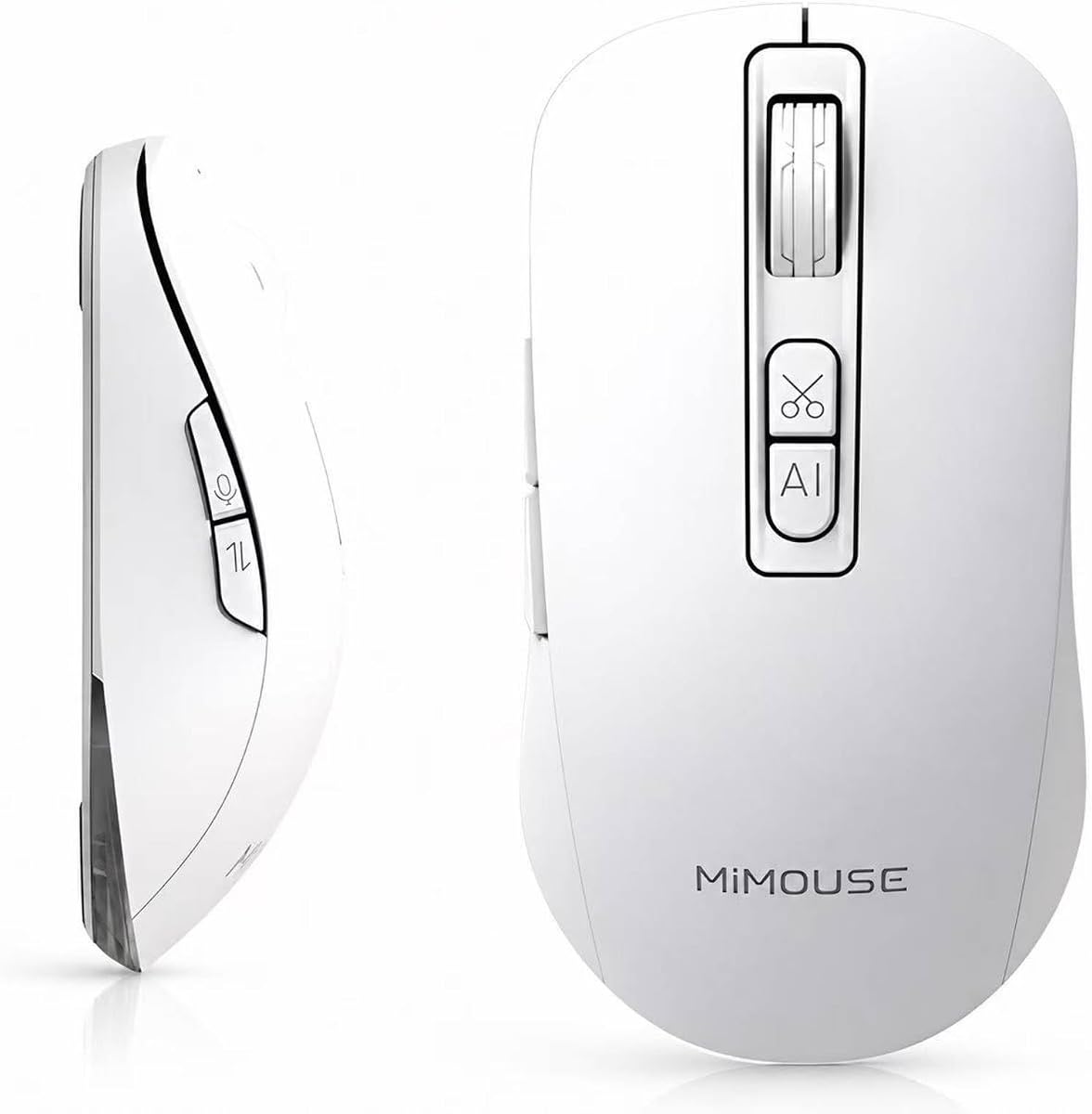
The MiMouse AI Wireless Mouse targets document-heavy work with voice typing, screenshot OCR, transcription, summaries, and a centralized multi-model AI platform. No rating was supplied. The product data claims support for English, Chinese, Japanese, Korean, and more than 200 translation languages, along with voice-to-text at 200 to 400 words per minute, a response time of 0.5 seconds, and accuracy of 98% or better.
We may earn a commission when you buy through this link, at no additional cost to you.
Its M-AI platform is the most notable differentiator. The listing describes access to ChatGPT, Gemini, Claude, Grok, and Deepseek, together with AI writing, reading, drawing, video, presentation creation, Word-to-PowerPoint conversion, contract drafting, and meeting-text summarization. That breadth makes the device more relevant to lawyers, content professionals, teachers, professors, and other knowledge workers than to someone who only needs a conventional mouse. Screenshot OCR also provides a route to extract text from visual material rather than retyping it.
The hardware is also impressive for an office device. A 2.4G receiver and two Bluetooth channels allow three devices to be connected simultaneously, while four DPI settings from 800 to 4000 and a 500Hz polling rate provide precise control. The 92-gram body, curved shape, and matte coating are intended to reduce hand fatigue. A 500mAh battery is advertised for up to 30 days of use, with charging while operating. Windows 7 through 11 and macOS 10.15 or later are listed, and the data mentions local encryption and user-controlled cloud access.
The main caveat is that the breadth of the platform can create account, access, and privacy questions. Users should review which services are included, whether third-party cloud access is required, and how documents are handled before using the mouse for confidential material. Battery-life claims can vary greatly with active voice, wireless, and AI use, so the 30-day figure should be treated as a manufacturer claim rather than a universal result. For a professional who will regularly use transcription and document automation, this is a feature-rich choice; for casual browsing, it may offer more than necessary.
The listed M-AI interface brings several prominent AI models into a shared environment. This can simplify switching among writing, coding, presentation, and document tasks without moving between separate interfaces.
Two Bluetooth channels and a 2.4G connection support simultaneous links to a laptop, desktop, or tablet. That is useful for professionals who alternate between docked and portable systems.
We may earn a commission when you buy through this link, at no additional cost to you.
The Bluetooth AI Recording Mouse presents a straightforward way to add voice-driven productivity to a computer or tablet. No rating was supplied, but the listed functions cover the main needs of users who want to dictate text, translate speech, capture meeting information, and use AI to create common office materials. It supports Windows 7, 8, 10, and 11 as well as macOS 10.15 and later.
We may earn a commission when you buy through this link, at no additional cost to you.
Its one-button switching among 2.4G USB, BT1, and BT2 allows up to three devices to be connected simultaneously. This is a strong advantage for people who work across a desktop, laptop, tablet, or iPad. The voice assistant can generate presentations, assist with copywriting, answer questions, create AI art, and provide office templates. Real-time translation is intended for meetings and research, while five DPI levels from 800 to 4000 support general office work, presentations, and more detailed graphic tasks.
The limitation is that the product data gives fewer details about battery capacity, charging, software privacy, recognition accuracy, and the number of translated languages. Those omissions make it harder to compare confidently with models that list battery capacities, local processing, and specific voice-speed claims. The ergonomic shape and secure grip are intended to improve comfort, but no dimensions or weight are supplied. Buyers should also verify how the AI functions connect to the computer and whether external microphone behavior affects real-world results.
This mouse is a good fit for remote workers, students, and office users who want broad voice control without paying close attention to a long creative feature list. Its three-device connectivity and wide DPI range are particularly useful for flexible workspaces. It is less compelling when long battery life, explicit privacy architecture, or detailed language coverage is the top priority. Confirm the current software requirements, supported devices, and account setup before buying. For uncomplicated voice typing and translation across several devices, it offers a practical and approachable feature set.
A dedicated switch cycles among 2.4G, BT1, and BT2 connections. Users can move between a desktop, laptop, and tablet without replacing the mouse or repeating the same setup for every device.
The assistant is described as supporting presentation generation, copywriting, question answering, art creation, and templates. These functions turn voice input into a broader starting point for daily work.
We may earn a commission when you buy through this link, at no additional cost to you.
The AI Voice-to-Text Mouse is a simple wireless device centered on one objective: turning speech into text. Its supplied rating is 1.0, the lowest in the group, so buyers should approach it more cautiously and review current customer feedback. Its positive feature is the focused workflow: users can speak naturally to dictate emails, notes, reports, messages, ideas, and longer content without typing each passage manually.
We may earn a commission when you buy through this link, at no additional cost to you.
The software adds real-time voice and text translation across more than 200 languages, along with AI writing and text-summary tools. These additions can help organize rough ideas into more coherent notes, prepare early versions of documents, and create summaries of longer material. The mouse uses a rechargeable wireless design and quiet clicks, making it suitable for meetings, shared offices, and study sessions where a cord and audible clicks would be inconvenient.
The trade-offs are significant. Compared with the better-rated products in this guide, the listing provides fewer measurable details: it does not state a voice-recognition accuracy, words-per-minute rate, connection modes, DPI range, battery capacity, supported operating systems, or local-processing policy. It also does not explain whether recording, translation, and AI writing require cloud access. Those omissions make the product less easy to evaluate on technical grounds. The 1.0 rating is the clearest warning, and it should prompt a careful check of recent reviews and the exact software included with the current listing.
This mouse may still make sense for a buyer who values a simple premise, a cordless rechargeable format, and broad translation without needing a complex multi-model platform. It is not our leading recommendation for sensitive professional work because the supplied information does not establish strong privacy controls or a mature compatibility record. Prospective users should confirm operating-system support, microphone behavior, language availability, and data handling before purchasing. If the core voice-to-text function works as advertised, it could be a useful alternative, but the current rating means extra due diligence is warranted.
The central experience is speaking naturally and receiving text in return. For emails, meeting notes, reports, and messages, this can remove repetitive keyboard work without requiring the user to learn a complex editing workflow.
Translation, writing assistance, and summaries add value beyond raw speech recognition. They can help refine early ideas or shorten captured material, although the absence of detailed specifications makes the quality harder to assess in advance.
We may earn a commission when you buy through this link, at no additional cost to you.
The right AI Smart Wireless Mouse depends on how you work, which languages you use, and how much importance you place on voice accuracy, convenience, privacy, presentation control, and conventional wireless performance. Comparing these priorities is more useful than treating every AI feature as equally important.
Voice recognition is the defining feature of many AI mice, so compare the stated performance carefully. Several GAMINJA products claim 98% accuracy and speeds of up to 400 words per minute, while the LTC OM021 lists up to 300 words per minute and the MiMouse product claims a 200-to-400-word range with 0.5-second response. These are supplied manufacturer claims, not universal test results, and actual performance can vary with accent, microphone placement, background noise, and the chosen language.
Prioritize models that tell you how to improve capture, such as the GAMINJA products that recommend holding the mouse closer to the mouth in noisy surroundings. Also check whether the mouse requires an app, account, or software download before dictation becomes available. A high theoretical speed is less valuable if activation is confusing or the environment produces frequent errors.
Translation can include live voice translation, screenshot translation, and translation of selected text. The GAMINJA Translating AI Mouse and GAMINJA 600mAH model list more than 200 languages, the MiMouse model also references more than 200, and the AI Voice-to-Text Mouse makes a similar claim. The LTC OM021 lists more than 100, which may still be ample for many global teams. Consider not only the number of languages but also the specific ones used in your meetings, research, or study.
Also distinguish basic translation from broader multilingual workflows. Some devices translate only what they hear, while others can process selected words or visible screen text. Review whether a function operates in real time, whether settings are required, and whether an internet connection is needed. The final test should involve your actual language pair rather than relying entirely on a headline language count.
A mouse that supports only one connection mode can feel limiting in a multi-computer office. Most products in this guide offer 2.4G and Bluetooth, while several add two Bluetooth channels for switching among three devices. The Redragon BM4195, GAMINJA Translating model, GAMINJA 600mAH model, and Bluetooth AI Recording Mouse explicitly describe three modes. The MiMouse model states that three devices can be connected simultaneously.
Decide whether you need dual Bluetooth channels, a stored USB receiver, or simply the ability to reconnect quickly. Some models mention automatic reconnection and remembered devices, which is convenient in daily use. Verify the included receiver and compatible platforms, because a connection mode without the necessary adapter or software support may not provide the advertised flexibility.
Battery design affects both desk convenience and travel planning. The Logitech Signature M750 uses an included AA battery and is advertised at up to 24 months with its Bolt receiver or 20 months over Bluetooth. Rechargeable rivals include 500mAh batteries in the Redragon, LTC, and MiMouse products, a 600mAh cell in the GAMINJA 600mAH model, and a 500mAh cell in the GAMINJA RGB model. The Cheerdots2 is advertised at up to 20 days of everyday use.
Do not compare battery labels as though they measure the same thing. A mouse using disposable cells and a mouse advertising standby hours cannot be judged from capacity alone. For rechargeable models, look for Type-C charging, whether charging is possible during use, and the stated full-charge time. The MiMouse product offers charging while operating, which is useful during long work sessions.
AI mice differ greatly in what their software does. Some focus on dictation, translation, and summaries. The GAMINJA products extend into presentations, code, image extraction, article polishing, and novel writing. The MiMouse model adds a centralized platform with several named AI models, while the Logitech M750's supplied information primarily describes Logi Options+ customization. A larger suite can improve productivity, but it may also require more configuration.
Before buying, identify whether you want a narrow voice keyboard or a broader creative assistant. Check the operating-system requirements, setup process, account demands, and the route used to access each feature. Repeatedly pressing a scroll wheel to open a download page is convenient, but only if the software installs and runs reliably on your exact system.
Voice input and meeting recordings may contain confidential information, making privacy architecture part of the purchasing decision. The GAMINJA Translating model, GAMINJA 600mAH model, and GAMINJA RGB model are described as using full local AI processing without cloud storage. The MiMouse listing states that data is locally encrypted and that cloud access is controlled by the user. Other products provide less detail in the supplied information.
Look for specific explanations rather than broad assurances. Determine whether audio leaves the device, whether transcripts are stored locally, whether cloud access is optional, and how recorded meetings are deleted. Avoid assuming that a desktop-like AI feature is private by default. Review permissions, account settings, and organizational policies before using any device for sensitive conversations or proprietary documents.
An AI mouse still has to function as a mouse throughout the day. Several products emphasize an ergonomic shape, and many offer adjustable DPI levels ranging from basic office sensitivity to higher settings for design work. The GAMINJA 600mAH and RGB models use silent clicks advertised at 25dB or less, while the LTC OM021 and AI Voice-to-Text Mouse also emphasize quiet operation. The Logitech product's Logi Options+ support may appeal to users who prioritize established customization.
Hand size, button placement, weight, and shape cannot be determined fully from a listing. The Cheerdots2 and MiMouse include useful weight information, but ordinary ergonomic preferences still vary. If possible, examine return policies, compare dimensions with a mouse you already like, and read recent comments about comfort. Silent switches should not be chosen solely on noise level if button feel and travel are important to you.
The Cheerdots2 is the clearest example of a specialized AI mouse. Its detachable magnetic design provides an air mouse, touchpad, presentation clicker, laser pointer, voice recorder, and AI assistant. Other products focus on audio recording, transcription, and summaries rather than stage control. This distinction matters because a meeting mouse is not automatically a good presentation remote.
Consider whether you need to move away from a desk, control slides, highlight content, or capture a lecture. If so, compare device modes, pointer features, gesture controls, and supported presentation software. If your desk work is conventional, a full-size wireless mouse with voice features may be quieter, simpler, and easier to live with every day.
Begin by charging the mouse according to its instructions, installing the required application, and completing the pairing or receiver setup before configuring advanced AI features. For products that use a six-second scroll-wheel hold to reach the software page, perform that action deliberately and confirm that the app recognizes the device. Set your preferred DPI level, customize buttons, and test the voice key in a quiet document before relying on it for an important task.
Create a short dictation test in each language you expect to use and record a few seconds of speech in your normal workspace. This will reveal whether the microphone captures your voice clearly and whether background noise requires you to hold the mouse closer to your mouth. Review punctuation, translation behavior, summaries, and how inserted text appears in your preferred application. If the device offers local processing, confirm that the relevant setting is enabled before handling confidential information.
For care, keep the charging port clean and avoid charging a wet mouse. Clean the sensor and reusable surfaces with a soft, dry cloth, and avoid pulling on the USB receiver when it is stored inside the mouse. Update the associated software when updates are available, review microphone and recording permissions, and periodically delete old recordings or transcripts. When traveling, use a protective case and check the device's battery before an important meeting or presentation.
They can be especially useful for drafting repetitive messages, capturing notes, summarizing text, and translating spoken material. The benefit depends on how accurately the device recognizes your voice and how naturally the software inserts text into your preferred application. A short trial with your own speaking style and working environment is advisable before relying on it for critical tasks.
Many models in this category require a companion app or a software download before advanced features become available. Some, including the Redragon BM4195, direct users to the software page by holding the scroll wheel for six seconds. Confirm the supported operating systems, setup process, and account requirements before purchasing, since a full-size AI mouse cannot provide every advertised function without its intended software.
It can reduce the need for continuous typing, but it is best viewed as a complementary input device rather than a complete replacement for every situation. Long passages may still need editing, punctuation correction, organization, and manual review. Users who type slowly, dictate notes, or work in multiple languages may gain the most, while frequent typists may notice less benefit.
A 2.4G connection generally uses a small USB receiver and can be convenient for a dedicated computer. Bluetooth avoids a dedicated receiver and can make it easier to move among phones, tablets, and laptops. Models with two Bluetooth channels and 2.4G connectivity can support several devices, although users should verify how device switching and simultaneous connections are handled.
Local processing can reduce the amount of voice or document data sent to a cloud service, but it does not automatically make a device risk-free. Review software permissions, account access, recording settings, transcript storage, and organizational policies. Even a local system may transmit information when a user deliberately invokes a cloud-connected AI function or enables a separate online service.
Speak naturally, position the mouse or microphone close to your mouth, and reduce unnecessary background noise where possible. The GAMINJA products specifically recommend moving the mouse closer to the mouth in noisy environments. Test several languages and applications before a meeting, because punctuation and insertion behavior can vary even when the same words are recognized correctly.
The Cheerdots2 is the most presentation-oriented option because its detachable host includes an air mouse, touchpad, clicker, laser, spotlight, and digital pointer, plus AI transcription. Other models emphasize voice dictation, translation, and summaries for note-taking. Choose the detachable design if stage movement matters, or a conventional AI mouse if your priority is desktop productivity and dictation.
Look for the same usage conditions rather than comparing numbers in isolation. Some claims describe disposable-battery life, while others describe rechargeable capacity, full-charge time, or standby time. Voice recognition, lighting, active wireless connections, and repeated AI requests can all affect runtime. For travel, a long stated interval between charges is helpful, but Type-C charging and the ability to work while charging provide added flexibility.
The GAMINJA 600mAH AI Mouse is the leading all-around recommendation because it combines a 4.1 rating with voice dictation, extensive translation, local processing, quiet clicks, three-mode connectivity, and a 600mAh rechargeable battery. The Logitech Signature AI M750 takes the premium conventional-mouse position with its 4.5 rating, Logi Options+ support, flexible wireless connections, and exceptional advertised battery life, while the Redragon BM4195 is the best budget-oriented choice for voice commands, customization, and multi-device use.
Your priorities should ultimately determine the winner. Multilingual workers and creative professionals may favor the GAMINJA models, document-heavy users may appreciate the MiMouse platform, presenters should examine the Cheerdots2, and buyers seeking a mature premium pointing device may find the Logitech M750 more relevant. Verify operating-system support, software setup, privacy behavior, battery expectations, and the precise functions you need rather than choosing solely by the word AI.
Finally, check the current product listing before ordering because software, ratings, accessories, and prices can change. This guide is based on the supplied product information and does not represent personal testing. Confirm that the current version includes the receiver, charging cable, app access, language support, and AI features described in the listing, and review recent customer feedback for the most up-to-date view of long-term usability.