
GLOTRENDS Low-Profile M.2 Heatsink
4.5Editor score
Fits 2280 NVMe and SATA
Two complete heatsink kits
Tool-free mounting options
Our Low Profile SSD Heatsink guide compares ten slim 2280 coolers for laptops, PS5 builds, and PCs, covering fit, materials, installation, and thermal
A low profile SSD heatsink can bring much-needed cooling to a compact M.2 installation without interfering with nearby components. The right model depends on drive length, available clearance, heat-transfer materials, mounting method, and whether the SSD sits in a laptop, desktop, PS5, or riser setup.
This guide compares ten 2280-compatible options using their stated dimensions, materials, thermal-pad arrangements, mounting hardware, device compatibility, and claimed temperature reductions. It covers ultra-thin films, copper plates, aluminum finned designs, and complete heat-transfer kits for different levels of clearance.
Each review shows why a particular heatsink may suit a specific build: the GLOTRENDS stands out for a simple two-drive kit, the be quiet! MC1 for established single- and double-sided support, and the JEYI film for extreme thinness. Ratings, availability, and market conditions can change over time.
4.5Editor score

4.7Editor score
4.4Editor score
The comparison highlights each cooler's stated profile, material, mounting approach, and intended environment. These details matter more than appearance when clearance is tight and dependable contact with the SSD is essential.


The GLOTRENDS 2-Pack M.2 SSD Heatsink is a straightforward low-profile solution for 2280 drives that need passive cooling without a powered fan. Its 4.5 rating reflects a broadly practical approach: a 3mm aluminum body, included thermal pads, and hardware that can secure the cooler in several ways. It supports both NVMe and SATA SSDs across generations 3 through 5.
We may earn a commission when you buy through this link, at no additional cost to you.
The most attractive feature is the complete two-drive kit. Each 22x70x3mm heatsink comes with a low-viscosity thermal pad, metal clasps, and rubber bands. Installation can use the clasps, the bands, or both, and the product description says setup takes less than a minute. That makes the set useful for a desktop with two storage bays, a small form-factor PC, a PS5, or a builder who wants a spare on hand.
GLOTRENDS states that the passive aluminum fins can reduce peak temperatures by 5–20°C during sustained load. The actual result depends on airflow, workload, ambient conditions, and the drive itself, but the low-profile format is particularly valuable where a tall cooler would prevent a side panel, riser, or expansion card from fitting. The trade-off is that it is explicitly not intended for laptops, so buyers should choose another option for notebook internals.
This is the best general choice for readers who want an uncomplicated two-drive package, broad interface support, and a compact 3mm profile. It is especially appropriate for desktop and console-style installations where tool-free mounting and useful included hardware matter more than the absolute minimum possible thickness.
Because the package contains two complete cooling sets, it can serve separate M.2 slots or provide a ready replacement for a second drive. That makes it more flexible than a single cooler bundled with only one thermal pad.
Metal clasps and rubber bands let the installer choose a secure arrangement without adhesive or a screwdriver. The adhesive-free approach also avoids the warranty concerns that can arise from attaching material directly to a drive.
We may earn a commission when you buy through this link, at no additional cost to you.
This graphene-coating, full-cover copper heatsink is designed for 2280 NVMe SSDs where broad contact and a slim profile are the main priorities. It carries a 4.4 rating and its listing identifies compatibility with popular 850 EVO, 860 EVO, 960 EVO, 970 EVO, 950 Pro, 960 Pro, 970 Pro, PM981, and other 2280 drives.
We may earn a commission when you buy through this link, at no additional cost to you.
The full-cover form spreads the thermal interface across the drive rather than limiting contact to a smaller central plate. Its striped or slanted-slot construction is presented as an air-duct design intended to increase contact area with moving air. A silicone thermal pad sits between the cooler and SSD, while the adhesive system allows installation without tools.
The product description makes a striking thermal-conductivity comparison for graphene, copper, and aluminum. While that helps explain the material concept, real SSD cooling still depends on contact quality, airflow, drive placement, and ambient temperature. A passive heatsink cannot compensate for a completely blocked airflow path, and the adhesive layer must be applied cleanly to maintain reliable contact.
The heatsink is a good fit for laptop or PS5 builders who want a visually integrated 2280 cover and can accept adhesive mounting. It is less attractive for users who expect to remove the cooler repeatedly, move the drive between systems, or avoid any material fixed directly to the SSD.
Covering the full 2280 format can improve contact across more of the drive assembly. The result is visually tidy and may distribute heat more evenly than a very small central pad.
The slim full-cover design is intended for laptops and other narrow spaces where additional height can interfere with the chassis, bottom cover, or adjacent components.
We may earn a commission when you buy through this link, at no additional cost to you.
The Laptop NVMe M.2 Heatsink is a compact copper solution created specifically around the restricted spaces found in notebooks. Its 4.6 rating, two-piece supply, and stated minimum installation height of 1.5mm make it one of the stronger choices for a laptop upgrade where every fraction of a millimeter can matter.
We may earn a commission when you buy through this link, at no additional cost to you.
The included silicone thermal pads measure 0.5mm and 1mm, allowing the installer to select a thickness that suits the available cavity. Pure copper provides the main thermal material, while the listing notes that the copper is cut and polished. Two mounting methods—a rubber ring and a high-temperature insulation sticker—provide flexibility where space is limited.
A claimed cooling improvement of 10–20°C illustrates why a low-profile copper plate can be useful in a notebook, though results vary by environment. A laptop chassis may have weak or intermittent airflow, and some systems place the SSD close to a bottom panel or other heat-producing component. Users should therefore inspect the internal layout before removing the factory cooler.
This product is best for someone replacing or supplementing an M.2 2280 drive in a laptop and willing to check the original thermal pad thickness. It is less suitable for a builder who wants a full finned cooler, dual-sided module support, or a full-length metal cover.
The choice between 0.5mm and 1mm pads helps the cooler accommodate uneven surfaces and different cavity depths. Matching the pad to the available space also reduces the chance of a raised, poorly contacting layer.
The rubber-ring and sticker mounting options are useful in compact notebooks where a rigid clip may not fit. They also allow the installer to choose the method that best suits the surrounding frame.
We may earn a commission when you buy through this link, at no additional cost to you.
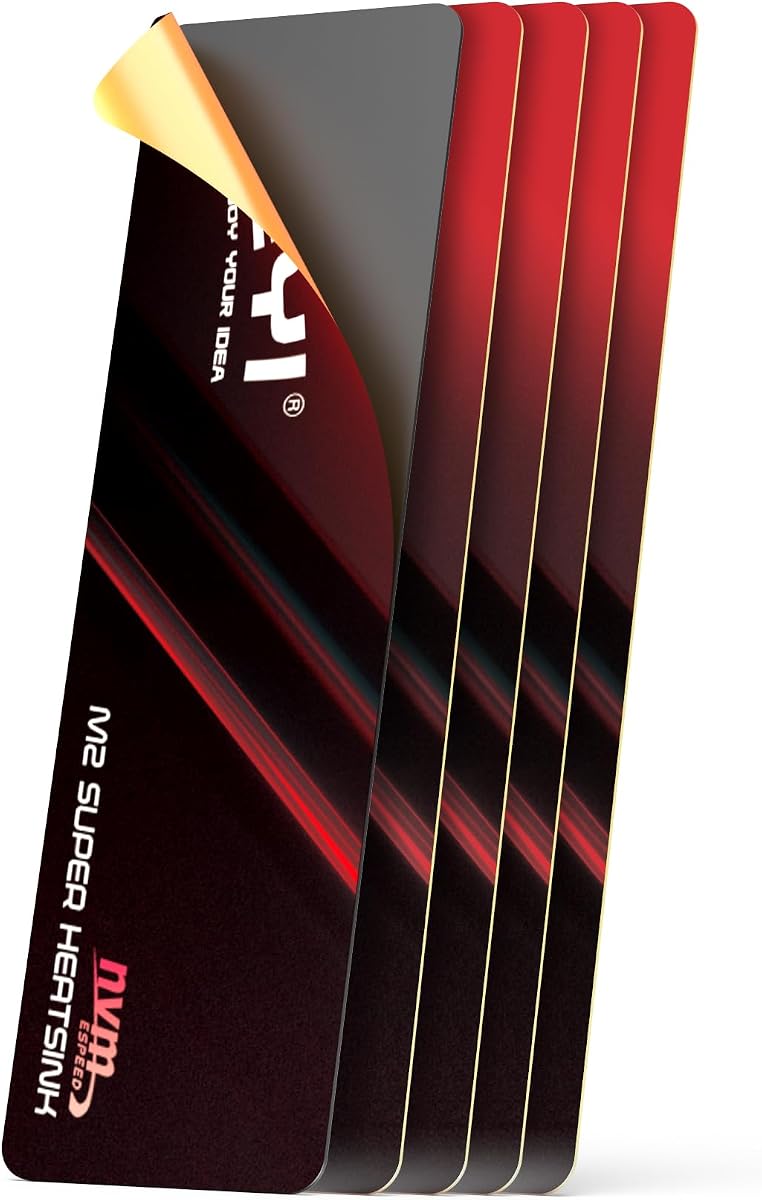
The JEYI 0.5mm graphene-copper thermal film is the most aggressively slim option in this guide. It is designed for 2280 SSDs in locations where a conventional finned cooler is simply too tall, including PS5 expansion slots and ultra-thin laptops. Its 4.4 rating reflects a specialized product rather than a general-purpose desktop cooler.
We may earn a commission when you buy through this link, at no additional cost to you.
Constructed from graphene and copper foil, the film uses an adhesive layer rated by the manufacturer from -40°C to 120°C. Thermal pads can be applied to both sides of the drive, and the listing states that this arrangement can cut peak temperatures by 25°C. Such figures are workload- and environment-dependent, but the dual-sided approach is notable for an ultra-thin design.
The principal installation risk is bending. JEYI specifically advises peeling the protective film carefully and gently flattening the heatsink if it creases. A wrinkle or trapped debris can interrupt contact, and a sharply folded copper film may remain imperfectly flat. Buyers with a steady hand and experience handling delicate thermal materials are likely to find the process manageable.
This is the best pick when clearance is the overriding concern and a full metal block is not required. It can also fit a ROG Ally 2280 adapter, desktop slot, or PS5 expansion arrangement as described. For a standard desktop with generous room, a finned cooler may dissipate more heat because it provides more exposed surface area, but in the tightest installations the JEYI film can be the more practical solution.
Applying thermal material to both sides helps address heat from a single-sided or double-sided module while preserving a very small overall profile. It is a useful approach when vertical space is the limiting factor.
Because the product is a thin film, the protective layer should be removed without pulling the copper at an angle. Inspecting the surface after placement can reveal folds that would otherwise reduce contact.
We may earn a commission when you buy through this link, at no additional cost to you.
The Double-Sided Aluminum Heatsink is a compact cooling solution aimed at desktop PCs and PS5 systems. Its 4.6 rating and 10–20°C stated cooling range make it a compelling option for a 2280 single-sided module, particularly when a builder wants a neat black cooler with a straightforward clip-on design.
We may earn a commission when you buy through this link, at no additional cost to you.
The main body uses aluminum alloy with silver plating and an anodized surface treatment. The listing says the plating helps eliminate static electricity, while the anodization creates a protective oxidized finish. A low-viscosity thermal pad provides the interface between the drive and cooler without requiring direct adhesive attachment.
The double-sided clip arrangement is designed to accommodate SSDs of varying component heights, securing the assembly inside a PC M.2 slot or the PS5. Its dimensions are listed as approximately 3 x 0.95 x 0.4 inches. The stated 10–20°C improvement depends on the environment, which is especially important in a PS5 with its tightly integrated airflow and multiple heat sources.
This cooler is best for a PS5 expansion or desktop build containing a single-sided 2280 drive. The explicit compatibility limitation makes it a less flexible choice for double-sided laptop SSDs, and users should compare the cooler against the original or aftermarket thermal pad before removing any factory heat spreader.
The adjustable double-sided clips are intended to accommodate different drive heights while holding the thermal interface in place. This is convenient when drive dimensions and controller layouts vary among compatible models.
Silver plating and anodization give the aluminum body a finished appearance and add surface protection. These treatments also help the cooler blend more naturally into a dark PC or console interior.
We may earn a commission when you buy through this link, at no additional cost to you.
The Haojiaho 1.5mm copper heatsink is a compact plate designed for 2280 NVMe and M.2 SSDs in laptops, desktop computers, and other electronics. It has a 4.5 rating and a stated 5–20°C cooling effect, making it a practical middle ground between an ultra-thin film and a taller finned assembly.
We may earn a commission when you buy through this link, at no additional cost to you.
Its 67x18x1.5mm footprint is narrower and shorter than a full 2280 drive, which can improve compatibility with some laptop layouts and risers. Pure copper provides the primary heat-transfer path, while grooves in the surface are intended to increase the area exposed to circulating air. A low-viscosity silicone thermal pad fills the interface, and rubber rings hold the assembly in place.
The product listing also identifies use with other heat-generating devices such as the PS5, Nintendo Switch, and smartphones. That broader statement should be treated carefully: fit, electrical isolation, mounting pressure, and heat transfer differ by device. The core use remains the 2280 SSD for which the size and included hardware are designed.
This heatsink is best for a builder who wants a slim copper plate, simple rubber-band mounting, and more physical structure than a flexible film. Its main limitation is that it does not span the entire 2280 length, so the hottest controller area should be covered and nearby airflow should not be obstructed.
Copper transfers heat efficiently through the plate while the 1.5mm thickness preserves room for laptop lids, side panels, and other nearby parts. It is a practical choice for modest but not absolute clearance limits.
The grooves increase the available surface area compared with a completely flat plate. Their cooling value still depends on air movement, so placement beside a blocked region offers less benefit than a position with active airflow.
We may earn a commission when you buy through this link, at no additional cost to you.
The be quiet! MC1 M.2 SSD Cooler is a refined, low-profile option for 2280 modules and stands out for supporting both single-sided and double-sided drives. Its 4.7 rating is the joint-highest among the products in this guide, reflecting a focused design from a company associated with PC cooling.
We may earn a commission when you buy through this link, at no additional cost to you.
Its purpose is straightforward: lower the temperature of the M.2 SSD so the drive can maintain full performance for longer. Rather than depending on a fan, the MC1 provides passive cooling and is sized to fit 2280 modules. The product description specifically highlights compatibility with the M.2 expansion used in the PlayStation 5.
Supporting both module layouts is a major practical advantage. A drive with components on one side and a drive with components on both sides require different physical arrangements, and one cooler that addresses both reduces the risk of buying an incompatible model. For PS5 users, the cooler can provide the thermal support needed for an added storage drive during demanding game transfers.
This is the most broadly considered recommendation in the guide for a standard 2280 upgrade. It suits builders who want established brand presentation, broad single- and double-sided compatibility, and a discreet cooler. It is less appropriate when the available cavity is so small that only a 0.5mm film can fit.
Handling both common component layouts makes the MC1 a safer general choice for 2280 drives. Users no longer need to identify the exact module arrangement before selecting a compatible cooler.
The MC1 is intended to keep an SSD within a favorable temperature range during extended read and write activity. That helps preserve performance when large game files, system images, or creative projects create sustained workloads.
We may earn a commission when you buy through this link, at no additional cost to you.
The Graphene-Coated Copper Heatsink is a 70x20x4mm radiator intended for 2280 NVMe drives in laptops, PCs, and PS5 installations. It shares the guide's highest customer rating at 4.7, and its full-length-ish coverage gives it a different balance from smaller copper plates.
We may earn a commission when you buy through this link, at no additional cost to you.
A graphene coating is combined with a copper core, while a slanted-slot or air-duct design is intended to increase contact with ambient air. The listing states a claimed thermal conductivity of up to 5300 W/m·K for graphene and compares it with copper and aluminum. Real cooling still depends on the quality of the bond and the amount of air moving across the exposed surface.
Silicone thermal material sits between the heatsink and SSD. The manufacturer specifically instructs users to include it, both to improve contact and to reduce the chance of damage to drive components or contamination. The slanted appearance is intended to make the installation look tidy once fitted.
At 4mm thick, this model is best where there is enough room for a visible radiator but not enough for a large fin stack. It suits a PS5 expansion bay, a desktop M.2 area, or a laptop cavity with moderate clearance. For exceptionally shallow spaces, a 0.5mm or 1.5mm model would be more appropriate.
The 70mm length covers most of a standard 2280 module and provides more contact area than a short central plate. This is useful for layouts where heat is distributed across a substantial portion of the drive.
The angled channels are intended to improve heat exchange while giving the installed cooler a refined appearance. Their practical value is greatest in a case that provides continuous airflow across the top of the M.2 slot.
We may earn a commission when you buy through this link, at no additional cost to you.
The Haojiaho 0.5mm copper plate is a highly compact heat spreader for 2280 SSDs, especially laptops where clearance is critically limited. Its 4.4 rating reflects a simple, portable design that concentrates on thinness and broad coverage rather than fins, fans, or elaborate mounting hardware.
We may earn a commission when you buy through this link, at no additional cost to you.
The copper plate measures 75x23x0.5mm, allowing it to cover most of a standard 2280 module while adding very little height. The supplied thermal pad has a chemically polished surface intended to remain smooth and free of burrs, reduce the risk of short circuits, resist oxidation, and support reliable heat transfer.
The package is unusually generous for a thin plate: one copper heatsink, ten thermal pads, a screwdriver, a triangular plastic spudger, and two M.2 SSD screws. The extra pads make it possible to replace the interface if it becomes dirty or compressed. The tools can also assist with removing a factory thermal pad or securing a compatible drive screw.
This is the right choice for a thin notebook or another cavity where a 1mm or thicker plate would cause interference. Its limitation is surface area: a nearly flat plate can move heat away from the controller, but it cannot release as much heat into moving air as a finned design. The result depends on the laptop's existing airflow and the quality of the pad-to-sink bond.
A 75x23mm surface covers most of the drive while adding only half a millimeter of thickness. This combination makes it useful where a compact full-length cooler is needed.
Multiple replacement pads and included tools reduce the need to source accessories separately. They are particularly useful when opening a laptop or replacing a degraded factory thermal interface.
We may earn a commission when you buy through this link, at no additional cost to you.
The Micro Connectors 5mm Low-Profile Heat Sink is a compact finned cooler for 2280 SSDs in desktops, motherboards, M.2 adapters, and PS5 storage upgrades. It has a 4.6 rating and a clearly stated five-millimeter height, offering more exposed surface area than a flat plate while remaining much lower than a tall desktop heatsink.
We may earn a commission when you buy through this link, at no additional cost to you.
Cross-cut aluminum fins are designed to divide the surface into smaller channels that can exchange heat with surrounding air. Thermal pads form the interface with the drive, and heat-resistant silicone rings help secure the assembly. That ring-mounted approach is simple and can be useful where screws would be inconvenient.
The stated compatibility with the PS5 is particularly relevant to console owners adding a 2280 NVMe drive. A drive in that position may experience heat during large game installations and transfers, so a dedicated heat-transfer surface is sensible. The same benefits apply to a desktop M.2 adapter, although users should confirm that the adapter and surrounding case provide adequate airflow.
This cooler is best for a builder who wants fins and a clearly defined 5mm profile without moving into the much taller heatsink category. It is not the first choice for a notebook with only sub-1mm clearance, but it offers a stronger exposed surface area than the flexible copper films for consoles, desktops, and M.2 adapter cards.
The cross-cut fins create more surface area than a plain plate without requiring the height of a conventional tower-style SSD cooler. That balance suits console and desktop installations with moderate clearance.
Heat-resistant silicone rings hold the thermal assembly against the drive and avoid a complicated fastener arrangement. Their elasticity can make removal and repositioning easier during installation.
We may earn a commission when you buy through this link, at no additional cost to you.
The most important starting point is physical clearance. After confirming the available height and the drive's 2280 format, compare material, coverage, mounting method, airflow, and the arrangement of components on the SSD.
Measure the space above the SSD rather than relying only on the cooler catalog dimension. A laptop bottom panel, desktop side panel, graphics card, motherboard heatsink, or PS5 cover can leave far less usable height than expected. Include the thickness of the thermal pad and any screw head or retention clip in the total measurement. A cooler that contacts the chassis may also inhibit the pressure required for good thermal-pad contact.
Most products in this guide are designed for the 2280 form factor, which is 22mm wide and 80mm long. Check the exact dimensions because a product may cover only 67mm, 69mm, 70mm, or 75mm of the drive. That is often sufficient if the main controller sits beneath the covered section, but it is not equivalent to full-length coverage. Also determine whether the SSD is single-sided or double-sided, because some clip-on coolers support only one arrangement.
Pure copper offers strong heat conduction and is common in thin plates. Aluminum is lighter, generally easier to form into fins, and is used in compact finned coolers. Graphene-coated copper products combine a copper base with a thin surface treatment intended to improve heat transfer. Material alone does not determine cooling performance: surface area, airflow, contact pressure, and pad quality can have an equally large effect.
A 0.5mm film or plate solves the most extreme clearance problems, but it offers less exposed area to surrounding air than a finned cooler. A 1.5mm copper plate offers more structure and mass while remaining suitable for many laptop cavities. A 3mm to 5mm cooler can dissipate more heat when the case has airflow, although it may not fit under a laptop panel. Match the design to the thermal load rather than assuming the thinnest option is always the best.
The thermal interface should sit between the drive and the heatsink and remain stable across operating temperatures. Low-viscosity silicone pads can conform to minor surface irregularities, while adhesive films simplify installation but may be less convenient to remove. Always keep the thermal material from covering exposed electrical components, connectors, and labels. Using a clean, flat interface is more important than applying an excessive amount of material.
Clips, rubber bands, silicone rings, and adhesive pads offer different balances of security and convenience. Clips provide direct pressure but can be difficult to position in a narrow chassis. Rings and bands are easier to arrange around an SSD, though their pressure should still be sufficient. Adhesive-backed systems provide consistent attachment but are less reversible. Consider serviceability, your tolerance for residue, and whether the drive may move between machines.
A heatsink can only release heat effectively when air passes over its exposed surfaces. A tightly packed case, a graphics card directly above the M.2 slot, or a drive mounted beneath a solid heatsink may receive little benefit from a larger cooler. Conversely, a modest copper plate can work well when placed in the path of a case fan or the PS5's internal airflow. Check the cooling path as carefully as the available mounting space.
An ordinary desktop drive used for operating systems may never need an aggressive cooler, while a drive used for sustained file transfers, game installations, or large video exports can generate sustained heat. Consider the drive's own thermal design, any factory heat spreader, and the surrounding workload. Replacing a thin factory pad with a substantial cooler is sometimes more useful than adding a second layer to an already well-cooled module.
Begin with a complete system backup, shut down the computer, disconnect power, and open the chassis or laptop carefully. Locate the M.2 slot, note the drive's position, and photograph the original arrangement before removing any factory heat spreader or thermal pad. Check the 2280 length, component layout, mounting screw, and the available clearance above the drive.
Prepare the new cooler according to its instructions. Clean both the SSD contact area and the heat-transfer surface with a suitable nonabrasive material, then install the specified thermal pad or adhesive layer without stretching it. Place the cooler over the appropriate region of the drive, secure it with the supplied clips, rings, bands, or adhesive method, and confirm that no thermal material obstructs the connector or electrical components.
Reassemble the system and confirm that the drive is detected before closing the case. During a representative workload, use the SSD's monitoring software or the system's temperature tools to observe controller and drive temperatures. Avoid interpreting a single momentary reading as a result; compare several points during idle, transfer, and sustained activity, and check that the cooler remains flat and securely attached.
The products in this guide are designed primarily for 2280 M.2 SSDs, which measure 22mm wide and 80mm long. Some covers only span part of that length, so check both their stated dimensions and the location of the SSD controller. A 2280 drive in an M.2 slot is not necessarily the same as a 2280 drive with components on both sides.
The 0.5mm design is better when clearance is the primary constraint, such as inside some ultra-thin laptops or expansion areas. A 5mm finned model can release more heat because it exposes more surface area to moving air. The best choice depends on available space, airflow, and the drive's workload rather than thickness alone.
Several products in this guide specifically list PS5 compatibility, including the GLOTRENDS, be quiet! MC1, JEYI film, and Micro Connectors models. You should still confirm the exact drive form factor and available space in your console model. The original internal shield, drive connector, and proper reassembly must not be obstructed.
That depends on the existing components and the replacement cooler's design. A thin plate may sit over the controller without removing a factory spreader, while a clip-on assembly may need the original spreader removed. Follow the drive and cooler instructions, avoid bending the SSD, and never puncture or damage the NAND packages, controller, or electrical components.
A removable thermal pad can be cleaned, repositioned, or replaced if it becomes damaged. An adhesive-backed film generally provides immediate, consistent attachment but is harder to remove and may leave residue. Both require flat, clean contact, and a badly wrinkled film or compressed pad can perform worse than a properly installed simple pad.
No. A heatsink can reduce heat-related throttling by keeping the drive cooler, but it cannot prevent slowdowns caused by a full drive, host software, background tasks, firmware behavior, or other bottlenecks. It also needs a suitable airflow path. Temperature monitoring before and after installation is the best way to evaluate its contribution to your particular system.
Not automatically. Copper conducts heat effectively within a thin plate, while aluminum can be formed into more fins and exposed surface area. Graphene coatings may improve the surface characteristics of a copper design, but the complete cooler, contact quality, and airflow determine the result. Choose a design that fits the chassis and suits the thermal load.
Check it whenever the system is opened or after unexpected shutdowns, unusual performance changes, or a drive or chassis upgrade. Verify that the cooler remains flat, the mounting hardware has not loosened, and no thermal pad has shifted. For a laptop that travels frequently, periodic inspection is especially sensible because movement can disturb a tight installation.
The GLOTRENDS 2-Pack is the strongest all-around value for desktop, riser, and compatible PS5 installations because it combines a useful 3mm profile with two complete mounting kits. The be quiet! MC1 is the most broadly considered premium choice for standard 2280 modules, especially when both single-sided and double-sided support matters, while the JEYI film solves the most extreme clearance situations.
For the remaining options, match the physical design to the job: choose a full-cover copper radiator for a narrow but ventilated bay, a 1.5mm copper plate for moderate laptop clearance, a finned aluminum model for a console or desktop with airflow, and a 0.5mm copper plate for the thinnest available cavity. Thermal-pad quality and correct placement are just as important as the material.
Before ordering, verify the 2280 format, drive-side layout, actual clearance, and nearby airflow. Review current ratings, availability, seller information, and recent customer feedback, as these can change over time. With those checks completed, the best low profile SSD heatsink is the one that fits securely, transfers heat evenly, and leaves the drive operating in the environment it was designed for.