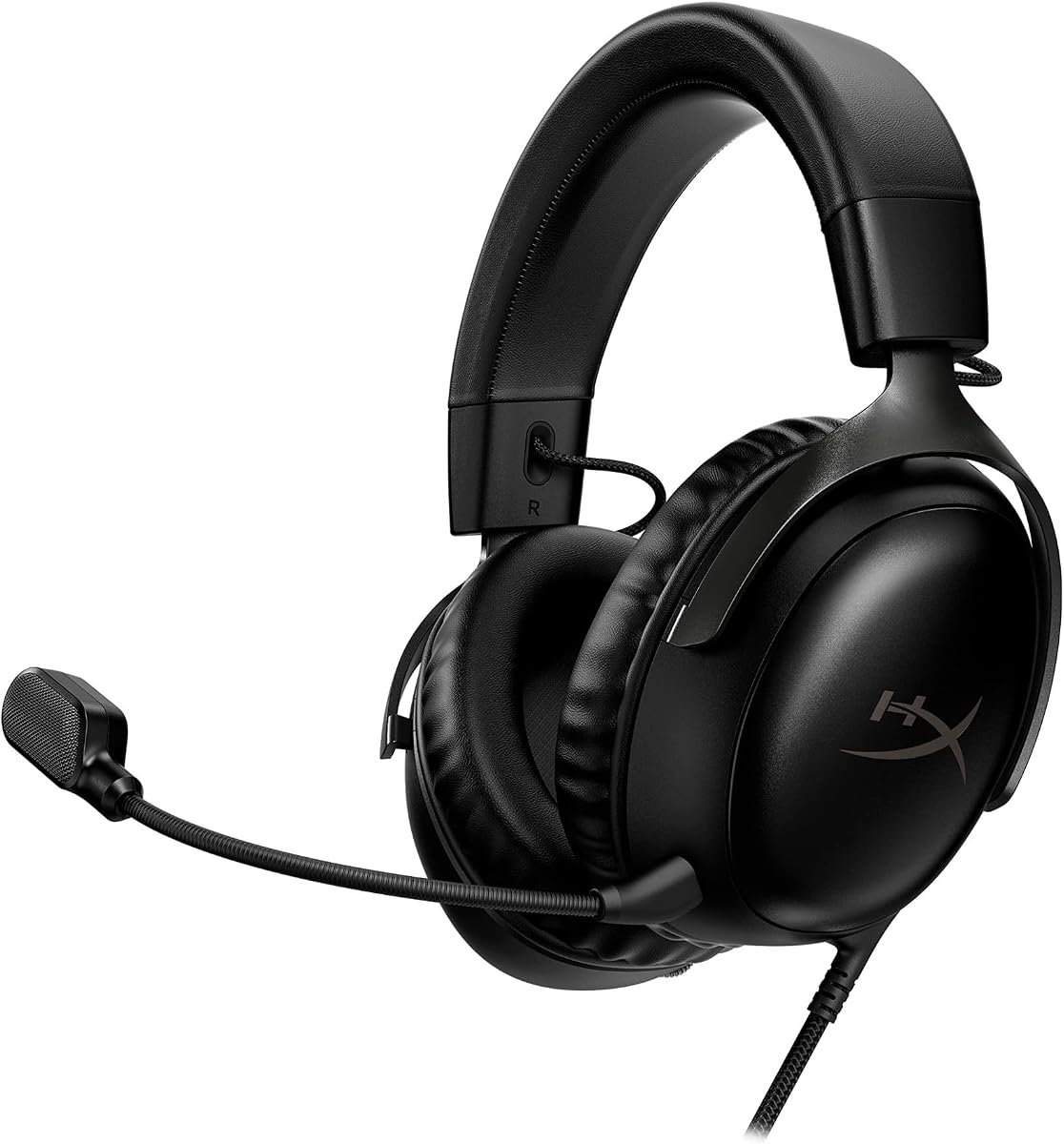
HyperX Cloud III
4.3Editor score
Angled 53 mm drivers
Noise-cancelling 10 mm mic
Broad wired platform support
Our best headsets for competitive FPS guide compares wireless and wired options for clear positional audio, low latency, comfort, communication, and multi-platf
Competitive FPS headsets must turn footsteps, gunfire, and distant movement into useful information while keeping your team clear in voice chat. The best models combine accurate positional imaging, low-latency wireless, a reliable microphone, comfortable long-session padding, and controls that let you adjust your setup without leaving the match.
We compared these ten headsets across the specifications most relevant to competitive shooters: driver configuration, surround or spatial processing, connection methods, latency claims, microphone design, battery life, EQ options, platform support, weight, and physical comfort. The list includes wired, wireless, hybrid, and multi-platform models for different budgets and preferred game systems.
Each review explains where a headset stands out, where compromises appear, and which type of player it best suits. Ratings and product details reflect the supplied information, while availability and prices can change. Always verify current compatibility, accessories, and software requirements before making a final purchase.
4.3Editor score

4.0Editor score

4.4Editor score
This side-by-side comparison highlights the most important differences among wired, wireless, and multi-platform headsets, including spatial audio, connection flexibility, battery life, microphone design, and platform compatibility.


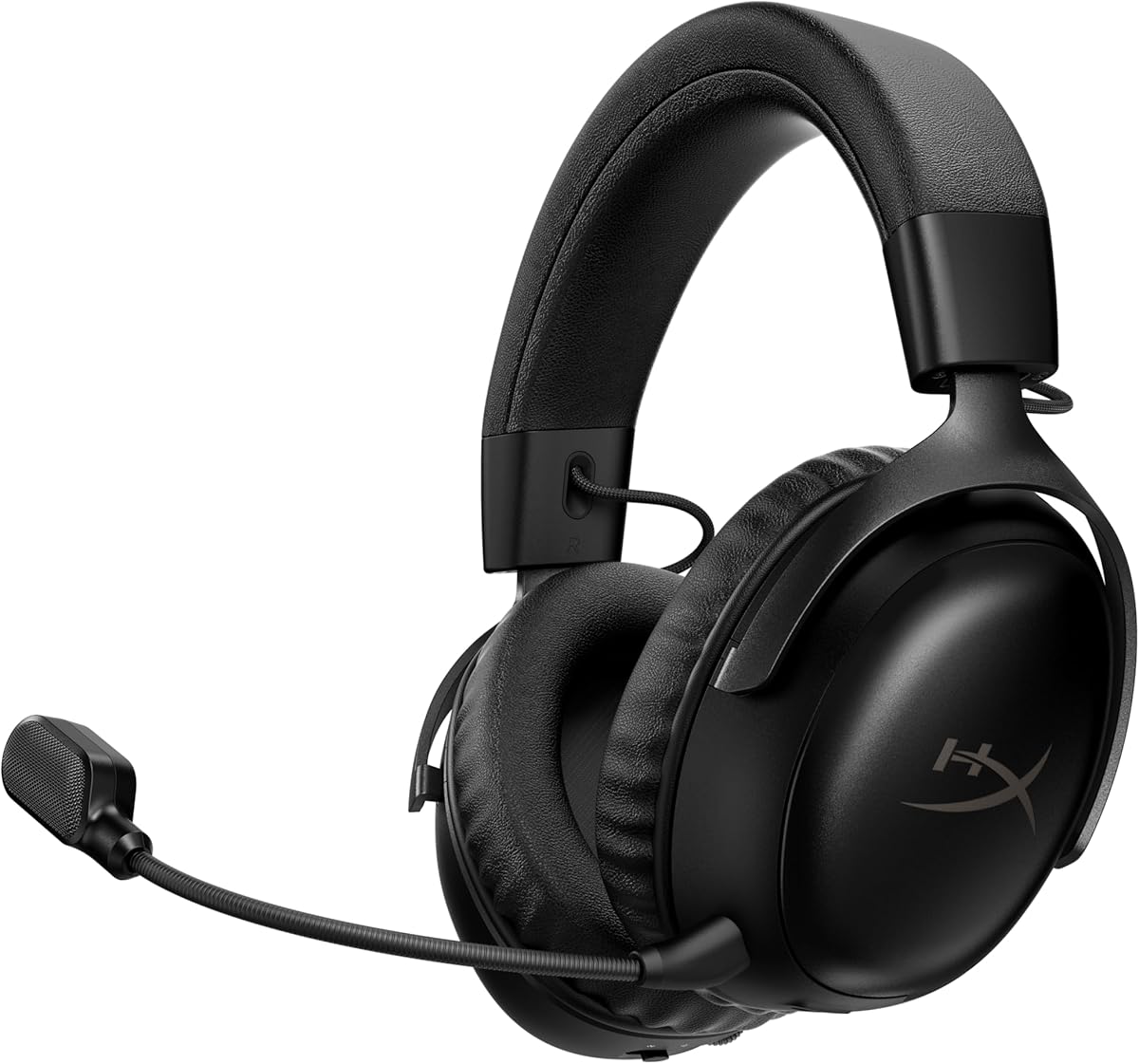
The Razer BlackShark V2 Pro Wireless is a 3.8-rated gaming headset designed specifically for players who want low-latency wireless audio and shooter-focused tuning. Its standout features include HyperSpeed 2.4 GHz wireless, a detachable HyperClear Super Wideband microphone, TriForce Titanium 50 mm drivers, and pro-tuned FPS profiles. The supplied rating is the lowest among these ten products, so its value depends heavily on how much you prioritize Razer's wireless ecosystem and competitive presets.
We may earn a commission when you buy through this link, at no additional cost to you.
The headset's most compelling advantage is its combination of 2.4 GHz performance and stated 70-hour battery life. That makes it practical for long practice sessions, full ranked evenings, and tournaments without requiring a recharge. The memory foam ear cushions sit inside closed earcups designed to block external distractions, while the breathable fabric covering may be more suitable for long sessions than a heavily sealed synthetic surface. The microphone can be detached when not needed, and its unidirectional pickup pattern is intended to favor your voice over sound arriving from behind and beside you.
The trade-offs are worth considering. Its 3.8 rating is lower than every other model in the comparison, and its feature set is less elaborate than newer BlackShark models that add spatial audio, Bluetooth, simultaneous device mixing, and active noise cancellation. The listed 100 Hz to 10 kHz microphone frequency response should also be considered if broadcast-quality voice detail is your top priority. Most importantly, competitive performance still depends on a stable connection, suitable game mix, and correct software configuration rather than the headset alone.
This is a strong recommendation for a PC player who values a mature low-latency wireless design, long battery life, a detachable microphone, and dedicated FPS profiles. It may be less suitable if you need Bluetooth, broad console compatibility, or advanced active noise cancellation. Choose it when 2.4 GHz wireless reliability and a focused competitive feature set outweigh the benefits of the newer V3-series alternatives.
HyperSpeed 2.4 GHz wireless is the centerpiece for competitive use because it avoids a dangling cable and supports a responsive connection. FPS profiles are also designed to emphasize information that helps players recognize movement, environmental detail, and incoming threats.
The stated 70-hour battery supports extended play, while ultra-soft memory foam and breathable fabric focus on sustained comfort. The closed earcups also create a passive seal that helps reduce distractions during focused matches.
We may earn a commission when you buy through this link, at no additional cost to you.
The Razer BlackShark V3 Wireless is a 4.0-rated headset that improves on the basic idea of a wireless gaming headset by combining a 10 ms HyperSpeed Wireless Gen-2 connection, THX Spatial Audio, and extensive device flexibility. It is particularly compelling for competitive FPS players because it includes game-specific EQ profiles, customizable EQ, a detachable 9.9 mm HyperClear Super Wideband microphone, and Gen-2 TriForce Titanium 50 mm drivers.
We may earn a commission when you buy through this link, at no additional cost to you.
Connectivity is one of its most useful strengths. The headset supports 2.4 GHz wireless, Bluetooth 5.3, and USB, and it can simultaneously mix 2.4 GHz and Bluetooth audio from two devices. That means a player could keep game audio on the low-latency wireless link while handling a mobile call or listening to another Bluetooth source. Platform support extends to PC, Mac, PlayStation, Nintendo Switch, and mobile devices, although Xbox compatibility is explicitly excluded.
Its spatial and tuning features provide more ways to shape competitive audio, but they also add complexity. THX 7.1.4 surround requires supported software, while custom EQ settings need configuration through the appropriate software and room on the headset. The 4.0 rating suggests solid overall appeal, although it does not lead the group on user ratings. The detachable microphone is useful for portability, while the stated 70-hour battery reduces the likelihood of battery anxiety during extended play.
The BlackShark V3 is a good fit for competitive players who want low-latency wireless, broad platform coverage, and deep audio customization. It is especially appealing if you move between PC, console, and mobile devices or need simultaneous game and Bluetooth audio. Avoid it if you play on an Xbox console or want a simple headset that works without software and mode switching.
FPS-specific profiles and customizable EQ let players emphasize cues that matter to their game and preferred role. The 50 mm Gen-2 drivers are tuned for clarity and positional performance, while THX spatial audio expands the perceived soundstage on supported systems.
Simultaneous 2.4 GHz and Bluetooth mixing separates the headset from simpler wireless models. It is particularly useful for players who need game audio and communication from another device without constantly disconnecting.
We may earn a commission when you buy through this link, at no additional cost to you.
The Razer BlackShark V3 Pro Wireless is our Editor's Choice because it assembles the most complete competitive package in this guide. It combines a 4.0 rating with 10 ms HyperSpeed Wireless Gen-2 latency, hybrid active noise cancellation, THX Spatial Audio, pro-tuned FPS profiles, and a detachable 12 mm HyperClear Full Band microphone. For a player who wants modern wireless performance without giving up headset-based communication or personalization, it is a persuasive all-round choice.
We may earn a commission when you buy through this link, at no additional cost to you.
Audio performance is built around the TriForce Bio-Cellulose 50 mm Gen-2 drivers, which are positioned to provide frequency separation and precise directional cues. Game-specific EQ profiles are tuned with esports competitors, while custom profiles can be saved directly to the headset. The 7.1.4 THX Spatial Audio engine adds overhead awareness and a wider soundstage on supported Windows systems. These features matter most in competitive shooters, where a slightly clearer footstep or more convincing directional cue can improve reaction time.
The hybrid active noise cancellation is especially relevant during tournaments, ranked sessions, or streaming. Reducing distractions can help players maintain concentration, especially in noisy rooms, while the detachable microphone is designed to deliver detailed shot calls with background-noise suppression. Connectivity covers 2.4 GHz, Bluetooth 5.3, USB, and 3.5 mm wired modes, with simultaneous mixing of wireless game audio and Bluetooth. This makes the headset adaptable to PC, Mac, PlayStation, Switch, and mobile use, although some advanced spatial features remain software-dependent.
We recommend the BlackShark V3 Pro to competitive FPS players who want low-latency wireless, tunable game profiles, reliable voice communication, and distraction control in one package. It is less compelling for players who require an Xbox connection or want a completely software-free setup. Even then, the combination of broad connectivity, strong directional features, and flexible EQ makes it one of the most confident choices for serious shooters.
The Gen-2 50 mm drivers and THX 7.1.4 spatial processing are designed to improve separation and overhead awareness. FPS profiles provide a convenient starting point, while custom EQ gives experienced players room to refine the mix.
Hybrid active noise cancellation helps reduce environmental distractions, while the detachable 12 mm microphone supports detailed shot calls and background-noise suppression. Together, these features improve concentration without sacrificing voice chat.
We may earn a commission when you buy through this link, at no additional cost to you.
The SteelSeries Arctis Nova 5 Wireless is a 4.2-rated multi-system headset that focuses on an unusually large preset library, convenient wireless switching, and straightforward controls. Its 60-hour battery, USB-C fast charging, Bluetooth 5.3, and compact USB-C dongle make it well suited to players who regularly move between devices or need the headset ready for long sessions without frequent charging.
We may earn a commission when you buy through this link, at no additional cost to you.
The Arctis Nova 5 Companion App provides more than 100 game audio presets, including tailored options for Call of Duty and other popular games. For competitive shooters, this reduces the effort required to find a useful starting point. The neodymium magnetic drivers are described as producing detailed highs, pinpoint mids, and deep bass, while the fully retractable ClearCast 2.X microphone uses a high-bandwidth chipset supporting 32 kHz, 16-bit audio for voice chat.
Its most attractive everyday feature is the quick-switch control. A tap moves between 2.4 GHz gaming and Bluetooth, while notification beeps help identify incoming calls. The physical headset controls include power, mute, volume, and quick switching, which reduces dependence on software during a match. Cross-platform support covers PC, PlayStation, Switch, Meta Quest, phones, and tablets through the USB-C dongle.
The Nova 5 is a strong recommendation for players who want simple switching, generous charging endurance, and quick access to game-specific sounds. It does not match the Razer V3 Pro's advanced spatial processing or the SteelSeries Nova Pro Omni's device-mixing breadth. Nevertheless, its 4.2 rating, strong feature balance, and practical control layout make it an appealing all-purpose choice for competitive gaming.
More than 100 game presets offer a convenient starting point for shooters and other genres. Players can select a relevant profile quickly, then make further adjustments in the companion app if their preferred balance differs.
A stated 15-minute USB-C charge provides six hours of use, while the 60-hour battery supports longer sessions. Bluetooth 5.3 quick switching makes it convenient to move between gaming and calls.
We may earn a commission when you buy through this link, at no additional cost to you.
The HyperX Cloud III is our Best Budget pick because it delivers the core qualities of a competitive FPS headset without requiring wireless complexity. It has a 4.3 rating, angled 53 mm drivers, a noise-cancelling detachable 10 mm microphone with a mesh filter and mute indicator, memory foam comfort, and broad wired compatibility across PC, PS5, and Xbox Series X|S.
We may earn a commission when you buy through this link, at no additional cost to you.
The angled drivers were tuned by HyperX engineers to accent the dynamic sounds of gaming. While the supplied information does not specify advanced positional processing for this model, the large angled driver design should serve players who prefer a full and energetic sound signature. The detachable boom microphone is more useful for team communication than a compact inline mic, and its noise-cancelling behavior helps keep keyboard clicks and other nearby sounds from dominating the voice channel.
Physical construction is a major strength. The aluminum frame is designed to withstand travel, accidental drops, and regular wear, while memory foam ear cushions contribute to comfort during extended sessions. Wired operation avoids battery management, wireless interference, and connection dropouts. The included USB-C and USB-A references and 3.5 mm connection expand compatibility across PC and console setups, although exact controller or console requirements should be verified before buying.
This headset is best for value-conscious competitive players who want a reliable wired connection, a proper boom microphone, and a comfortable, durable design. It is not ideal if cable-free movement is a priority or if you want advanced spatial processing and extensive EQ. Even without those extras, the Cloud III covers the essential competitive needs with a 4.3 rating and a restrained, practical design.
A wired connection eliminates wireless latency concerns and battery charging from the equation. For players who value consistency over mobility, that simplicity remains a meaningful competitive advantage.
The noise-cancelling detachable microphone supports clear team calls, while memory foam cushions improve comfort. An aluminum frame adds durability for regular competitive use and travel.
We may earn a commission when you buy through this link, at no additional cost to you.
The Logitech G PRO X is a 4.3-rated wired headset aimed at competitive players who want precise control over sound and voice. Its detachable Blue VO!CE microphone includes noise reduction, compression, and limiting, while PRO G 50 mm drivers, next-generation 7.1 and object-based surround, and a five-band EQ support detailed tuning. A USB external sound card provides the processing hardware and profile storage.
We may earn a commission when you buy through this link, at no additional cost to you.
The headset's competitive advantage lies in software customization. Logitech G HUB offers pro-designed EQ profiles, and onboard memory can store user or pro-tuned five-band settings for use on tournament systems. The Blue VO!CE microphone is designed to create cleaner voice communications through several processing tools, which can make a noticeable difference for shot calling in a busy room. Its removable boom microphone can also be replaced with the included inline mobile cable when portability matters more than broadcast-style communication.
Comfort and durability are carefully addressed. Players can choose between passive noise-canceling leatherette and soft, breathable velour memory foam ear pads, making it easier to balance isolation with temperature management. A steel headband and aluminum fork form a durable frame, while the carrying bag protects the headset and accessories during travel. The supplied information includes a two-year limited hardware warranty.
The PRO X is an excellent recommendation for Windows PC players who want a wired headset with tournament-friendly profile storage and advanced voice processing. It is less convenient for console-only players because the external sound card and G HUB features are centered on Windows. Players who dislike software setup should choose a more straightforward wired model. For everyone else, this headset's 4.3 rating, flexible EQ, and professional communication tools make it a strong competitive choice.
Onboard memory lets players save a five-band EQ and move that configuration between compatible systems. This is useful for players who practice on one computer and compete on a tournament setup with different hardware.
Blue VO!CE combines noise reduction, compression, and limiting to produce cleaner voice communication. The detachable boom design also lets players use the included inline mobile microphone in less intensive situations.
We may earn a commission when you buy through this link, at no additional cost to you.
The Logitech G Astro A50 Multi-Platform Wireless is a 4.2-rated headset built around seamless transitions between gaming systems. Its base station can connect to three platforms at once through USB-C, allowing on-ear switching among Xbox, PS5, PC or Mac, and Nintendo Switch or Switch 2. That convenience, paired with 24-bit LIGHTSPEED wireless, makes it appealing to console players who do not want a separate headset for every device.
We may earn a commission when you buy through this link, at no additional cost to you.
The 40 mm PRO-G graphene audio drivers are designed for separation, location, and timing accuracy. A broadcast-quality 48 kHz full-bandwidth boom microphone prioritizes voice articulation, while Bluetooth dual-device mixing allows Discord communication or music from a mobile device to be mixed into game audio. The seven-core DSP can save advanced sound shaping on the headset itself, reducing the need to reconfigure it every time the player changes systems.
The included magnetic charging dock is a particularly thoughtful component. It keeps the headset ready for use and complements the stated 24 hours of playtime at 78 dB. G HUB and G App control offer 10-band parametric EQ, microphone settings, noise-gate behavior, and stream output mixing. These options provide fine control but may take time to configure, and advanced users will benefit more than beginners.
The A50 is best for players who regularly switch between PC and modern consoles and prioritize communication plus convenient charging. Its shorter battery life makes it less attractive for long travel sessions compared with models offering much longer stated runtimes. Even so, the three-system switching, Bluetooth mixing, high-bandwidth microphone, and stored DSP settings form one of the most flexible multi-platform packages in this guide.
The base station maintains connections to three platforms, and on-ear controls switch between them. This reduces the friction of moving among a desktop PC, PlayStation, Xbox, or Nintendo Switch.
A magnetic dock keeps the headset charged and ready, while Bluetooth dual-device mixing supports mobile communication alongside the game. The 48 kHz boom microphone adds a strong focus on clear team communication.
We may earn a commission when you buy through this link, at no additional cost to you.
The SteelSeries Arctis Nova Pro Omni is our Best Premium pick and carries the highest supplied rating in the guide at 4.4. It combines hi-res wireless certification, 96 kHz and 24-bit audio, five-device connectivity, mixing for up to four sources, ClearCast Pro microphone technology, and active noise cancellation. It is the most elaborate option here for players who want one headset to handle nearly every gaming and communication setup.
We may earn a commission when you buy through this link, at no additional cost to you.
OmniPlay is the defining feature. The headset can connect to up to five devices, including PCs, consoles, Switch systems, and other compatible sources, through USB, line-in, and Bluetooth. Players can mix as many as four audio sources at once, such as PC game audio, console audio, and mobile communication. For a competitive player who coordinates different devices, this flexibility can be more useful than any single extra spatial effect.
The ClearCast Pro microphone is a high-bandwidth omnidirectional microphone with AI Noise Rejection that shields up to 96 percent of background noise according to the supplied specification. Active noise cancellation blocks additional environmental distractions, and the hi-res neodymium magnetic drivers extend the frequency range for more detailed sound. The wireless audio is officially certified at 96 kHz and 24-bit over low-latency 2.4 GHz or Bluetooth.
The Nova Pro Omni suits committed enthusiasts, streamers, and multi-device competitors who can take advantage of its extensive controls. The complexity of connecting and mixing several sources may be unnecessary for a player who only uses one PC, and the advanced feature set places it at the premium end of this category. For those who need maximum connection flexibility, high-resolution wireless sound, and polished team communication, however, it is the strongest feature-led choice.
The 96 kHz, 24-bit certification indicates a high-resolution wireless pipeline designed to preserve more detail with less compression. The neodymium magnetic drivers extend the frequency range to support that higher-fidelity presentation.
Connecting up to five devices and mixing four sources solves a difficult everyday problem for console and PC players. It allows game audio, communication, and secondary media to coexist without repeatedly changing cables or dongles.
We may earn a commission when you buy through this link, at no additional cost to you.
The Razer BlackShark V2 X is a 4.4-rated wired headset that combines strong user feedback with a lightweight 240-gram design. It includes custom-tuned TriForce Titanium 50 mm drivers, software-enabled 7.1 surround sound, memory foam cushions, closed earcups, and a HyperClear cardioid microphone. It is a direct and uncomplicated option for competitive players who do not need wireless freedom.
We may earn a commission when you buy through this link, at no additional cost to you.
The 7.1 sound is intended to improve positional awareness by giving game events a more defined spatial placement. It is available through software on Windows 10 64-bit, so PC players should have the appropriate operating system and configuration ready to use the feature. The TriForce Titanium driver design separates highs, mids, and lows for clearer output, richer highs, and stronger lows, which can help important cues remain distinct within a busy soundtrack.
Comfort is one of the model's strongest points. At 240 grams, the headset is notably light, while the breathable foam ear cushions reduce pressure during long matches. Its closed earcups also create passive isolation by covering the ears and limiting outside sound from entering. The cardioid microphone tapers off toward its rear and sides, so it should emphasize speech directly in front of the player better than unwanted surrounding sound.
The V2 X is a strong recommendation for budget-conscious or practical players who want a reliable wired connection, a lightweight frame, and broad 3.5 mm compatibility. It supports PC, Mac, PS4, PS5, and Nintendo Switch, though an Xbox One stereo adapter may be required. It is less suitable for users who need USB controls, Bluetooth, or Xbox support without an extra accessory.
At 240 grams, the V2 X reduces the kind of head and neck fatigue that can develop during long sessions. Breathable foam cushions add comfort without relying on a large battery or electronic earcup hardware.
The 3.5 mm connection makes setup straightforward across PC, Mac, PlayStation, Switch, and compatible Xbox systems. Software-enabled surround is available on Windows 10 64-bit, while an Xbox One stereo adapter may be needed separately.
We may earn a commission when you buy through this link, at no additional cost to you.
The HyperX Cloud III S is a 4.3-rated wireless headset whose defining advantage is extraordinary stated battery endurance. It offers up to 120 hours of gameplay in 2.4 GHz mode and up to 200 hours in Bluetooth mode, with angled 53 mm drivers, memory foam padding, a detachable 10 mm microphone, and support for both 2.4 GHz and Bluetooth.
We may earn a commission when you buy through this link, at no additional cost to you.
Its comfort-oriented design carries over the strengths associated with the Cloud III family. Memory foam appears in both the headband and ear cushions, which are wrapped in soft premium leatherette. The aluminum frame is intended to resist travel and daily wear, while the detachable boom microphone includes a mesh filter and LED mute indicator for clearer team communication. These characteristics make it a practical choice for long training sessions and regular voice-chat use.
The headset supports PC, PS5, PS4, Nintendo Switch, Mac, mobile, and Bluetooth devices, with USB-A and USB-C connectors included. A lifetime activation of Spatial Audio is supplied for PC, providing sound localization and a virtual three-dimensional stage on compatible systems. Removable magnetic earcup plates are also supported, although they are sold separately and availability varies by country or region. Instant Pair is available with select OMEN gaming laptops without a separate dongle.
The Cloud III S is a compelling recommendation for players who want exceptional battery life and familiar Cloud comfort with wireless freedom. It is particularly useful for travel, long offline sessions, and players who alternate between gaming and Bluetooth media. Its supplied specifications do not include a specific latency figure, so competitive players should confirm their priorities and test the connection in their preferred environment.
The stated 120-hour 2.4 GHz runtime removes charging from most weekly routines, while Bluetooth mode reaches up to 200 hours. It is one of the strongest endurance specifications among the headsets reviewed.
Memory foam in the headband and leatherette-wrapped ear cushions prioritizes comfort. USB-A and USB-C connectors, Bluetooth, and broad platform support make the headset adaptable to several gaming environments.
We may earn a commission when you buy through this link, at no additional cost to you.
The right competitive FPS headset depends on connection type, sound processing, communication needs, platform compatibility, and comfort. Use the factors below to identify which trade-offs matter most in your setup.
Latency is the delay between an in-game sound and what reaches your ears. In a competitive shooter, even a small delay can make a footstep feel less immediate than the visual information showing the same movement. Wireless headsets designed for competitive play often advertise low-latency 2.4 GHz performance, while wired headsets avoid wireless interference and charging concerns entirely. The Razer BlackShark V3 and V3 Pro specify latency as low as 10 ms, making their connection mode a central selling point for reaction-sensitive play.
Choose a low-latency wireless model if you value mobility and want to avoid a cable limiting mouse movement. Choose a wired model if consistency, simple setup, and long battery life matter less than complete freedom from wireless concerns.
Competitive audio is not simply about sounding loud or bass-heavy. Players need to distinguish footsteps, gunshots, movement, and environmental cues, including sounds above or behind their character. TriForce-style multi-part drivers, larger angled drivers, and software spatial engines all attempt to improve separation. Models such as the Razer BlackShark V3 Pro and SteelSeries Arctis Nova Pro Omni support advanced spatial or hi-res processing, while the Razer BlackShark V2 X offers software-enabled 7.1 surround on Windows 10 64-bit.
Look for directional positioning, frequency separation, and a game-specific or customizable EQ rather than judging a headset only by its driver size. Confirm that the required software and operating system are available on your competitive machine.
A competitive headset is a communications tool as much as a personal audio device. A detachable or retractable boom microphone generally gives you more consistent placement near the mouth than an inline controller-style mic. The Razer BlackShark V3 Pro uses a 12 mm HyperClear Full Band microphone, the SteelSeries Nova 5 uses ClearCast 2.X, and the Logitech G Astro A50 uses a 48 kHz full-bandwidth boom microphone. These specifications indicate a focus on voice detail, articulation, or background-noise control.
Prioritize noise rejection, a clear mute indication, and a microphone you can position consistently. Voicemail processing and noise suppression can improve clarity, but they may also alter your natural voice, so test the settings your team can comfortably hear.
Wireless freedom becomes less attractive when the headset needs frequent charging. The SteelSeries Arctis Nova 5 claims 60 hours of use and gains six hours after 15 minutes of USB-C fast charging. The Razer BlackShark V2 Pro and V3 claim 70 hours, while the HyperX Cloud III S reaches up to 120 hours in 2.4 GHz mode and 200 hours over Bluetooth. The Logitech G Astro A50 offers 24 hours at 78 dB and includes a magnetic charging base.
Long battery life is useful for tournaments, travel, and frequent overnight sessions. If you prefer the assurance of a docked headset, consider the A50; if you carry one device across many sessions, prioritize a model that can remain charged for days.
A headset can sound excellent but still be wrong for your setup if it lacks the required connector. The HyperX Cloud III supports PC, PS5, and Xbox Series X|S through its included wired connections. The Logitech G Astro A50 is built for three-system switching across Xbox, PS5, PC or Mac, and Nintendo Switch or Switch 2. The SteelSeries Nova Pro Omni supports up to five devices, while the Razer BlackShark V3 supports many major platforms but is explicitly not compatible with Xbox consoles.
List every device you expect to use and confirm the exact port, wireless standard, adapter, and software requirements. Do not assume that a headset carrying a platform logo will connect without the correct USB, 3.5 mm, or wireless mode.
Competitive matches can last long enough for weight and pressure to become more important than a minor feature difference. The Razer BlackShark V2 X is listed at 240 grams, the SteelSeries Nova 5 includes memory foam and a lightweight construction, and the Logitech G PRO X offers both leatherette and breathable velour memory foam ear pads. Headband padding, ear-cup depth, clamping force, and breathable materials all influence comfort.
Choose pads that suit your climate and sensitivity. Leatherette can provide a stronger seal, while velour or fabric may feel cooler. For long sessions, prioritize a headset that does not clamp excessively and includes enough padding around the ears.
No single sound signature suits every shooter or player. Some games have dense mixes where voices, effects, and gunfire overlap, while others benefit from more pronounced bass. Pro-tuned FPS profiles give you a usable starting point, and customizable EQ provides more precise control. The SteelSeries Nova 5 includes more than 100 game presets, the Razer models include FPS-oriented profiles, and the Logitech G PRO X supports five-band EQ settings with onboard profile storage.
Start with a preset made for your game, then make small adjustments rather than repeatedly rebuilding the entire mix. Save stable profiles for tournament use, especially if you play on unfamiliar computers that do not have your usual settings.
Noise isolation improves concentration by reducing distracting sound around you, while active noise cancellation can make a large difference in shared rooms. The Razer BlackShark V3 Pro uses hybrid active noise cancellation, and the SteelSeries Nova Pro Omni also includes active cancellation. Many other headsets provide passive isolation through closed earcups and cushioned seals rather than electronic cancellation.
Active cancellation is valuable during practice, streaming, and travel, but it does not replace a clear microphone. Choose a model that handles both external sound and outgoing voice well if you play in a noisy environment or coordinate with a team regularly.
Start by fully charging the headset, installing any required software, and selecting the correct connection mode. For a 2.4 GHz headset, connect the supplied USB transmitter or dongle directly to the competitive PC rather than through an unpowered hub. For Bluetooth models, pair the headset with the intended device and confirm that the game is using the correct output. Wired models should use the included audio and USB connections where spatial or voice processing requires them.
Set game chat and communications separately from the headset's microphone level. Many competitive games have independent voice, game, and communication sliders, and a headset with physical controls may still rely on software for the final balance. Apply a relevant FPS profile or game preset, adjust the EQ in small increments, and test the result with footsteps at different distances. Confirm that the microphone is unmuted and that the boom sits consistently near the mouth.
Store the headset in a protective case or on a stand, remove the USB transmitter when it is not needed, and avoid leaving the earcups compressed by heavy objects. Wipe the ear pads and microphone mesh with a soft, dry or lightly damp cloth, and avoid harsh cleaners that could damage leatherette, fabric, or finishes. Detachable microphones and removable earcup plates make routine cleaning easier, while the wired models benefit from coiling their cables without creating sharp bends.
Yes, when they use a low-latency 2.4 GHz connection rather than relying exclusively on Bluetooth. The Razer BlackShark V3 and V3 Pro specify latency as low as 10 ms, which makes wireless a practical option for competitive shooters. Bluetooth may introduce more delay and is better suited to calls or secondary audio. A stable connection, appropriate game settings, and low system interference remain important.
Spatial processing can improve awareness of directional sound when the game and headset support it correctly. It can help distinguish footsteps behind, beside, or above a character. However, no preset guarantees a competitive advantage, and some players prefer the more natural stereo image produced by their game. Compare positional clarity in your own games and keep the option to disable virtual surround if the simulation feels less accurate.
A detachable or retractable boom microphone is generally the most dependable option because it maintains a consistent position near the mouth. Noise rejection, background suppression, and voice processing can further improve clarity. The Logitech G PRO X provides Blue VO!CE processing, the SteelSeries Nova Pro Omni adds AI Noise Rejection, and several Razer models use detachable HyperClear microphones. Your team's setup and background noise should guide the choice.
Long battery life is useful if you cannot charge between matches or travel frequently. The HyperX Cloud III S claims up to 120 hours in 2.4 GHz mode, while the SteelSeries Nova 5 offers fast charging that adds six hours in 15 minutes. If a dock fits your setup, the Logitech G Astro A50's magnetic base may be especially convenient. Confirm the stated battery conditions and your actual usage pattern.
Choose wired if you prioritize consistent connectivity, no charging, and straightforward setup. Choose wireless if you want unrestricted movement and use a low-latency 2.4 GHz mode. The best choice also depends on platform support: some wireless models omit Xbox compatibility, while certain console headsets require adapters. Check every system and connection method you plan to use before buying.
Many models support several platforms, but compatibility is more than a logo on the packaging. The SteelSeries Nova Pro Omni supports up to five devices, the Logitech G Astro A50 switches among three systems, and the HyperX Cloud III S supports PC, PS5, PS4, Switch, Mac, mobile, and Bluetooth devices. Confirm the exact connection standard, included adapters, and software requirements for each platform.
Begin with a game-specific FPS preset if one is available, then adjust the EQ gradually. Lower distracting constant sounds such as excessive rumble, increase useful midrange detail, and avoid boosting high frequencies so aggressively that footsteps become harsh. Test at realistic volumes and with the same in-game sounds you use during ranked play. Save stable profiles, especially when using a tournament PC.
Weight, ear-pad softness, headband padding, clamping force, and breathability all affect comfort. The Razer BlackShark V2 X is listed at 240 grams, while several other models use memory foam and offer different pad materials. Players who run warm may prefer breathable fabric or velour, while those in a cool room may favor a more sealed leatherette option. Break up long sessions when possible and keep the headband positioned where it was designed to rest.
The Razer BlackShark V3 Pro is the strongest all-round recommendation because it combines low-latency wireless, FPS-focused profiles, active noise cancellation, spatial processing, and flexible connectivity. The HyperX Cloud III is the practical budget choice for players who prefer a dependable wired link, while the SteelSeries Arctis Nova Pro Omni leads the premium group with high-resolution wireless audio and exceptional device mixing.
Prioritize the features that directly affect your competitive environment. Low-latency wireless matters if you move frequently, a dependable boom microphone matters if you coordinate a team, and excellent spatial processing matters if your game supports it. Platform support, battery life, comfort, and the ability to save EQ profiles should also reflect how and where you actually play.
Ratings, product details, availability, and prices can change over time, so check the current listing and confirm compatibility before ordering. Use this guide to narrow the field by connection type and feature priorities, then select the headset that offers the cleanest combination of audio awareness, communication, and comfort for your setup.
