
Microsoft Surface Pro 2-in-1 Laptop/Tablet (2024)
4.3Editor score
13-inch OLED touchscreen
16GB unified memory
512GB solid-state storage
Windows 11 Copilot+ PC
A tablet for Microsoft Office must balance touchscreen convenience with the processing power, memory, display quality, and battery life required for documents, spreadsheets, presentations, and video meetings. The strongest choices in this guide combine a capable Windows environment with enough storage and connectivity for regular office work, whether at home, in transit, or at a client site.
The products were compared using their listed processor, memory, storage, display, battery claims, ports, wireless capabilities, operating system, and 2-in-1 design. The list covers renewed Intel Surface models, current Copilot+ PCs with Snapdragon processors, and compact Surface Go options, allowing shoppers to consider both performance and value.
Each review identifies the features that matter most for Microsoft Office workloads and explains the compromises involved. Ratings reflect the supplied customer feedback, while practical recommendations consider portability, screen room, typing flexibility, and accessory requirements. Prices and availability can change, so shoppers should confirm current listings and Microsoft Office licensing before purchasing.
4.3Editor score

4.4Editor score

3.4Editor score
As an Amazon Associate we earn from qualifying purchases.
This side-by-side comparison highlights the processor, memory, storage, display, operating system, and form factor of all ten tablets, making it easier to identify the model that best matches your Office productivity needs.
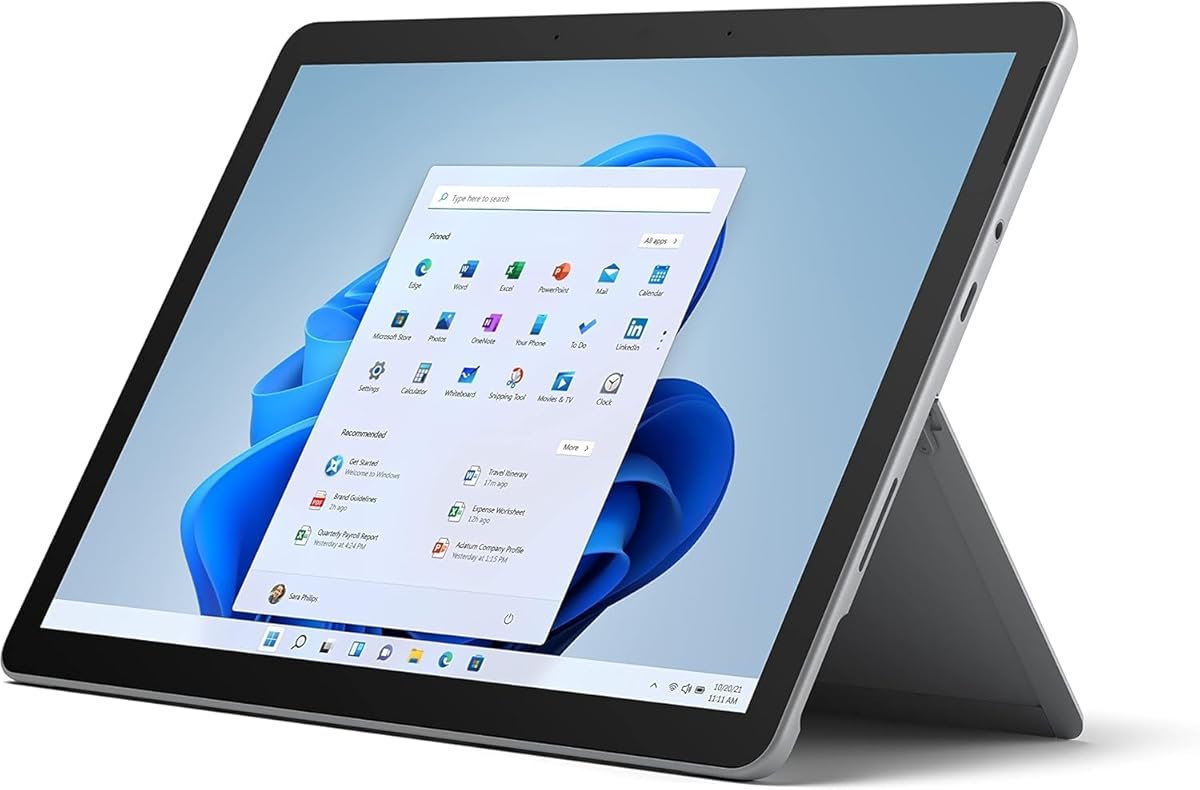


The Microsoft Surface Go 2 is a compact renewed tablet that brings a full Windows 11 Pro environment to users who prioritize mobility over maximum performance. Its customer rating is 4.3, and the most notable qualities are its 10.5-inch PixelSense touchscreen, low starting weight, and suitability for light Microsoft Office work away from a desk.
We may earn a commission when you buy through this link, at no additional cost to you.
The listed 1920 by 1280 resolution provides a detailed canvas for reading documents, editing presentations, and reviewing email, while the 10-point touch interface makes on-screen navigation and note-taking straightforward. Its Intel Core m3 processor and 8GB of memory are enough for ordinary Office multitasking, provided the user avoids unusually demanding applications and excessive numbers of open work windows.
Storage is the clearest limitation. At 128GB, the SSD leaves limited room for downloaded files, presentations, media, and synced business content, so cloud storage or external expansion becomes important. A Type Cover and other accessories are sold separately, and the tablet's smaller display means that complex spreadsheets and long document editing are less comfortable than on a larger Surface Pro.
This is a strong choice for commuters, students, and professionals who need a lightweight way to check documents, join calls, draft notes, and make light edits. It works best as a compact companion to a full computer rather than a replacement for one. For people who can accept a smaller canvas, it offers a practical combination of touch convenience, Windows 11 Pro, and high portability.
The renewed status should be considered carefully because appearance, battery condition, and warranty details can vary. Buyers should review the listing's condition description and included accessories. Microsoft Office is not stated as included, so the purchaser should also confirm the desired Office plan and activation method.
Starting at just 1.15 pounds, the Surface Go 2 is easy to carry between meetings, classrooms, and travel destinations. Its compact footprint makes it more realistic to use in a café, on a train, or while moving around an office than a full-size laptop.
Windows 11 Professional provides a familiar Office workspace and built-in management features, while the kickstand-style 2-in-1 format allows the device to shift between handheld use and a keyboard-supported position. The detachable keyboard remains an additional purchase.
We may earn a commission when you buy through this link, at no additional cost to you.
The 2024 Microsoft Surface Pro is the premium choice in this guide for users who want a large, visually refined Windows tablet for Microsoft Office. It carries a 4.3 rating, with a 13-inch OLED touchscreen, Snapdragon X Elite processor, 16GB of memory, and 512GB of storage providing a particularly strong foundation for demanding creative work.
We may earn a commission when you buy through this link, at no additional cost to you.
The OLED panel stands out for document reading, spreadsheet review, and presentation design because it offers rich color, deep contrast, and a 1M:1 contrast ratio. Its large workspace makes side-by-side document and browser use more practical, while the kickstand supports multiple viewing angles. The detachable Surface Pro Flex Keyboard is sold separately, allowing users to choose between a full laptop arrangement and a lighter tablet-only setup.
The 12-core Snapdragon X Elite platform includes a neural processing unit and is designed to support Copilot+ PC experiences. Its claimed 14-hour battery life and support for fast charging through a 65W power supply adapter make it appropriate for a full workday away from an outlet, although real results depend on display settings, network conditions, and workload.
This model is best for professionals who create visually rich presentations, analyze substantial spreadsheets, or split multiple Office and browser windows. The 512GB capacity reduces storage pressure, and the 16GB memory supports more serious multitasking. Buyers who are strongly committed to a complete Microsoft ecosystem can also benefit from the seamless transition between tablet, laptop, and sketchbook modes.
The principal compromises are the need to budget for a keyboard if full laptop functionality is desired and the higher cost of this premium configuration. Buyers should also verify application compatibility for any specialized software alongside standard Office applications. The product data identifies Windows 11 but does not confirm that a Microsoft 365 subscription is included.
The 13-inch OLED touchscreen offers more room for complex spreadsheets, reference documents, and presentation canvases. High contrast and a wide color range also make it a compelling display for graphics-heavy Office work, while touch input provides a natural way to review, mark, and navigate.
Sixteen gigabytes of memory and a Snapdragon X Elite processor provide headroom for multiple applications, browser tabs, and communication tools. The built-in NPU and Copilot+ PC platform add AI-related functionality, although users should assess compatibility with their particular Office workflow and organization.
We may earn a commission when you buy through this link, at no additional cost to you.
The renewed Microsoft Surface Pro 5 is a value-focused option for buyers who prioritize a large, high-resolution Windows canvas over modern performance. Its 3.4 customer rating is the lowest in this list, but the supplied specifications include a 12.3-inch touchscreen, 8GB DDR4 memory, a 256GB SSD, and Windows 11 Pro.
We may earn a commission when you buy through this link, at no additional cost to you.
The 2736 by 1824 anti-glare display is especially useful for reading lengthy documents, reviewing spreadsheets, and making presentation edits. A full-size USB 3.0 port, Mini DisplayPort, headphone jack, charging port, and cover port provide more connection options than many slim tablets. Front and rear cameras support everyday imaging and 1080p video recording.
Its Intel Core i5-7300U is a 2.6GHz dual-core processor with four threads, so it belongs to an older generation. Basic Office documents, email, browser-based work, and video calls are the most sensible targets. Heavy multitasking, large spreadsheet recalculation, and demanding external applications may expose the limits of this hardware sooner than they would on a current Copilot+ PC.
The Surface Pro 5 is most appropriate for a budget-conscious user who wants a full-size touchscreen and does not need demanding performance. Its 256GB storage is more useful than smaller capacities, and Windows 11 Pro adds management and security features for professional work. Buying a compatible keyboard can turn the tablet into a more practical workstation, although no keyboard is included.
Because it is renewed, buyers should inspect the condition report carefully and confirm battery, display, port, and warranty conditions. Its lower rating may reflect condition variation or the age of the platform. It remains a practical choice for basic Office tasks, but buyers should set realistic expectations about processing speed and battery endurance.
The 12.3-inch high-resolution screen gives worksheets, reports, and slide decks more visible area than a compact 10-inch tablet. The anti-glare treatment can also improve comfort during extended reading in bright environments.
Full-size USB, Mini DisplayPort, a headphone connection, and the Surface Cover port make the device more flexible for accessories and external displays. The lack of an included keyboard keeps the package streamlined for touch-first use.
We may earn a commission when you buy through this link, at no additional cost to you.
The Amazon Exclusive Microsoft Surface Pro 2024 configuration combines a 13-inch OLED display with 16GB of memory and 256GB of storage. Its 4.3 rating aligns with the broader 2024 Surface Pro family, and the configuration offers a balance between a premium display and more modest local storage.
We may earn a commission when you buy through this link, at no additional cost to you.
Its Snapdragon X Elite processor is listed with 12 cores and a powerful NPU, while Windows 11 Copilot+ PC features are designed to assist with writing, summarizing, and multitasking. For standard Office work, the important advantage is responsive everyday performance and ample memory, allowing users to move between a document, spreadsheet, browser, and meeting application with fewer constraints than the older models in the guide.
The 13-inch OLED panel provides a 1M:1 contrast ratio, which makes it useful for detailed editing and visually rich presentations. The built-in kickstand and detachable keyboard concept allow the device to serve as a tablet, sketchbook, or laptop. A claimed 14-hour battery and fast charging through USB-C or Surface Connect support mobile work, subject to real-world use.
This configuration suits professionals who need a large display but do not expect to keep large media libraries or extensive project files locally. Sixteen gigabytes of memory should be more suitable for multitasking than 8GB configurations, although 256GB remains modest for long-term storage. Cloud synchronization can make that limitation easier to manage.
The detachable Surface Pro Flex Keyboard is sold separately, and the product data does not state that Microsoft 365 is included. Users with specialized x86 desktop applications should check software compatibility in advance. Overall, it is an attractive upper-midrange choice for Office-focused users who prioritize the OLED screen and modern Copilot+ platform.
The large OLED display provides crisp text and strong contrast for reading, editing, and presenting. It also makes color-sensitive review of charts and design assets more convincing than a standard LCD.
The 12-core Snapdragon X Elite platform and NPU support responsive general computing and Copilot+ functions. Sixteen gigabytes of memory gives users room for heavier multitasking than the lower-memory models in the list.
We may earn a commission when you buy through this link, at no additional cost to you.
The 2025 Microsoft Surface Pro in Ocean is a balanced 2-in-1 for Microsoft Office users who want modern performance without moving to the largest premium configuration. It has a 4.4 rating, a 12-inch PixelSense touchscreen, 16GB of memory, 512GB of storage, and a Snapdragon X Plus eight-core processor.
We may earn a commission when you buy through this link, at no additional cost to you.
The combination of 16GB memory and 512GB storage is especially practical for office users. It provides enough memory for many open applications and enough local storage for substantial document libraries, presentation assets, and downloaded project files. The Snapdragon X Plus platform also includes an AI engine advertised as capable of up to 45 trillion operations per second, supporting the device's Copilot+ positioning.
The PixelSense display delivers vibrant color and crisp detail without switching to the higher-cost OLED option. Its claimed battery life reaches 16 hours, the longest stated figure among the current models in this guide. The built-in kickstand makes the device practical for a laptop-like working position, while detaching or adding a Surface Pro Keyboard creates a conventional tablet workflow.
This is a strong recommendation for students, hybrid workers, and traveling professionals who regularly work across Word, Excel, PowerPoint, Outlook, browsers, and video-conferencing applications. The 12-inch screen offers a useful compromise between the compact Surface Go and the roomier 13-inch Surface Pro. It is less likely to overwhelm a bag while remaining large enough for substantial documents.
The main compromises are the additional cost of a keyboard and the absence of OLED. The product data does not state that Microsoft Office is included, so users should plan for a Microsoft 365 subscription or another valid licensing route. As with other current Surface models, specialized software compatibility deserves checking before committing to the platform.
The 16GB configuration is well matched to typical Office multitasking, while 512GB of storage gives important local space for work files. Together, they reduce the need to keep every document in the cloud or move files through removable media.
A stated 16-hour battery target makes the Surface Pro 2025 appealing for commuters and field workers. The built-in kickstand supports hands-free video calls, document review, and typing when a compatible keyboard is attached.
We may earn a commission when you buy through this link, at no additional cost to you.
The Platinum Microsoft Surface Pro 2025 offers a current Copilot+ platform in a versatile 12-inch form. Its 4.2 rating, 16GB of memory, and 256GB storage make it suitable for everyday Office productivity, while the eight-core Snapdragon X Plus processor provides a more modern foundation than the renewed Intel models.
We may earn a commission when you buy through this link, at no additional cost to you.
The built-in kickstand lets the tablet stand securely for typing or presentations, and the 12-inch PixelSense display offers a useful balance of detail and portability. Windows 11 Copilot+ PC features are positioned around writing, summarizing, and multitasking assistance. The included AI engine is advertised as delivering up to 45 trillion operations per second, although usefulness varies by application and workflow.
Memory is a major strength. At 16GB, the device has enough capacity for a productive mix of browser tabs, Office applications, communication tools, and background tasks. Storage is more restrained at 256GB, but that amount remains sufficient for active work documents if users employ cloud synchronization, manage file archives externally, or remove media after use.
The model is well suited to students, office staff, and hybrid workers seeking a device that can be carried easily and converted into a laptop-like workstation. Its stated 16-hour battery life supports the expectation of extended mobile use. The detachable keyboard is sold separately, which means the final typing experience and total cost depend on the accessory selected.
Buyers should not assume that Microsoft Office itself is bundled. A valid Microsoft 365 license or separate Office installation is required for the complete desktop Office experience. The product is a strong all-rounder for standard Office work, but the 512GB version may be worth considering for users who retain large files locally.
The Snapdragon X Plus processor and 16GB of memory create a responsive platform for standard office applications and multi-window use. Copilot+ features add potential assistance for writing and summarizing, subject to application support.
Twelve inches is large enough for readable documents, detailed spreadsheets, and video meetings without reaching the footprint of a 13-inch tablet. Touch operation also makes quick annotations and navigation more natural.
We may earn a commission when you buy through this link, at no additional cost to you.
The renewed Microsoft Surface Pro 7 combines an Intel Core i7 processor with 16GB of memory in a familiar 12.3-inch 2-in-1 design. Its 3.8 rating sits in the middle of the guide, and the configuration is attractive to users who want more memory than the budget-oriented Surface Pro 5 without moving to a current Copilot+ model.
We may earn a commission when you buy through this link, at no additional cost to you.
The Core i7-1065G7 has four cores and eight threads, providing capable performance for Office multitasking and common professional applications. Sixteen gigabytes of RAM is particularly helpful when several browser tabs, spreadsheets, and communication tools are open at once. The 256GB SSD provides enough room for an active working library, although it is not especially generous by current standards.
Its 2736 by 1824 PixelSense display offers a 3:2 aspect ratio that is useful for viewing documents and webpages. The device weighs from 1.70 pounds and includes both USB-C and USB-A, plus a headphone jack, Surface Connect, a Type Cover port, and a microSDXC reader. This variety of connections is useful for peripherals that still rely on USB-A.
The Surface Pro 7 is a solid recommendation for users who value the large screen, 16GB memory, and familiar Intel platform over the newest Copilot+ features. It may also be a practical option for organizations with established software configurations. However, its tenth-generation processor is no longer current, and the renewed listing may involve varying cosmetic or component conditions.
Before buying, confirm the battery condition, display appearance, included accessories, and warranty. A compatible keyboard and pen can significantly improve productivity, but they are not stated as included. The tablet does not include Microsoft Office by default, and users should budget for valid software licensing separately.
The 16GB memory configuration is the highlight for office users who routinely keep many applications open. It offers more headroom than 8GB tablets and can make document-heavy multitasking feel more dependable.
USB-A remains useful for legacy peripherals, while USB-C supports modern accessories and charging. Wi-Fi 6 and Bluetooth 5.0 provide current wireless connectivity, and the microSD slot allows additional removable storage.
We may earn a commission when you buy through this link, at no additional cost to you.
The Microsoft Surface Pro 7+ is a renewed, Platinum Silver tablet offering a large high-resolution display and Windows 11 Pro in a familiar 2-in-1 chassis. Its 4.2 rating is stronger than several other renewed selections, but the 8GB memory and 128GB SSD place it firmly in the basic productivity tier.
We may earn a commission when you buy through this link, at no additional cost to you.
The Intel Core i3-1114G5 runs between 1.70GHz and 3.0GHz according to the supplied specifications. It can handle documents, email, web applications, and video calls, though intensive spreadsheet work or many simultaneous applications will be less comfortable than on the Surface Pro 7's Core i7 configuration. The 8GB memory also leaves less room for heavier multitasking.
The 12.3-inch PixelSense touchscreen has a 2736 by 1824 resolution and 267 pixels per inch, providing a sharp surface for reading and editing. The device starts at 1.70 pounds and includes USB-C, USB-A, a 3.5mm headphone jack, Surface Connect, a Type Cover port, and a UHS-I microSDXC reader. The kickstand supports hands-free use.
This model is best for a budget-conscious user who mainly needs a portable Windows display for email, browsing, note-taking, viewing documents, and occasional Microsoft Office editing. The high-resolution screen and Pro operating system make it more versatile than a conventional entry-level tablet. Its compact storage makes cloud storage or the microSD slot especially important.
Renewed-condition differences are the main uncertainty, so examine the seller's condition notes and warranty information. The keyboard and pen are not included. Users should also plan for valid Microsoft Office licensing and check that the applications they use are compatible with the installed Windows configuration.
The high-resolution 12.3-inch panel provides enough space for document review while remaining portable. Its 3:2 ratio also offers a more balanced shape for webpages and Office documents than a very wide tablet.
Windows 11 Professional supplies the standard Microsoft desktop environment, and the kickstand allows the tablet to sit upright for typing or presentations. A separate Type Cover turns the device into a more conventional laptop.
We may earn a commission when you buy through this link, at no additional cost to you.
The Microsoft Surface Pro for Business is a 2025 Copilot+ PC aimed at organizations that need a manageable mobile Windows device. Its 5.0 customer rating is the highest among the listed products. The configuration combines a 12-inch touchscreen, Qualcomm Snapdragon X Plus processor, 16GB of memory, 256GB of storage, and Windows 11 Pro.
We may earn a commission when you buy through this link, at no additional cost to you.
The lightweight design, listed at 1.51 pounds, reduces physical strain during commuting and extended mobile use. Its octa-core processor and 16GB of memory support rapid application switching, web browsing, communication, and ordinary Microsoft Office workloads. Windows 11 Pro adds security and remote-management capabilities that can be useful in business environments.
A claimed 16-hour battery runtime helps users remain productive through meetings, travel, and desk work. The LCD display is described as power-efficient and designed to minimize heat, which supports the device's intended mobile role. The 12-inch screen is large enough to display documents, spreadsheets, and video-call participants in a portable package.
This Surface is well suited to business users who value Windows 11 Pro, manage their applications through the Microsoft ecosystem, and need a light 2-in-1. It is also appealing for organizations already familiar with Surface deployment. Sixteen gigabytes of memory provides a comfortable margin for typical Office multitasking, although users with large local archives may find 256GB limiting.
The business model may not include a keyboard, and the listing does not state that Microsoft 365 is included, so procurement teams should verify the complete package. Compatibility with line-of-business software, management tools, and accessories should also be checked. A high customer rating is encouraging, but it should complement—not replace—verification of organizational requirements.
Windows 11 Pro provides security, device management, and remote-access capabilities that align well with business deployment. These features are especially relevant to organizations operating standardized software and security policies.
At 1.51 pounds, the tablet is easy to carry between locations. Its stated 16-hour runtime and efficient LCD design target users who need to work, stream, and communicate away from a fixed desk.
We may earn a commission when you buy through this link, at no additional cost to you.
The original Microsoft Surface Go is the most compact and lightweight option in this guide. It has a 4.1 rating, a 10-inch PixelSense display, an Intel Pentium Gold processor, 4GB of memory, and 64GB of storage. Its primary appeal is portability rather than demanding Office performance.
We may earn a commission when you buy through this link, at no additional cost to you.
The display can be viewed, touched, and written on, making it suitable for reading documents, taking handwritten notes, checking email, and joining online meetings. At just 1.15 pounds, it is easy to carry all day. USB-C, fast charging through Surface Connect, and a headphone jack cover the essential connectivity needs for a small companion device.
The listed operating system is Windows 10 in S mode, which has restrictions compared with a standard desktop installation. Users should confirm whether the current device configuration supports their required Microsoft Office applications, especially if they need full desktop software, peripherals, or specialized business tools. The product data also refers to the Surface Go's original platform, so the included software should be verified.
With 4GB of memory and 64GB of storage, this model is best for simple tasks such as reviewing email, browsing, light document viewing, and brief note-taking. Heavy multitasking, large spreadsheet files, and locally stored media would quickly test its limits. A stated battery life of up to nine hours is useful for a full work period, while LTE video playback is listed at up to 8.5 hours.
The Surface Go is a sensible secondary device for travelers or a lightweight reader for a student who already has access to a primary computer. It is less appropriate as the sole Office machine for a professional. Renewed-condition variation, storage constraints, and software-mode restrictions make it important to read the listing carefully before purchase.
The 1.15-pound design makes the Surface Go one of the easiest tablets to carry for an entire day. It is especially useful for reading email, annotating documents, and working during travel.
USB-C provides modern peripheral and charging support, while Surface Connect enables the listed fast-charging setup. The headphone jack is convenient for private calls and media consumption.
We may earn a commission when you buy through this link, at no additional cost to you.
The right tablet for Microsoft Office depends on how much screen space, processing power, storage, and typing flexibility you need. These factors help distinguish a light travel companion from a full mobile workstation.
A 10-inch screen is easy to carry and works well for reading, email, short documents, and quick edits. A 12-inch display offers a more comfortable balance for spreadsheets, presentations, and split-screen work, while 13-inch models provide the most room for detailed documents and dense interfaces. Consider whether the tablet will be used primarily on a desk, in meetings, or while traveling, and choose a size that remains comfortable in the intended environment.
Basic Word, Excel, and PowerPoint work does not require a workstation processor, but complex spreadsheets, many browser tabs, and demanding add-ins benefit from a faster platform. The renewed Intel Core i5 and i7 options provide established performance, while the Snapdragon X Plus and X Elite models represent the current Copilot+ generation. Always check the requirements of add-ins and specialized line-of-business applications before choosing an ARM-based Surface.
Memory determines how comfortably several applications can remain open without slowing down. Four gigabytes is suitable only for light tasks, while 8GB provides a reasonable minimum for regular Office use. Models with 16GB are better for heavy browser use, multiple work applications, video meetings, and longer sessions. Paying attention to memory can also extend the practical usefulness of a device whose storage is more limited.
Office productivity often involves more than the active document. Presentations, attachments, media, backups, and synced project files can consume substantial room. A 128GB or 64GB model benefits from cloud storage or a microSD card, while 256GB is more comfortable for an active local library and 512GB suits users who retain substantial files. Check whether cloud synchronization, removable storage, or network file access fits your security requirements.
Office work often happens away from an outlet, so weight and battery life matter together. The 10-inch Surface devices are the easiest to carry, while 12-inch and 13-inch Pro models offer more screen space with only a modest increase in bulk. Listed battery figures range from approximately nine to 16 hours. Treat those figures as maximum or target claims, since display brightness, video calls, wireless activity, and document-heavy workloads can change actual endurance.
A Surface keyboard is generally sold separately on the models in this guide. Without one, these devices function as touch-first tablets with an adjustable kickstand, which is excellent for reading and demonstrations but less comfortable for sustained typing. For daily Office work, budget for a compatible Type Cover, Flex Keyboard, or another suitable keyboard. Also consider a pen for annotations, a protective case, and adapters for external monitors or wired peripherals.
A Windows tablet does not necessarily include a valid Microsoft Office or Microsoft 365 license. Check the product package and seller listing carefully, and budget separately if a subscription is required. You may already have access through work or school, or you may choose a qualifying purchase option. Also confirm that your required Office applications, add-ins, fonts, macros, and line-of-business tools run on the device's Windows version and processor architecture.
Several choices are renewed or refurbished products, which can provide useful savings and access to older high-resolution hardware. However, cosmetic wear, battery condition, warranty coverage, and included accessories may differ between units and sellers. Review the condition grade, images, diagnostic details, and return policy. Keep the protective packaging and receipt until the tablet has been checked, and report any issues promptly.
Begin by completing Windows setup, connecting to a trusted network, and signing into the Microsoft account associated with your Office subscription. Install the current Office applications, update Windows, and confirm that your documents synchronize through OneDrive or your organization's approved storage service. Install only the keyboard, pen, and accessories compatible with the exact Surface model.
For everyday use, keep the tablet on a stable surface when attaching a keyboard or using the kickstand. Maintain reasonable free storage, save large work files locally when appropriate, and avoid leaving the device in extreme heat, direct cold, or humid conditions. Clean the touchscreen with a soft microfiber cloth, avoid abrasive cleaners, and keep liquids away from openings. Battery care is also important: use the appropriate charger and avoid routinely keeping a plugged-in tablet at full charge if your device offers battery-health controls.
When traveling, protect the tablet with a suitable sleeve or case, use a secure bag for storage, and keep a backup of important documents. For long meetings, lower brightness, disable unused wireless connections, and use a compatible keyboard to improve comfort. Before transferring a renewed device to a new owner or organization, remove personal accounts, sign out of OneDrive, wipe local data using Windows reset options, and securely reinstall the required Office environment.
The supplied product information does not state that Microsoft Office or Microsoft 365 is included with these tablets. Some may be covered by an existing personal, school, or workplace subscription, but users should verify the package and seller listing. A valid license is required for the full desktop Office applications and associated cloud services. Budgeting for Microsoft 365 or another legitimate licensing option is therefore an essential part of the purchase.
A Surface Pro is generally better for intensive Microsoft Office use because its larger screen, newer processor options, and higher storage configurations provide more room and performance. A Surface Go is more portable and may suit a user who primarily reads documents, checks email, and performs light edits. The right choice depends on the size of your spreadsheets, number of open applications, need for a keyboard, and willingness to manage the lower storage found on compact models.
Yes, these tablets are designed to run the standard desktop versions of Microsoft Office when a valid license and compatible installation are available. Performance varies by model: current Snapdragon-based Copilot+ PCs are well suited to mainstream Office work, while older dual-core or 4GB configurations are better for lighter tasks. Specialized Excel add-ins, macros, legacy plug-ins, and line-of-business applications should be tested or checked for compatibility.
A keyboard is not required for reading, presenting, annotating, or performing touch-based tasks, but it substantially improves long-form typing and spreadsheet entry. The listed detachable keyboards are generally sold separately. If the tablet will be your primary Office device, include a compatible keyboard in the budget. For occasional travel, the device can still be productive as a standalone tablet when a portable keyboard is nearby.
The 13-inch Surface Pro models with OLED displays offer the largest and most visually refined canvases in this group. Their high contrast and color range are useful for presentation design and detailed review. The 12-inch PixelSense models provide a more balanced combination of display quality and portability, while the 10-inch Surface devices prioritize compactness over spreadsheet room.
The answer depends on whether you keep large media files, archived projects, and attachments on the tablet. Active documents can fit comfortably in a smaller configuration, but 256GB provides more breathing room and 512GB is preferable for extensive local libraries. The 64GB and 128GB models benefit from cloud synchronization or a microSD card. Consider your organization's security policies before storing confidential files on removable media.
Renewed models can be suitable for daily work when their condition, battery health, warranty, and included accessories meet your needs. They often provide access to capable hardware at a lower cost, especially for basic Office tasks. Review the seller's condition notes carefully, test the display and ports as soon as the device arrives, and confirm the return policy. More demanding workloads are better served by a current processor and 16GB of memory.
The current Surface Pro models are designed for standard Microsoft Office applications under Windows 11. However, some older x86 plug-ins, macros, peripherals, and specialized business software may not work with the Snapdragon architecture. Check the software developer's current compatibility information and test critical add-ins before deploying the device as your only work computer. Standard Office documents, email, browser-based tools, and mainstream collaboration applications are the core use cases.
The Microsoft Surface Pro 2024 with a 13-inch OLED display is the premium option for users who prioritize screen quality, 16GB of memory, and 512GB of storage. The 2025 Surface Pro in Ocean offers the strongest balance of modern performance, generous storage, and mobile flexibility, while the renewed Surface Pro 5 is the most budget-conscious route to a large high-resolution Windows workspace.
Before buying, prioritize the workload you actually perform. Choose 16GB of memory for sustained multitasking, 256GB or more for local files, and a screen size that makes your most common documents comfortable to read. Buyers using current Snapdragon models should verify specialized software compatibility, while renewed-device shoppers should carefully review condition, battery expectations, warranty, and accessories.
Finally, remember that the listed prices and inventory can change, so check the current listing before making a decision. Confirm the complete package, Microsoft Office licensing, keyboard requirement, and return terms. A tablet for Microsoft Office is most valuable when its size, performance, and storage align with the way you actually work.