
ACEMAGIC V1
4.4Editor score
Sixteen gigabytes DDR4
Dual fourK display support
Compact aluminum enclosure
Our N150 Mini PC guide compares ten compact computers for speed, networking, multi-display support, cooling, storage, expandability, and everyday productivity.
N150 mini PCs combine a compact footprint, efficient Intel Twin Lake processing, and enough capability for everyday computing. A well-equipped model can handle office applications, web browsing, video meetings, media playback, digital signage, light photo editing, and basic network services while using less space and power than a traditional desktop tower.
The models in this guide were compared using their supplied specifications, focusing on processor capability, memory, storage, display support, networking, cooling, port selection, and practical expandability. The list covers general-purpose mini PCs, fanless systems, dual-network models, and a specialized firewall appliance, helping buyers match hardware to a specific workstation role.
Each review explains the most notable strengths, limitations, and ideal use cases of its featured N150 mini PC. Product ratings and configurations can change over time, and retailer pricing also fluctuates, so readers should verify the current listing and exact hardware details before making a final purchasing decision.
4.4Editor score
4.4Editor score

4.7Editor score
This side-by-side comparison covers processor class, core hardware, display capabilities, networking, cooling, and practical expansion options across ten compact computers relevant to the N150 mini PC market.


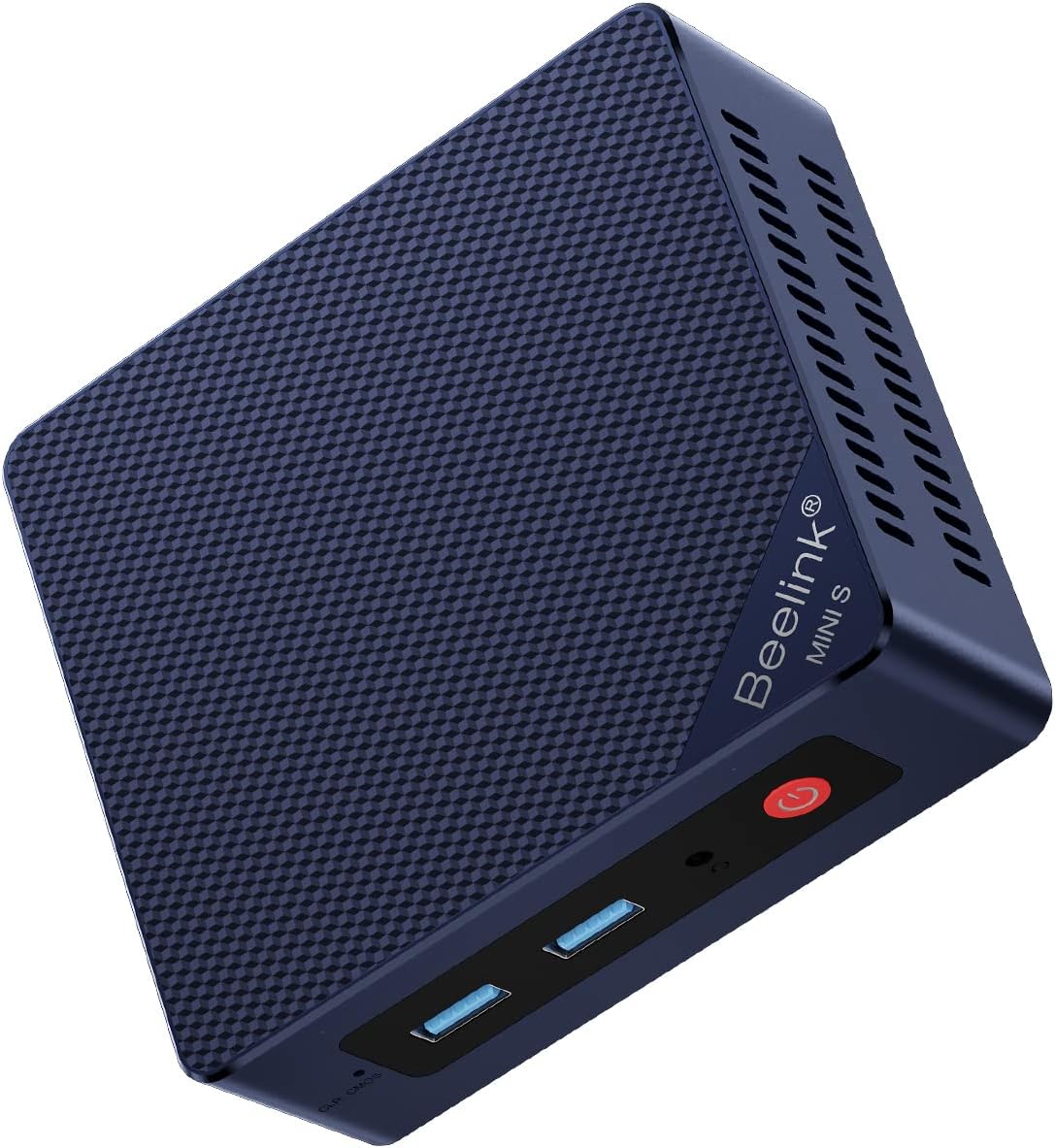
The Beelink MINI S13 is the strongest all-around choice in this guide, combining an Intel Twin Lake N150 processor with 16GB of DDR4 memory and a 500GB SSD. Its 4.4 rating reflects a well-rounded configuration, but the real distinction comes from the two 2.5GbE Ethernet ports, which are unusual at this compact size and useful for advanced networking setups.
We may earn a commission when you buy through this link, at no additional cost to you.
Performance is tailored to practical desktop duties rather than demanding professional workloads. The four-core, four-thread processor can run Office applications, browse the web, stream video, and handle online meetings, while Intel UHD graphics support up to 4K output at 60Hz through HDMI 2.0. Three 10Gbps USB 3.2 Gen2 ports and one USB 2.0 port make it easier to connect peripherals, external storage, and office equipment.
The most notable limitation is display flexibility. Unlike several rivals in this list, this configuration provides one HDMI connector rather than two. Buyers who need a dedicated second display should inspect the current listing carefully because closely related MINI S13 configurations differ in ports and network hardware. It is also an actively cooled design, so it is not as acoustically invisible as the MeLE Cyber X1.
This mini PC suits home offices, reception desks, digital signage, and compact network nodes. It is especially attractive for users who appreciate wired Ethernet performance and want a standard computer that can handle routine productivity without taking up much room. For a balanced N150 purchase, the MINI S13 is recommended for its combination of memory, storage, networking, wireless support, and useful remote-management features.
The pair of 2.5GbE ports opens possibilities beyond ordinary web browsing. They can support high-speed file transfers, separate network segments, or a compact soft-router arrangement, making the system more versatile than a basic office mini PC with one Gigabit port.
The enclosure measures approximately 115 by 102 by 41 millimeters and includes a wall-mounting bracket. That makes it easy to place behind a monitor, inside a cabinet, or on a crowded desk without sacrificing access to the front-facing ports.
We may earn a commission when you buy through this link, at no additional cost to you.
This Beelink MINI S13 configuration is a straightforward general-purpose mini PC with a 4.3 rating and a useful 16GB memory configuration. Its Intel N150 processor reaches up to 3.6GHz, while the supplied 500GB M.2 drive provides enough room for an operating system, business applications, browser data, and a personal media library.
We may earn a commission when you buy through this link, at no additional cost to you.
Storage expansion is one of its most attractive features. The installed drive uses the M.2 SATA3 2280 format, while a second slot accepts an M.2 PCIe 3.0 x1 NVMe drive. This gives users a convenient path to add faster storage without replacing the primary drive, although the exact supported maximum should be confirmed with the manufacturer.
Connectivity includes WiFi 6, Bluetooth 5.2, and 2.5GbE Ethernet, which is a solid foundation for browsing, video calls, and peripheral connections. Intel graphics with 24 execution units at 1000MHz can handle 4K 60Hz playback. The principal trade-off is that the stated configuration offers one HDMI output and one wired network port, making it less flexible for dual-screen or segmented-network arrangements.
This model is best for buyers who want familiar Windows 11 Home behavior, sufficient memory for numerous browser tabs, and simple storage expansion. It is well suited to home learning, document work, customer-service terminals, and media playback. Those wanting two independent displays should prioritize a dual-output alternative such as the Beelink N150 model, BMAX B4 Turbo, or MeLE Cyber X1.
Sixteen gigabytes of DDR4 gives the system comfortable headroom for office suites, browser-heavy research, messaging, and concurrent media applications. It is a more useful starting point for general users than a smaller memory configuration.
The second NVMe-capable slot makes it possible to retain the supplied drive while adding separate storage. This is useful for separating operating-system files, project media, or frequently transferred data.
We may earn a commission when you buy through this link, at no additional cost to you.
The Beelink MINI S13 N150 stands out for supporting two 4K displays through its pair of HDMI outputs. It also carries 16GB of DDR4 memory and a 500GB M.2 PCIe 3.0 solid-state drive, giving it a capable foundation for office work, home theater use, and light content-production tasks.
We may earn a commission when you buy through this link, at no additional cost to you.
The processor is specified as a 4-core, 4-part N150 with a 6MB L3 cache and boost clock up to 3.6GHz. Intel graphics operating at up to 1000MHz support 4K 60Hz on two screens simultaneously. Four USB 3.2 Gen2 ports provide 10Gbps bandwidth, while WiFi 6 and Bluetooth 5.2 cover common wireless needs.
Storage is particularly flexible because the system supports up to two M.2 2280 drives using NVMe or SATA3, with a stated combined capacity of up to 4TB. It also includes features such as Wake on LAN, PXE boot, RTC wake, and auto power on, which are useful for unattended deployment. The one-gigabit Ethernet port is the main networking compromise compared with dual-2.5GbE alternatives.
This mini PC is ideal for a productivity desk with two monitors, a home theater setup requiring more than one screen, or a small business system that needs convenient remote operation. No current customer rating is shown in the supplied data, so buyers should examine the live listing and recent customer feedback before deciding whether its feature set justifies the purchase.
Separate documents, messaging windows, and reference material can be placed across two 4K monitors. This is a meaningful advantage over single-output systems, particularly for research, administration, and media-control tasks.
Wake on LAN, PXE boot, scheduled RTC wake, and auto power on support systems that need to start or be accessed without someone physically pressing the power button every time.
We may earn a commission when you buy through this link, at no additional cost to you.
The ACEMAGIC V1 is an attractive entry into the N150 mini PC category, pairing the four-core processor with 16GB of DDR4 and a 512GB solid-state drive. Its 4.4 rating indicates positive customer reception, and the supplied specification places it among the more well-rounded compact systems for home and office use.
We may earn a commission when you buy through this link, at no additional cost to you.
Display flexibility is a primary strength. HDMI 2.0 and a USB-C output support two independent 4K panels at 60Hz, which is useful for split-screen productivity, monitoring, and digital signage. WiFi 6, Bluetooth 5.2, and Gigabit Ethernet provide a complete connectivity foundation, while the enclosure measures only 3.9 by 3.9 by 1.3 inches.
Cooling is handled by an aluminum body and a quiet axial fan, with the listing claiming operation below 22dB. Buyers should nevertheless distinguish a fan-based system from a truly fanless design. The product information also contains an inconsistency between a 512GB storage claim in the title and a 256GB reference in the description, so the current drive configuration should be verified carefully.
The ACEMAGIC V1 is well suited to general office computing, online learning, video calls, and home entertainment. It offers more display flexibility than a basic single-screen mini PC while maintaining a particularly small footprint. For buyers seeking a capable everyday system with strong expansion potential, the stated storage expansion to 2TB adds further appeal, subject to confirming the installed configuration.
At roughly the footprint of a compact paperback book, the V1 can fit behind a monitor or in a small shelving gap. The included 75 by 75 millimeter VESA mount supports discreet installation without requiring a separate full-size desktop.
The CNC aluminum shell assists with heat transfer, while the axial fan is designed for low audible output. This combination is useful in offices and living areas where a larger desktop would be inconvenient and a completely fanless system may not suit the workload.
We may earn a commission when you buy through this link, at no additional cost to you.
The Beelink MINI S13 Dual LAN is a particularly strong all-round option, holding a 4.5 rating among the products with a visible customer score. It combines the Intel N150 with 16GB of DDR4 memory, a 500GB M.2 solid-state drive, WiFi 6, Bluetooth 5.2, and two independent 2.5GbE Ethernet connectors.
We may earn a commission when you buy through this link, at no additional cost to you.
For everyday users, the processor is sufficient for document editing, web research, communication platforms, media playback, and multiple lightweight applications. Intel graphics with 24 execution units at 1000MHz support 4K video playback and browsing, while the HDMI output is rated for up to 4K at 60Hz. Three USB 3.2 Gen2 ports support high-speed accessories, and the separate USB 2.0 port can handle slower peripherals.
The lack of a second display connector is the clearest limitation. It also uses a cooling fan rather than a fanless chassis, making it less appropriate for extremely quiet recording or living-room installations. Users who do not need dual Ethernet may regard the second 2.5GbE port as unnecessary, but for compact network infrastructure it is a valuable feature.
This system is well suited to offices that value stable wired networking, connected workstations, light server duties, and simple storage sharing. It also works as a conventional desktop for students or home users who want a small footprint and modern wireless support. Its strong rating, balanced memory, fast networking, and accessible port arrangement make it a particularly convincing N150 mini PC recommendation.
The dual 2.5GbE interfaces can support direct transfers between two networked systems, separate wired and wireless traffic, or a compact routing experiment. They are also backward compatible with ordinary Gigabit Ethernet equipment.
Windows 11 Home is preinstalled, making the system approachable for ordinary home and office users. The preconfigured software also reduces the need to install an operating system immediately after delivery.
We may earn a commission when you buy through this link, at no additional cost to you.
The BMAX B4 Turbo is designed for users who want to connect more screens than most N150 mini PCs can support. Its Intel N150 has four cores and four threads with a 6MB cache and boost clock up to 3.6GHz. Paired with 16GB of DDR4 memory, it is suitably equipped for office productivity, study, media, and light multitasking.
We may earn a commission when you buy through this link, at no additional cost to you.
The most significant feature is support for three 4K UHD displays. The specified outputs include two HDMI ports and one USB-C connection, alongside two USB 3.0 ports, two USB 2.0 ports, Gigabit Ethernet, and a 3.5mm audio jack. That variety makes it useful for command centers, trading layouts, digital-signage control, and productivity users who want reference information visible on multiple panels.
Storage begins with a 512GB solid-state drive, while an expansion slot can accept a 2.5-inch SATA solid-state or hard drive. The supplied expansion drive is not included. Wireless connectivity is dual-band WiFi 5 with Bluetooth 5.0, which is acceptable for many homes and offices but trails newer WiFi 6 systems. Gigabit Ethernet also provides fewer headroom options than 2.5GbE models.
The B4 Turbo is a good choice for a study desk, small control station, or three-monitor productivity setup. Its one-key smart recovery function can restore the system after a major crash, while Wake on LAN, PXE boot, and auto power on support more permanent installations. Overall, it trades advanced networking for unusually broad display support.
Users can keep communications, reference documents, and active applications on separate panels. For control rooms, trading environments, and media dashboards, the ability to run three independent screens is often more valuable than a single faster processor.
The 2.5-inch expansion bay allows a second SATA drive to be added for archives or shared files. This provides a practical path to more capacity while preserving the supplied solid-state drive for the operating system and active applications.
We may earn a commission when you buy through this link, at no additional cost to you.
The Glovary Firewall Box is the most specialized product in the guide. Rather than targeting a conventional office computer, it provides six Intel i226-V 2.5GbE network interfaces for use with operating systems such as OPNsense, Linux, and OpenWrt. Its Intel N150 processor uses four cores and four threads with a 6MB cache and a stated 6W thermal design target.
We may earn a commission when you buy through this link, at no additional cost to you.
The six-port network layout is the defining feature. It can serve as a compact router, firewall, or segmented-network appliance without requiring a stack of separate consumer routers and switches. AES-NI support is also relevant to security workloads, while the two M.2 2280 NVMe slots provide more storage flexibility than many ordinary office mini PCs.
Despite being marketed as fanless, the package includes a connection for an optional 12V four-pin 80 by 10 millimeter fan. Buyers should therefore confirm whether a fan is included, and how the enclosure is intended to be operated in demanding network environments. The 8GB DDR5 memory is modest, and the 128GB NVMe drive is best regarded as a system drive rather than generous local storage.
This appliance is ideal for technically inclined users building a dedicated firewall, router, VPN endpoint, or multi-segment home lab. It can also provide a local console through two HDMI outputs and a USB-C display connection. General office buyers will find its six-port design excessive, but for a dedicated network role it is unusually capable and compact.
Six 2.5GbE interfaces make it possible to divide a home or small-office network into isolated zones. That is useful for guest access, IoT devices, cameras, lab systems, or sensitive work equipment without introducing several additional boxes.
Two NVMe slots can accommodate a system image and additional local data, while the three display connections provide an optional local management interface. The enclosure and included VESA bracket also support discreet placement near network equipment.
We may earn a commission when you buy through this link, at no additional cost to you.
The GMKtec G11 Plus is included as a useful alternative because it does not use an Intel N150. Its Ryzen 5 3500U processor is a four-core, eight-thread part based on Zen+ architecture, with a 2.1GHz base clock, 3.7GHz boost clock, and 15W thermal design target. The listed comparison claims substantially greater performance than the N150 in CPU-intensive work.
We may earn a commission when you buy through this link, at no additional cost to you.
Graphics are another major differentiator. Radeon Vega 8 operates at up to 1.2GHz and supports H.265 or HEVC encoding, modern graphics APIs, and three independent 4K displays. The 16GB memory is arranged as dual-channel 2 by 8GB, which can provide a meaningful advantage for graphics and other bandwidth-sensitive tasks compared with a single memory channel.
Networking is also strong, with two 2.5GbE Ethernet ports, WiFi 6E, Bluetooth 5.2, and several USB ports. The supplied information describes potential uses including firewall functions, network-attached storage, virtual machines, containers, and a VPN server. It is a more capable general-purpose platform, but it no longer qualifies as a true N150 mini PC.
Readers seeking the lowest power use, a precisely specified N150 configuration, or a purpose-built network appliance should focus on the other entries. Those wanting more processing headroom, stronger integrated graphics, dual-channel memory, and a broad connection selection may prefer this AMD system. No customer rating is shown in the supplied data, so live feedback should be reviewed before purchase.
The Ryzen 5 3500U has four cores and eight threads, offering more parallel capacity than the N150's four cores and four threads. This helps with compiling, light content creation, virtual machines, and other workloads that benefit from additional threads.
Two matched memory modules double the available memory pathways compared with a single-channel arrangement. Integrated graphics and general application performance can benefit from the additional bandwidth, particularly when the system drives multiple displays.
We may earn a commission when you buy through this link, at no additional cost to you.
The Beelink MINI S13 W11 is a familiar home-office configuration built around the Intel N150, 16GB of DDR4 memory, and a 500GB M.2 SATA3 drive. Its 4.2 rating is slightly lower than several other Beelink listings, but the product remains well equipped for browsing, Office work, online meetings, streaming, and general household use.
We may earn a commission when you buy through this link, at no additional cost to you.
The defining benefit is the combination of dual 2.5GbE Ethernet and a separate M.2 PCIe 3.0 x1 NVMe slot. Users can add fast secondary storage without replacing the original drive, while the wired connections support quick transfers and more advanced compact network arrangements. Intel UHD graphics with 24 execution units at 1000MHz handle 4K playback through the single HDMI connection.
Windows 11 Home is preinstalled, which is useful for users who want a straightforward setup experience. WiFi 6 and Bluetooth 5.2 are present, and the system is appropriate for browsing with many tabs, school assignments, office documents, and shared family media. The lack of a second display output limits its usefulness where separate reference panels are important.
This mini PC is best for a home office, study room, or connected household device that prioritizes standard desktop software and strong networking. It is a sensible alternative to higher-rated Beelink listings when the exact configuration meets a buyer's needs. Confirming the available ports, storage type, and current OS setup in the live listing is advisable before checkout.
Two 2.5GbE ports can be especially useful for large file transfers, local media access, or separating a connected device from the main network. The standard WiFi 6 radio remains available for flexible placement.
The secondary NVMe-capable slot allows users to add a fast drive for large applications, media, or project files. Retaining the supplied 500GB drive can also make operating-system maintenance and recovery more convenient.
We may earn a commission when you buy through this link, at no additional cost to you.
The MeLE Cyber X1 earns the premium recommendation with a 4.7 rating, the highest visible customer score in the group. It combines an Intel Twin Lake N150 processor, 16GB of DDR4 memory, a 512GB NVMe drive, and Windows 11 Pro in a completely fanless enclosure designed for quiet, continuous operation.
We may earn a commission when you buy through this link, at no additional cost to you.
Its cooling system combines a pure-copper heatsink with a thermally conductive plastic housing and a patterned exterior surface intended to increase dissipation. Because there is no active fan, the system produces no fan noise, making it appealing for offices, bedrooms, libraries, recording spaces, home theaters, and industrial control rooms. Users should still provide reasonable airflow around the chassis.
Three independent 4K displays can be driven through two HDMI 2.0 outputs and one USB-C connection. Storage is flexible, with an additional M.2 2280 NVMe slot and a microSD card slot, while the unlocked BIOS supports auto power on. Connectivity is the main step backward from some competitors: dual-band WiFi 5, Bluetooth 5.1, and Gigabit Ethernet are serviceable, but they are not the newest or fastest options.
The Cyber X1 is ideal for buyers who value silence, Windows 11 Pro, and multi-screen capability over WiFi 6 and 2.5GbE networking. It can serve as a compact workstation, media hub, classroom controller, signage player, or quiet industrial endpoint. For those priorities, it is the most polished N150 mini PC in the guide and the clearest premium pick.
The absence of a mechanical fan eliminates fan-borne noise entirely, which is valuable during calls, recording, media playback, and sleep-adjacent use. The copper heatsink and textured housing are designed to dissipate heat passively.
Windows 11 Pro provides a more capable foundation for business administration and connected workflows, while three display outputs support financial monitoring, development dashboards, creative previews, or control-room information.
We may earn a commission when you buy through this link, at no additional cost to you.
Choosing an N150 mini PC requires balancing processor capability, memory, storage, display connections, network hardware, cooling, and intended role. The processor is efficient and capable for routine work, but ports and connectivity can vary dramatically between models using the same chip.
Choose the N150 for efficiency and compactness. Look elsewhere if constant rendering, complex virtual machines, or demanding professional software is the main objective. Also confirm that a listing really includes an N150, because closely related mini PCs may use different processors.
For web-heavy work, school, and office use, prefer 16GB where possible. Eight gigabytes can work for a dedicated display, basic terminal, or firewall appliance, but offers less room for general multitasking.
Check the exact drive format before purchase because M.2 is a shape, not a guarantee of identical speed or protocol. Look for a second M.2 slot or a 2.5-inch bay when future expansion is important, and verify whether any expansion drive is included.
Count the monitors and adapters you need before choosing. Ensure the included or required cables support the target resolution and refresh rate. USB-C is particularly useful when one port must carry video, data, and potentially power, but the N150 platform does not guarantee USB-C charging on every model.
Choose based on the role rather than maximum port count. Business users may appreciate redundant wired connectivity, while a dedicated firewall benefits from several isolated interfaces. Confirm that drivers and intended network software are compatible before building specialized equipment around a mini PC.
Choose fanless for silence, not because it is inherently faster. Choose active cooling for prolonged heavy use or constrained installations. Review the physical design for ventilation openings, and avoid enclosing a mini PC in a space where heat can accumulate.
Verify whether the system includes the operating system you need, especially when comparing Windows 11 Home with Windows 11 Pro. Also check the number and type of USB connectors, audio jack, display outputs, and any included wall or VESA mounting hardware.
Begin by identifying the intended role, such as an office workstation, media player, digital-signage controller, quiet desktop, or network appliance. Connect the power supply and display first, then attach peripherals. For Windows models, complete the initial setup, connect to the desired network, install current security updates, and confirm that every display and USB accessory works as expected.
Install only the applications needed for the intended workload and keep free storage available on the solid-state drive. For a dual-network model, document which Ethernet connection belongs to the local network and which will serve a separate segment. Firewall users should consult the documentation for the chosen operating system, create a recovery plan, and avoid exposing administration interfaces directly to the internet.
To maintain performance and longevity, provide ventilation around the chassis and avoid placing a fanless system inside a fully sealed cabinet. Periodically remove dust, review storage health where the platform permits it, apply operating-system updates, and back up important files. If unusual noise, heat, instability, or network problems occur, check connections and cooling before changing software or storage settings.
Yes. The N150's four cores and four threads are well suited to document editing, spreadsheets, web browsing, email, online meetings, and standard business applications. A configuration with 16GB of memory gives users more room to keep several programs open. It is best treated as an efficient small desktop rather than a replacement for a high-end workstation.
It depends on the model's video outputs. Some mini PCs support one 4K display, while others include two HDMI ports or an HDMI-and-USB-C combination for dual displays. A few models support three independent 4K outputs. Check both the number of connectors and the system's stated resolution and refresh-rate support before buying.
Both use the compact M.2 form factor, but they use different interfaces and transfer characteristics. SATA M.2 drives generally have lower maximum transfer speeds, while NVMe drives communicate over PCIe lanes and are usually faster. The N150 mini PCs featured here offer both SATA3 and PCIe-based options, so buyers should check the exact installed and supported drive formats.
They do not have a mechanical cooling fan, so they eliminate fan noise. They can still produce faint sounds from storage activity or electronic components, and they rely on passive heat dissipation. Fans in a nearby device, monitor, or powered peripheral can also be mistaken for noise from the mini PC itself.
Two 2.5GbE ports can support high-speed local transfers, separate network segments, direct connections between machines, or compact router and firewall configurations. They can also provide a convenient path to connect a second wired device without an additional switch. For basic internet browsing, one Gigabit port is usually sufficient.
Usually, yes. The platform is broadly compatible with current Linux distributions, and the network-oriented product in this guide explicitly supports Linux-based router and firewall environments. Storage and wireless configuration can vary, so users should check the manufacturer's support information and current distribution compatibility before deploying a specialized system.
They are better suited to light gaming, cloud services, older titles, and casual media use than to demanding modern games. Integrated N150 graphics benefit from fast memory and PCIe NVMe storage, but they remain limited compared with systems featuring dedicated graphics. Buyers should check the requirements of a specific title and the type of games they intend to run.
It can be a practical way to reduce desk clutter, and several systems include a VESA bracket or wall-mounting hardware. Ensure the mount is compatible, the enclosure has adequate ventilation, and the display outputs and cables can reach the panel. A fanless model is generally easier to operate in a confined position because it does not require a nearby intake fan.
The Beelink MINI S13 stands out as the best overall option because it combines 16GB of memory, 500GB of storage, WiFi 6, and dual 2.5GbE networking in a compact and mountable design. The ACEMAGIC V1 is a compelling budget-oriented alternative for buyers who prioritize dual 4K displays and a very small footprint, while the MeLE Cyber X1 is the premium choice for silent fanless operation and three-display support.
Before purchasing, prioritize the features the system will actually need. A single-monitor home user may need little more than 16GB of memory and a 500GB solid-state drive, while a multi-screen office should confirm HDMI and USB-C output. Network administrators should pay closer attention to Ethernet speed and port count, and quiet installations should distinguish fan-based cooling from a genuinely fanless enclosure.
Product configurations, ratings, and retailer pricing can change, so the live listing should be checked before checkout. Confirm the processor, memory, storage protocol, display outputs, network interfaces, included operating system, and mounting accessories. With those details verified, an N150 mini PC can deliver an effective combination of low power use, useful connectivity, and desktop-replacing convenience in a remarkably small package.