
Thermalright A70ATX
4.8Editor score
Tool-free quick-release GPU bracket
Three-sided panoramic glass panels
Anti-sag bracket included
Discover the best PC cases with vertical GPU mounts, comparing airflow, riser support, compatibility, cooling options, storage capacity, and build quality.
Vertical GPU mounting turns a graphics card into the visual centerpiece of a gaming PC while creating a cleaner, more deliberate interior layout. A suitable case should pair that presentation with dependable support, strong airflow, useful cable management, and enough clearance for the components you already own.
This guide compares full cases and vertical mounting kits according to their documented compatibility, cooling provisions, anti-sag hardware, motherboard support, storage options, and front connectivity. The list includes ATX mid-towers, E-ATX and full-tower designs, a storage-focused NAS enclosure, and riser-based kits for builders modifying an existing system.
Each selection highlights a different reason to consider vertical placement, from panoramic glass and dual-chamber layouts to adjustable graphics-card positioning and comprehensive fan support. Product specifications and retailer listings can change, so confirm the latest dimensions, included components, and case compatibility before purchasing or modifying your build.
4.8Editor score

4.7Editor score

4.7Editor score
The comparison below covers complete cases and add-on vertical GPU kits, evaluating each option by graphics-card support, motherboard compatibility, cooling capacity, airflow design, and practical installation considerations.




The SSUPD Xhuttle Black is an ATX mid-tower built around a striking dual-chamber layout and panoramic tempered-glass presentation. It carries a 4.7 rating, with the supplied information emphasizing flexible graphics-card positioning, extensive cooling capacity, and a clean approach to cable management. It is the most versatile complete case in this roundup for builders who want to change the internal presentation later.
We may earn a commission when you buy through this link, at no additional cost to you.
The defining feature is the ability to orient the graphics card vertically or horizontally. Vertical placement is designed to showcase the card more prominently, while the documented airflow arrangement directs air through the upright GPU zone. The dual-chamber design separates the visible hardware from cable clutter, and three 120mm ARGB reverse fans, an RGB strip, and an ARGB controller are already included.
Compatibility is broad for an ATX mid-tower. The case supports ATX and hidden-connector motherboards, graphics cards up to 370mm, power supplies up to 190mm, and CPU coolers up to 170mm. Cooling can expand to ten 120mm fans and two 360mm radiators, while storage can include up to two 3.5-inch hard drives or two 2.5-inch solid-state drives. The trade-off is that this is not a compact layout, and a large card or elaborate cooling system demands careful planning.
This is an especially strong recommendation for a new gaming build where aesthetics, cable routing, and future orientation changes all matter. It also suits creators who want a visually dramatic central GPU without sacrificing the organization associated with a dual-chamber chassis. Choose the Xhuttle when you want more than a fixed vertical mount and appreciate a substantial case with considerable cooling flexibility.
The separate rear cable chamber keeps wiring out of the main viewing area, letting the upright graphics card and other illuminated components remain the focus. That organization is particularly valuable in panoramic-glass cases, where even a small bundle of stray cables can reduce the otherwise clean presentation.
Three ARGB fans are supplied, but the documented capacity extends to ten 120mm fans and dual 360mm radiators. Builders can begin with a practical air-cooled configuration and add liquid cooling later without selecting a completely different enclosure.
We may earn a commission when you buy through this link, at no additional cost to you.
The LIAN LI VG4v4 in black is an add-on vertical GPU kit rather than a complete enclosure. It has a 4.4 rating and is intended for builders who already own a compatible ATX case but want to mount a substantial graphics card vertically. Its main appeal is a modern PCIe 5.0 riser, flexible positioning, and an adjustable support arm for heavy cards.
We may earn a commission when you buy through this link, at no additional cost to you.
The kit includes a 200mm PCIe 5.0 x16 riser cable with bandwidth stated at up to 32Gbps and backward compatibility for PCIe 2.0 through 4.0. It supports graphics cards up to four slots thick and GPUs weighing as much as 10kg. The bracket measures 168.63 by 147.5 by 234.86mm and moves the installed card forward by 31mm, so its footprint is substantial rather than minimalist.
Positioning is unusually adaptable. Three height levels use 10.16mm increments, while forward, neutral, and backward tilt options can help improve visibility or create room around the CPU cooler, fans, radiator, and motherboard accessories. The important limitation is that no ATX case is guaranteed to work. Builders need six accessible expansion slots for straight vertical mounting or seven for angled mounting and should inspect the rear opening and interior layout first.
This kit is best for an experienced builder who values control over exact positioning and has a large, modern GPU. It is not the right shortcut for someone wanting a turnkey case, and unusual GPU power buttons, triple full-size DisplayPort layouts, or certain E-ATX motherboard accessories may cause interference. Verify every clearance before ordering, then use the included support arm to keep the card stable.
The included 200mm PCIe 5.0 x16 riser is designed for current-generation graphics hardware while remaining compatible with earlier PCIe standards. That makes the kit more future-oriented than a fixed vertical bracket, although the enclosure still needs to provide the physical space and expansion-slot access required by the design.
Combining three height levels with three tilt orientations makes it possible to balance aesthetics against clearance. The positions are especially useful when the CPU cooler projects into the graphics-card zone or when bottom-mounted fans and radiators need additional breathing room.
We may earn a commission when you buy through this link, at no additional cost to you.
The white LIAN LI VG4v4 provides the same core functionality as the black version in a finish suited to pale, coordinated, or all-white systems. It is a vertical GPU kit, not a full PC case, and carries a 4.4 rating. Its strongest combination of features includes a PCIe 5.0 riser, four-slot card support, and an adjustable anti-sag arm.
We may earn a commission when you buy through this link, at no additional cost to you.
The included 200mm PCIe 5.0 x16 cable supports up to 32Gbps and remains compatible with older PCIe generations. Graphics cards up to four slots thick can be accommodated, while the support arm is rated for GPUs up to 10kg. Its bracket dimensions of 168.63 by 147.5 by 234.86mm and 31mm forward GPU shift make internal planning essential.
The positioning system offers three height levels at 10.16mm increments and forward, neutral, or backward tilt. These settings can help fit a visually prominent card around a tall CPU cooler, bottom fans, a radiator, or motherboard accessories. However, the kit still requires six accessible expansion slots for vertical placement or seven for angled mounting, and not every ATX chassis will accommodate the assembly.
Choose this version when color coordination matters and your existing case has the necessary expansion-slot access. It is especially relevant for a white-themed build in which a black bracket would interrupt the visual theme. As with the black model, check the rear slot opening, internal dimensions, GPU connectors, and motherboard accessories before installation rather than assuming universal fit.
The white finish gives builders a way to carry a light theme into the graphics mounting hardware. That small detail can matter in a system with a glass side panel, white components, and coordinated cabling, where a contrasting bracket becomes an obvious visual interruption.
The adjustable arm is rated for graphics cards weighing up to 10kg, reducing the chance that a long, heavy card will pull downward on the motherboard slot. The support is a functional addition as well as a visual improvement because it helps maintain a more stable connection.
We may earn a commission when you buy through this link, at no additional cost to you.
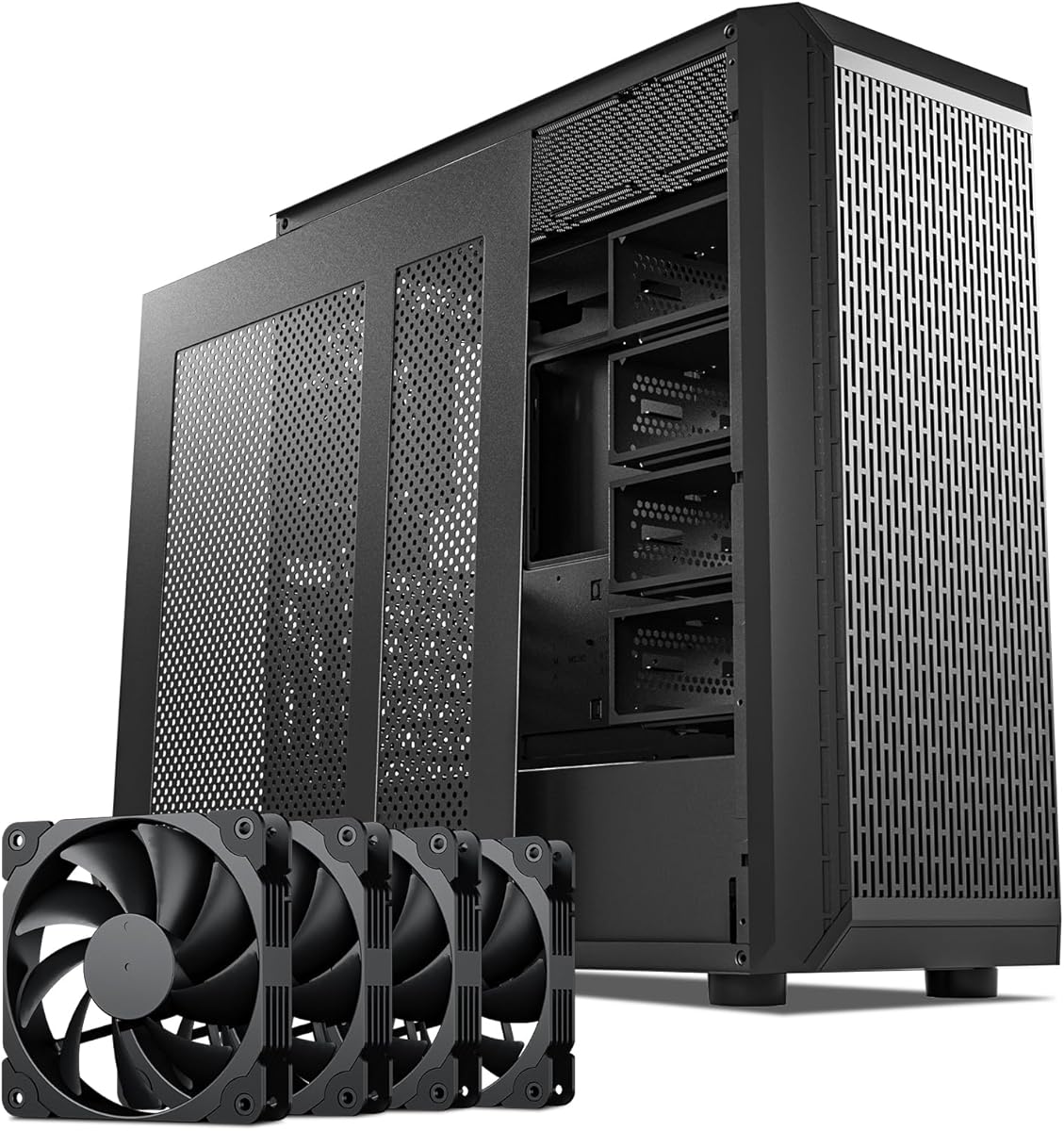
The Zalman i4 is an ATX mid-tower that combines a full-mesh airflow design with an unusually complete set of included cooling and vertical-mounting accessories. Its 4.4 rating reflects a practical approach rather than the elaborate visual presentation of some glass-focused alternatives. Six 120mm fans, two vertical PCI-slot brackets, and a height-adjustable support arm are included.
We may earn a commission when you buy through this link, at no additional cost to you.
The mesh front and side structure is designed to permit air movement through the enclosure, while the six preinstalled fans provide immediate airflow capacity. Vertical graphics placement is supported through the supplied PCI brackets, and the adjustable anti-sag bracket helps hold the card in position. A top-mounted I/O panel supplies audio input and output, USB 3.0, and USB 2.0 connections.
Its tool-less design is useful for builders who want a faster or less fussy assembly process. Compared with a bare chassis, the six-fan package means fewer immediate cooling purchases, while the vertical hardware removes the need to source a separate basic mounting solution. The supplied information does not detail radiator sizes, motherboard formats beyond ATX, storage configurations, or maximum GPU dimensions, so those details should be confirmed before finalizing a build.
The i4 makes sense for a builder who prioritizes airflow and ready-made mounting hardware over a heavily specified aesthetic. It is a practical option for a conventional ATX gaming or workstation system that may later be converted to vertical GPU placement. Pick it when a generous fan bundle and straightforward bracket-based support matter more than panoramic glass or dual-chamber styling.
A chassis that arrives with six 120mm fans gives builders a strong starting airflow configuration. It also removes much of the need to plan fan purchases, mounting screws, and cable routes before the first assembly, although additional case fans can still be added if the layout permits.
The inclusion of two vertical PCI brackets means the case is prepared for a graphics card with sufficient physical clearance. The height-adjustable support adds stability, while the alternative bracket selection gives the builder some flexibility in how the card is presented.
We may earn a commission when you buy through this link, at no additional cost to you.
The darkFlash C280 is a spacious E-ATX dual-chamber gaming case with a strong emphasis on ventilation, modern motherboard layouts, and vertical GPU presentation. It has a 4.7 rating, includes four PWM fans, and supports two 360mm radiators. The documented feature set makes it particularly relevant to builders combining extended motherboard hardware, liquid cooling, and a visually prominent graphics card.
We may earn a commission when you buy through this link, at no additional cost to you.
Its six-sided ventilation system is designed to maximize airflow throughout the chassis. The case supports E-ATX, ATX, and M-ATX motherboards, as well as radiators at both the top and front. A movable and raised cable cover, offset fan mounting, and a lowered bottom-fan position are intended to preserve an unobstructed cooling channel while improving the cable layout.
Vertical GPU installation provides a dedicated presentation for the graphics card, while the second chamber keeps wiring separated from the main viewing area. Back-connect motherboard compatibility is another modern touch, reducing the need to route conventional power and data cables through the visible compartment. The adjustable hard-drive cage and extended power-supply chamber offer flexible storage placement and room for cable management, although the product information does not state a maximum GPU length or CPU-cooler height.
Choose the C280 for an ambitious E-ATX build where airflow, radiator flexibility, and clean motherboard integration are priorities. Its dual-chamber design has more internal volume than a typical mid-tower, so builders should check desk clearance and ensure the listed radiator and motherboard options can be installed together. It is well suited to creators and enthusiasts who want room to expand rather than the smallest possible footprint.
Supporting a 360mm radiator at both the top and front gives builders room for a substantial liquid-cooling loop. The arrangement is useful for high-output CPUs because it can distribute heat exchange across two areas of the enclosure instead of concentrating all radiator capacity in a single location.
Compatibility with back-connect motherboards can substantially reduce visible wiring around the processor and upper chamber. The raised, movable cable cover reinforces that approach, allowing the main compartment to remain focused on the graphics card, cooling hardware, and lighting.
We may earn a commission when you buy through this link, at no additional cost to you.
The Thermalright A70ATX combines a three-sided pillar-free glass design with a tool-free, quick-release vertical GPU bracket. Its 4.8 rating is the highest among the products in this guide. For builders seeking a dramatic central graphics-card presentation without moving beyond ATX and micro-ATX motherboards, it offers an unusually focused combination of viewing area and installation convenience.
We may earn a commission when you buy through this link, at no additional cost to you.
The three tempered-glass sides are described as pillar-free, creating a 270-degree panoramic view of the internal lighting and hardware arrangement. A removable vertical GPU bracket uses a quick-release design, and its height can be adjusted with screws behind the motherboard tray. The support accommodates graphics cards up to 420mm long and is intended to prevent sag in larger, heavier cards.
Front connectivity includes a Type-C port supporting data rates up to 10Gbps, one USB Type-A port, a second USB Type-A connection, an audio port, and a power button. The case supports ATX, M-ATX, and Mini-ITX motherboards, CPU coolers up to 168.4mm, and ATX power supplies up to 200mm. It includes a fixed 360mm radiator position and a dedicated hard-drive bay, though the supplied summary does not state a complete maximum fan count or every radiator arrangement.
This is a compelling pick when the central priorities are a broad glass view, a simple vertical installation process, and support for a long GPU. The removable anti-sag bracket is especially useful because it allows the graphics card to be positioned and secured without complicated fixed mounting points. Verify the complete cooling and storage layout against your other components, but for a stylish mid-tower, the documented essentials are strong.
Removing structural pillars from the viewing side allows the graphics card, fans, and lighting to remain visible across a broader area. In a vertically mounted layout, the GPU becomes a large visual element, and the pillar-free panels allow its shape and finish to be appreciated from more angles.
The removable bracket is designed for convenient installation and maintenance while the adjustable support helps control long-term flex. This combination is useful for builders who want the polished appearance of vertical placement without leaving a heavy card inadequately supported.
We may earn a commission when you buy through this link, at no additional cost to you.
The DARKROCK Classico Storage Master is an ATX NAS-oriented case designed for systems that need substantially more storage than a conventional gaming chassis. It carries a 4.4 rating, includes four 120mm fans, and supports up to thirteen hard drives. The vertical GPU mount adds a polished workstation or home-server aesthetic while helping keep the card stable and visible.
We may earn a commission when you buy through this link, at no additional cost to you.
Storage is the defining strength. The documented capacity for thirteen hard drives makes the Classico appropriate for media libraries, backup systems, shared storage, and enthusiast projects that require multiple drives. A mesh front and side panel supports airflow around the densely packed hardware, while the four included 120mm fans provide the basis for an active cooling configuration.
The vertical graphics mounting is intended to showcase the GPU in style and prevent sagging. This is useful for a system that combines compute or gaming hardware with extensive storage, because the card does not have to occupy a conventional horizontal position above the drive area. Support for a 360mm radiator further broadens the cooling options, allowing a builder to pair the storage-heavy interior with a capable CPU cooling solution.
The Classico is less about compact gaming and more about combining visible, high-performance hardware with a large drive array. Builders should count actual drive bays, consider airflow around tightly packed storage, and verify how the vertical GPU arrangement interacts with the case geometry. It is an excellent match for a NAS enthusiast who wants a polished custom build rather than a plain server enclosure.
With support for up to thirteen hard drives, the Classico addresses builders whose workloads demand substantial local storage. The case is more useful as a purpose-built workspace for media, backups, or shared data than as a minimal enclosure for a small gaming system.
Four included 120mm fans and mesh panels help maintain airflow as drive density increases. A 360mm radiator adds another cooling path for the processor, giving thermally demanding workstation builds a way to manage heat beyond basic case circulation.
We may earn a commission when you buy through this link, at no additional cost to you.
The darkFlash AIR NOVA is a full-tower E-ATX enclosure for builders who want abundant interior space, extensive ventilation, and a prominent vertical graphics card. It has a 4.2 rating and stands out with seven included PWM ARGB fans, six-sided ventilation, and room for two 360mm radiators. It is the largest complete-case format in this roundup.
We may earn a commission when you buy through this link, at no additional cost to you.
The six-sided ventilation system is designed to maintain airflow under gaming and multitasking loads. A dedicated vertical GPU mount uses a reinforced metal support bracket to resist sag while presenting the card as a central visual feature. Compatibility with back-connect motherboards, combined with a movable and raised cable cover, helps keep the visible compartment uncluttered. Offset fan mounting and a lowered bottom-fan position are also intended to preserve airflow channels.
The case supports E-ATX, ATX, and M-ATX motherboards, with radiator positions at the top and front. Its adjustable hard-drive cage allows flexible storage placement, and the extended power-supply chamber provides space for cables and improved airflow. Seven ARGB PWM fans offer a strong starting configuration, although the white finish is intended to coordinate with light-themed components and a white graphics card can dominate the presentation.
The AIR NOVA suits an expansive build with multiple radiators, substantial storage, and a desire to showcase the GPU. It is less suitable for compact desks, transportable systems, or builders who need a simple installation. Confirm the exterior dimensions and radiator options before ordering, and account for the large scale of the full-tower when planning desk placement and component clearances.
The extended power-supply chamber, adjustable storage cage, and multiple radiator positions give the enclosure enough structure to support a complex build. This additional volume can make component planning more comfortable, especially when combining a vertical GPU with a large cooler, multiple fans, and extensive cabling.
Seven PWM ARGB fans are included, which is among the most substantial cooling packages listed. They provide both airflow and illumination from the first installation, while the ventilated enclosure offers additional mounting opportunities for builders who want to tune the final configuration.
We may earn a commission when you buy through this link, at no additional cost to you.
The Cooler Master Gen5 Vertical Graphics Card Holder is a retrofit solution for builders who want to add vertical GPU presentation to an existing case. It has a 4.2 rating and includes a 165mm PCIe 5.0 riser cable. Unlike a complete enclosure, it is designed around compatibility, flexible positioning, and reinforced support for the graphics card.
We may earn a commission when you buy through this link, at no additional cost to you.
The riser supports PCIe 4.0 and older standards in addition to PCIe 5.0. The holder is designed for E-ATX, ATX, and micro-ATX cases, accommodates graphics cards of any length, and supports cards up to three slots wide. A minimum of four PCI slots is required. That width limit makes it less suitable for unusually thick cards, even though the stated length compatibility is broad.
Its modular bracket adjusts without tools in two directions. The graphics card can move up to 65mm toward the front panel and 30mm toward the side panel, helping create clearance around other components and making it easier to balance visibility with airflow. Reinforced SGCC steel is used to support larger cards and reduce sagging or flex, and the bracket is intended to be installed before the GPU is mounted.
This holder is a practical choice for a builder with a compatible mid-tower who does not want to replace the entire case. It is less suitable for four-slot-thick cards, unlike the LIAN LI VG4v4 kits, and may be difficult to use if the case has limited expansion-slot access. Measure the available area and confirm riser routing before selecting it.
A dedicated holder lets a builder preserve an existing case while changing the orientation and appearance of the graphics card. It is an attractive route for systems that already have suitable airflow, motherboard layout, and expansion-slot access but lack vertical mounting hardware.
The ability to shift the card forward and sideways provides useful control when the case interior is not perfectly standardized. These adjustments can improve the viewing angle, create space for cables or cooling hardware, and help maintain a cleaner airflow path.
We may earn a commission when you buy through this link, at no additional cost to you.
The HYTE Y70 Taro is a premium dual-chamber ATX mid-tower defined by panoramic glass, a four-slot vertical graphics layout, and a color-matched PCIe 4.0 riser. Its 4.7 rating reflects a polished overall design with generous cooling options. The Taro color adds a distinctive purple finish for builders who want something more expressive than a conventional black or white enclosure.
We may earn a commission when you buy through this link, at no additional cost to you.
A three-piece panoramic-glass panel surrounds the dual-chamber interior, while the rear compartment provides substantial cable-management space. The included PCIe 4.0 x16 riser has a milky color-matched canopy that maintains visual continuity. It enables a massive four-slot vertical graphics-card arrangement, giving builders room for a high-end card with several cooling fans and a substantial cooler.
Cooling flexibility is another major strength. The case supports a 360mm radiator on the side at up to 125mm thick and a top radiator at up to 68mm thick. Its cold-floor position can hold either three 120mm fans or two 140mm fans up to 32mm thick. Total fan capacity reaches ten, allowing several intake and exhaust positions without relying on the basic openings alone.
Build quality details include labeled components, reusable Velcro straps, floating storage sleds, a clicky blue power switch, and tool-less panels. The Y70 is ideal for a showcase build that makes the GPU and internal color palette central to the design. Check radiator thickness carefully because the documented limits are generous but specific, and confirm that the included PCIe 4.0 riser meets the requirements of the planned graphics card.
The four-slot vertical arrangement accommodates a large graphics card while the riser cable routes the connection through the secondary chamber. The color-matched canopy keeps the cable from breaking the panoramic visual theme, allowing the installation to look deliberate rather than modified.
Reusable Velcro straps, labeled components, floating storage sleds, and tool-less panels reduce friction during assembly and later upgrades. These details are especially useful in a premium enclosure because they support repeatable access without turning every cable-management change into a complicated rebuild.
We may earn a commission when you buy through this link, at no additional cost to you.
A successful vertical GPU build depends on more than a glass side panel. Compare enclosure size, expansion-slot access, card dimensions, support hardware, cooling paths, motherboard format, and cable routing before choosing a case or retrofit kit.
The products in this guide fall into two categories: complete enclosures and add-on vertical mounting kits. A full case provides a coordinated airflow layout, cable chamber, fan mounts, and mounting hardware, while a riser kit is appropriate when an existing enclosure already meets your cooling and aesthetic needs. Do not mistake a riser product for a complete PC case; it will not include a chassis, motherboard tray, power-supply chamber, or the full range of case fans.
Vertical mounting begins with the graphics card itself. The LIAN LI VG4v4 supports cards up to four slots thick, while the Cooler Master Gen5 holder supports up to three slots. The Thermalright A70ATX lists support for cards up to 420mm long, and the SSUPD Xhuttle supports GPUs up to 370mm. Weight matters as well because a heavy card can place stress on the PCIe slot, making a properly adjusted anti-sag bracket especially valuable.
Vertical placement consumes a different region of the case than the traditional horizontal layout, and the installation process may require access to several expansion slots. The LIAN LI VG4v4 needs six accessible slots for vertical mounting or seven for angled mounting, while the Cooler Master Gen5 holder requires a minimum of four. Riser kits also shift the GPU forward, with the LIAN LI bracket documented at 31mm, so check the CPU cooler, bottom fans, radiator, cables, and motherboard accessories before ordering.
A vertical graphics card can alter how air moves through a case because its cooler faces a different direction and occupies a larger portion of the visible chamber. Full-mesh designs such as the Zalman i4 and the six-sided ventilation layouts in the darkFlash cases are intended to support this placement. Fans should be arranged so cool air reaches the GPU intake and the GPU exhaust has a route toward an appropriate exhaust position rather than being trapped behind a restrictive panel.
Cooling capacity should reflect both the CPU cooler type and the graphics card design. Several cases support two 360mm radiators, while the HYTE Y70 allows a thick side radiator and a top radiator with specific thickness limits. Fan count is also relevant: the HYTE Y70 supports ten, the Xhuttle supports ten, and the AIR NOVA arrives with seven. Account for the thickness of radiators, fans, and tubing when confirming that the vertical GPU will not obstruct them.
Motherboard format determines which cases and kits can be used. Most options support ATX, with several adding micro-ATX, Mini-ITX, or E-ATX support. The darkFlash C280 and AIR NOVA also support back-connect motherboards, which can reduce visible cable routing around the processor area. A standard ATX board will still use conventional connections, so builders should confirm how its cables will interact with the raised cable cover and vertical GPU area.
A vertical GPU often occupies the same side of the chassis as the motherboard tray, so cable-management design becomes more visible and functionally important. Dual-chamber cases, such as the Xhuttle, C280, and Y70, separate wiring from the display area. A raised and movable cable cover adds flexibility, while reusable straps and tool-less panels improve later access. The same density can make installation more complex, so adequate working space is as important as concealed storage.
Before installing any component, place the empty case on a stable surface and identify every fan, radiator, storage, and expansion-slot position. Compare the motherboard mounting pattern, power-supply location, front connectors, and graphics-card dimensions with the supplied documentation. For a riser-based retrofit, inspect the rear slot opening and leave enough service room around the riser cable.
Install the case fans, power supply, storage, and motherboard first before positioning the vertical graphics card. Route power and data cables through the cable-management openings, then connect the riser or vertical-mounting bracket as specified. Mount the graphics card without forcing it, secure the anti-sag support, and confirm that neither the card nor its cables interfere with fans, radiators, or the side panel.
After assembly, check that all panels close without pressing against cables, that the graphics card remains firmly supported, and that the anti-sag bracket rests on a solid surface. Power on the system and verify that the graphics card is detected, fan direction is correct, and temperatures remain reasonable under load. Clean dust from filters and fan openings periodically, inspect cable connections, and avoid resting a heavy card on unsupported surfaces.
It depends on the case layout and the graphics-card cooler. A vertical card can promote attractive presentation and may benefit from a front-to-back intake path, but its position can also interrupt conventional airflow channels. Choose a case that explicitly documents vertical GPU airflow or a full-mesh design, and plan fan directions around the card. A well-ventilated horizontal layout can still be the better thermal solution.
No. Some cases support a vertical GPU with a conventional riser cable, while others use a proprietary adapter or another connection method. The LIAN LI VG4v4 and Cooler Master Gen5 products include PCIe 5.0 riser cables, while the HYTE Y70 includes a PCIe 4.0 x16 riser. Check the full case specification to determine whether a separate cable is necessary and confirm that its connector and bend requirements suit your hardware.
No. Length, thickness, connector position, and weight all need consideration. Some products list a maximum GPU length, some focus on slot width, and the retrofit kits have separate expansion-slot requirements. Measure the card and inspect the case clearance, including any forward shift introduced by the riser bracket. Also verify that the power connectors and any GPU OC buttons will not obstruct adjacent components.
A heavy graphics card can gradually pull downward on the motherboard’s PCIe slot. An anti-sag bracket supports the card at a second point, reducing strain and helping preserve alignment over time. It should contact a solid case surface and be adjusted to the correct height. The bracket should support the card without pushing it sideways or preventing the side panel from closing.
Yes. The upright card, its power cables, and the riser cable may extend into areas normally occupied by a CPU cooler, bottom fans, or radiator tubing. Kits with adjustable height and tilt are particularly useful in this situation. Before purchase, compare the mounting dimensions of the graphics card and cooler with the case’s documented clearance and radiator thickness limits.
Glass emphasizes the internal components and is well suited to a showcase build, while mesh generally offers more direct ventilation. The best choice depends on whether the priority is presentation or maximum airflow. Some modern cases combine both approaches, using glass for viewing and mesh in key intake or exhaust positions. Ensure the panel design aligns with the cooling demands of the CPU and graphics card.
The darkFlash C280 and AIR NOVA explicitly support back-connect motherboards, which can reduce visible cable clutter around the CPU area. Other cases may use standard motherboard layouts, so confirm the board and case separately. Even with back-connect support, graphics-card power cables and other accessories still need to be routed through the appropriate management channels.
Not necessarily. Several mid-towers in this guide support vertical mounting and large graphics cards while remaining more compact than a full tower. A full tower is useful when you need E-ATX support, multiple radiators, extensive storage, or room for unusually thick cards. Choose the smallest supported enclosure that safely accommodates the motherboard, cooling system, GPU, storage, and cable routes.
The SSUPD Xhuttle Black stands out as the most adaptable complete case because it supports both vertical and horizontal GPU orientation, combines dual-chamber organization with generous cooling capacity, and includes three ARGB fans. The Thermalright A70ATX is an attractive alternative for a pillar-free panoramic view and tool-free vertical bracket, while the HYTE Y70 Taro delivers the most polished premium treatment with a four-slot mount, matched riser, and extensive interior features.
Prioritize physical compatibility before appearance. Confirm motherboard format, GPU length and thickness, anti-sag support, riser requirements, radiator positions, and the clearance required by the chosen mount. For an existing system, a dedicated riser kit can add vertical presentation without replacing the case, but only after checking expansion-slot access and the space around the CPU cooler and bottom cooling.
Finally, check current retailer listings, included-component details, and manufacturer documentation before ordering. Case layouts and accessory packages can change, and the dimensions published for a product may not capture every interaction with your selected components. A careful compatibility check is the most reliable way to enjoy a clean vertical GPU build without compromising cooling, support, or future serviceability.