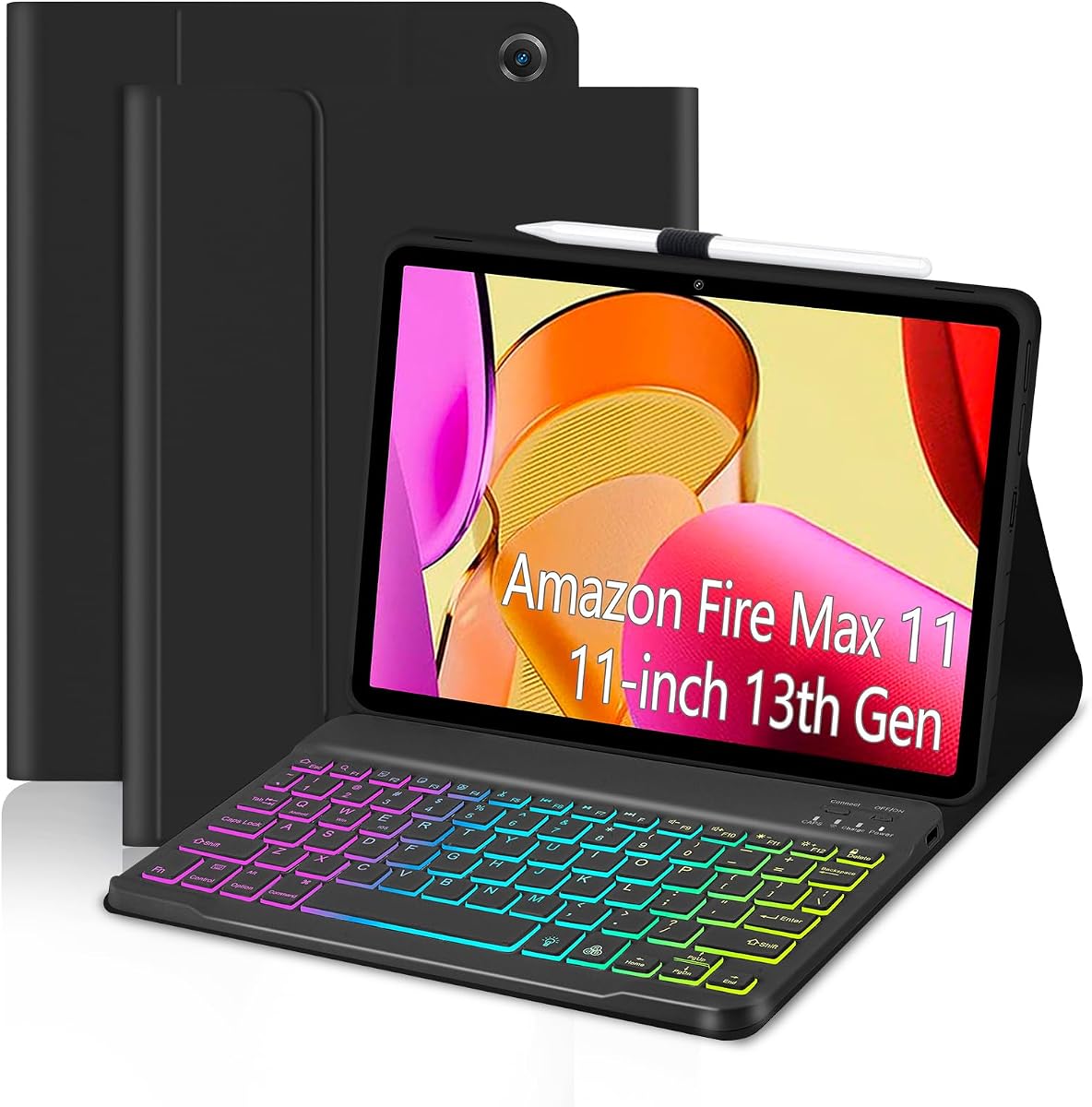
EAMPANG Rainbow Backlit Keyboard Case
4.5Editor score
Seven-color rainbow backlight
Detachable rechargeable keyboard
Protective folio with pen holder
The best keyboard case for Fire Max 11 guide compares compatibility, typing, trackpads, lighting, protection, battery life, stands, and included accessories.
A keyboard case can transform an Amazon Fire Max 11 from a handheld tablet into a more practical typing and viewing setup. The right model should fit securely, protect the device, support comfortable viewing angles, and provide a keyboard that feels natural for documents, email, browsing, and everyday tasks.
This guide compares ten keyboard cases designed for the Fire Max 11 11-inch tablet from the 2023 release, also identified as the 13th generation. We evaluated the supplied details for model fit, keyboard design, backlighting, trackpad support, charging method, stands, stylus storage, protection, and included accessories.
Each selection highlights a different reason to consider an upgrade, from a simple detachable setup to a premium case with a built-in trackpad. Ratings reflect the listed customer feedback, while features and limitations come from the available product information. Prices and availability can change, so confirm current details before buying.
4.5Editor score

4.6Editor score
4.2Editor score
The comparison below covers all ten cases, emphasizing the differences that matter most: device compatibility, input options, viewing support, charging, and everyday portability.


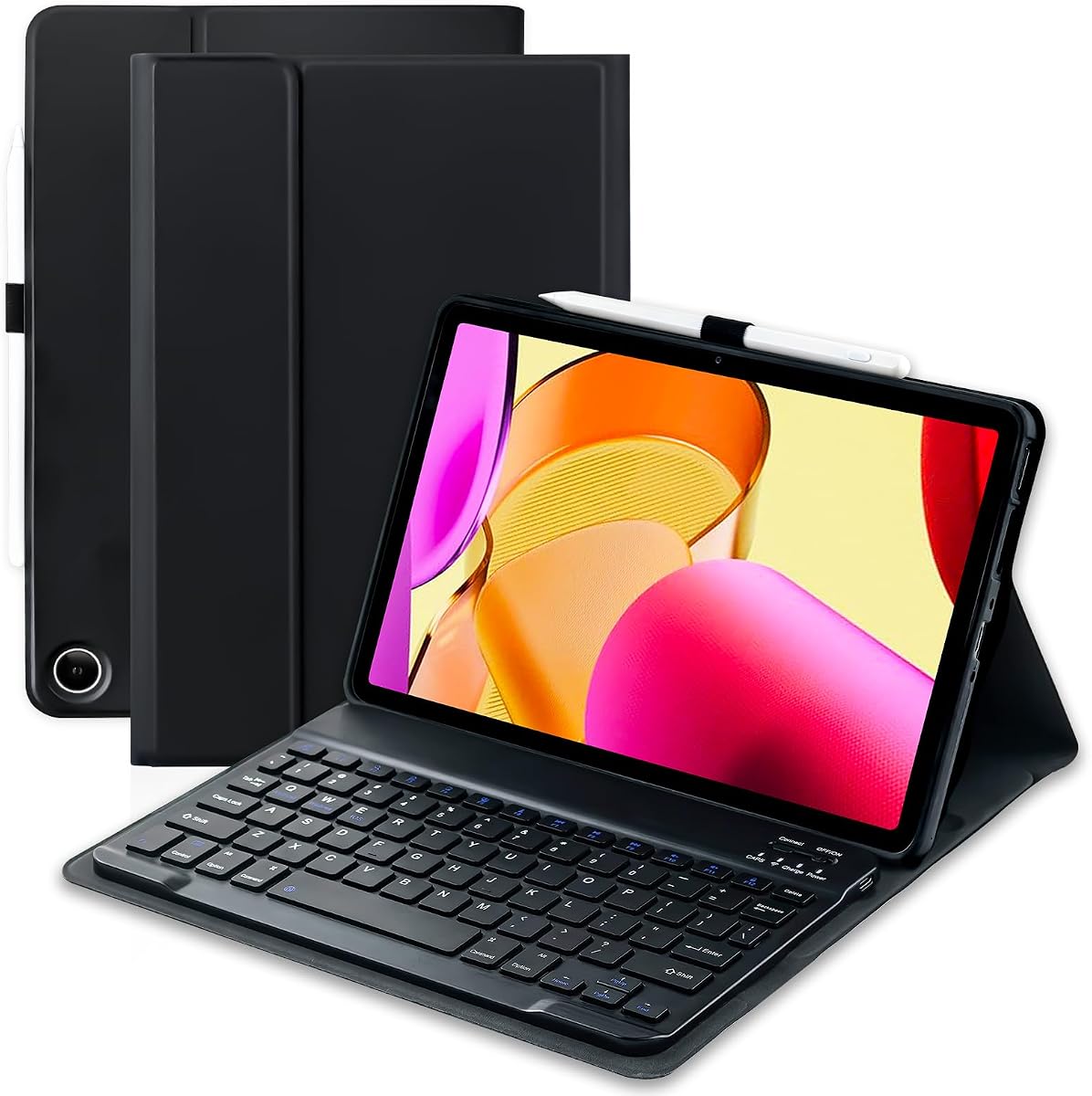


The EAMPANG Rainbow Backlit Case combines a protective folio, detachable keyboard, seven-color illumination, and stylus storage in a straightforward package for the Fire Max 11 2023 model. Its 4.5 rating reflects a favorable balance of visible features and practical versatility. It is especially appealing for users who want a laptop-like arrangement without paying for a separate mouse or trackpad.
We may earn a commission when you buy through this link, at no additional cost to you.
The magnetic keyboard separates from the case, making it easy to use the tablet in a more traditional handheld position and then return to a typing setup. Seven adjustable colors can be selected, cycled in a breathing-light mode, or turned off, while the brightness can be adjusted with the Fn plus light-key combination. Shortcut keys add faster access to common tasks such as editing, browsing, and presentation work.
Protection comes from a PU leather outer shell and a soft TPU inner shell modeled around the tablet. The inner honeycomb pattern is intended to encourage heat dissipation, and precise openings preserve access to device functions. A side holder keeps a compatible stylus within reach, although neither the Fire Max 11 tablet nor a stylus is included with the accessory.
This is a strong pick for students, travelers, and casual users who prioritize affordability, colorful lighting, and a detachable design. Its main limitation is the absence of a touchpad, so navigation relies on the keyboard and the touchscreen. For most users seeking a flexible all-purpose case, that trade-off is reasonable, making this a strong overall-value recommendation.
Seven selectable colors make the keyboard more visible in dim rooms and add a more personal look to a work or study setup. The option to cycle through colors, adjust brightness, or disable the lighting gives users more control than a simple fixed backlight.
Magnetic attachment lets the keyboard move between the folio and the tablet independently. The PU leather exterior, flexible TPU liner, precise cutouts, and honeycomb interior provide a practical combination of coverage and everyday handling.
We may earn a commission when you buy through this link, at no additional cost to you.
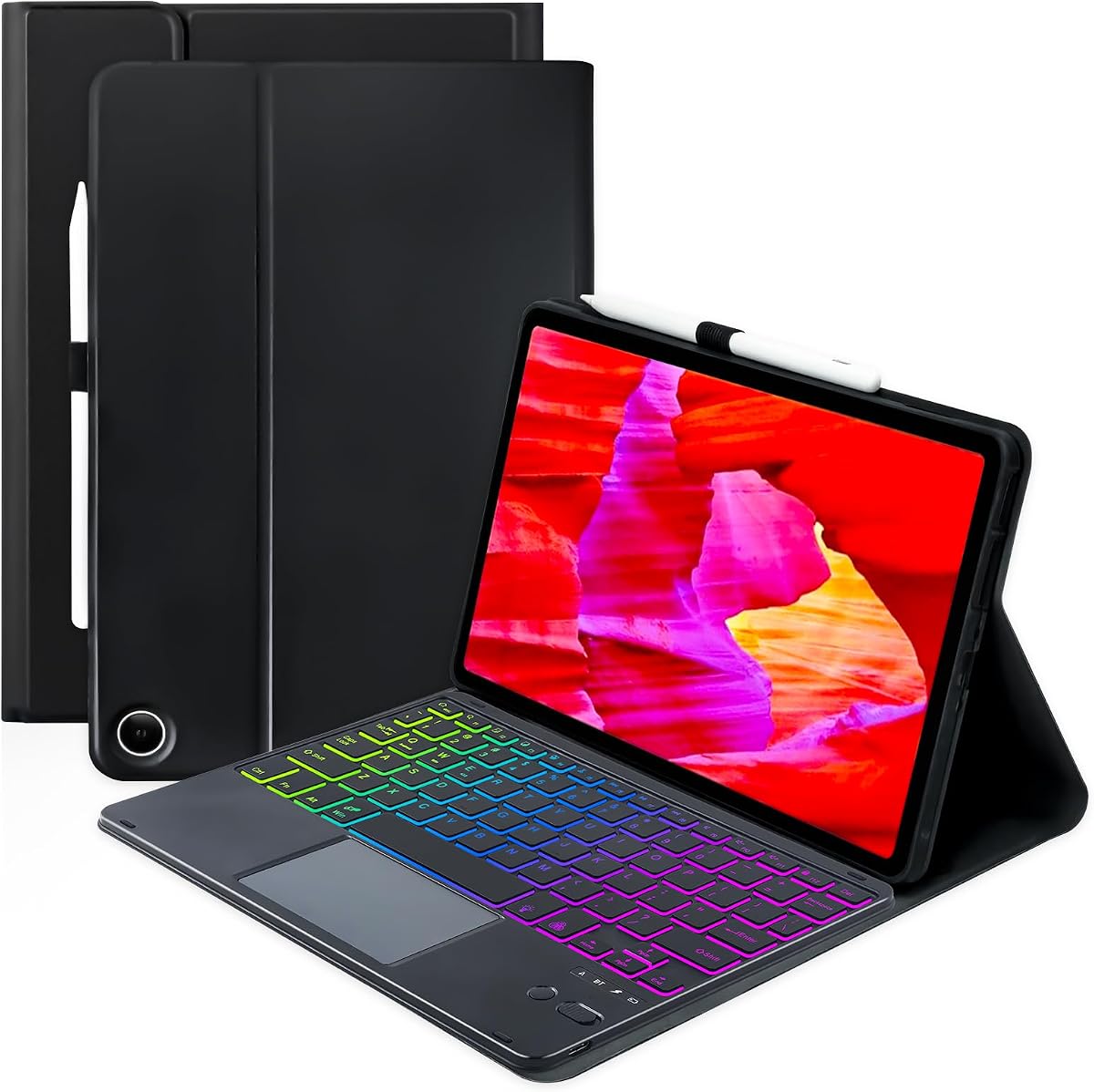
The MePadKey Touchpad Keyboard Case is designed for users who want a more complete laptop-style experience from the Fire Max 11. It joins a detachable, rechargeable keyboard with an integrated touchpad, rainbow backlight, adjustable viewing positions, and a pen holder. Its 4.2 rating is solid, though lower than the strongest alternatives in the list.
We may earn a commission when you buy through this link, at no additional cost to you.
The touchpad is the defining feature. It can replace a mouse and supports multi-finger gestures, adding a quicker way to navigate documents, web pages, and applications. The keyboard offers seven backlight colors for low-light use, while its rechargeable lithium battery removes the need for disposable batteries and avoids a permanently attached keyboard cable.
The case supports multiple viewing angles and uses anti-slip grooves and lining to help keep the tablet stable. Its detachable construction allows the keyboard to be repositioned or removed, which is useful when the device is being used for reading, video, or drawing. The PU leather exterior offers a more traditional folio appearance, while cutouts are positioned for the Fire Max 11.
Choose this model if touchpad navigation is a priority and you want more than a basic keyboard-and-tablet combination. The compromises are the lower customer rating and the need to charge the keyboard independently. Neither the tablet nor stylus is included. Even so, the gesture support and comfortable case construction make this a strong premium-feeling option.
A gesture-capable touchpad makes the setup more useful for document editing and general navigation. It reduces the need to reach for a separate pointing device, particularly when the keyboard is positioned as a compact laptop.
The keyboard separates from the cover and uses an internal rechargeable lithium battery. This offers a cleaner desktop arrangement while preserving the option to remove the keyboard for reading or media use.
We may earn a commission when you buy through this link, at no additional cost to you.
TUNKARMOR supplies a broad accessory bundle for the 2023 Fire Max 11, including a magnetic detachable Bluetooth keyboard and a rechargeable Bluetooth mouse. The keyboard attaches firmly to the case and helps support the tablet upright, while the case also provides three viewing positions. Its 4.3 rating indicates generally positive customer feedback.
We may earn a commission when you buy through this link, at no additional cost to you.
The included mouse is a meaningful convenience for users who want a traditional computer experience without buying another pointing device. Both keyboard and mouse are described as rechargeable, and the ultra-thin magnetic keyboard can be repositioned to suit the user's preferred position. Anti-slip slots help hold the tablet in place during writing, viewing, reading, or drawing.
The folio also has an automatic sleep and wake function. Opening the lid wakes the tablet, while closing it returns the device to sleep, which helps conserve battery life during travel or periods of inactivity. A built-in pen holder keeps a compatible stylus accessible, though the pen itself is not supplied.
Full edge coverage, cushioning, and a honeycomb grid layer support the protective role of the case. This is an attractive option for buyers who value a complete desktop bundle and do not mind carrying a separate mouse. It is less attractive for minimalists, but the keyboard, mouse, stand, protection, and sleep function make it a versatile all-in-one package.
Having both a rechargeable keyboard and a rechargeable mouse removes the need to assemble a separate pointing setup. The magnetic keyboard also doubles as part of the tablet's upright support, helping the transition from tablet use to desktop use.
Full edge coverage and a cushioning honeycomb layer help protect against scratches, bumps, and dents. Automatic sleep and wake behavior adds convenience and can reduce screen power consumption when the case is closed.
We may earn a commission when you buy through this link, at no additional cost to you.
This Fire Max 11 Keyboard Case stands out as a polished productivity accessory, combining a spacious keyboard, an integrated trackpad, and a detachable back cover in one design. Its 4.6 rating is the highest listed in the roundup. The keyboard, trackpad, and stand cover the major functions users expect from a compact laptop-style setup.
We may earn a commission when you buy through this link, at no additional cost to you.
The trackpad supports adjustable pointer speed, a disable and enable function through Fn plus Tab, pinch-to-zoom, two-finger scrolling, and task switching. Fifteen shortcut keys and two customizable shortcuts provide direct access to common actions. The keyboard attaches magnetically in seconds, and the cover automatically wakes the screen when opened.
A major convenience is the pogo-pin connection, which draws power from the Fire Max 11 itself. Users do not have to charge the keyboard separately or manage an independent keyboard battery. Removing the keyboard leaves a back cover with an integrated stand that can be adjusted for hands-free viewing, including video and video calls.
This is our top overall pick for buyers who value a clean, integrated design and strong productivity features. The Microsoft 365 trial mentioned in the product information requires a sign-up and has renewal terms, so it should be considered separately from the hardware. The case is also exclusive to the 13th-generation Fire Max 11, making model verification essential.
Pinch-to-zoom, two-finger scrolling, and task switching give the integrated trackpad more functionality than a basic surface. Adjustable pointer speed and the ability to disable the trackpad add further control for different working environments.
Pogo-pin contacts power the keyboard directly from the compatible tablet. This reduces charging complexity and creates a more streamlined setup, particularly for students and mobile workers.
We may earn a commission when you buy through this link, at no additional cost to you.
The SAMTUNK Rainbow Keyboard Case offers one of the more complete bundles in the guide, supplying a protective case, Bluetooth keyboard, rechargeable mouse, Type-C charging cable, and manual. It is tailored to the 2023 Fire Max 11 and carries a 4.4 rating. The variety of features makes it suitable for both mobile productivity and a fixed desk arrangement.
We may earn a commission when you buy through this link, at no additional cost to you.
Its keyboard offers seven lighting colors, while the magnetic design allows it to be attached or repositioned quickly. The included Bluetooth mouse supports more conventional navigation. The case provides three viewing positions through movable anti-slip grooves, which accommodate typing, reading, video, drawing, and other common activities.
Automatic sleep and wake is another useful feature: opening the case wakes the tablet and closing it puts the screen to sleep. The shell provides full edge coverage, and a honeycomb grid inner layer provides cushioning while promoting heat dissipation. A built-in holder keeps a compatible pencil or stylus close at hand.
The main benefit is convenience. A buyer receives most of the accessories needed for a complete workstation without sourcing a mouse and charging cable separately. The trade-off is the need to carry and charge the additional mouse. For anyone who values a full accessory kit, flexible viewing positions, and colorful typing controls, this is a balanced and capable choice.
The included rechargeable mouse, Type-C cable, keyboard, folio, and manual simplify setup. It is a particularly useful bundle for new Fire Max 11 owners who want a ready-to-use productivity arrangement.
Three viewing positions make it easier to alternate between typing, reading, drawing, and watching. The anti-slip grooves help maintain stability as the tablet position changes.
We may earn a commission when you buy through this link, at no additional cost to you.
The Seven-Color Backlit Keyboard Case is built around portability and battery life. It combines a detachable Bluetooth keyboard, a 420mAh rechargeable battery, a colorful backlight, and a multi-angle magnetic cover for the Fire Max 11 2023 model. Its 4.5 rating places it among the better-reviewed products in this comparison.
We may earn a commission when you buy through this link, at no additional cost to you.
The product information states that the keyboard charges through Type-C in approximately two to three hours and can operate for up to 90 hours under normal use. The detachable design also means the keyboard can be stored separately while the tablet remains in the case for reading, viewing, or sketching. Seven lighting colors improve visibility and add visual variety.
The cover supports several viewing angles and uses a soft TPU exterior with a flexible TPU inner shell intended to resist drops and scratches. Its honeycomb interior supports heat dissipation, while a magnetic strip keeps the keyboard attached when carried as a complete setup. Automatic sleep and wake behavior is available when the case is opened and closed.
A small but important detail is the sleep timeout: if the tablet remains inactive for ten minutes, the screen sleeps and the keyboard disconnects. Pressing a key wakes the device and reconnects the keyboard. This model is a good fit for mobile users who prioritize battery endurance and a thin, detachable arrangement, although it does not include a mouse or trackpad.
The stated 420mAh battery and up-to-90-hour normal-use figure are attractive for students and travelers. Type-C charging also offers a familiar connection method that is convenient to keep on hand.
A flexible TPU shell and honeycomb lining help guard against everyday scratches and impacts. Magnetic keyboard attachment supports a compact setup, while multiple angles make the cover useful beyond typing.
We may earn a commission when you buy through this link, at no additional cost to you.
This second listing for the Amazon Fire Max 11 Keyboard Case shares the productivity-focused design of the integrated-trackpad version, with a 4.6 rating. It offers a spacious keyboard, 15 shortcut keys, two customizable shortcuts, and a gesture-capable trackpad. The detachable back cover includes a stand for hands-free viewing.
We may earn a commission when you buy through this link, at no additional cost to you.
Its magnetic installation is designed to take only seconds, making it convenient to move between tablet and laptop configurations. The keyboard uses pogo-pin contacts for power, eliminating a separate charging routine. Pinch-to-zoom, two-finger scrolling, and task switching make the trackpad useful for documents, webpages, email, and applications.
One distinction in the supplied information is its material composition: this listing states that the keyboard case is made with 31% post-consumer recycled plastics and that the product packaging is 100% recyclable, excluding shipping packaging. That makes sustainability information a visible part of the product's positioning, though the shipping materials are not covered by the claim.
Users who want a reliable, polished productivity setup should consider this alongside the closely related trackpad listing. The core benefit is the combination of fast magnetic attachment, integrated navigation, and a versatile cover. It is exclusive to the 13th-generation Fire Max 11, and users wanting the keyboard physically attached at all times may prefer a fixed-folio alternative.
The trackpad, shortcut keys, and pogo-pin power connection give this case a computer-like feel without requiring a separate mouse or keyboard charger. Magnetic attachment keeps setup quick when the tablet changes between desk and handheld use.
The listed use of post-consumer recycled plastics may appeal to environmentally conscious shoppers. The recyclable packaging claim applies to the product packaging rather than all shipping materials, so buyers should interpret it accurately.
We may earn a commission when you buy through this link, at no additional cost to you.
The Magnetic Type-C Keyboard Case provides a focused folio design for the 2023 Fire Max 11, with a detachable rechargeable keyboard, magnetic attachment, and three adjustable viewing grooves. Its 4.4 rating indicates solid customer reception. It is aimed at users who want a compact keyboard and case without a separate pointing device.
We may earn a commission when you buy through this link, at no additional cost to you.
The keyboard attaches securely to the cover and uses a USB-C charging connection. Its built-in rechargeable battery takes roughly two to three hours to charge and is stated to provide around 50 hours of use. The first row includes multi-function buttons for tasks such as returning to the home interface, selecting, copying, pasting, adjusting volume, and controlling music.
A PU leather exterior gives the folio a traditional cover appearance and provides full-body coverage against scratches, minor drops, and impacts. Inside, a honeycomb pattern is intended to improve heat dissipation. Precise openings align the device's ports, buttons, and other access points with the corresponding case features.
Three anti-skid grooves let the tablet move forward or backward to support different working, viewing, drawing, or reading angles. A side holder stores a stylus, though the stylus is not part of the package. This case is best for buyers who want a straightforward rechargeable keyboard, convenient shortcuts, and a protective cover without the added bulk of a mouse.
The internal rechargeable battery is replenished through USB-C without replacing disposable cells. That keeps maintenance simple, while magnetic attachment makes it easy to remove the keyboard when only the folio is needed.
Dedicated controls for common actions can reduce reliance on the touchscreen. Home navigation, editing commands, volume, and media playback are all represented in the first keyboard row.
We may earn a commission when you buy through this link, at no additional cost to you.
The EAMPANG Blue Keyboard Case offers the same broad feature concept as the black version, including a detachable magnetic keyboard, rainbow lighting, shortcut controls, a stylus holder, and a protective folio. Its black-and-blue color scheme gives it a distinct appearance. The 3.7 rating is the lowest in the roundup, so buyers should weigh the available features against more consistently reviewed options.
We may earn a commission when you buy through this link, at no additional cost to you.
Seven adjustable backlight colors can be selected or cycled automatically in a breathing-light mode, and the brightness can be changed with the Fn plus light-key combination. Users can also turn the lighting off. Shortcut keys are included for activities such as document editing, application browsing, and presentation work.
The case is molded for the Fire Max 11, and its precise openings help preserve access to device functions. A flexible TPU inner shell with a honeycomb design is intended to support heat dissipation, while the PU leather outer material adds coverage against scratches, dust, and accidental drops. The slim design also includes a built-in pen slot.
Its appeal lies in the distinctive blue color, detachable construction, and flexible lighting controls. However, the lower rating suggests that some customers may have found aspects of the fit, build, or performance less satisfactory. This model is most practical for a buyer who values its appearance and lighting and is comfortable checking recent customer feedback before ordering.
The seven-color system, automatic breathing mode, adjustable brightness, and off switch provide a wider range of lighting choices than many basic cases. Shortcut keys support common productivity tasks without requiring repeated touchscreen navigation.
The black-and-blue treatment stands apart from the more conventional folio designs. It offers the same core compatibility and detachable keyboard benefits while adding a more recognizable visual style.
We may earn a commission when you buy through this link, at no additional cost to you.
The Smart Folio Bluetooth Keyboard Case is a flexible cover for the Fire Max 11 2023 release, combining a detachable magnetic keyboard, a leather-style exterior, multiple viewing positions, and a stylus holder. Its 4.5 rating places it among the stronger options. The case is designed to support typing, sketching, reading, and video viewing without keeping the keyboard permanently fixed.
We may earn a commission when you buy through this link, at no additional cost to you.
The keyboard uses a Type-C charging connection and is stated to charge in two to three hours. Under normal use, it can work for up to 70 hours, while a power-saving mode sends it into hibernation after extended inactivity. Its keys are described as quiet and comfortable, and a full shortcut row provides access to brightness, media, volume, copy, paste, and other common controls.
The magnetic keyboard can be removed for use on the lap or stored separately while the folio is used for reading, drawing, or watching video. The case supports four versatile use modes and multiple viewing angles. Its exterior uses a premium vegan leather composition, while a shock-absorbing TPU inner layer helps guard the tablet from scratches and impacts.
Automatic screen locking and unlocking occur in case-only mode when the cover opens or closes. Precise cutouts provide access to the interface, sensors, speakers, microphone, and cameras, while the holder keeps a stylus available. The product listing also mentions a 12-month warranty and a 30-day money-back guarantee. This is a versatile choice, though buyers wanting cursor control should plan for another pointing solution.
The case adapts to typing, reading, drawing, and viewing needs by allowing the keyboard to move independently. Multiple angles and a removable keyboard make it useful across both portable and stationary routines.
The keyboard's stated 70-hour normal-use battery life and automatic hibernation support extended mobile work. Quiet keys and a dedicated shortcut row support a quieter alternative to tapping directly on the touchscreen.
We may earn a commission when you buy through this link, at no additional cost to you.
The right keyboard case depends on how you use the Fire Max 11, whether you value a trackpad, mouse, backlighting, battery life, or the smallest possible carrying setup. Compatibility and input method deserve particular attention.
In short, compatibility should be treated as a requirement rather than a preference. Verify both the screen size and release generation before purchasing.
Prioritize an integrated trackpad when you want a self-contained laptop-style setup. Otherwise, use the touchscreen or budget for a separate mouse.
Select a colorful backlit model for nighttime typing or visual personalization. Turn the lighting off when it is not needed.
Choose pogo-pin power for the simplest charging routine. Choose a rechargeable Bluetooth keyboard when portability and independent use matter more.
Look for a range of stable angles rather than judging the case only in its typing position. Test the intended activities before settling on a design.
Choose full protection and bundled accessories for a desk setup. Favor a slim, detachable folio when portability is the priority.
Treat a pen holder as storage, not as an included stylus. Inventory the package before ordering to avoid buying accessories twice.
Use ratings as a starting point, then examine recent reviews for the exact features you care about. Strong specifications cannot replace real-world feedback.
Before installation, verify that the Fire Max 11 is the 2023 13th-generation 11-inch model. Charge the keyboard if it uses an internal rechargeable battery, then place the tablet in the case with the screen facing inward. Seat it fully within the interior supports, align the keyboard with its magnetic or connector position, and avoid forcing the tablet into a case that has not been confirmed as compatible.
For a Bluetooth keyboard, switch the keyboard on and use the pairing procedure described in its manual. For the Amazon Fire Max 11 Keyboard Case, attach the keyboard magnetically and allow the pogo-pin connection to establish power. Test the keys and any touchpad immediately. If the device does not respond, reopen the case, reseat the keyboard, confirm that the keyboard is charged or powered, and reconnect it through the tablet's Bluetooth settings.
To protect the case, keep the tablet free of grit and moisture, clean the exterior with a soft dry cloth, and avoid abrasive cleaners. Remove the keyboard before washing or heavily wetting the folio. Store the device in a dry place, do not leave excessive pressure on the keyboard, and check the magnetic attachment and charging port periodically for looseness or damage.
No. The products in this guide are designed specifically for the Amazon Fire Max 11 11-inch tablet from the 2023 release, also called the 13th generation. They are not intended for other Fire or Kindle tablet models. Confirm the model in the tablet settings before purchasing, especially if you own an older Fire Max 11.
Only some of the cases include a trackpad. The Amazon Fire Max 11 Keyboard Case listings and the MePadKey model provide integrated touchpads, while the other options rely on the touchscreen or a separate mouse. Consider whether a mouse and mouse-based cursor are important before choosing a trackpad-free design.
The listed rechargeable models use internal batteries charged through Type-C, so disposable battery replacement is not required. The two Amazon Fire Max 11 Keyboard Case options draw power through pogo-pin contacts from the tablet and therefore do not require separate keyboard charging. Confirm the power method for the specific listing before ordering.
No. The Fire Max 11 tablet and compatible stylus are not included in the supplied product information. Some cases include a holder for a stylus, but that holder does not mean a stylus is supplied. Review the package contents if you need the tablet, pen, mouse, charging cable, or manual included.
Yes. Most of the listed cases use a detachable magnetic keyboard, allowing the tablet to be removed for reading, drawing, video, or handheld use. The Amazon Fire Max 11 Keyboard Case also has a detachable back cover with an integrated stand for hands-free viewing. Reconnect the keyboard when you are ready to type again.
Stated performance differs by model. The seven-color keyboard case lists up to 90 hours under normal use, the Smart Folio lists up to 70 hours, and the Magnetic Type-C case lists about 50 hours. Actual runtime depends on lighting, typing activity, Bluetooth connection behavior, and power-saving settings.
Yes. Models with seven-color backlighting make the keys easier to identify in dim conditions, and most also allow brightness adjustment and an off setting. Backlighting can improve nighttime or low-light usability, though it may consume additional battery when active.
First confirm the tablet generation and screen size. Then compare input style, keyboard power method, viewing angles, protection, stylus storage, and included accessories. Finally, read recent customer feedback about fit, key response, Bluetooth stability, and stand performance, and check current product details because availability can change.
The EAMPANG Rainbow Backlit Case offers the strongest overall-value combination of detachable construction, colorful lighting, shortcuts, protection, and stylus storage. For a polished productivity experience, the Amazon Fire Max 11 Keyboard Case is the leading choice because its integrated gesture trackpad and pogo-pin power connection create a streamlined laptop-style arrangement. The MePadKey model is the best premium option for buyers who particularly value multi-finger touchpad control.
Prioritize compatibility first, then choose based on the way you work. Select a trackpad or bundled mouse for cursor-heavy tasks, a backlit rechargeable keyboard for mobile typing, and a stable multi-angle folio for reading, drawing, and video. A detachable design offers the most flexibility because it allows the tablet and keyboard to be used independently when needed.
Before ordering, verify the exact 2023 Fire Max 11 model, review recent customer feedback, and confirm what is included in the package. Prices, ratings, availability, and product configurations can change, so check the current listing and compare the accessories before making a final purchase.