
LED Monitor Light Bar
4.5Editor score
Asymmetric glare-free beam
Twenty-five lighting presets
Fits 17 to 34-inch monitors
Gaming desk light diffusers help control harsh illumination, soften visible LED hotspots, and create a more comfortable backdrop for long sessions. The right choice depends on whether you need a dedicated monitor light, a flexible strip diffuser, or a cut-to-fit panel for an existing fixture.
We compared the listed products by examining their diffusion method, light distribution, glare control, installation requirements, material, fixture compatibility, smart features, and suitability for gaming desks. The guide covers ambient rope lights, monitor bars, sheet diffusers, masking tape, a fabric shade, and a purpose-built Philips Hue Play Bar accessory.
Each pick reveals what it does best, from smooth RGBIC lighting and screen-focused task illumination to affordable cuttable panels. Ratings and technical details reflect the supplied product information, while current listings and prices can change, so confirm compatibility and specifications before buying.
4.5Editor score

4.4Editor score

4.6Editor score
As an Amazon Associate we earn from qualifying purchases.
The comparison below covers ten distinct approaches to gaming desk illumination, including ambient rope lighting, monitor bars, diffusion panels, tape, fabric covers, and a bar-compatible shade. Each entry highlights the core format, installation method, lighting effect, and most important compatibility consideration.




The Govee RGBIC LED Neon Rope Lights earn a 4.4 rating and stand out as the most ambitious ambient diffuser in this guide. Instead of merely covering a single bright LED source, this 10-foot rope light creates a continuous glowing accent around a gaming desk. Its segmented RGBIC effects, denser LED bead arrangement, and inverted illumination technology are aimed at producing vivid color with fewer distracting light spots.
We may earn a commission when you buy through this link, at no additional cost to you.
Customization is the main attraction. The system provides 42 independently controllable segments, multiple colors, 64-plus scene modes, and 11 music modes through the Govee Home app. It also supports voice commands through Alexa and Google Assistant. For gamers who already use compatible game lighting, the rope can synchronize with the Govee AI Gaming Sync Box or Razer Chroma, although the required sync box is not included.
Installation is flexible but not entirely unrestricted. The strip can be cut at 12 designated points to fit different desk layouts, with a usable length of approximately 7.03 to 10 feet depending on where it is cut. It cannot be electrically spliced, so buyers should map the intended route before cutting. Its Shore hardness 45 silicone construction is flexible enough to wrap around a desk edge and smoother and more durable than conventional rope-light material.
This is the strongest choice for a gamer who wants the desk lighting itself to become part of the entertainment experience. It is less appropriate for someone seeking a passive diffuser for a bright ceiling panel or a task lamp. Within ambient gaming desk lighting, however, its combination of smooth illumination, extensive controls, and synchronization options makes it the most feature-rich entry in the list.
The inverted illuminated design and closely spaced LED beads help reduce visible spots and gaps, producing the continuous appearance normally associated with a diffuser. This makes the rope suitable for tracing desk edges without looking like a collection of individual points.
Twelve cutting points allow the rope to fit around a desk more closely than an uncut strip, but the inability to splice means careful measurement is essential. Plan the full route and confirm that the shortest available section still spans the intended area.
We may earn a commission when you buy through this link, at no additional cost to you.
This four-piece PC diffuser set has a 3.5 rating and offers a practical way to soften direct LED output across several parts of a room or gaming setup. Each 11.8-inch-square sheet is only 0.039 inches thick, making it light and easy to cut with common household or workshop tools. The set is especially useful for ceiling lamps, downlights, spotlights, panel lights, cabinet lights, and other fixtures with concentrated LED illumination.
We may earn a commission when you buy through this link, at no additional cost to you.
The main benefit is adjustable diffusion. The panels scatter harsh light into a softer, more even output and reduce dazzling glare. Because multiple sheets can be stacked, users can increase the level of diffusion without searching for a perfectly matching factory cover. That makes the set practical when a fixture has unusual dimensions or when a single layer does not provide the desired brightness reduction.
The material is described as premium PC with flame-retardant and UV-resistant properties. These characteristics are useful for long-term indoor use, while the lightweight construction keeps installation simple. The main limitation is that these are blank sheets rather than fitted lampshades. They must be trimmed and positioned correctly, and the provided listing does not specify an included mounting method, so the installer should confirm how the panels will be secured.
Choose this product when you need a flexible answer for multiple LED fixtures or want to experiment with different diffusion levels. It is less convenient for a single permanently mounted desk lamp because it lacks a dedicated clip or fitted shape. Even with that drawback, the four included panels, broad compatibility, and simple cutting process make it a versatile diffuser option for value-conscious buyers.
Layering is the key feature for installations that still feel bright after one sheet. Add another layer carefully, checking heat clearance and ensuring that the diffusion material is not pressed directly against a hot LED source.
The sheets can serve ceiling lights, downlights, track lights, panel fixtures, cabinet lighting, and aquarium lighting. Their practical value comes from adapting to fixtures that lack a purpose-made soft cover.
We may earn a commission when you buy through this link, at no additional cost to you.
The Philips Hue Play Bar shade diffuser is designed for one specific ecosystem: the Philips Hue Play Bar. Rather than replacing the light bar itself, it acts as a cover intended to reduce reflection and guide ambient output in a direction that is more comfortable around a monitor or television. That focused purpose makes it potentially useful in a polished gaming or home-theater setup.
We may earn a commission when you buy through this link, at no additional cost to you.
The anti-glare shade design is intended to optimize light direction while preserving the underlying lighting experience. It can help balance background illumination behind a display, reducing harsh reflected light without eliminating the atmospheric effect that a Play Bar is commonly used to create. It is also framed as a practical upgrade for PC gamers, streamers, workspace enthusiasts, and entertainment areas.
Compatibility is the decisive factor. The seller explicitly identifies this as a third-party accessory and states that it is not affiliated with Philips Hue; the brand is referenced only to explain compatibility. As a result, buyers should verify the exact bar model and fit before ordering. Unlike general-purpose panels or tape, this cover does not provide the flexibility to retrofit unrelated LED fixtures.
This product is most compelling for someone who already owns a compatible Play Bar and wants a more controlled, less reflective ambient contribution. It is a poor choice for a broader lighting project because its design is narrowly specialized. When the correct bar is already installed, however, the targeted approach avoids cutting and mounting separate sheet material.
By covering and redirecting the bar's output, the accessory is designed to make background lighting feel less intrusive. It is particularly relevant when reflected light reaches the screen or surrounding desk surface.
Because the cover is tied to a particular light bar format, checking the exact model is essential. The listing's third-party disclosure should also be considered when purchasing alongside the compatible bar.
We may earn a commission when you buy through this link, at no additional cost to you.
The four-piece PC diffusion sheet set carries a 4.3 rating and combines a useful sheet size with straightforward customization. Each panel measures 11.8 by 7.8 inches and is approximately 0.04 inches thick. Buyers can trim the panels with a utility knife or scissors and position them between an LED source and its existing cover to create a softer, more uniform field of light.
We may earn a commission when you buy through this link, at no additional cost to you.
Polycarbonate construction provides high light transmission, impact resistance, and resistance to yellowing or cracking. The sheets are intended for long working or reading hours, where concentrated LED beams can otherwise create glare and visual discomfort. Their rectangular proportions offer more flexibility than a square sheet while remaining large enough to cover a meaningful portion of a panel, downlight, track fixture, or flat panel.
One minor issue mentioned in the product information is that the protective film may arrive with small scratches. Removing the film reveals the clear diffusion surface. Installation still requires basic measuring, cutting, and placement, and the product listing does not imply that the sheets include adhesive or a dedicated mounting frame. The cut edges and heat clearance should therefore be handled carefully.
This set is a strong choice for gamers and creators who want softer light from existing fixtures without replacing the entire lamp. It can handle several smaller installations because four panels are included. Those seeking a ready-made desk accessory should choose a monitor bar or fitted shade instead, but for adaptable fixture upgrades, these polycarbonate sheets offer a practical balance of size, durability, and ease of installation.
The sheets can be cut with scissors or a utility knife, allowing them to fit fixture openings that do not match a standard size. Mark the required area first and use a straight edge to keep the edges clean.
The listed polycarbonate is described as resistant to yellowing and cracking, which helps preserve useful light transmission over time. Keeping the panel away from direct contact with hot components also supports stable performance.
We may earn a commission when you buy through this link, at no additional cost to you.
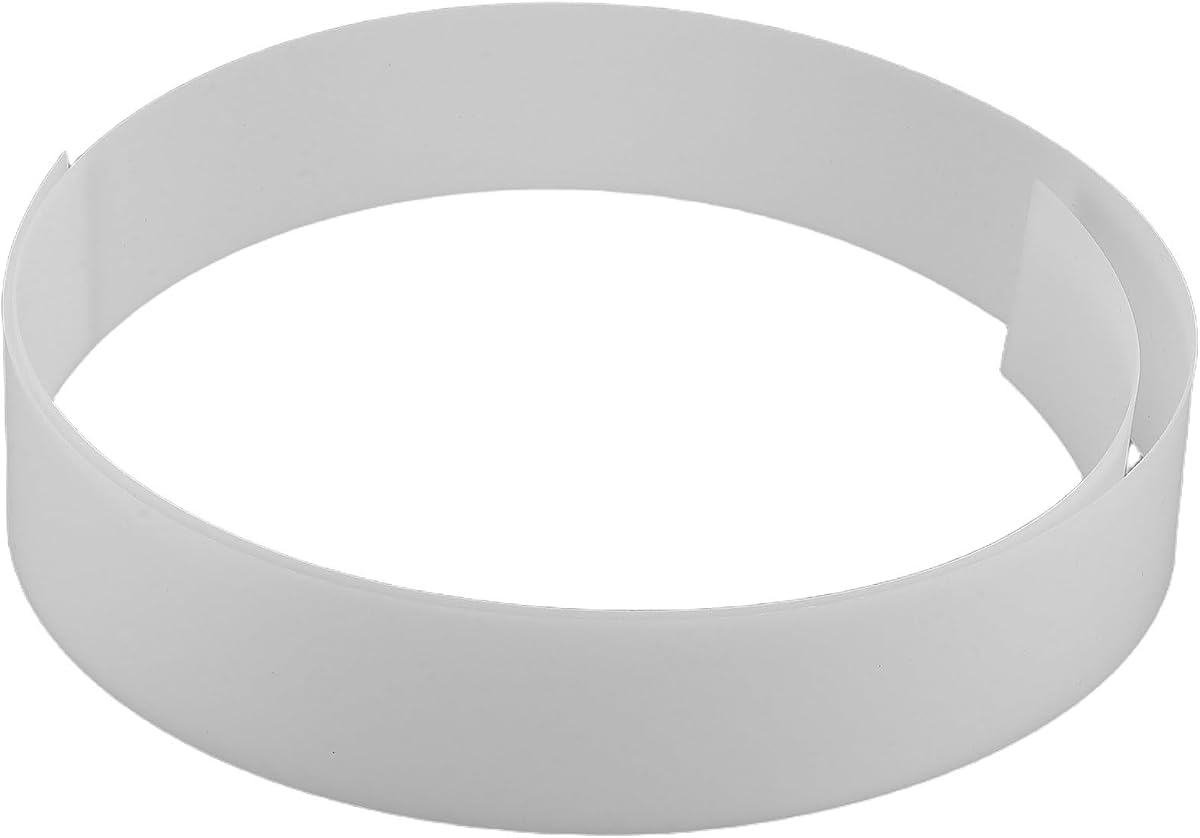
This flexible acrylic diffuser is built for a very specific task: covering linear LED strips used in gaming desks, display shelving, cove lighting, chandeliers, and decorative fixtures. Its white 1-millimeter sheet measures 1220 by 45 millimeters, providing a long, narrow surface that can follow a strip profile without requiring a rigid square panel.
We may earn a commission when you buy through this link, at no additional cost to you.
Flexibility is its defining advantage. The material can fit into LED strip channels, tape-light installations, recessed systems, or existing fluorescent-light covers. It is lightweight, adaptable, and intended to remain stable without deforming. That makes it useful for creating a continuous glow under a desk, along a shelf, or around an entertainment area where individual LED points would otherwise remain visible.
The 45-millimeter width limits the area it can soften compared with full panels. It is therefore most appropriate when the visible source is a narrow linear strip. The listing does not provide a published rating, and it does not describe a complete lighting system, so it should be considered a diffusion component rather than a source of illumination. Users should also confirm their profile dimensions before installation.
Choose this diffuser if your gaming setup already uses slim LED tape and you want a clean, continuous line of light without replacing the entire fixture. It is less useful for a conventional bulb, a wide ceiling panel, or a monitor that needs focused task lighting. For those applications, a broader diffusion sheet or purpose-designed monitor lamp will be more effective.
The long white panel helps scatter light from a narrow strip into a smoother band of illumination. It is particularly effective when the strip is mounted where the individual LEDs would distract from the surrounding display.
Because the diffuser is only 45 millimeters wide, it must match the width and mounting style of the intended strip channel. Checking dimensions before purchase avoids an installation that leaves the LED source partly exposed.
We may earn a commission when you buy through this link, at no additional cost to you.
The small white fabric diffuser is a straightforward option for gamers who want softer light from an existing table or floor lamp without cutting a rigid panel. It has a 3.5 rating and uses polyester fabric stretched around the shade by elastic bands. Installation therefore requires no tools, adhesive, or permanent modification to the lamp.
We may earn a commission when you buy through this link, at no additional cost to you.
The cover is designed for LED lamps with diameters from 12 to 18 centimeters, or approximately 4.72 to 7.09 inches. Its fabric helps soften harsh illumination and can reduce the eye fatigue associated with prolonged reading, studying, or desk work. The dust-proof design also limits dust accumulation around the covered lamp, while the waterproof, cleanable material supports routine maintenance.
Heat limitations are important. The product should be used only with compatible LED lamps and must not be placed directly over exposed bulbs, incandescent bulbs, high-temperature spotlights, or other sources producing substantial heat. Those restrictions narrow its use compared with rigid PC sheets, but they also make it a safer and more convenient option for a properly rated LED desk lamp.
This cover is best for users who value quick installation and a soft domestic or office appearance. It cannot replace a monitor-specific task light, and it offers limited control over color or beam direction. When matched to the correct LED lamp diameter, however, it delivers a practical diffusion solution with minimal effort.
Elastic bands stretch around the shade and hold the fabric in place, making this a convenient alternative to cut-to-fit panels. Remove the cover before cleaning the lamp or changing the source.
The cover is intended for compatible LED lamps only. It should remain clear of exposed bulbs and high-heat fixtures, and any installed lamp should stay within its own temperature and wattage guidance.
We may earn a commission when you buy through this link, at no additional cost to you.
The 11.8-inch square PC diffuser board has a 4.2 rating and emphasizes optical performance. Made from optical-grade polycarbonate, it provides at least 80-percent light transmission while scattering concentrated LED output into a uniform, soft glow. That balance makes it useful for ceiling lights, downlights, track lights, spotlights, panel fixtures, and even photography fill lights.
We may earn a commission when you buy through this link, at no additional cost to you.
Its 0.039-inch thickness keeps the panel light and easy to cut into the shape required by a fixture. This is useful when a standard rectangle cannot cover the entire illuminated area. The board also supports applications such as studio and photography lighting, where controlled, even output can help reduce visible hotspots and improve the consistency of illumination across a working surface.
Thermal performance distinguishes this option from many basic fabric or acrylic covers. The stated operating range is minus 40 to 120 Celsius, and the material is described as resistant to yellowing and embrittlement. As with any diffuser, it should still be mounted with appropriate clearance and should not be pressed tightly against a hot light source unless the installation is specifically designed for that condition.
This board is a good fit for a gamer or creator who wants to modify an existing bright fixture and values stable optical material. It is less convenient than a fitted shade because it is supplied as one flat sheet that must be trimmed and secured. For fixtures that accept a large square cover, however, it delivers strong transmission, even distribution, and versatile compatibility.
The listed transmission of at least 80 percent helps the diffuser reduce harsh hotspots without unnecessarily blocking the fixture's useful output. It is a more technical panel option for bright ceilings, panels, and studio fixtures.
A stated range of minus 40 to 120 Celsius makes the board suitable for varied indoor environments and many fixture types. Correct spacing from the source remains important even when the material itself is heat resistant.
We may earn a commission when you buy through this link, at no additional cost to you.
The two-roll Light Soften Tape set offers a different way to control LED strip glare. Each fiberglass roll measures 0.78 inches by 32.8 feet, providing enough material for extensive coverage around a desk, bookshelf, vanity, cabinet, or bedroom accent installation. Its 3.7 rating reflects a product that works best as a flexible supplemental diffuser rather than a complete covering.
We may earn a commission when you buy through this link, at no additional cost to you.
The white tape blocks about 15 percent of the light while allowing the remainder to pass through. Users can add multiple layers to increase light blocking where a more pronounced reduction is needed. This makes it especially helpful along the most visible edge of a strip, where individual LEDs can be distracting even when the overall installation appears attractive.
Installation is simple. The tape can be cut to the required length and width, pressed onto the strip, and later removed cleanly without leaving residue. Its fiberglass construction is listed as heat resistant, flame retardant, corrosion resistant, and waterproof, which supports use in several indoor and sheltered outdoor locations.
Choose this tape when you want to soften a narrow LED line without building a full diffuser channel. It is less suitable when the primary goal is to eliminate direct glare from a broad panel or bright spotlight. Its adjustable coverage is nevertheless valuable for improving existing strip installations, especially along desk edges where the light source remains directly visible.
The narrow 0.78-inch width fits neatly over exposed portions of a strip without concealing its entire light output. Applying it selectively can reduce LED hotspots while preserving the surrounding ambient effect.
One layer blocks approximately 15 percent of the light, and additional layers create greater reduction. Start with a single strip and increase coverage only if the source still looks too bright.
We may earn a commission when you buy through this link, at no additional cost to you.
This LED monitor light bar has a 4.5 rating and delivers a well-balanced mix of task illumination and gaming ambience. It fits flat and curved monitors from 17 to 34 inches, uses a lightweight aluminum alloy body, and connects through USB. Its defining feature is the asymmetric 45-degree beam, which directs light toward the keyboard and desktop rather than allowing it to reflect from the display.
We may earn a commission when you buy through this link, at no additional cost to you.
The bar provides 25 preset combinations made from five brightness levels and five color temperatures spanning 3000K to 6000K. A memory function recalls the previous selection, and a 45-minute automatic shutoff supports everyday use. Three dynamic modes—Static Gradient, Marquee, and Music Rhythm—add gaming-focused RGB effects, with smart audio synchronization matching the lighting to game and music beats.
Visual comfort is a major strength. The stated flicker-free, low-blue-light design provides up to 1200 lux of even illumination while directing light away from the screen. The 84 Ra95 LED beads also offer high color rendering for gaming, graphic design, video editing, and general office work. This makes it more functionally versatile than a pure decorative RGB strip.
It is the best budget-oriented monitor choice for users who want useful desktop lighting in a compact format. The RGB component is not a separate diffuser panel, but the asymmetric optics accomplish glare control directly. Buyers should verify USB power availability and monitor-edge clearance, yet otherwise it offers straightforward installation, broad fit, and versatile lighting.
The 45-degree asymmetric beam keeps the screen comparatively free of reflected light while brightening the keyboard and work area. This makes the bar useful for both gaming sessions and daytime desk tasks.
Twenty-five preset combinations cover a broad range of brightness and color temperature needs, while memory restores the last selection automatically. That reduces repeated adjustments when switching between work and entertainment.
We may earn a commission when you buy through this link, at no additional cost to you.
The Quntis Computer Monitor Lamp holds the highest listed rating in the guide at 4.6. It is a dedicated task light for desks where screen glare, inconsistent brightness, and prolonged viewing comfort are the main concerns. Rather than relying on a separate diffuser panel, it uses an asymmetrical optical design to illuminate the desktop while directing light away from the display.
We may earn a commission when you buy through this link, at no additional cost to you.
Automatic dimming is the standout feature. A built-in ambient sensor monitors surrounding brightness and adjusts the output toward 900 lux, helping avoid a desk that is either too dim or too bright. Manual controls add stepless adjustment for brightness and color temperature from 3000K to 6500K, providing more precise control than a small set of fixed presets.
Visual performance is supported by 78 LED beads and a claimed Ra98 color rendering index, intended to reproduce vivid, accurate colors for professional and everyday tasks. The light is described as flicker-free and compliant with IEC/TR 62778 and IEC/EN 62471 standards. It also addresses screen reflection through its asymmetric beam and conserves desk space with a weighted clip mounted on top of the monitor.
This is the premium selection for users who spend long periods gaming, reading, studying, or performing color-sensitive work. Its automatic response to ambient conditions and very high color rendering distinguish it from simpler RGB bars. The feature set is comprehensive, but buyers should still check monitor compatibility, USB power, and whether the top bezel can support the weighted clip securely.
The ambient sensor adjusts the lamp as room lighting changes, reducing the need to touch controls during the day. This makes the bar particularly convenient for mixed gaming, work, and study routines.
The Ra98 rendering and asymmetric beam serve two different goals: accurate color reproduction across the desk and minimal reflected light on the screen. Together they make the lamp useful for both professional visual work and entertainment.
We may earn a commission when you buy through this link, at no additional cost to you.
The most useful gaming desk diffuser depends on the light source you already own and the type of glare you want to control. Consider fixture compatibility, diffusion strength, installation method, heat exposure, screen reflections, and the role that lighting should play in your setup.
A diffuser works by placing a translucent or scattering material between the viewer and a concentrated LED source. The correct format therefore depends on whether you want to cover a narrow strip, modify a flat panel, fit a monitor light, or shape the output of a Philips Hue Play Bar. Rope lights with integrated diffusion, square panels, narrow acrylic channels, fitted shades, and monitor bars are not interchangeable, even when they all soften light.
Begin by identifying the exact dimensions, mounting method, and heat characteristics of the intended fixture. Check whether a panel can be cut to size, whether a strip diffuser fits the channel, or whether the monitor lamp supports the display's bezel and power arrangement.
Choose the diffuser that physically matches your primary light source.
The desired effect may be a complete even glow, moderate hotspot reduction, or a subtle softening that preserves brightness. Full PC sheets and acrylic channels generally create more uniform output because they cover the source. Masking tape provides adjustable partial blocking, while a fabric shade softens direct light but remains more dependent on the shape of the lamp underneath.
Consider where the source is directly visible. A strip along the front edge of a desk may need broad coverage, while a strip tucked beneath a shelf might need only selective treatment. For a monitor, an asymmetrical beam can solve reflection more effectively than a loose sheet.
Match diffusion strength to visibility and glare severity.
Heat affects adhesives, adhesives, plastic supports, fabric, and even high-performance polycarbonate. A diffuser should not be pressed against an LED source unless the manufacturer explicitly permits that arrangement. The PC board with a stated minus 40 to 120 Celsius operating range is designed for thermally demanding fixtures, while the fabric cover is restricted to compatible LED lamps and away from exposed bulbs or high-heat spotlights.
For retrofit panels, maintain the spacing recommended by the light manufacturer. If a sheet must be installed inside a recessed fixture, confirm that ventilation and clearance requirements can still be met. For fabric, never extend the product to incandescent or high-temperature sources.
Always prioritize safe spacing and source-specific heat limits.
Ambient light is useful only if it does not interfere with the display. A monitor light bar should direct illumination toward the keyboard and desktop using an asymmetric beam. A separate sheet diffuser addresses brightness from another fixture but cannot automatically stop light from striking a screen at an angle. A dedicated Play Bar shade is intended to redirect that bar's ambient output more precisely.
For curved or glossy monitors, the light bar's fit and asymmetric design are especially important. Users should also consider whether task lighting is needed during work or whether the goal is simply background atmosphere behind the screen.
Choose beam control for gaming and glare reduction.
Some products need only an elastic band or self-adhesive strip, while others require measuring, cutting, and securing a panel. Monitor bars save desk space by mounting to the display, but they add weight to the bezel and require a suitable USB connection. Rope lights need a clean desk-edge route, and purpose-built bar shades require the matching bar.
Think about whether you want a permanent modification or a reversible installation. Removable tape and fabric covers are convenient for renters or temporary setups. Semi-rigid sheets and channels can look more integrated but may require careful preparation.
Favor the simplest secure method that suits your setup.
Ambient products can add synchronized color, sound-reactive effects, and customizable scenes, while monitor bars focus on brightness, color temperature, and task illumination. More effects do not automatically mean better diffusion. Govee's rope light offers extensive RGBIC control, while the Quntis bar emphasizes automatic dimming and precise color-temperature adjustment.
Choose the control style that matches how you use the desk. Smart effects are useful for streaming and immersive gaming, whereas designers, readers, and office users may value accurate color and stable task light more than animated modes.
Prioritize useful controls over unnecessary visual effects.
Polycarbonate and optical PC are rigid, cuttable, and generally easy to wipe clean. Flexible acrylic works well in narrow strip channels, while polyester fabric can be removed and washed. Fiberglass masking tape is convenient for temporary adjustments and is listed as waterproof and cleanable enough for removal without residue.
Consider whether the material will collect dust, develop fingerprints, or become difficult to access. A gaming desk is often visible on camera, so a clean, evenly integrated finish may matter as much as the technical optical performance.
Select a material that is easy to maintain in your setup.
Monitor bars should be checked for supported screen dimensions, bezel shape, and power access. The listed monitor light bar supports 17 to 34-inch flat and curved displays, while the Quntis model uses a weighted top clip. Sheet products must fit the target fixture's dimensions, and the Play Bar shade is tied to a specific compatible bar.
Third-party status should also be understood. A product that references a branded device for compatibility is not necessarily manufactured or endorsed by that brand. Review the seller's notes and confirm the exact model before relying on a snug fit.
Verify every dimension and compatibility claim first.
Install the diffuser with the light switched off and disconnected. For cuttable panels, measure the fixture opening, mark the required shape, and cut from the protective-film side with a straight-edged utility knife or suitable scissors. Remove only the section being installed and peel away the protective film so the clear diffusion surface faces outward.
Secure the panel or strip without pressing it into direct contact with a hot LED source. Use the method appropriate to the fixture, keep required ventilation openings clear, and leave enough space for heat to dissipate. Fabric covers should sit only on compatible LED lamps, while monitor bars should be positioned according to the display weight and the manufacturer's mounting guidance.
For routine care, dust fabric and removable covers with a dry or lightly damp cloth according to their care instructions, and never immerse electrical components. Clean rigid polycarbonate with a soft cloth and avoid abrasive pads. Check taped edges periodically for looseness, inspect clipped monitor bars for stability, and update smart-lighting routines when the room layout or display changes.
The best type depends on the light source and the problem you want to solve. A monitor bar is ideal for reducing screen reflections and adding task light, while a diffusion sheet or strip channel is better for softening visible LEDs around the desk. Rope lights with integrated diffusion work best for colorful ambient effects rather than focused task illumination.
They redistribute and soften light rather than adding a new light source. A sheet can make a concentrated fixture look more even and reduce visible hotspots, although the total brightness may remain similar. Stacking multiple sheets can increase the amount of light blocked, but correct spacing from the source is still necessary.
The LED Monitor Light Bar in this guide is specified for flat and curved monitors from 17 to 34 inches. The mounting design still needs to fit the bezel securely, and the display should be stable enough to carry the bar's weight. Check the monitor's dimensions and any manufacturer guidance before installation.
No. The fabric diffuser listed here is intended only for compatible LED lamps and should not be placed over exposed bulbs, incandescent bulbs, high-temperature spotlights, or other fixtures with substantial heat output. Always follow the lamp's operating guidance and keep the fabric within its stated compatibility limits.
Masking tape provides selective, adjustable light blocking and is useful for covering visible portions of a narrow LED strip. A diffusion sheet covers a broader area and scatters light more uniformly, usually producing a stronger softening effect. Tape is faster and more reversible, while a sheet is better for full coverage and polished fixture integration.
Yes, the listed PC sheets are described as easy to cut with a utility knife or scissors. Measure carefully and use a straight edge to produce a clean fit. Leave the specified clearance from the light source, avoid forcing the panel into a hot fixture, and remove the protective film only from the area being installed.
The Govee RGBIC neon rope light is the strongest match for synchronized ambience because it supports segmented RGBIC effects, music modes, and compatibility with the Govee AI Gaming Sync Box or Razer Chroma. The required Govee AI Gaming Box is sold separately, so it must be considered when planning the setup.
First, reposition the strip so the LEDs are not directly visible from your normal viewing position. If that is not possible, apply light-softening masking tape over the exposed section or place the strip inside a compatible diffuser channel. For screen reflections, choose an asymmetric monitor bar rather than relying on a sheet placed near the display.
The Govee RGBIC neon rope lights lead the ambient category with segmented effects, smooth light distribution, flexible desk-edge routing, and broad smart-control options. The LED Monitor Light Bar offers the strongest balanced budget option for task illumination and gaming effects, while the Quntis Computer Monitor Lamp stands out with automatic dimming, precise color control, and Ra98 color rendering.
For passive fixture upgrades, the PC and acrylic panels cover very different needs. Square optical boards are useful for large panels and thermally demanding fixtures, smaller polycarbonate sheets handle cut-to-fit retrofits, and flexible acrylic suits narrow LED channels. Fabric covers and masking tape remain worthwhile when quick, reversible installation matters more than a fully integrated enclosure.
Before ordering, verify the fixture dimensions, mounting method, heat limits, monitor compatibility, and power requirements. Product specifications and current listings can change, so confirm the latest details and fit directly against the equipment you already own. The most effective diffuser is the one that solves the specific source of glare while fitting safely into your gaming setup.