
Logitech G305 Lightspeed Wireless Gaming Mouse – Black
4.6Editor score
3.4-ounce lightweight design
Up to 250-hour battery life
12,000 DPI optical sensor
Our Lightweight Mouse guide compares ten top options for gaming, productivity, portability, battery life, precision, comfort, and everyday wireless use in 2026.
A lightweight mouse can make everyday computing feel noticeably more comfortable, especially when long work sessions, travel, and competitive gaming are part of your routine. The best choice balances low mass with a dependable sensor, responsive controls, comfortable shaping, and battery life suited to the way you work. No single design excels at every task.
This guide compares ten lightweight mouse options across gaming, productivity, general home use, and portable computing. We considered each product's stated weight, dimensions, sensor specifications, connectivity, programmable controls, battery claims, portability features, and overall rating. The list includes compact wireless models, full-size ergonomic mice, wired gaming mice, and premium esports designs.
Each review identifies the strongest reasons to consider a mouse and the compromises that may affect your choice. The top selections represent different priorities: a budget-friendly wireless gaming mouse, a high-performance esports option, and a feature-rich premium model. Product availability and prices can change, so confirm the current listing and specifications before buying.
4.6Editor score

4.5Editor score

4.6Editor score
This side-by-side comparison highlights the major differences in weight, connectivity, sensor performance, controls, battery design, and portability across all ten lightweight mouse options.





The Logitech G305 Lightspeed Wireless Gaming Mouse in black combines an explicitly lightweight 3.4-ounce design with a strong 4.6 rating, making it the most balanced recommendation in this guide. It is built around Logitech's HERO optical sensor, a 12,000 DPI sensitivity ceiling, and 400 IPS tracking precision. Those specifications make it suitable for competitive gaming while keeping the overall package approachable for everyday users.
We may earn a commission when you buy through this link, at no additional cost to you.
Its most persuasive feature is the combination of low mass and unusually long battery endurance. Logitech states that the mouse can deliver up to 250 hours of continuous gameplay on one AA battery. Endurance mode in Logitech G HUB can extend that figure to as much as nine months. This removes charging downtime from the equation and makes the G305 particularly convenient for travel, shared workstations, and competitive sessions that continue for long periods.
There are trade-offs. The compact body offers fewer controls than the Redragon M612, Logitech G502 Hero, or Logitech MX Master 4, so it is less suited to macro-heavy gaming or productivity workflows that depend on extra buttons. At 3.4 ounces, it is impressively light, although it does not approach the 60-gram specification of the Logitech G PRO X Superlight 2. The mouse also uses a single AA battery, which is convenient but less integrated than a rechargeable system.
The G305 is best for gamers who want a wireless mouse without accepting charging cables or sacrificing everyday portability. It also works well for students and office users who need a dedicated pointing device for a laptop. Those seeking extensive remapping, a larger ergonomic form, or the lowest possible esports weight should examine the alternatives, but for a versatile first lightweight gaming mouse, the G305 offers the strongest balance in this list.
The 3.4-ounce mechanical design is light enough to support quick directional changes without the feel of a conventional full-size gaming mouse. One AA battery and a stated 250-hour continuous-use figure make it especially convenient for long sessions.
The compact dimensions and built-in nano receiver storage make the G305 easy to pack. Its LIGHTSPEED connection provides a stated 1 ms report rate for responsive gaming when portability and wireless freedom matter most.
We may earn a commission when you buy through this link, at no additional cost to you.
The white Logitech G305 offers the same core appeal as the black edition: a compact wireless gaming mouse built around low weight, strong tracking specifications, and long battery life. Its 4.6 rating reflects a well-regarded product that is easy to recommend for portable gaming. The white finish also gives a desk or travel setup a distinctive appearance without changing the core performance proposition.
We may earn a commission when you buy through this link, at no additional cost to you.
The HERO optical sensor tracks up to 12,000 DPI, and LIGHTSPEED wireless is specified at a 1 ms response time. Logitech advertises up to 250 hours of continuous gaming on a single AA battery. A lightweight mechanical design and classic shape are intended to maximize maneuverability and comfort, while the included USB wireless receiver fits inside the mouse for convenient storage.
Like its black counterpart, this version does not offer the long list of remappable controls found on productivity-focused mice. There are no stated palm grips or multiple scroll wheels, so users who spend the day navigating documents may find the MX Master 4 more satisfying. It also lacks the extreme 60-gram specification and 8 kHz polling of the G PRO X Superlight 2. These are meaningful distinctions for specialists rather than shortcomings for general gaming.
Choose the white G305 if you want a capable gaming mouse that is easy to carry, avoids frequent charging, and complements a lighter-colored setup. It is particularly useful for laptop owners who game occasionally and want a more precise alternative to a touchpad. The standard gaming mouse remains a sound choice for competitive play, although advanced users should consider the Pro X family when faster polling and additional features are priorities.
The classic, compact profile supports maneuverability and can be stored easily in a laptop bag. Built-in receiver storage helps prevent the small USB component from being misplaced during transport.
A 12,000 DPI sensor, 1 ms LIGHTSPEED response, and up to 250 hours of stated continuous use combine responsive gaming with the convenience of a replaceable AA battery.
We may earn a commission when you buy through this link, at no additional cost to you.
The Logitech G PRO X Superlight 2 is the specialist choice for gamers who want to minimize hand movement without giving up modern wireless performance. Its stated 60-gram weight is dramatically lower than that of many full-size gaming mice, while the HERO 2 sensor supports tracking above 888 IPS and sensitivity up to 44,000 DPI. The result is a mouse designed around rapid corrections and highly competitive play.
We may earn a commission when you buy through this link, at no additional cost to you.
Wireless polling reaches 8 kHz, offering substantially more frequent position reports than conventional wireless mice. The rechargeable battery is rated for up to 95 hours, while USB-C charging simplifies power management. POWERPLAY compatibility is another option for users who own that separate ecosystem. Zero-additive PTFE feet are designed to support smooth gliding, and LIGHTFORCE hybrid switches provide a tactile click intended to aid deliberate inputs.
The demanding specifications also come with trade-offs. This is a focused esports mouse rather than a productivity tool, so its streamlined control layout is better suited to gaming than document-heavy workflows. Advanced features depend on Logitech G HUB, and POWERPLAY requires a separately sold accessory. As with other premium performance models, buyers should consider whether polling frequency and sensor ceiling match their actual monitor and play style rather than buying solely for the largest numbers.
This is the strongest recommendation for competitive gamers who prioritize low mass, fast wireless reporting, and a proven lightweight shell. It is also appropriate for users who enjoy fast-paced action games and value a rechargeable design. For casual gaming, the G305 may offer more convenience, while the G PRO X2 SUPERSTRIKE makes sense when haptic click customization is worth the additional complexity.
The 60-gram design is the centerpiece of this mouse. Less mass can reduce the amount of force required to move and stop the pointer, which is particularly useful during rapid aiming and frequent corrections.
The combination of 8 kHz polling, a HERO 2 sensor, and up to 44,000 DPI supports precise tracking. Up to 95 hours of stated battery life helps preserve that performance across extended play.
We may earn a commission when you buy through this link, at no additional cost to you.
The Logitech G PRO X2 SUPERSTRIKE stands out through its Haptic Inductive Trigger System, which adds programmable physical feedback to a very fast wireless gaming mouse. Its 4.6 rating supports the broader Logitech competitive ecosystem, while the stated 30 ms improvement in click speed and 10 actuation points offer a clear path toward more personalized input behavior.
We may earn a commission when you buy through this link, at no additional cost to you.
The HERO 2 sensor tracks above 888 IPS, handles 88 g-force, and reaches up to 44,000 DPI. LIGHTSPEED wireless supports 8 kHz polling, while the rechargeable battery is rated for 60 to 90 hours depending on use. A thin-wall case and extra-large UHMWPE feet are intended to keep movement smooth, and the mouse is compatible with both PC and Mac systems.
Customization is compelling but depends on Logitech G HUB. The listed actuation and rapid-trigger settings require software and, according to the supplied specifications, were tested on a G640 mousepad. POWERPLAY 2 compatibility can eliminate charging interruptions for owners who buy the separate mousepad, but it is not included. Buyers who want simple controls and long battery life without software configuration may find the G305 more straightforward.
This mouse is best for competitive gamers who want to fine-tune click response and value tactile haptic feedback. It is also a strong choice for users who appreciate an ultra-thin shell, large glide surfaces, and high-frequency wireless reporting. The premium specification makes it less essential for casual users, but among lightweight esports mice, the SUPERSTRIKE provides one of the most unusual control systems in this comparison.
Ten actuation points and five rapid-trigger reset levels let players adjust when a click registers. The Haptic Inductive Trigger System adds feedback while keeping the input process fully programmable.
An HERO 2 sensor, 8 kHz polling, and a stated 60- to 90-hour battery provide a strong competitive foundation. USB-C recharging adds convenience without making the mouse dependent on a disposable battery.
We may earn a commission when you buy through this link, at no additional cost to you.
The Redragon M612 is a feature-rich wired gaming mouse that brings eleven programmable buttons, a high sensitivity ceiling, and adjustable DPI levels to a streamlined claw-grip design. Its 4.6 rating makes it a credible option for gamers who want extensive control options without paying for a premium wireless ecosystem.
We may earn a commission when you buy through this link, at no additional cost to you.
Five DPI presets can be selected directly, beginning at 500, 1,000, 2,000, 3,000, and 4,000 DPI. Software expands the available choices between 500 and 8,000 DPI. Every button is reassignable, including the rapid-fire control and two side macro buttons. This level of customization is useful for MMO-style games, productivity shortcuts, and titles where multiple actions need to be placed within reach.
The mouse uses a frosted surface designed to resist visible fingerprints, while rubber texture on the left side adds grip. A claw-grip frame is intended to reduce fatigue during extended sessions, and five dynamic RGB lighting modes provide desk-level visual customization. Because it is wired, the M612 does not need charging and removes any uncertainty about wireless latency, though the attached cable makes it less convenient for travel.
Choose the M612 when programmable controls, adjustable DPI, and a wired connection matter more than absolute portability. It is also appealing for users who want RGB lighting and a macro-oriented layout at a more accessible product tier. Competitive players focused exclusively on the lowest possible mass may prefer a wireless esports model, but the supplied specifications do not claim a specific weight for the M612, making physical comfort and grip especially important to assess before purchase.
Eleven fully reassignable buttons give the M612 more flexibility than compact standard mice. Side macro controls and software-defined DPI options support both games and repeated productivity tasks.
The frosted finish and rubber left-side texture support control during longer sessions. Five RGB modes add visual appeal, although the wired layout remains anchored to a desk-oriented setup.
We may earn a commission when you buy through this link, at no additional cost to you.
The Logitech G502 Hero is not as compact or explicitly light as the G305, but it remains relevant to shoppers seeking a refined gaming experience with adjustability. Its defining feature is a weight system that accepts up to five 3.6-gram pieces, allowing users to tune mass and balance rather than accepting one fixed configuration.
We may earn a commission when you buy through this link, at no additional cost to you.
The HERO sensor reaches 25,600 DPI and is engineered for precise tracking without smoothing, filtering, or acceleration. Eleven programmable buttons and a dual-mode hyper-fast scroll wheel create a generous control layout. Mechanical switch button tensioning uses a metal spring system and metal pivot hinges to provide a crisp click feel and fast feedback.
The trade-off is bulk. A larger, adjustable-weight wired mouse cannot offer the same effortless portability as the G305, M185, or G PRO X Superlight 2. Its LIGHTSYNC RGB system also adds visual customization, while the wired connection avoids battery management but keeps the mouse on the desk. Buyers should not equate the word lightweight with this model's feature-rich construction; it is better understood as a highly adjustable gaming mouse.
The G502 Hero fits gamers who want many controls, a high-resolution sensor, and the ability to tailor weight to personal preference. It is also a strong match for mixed gaming and productivity use because of its scroll wheel and programmable buttons. For the absolute lightest portable option, choose a compact wireless model; for users who value control variety and customization more than minimal mass, the G502 remains an excellent alternative.
Up to five removable 3.6-gram weights allow the mouse to be adjusted according to movement style and preference. This makes it possible to find a balance between a steady feel and faster repositioning.
Eleven programmable buttons and a two-mode scroll wheel expand what the mouse can do. The 25,600 DPI HERO sensor delivers detailed tracking for demanding games and everyday precision tasks.
We may earn a commission when you buy through this link, at no additional cost to you.
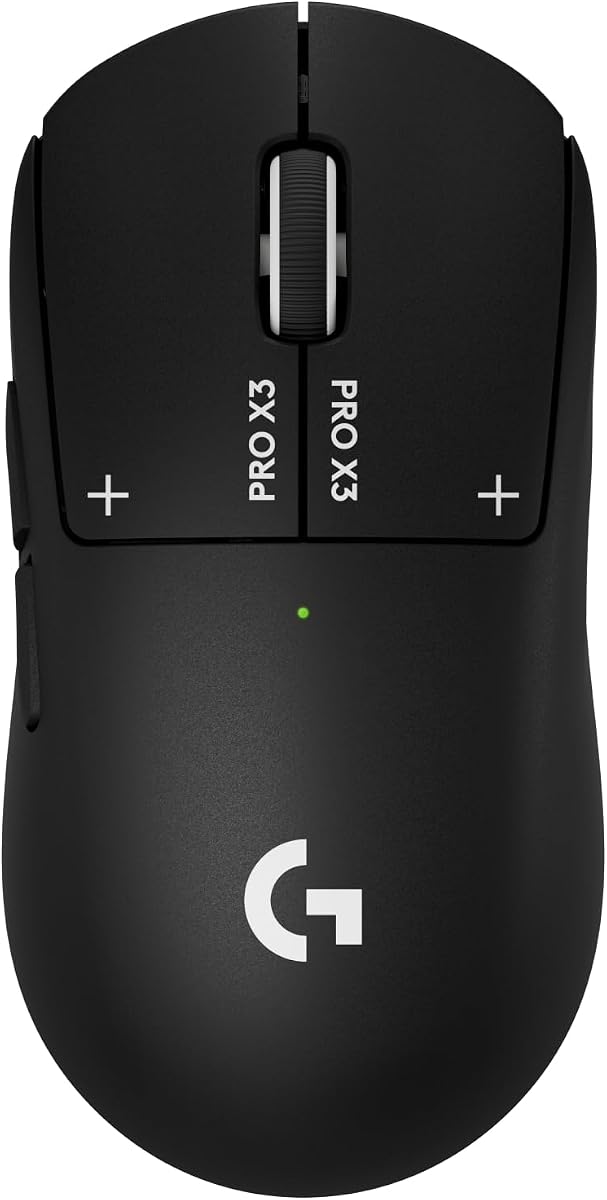
The Logitech G PRO X3 SUPERSTRIKE is the advanced haptic offering in this lineup, combining a 4.3 rating with a sensor that tracks over 930 IPS, tolerates 90 G, and reaches 48,000 DPI. Its defining feature is an electromagnetic Haptic Inductive Trigger system that replaces the usual mechanical switch arrangement and allows ten actuation points plus five reset levels.
We may earn a commission when you buy through this link, at no additional cost to you.
LIGHTSPEED wireless operates at up to 8 kHz polling, and the rechargeable mouse is rated for up to 135 hours on a single charge. USB-C recharging provides a straightforward way to restore power, while POWERPLAY compatibility is available for users who own the separately sold accessory. The 0.7-millimeter thin-wall case and extra-large UHMWPE feet emphasize smooth, durable movement.
Its 4.3 rating is lower than the ratings of the other models in the comparison, so buyers should consider whether the specialized click system justifies selecting it. Software configuration through Logitech G HUB is needed for advanced features, and the supplied specifications note that testing was performed on a G640 mousepad. The product name also omits the word wireless even though its specifications describe LIGHTSPEED wireless operation.
This mouse is intended for competitive gamers who want extremely detailed sensor capability, high polling frequency, and more click control than conventional mechanical switches provide. The 135-hour battery claim is particularly attractive for users who want to minimize charging interruptions. It is less compelling for ordinary office work, but it is one of the most technically advanced lightweight gaming choices when haptic actuation is a priority.
The Haptic Inductive Trigger system uses an electromagnetic field and provides ten actuation points with five reset levels. This creates a highly adjustable alternative to standard mechanical click behavior.
Up to 135 hours of stated battery life is paired with 8 kHz polling and a sensor reaching 48,000 DPI. USB-C charging and optional POWERPLAY compatibility simplify long-term power planning.
We may earn a commission when you buy through this link, at no additional cost to you.
The Logitech M185 is the straightforward choice for someone who wants a small, dependable wireless mouse rather than a specialized gaming or productivity device. Its compact ambidextrous shape is designed for both right- and left-handed use, while its 4.4 rating reflects a broadly practical product for offices, classrooms, travel, and laptop use.
We may earn a commission when you buy through this link, at no additional cost to you.
A 2.4 GHz nano receiver provides a stated connection range of up to 33 feet or 10 meters. Plug-and-play setup works with Windows and Mac systems without required software, and a line-by-line scroll wheel supports standard navigation. Smart sleep mode contributes to an advertised battery life of up to one year, with an AA battery included.
The M185 lacks the high sensitivity ceilings, programmable buttons, RGB lighting, and multi-mode wheels found in the gaming options. Its simple shape is an asset for portability but may feel limited during long creative or professional sessions. Some users may prefer the fuller form and quieter clicks of the M330 Silent Plus, while those requiring dedicated controls should consider the MX Master 4.
This mouse is best for travel, dorm rooms, shared computers, and anyone who wants a dependable pointer that works with either hand. Its small footprint takes up little desk space and makes it easy to carry. The M185 does not try to compete with esports specifications; instead, it offers practical wireless operation, universal compatibility, and long battery life in a simple package.
The symmetrical, contoured shape can be used with either hand and suits small to medium hands. Its compact proportions make it easy to store and carry between workspaces.
The tiny nano receiver and plug-and-play setup remove complicated installation. A stated one-year battery life and automatic sleep mode reduce maintenance for routine computer use.
We may earn a commission when you buy through this link, at no additional cost to you.
The Logitech M330 Silent Plus is a compelling lightweight choice for shared offices, quiet homes, and anyone who spends long periods clicking. Its SilentTouch technology is stated to reduce clicking sounds by more than 90 percent, while the full-size contoured form is shaped for right-handed use. The product carries a 4.5 rating and a strong focus on sustained comfort.
We may earn a commission when you buy through this link, at no additional cost to you.
Its stated battery life reaches 18 months, supported by power-saving auto-sleep and an included AA battery. A 2.4 GHz connection offers a range of up to 33 feet or 10 meters, and advanced optical tracking is designed to provide smooth cursor control on most surfaces. The USB-A receiver works with Windows, macOS, ChromeOS, and Linux, making it broadly useful across different computers.
The right-handed shape does not accommodate left-handed users, and there are no extra buttons, thumb wheel, or elaborate shortcut controls. Those limitations make the M330 less attractive for advanced productivity than the MX Master 4. Its full-size shape also occupies more space than the compact M185, although the larger form may feel more natural during extended desktop sessions.
Choose the M330 Silent Plus when quiet operation is a daily requirement rather than an occasional preference. It is particularly suitable for offices, libraries, shared apartments, and video-call environments where repeated clicks can become distracting. For users seeking portable dimensions or programmable controls, the M185 or MX Master 4 provides a better match.
SilentTouch reduces clicking noise by more than 90 percent according to Logitech. That makes the M330 useful in offices, libraries, and homes where a standard mechanical mouse would be disruptive.
A contoured right-handed shape supports long sessions, while auto-sleep and an 18-month stated battery life reduce the need for frequent battery changes.
We may earn a commission when you buy through this link, at no additional cost to you.
The Logitech MX Master 4 is the productivity-focused option in this guide, bringing an ergonomic tilt, a contextual Actions Ring, a thumb scroll wheel, haptics, and fast magnetic scrolling to a wireless desktop setup. Its 4.2 rating is the lowest among the selected products, but that figure does not reflect the broad range of workflow tools this mouse offers.
We may earn a commission when you buy through this link, at no additional cost to you.
The MagSpeed wheel can scroll up to 1,000 lines per second and stop on a pixel. A separate thumb wheel supports horizontal navigation, while the Actions Ring places app-dependent filters, adjustments, and shortcuts near the cursor. The Haptic Sense Panel can provide customizable feedback for actions, shortcuts, and notifications, making the mouse useful in professional workflows where visual confirmation alone may be insufficient.
Connectivity is flexible, with Bluetooth for versatility and a USB-C dongle using an advanced radio chip and optimized antenna for a stronger connection. The natural tilt, intuitive buttons, and thumb wheel are designed to reduce hand stress. Quiet clicks are stated to reduce noise by 90 percent. As a full-size ergonomic device with numerous controls, it is less minimal than a compact portable mouse and may demand more desk space.
Choose the MX Master 4 for office work, creative applications, spreadsheet navigation, and multi-device productivity. It is best suited to right-handed users who will take advantage of the thumb wheel and Actions Ring rather than gaming-focused button remapping. The more recent Pro X2 and Pro X3 SUPERSTRIKE models make more sense for competitive esports, while the M330 Silent Plus is the quieter and simpler alternative.
The Actions Ring adapts to each application and places frequently used controls near the pointer. A separate thumb wheel supports horizontal navigation in workflows that require it.
The MagSpeed wheel handles up to 1,000 lines per second, while Bluetooth and a USB-C dongle offer different connection options. Quiet clicks and configurable haptics support focused work.
We may earn a commission when you buy through this link, at no additional cost to you.
The best lightweight mouse is the one that balances low mass with the shape, controls, sensor, connectivity, and battery behavior required by your work. Comparing those priorities is more useful than chasing the smallest number on a specification sheet.
Weight is the defining characteristic of this category, but the numbers matter most when they correspond to your movement habits. The Logitech G305 is explicitly listed at 3.4 ounces, while the G PRO X Superlight 2 weighs 60 grams, which is approximately 2.1 ounces. That difference is meaningful in fast-paced games where frequent stops, flicks, and direction changes can make a heavier mouse feel tiring. A lower-mass design may also feel more natural for quick repositioning, although comfort still depends on shape and grip style.
Choose a clearly stated low weight when agility is your priority. For general productivity, a full-size ergonomic form can remain comfortable even if it is not one of the lightest models. The Redragon M612 and Logitech G502 Hero do not provide specific weight figures in the supplied information, so do not assume they are as light as the G305 or Pro X models.
A light mouse can still feel uncomfortable if its shape does not match how you hold it. The G305 uses a compact, classic profile, the Redragon M612 follows a general claw-grip design, and the M185 is ambidextrous. By contrast, the MX Master 4 uses a larger, tilted ergonomic shape intended to reduce hand stress. Right-handed users may prefer the M330 or MX Master 4, while the M185 supports either hand.
Match the mouse to your hand and preferred grip before comparing specifications. Small hands may benefit most from the M185's compact dimensions, whereas users who prefer a large palm-resting posture may prefer the MX Master 4. Claw-grip gamers can examine the Redragon M612, while the G305 and Pro X family are better viewed as compact competitive shapes.
A high DPI ceiling is only one part of tracking performance. The G305 supports up to 12,000 DPI, the G502 reaches 25,600 DPI, the G PRO X Superlight 2 reaches 44,000 DPI, the G PRO X2 SUPERSTRIKE reaches 44,000 DPI, and the G PRO X3 SUPERSTRIKE reaches 48,000 DPI. IPS, acceleration, smoothing, and wireless polling also influence how movement feels during actual play.
Choose a high-resolution sensor when you need fine aiming and rapid corrections. Competitive wireless models such as the Pro X Superlight 2, Pro X2 SUPERSTRIKE, and Pro X3 SUPERSTRIKE support 8 kHz polling, while the G305 uses a stated 1 ms LIGHTSPEED response. Do not assume a larger DPI number automatically produces a better experience for every game.
Wireless mice offer freedom from cables, but their response behavior and power requirements differ. LIGHTSPEED models are built around gaming-focused wireless performance, while the M185 and M330 Silent Plus use a straightforward 2.4 GHz connection with a USB-A receiver. The MX Master 4 supports Bluetooth and a USB-C dongle, making it more versatile across computers.
Select a wired model when consistent power and a permanently connected setup matter most. Select wireless when portability, cleaner desk space, and freedom of movement are more important. Check receiver storage carefully for travel: both G305 versions include built-in storage for their nano receiver, which reduces the chance of leaving a small adapter behind.
Replaceable AA batteries and rechargeable systems offer different conveniences. The G305 provides up to 250 hours of continuous gameplay on one AA battery and can extend to as much as nine months in Endurance mode. The M185 advertises up to one year of battery life, while the M330 Silent Plus claims up to 18 months. Rechargeable competition mice provide 95 hours on the G PRO X Superlight 2, 60 to 90 hours on the Pro X2 SUPERSTRIKE, and up to 135 hours on the Pro X3 SUPERSTRIKE.
A replaceable battery is useful when you want to keep using a mouse without remembering a charging cable. A rechargeable model is more convenient for a permanent desk setup. If you dislike cables entirely, consider optional POWERPLAY compatibility, but remember that the required mousepad is sold separately for the Pro X2 and is not included with the Pro X3.
The number and programmability of buttons determine whether a mouse suits gaming, productivity, or both. The Redragon M612 offers eleven programmable buttons with macro support, the G502 Hero also provides eleven programmable controls, and the MX Master 4 adds an Actions Ring, a thumb wheel, and a haptic panel. The G305 and Pro X mice keep the layout more streamlined for performance-focused use.
Prioritize extra buttons when you repeatedly use editing commands, office shortcuts, or game macros. Avoid them if a clean, symmetrical layout and minimal accidental inputs matter more. For productivity, the MX Master 4 is the most complete option here; for game customization, the M612 offers more explicit remapping features than the compact wireless picks.
Click design affects both speed and the amount of physical feedback you receive. The G502 Hero uses mechanical switch button tensioning with metal springs and pivots for a crisp feel. The Pro X Superlight 2 uses LIGHTFORCE hybrid switches with a tactile click. The Pro X2 and Pro X3 SUPERSTRIKE go further with electromagnetic Haptic Inductive Trigger systems, offering programmable actuation points and physical feedback.
Traditional tactile clicks are familiar and versatile. Haptic systems are more specialized and can be valuable in competitive games where precise trigger timing is important. If you are new to programmable actuation, the G305 or M612 may be easier to understand. If you value a more tailored click experience, the SUPERSTRIKE models provide options that conventional mechanical mice cannot.
Compact mice are easiest to carry, but their shape should still support the games you play. The G305's 3.4-ounce design, stored receiver, and compact body make it particularly travel-friendly. The M185 is smaller still and intended for small to medium hands. The MX Master 4 provides broader productivity functions but takes up more room than a compact model.
Check the advertised tracking capabilities against the surfaces you use. The M330 Silent Plus states that its optical sensor works on most surfaces, while gaming models are generally designed around controlled desktop environments. Bring the receiver with you if you choose a 2.4 GHz model, or confirm Bluetooth compatibility before leaving a compatible dongle at home.
Begin by placing the mouse on the surface you intend to use and installing any required receiver or charging cable. Logitech G HUB is needed to access the advanced features listed for the G305 and the Pro X family, while the M185, M330 Silent Plus, and basic Redragon functions can be used more directly. For competitive models, read the software notes because advanced polling and trigger settings may depend on particular configurations.
Use an uncluttered mouse pad or another smooth, consistent surface, and clean the feet periodically so dust does not interfere with gliding. The Pro X2 and Pro X3 SUPERSTRIKE use extra-large UHMWPE feet, while the G PRO X Superlight 2 uses zero-additive PTFE feet. Keep the sensor opening clear, and avoid dragging the mouse across rough surfaces that can wear the glide material unevenly.
For battery-powered models, replace the AA battery when performance or connectivity declines and carry a spare if you travel frequently. Rechargeable models should be connected with their specified USB-C cable when needed. Store wireless receivers in a safe place or, for the G305, inside the built-in compartment. A three-year limited hardware warranty is stated for the M185, but normal care and safe storage remain essential for long-term reliability.
The Logitech G305 is explicitly listed at 3.4 ounces, making it the lightest model with a stated weight in this comparison. The G PRO X Superlight 2 is listed at 60 grams, which is approximately 2.1 ounces, so it is technically lighter by mass. Differences in ounces and grams, as well as how manufacturers describe weight, make direct comparisons important. Shape, grip, and battery hardware can also affect how light a mouse feels in hand.
No. A lower weight can make rapid corrections and stops feel easier, but sensor quality, polling, button design, grip, and comfort also influence performance. Some players prefer more stable movement, while others benefit from minimal mass. The G305 and G PRO X Superlight 2 cover different ends of the lightweight range, making grip style and intended games worth considering before choosing.
Wireless models provide freedom of movement and a cleaner desk, while wired mice avoid charging and keep the device continuously connected. The G305, G PRO X Superlight 2, and SUPERSTRIKE models use LIGHTSPEED wireless for responsive gaming. The Redragon M612 and G502 Hero are wired options. Your choice depends on whether portability, battery freedom, or uninterrupted power matters more.
No. Higher maximum sensitivity offers more room to adjust, but it does not guarantee smoother or more accurate tracking. Sensor processing, surface conditions, movement speed, and polling all contribute to the experience. Competitive mice here range from 12,000 to 48,000 DPI, while standard productivity choices emphasize smooth everyday cursor control rather than extreme sensitivity.
The Logitech G305 is a strong travel choice because it weighs 3.4 ounces, uses a compact body, and stores its nano receiver inside the mouse. The M185 is even more compact and ambidextrous, making it suitable for small hands and basic travel use. If you need productivity controls and Bluetooth, the MX Master 4 is more versatile but noticeably larger.
They can handle ordinary computer navigation, but their primary strengths are tailored for competitive gaming. Their advanced trigger settings, 8 kHz polling, and high-resolution sensors are most useful in fast reaction-based games. The MX Master 4 is more natural for daily productivity because it includes an Actions Ring, thumb wheel, haptics, and fast scrolling.
That depends on the model and usage pattern. The G305 runs for a stated 250 hours of continuous play on one AA battery, while the M185 and M330 Silent Plus advertise up to one year and 18 months, respectively. The rechargeable Pro X models provide stated ranges from 60 to 135 hours. Battery settings, polling rate, and activity level can affect actual results.
Use it on a clean, consistent surface and keep the sensor opening free of dust. Wipe the feet occasionally so accumulated debris does not cause uneven gliding or drag. Avoid rough surfaces that can wear PTFE or UHMWPE feet, and transport the mouse with its receiver secured to prevent loss. For models with programmable feet, follow the included removal and cleaning guidance.
The Logitech G305 Black is the most well-rounded selection for gaming and everyday portability, combining a 3.4-ounce body, a 12,000 DPI sensor, 1 ms LIGHTSPEED wireless, and a stated 250-hour continuous-use battery. The G PRO X Superlight 2 is the stronger specialist choice for competitive players who prioritize a 60-gram shell, 8 kHz polling, and the HERO 2 sensor. For users seeking the most advanced click system, the G PRO X2 SUPERSTRIKE adds customizable haptic actuation.
Before buying, decide which type of lightness matters. Competitive esports players should weigh polling, sensor tracking, click design, and grip. Travelers and laptop users should prioritize compact dimensions, receiver storage, and battery convenience. Productivity users should examine button layout, scrolling, programmable controls, and ergonomic shape. The Redragon M612, G502 Hero, M185, M330 Silent Plus, and MX Master 4 each serve those needs more directly than the gaming leaders.
Finally, confirm the current listing, device compatibility, required software, and included accessories before purchasing. Ratings and product details provide a useful starting point, but availability can change. Current prices also vary, so compare the final listing across sellers and ensure that the configuration includes the receiver, cable, battery, or other accessories appropriate to your setup.

