
Highwings HDMI 2.1 Cable
4.7Editor score
48Gbps Ultra High Speed bandwidth
4K gaming at 120Hz
Eight-backward-standard compatibility
Compare the best HDMI leads for 4K TV, covering bandwidth, refresh rates, gaming features, audio support, durability, and device compatibility.
HDMI leads for 4K TVs should do more than carry a picture from one device to another. A capable cable needs sufficient bandwidth for the resolution, refresh rate, color depth, HDR format, and audio features used by your television and source equipment. Certification, connector design, shielding, and construction also influence reliability.
This guide compares ten HDMI cables using the specifications supplied by each manufacturer, including supported resolutions, maximum bandwidth, gaming functions, audio-return support, physical construction, and intended device compatibility. The list covers certified HDMI 2.1 options, a higher-bandwidth HDMI 2.2 model, a two-cable multipack, and a straightforward 4K HDMI 2.0 cable.
Each review identifies the strongest use case and any practical compromises. The top selections favor a balance of verified capabilities, broad compatibility, useful gaming and audio features, and dependable physical design. Product prices and promotions can change, so compare the current listing and the specifications of your own equipment before purchasing.
4.7Editor score

4.8Editor score
4.8Editor score
The comparison below highlights each cable's headline bandwidth, maximum advertised resolution, 4K refresh-rate support, and principal connection benefits. It is designed to show which models suit high-end 4K televisions, gaming displays, soundbars, projectors, and simpler home-entertainment setups.






The Highwings 8K 10K 4K HDMI Cable is a 6.6-foot certified Ultra High Speed cable rated at 48Gbps. Its 4.7 rating reflects a strong overall proposition, particularly for buyers who want high-refresh 4K gaming without moving beyond the mainstream HDMI 2.1 specification. The headline capabilities are 8K at 60Hz, 4K at 120Hz, and 4K at 240Hz.
We may earn a commission when you buy through this link, at no additional cost to you.
Its main strength is useful headroom. The manufacturer states that the cable supports variable refresh rate and newer gaming functions, while backward compatibility covers HDMI 2.0b, 2.0a, 1.4, 1.3, 1.2, and 1.1 devices. That makes it suitable for a modern 4K television, a compatible game console, a gaming PC, a projector, or a conventional living-room setup without demanding that every connected device use the newest standard.
The physical design is also thoughtful. Highwings uses an upgraded anti-bending tail and military-grade tensile nylon material to improve resistance to everyday flexing. The product description mentions laboratory performance testing of its components, although no independent test results are supplied. The cable does not advertise the same broad eARC, ARC, and high-bitrate audio list as several rivals, so soundbar owners should verify those requirements separately.
This is an easy recommendation for value-conscious buyers who want a certified 48Gbps cable and strong 4K gaming support. It is less compelling if your setup depends on specific Dolby audio return features or if you want two cables in the box. For a modern 4K TV used across media and gaming, however, it provides a balanced and practical feature set.
With advertised support for 4K at 120Hz and 240Hz, this cable gives compatible gaming PCs and consoles room to use high refresh rates. The source game, graphics system, television, and display mode must all support the selected resolution and refresh rate.
The reinforced connector tail and tensile nylon jacket target the most common failure area: repeated bending where the cable meets the plug. A gentler connection angle can further reduce stress during normal use.
We may earn a commission when you buy through this link, at no additional cost to you.
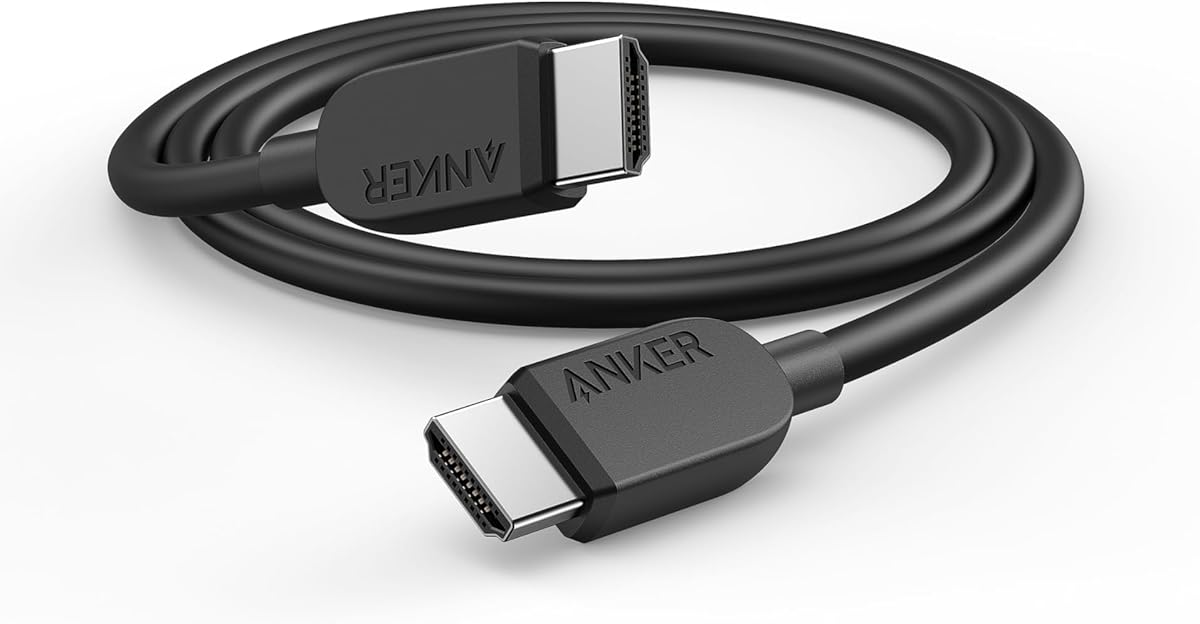
The Anker HDMI 2.1 Cable is a six-foot Certified Ultra High-Speed cable with 48Gbps of bandwidth. It carries a 4.7 rating and advertises 8K at 60Hz, 4K at 120Hz, 4K at 60Hz, and 4K at 240Hz support. Its broad device positioning makes it a practical all-rounder for a television, laptop, tablet, projector, desktop display, or other HDMI-equipped hardware.
We may earn a commission when you buy through this link, at no additional cost to you.
The 48Gbps bandwidth allows the cable to handle demanding modern video modes without relying on the lower capacity associated with HDMI 2.0. That matters for users combining high-resolution television panels with high-refresh gaming, although actual output remains limited by the source device, television, game, and selected display mode. The manufacturer emphasizes uninterrupted streaming and transfer at the cable's stated bandwidth.
Physical longevity is another differentiator. Anker states that the cable is designed to withstand 1,000 bends, offering a clear durability benchmark without making the product sound physically disposable. The package includes the cable, a welcome guide, an 18-month warranty, and access to customer service. Its stated uses are broad, but the product description offers fewer detailed specifications for advanced audio-return or gaming functions than the most technically exhaustive listings.
Choose this cable when you want a recognized brand, a certified 48Gbps connection, and flexible use across several classes of HDMI equipment. It is especially suitable for a mixed setup in which one television alternates between console gaming, streaming, and a computer. Buyers requiring exact support for a particular eARC, VRR, or HDR mode should still verify that function in the manuals for both connected devices.
The stated compatibility with tablets, laptops, projectors, desktop screens, and other HDMI devices makes this a convenient general-purpose lead. Its six-foot length also suits most television stands without leaving an excessive amount of loose cable.
A stated 1,000-bend endurance rating gives shoppers a more concrete durability reference than a generic claim. While no cable is bend-proof, the design should suit regular reconnections and routine cable management.
We may earn a commission when you buy through this link, at no additional cost to you.
The Silkland Certified HDMI 2.1 Cable is a 6.6-foot braided cable with 48Gbps bandwidth and a 4.7 rating. It supports 4K at 120Hz and 4K at 144Hz for compatible consoles and PCs, along with 8K at 60Hz, 5K high-refresh modes, and 2K at 240Hz or 165Hz. A QR-code verification method is offered for checking the stated HDMI 2.1 certification.
We may earn a commission when you buy through this link, at no additional cost to you.
The specification list is unusually comprehensive. It includes variable refresh rate, dynamic HDR, HDCP 2.2 and 2.3, and support for eARC and ARC. Audio formats named in the description include Dolby Atmos and DTS:X. Its E-Braid construction combines double-layer fishnet winding with nylon braiding, while copper cores and ferrite magnetic beads are intended to support stable signal transmission and reduce black-screen or flickering issues.
Compatibility is broad, with backward support extending from HDMI 2.1 to HDMI 1.1. The product description also references PS5, Xbox, PC gaming, dynamic HDR, and major streaming use. That breadth is a strength, but it is also the main reason to check carefully: the richest modes require compatible source hardware, television firmware, game, HDR format, and audio equipment. A cable alone cannot enable a feature that the connected devices do not support.
Silkland is a strong fit for users who want a single cable to connect a modern television to gaming hardware, a soundbar, or an AV receiver while retaining advanced HDR and audio options. The claimed 12-hour customer-support response is another reassuring element. The main compromise is that the extensive feature set may feel excessive for a television used only for standard 4K streaming.
The advertised 4K at 120Hz and 144Hz modes target both current-generation console ecosystems and capable gaming PCs. A supported game and compatible display are required, so the cable should be treated as one part of a complete gaming chain.
Support for eARC, ARC, dynamic HDR, Dolby Atmos, and DTS:X is useful when a television sends audio to a soundbar or receiver. Confirm the exact codec and return-channel requirements of the audio device before installation.
We may earn a commission when you buy through this link, at no additional cost to you.
The Ubluker 10K 8K 4K HDMI Cable is a 6.6-foot Ultra High Speed HDMI cable with a stated 48Gbps bandwidth. It carries a 4.7 rating and supports a broad range of formats, including 10K at 60Hz, 8K at 60Hz, 5K up to 144Hz, 4K up to 240Hz, and lower-resolution high-refresh modes. The package includes an official HDMI certification label.
We may earn a commission when you buy through this link, at no additional cost to you.
The stated feature set includes VRR, ALLM, QMS, QFT, dynamic HDR, HDR10+, CEC, HDCP 2.2 and 2.3, and VESA DSC 1.2a. Audio support includes eARC, ARC, DTS Master, DTS:X, Dolby TrueHD, Dolby Vision, and Dolby Atmos. The manufacturer also lists gaming PCs, FreeSync, G-SYNC, GeForce RTX 30- and 40-series graphics cards, soundbars, current and older consoles, streaming platforms, projectors, monitors, and laptops.
That breadth is impressive but should be interpreted carefully. A cable specification establishes a possible link, not an automatic result at the source, television, game, or display level. In particular, high refresh rates, VRR, compressed gaming formats, and advanced HDR depend on complete device support and suitable settings. Buyers should avoid choosing solely by the longest feature list.
The Ubluker is a good candidate for a technically advanced television setup that includes a gaming console, PC, projector, and soundbar. It may be more than a standard 4K TV needs, but the certified bandwidth and listed feature coverage provide a reassuring upgrade path. For a basic living-room connection, some of its capabilities will remain unused.
The combination of gaming, HDR, audio-return, and content-protection features is useful for buyers who want one lead across several device types. Checking the manuals for supported modes prevents unsupported combinations from being mistaken for cable limitations.
The advertised 10K and 8K modes position the cable for future high-end displays. For 4K televisions, 4K at 120Hz and 240Hz are the more immediately relevant resolution-and-refresh combinations to evaluate.
We may earn a commission when you buy through this link, at no additional cost to you.
The UGREEN 8K HDMI 2.1 Cable combines a stated 4.8 rating with 48Gbps bandwidth and HDMI 2.1 certification. The 6.6-foot cable supports 10K, 8K at 60Hz, and 4K at 240Hz, providing substantial capacity for a high-end 4K television and demanding source equipment. Its feature set covers modern gaming, HDR, and audio-return functions in one cable.
We may earn a commission when you buy through this link, at no additional cost to you.
UGREEN highlights variable refresh rate, quick frame transport, auto low latency mode, and quick media switching. Dynamic HDR and 12-bit color are included, while eARC can carry full-resolution audio such as Dolby Atmos or DTS:X from a television to a compatible soundbar or receiver. The listed feature set also includes HDCP 2.2, HDCP 2.3, Ethernet, and 3D support.
The physical design is engineered for repeated use. An aluminum alloy connector housing, nickel-plated contacts, and a nylon braided jacket are claimed to improve bend resistance without making the cable unnecessarily inflexible. Compatibility is listed across Apple TV, several game consoles, streaming devices, computers, Blu-ray players, AV receivers, soundbars, projectors, monitors, and 8K or 4K televisions.
This is the strongest general recommendation in the guide because it balances certification, high-refresh gaming, audio, HDR, construction, and a broad device list. Its 4.8 rating is also the highest among the supplied products. The only meaningful caveat is that users should verify their exact television, game, and audio equipment before expecting every listed mode or format to operate.
VRR, quick frame transport, auto low latency mode, and high-refresh 4K modes make the cable suitable for a television that also serves as a gaming display. Enable only the modes supported by the complete source-and-display chain.
The aluminum housing, nickel-plated contacts, and braided nylon exterior target connector wear and flexing. The 6.6-foot length is long enough for common entertainment-console arrangements while remaining manageable behind a television.
We may earn a commission when you buy through this link, at no additional cost to you.
The Amazon Basics HDMI Cable is a six-foot HDMI 2.0 cable rated for 4K at 60Hz, 2160p resolution, and 48-bit color depth. Its 4.7 rating makes it a credible option for standard 4K viewing, and the familiar A-male-to-A-male format fits most televisions, streaming boxes, disc players, game consoles, computers, and A/V receivers.
We may earn a commission when you buy through this link, at no additional cost to you.
The stated 18Gbps bandwidth is sufficient for 4K at 60Hz, which remains the central format for a large share of television content. The cable also supports Ethernet, 3D, and Audio Return Channel, allowing compatible equipment to share an internet connection and return television audio to a suitable soundbar or receiver. Earlier HDMI versions are also supported for broader compatibility.
The limitation is explicit in the product information: if a connected device outputs above 4K at 60Hz, the cable will not work properly for that mode. It therefore does not provide the 48Gbps capacity needed for 4K at 120Hz, 4K at 240Hz, or 8K. A capable television may offer those modes, but the connected cable remains the limiting factor.
Amazon Basics is most suitable for a straightforward 4K television setup centered on streaming, broadcast television, Blu-ray playback, or console gaming at 60Hz. It is not the right choice for a next-generation television used primarily for high-refresh PC or console gaming. Buyers who need 4K at 120Hz should select one of the certified 48Gbps alternatives in this guide.
For 4K streaming, television broadcasts, and conventional 60Hz console modes, 18Gbps provides a practical performance ceiling. The important requirement is that the source device and television also operate within that format.
ARC can simplify television-to-soundbar audio, while Ethernet support can reduce the need for a separate network cable between compatible devices. Neither function changes the cable's basic 4K-at-60Hz limit.
We may earn a commission when you buy through this link, at no additional cost to you.
The Highwings 8K HDMI 2.1 Cable 2-Pack includes two 6.6-foot certified cables with a stated 48Gbps bandwidth. It holds a 4.7 rating and supports 8K at 60Hz, 4K at 120Hz, and 4K at 240Hz. The multipack format is especially appealing to gamers who want an identical spare or a second connection for a television and gaming setup.
We may earn a commission when you buy through this link, at no additional cost to you.
The listed HDMI 2.1 capability is designed for smooth high-refresh output and includes variable refresh rate support. Because both cables share the same advertised specification, users can keep one connected to a game console and reserve the other for a PC, soundbar, projector, or other HDMI source without mixing different cable categories.
Construction includes an aluminum alloy shell, an upgraded anti-bending connector tail, and military-grade tensile nylon material. Highwinds states that the components undergo laboratory performance testing, though independent results are not included in the supplied information. The product description focuses more on video and gaming than on eARC, ARC, or specific surround-sound formats.
The pack is most useful when two high-bandwidth connections are genuinely needed. It can also reduce the inconvenience of moving a single cable between a television and portable source device. If only one connection is required, the two-pack offers less immediate relevance than a single certified cable, and buyers should consider whether the second connection will earn its place in the setup.
Having two cables of the same 48Gbps class avoids the need to rely on a lower-bandwidth lead for a second device. A spare can also help isolate whether a connection issue originates with a cable, although simple reconnection is usually the first troubleshooting step.
The aluminum shell and anti-bending tail are intended to withstand regular handling around television cabinets and game consoles. Avoid sharply folding the cable at the connector to preserve its useful working life.
We may earn a commission when you buy through this link, at no additional cost to you.
The Acer HDMI 2.1 Cable is a 6.6-foot braided cable with 48Gbps bandwidth and a 4.7 rating. It supports 8K at 60Hz and 4K at 240Hz, 120Hz, and 144Hz, while remaining backward compatible with 4K at 60Hz, 2K, and 1080p. That makes it a modern option for a 4K television that also serves as a gaming display.
We may earn a commission when you buy through this link, at no additional cost to you.
Gaming-oriented functions include VRR, while eARC and ARC are listed for compatible television and soundbar arrangements. Dolby Vision and Dolby Atmos are also named among the supported formats. As with every cable in this guide, those features only work when the source, television, content, and receiving audio equipment support the relevant combination. The cable provides the link, not the processing capability itself.
A high-purity copper core, aluminum alloy connector shell, and braided jacket are designed to resist interference, bending, and everyday wear. The product is positioned for use with PS5, PS4, Xbox, Roku, Fire TV, Apple TV, PCs, laptops, Mac mini systems, monitors, projectors, and 4K or 8K televisions. The stated construction appears well matched to a permanent installation near a busy entertainment center.
Acer is a solid choice for a buyer seeking a balanced mix of high-refresh gaming, modern audio support, and a straightforward braided design. It does not lead on the sheer volume of advertised formats, but that makes its feature list easier to assess. Confirm the exact television and audio-device requirements before installation, especially if eARC or high-refresh 4K is central to the setup.
Although the cable supports 8K at 60Hz, its 4K modes up to 240Hz are the more relevant target for many current televisions and gaming systems. The 48Gbps capacity gives those modes ample bandwidth.
The copper core, aluminum shell, and braided jacket are intended to support stable transmission in crowded entertainment setups. Good placement away from tightly coiled power cords complements the cable's physical design.
We may earn a commission when you buy through this link, at no additional cost to you.
The Highwings 16K 4K 480Hz HDMI 2.2 Cable is the highest-bandwidth option in the guide, with a stated capacity of 96Gbps. Its 4.6 rating is slightly lower than the ratings of the other cables, but its advertised support for 16K, 12K at 120Hz, 8K at 240Hz, and 4K at 480Hz makes it an unusual option for buyers seeking maximum theoretical headroom.
We may earn a commission when you buy through this link, at no additional cost to you.
The product description positions HDMI 2.2 as future-facing technology. For current 4K televisions, the cable's 48Gbps-capable HDMI 2.1 competitors are generally easier to align with present consoles, PCs, and displays. The distinction matters because a source device, television, graphics card, and game would all need matching capabilities to use the headline modes; possessing the cable alone does not activate them.
Its physical and feature design is comprehensive. A double-braided nylon jacket, aluminum foil shielding, and 24K gold-plated connectors are intended to resist wear, corrosion, electromagnetic interference, and radio-frequency interference. VRR, ALLM, dynamic HDR, Dolby Vision, eARC, and an Ethernet channel are also listed, providing a well-rounded connection for compatible PS5, PS4, gaming PC, smart TV, and projector arrangements.
This cable makes the most sense for an enthusiast planning a long-term, high-end installation or seeking a visible step up from 48Gbps designs. For a conventional 4K TV or current console setup, a certified HDMI 2.1 cable may be more relevant. The high specification should therefore be matched to realistic equipment needs rather than treated as an automatic improvement in everyday picture quality.
The 96Gbps specification gives this cable considerably more nominal capacity than the 48Gbps models. For today's common 4K-at-60Hz and 4K-at-120Hz equipment, that extra headroom may remain unused.
Aluminum foil shielding, a double-braided jacket, and gold-plated contacts form a multi-layer approach to stable signal delivery. These physical details are particularly useful around entertainment equipment with multiple power and data connections.
We may earn a commission when you buy through this link, at no additional cost to you.
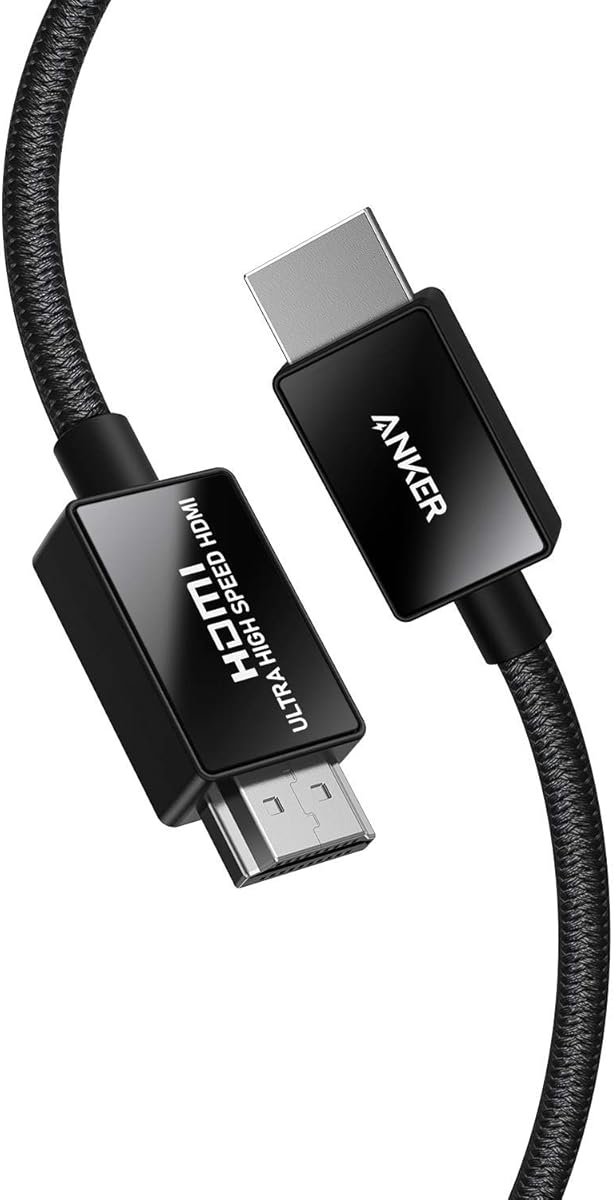
The Anker HDMI 2.1 Cable is a 6.6-foot Certified Ultra High-Speed lead with a stated bandwidth of 48Gbps. It carries a 4.8 rating, ties for the highest rating in the supplied group, and supports 8K at 60Hz along with 4K at 120Hz. Its official certification and refined construction make it a strong premium option for a modern 4K television.
We may earn a commission when you buy through this link, at no additional cost to you.
Anker states that the cable was rigorously tested for electromagnetic interference, supporting stable performance in home environments. It is designed for PlayStation 5, Xbox Series X and S, 8K UHD televisions, Apple TV, and Roku Ultra when the source and display support 4K at 120Hz. The product information focuses on the core video specification rather than listing a broad collection of advanced audio formats.
The physical build is one of its main attractions. Carbon steel connector bodies, gold connector pins, and a double-braided nylon exterior are designed for regular handling, and Anker states that the cable can be plugged and unplugged 10,000 times without issue. The purchase includes a welcome guide, an 18-month warranty, and access to customer service.
This is a compelling recommendation for a buyer who values certification, materials, and a refined construction over a minimal specification sheet. It is equally appropriate for a living-room television, a gaming display, or a premium home-theater installation. As with any cable, the television and source device determine which resolution and refresh rate can actually be used.
Carbon steel connector bodies and gold pins are intended to withstand repeated connection cycles while maintaining contact quality. The double-braided jacket adds flexibility and protection without changing the familiar HDMI-to-HDMI format.
The 48Gbps specification and 4K at 120Hz support suit modern consoles and high-end 4K televisions. Matching the game and television settings to the supported mode remains essential for achieving the advertised resolution and refresh rate.
We may earn a commission when you buy through this link, at no additional cost to you.
The right HDMI lead depends less on the label attached to the box and more on the exact video mode, refresh rate, color format, gaming features, and audio system in your setup. Use the following factors to narrow the choices before making a purchase.
Begin by identifying the resolution and refresh rate you intend to use. A standard 4K television at 60Hz can be served by an 18Gbps HDMI 2.0 cable, while 4K at 120Hz, 4K at 240Hz, 8K at 60Hz, and higher-frequency 4K modes generally call for a 48Gbps HDMI 2.1 cable or a higher-bandwidth alternative. The source device, display, content, and cable must all support the selected mode.
Choose bandwidth that matches your actual equipment and intended use. A 48Gbps cable is the safer modern target for a 4K TV used for gaming.
Certified Ultra High Speed cables provide assurance that the cable has been evaluated against defined performance requirements. Several options in this guide also explain how certification can be checked, which adds confidence for buyers who want more than a printed specification. Certification does not make a television capable of unsupported resolutions, but it helps verify the link itself.
For a high-end 4K television, favor a clearly certified 48Gbps model when the listing provides verification details.
Variable refresh rate, auto low latency mode, and related functions can improve the experience on compatible televisions, consoles, PCs, and monitors. The game must offer a high-refresh mode, and the display must expose the appropriate combination to the source device. HDR gaming may involve additional format and bandwidth considerations that should be checked before changing television settings.
Prioritize VRR and a supported high-refresh 4K mode for competitive or fast-motion gaming. For ordinary television viewing, these extras matter less.
A soundbar or AV receiver may rely on ARC or eARC to receive audio from the television. eARC provides more bandwidth than basic ARC and can support high-resolution, object-based formats, but both the television and receiver must offer the necessary functions. Named formats such as Dolby Atmos, Dolby TrueHD, and DTS:X must also be supported by the source content, television, and audio device.
Check the television and soundbar or receiver first. Then choose a cable that explicitly supports the required return channel and audio format.
Dynamic HDR, HDR10+, Dolby Vision, and 12-bit color can reveal more gradation and highlight detail when the entire device chain supports them. Cable bandwidth helps carry these signals, but it cannot create HDR metadata, calibrate a television, or overcome an incompatible source. Some content and displays use different combinations of color depth, chroma sampling, and refresh rate.
Treat advertised HDR support as one part of a larger compatibility check. Confirm the television's supported input modes and the source device's output settings.
Six feet is a common length for a television, console, soundbar, or nearby streaming device, while longer runs may be necessary when equipment sits in a cabinet or across a room. Choose a length that reaches without creating a tight bend at either connector. A longer cable can be easier to route but may be more likely to be coiled sharply or left hanging unnecessarily.
Measure the actual route before buying. Select the shortest length that provides comfortable routing and a relaxed connector bend.
Braided jackets, reinforced connector tails, aluminum housings, and gold-plated contacts are intended to resist routine wear, corrosion, and repeated bending. Useful figures include a stated 1,000-bend rating for one cable and a stated 10,000 plug-cycle claim for another. These claims provide useful comparisons, although they are not guarantees against damage from crushing or sharp folding.
Look for reinforced ends and a flexible braided exterior if the cable will be moved often. Never force a connector or fold it sharply against the cable jacket.
A 48Gbps HDMI 2.1 lead is already positioned for current 4K gaming and mainstream 8K televisions. A 96Gbps model offers more theoretical headroom, but its most advanced modes are unlikely to be used by many present source devices. Future-proofing is most valuable when the cable will remain in a system for years and the extra specification is reasonably attainable.
For most 4K TV owners, a certified 48Gbps cable offers the best balance. Reserve higher bandwidth for an explicitly planned high-end upgrade.
Connect the cable to the appropriate HDMI input on the television and the matching output on the source device. Power on the television first, select the input to which the cable is connected, and then start the source. If the picture is blank, try another input or reconnect both ends fully before changing any resolution, HDR, or refresh-rate settings.
For gaming systems and computers, set the television to the desired 4K mode only after confirming that the source supports it. On many televisions, high-refresh and advanced HDR modes must be enabled through separate picture or input menus. For soundbars or receivers using eARC or ARC, connect the audio device to the correct television port and configure the television's audio output to match the return-channel function.
Care for the lead by unplugging it by the connector rather than pulling on the cable. Keep the jacket straight near both plugs, avoid tight coils and sharp folds, and do not place heavy objects on the run. Route the cable away from crowded power adapters where possible, and inspect the connectors for dust or bent pins if the picture becomes unstable.
It depends on how you use the television. An 18Gbps HDMI 2.0 cable is sufficient for 4K at 60Hz, while HDMI 2.1 with 48Gbps bandwidth is appropriate for 4K at 120Hz, higher 4K refresh rates, and 8K at 60Hz. Check the highest resolution and refresh rate supported by both the television and source device.
Not by itself. A 4K television receiving a 4K signal from a compatible source should display the picture its processing system allows regardless of whether the cable is HDMI 2.0 or HDMI 2.1. HDMI 2.1 becomes valuable when the setup uses high-refresh 4K, advanced gaming functions, high-bandwidth HDR, or other features that require greater capacity.
It is enough for many common viewing situations, including 4K streaming, broadcast content, and conventional console gaming. However, a television capable of 4K at 120Hz can provide smoother motion and more consistent high-refresh gameplay. The source game and graphics system must also support that mode, and the cable must provide the necessary bandwidth.
A capable cable should support the return-channel and audio format you intend to use. For a typical soundbar setup, look for eARC or ARC support and verify that the television and soundbar share the required standard. Dolby Atmos itself depends on compatible source content, television processing, and audio equipment, not on the cable alone.
A properly constructed cable rated for the desired bandwidth should carry the signal reliably at normal consumer lengths. Avoid damaged cables, poor-quality connectors, extremely tight coils, and runs routed directly alongside power cables. For unusually long installations, consider a properly supported active or optical solution designed for that distance.
Yes, modern HDMI 2.1 cables are generally backward compatible with earlier HDMI devices. The connection will work, but the image remains limited by the capabilities of the older television and source equipment. For example, an HDMI 1.4 television cannot display 4K simply because a newer cable is connected.
Common causes include a loose connector, a damaged cable, an unsupported resolution or refresh rate, incompatible HDR settings, and inadequate bandwidth. Start with a full physical reconnection, test a different television input, and review the source's output mode. If possible, test another known-good cable before changing more complex television settings.
It depends on your source equipment and plans. A 96Gbps cable provides substantial future headroom, but current televisions and gaming systems may not use its most advanced modes. A certified 48Gbps cable is usually the more relevant choice for present 4K gaming, while the 96Gbps option makes sense for a planned enthusiast installation or unusually demanding future equipment.
The UGREEN 8K HDMI 2.1 Cable is the strongest all-round selection, combining a high rating, certified 48Gbps bandwidth, broad gaming support, dynamic HDR, eARC, and durable construction. The Highwings 8K HDMI 2.1 Cable is the value-oriented alternative for buyers focused on high-refresh 4K, while the Anker 8K Braided HDMI 2.1 Cable stands out for premium materials and official certification.
Start with the mode you actually need: 18Gbps is enough for 4K at 60Hz, whereas 48Gbps is the practical standard for modern 4K gaming and future headroom. Then check VRR, HDR, eARC, and audio-format support against the exact television, source device, game console, computer, soundbar, and receiver in the room.
Prices, promotions, and product availability can change, so check the current listing before buying and compare the cable against the specifications of your equipment. Certification, connector construction, and a length that routes comfortably should be weighed alongside bandwidth rather than treated as separate from it.