
Magewell Pro Capture Quad HDMI 11100
4.4Editor score
Four independent HDMI channels
FPGA hardware video processing
Up to eight-channel embedded audio
Multi-card system support
Our Quad HDMI Capture Card guide compares models for HDMI inputs, resolution, latency, software support, operating systems, and multi-source workflows in 2026.
A quad HDMI capture card is built for creators who need to bring several HDMI sources into one computer at the same time. Rather than alternating between a console, camera, laptop, and presentation feed, users can capture multiple channels independently. The strongest choices combine practical resolution support, dependable software compatibility, manageable latency, and a host interface suited to their production system.
This guide compares 10 capture devices on channel count, supported formats, color and audio handling, host connections, operating-system support, and the kinds of live production tasks they can handle. It also distinguishes true four-input cards from related single-channel and SDI models, because a broader product category does not necessarily mean four usable HDMI inputs on every device.
Each review highlights the most relevant strengths, limitations, and ideal users. The DeckLink Quad HDMI leads the dedicated four-channel group, while the Magewell Pro Capture Quad HDMI adds extensive hardware processing. The ACASIS option stands out for four simultaneous 1080p60 inputs, and several USB devices provide simpler alternatives. Product availability and prices change, so confirm current details before buying.
4.4Editor score

4.4Editor score

4.3Editor score
The table below compares connection types, channel counts, maximum stated resolutions, and major workflow features. Note that only some entries provide four independent HDMI inputs; the others are included to clarify how closely they match the core four-source requirement.





The Blackmagic Design DeckLink Quad HDMI is a purpose-built four-input capture card for live production, broadcasting, event coverage, and multi-source recording. Its 4.4 rating reflects a strong combination of independent HDMI connections, professional format support, and broad application compatibility. It is the most convincing all-around match for the core four-channel requirement in this guide because it is designed specifically to bring multiple sources into a computer over PCIe.
We may earn a commission when you buy through this link, at no additional cost to you.
Its four HDMI 2.0b inputs can capture multiple sources simultaneously, while the card supports 8-, 10-, and 12-bit RGB 4:4:4 in applicable modes up to 4Kp30 DCI. It also supports 8- and 10-bit YUV 4:2:2 formats, deep color, HDR, and several color spaces including Rec. 601, Rec. 709, and Rec. 2020. Eight channels of embedded 24-bit 48 kHz audio add flexibility for production workflows that need synchronized sound with each video feed.
The high-speed PCIe interface is important because four video streams place a substantial demand on host bandwidth. Blackmagic Design specifies a PCI Express eight-lane Generation 3 connection and compatibility with eight- and 16-lane slots on Windows, macOS, and Linux. Media Express, OBS, vMix, Wirecast, and other major applications are supported, giving users a practical choice of recording and streaming tools. The trade-off is that the card is intended for a properly equipped computer rather than a convenient USB accessory.
This is the strongest recommendation for a creator who genuinely needs four simultaneous HDMI feeds and works in a professional or advanced live-production setting. It suits multi-camera events, presentations with multiple computers, game tournaments, and studios that value deep color and multi-channel audio. Those unable to install a compatible PCIe card or who need protected-source capture should choose a different model, but for a dedicated quad HDMI workflow, the DeckLink Quad HDMI is exceptionally well aligned with the task.
Four independent HDMI connections let a director retain several sources at once instead of repeatedly changing the capture target. That is particularly useful when a production needs a gameplay feed, presenter camera, remote participant, or secondary computer visible together.
Support for deep color, HDR, multiple color spaces, and eight channels of embedded audio makes the card relevant to both live workflows and higher-quality recording. Exact formats still depend on the source, software, and system configuration.
We may earn a commission when you buy through this link, at no additional cost to you.
The Magewell Pro Capture Quad HDMI 11100 is a premium four-channel HDMI card aimed at production systems that need more than basic source switching. It carries a 4.4 rating and differentiates itself through on-board FPGA video processing, broad color support, multi-card expansion, and a design intended for professional broadcast and AV use. Its four inputs are explicitly independent, making it a direct fit for switchers, monitoring rigs, and multi-camera productions.
We may earn a commission when you buy through this link, at no additional cost to you.
The card supports resolutions up to 2048×2160 and frame rates up to 144 fps, subject to available system bandwidth. Its FPGA handles cropping, scaling, de-interlacing, aspect-ratio conversion, color-format conversion, and on-screen display composition on the card itself. Offloading those operations can reduce host CPU pressure, which is valuable when four feeds must remain stable alongside encoding, recording, and live switching tasks.
Color handling includes 8-, 10-, and 12-bit depths, RGB 4:4:4, and YCbCr 4:4:4 or 4:2:2. Each input can carry as many as eight audio channels, and the stated latency can extend down to 64 video lines. For installations that exceed one card's capacity, rotary-switch identification supports multiple devices in the same system. Compatibility with Windows, macOS, and Linux also makes the card adaptable across different production environments.
The main limitation is its requirement for a compatible PCIe system and the more involved nature of a professional four-channel installation. The stated 144 fps ceiling should not be read as a guarantee for every format or configuration because bandwidth remains decisive. Even so, the Magewell is an excellent choice for studios and live teams that value hardware processing, dependable multi-channel audio, and the ability to expand beyond a single card.
Performing common transformations in hardware can leave more host resources available for recording, encoding, and switching. This makes the card particularly relevant when four channels are active in a demanding production rather than simply plugged in for occasional use.
Multi-card support and rotary-switch identification make it possible to expand channel count in a suitably equipped workstation. The design is aimed at professional teams that need predictable integration and sustained operation.
We may earn a commission when you buy through this link, at no additional cost to you.
The ACASIS 4-HDMI PCIe Capture Card offers a focused way to capture four HDMI sources at up to 1080p60. Its 4.3 rating and emphasis on simultaneous, uncompressed capture make it a practical choice for teaching, conferencing, multicamera streaming, and event production. It delivers the fundamental benefit sought from a quad HDMI card without presenting itself as a high-resolution broadcast chassis.
We may earn a commission when you buy through this link, at no additional cost to you.
The principal advantage is straightforward: four HDMI sources can be captured at the same time, and each feed can operate as a separate capture or playback target. The card advertises 1080p60 quality with stable long-duration live capture and no compression. Its built-in turbo fan directs heat away from the card, a useful feature for a device expected to run four channels continuously inside a workstation.
The card is compatible with PCIe x4, x8, and x16 slots, which gives builders some flexibility when choosing a system. Supported sources include DSLRs, computers, laptops, and tablets. Software compatibility includes OBS, vMix, Wirecast, VLC, Windows Media Encoder, Adobe Flash Media Live Encoder, and Real Producer Plus. The operating system list includes several versions of Windows and Linux, so buyers should verify that their exact environment is covered before installation.
This is the most approachable dedicated four-input card for creators who need practical multicam capture rather than maximum resolution. The 1080p60 ceiling makes it less attractive for 4K-heavy cinema work, but the four simultaneous channels, uncompressed workflow, and cooling system cover the essentials of a compact production rig. It is best for a creator who values channel count and straightforward streaming integration over premium color pipelines or extremely high frame rates.
Capturing up to four 1080p60 feeds simultaneously is the feature that defines this model. The uncompressed approach avoids the added artifacts associated with compressed capture and leaves more flexibility during recording and editing.
The integrated active fan is a meaningful feature when several inputs operate together. It is intended to move heat away from the capture hardware and support longer streaming or recording sessions.
We may earn a commission when you buy through this link, at no additional cost to you.
The Quad HDMI PCIe Video Capture Card is a straightforward internal option for users who need to bring up to four 1080p60 HDMI sources into a computer at once. Its 4.0 rating reflects a basic feature set, but the core proposition is clear: four inputs, simultaneous channels, and a PCIe x4 data path. It is aimed at creators who value the number of sources over a long list of specialist processing features.
We may earn a commission when you buy through this link, at no additional cost to you.
Four HDMI inputs allow cameras, game consoles, media players, and computers to remain connected at the same time. The product is listed for Linux and Win11, giving users two common choices for a live-production workstation. Its PCIe x4 interface is designed to provide faster transfer and lower latency than a basic USB-oriented approach, although actual performance also depends on the computer, source resolutions, and application settings.
Compatibility with OBS, vMix, QuickTime, VJ, Zoom, and VLC broadens its potential uses. The card can therefore support streaming, recording, remote presentations, and live event workflows. However, the supplied product information is less detailed than for the leading picks: it does not describe audio support, color formats, copy-protection behavior, or the precise codec and chroma formats accepted. That limited documentation is the main reason to verify the seller and system requirements before purchase.
The buyer must contact the seller for a driver download link, which adds an avoidable setup step compared with a product offering straightforward online resources. Despite that drawback, this card is a practical option for a user whose priority is uncomplicated four-channel capture at up to 1080p60. It is less convincing for color-critical work, advanced audio routing, or anyone who requires fully published specifications before committing to an internal installation.
The ability to keep four HDMI sources connected and capture them simultaneously is enough for many teaching, gaming, and event-production setups. It gives a creator more flexibility than switching a single input between devices.
Popular application support is encouraging, but the seller-supplied driver link deserves attention. Confirm the current driver, operating system, and expected media format before installation.
We may earn a commission when you buy through this link, at no additional cost to you.
The 4 Channel 3G SDI HDMI Video Capture PCIeX4 Card is a quad-channel internal card positioned for users who may work with both SDI and HDMI equipment. It has a 4.2 rating and shares a clear defining feature with dedicated quad HDMI cards: up to four channels can be captured simultaneously at 1080p60. The title suggests a hybrid workflow, but buyers should confirm the exact connector and input arrangement for their equipment.
We may earn a commission when you buy through this link, at no additional cost to you.
The card uses a PCIe x4 interface and is listed for Linux and Win11. It also supports installation of up to four cards in one computer, giving advanced users a way to expand the number of captured channels. That scalability is useful for event operators, multi-stage productions, and fixed installations, provided the workstation has enough bandwidth, physical space, and appropriate addressing for multiple devices.
For application compatibility, the product lists OBS, vMix, QuickTime, VJ, Zoom, and VLC. These programs cover live streaming, recording, remote communication, and performance-video tasks. The four-channel operation and multiple-card capacity make the device potentially more versatile than a single-input card, but the available specification is less detailed. The product does not provide comprehensive information about audio, color depth, HDR, or supported pixel formats in the supplied material.
A driver download link is available from the seller, which is the primary setup caveat. The card is best considered for builders who understand the value of SDI and HDMI in the same production environment and are prepared to verify the physical interface. It may serve a specialized live event well, but creators whose sources are exclusively consumer HDMI devices should favor a card with clearly documented four-HDMI inputs.
Support for up to four cards in one computer can turn a modest initial setup into a larger capture system. Workstation bandwidth and installation planning remain essential when expanding the number of active feeds.
Because the product name combines 3G SDI and HDMI, buyers should inspect the connector layout and confirm which source types can be used together. Published compatibility with capture software does not replace hardware-level verification.
We may earn a commission when you buy through this link, at no additional cost to you.
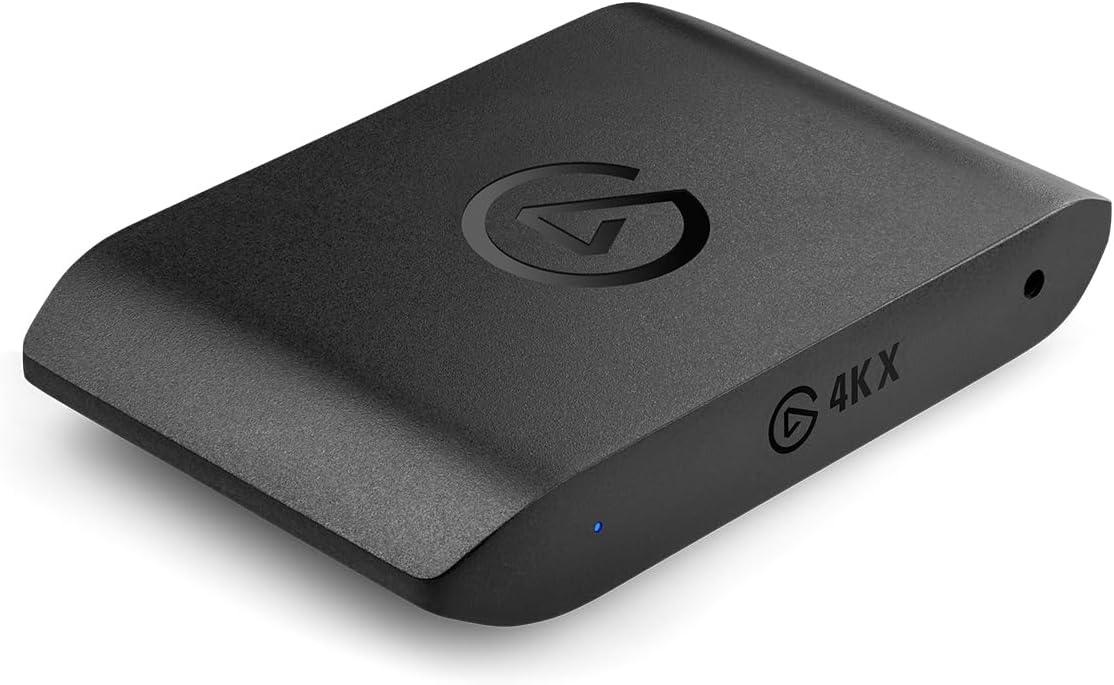
The Elgato 4K X Capture Card is not a four-input card, but it is an important comparator for creators searching the broader HDMI capture category. Its 4.5 rating, USB design, HDMI 2.1 support, and stated 4K144 capture capability make it a strong option for high-speed gaming, streaming, and recording from one source at a time. It should be chosen for speed and convenience rather than multicamera channel count.
We may earn a commission when you buy through this link, at no additional cost to you.
The device captures 4K resolution at up to 144 fps, while its HDMI 2.1 input and output can document high frame rates up to 240 fps at 1080p resolution. Variable Refresh Rate passthrough helps maintain smooth gameplay and reduce screen tearing on compatible displays. For live production, the combination of high capture rates, passthrough, and low latency addresses the needs of competitive gamers and performance-focused streamers.
A USB 3.2 Gen 2 connection makes installation far less involved than fitting an internal PCIe card. The card is designed for applications including OBS, Streamlabs, Twitch Studio, Restream, Zoom, and Teams, allowing its output to reach services such as YouTube, Twitch, Discord, and Facebook Gaming. The primary limitation is obvious but essential: it offers a single HDMI workflow rather than four simultaneous sources.
This card makes the most sense for a gamer, presenter, or developer who records one console or computer with an emphasis on high frame rates and simple setup. It is a poor match if the defining requirement is four cameras or computers visible at once. Even so, its rating and feature set make it one of the strongest single-channel options in the comparison.
Capture rates up to 4K144 and 1080p240 passthrough are centered on demanding gaming output. Support is still dependent on the source, display, software, and host system all recognizing the selected format.
USB connectivity removes the need to open a desktop and install a PCIe card. That convenience makes the device accessible to a wider range of creators, although it cannot expand beyond its single source.
We may earn a commission when you buy through this link, at no additional cost to you.
The Blackmagic Design DeckLink Quad 2 is a professional multi-channel capture and playback card, but its four-stream capability comes from eight bidirectional 3G-SDI connections rather than HDMI. Its 4.3 rating, support for 1080p60, and reference input make it an excellent choice for synchronized multi-camera broadcast work. It belongs in this guide as an important alternative for installations standardized around SDI.
We may earn a commission when you buy through this link, at no additional cost to you.
Up to four video streams can be captured and played back simultaneously, with eight Mini-BNC connections providing independent input or output paths. The card supports SD, HD, and 3G-SDI formats including 720p, 1080i, and 1080p, along with 4:2:2 and 4:4:4 sampling. Rec. 601, Rec. 709, and Rec. 2020 color spaces are supported, and the device works with a range of editing, effects, and streaming applications.
The reference input accepts blackburst and tri-sync signals for external genlock, which is the standout feature for productions requiring precise timing across cameras. The card uses a PCI Express eight-lane Generation 2 interface and is compatible with eight- and 16-lane slots on macOS, Windows, and Linux. It is therefore a natural fit for a professional studio where cameras, switchers, and routers already use SDI connections.
Its limitations are equally important: it does not provide the four HDMI inputs promised by the search term, and ordinary HDMI sources would require compatible conversion equipment. It also requires a workstation with a suitable PCIe slot. For a broadcast team needing synchronized multi-channel SDI capture, however, the DeckLink Quad 2 offers a more focused and mature approach than trying to adapt a consumer HDMI card to professional camera infrastructure.
Blackburst and tri-sync reference support helps multiple sources remain aligned during a live production. This is particularly valuable when timing accuracy matters more than the convenience of HDMI plug-and-play connections.
Bidirectional SDI connections can handle both incoming camera feeds and outgoing program or return video. The eight-port arrangement gives a studio more routing flexibility than a four-input-only capture card.
We may earn a commission when you buy through this link, at no additional cost to you.
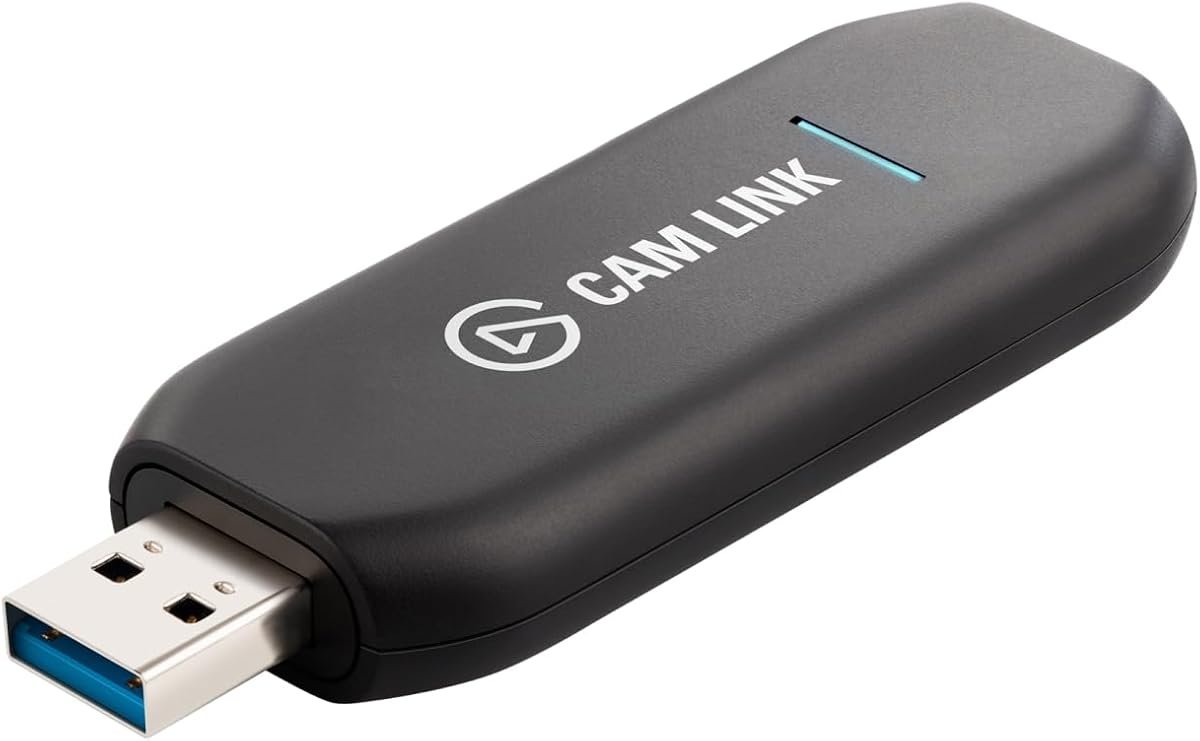
The Elgato Cam Link 4K is a single-source camera capture adapter rather than a quad HDMI card. Despite that distinction, its 4.6 rating is the highest among the products in this comparison, and that makes sense for its focused purpose. It turns a compatible DSLR, mirrorless camera, camcorder, action camera, or even an iPhone into a high-quality computer input for streaming, recording, and video calls.
We may earn a commission when you buy through this link, at no additional cost to you.
The supplied information highlights capture and streaming at 1080p60, with up to 4K60 available on the latest compatible Cam Link 4K model and source equipment. Ultra-low latency is designed to keep video and audio synchronized, an important quality when the camera is being used as a live webcam. Its USB connection avoids internal card installation, making it a straightforward choice for laptops and desktop systems with an available USB port.
The device is more flexible than a traditional webcam because it accepts several types of HDMI-equipped devices. An iPad can also be used as a field monitor through USB-C, according to the supplied information. This expands its value for filmmakers who want to monitor a camera, create a live production feed, or reuse a high-quality camera as a conferencing device without relying on built-in webcam controls.
The key limitation is that it handles one source at a time. It does not satisfy a strict requirement for four independent HDMI inputs, so it should not be chosen for multicamera switching or simultaneous source monitoring. For a creator who wants one camera's image and sound in OBS, Zoom, or a recording application, the Cam Link 4K is an efficient, highly rated solution.
Connecting a compatible camera through HDMI gives creators access to a larger sensor, interchangeable lenses, or higher image quality than many built-in computer cameras. The source device must support the required clean HDMI output and compatible settings.
Fast video and audio synchronization supports a natural experience in meetings, teaching sessions, and live broadcasts. It also makes camera movement and live demonstrations easier to manage.
We may earn a commission when you buy through this link, at no additional cost to you.
The AVerMedia Live Gamer Ultra S is a single-channel USB capture card designed primarily around console and PC gaming. Its 4.2 rating reflects a capable feature set that includes 4K60 recording, high-refresh formats, HDR and VRR passthrough, ultrawide support, and 5.1-channel audio capture. It is not a true quad-input solution, but it is highly relevant when the goal is polished capture from one modern gaming source.
We may earn a commission when you buy through this link, at no additional cost to you.
Gameplay can be captured from PS5, PS5 Pro, Xbox, Nintendo Switch, PC, and other sources with unencrypted HDMI. The card supports up to 4K60, 1440p144, and 1080p240, with HDR and VRR passthrough on supported displays. Streaming Center can also record VRR at up to 1440p60 or 1080p240, while 3440×1440 and 2560×1080 inputs cover common ultrawide formats.
Audio capture reaches 5.1 channels on Windows through Streaming Center or the Streaming Center Plug for OBS. The USB 3.2 Gen 1 Type-C connection keeps the device simple to install, and compatibility is listed across Windows 10 or 11, macOS 13 or later, and iPadOS 17 or later. OBS Studio and Streamlabs are named as key applications, making the card familiar to streamers and gameplay-focused creators.
Because it only captures one HDMI source, the card cannot fulfill a four-camera or four-computer requirement. Some of its advanced recording features also depend on the appropriate AVerMedia software rather than every standard capture application. For a single console, gaming PC, or handheld source where high refresh rates and surround sound are priorities, it offers a well-rounded USB workflow without requiring an internal card.
Support for 4K60, 1440p144, and 1080p240 addresses several common performance tiers. The source and display must support the chosen resolution, refresh rate, and capture path.
The listed console support, passthrough features, and compatibility with OBS-related workflows make it convenient for gameplay recording. Protected streaming content remains outside the scope of ordinary HDMI capture.
We may earn a commission when you buy through this link, at no additional cost to you.
The Magewell USB Capture HDMI 4K Pro 32150 is a compact, single-channel capture device with a 5.0 rating and a strong feature set for portable or single-source production. Although it does not meet the four-input requirement, it captures true DCI 4K60 at 4096×2160, provides HDMI loop-through, supports analog audio connections, and uses hardware video processing. It is a compelling alternative for a creator who values compactness and specialized monitoring.
We may earn a commission when you buy through this link, at no additional cost to you.
Its HDMI 2.0 input and capture path support 4096×2160 at 60 fps. A separate loop-through output allows a source to remain visible on a local display without requiring an additional splitter, while embedded HDMI audio, external microphone or line input, and headphone output provide flexible monitoring and sound capture. The product supports 10-bit and 12-bit input formats along with HDR10 passthrough, although the supplied information notes that HDR10 software support requires the Magewell SDK and is unavailable through standard UVC.
An FPGA handles de-interlacing, scaling, cropping, color conversion, and on-screen display functions. USB 3.2 connectivity provides the transfer path, while driver-free operation is listed for Windows, macOS, and Linux. The device works with OBS, vMix, Zoom, Teams, Wirecast, VLC, and most professional streaming and broadcast applications. Magewell's control utility can adjust EDID, flip or mirror settings, resolution, frame rate, and firmware.
The metal housing, LED indicators, thermal protection, and three-year limited warranty indicate a design intended for reliable operation. The major limitation is the one-channel HDMI architecture, so this model should not be mistaken for a quad capture solution. It is most appropriate for a mobile workstation, a compact recording rig, or a monitoring setup where one source must be captured and previewed simultaneously.
Supporting 4096×2160 at 60 fps provides a higher pixel count than a standard 3840×2160 4K canvas. Source equipment, software, and the host system must all support the intended format.
HDMI loop-through, embedded audio, analog input, and headphone output cover several common monitoring arrangements. This makes the device useful when the creator needs to see a source locally while sending it into a computer workflow.
We may earn a commission when you buy through this link, at no additional cost to you.
The most important decision is whether four simultaneous HDMI inputs are truly required. Beyond channel count, buyers should evaluate source formats, host bandwidth, software, operating-system support, audio, cooling, and the physical complexity of the intended installation.
A genuine quad capture card must accept four HDMI sources independently and expose them as separate capture channels. Some search results use the term loosely, while the included field contains one-channel USB adapters, an eight-port SDI card, and a hybrid card whose exact input arrangement needs confirmation. Inspect the physical connectors and software channel list before purchasing, especially if your plan depends on placing a console, camera, computer, and remote feed on screen together.
A 1080p60 card can be entirely sufficient for teaching, conferencing, and conventional event production, but it cannot preserve native 4K detail. The DeckLink Quad HDMI reaches up to 4Kp30 DCI, while single-channel Magewell and gaming devices support 4K60. The highest frame rate also does not guarantee every resolution is available simultaneously, so verify the exact resolution, refresh rate, color format, and channel combination required by the production.
PCIe capture cards move large uncompressed video streams internally, while USB devices trade channel count for installation convenience. Four active channels can quickly consume available bandwidth, particularly when high color depth and audio are involved. For a PCIe build, check the required generation and lane configuration, physical slot availability, processor load, storage speed, and whether several capture cards must coexist.
RGB 4:4:4 preserves more detail for chroma-heavy work, while 4:2:2 sources are common in professional video. The DeckLink supports HDR, deep color, and several color standards, while the Magewell Pro card adds extensive FPGA color conversion and up to eight audio channels per input. If your work relies on multichannel production sound, external microphones, or high-quality monitoring, treat audio paths as seriously as video resolution.
The most capable hardware is only useful when the capture application recognizes it correctly. OBS, vMix, Wirecast, Zoom, Teams, VLC, QuickTime, and professional editing packages appear across the recommended models, but support can vary by operating system and feature. Driverless operation is convenient, whereas seller-supplied drivers require extra care. Confirm the current OS version, driver process, and intended application before installation.
FPGA-based processing can perform cropping, scaling, de-interlacing, color conversion, and OSD composition without relying entirely on the host CPU. That advantage becomes more significant when four streams are encoded or recorded together. A simpler card may be perfectly adequate for occasional switching, but a hardware-processing option can provide smoother performance and more predictable behavior in a demanding live workflow.
Multi-channel capture generates sustained heat, particularly in compact cases with limited airflow. The ACASIS card includes an active cooling system, while the Magewell Pro and USB Capture products are described for professional or reliable continuous use. Proper case ventilation remains necessary even with a built-in fan. A clean installation, unobstructed card placement, and sensible workload limits can improve stability during long streams and events.
Capture cards generally record ordinary, unencrypted HDMI output, but copy-protected sources may appear as black screens or be blocked entirely. The DeckLink explicitly cannot capture copy-protected HDMI. Console capture is similarly governed by what the source permits. Test each device with the exact console, camera, or playback source before a live event, and keep backup methods available for protected content.
Begin by inventorying the source devices, their HDMI output resolutions, and the number of independent channels you need. Install the internal card in a compatible PCIe slot with the system powered off, connect the sources, and install the current driver or required application. For USB models, use the specified USB connection and confirm that the computer recognizes the device before opening the capture application. Never connect or reconfigure essential production sources until the system has completed startup and driver installation.
After the device appears in the software, assign each HDMI input to a separate scene or source and confirm the frame rate, resolution, color format, and audio routing. Test recording before adding a switcher, encoder, or streaming destination. Use monitoring features such as HDMI loop-through or local preview to verify that the intended feed is visible. Run a full rehearsal with every source active, then watch CPU, storage, network, and thermal behavior under the intended load.
For ongoing care, keep the card and connectors clean, maintain airflow around the system, and avoid repeatedly unplugging HDMI cables while recording. Save the current driver, firmware, EDID, and application configuration as a known-good profile. When changing a source resolution or refresh rate, test the complete chain again because a successful single-source test does not guarantee that every channel will remain stable at once.
A quad HDMI card accepts four HDMI sources through dedicated HDMI inputs. A four-channel SDI card may achieve the same channel count through professional BNC connections, but its sources and cabling system are different. You cannot assume an SDI card will accept ordinary HDMI equipment without suitable conversion hardware.
Yes, if the card explicitly supports four simultaneous capture channels and the computer has enough processing, bandwidth, and storage capacity. The dedicated HDMI options in this guide are the DeckLink Quad HDMI, Magewell Pro Capture Quad HDMI, ACASIS card, and the basic quad PCIe card. The single-channel USB devices do not provide that capability.
No. Support depends on the card's stated formats, color depth, frame rate, system bandwidth, and the selected application. The DeckLink supports high-resolution DCI modes, but that does not mean every source or color format can run at the maximum specification on all four inputs simultaneously. Verify the complete capture preset before production.
Generally, no. Protected content may be encrypted, blocked, or shown as an unusable signal, and the DeckLink explicitly states that its HDMI inputs cannot capture copy-protected sources. Ordinary console output, cameras, computers, and media players are more likely to work, but each source should be tested before a critical event.
A PCIe card is generally better suited to multiple high-bandwidth channels because it offers a direct internal data path and greater potential throughput. A USB card is easier to install, more portable, and often sufficient for one source. The better choice depends on channel count, format, workstation design, and how often the system must be moved.
The amount varies with codec, bitrate, color depth, audio, container, and recording duration. Uncompressed and high-bitrate workflows can consume storage very quickly, so calculate requirements from the actual capture settings rather than resolution alone. Use a sustained-write drive, monitor free space, and test the complete configuration before recording a long event.
A capable processor and adequate PCIe or USB bandwidth are important, especially when recording and encoding four channels simultaneously. Hardware processing can reduce CPU load, while the application still handles input handling, scene composition, encoding, and storage. Compare each product's processing features with the workload planned for the computer.
The dedicated HDMI cards in the guide are compatible with major applications such as OBS, vMix, Wirecast, VLC, and related production software. Compatibility can still depend on the current driver and operating-system version. Install the required software, assign the inputs as separate devices, and test each channel before going live.
The Blackmagic Design DeckLink Quad HDMI is the strongest general recommendation because it provides four genuine HDMI inputs, serious color and audio support, and broad compatibility across major operating systems and applications. The Magewell Pro Capture Quad HDMI 11100 is the premium alternative for creators who value FPGA processing, extensive audio, and multi-card expansion. The ACASIS card delivers the most approachable dedicated route to four simultaneous 1080p60 feeds.
If four sources are not actually necessary, the Elgato 4K X, AVerMedia Live Gamer Ultra S, Magewell USB Capture HDMI 4K Pro, and Elgato Cam Link 4K may be simpler and more appropriate for a single gaming feed, camera, or production source. The DeckLink Quad 2 serves a different professional niche through synchronized SDI capture. Prioritize the number of independent channels, source formats, host bandwidth, and software before considering any secondary feature.
Before making a final purchase, verify the current specification, driver, operating-system support, and connector arrangement. Product details and prices change, and the availability of a particular model may vary. Checking the latest information for every connected source and rehearsing the full workflow will help avoid an otherwise capable card being undermined by an incompatible setup.