
TP-Link Archer A6
4.5Editor score
Four Gigabit LAN ports
Simple dual-band networking
WPA3 security support
OneMesh expansion support
Easy Setup WiFi Router guide comparing ten top models for simple installation, reliable coverage, useful features, and everyday home networking needs today.
An easy setup WiFi router should turn a complicated networking decision into a quick, guided installation. The most useful models combine approachable apps, clear connection options, automatic security features, and enough wireless performance for common households. They also make later adjustments simple without requiring advanced technical knowledge.
This guide compares ten standalone routers and one mesh-based system using the information supplied for each product. The evaluation considers setup assistance, WiFi standard, coverage claims, device capacity, Ethernet options, app-based management, security tools, and compatibility with existing internet service. Every recommendation is designed to help readers identify the right fit for their home.
The picks range from straightforward dual-band models to advanced WiFi 6 and WiFi 7 systems, plus a mesh option for eliminating dead zones. The first three featured recommendations highlight particularly approachable choices, while the full list explains where each model excels and what limitations to consider. Availability and prices can change, so confirm current details before buying.
4.5Editor score

4.4Editor score

4.3Editor score
This side-by-side comparison highlights each router's wireless generation, stated coverage, device capacity, and most useful setup or networking features. It is designed to make the differences clear without assuming that every household needs the newest standard or the largest possible network.


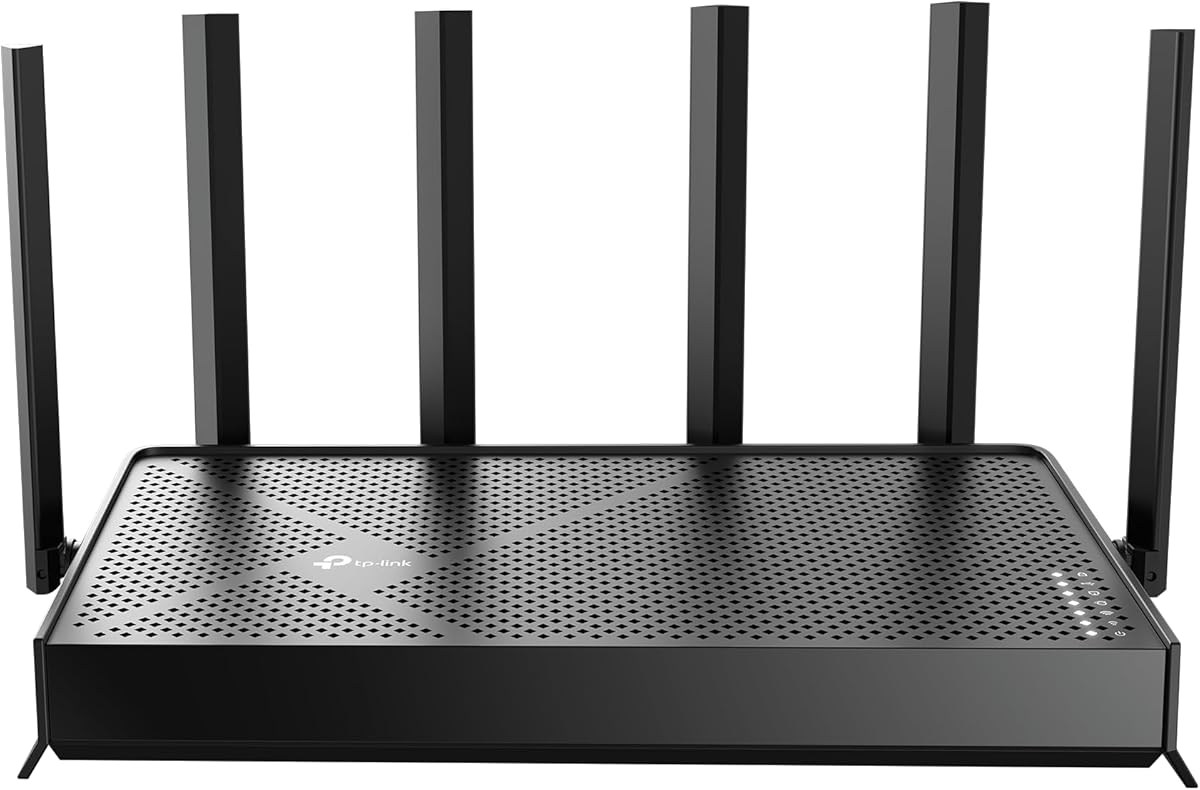


The TP-Link Archer AX21 V5 combines a 4.4 rating with a balanced set of features that make installation and daily management approachable. It supports WiFi 6, provides up to 1.8 Gbps of combined bandwidth, and uses four high-gain antennas. Its Tether app and compatibility with widely used internet providers make it a versatile choice for households replacing an older router.
We may earn a commission when you buy through this link, at no additional cost to you.
The strongest feature is the balance between modern wireless technology and practical coverage tools. OFDMA allows the router to communicate with multiple devices simultaneously, while beamforming directs signal toward connected clients. The Archer AX21 also supports OpenVPN and PPTP server functions, giving users more control over remote access and network routing than a basic entry-level model usually provides.
There are some reasonable trade-offs. It is a dual-band router and does not support the 6 GHz band, while every WiFi router requires a separate modem. The available Ethernet connections are not described as multi-gig, so households with internet plans faster than a single gigabit may need to examine their modem and wired-device requirements more carefully.
This is an especially sensible recommendation for a family seeking easy setup without giving up meaningful WiFi 6 performance. It suits apartments and small to medium homes where many devices share a connection, and the combination of coverage features, app management, and provider compatibility makes it a balanced final recommendation.
The free Tether app places setup and management in a familiar mobile interface. Users can install the router, connect it to a compatible internet source, configure the network, and keep firmware current without navigating a complex technical interface.
Four high-gain antennas, beamforming, and an advanced front-end module work together to improve signal consistency. Actual range still depends on the building, device distance, walls, interference, and how the router is positioned.
We may earn a commission when you buy through this link, at no additional cost to you.
The TP-Link Archer AXE75 receives a 4.3 rating and brings tri-band WiFi 6E to homes that want more wireless capacity without immediately moving to a full mesh system. Its three bands can handle up to 5.4 Gbps of aggregate bandwidth, while the dedicated 6 GHz spectrum provides additional room for modern compatible devices.
We may earn a commission when you buy through this link, at no additional cost to you.
A 1.0 GHz dual-core processor and 512 MB of high-speed memory support processing and multi-device operation. OFDMA improves simultaneous transmission efficiency, and EasyMesh compatibility allows additional compatible routers, extenders, or wireless powerline adapters to be incorporated into a seamless whole-home network without requiring a different mesh system.
The trade-off is that this model offers more than many beginners may need. Newer clients benefit most from the 6 GHz band, while many existing phones, laptops, TVs, and appliances remain limited to the 2.4 and 5 GHz bands. Buyers should therefore consider how many current devices support WiFi 6E rather than relying on headline bandwidth alone.
It is best for technology-forward households that want an expandable tri-band platform, stronger capacity for simultaneous activity, and a router that can grow into a broader mesh network. For a simpler household with older devices, one of the less advanced dual-band alternatives may be easier to manage.
The 6 GHz band adds fresh spectrum alongside the 5 GHz and 2.4 GHz bands. This separation can reduce congestion when compatible devices move traffic away from the more crowded portions of the radio spectrum.
EasyMesh compatibility makes expansion straightforward when dead zones appear. Adding compatible hardware can create a more unified network, although a separate modem remains necessary for most internet services.
We may earn a commission when you buy through this link, at no additional cost to you.
The TP-Link Archer BE230 has a 4.2 rating and delivers a forward-looking combination of WiFi 7, multi-gig Ethernet, and app-assisted setup. It is a dual-band router with up to 3.6 Gbps of aggregate bandwidth, making it a compelling choice for users who want current technology without moving to a tri-band design.
We may earn a commission when you buy through this link, at no additional cost to you.
Multi-Link Operation, Multi-RUs, and 4K-QAM are central to its WiFi 7 design. A 2.5 Gbps WAN/LAN port and one 2.5 Gbps LAN port offer useful pathways for high-speed internet and local devices, while three additional gigabit LAN ports support everyday wired connections. The Tether app provides guided installation and firmware management.
The most important limitation is that advanced WiFi 7 capabilities require compatible devices, and the router does not support the 6 GHz band. Its stated coverage reaches up to 2,000 square feet and 60 devices, but walls, distance, and interference affect real-world results just as they do with every wireless router.
The Archer BE230 suits households with a multi-gig internet option, newer client equipment, or a need to prepare for future devices. It remains straightforward for general users because the app handles setup, while the underlying hardware offers more headroom than conventional dual-band models.
The dedicated 2.5 Gbps options are valuable when a compatible modem delivers a faster plan or when a network storage device, gaming PC, or workstation benefits from faster local transfers. Standard gigabit LAN ports remain available for other equipment.
Multi-Link Operation can use multiple links for improved reliability, while Multi-RUs and 4K-QAM increase efficiency where client hardware and network conditions support them. Existing WiFi 6 and earlier devices can still connect.
We may earn a commission when you buy through this link, at no additional cost to you.
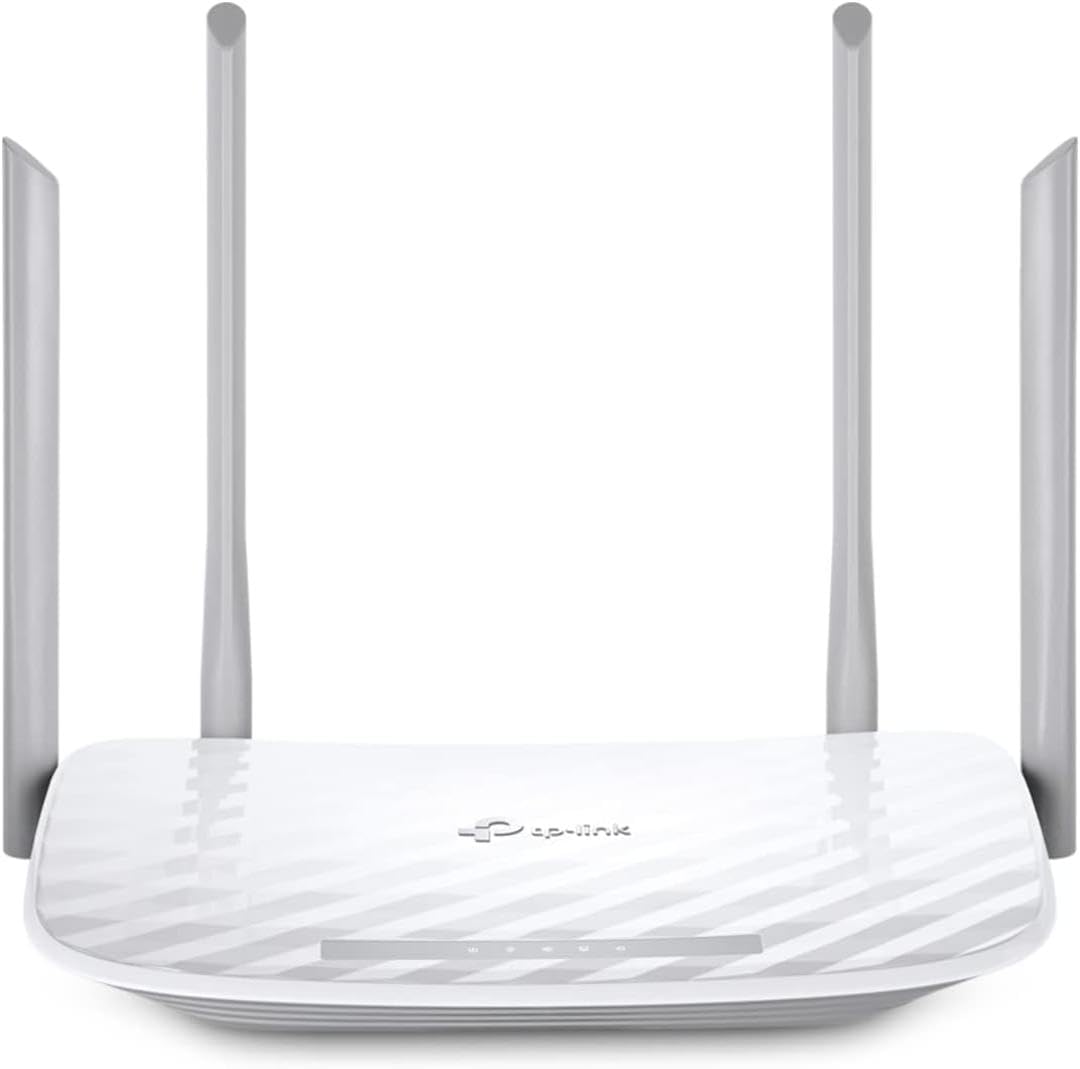
The TP-Link Archer A6 holds a 4.5 rating, the highest listed score in this group, and offers a direct route to uncomplicated dual-band networking. Its four Gigabit LAN ports, WPA3 support, and familiar Archer design make it attractive for readers who prioritize useful basics over newer wireless standards.
We may earn a commission when you buy through this link, at no additional cost to you.
The router offers up to 900 Mbps on the 5 GHz band and 300 Mbps on 2.4 GHz for 1.2 Gbps of total bandwidth. Four external antennas use beamforming to focus signals, while 5 GHz MU-MIMO helps serve multiple compatible clients concurrently. Access point mode can also turn a wired network connection into a wireless network.
Its main limitation is the WiFi 5 standard, which lacks WiFi 6 efficiency, OFDMA, and WiFi 7 features. It is dual-band and does not support 6 GHz, so buyers seeking a long-term platform for very high client counts or newer hardware may find a more advanced router more appropriate.
The Archer A6 is a strong fit for apartments, conventional homes, and users upgrading from an older basic router who want full gigabit wired ports and uncomplicated expansion. It also offers a path into OneMesh coverage by adding a compatible extender when the signal does not reach every area.
Four Gigabit LAN ports allow a desktop, game console, smart television, and storage device to use fast wired connections. The setup remains understandable because it avoids specialized multi-gig claims and uncommon port arrangements.
WPA3 improves protection for compatible clients, and OneMesh support offers a simple route to larger coverage. AP mode adds flexibility for people who already have a modem or gateway and only need wireless access.
We may earn a commission when you buy through this link, at no additional cost to you.
The NETGEAR Nighthawk RS90 combines a 4.3 rating with guided setup through the free Nighthawk app. It is a dual-band WiFi 7 router providing up to 3.6 Gbps across the 2.4 and 5 GHz bands, making it a practical option for homes that want modern wireless performance and clear remote management.
We may earn a commission when you buy through this link, at no additional cost to you.
The app can guide installation, manage WiFi settings, run speed tests, pause connected devices, and create guest networks. MU-MIMO and OFDMA allow multiple devices to transmit and receive simultaneously, while a 2.5 Gbps WAN port supports compatible multi-gig internet plans and four gigabit LAN ports serve wired devices.
Users should account for building-related limitations and the possible need for mesh hardware in larger or multi-story homes. NETGEAR Armor is offered with a free trial before a separate subscription is required, while core security features such as automatic updates are enabled out of the box.
The RS90 is a strong recommendation for people who value a polished, app-centered setup experience and have a mixed collection of devices. Its multi-gig WAN port makes it a sensible bridge between a future-ready wireless system and a faster internet connection, provided the modem and service support that speed.
Guided setup reduces the need to understand advanced router terminology before the network is usable. Later management tasks, including pausing a device or establishing a guest network, can be handled from the Nighthawk app.
The 2.5 Gbps WAN port can take advantage of a compatible multi-gig modem or gateway. Four 1 Gbps LAN ports remain available for computers, gaming consoles, smart TVs, and storage devices.
We may earn a commission when you buy through this link, at no additional cost to you.
The TP-Link Archer BE400 has a 4.3 rating and is built for homes with many connected clients. It uses WiFi 7 on dual bands, provides up to 6.5 Gbps of aggregate bandwidth, and is stated to cover as many as 90 devices at once, making it one of the more capacity-focused routers in the guide.
We may earn a commission when you buy through this link, at no additional cost to you.
Multi-Link Operation can transfer data across frequency bands to improve throughput, latency, and reliability. Six antennas and beamforming support wider coverage, while a 2.5 Gbps WAN/LAN port, a separate 2.5 Gbps LAN port, and three gigabit LAN ports provide flexible wired connectivity.
The corresponding caveats are important. It lacks the 6 GHz band found in tri-band systems, and many client devices will not have WiFi 7 capabilities. The high stated device count and maximum bandwidth also describe ideal conditions rather than guaranteed experiences through walls, across floors, or in crowded radio environments.
This router makes the most sense for busy homes seeking substantial capacity, current wireless technology, and possible EasyMesh expansion. People prioritizing a simple inexpensive replacement can achieve the essential goal with an older dual-band model, while this option is better suited to demanding device populations and newer equipment.
The stated support for 90 devices and six-stream wireless design target homes where phones, computers, televisions, cameras, appliances, and work equipment share one network. OFDMA and Multi-Link Operation help improve efficiency during simultaneous activity.
One port can serve as either WAN or LAN, making it easier to place a high-speed connection where needed. A second 2.5 Gbps port supports another local device, and three gigabit ports cover conventional equipment.
We may earn a commission when you buy through this link, at no additional cost to you.
The TP-Link Archer A54 is a 4.3-rated dual-band router designed for straightforward everyday use. It delivers up to 867 Mbps on the 5 GHz band and 300 Mbps on 2.4 GHz, with stated coverage up to 1,000 square feet. That makes it most appropriate for apartments, smaller homes, and uncomplicated device populations.
We may earn a commission when you buy through this link, at no additional cost to you.
Four external antennas support stable connections, while the Tether app provides setup, network management, and firmware updates. WPA3 support improves security for compatible devices, and Access Point mode provides flexibility for homes that already have a wired network. EasyMesh compatibility also gives users an option for adding compatible hardware if more coverage becomes necessary.
As a WiFi 5 device, it does not offer the efficiency of WiFi 6 or the advanced features of WiFi 7. It also has no 6 GHz support, and its stated coverage is smaller than that claimed by several higher-ranked models. Large homes with thick walls, multiple floors, or heavy congestion may need mesh equipment instead.
The Archer A54 is a good choice for readers who want a familiar, uncomplicated router for a modest home. It prioritizes clear app management, current baseline security, and flexible operating modes rather than headline bandwidth, making it a practical selection for standard streaming, browsing, and connected-device use.
The Tether app keeps common controls accessible and prompts users to maintain current firmware. This reduces ongoing maintenance compared with a router that depends heavily on technical menus or separate utilities.
Access point mode turns the router into a wireless access point for an existing wired network. EasyMesh compatibility creates an expansion path when the initial placement does not cover every room.
We may earn a commission when you buy through this link, at no additional cost to you.
The NETGEAR Nighthawk R6700AX carries a 4.2 rating and offers a security-conscious, app-guided setup experience. It supports WiFi 6 across the 2.4 and 5 GHz bands, with up to 1.8 Gbps of aggregate bandwidth and stated coverage for apartments or small homes up to 1,500 square feet.
We may earn a commission when you buy through this link, at no additional cost to you.
WPA3 encryption, automatic firmware updates, and a guest network are enabled out of the box, while core protection does not require a subscription. The free Nighthawk app handles guided setup, speed tests, device pausing, and guest-network management. Four gigabit LAN ports provide dedicated wired connections for consoles, computers, televisions, and storage devices.
Its stated capacity reaches 20 connected devices, which is lower than several WiFi 7 alternatives in the list. Walls, floors, and interference can reduce actual range, and larger or multi-story homes may benefit from an Orbi mesh system instead of a single router.
This model is a sensible recommendation for a small home or apartment that prioritizes clear setup, baseline security, and reliable management without requiring multi-gig ports. It is especially useful for users who prefer security features to be active immediately rather than hidden behind an optional paid service.
WPA3, automatic updates, and a guest network are configured as part of the security approach. These features help separate everyday users from guests and support network upkeep without a mandatory subscription.
The stated 1,500-square-foot range and 20-device capacity suit modest spaces with moderate demand. Four gigabit LAN ports add flexibility for devices that are better served by a stable wired connection.
We may earn a commission when you buy through this link, at no additional cost to you.
The TP-Link Deco X55 has a 4.3 rating and stands apart from the conventional routers in this guide as a mesh-capable system. It can operate as a standalone WiFi 6 router or work with other compatible Deco units, making it a flexible answer for homes struggling with dead zones and inconsistent room-to-room coverage.
We may earn a commission when you buy through this link, at no additional cost to you.
The supplied configuration is a one-pack, and the stated AX3000 bandwidth combines 2,402 Mbps on 5 GHz with 574 Mbps on 2.4 GHz. It covers up to 2,500 square feet, uses AI-driven mesh technology, and includes three Gigabit Ethernet ports. The Deco app provides clear visual guidance and simplified ongoing management.
A single unit may not eliminate weak areas in every home, and larger properties may need more hardware. Users seeking a conventional multi-gig WAN or LAN port should note that the listed Ethernet connections are Gigabit rather than 2.5 Gbps. Wired Ethernet backhaul can improve results when nodes can be connected by cable.
The Deco X55 is ideal for readers who prioritize effortless expansion and smooth roaming more than specialized port speeds. Its app-led setup is particularly compelling for larger homes, where a standalone router may cover only the rooms nearest its placement.
Compatible Deco units can create a unified network that allows connected devices to move among coverage areas. The system is designed to reduce dead zones and disruptive handovers between separate access points.
Each unit includes three Gigabit Ethernet ports, allowing wired devices to connect locally. Ethernet backhaul provides a stable way to link mesh nodes when the property permits cable runs.
We may earn a commission when you buy through this link, at no additional cost to you.
The NETGEAR Nighthawk RS140 is a 4.2-rated WiFi 7 router aimed at larger, busier homes. It offers up to 5 Gbps across dual bands, a stated coverage area of 2,250 square feet, and support for as many as 80 devices, while guided setup through the Nighthawk app keeps the process approachable.
We may earn a commission when you buy through this link, at no additional cost to you.
MU-MIMO and OFDMA support simultaneous device activity, and a 2.5 Gbps WAN port can connect to a compatible modem or gateway on a faster service tier. Three gigabit LAN ports serve wired devices. The app also supports remote management, speed tests, device pausing, guest networks, and automatic firmware updates.
As with all single-router solutions, walls, floors, interference, and router placement can reduce the advertised range. Larger or more complex properties may still benefit from an Orbi mesh system. NETGEAR Armor is available with a trial period before a separate subscription applies, so buyers should distinguish optional enhanced protection from the included security features.
The RS140 is a strong fit for a growing household that wants one well-equipped router to cover a considerable area and numerous devices. It is best for people who value multi-gig readiness, app convenience, and high capacity without committing to a multi-node mesh system from the outset.
The stated support for 80 devices suits homes where streaming, gaming, calls, and smart-home activity overlap. MU-MIMO and OFDMA help the router allocate radio resources more efficiently across compatible clients.
The Nighthawk app provides the same guided management tools whether the user is at home or away. Pausing a device, creating a guest network, and checking speed results can be completed without accessing the traditional router interface.
We may earn a commission when you buy through this link, at no additional cost to you.
The easiest router is not necessarily the one with the largest specification list. Consider setup workflow, compatibility, wireless coverage, wired ports, management tools, and the number and age of your connected devices before choosing.
Look for a manufacturer app that clearly explains each step from connecting the router to creating a secure WiFi network. The TP-Link models use the Tether app, while the NETGEAR models provide the Nighthawk app. Guided setup is especially valuable for people replacing equipment supplied by an internet provider, because it reduces the need to interpret abbreviations, port labels, and advanced network terminology.
The best app also remains useful after installation. Look for straightforward controls for guest access, parental controls, device pausing, firmware updates, and basic diagnostics. Automatic update prompts can prevent security patches from being overlooked.
Every router in the guide requires a separate modem or compatible gateway, even when the manufacturer lists support for major service providers. Confirm that the router supports the service type and equipment already in the home. Some modem-router combinations may require bridge mode before the new router can operate as the main wireless system.
Faster wired ports only deliver a benefit when the modem, gateway, internet plan, and local devices support the same speed. A 2.5 Gbps WAN port is more relevant for a compatible multi-gig service than for a standard gigabit connection, while gigabit LAN ports are broadly useful for ordinary wired equipment.
WiFi 7, WiFi 6E, WiFi 6, and WiFi 5 all remain usable, but newer standards matter most when phones, laptops, TVs, and other clients support them. A WiFi 7 router can still work with older devices, yet the most advanced features may remain inactive on legacy hardware. Tri-band WiFi 6E adds a dedicated 6 GHz band, while the dual-band routers listed here do not support that frequency.
Choose based on the devices you own now and expect to own. Existing WiFi 5 equipment works with newer routers, but a modest household may gain more from straightforward placement and good coverage than from an unused high-speed feature.
Advertised coverage provides a useful starting point, but the shape and construction of a home matter more than the headline number. Walls, floors, metal appliances, long hallways, and neighboring networks can all affect performance. The listed models range from coverage of 1,000 square feet to 2,500 square feet, with several covering around 2,000 square feet.
For apartments and small homes, a single well-placed router may be sufficient. Large or multistory properties may need mesh nodes, range extenders, or additional access points. A mesh system can be a better choice than a single high-powered router when the real problem is physical gaps between rooms.
More devices do not automatically require a faster router, but simultaneous streaming, gaming, video calls, downloads, and smart-home traffic benefit from efficient spectrum use. OFDMA, MU-MIMO, tri-band design, and higher aggregate bandwidth can improve the network's ability to serve concurrent clients.
Look at both the stated device limit and the types of clients involved. A family with a few laptops and televisions may be well served by a 20-device WiFi 6 router, while a home with many phones, cameras, appliances, and work devices may prefer a model stated for 50 to 90 devices.
Ethernet remains important for desktop computers, gaming consoles, smart televisions, network storage, and home-office equipment. The Archer A6 and R6700AX each provide four gigabit LAN ports, while the RS90, RS140, BE230, and BE400 include a 2.5 Gbps option for compatible high-speed devices and services.
The Deco X55 includes three Gigabit Ethernet ports per unit, which is helpful for a mixed mesh installation. Count the devices that benefit from a cable, decide whether a multi-gig service is available, and avoid paying for advanced ports that no connected equipment can use.
WPA3 support, automatic firmware updates, guest networks, and basic parental controls are valuable defaults for a household router. TP-Link HomeShield features vary by model, while NETGEAR includes core security features out of the box and offers NETGEAR Armor under a trial-then-subscription structure. Understand which protections are included before assuming every advanced service is permanent.
Create a strong administrator password, keep firmware current, and use a separate guest network for visitors or compatible smart devices. When children share the network, review available scheduling and filtering tools and assign them to the family members who need them.
Expansion support can prevent a router purchase from becoming a dead end. The Archer AX21, BE230, BE400, and A54 support EasyMesh-compatible expansion, the AXE75 also supports EasyMesh, the Archer A6 supports OneMesh, and the Deco X55 is built around the Deco mesh ecosystem. A router without an expansion path may need to be replaced if the household grows.
Expansion is not identical across ecosystems. A product stating compatibility with a particular mesh or extender standard may not work as a seamless unit with products from another manufacturer. Confirm the required companion hardware and consider whether it can use Ethernet backhaul.
Begin by placing the router in an open, central location rather than beside a television, inside a closed cabinet, or at the end of a long hallway. Connect it to the modem or gateway using the appropriate Ethernet cable, attach the power supply, and follow the manufacturer's app instructions. Create a unique administrator password and a separate secure WiFi password before adding the most important devices.
After the network is online, use the app to update the firmware, rename the network if desired, and establish a guest network. Place compatible smart televisions, game consoles, and stationary computers on Ethernet when practical, while keeping phones and portable devices on WiFi. If coverage is weak, test the router in several locations before deciding that an extender or mesh system is necessary.
For ongoing care, check the app for firmware notifications and review connected devices periodically. Remove old devices that no longer belong on the network, change the administrator password if it may have been exposed, and keep the router away from heat, direct sunlight, and crowded cable connections. Reset the router to its factory state before selling, lending, or returning it to a different internet service.
A straightforward setup usually includes a guided mobile app, clear labeling, automatic security defaults, and simple instructions for connecting the router to a modem. The best app also makes firmware updates, guest networks, and basic device management accessible after installation. Physical placement and internet-service compatibility remain important even when the software process is simple.
Yes, every WiFi router in this guide requires a separate modem or compatible internet gateway. The service provider may supply a modem, or the home may already have one. Some modem-router combinations must be placed in bridge mode before the standalone router can take over the network, so check with the provider when uncertain.
WiFi 7 is most useful when several connected devices support it, a multi-gig internet service is available, or future device upgrades are planned. Older WiFi 6 and WiFi 5 devices can still connect to a WiFi 7 router, although they will not gain its newest features. Households with modest demand can still get reliable service from a less advanced router.
A mesh system is usually better when the main problem is uneven coverage between rooms, floors, or areas separated by walls. It can create one network name and allow compatible devices to move between access points. A single router may be sufficient in a compact space, while a large property may need multiple nodes or Ethernet backhaul.
The 2.4 GHz band generally provides broader range and better penetration through walls, while the 5 GHz band offers greater throughput and is usually less congested. Modern dual-band routers let compatible devices choose or balance between them. Tri-band models such as the Archer AXE75 add a separate 6 GHz band for supported modern clients.
A faster router cannot exceed the speed delivered by the internet plan, and it may make little difference when every active client has an older wireless standard. Faster hardware helps with concurrent devices, local Ethernet transfers, multi-gig service, and compatible WiFi 7 clients. The modem or gateway, wiring, placement, and congestion also affect the final result.
Start by moving the router closer to that room or changing its orientation, because placement and obstacles often matter more than a new router. Moving connected devices between the 2.4 and 5 GHz bands may also help. If gaps remain, add a compatible mesh node or range extender, and use Ethernet backhaul when the property allows a wired connection.
Enable remote management only when it has a clear purpose and the administrator account is protected with a strong password. VPN server or client functions can be useful for remote access, routing certain devices, or supporting a home VPN, but they are unnecessary for many households. Review the security implications and keep the router firmware updated before using remote features.
The TP-Link Archer AX21 V5 is the strongest all-around recommendation because it combines guided Tether app setup, WiFi 6 performance, beamforming coverage, useful VPN server functions, and broad provider compatibility. The Archer A6 stands out as a straightforward, highly rated model with four Gigabit LAN ports, WPA3 support, and OneMesh expansion, while the Archer AXE75 is the premium tri-band option for users who want WiFi 6E and EasyMesh flexibility.
Prioritize the features your household will actually use. Apartment residents and small homes may be well served by a simple dual-band model, busy homes benefit from greater device capacity, and multi-gig users should confirm that the modem, service, wired devices, and router ports all support the same faster speed. For uneven coverage, a mesh-focused system may solve more than any single high-bandwidth router.
Before purchasing, verify the current product details, provider requirements, and available accessories, especially when expansion depends on EasyMesh, OneMesh, Deco, or Orbi hardware. Prices and promotions can change, so compare current offers and choose the model that best matches the home's layout, client devices, internet speed, and desired level of management.