
Welgo 7.5 Inches Oversized Digital Alarm Clock
4.6Editor score
Seven-and-a-half-inch red display
Thirty alarm volume levels
Ten-minute touch snooze
A large number clock for elderly users should make time, date, and reminders easy to understand without demanding close attention. The best models combine oversized digits, strong contrast, adjustable illumination, intuitive controls, and alarms that are difficult to miss, supporting both independent living and daily caregiving routines.
We compared ten digital and calendar-style clocks based on display size, legibility, alarm features, brightness controls, language options, setup complexity, mounting options, and backup behavior. The list covers bedside models, desktop units, and wall-mounted displays for seniors, visually impaired users, and anyone who benefits from an unmistakable time reference.
Each review identifies the product's strongest benefits and practical limitations, helping you match the clock to the intended room and daily routine. Ratings reflect the supplied customer feedback, while prices and availability can change, so confirm current listing details before making a purchase.
4.6Editor score

4.6Editor score
4.6Editor score
As an Amazon Associate we earn from qualifying purchases.
The comparison below highlights each clock's display format, reminder capacity, brightness controls, and installation style to make the main differences easier to assess.


The DreamSky Large Digital Alarm Clock combines very large illuminated numerals with a deliberately straightforward design, making it a strong all-around choice for bedrooms and bedside tables. Its supplied rating is 4.7, the highest in this group, and the three-inch LED digits provide the kind of visibility that matters most when an older adult needs to identify the time quickly.
We may earn a commission when you buy through this link, at no additional cost to you.
The standout feature is its broad brightness control, allowing the display to be adjusted throughout the day or dimmed to the user's preferred nighttime level. Its alarm can be set at different volumes, includes a nine-minute snooze, and has a simple on/off control for weekends. The included power adapter keeps the display operating, while two AAA batteries preserve the stored time and alarm settings during an outage.
A USB charging port adds useful bedside convenience without complicating the core clock functions. The limitation is that this is primarily a time-and-alarm display rather than a full calendar model, and it offers only one alarm setting. Those restrictions make it less suitable for households that need medication, hydration, or appointment reminders throughout the day.
Choose this clock when readability, adjustable illumination, and uncomplicated operation are the highest priorities. It is especially well suited to a senior who wants a clear bedside time display without navigating a complicated menu. For users who only need a large, dependable time-and-alarm clock, the feature set is focused and easy to manage.
The three-inch illuminated digits remain the product's most valuable feature. Full brightness adjustment helps users tailor the display to bright bedrooms, dim rooms, and nighttime conditions without sacrificing the large numeral format.
Time and alarm setup use intuitive buttons rather than a remote or complex touchscreen. This makes the DreamSky a practical bedside option when repeated interaction should remain uncomplicated.
We may earn a commission when you buy through this link, at no additional cost to you.
The Soobest 12-Inch Dementia Clock is a feature-rich calendar display designed to reduce uncertainty about the day and time. It carries a 4.6 rating and provides a large HD screen with the time, date, weekday, and a plain-language period such as morning or evening. That combination is especially useful for older adults who lose track of daily timing.
We may earn a commission when you buy through this link, at no additional cost to you.
Its most impressive capability is the support for up to 20 alarms and reminders that can be adapted for daily, weekly, or date-specific routines. Users can organize prompts for medicine, water, waking, appointments, or other recurring activities. Three ringtones and ten volume levels offer a gentler alternative to harsh alarm sounds, while five brightness settings and scheduled dimming protect nighttime comfort.
The clock supports eight languages, automatic daylight saving adjustment, regular or military time, and a memory function that stores settings and restores the correct time after a power interruption. These extras add value but also create a denser setup process than a basic bedside model. It needs a corded Type C adapter, and its effectiveness depends on keeping it plugged in.
This is a strong recommendation for a senior who benefits from prompts, contextual time information, and a large wall-visible calendar. It can serve a living room, bedroom, or care space where medication and routine reminders are important. Buyers should be comfortable configuring a detailed schedule during setup and maintaining a consistent power connection afterward.
Displaying the day, date, and named time period gives users more context than a conventional clock. The six period labels can help distinguish morning from evening, reducing confusion at otherwise similar-looking times of day.
Twenty programmable reminders make the clock more than a time display. Caregivers can build repeatable prompts around medicine, hydration, waking, and appointments, although each routine benefits from careful initial setup.
We may earn a commission when you buy through this link, at no additional cost to you.
The Sharp Digital Alarm Clock with Swivel Base is a pared-down bedside clock for users who want an obvious time display and a dependable alarm without extra calendar features. Its 4.4 rating is slightly below the scores of the other products in the guide, but the simplicity is a meaningful strength for the intended audience.
We may earn a commission when you buy through this link, at no additional cost to you.
Jumbo red LED digits provide clear contrast, while high and low brightness settings let the user choose between nighttime restraint and easier daytime visibility. The alarm has low and high volume options and a nine-minute snooze that can be pressed repeatedly until switched off. A swivel base offers some adjustment for the viewing angle, which can be helpful on a bedside table.
The clock runs from a standard 120V outlet and accepts one 9V battery for backup. During an outage, the screen turns off, but the time and alarm settings remain stored and the alarm can still sound. That behavior is an important distinction from clocks that restore the full display after power returns, and it should be considered when uninterrupted visibility matters.
This model is a good choice for a senior who wants a simple alarm clock and values loud alert options more than date reminders. It is less suitable for users who need wall mounting, daily prompts, multiple languages, or an automatic date display. Its focused design is the trade-off that makes it approachable.
The compact design and swivel base make the clock appropriate for a nightstand. The large red digits remain readable without turning the clock into a full calendar or smart display.
The 9V backup battery retains the time and alarm configuration during a power interruption. The screen goes blank and the clock requires the original outlet connection for continuous display.
We may earn a commission when you buy through this link, at no additional cost to you.
The 7-inch Dementia Clock for Seniors balances a compact physical footprint with an unusually broad feature set. Its supplied rating is 4.6, and the 1024-by-600 IPS screen presents bold information intended to remain visible from different angles across a room. It is a flexible choice for anyone who wants a large clock without the footprint of a 10- or 12-inch model.
We may earn a commission when you buy through this link, at no additional cost to you.
The display includes exact time, date, weekday, and one of five time phases, along with a choice of 12- or 24-hour formatting. Six alarms and ten customizable reminders can be accompanied by icons for activities such as medication, hydration, and walks. Five tones, five volume levels, eight languages, four display styles, and four color themes make the interface adaptable to personal preferences.
Automatic dimming and five manual brightness levels help maintain comfort throughout the day and night. The clock can be wall-mounted or used on a desk, and a remote control provides another way to make adjustments. It must stay plugged in, however, and the supplied guidance specifically calls for the original power adapter.
This clock is ideal for a senior who benefits from both visual cues and scheduled reminders but does not need a very large physical screen. It also suits caregivers who want to customize messages and presentation. The limitation is its strict power requirement, so a reliable nearby outlet should be confirmed before installation.
Four display styles, four color themes, and eight language options make the clock more recognizable to different users. These settings are especially helpful when a family member wants the information arranged in a familiar format.
Activity icons can communicate routine reminders even before an audible alarm. That dual approach is useful for users who may not immediately notice sound or who benefit from seeing the prompt directly.
We may earn a commission when you buy through this link, at no additional cost to you.
The DreamSky Large Digital Clock with Date and Day of Week is a well-rounded display for a bedroom, living room, or office. Its 4.6 rating reflects solid customer feedback, while the 7.6-inch screen gives the time, date, weekday, and indoor temperature enough prominence for routine reference.
We may earn a commission when you buy through this link, at no additional cost to you.
Its automatic dimmer is particularly convenient. The display dims at night and brightens in the morning, and four manual brightness levels offer additional control. The alarm has four volume levels, automatic daylight saving adjustment, and battery backup so the time does not need to be reset following an outage. A USB port allows a connected device to charge without using another wall outlet.
This model lacks the larger reminder systems seen on some calendar clocks, making it better for a standard waking alarm than a full medication or hydration schedule. The temperature display adds context to the room but does not make it a full monitoring device. Its 1.71-by-0.91-inch time characters are less imposing than those on the largest displays, though the overall screen remains easy to read.
This DreamSky model is a strong choice for someone who wants date and weekday information without an especially complex interface. It works particularly well in a shared living space where a moderate-size display is useful. Choose it over a reminder-heavy model when simplicity and automatic dimming matter more than multiple daily prompts.
Scheduled dimming removes the need to adjust the display manually every evening. The four brightness levels still allow users to set a comfortable fixed appearance for other parts of the day.
Showing the date, weekday, and temperature gives the clock more everyday reference value than a plain time display. The format is large enough for a bedroom or living room without occupying a whole wall.
We may earn a commission when you buy through this link, at no additional cost to you.
The American Lifetime 8-Inch Digital Alarm Clock emphasizes durability, readable lettering, and a practical wall-clock format. Its 4.6 rating places it among the stronger customer-rated choices, and the eight-inch high-resolution display spells out the time, period, full weekday, month, and date without relying on confusing abbreviations.
We may earn a commission when you buy through this link, at no additional cost to you.
The clock's robust construction is intended for daily handling and accidental knocks. It offers up to five daily alarms for reminders such as medication or appointments, automatic brightness adjustment based on ambient conditions, multiple language support, and alternate time formats. The absence of clinical terms on the packaging also makes it a more neutral gift choice for a family member.
Setup is supported by an easy-to-read manual, while the battery backup preserves the correct time and date after a power interruption. The trade-off is that the clock does more than a basic time-and-alarm unit, so configuration may take more care. Its dimensions also call for a clear wall area or a suitably large surface.
This American Lifetime model is a good recommendation for caregivers who want a durable display with a moderate number of daily reminders. It is particularly appropriate where full weekday and date information can help a senior orient themselves. Buyers should ensure that the installation area is visible and that someone can assist with initial setup if necessary.
The product is built to withstand daily use, knocks, and accidental drops. That practical construction matters in homes where the clock may be touched, repositioned, or operated by several family members.
Writing out the full weekday, month, and date avoids the abbreviation decoding required by some smaller displays. This makes the information easier to process at a glance.
We may earn a commission when you buy through this link, at no additional cost to you.
The Welgo 7.5 Inches Oversized Digital Alarm Clock delivers a focused bedside experience with large red numbers, extensive illumination control, and unusually granular alarm volume adjustment. Its 4.6 rating indicates well-received performance, and the display is designed for easy reading from a distance.
We may earn a commission when you buy through this link, at no additional cost to you.
Brightness can be set across the full range from zero to 100 percent, giving the user more control than a simple two-level dimmer. Alarm volume offers 30 adjustment levels, making it possible to choose a gentle tone or a more assertive wake-up. Touching the top activates a ten-minute snooze, while a USB port handles charging for a smartphone, tablet, or another device.
The clock uses outlet power for daily operation, with batteries serving only to retain time and alarm settings during an outage. The screen goes blank and the alarm does not sound on backup power. This limitation is worth understanding, particularly for anyone relying on a visible alarm during a power failure.
This Welgo clock is an excellent budget-oriented choice when the priority is a large, simple bedside display with finely adjustable alarm sound. It suits visually impaired users and seniors who want more control over brightness without a complex calendar interface. Those needing date context or full-screen reminders should consider one of the calendar-style alternatives instead.
Thirty volume levels allow a user to find a sound that is noticeable without being excessively harsh. This makes the clock adaptable to different hearing sensitivities and bedroom environments.
The USB port reduces the need for a separate charging adapter at the bedside. It adds convenience while leaving the main controls focused on time, brightness, and alarm functions.
We may earn a commission when you buy through this link, at no additional cost to you.
The WallarGe 14.5-Inch Large Digital Wall Clock is built for people who need to read the time from across a room. Its 4.5 rating is solid, and the 14-by-6-inch LCD includes time characters measuring 8.1 by 4.3 inches, substantially larger than those found on ordinary bedside models.
We may earn a commission when you buy through this link, at no additional cost to you.
Unlike most calendar displays in the guide, it runs on four AA batteries, so it does not require a nearby outlet. A low-battery indicator helps prevent an unnoticed loss of power, while the included mounting template simplifies spacing two wall holes correctly. A fold-out stand also allows the clock to be positioned on a desk or shelf.
The screen can show the day alone, temperature alone, or alternate between day and temperature every ten seconds. Automatic daylight saving and standard or military formats are supported, and an optional alarm can be turned off manually. The limitation is that this is not a multi-reminder clock, and batteries will need periodic attention.
This wall clock is a compelling choice for a large living room, dining area, hallway, or care environment where distance reading is more important than detailed reminders. It is also convenient for rental spaces or rooms without suitable outlets. Users should establish a routine for checking the low-battery warning if uninterrupted operation is important.
The oversized time characters are the defining benefit. Their scale allows a senior to check the time without walking close to the display, supporting greater independence in shared living spaces.
Battery operation removes the need to route a power cord near the mounting area. The fold-out stand provides a useful alternative when a wall location is unavailable or not desired.
We may earn a commission when you buy through this link, at no additional cost to you.
The TROCOTN 10-Inch Calendar Clock offers an expansive display and an unusually large alarm system. Its 4.6 rating reflects positive customer feedback, while its high-resolution screen spells out the time, time of day, weekday, month, and date in large, bold letters.
We may earn a commission when you buy through this link, at no additional cost to you.
Twelve custom alarm settings can be assigned to single alarms, every day, weekdays, or weekends. Fourteen alarm labels make it possible to connect prompts with regular daily activities, and five color display modes offer visual variety. Automatic dimming changes the clock at 7:00 in the evening and brightens it at 7:00 in the morning, while a fixed brightness can be selected for other locations.
The interface supports eight languages and automatic daylight saving. A rear mounting hole allows wall installation, but the clock can also sit on a table, nightstand, shelf, or desk. It uses an approximately 59-inch adapter cable and does not run on batteries, so placement should account for cord access and a dependable outlet.
This model is a strong option for a senior who needs many scheduled reminders and a complete calendar view. It works well in a bedroom, living room, or care station where a table surface and power outlet are available. The extensive settings require more deliberate setup, so it is less attractive to users seeking a minimal bedside alarm.
Twelve custom alarm settings and 14 labels allow a more organized routine than a conventional single-alarm clock. Users can distinguish weekdays, weekends, and one-time or repeating events.
Full words replace confusing calendar abbreviations, making the display easier to interpret. The ten-inch screen gives the time and calendar information a prominent role in the room.
We may earn a commission when you buy through this link, at no additional cost to you.
The American Lifetime 12-Inch Large Display Digital Wall Clock is the most substantial dedicated wall display in this guide. It has a 4.6 rating and uses a high-contrast screen to present the time, period, full weekday, month, and date in clear, large text.
We may earn a commission when you buy through this link, at no additional cost to you.
Its durable construction is designed to withstand regular handling, knocks, and accidental drops. Automatic dimming responds to surrounding light, while multiple language and time-format options improve accessibility. Up to five daily alarms can be used for medication, appointments, and other recurring events, providing enough flexibility for a structured routine without reaching the scale of the 12-alarm TROCOTN.
Backup functionality preserves the clock during a power interruption and automatically restores the correct time and date when power returns. The display does not offer the broadest reminder catalog in the comparison, and its larger wall format requires adequate space and careful mounting. Product support and the stated return and warranty arrangements provide additional reassurance, though buyers should review the current listing terms.
This is a strong premium recommendation for a dedicated wall location where maximum visibility and full calendar orientation are priorities. It suits a bedroom, living room, or care setting that can accommodate a large display. Choose it when durability, clear wording, and a stable wall presence outweigh the need for a wider selection of reminder labels.
The 12-inch format makes time and calendar information prominent from across a room. That scale is valuable for users who cannot comfortably approach a smaller bedside clock.
A robust body supports repeated daily use, while the backup system restores the correct time and date after power returns. These features make the clock better suited to shared spaces where reliability matters.
We may earn a commission when you buy through this link, at no additional cost to you.
The most useful clock is one that can be read and operated with minimal effort in its intended room. Consider viewing distance, information needs, power access, and the user's ability to respond to different kinds of alerts before choosing a model.
Digit size is the defining feature in a large number clock for elderly users, but the entire screen also matters. A clock intended for a bedside table may be readable with a seven-inch display, while a room where the user remains several feet away benefits from ten- to fourteen-inch models. Red LED digits can offer strong contrast for some users, whereas large black characters on a pale background may feel more natural to others. Consider whether the time is the only required information or whether date and weekday context should also remain readable.
A standard bedside alarm wakes the user at one or more times, while a reminder clock organizes recurring daily tasks. The products here range from a single alarm to as many as twenty reminders, and several include labels for medicine, hydration, walks, or appointments. More reminders can be helpful under professional caregiving, but they also require setup and may create unnecessary noise. Choose enough capacity for the actual routine rather than assuming that every available feature must be used.
A bright display improves visibility, but glare can make a bedroom clock uncomfortable at night. Manual brightness levels give the user control, while automatic dimming removes the need to adjust the clock each evening. Some models dim to complete darkness during outages, while others resume a full display automatically. For a light-sensitive sleeper, check the dimming schedule, available brightness range, and whether the display can remain visible without being harsh.
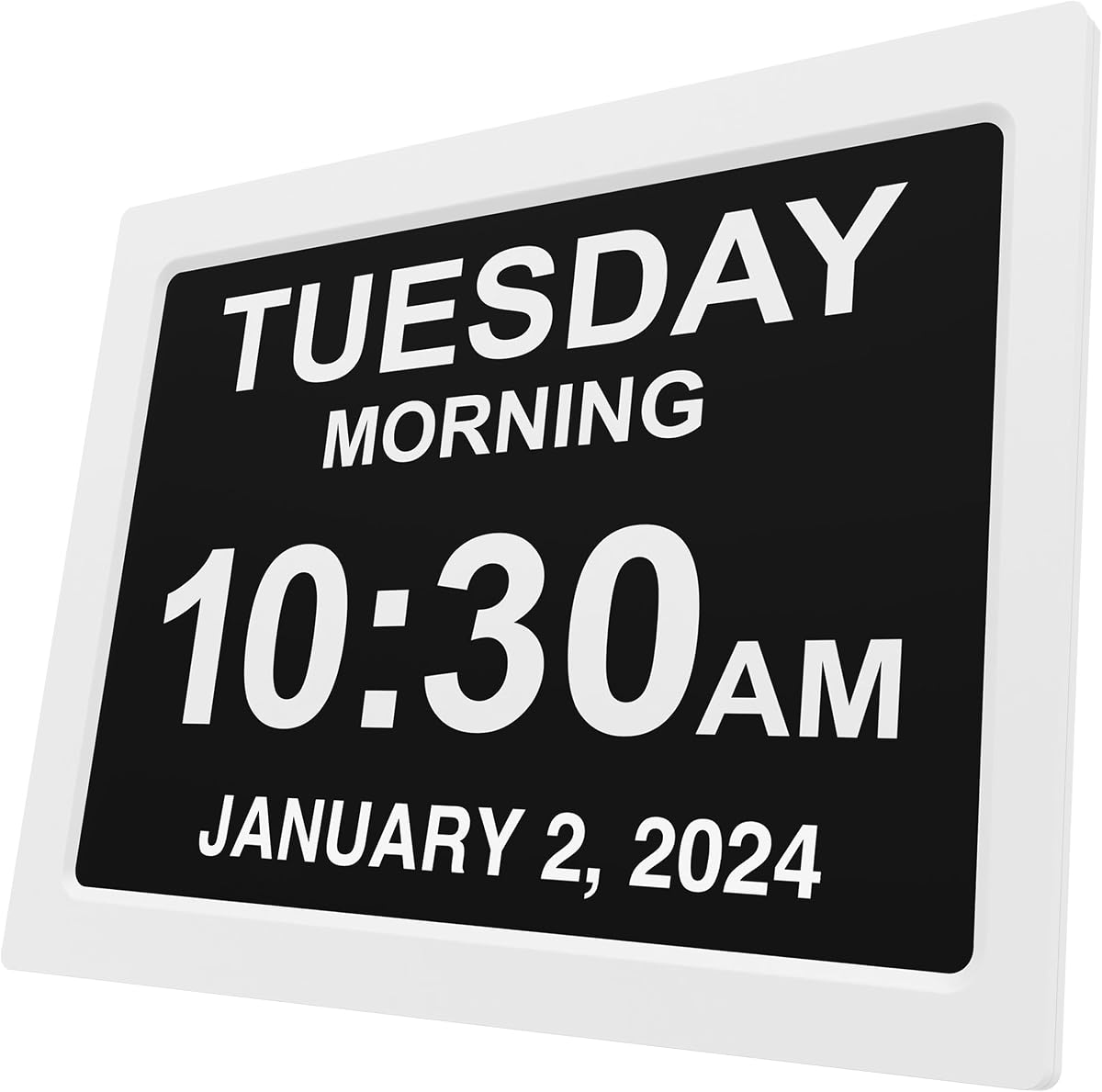
Time alone can be ambiguous for someone who cannot easily distinguish morning from evening or who has difficulty remembering the date. Calendar clocks show the weekday, month, and date in larger formats, while several models add plain-language periods such as morning, afternoon, evening, and night. These features can improve orientation for seniors experiencing memory changes, although the screen may become busier for someone who only wants a simple time display.
Most digital clocks require continuous outlet power, while battery backup varies significantly. Some backup systems retain settings and keep an alarm sounding but leave the screen blank. Others restore the correct time and date after power returns. Battery-only operation is available on the WallarGe, eliminating the need for a cord but introducing the need to monitor battery levels. Choose based on outage risk in the home and on whether the clock must remain visibly active during an interruption.
Bedside users may prefer a compact unit with a stable base, while a shared room may call for a wall-mounted display. Check the listed dimensions, viewing angle, cable length, and available wall space before ordering. Some models support both wall mounting and tabletop placement, and a folding stand can make a battery-powered wall clock adaptable to a desk. Ensure the selected location is comfortably visible without creating glare, vibration, or a trip hazard from cords.
Alarm usefulness depends on both loudness and tone. Volume ranges of two, four, five, or thirty levels provide different degrees of control, while several models offer multiple sounds for a less irritating wake-up. Snooze intervals can help someone who needs more time to become fully awake. For users with hearing or vision limitations, combine audible alarms with visual reminders, a large remote, accessible buttons, and adjustable illumination rather than relying on one feature alone.
Multi-language support is useful when the preferred language differs from the one used during setup. The most extensive interface offers eight languages, while simpler models may not offer localization at all. Setup complexity also matters: a clock with many alarms and display themes requires more initial configuration than a straightforward bedside unit. For a senior who may not use the clock regularly, fewer controls and a remote can be more beneficial than a broad feature list.
Choose the final position before configuring the clock, because mounting orientation and viewing distance can affect how easily the digits are read. Connect the supplied power adapter or install the specified batteries, then set the correct time, date, weekday, and language. Use the manual to assign alarms or reminders with meaningful labels such as medicine, water, or appointment rather than relying on vague entries.
Test the alarm at the intended volume from across the room or near the doorway. For models with automatic dimming, confirm that the scheduled night level is comfortable and that the display brightens appropriately in the morning. Wall-mounted units should be secured according to the included instructions, and battery-powered displays should be checked periodically for the low-battery indicator.
Keep the display and controls free of dust, and avoid placing the clock where direct sunlight, moisture, excessive heat, or condensation may affect it. Replace backup batteries on a regular schedule if the model uses them for retained settings or audible alarms. Never allow batteries to leak, and remove them when the clock will not be used for a long period. If the clock relies on a cord, route the cable where it cannot be tripped over or accidentally pulled.
A seven-inch screen is generally practical for a bedside table or nearby wall, while ten- to fourteen-inch displays are better for rooms where the clock is viewed from across the space. Screen size alone is not enough to judge readability; contrast, digit thickness, viewing angle, and brightness also matter. The best choice is the smallest display that remains clear from the user's normal position.
A dementia-oriented clock typically adds contextual information and routine reminders beyond the current time. It may display the full date, weekday, morning or evening period, and labeled alerts for medication, hydration, or appointments. A regular large alarm clock focuses on time and waking, so it may be simpler and less distracting when those extra aids are unnecessary.
An alarm is valuable for anyone who may not hear a conventional alert or may need a consistent waking schedule. It should be paired with a very large display rather than treated as a substitute for one. Adjustable brightness, strong contrast, a snooze function, and optional visual activity icons can make the clock more useful.
It depends on the model. Some clocks keep the alarm sounding and retain settings while the screen remains blank, while others automatically restore the correct time and date when power returns. The WallarGe operates directly from AA batteries, but those batteries need regular replacement. Check the backup section of the product listing before assuming the clock will display full information during an outage.
They are often worthwhile because they reduce glare without requiring the user to remember a manual adjustment. Automatic models generally dim at a preset evening time and brighten in the morning, while manual levels provide additional control. The best schedule depends on sleep habits, bedroom light levels, and how sensitive the user is to illumination.
Models with multiple alarms and visual labels can prompt a senior to take medication at scheduled times. They work best when routines are consistent and someone has carefully configured the labels and repetitions. A clock supports a routine, but it does not replace professional medical advice, pill organizers, or other safety systems when they are needed.
A wall-mounted clock is better when the user needs to see the time from across a room, while a bedside model is easier to reach for alarm controls and snooze. Several products support both placements. Consider the viewing distance, available wall space, power outlet location, and how often the user must press buttons.
One alarm may be sufficient when the clock is used only for waking, while five or more can organize medicine, meals, hydration, and appointments. More than the household actually needs can make setup confusing and create unnecessary alerts. Write out the intended schedule before programming the clock and label each reminder clearly.
The DreamSky Large Digital Alarm Clock is the strongest all-around option for straightforward bedside use, offering enormous illuminated digits, detailed brightness control, and a simple alarm. The Soobest 12-Inch model leads for structured reminders and rich calendar context, while the American Lifetime 12-Inch clock provides a premium, highly visible wall display for users who want full orientation information.
Prioritize the conditions of actual use rather than the longest feature list. Check viewing distance, contrast, alarm audibility, backup behavior, power requirements, setup complexity, and whether the user benefits from date or time-period labels. A simple clock is often more effective for one senior, while another may need a full visual reminder system.
Ratings and product information provide a useful starting point, but current prices, availability, accessories, and retailer terms can change. Review the latest listing and manufacturer guidance before ordering, and confirm that the required outlet, batteries, mounting area, and reminder schedule fit the intended home.